

Page 1
F/ W Upgrade Method by USB flas h drive
How to prepare F/W Update file via USB flash drive
1.Download the newest firmware file onto your computer from www.samsung.com.
2.Ifthe firmware file is compressed (*.zip), the file should be uncompressed to RUF
file(*.ruf).
3.Connect aUSB flash drive to your computer.
4.Ifthere are previous versions ofRUF file on USB flash drive, delete them.
5.Copy the new RUF file to USB flash drive.
Warning
The following events may interrupt the upgrade process and MAY RESULT IN PERMAN
ENT DAMAGE TO THE UNIT.
1.Unplugging the power cord
2.Power Outage
How to upgrade the Blu-ray Disc Player
1.Remove any Disc, the display should read "No Disc"
2.Insert the USB flash drive into the Blu-ray player while itis ON.
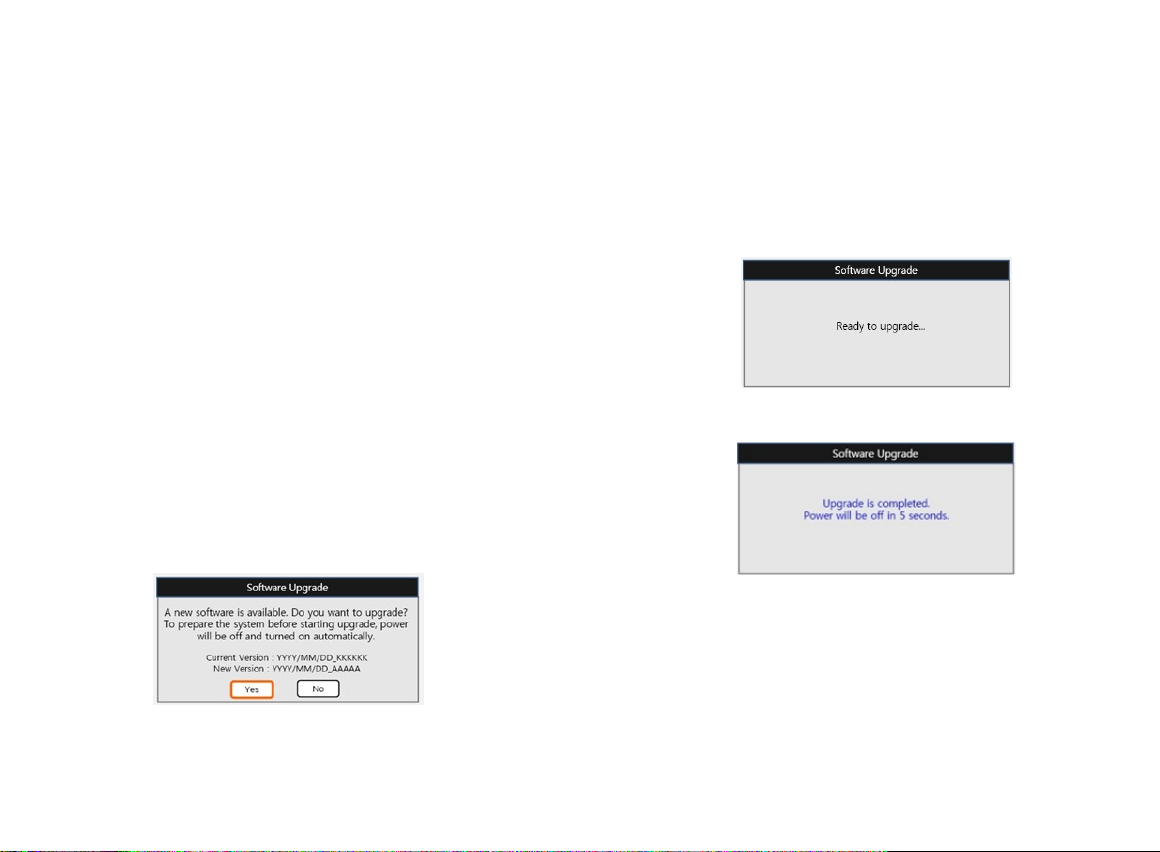
3.Press [Enter] on the OK to upgrade firmware
4.The power will be turned off and on atthe beginning ofthe firmware upgrade. The
upgrade progress bar willbe appeared.
6.When the update is completed the Blu-ray Disc Player willbe turned off automatica
lly.
7.Remove the USB flash drive.
8.Itis now safe to power on your Blu-ray Disc Player.
 Loading...