

Page 1
TM
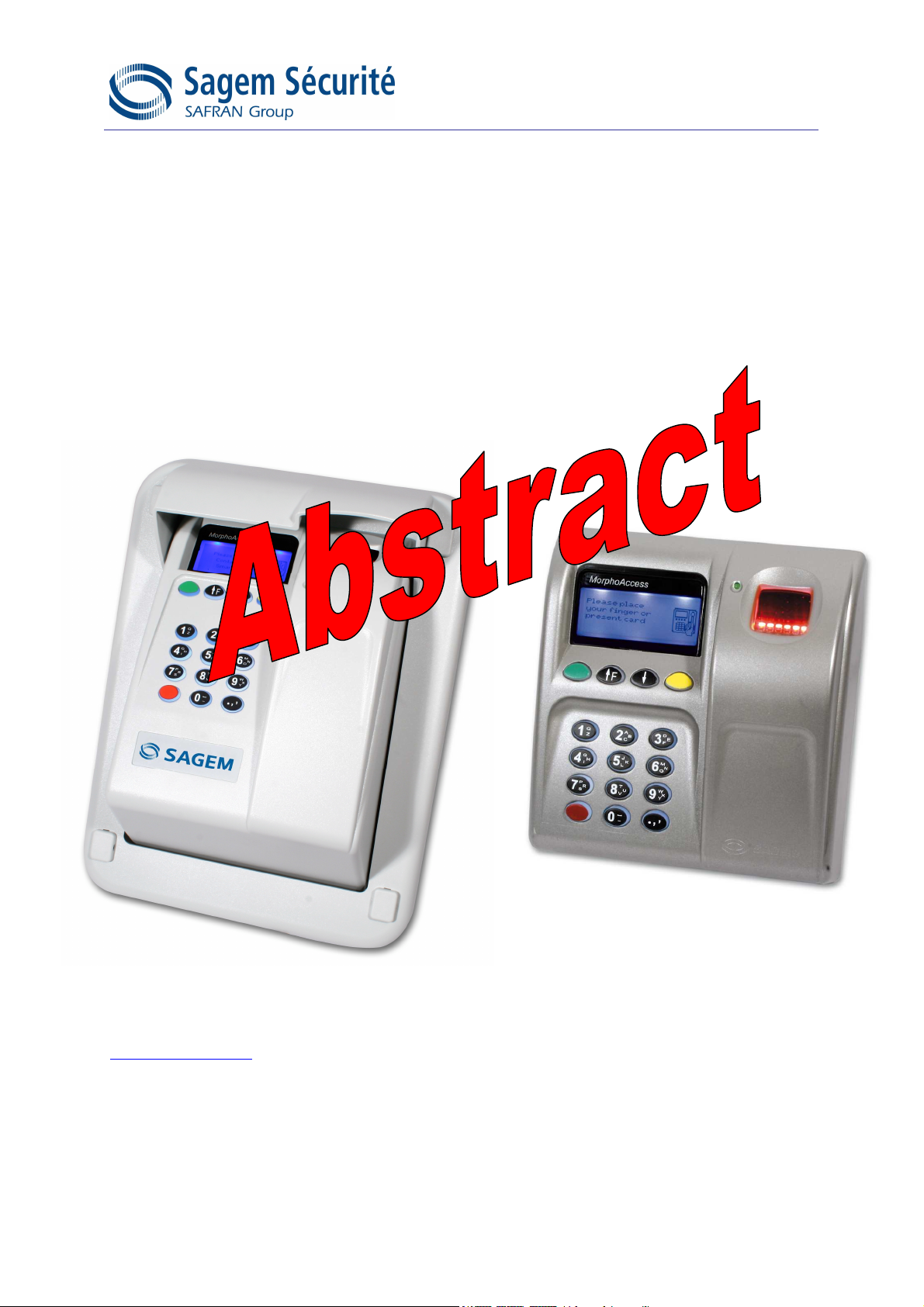
MorphoAccess
Installation Guide
MA500 Series
Produced by Sagem Sécurité
Copyright ©2007 Sagem Sécurité
www.sagem-securite.com
MorphoAccessTM Installation guide
OMA520/521 and MA500/520/521
May 08
SK 53018
Page 2

Page 3

Siège social: Le Ponant de Paris
27, rue Leblanc - 75512 PARIS CEDEX 15 - FRANCE
Page 4

CONTENTS
INTRODUCTION 5
SAFETY INSTRUCTIONS 6
E
UROPE INFORMATION
USA
INFORMATION
ANADIAN INFORMATION
C
: 6
7
7
GENERAL DESCRIPTION 8
MA5XX VERSIONS INSTALLATION PROCEDURE 10
S
TAGE
1: D
S
TAGE
TAGE
S
S
TAGE
RILLING THE MOUNTING HOLES
2: M
OUNTING THE METAL CHASSIS ASSEMBLY
3: C
ONNECTING THE CHASSIS ASSEMBLY TO THE COVER ASSEMBLY
4: C
LOSING MORPHOACCESS
10
11
12
™ 13
OMA5XX VERSIONS INSTALLATION PROCEDURE 14
S
TAGE
1: D
S
TAGE
TAGE
S
S
TAGE
RILLING THE MOUNTING HOLES
2: OMA5
3: OMA5
4: C
XX FIXING
XX CABLING
LOSING
15
15
OMA5XX 15
14
ELECTRICAL INTERFACE ERREUR ! SIGNET NON DÉFINI.
MA5
XX TERMINAL BLOCK BOARD WIRING
OMA5
P
W
D
W
D
COM RS422
COM RS485
E
O
XX REAR VIEW AND CABLES
OWER SUPPLY SOURCE
IEGAND OUTPUT WIRING
ATA CLOCK OUTPUT WIRING
IEGAND INPUT WIRING
ATA CLOCK INPUT WIRING
SERIAL PORT
SERIAL PORT
THERNET WIRING
UTPUT RELAY AND SECURITY SWITCHES
E
E
E
E
E
E
E
E
E
E
E
RREUR
RREUR
RREUR
RREUR
RREUR
RREUR
RREUR
RREUR
RREUR
RREUR
RREUR
! S
IGNET NON DÉFINI
! S
IGNET NON DÉFINI
! S
IGNET NON DÉFINI
! S
IGNET NON DÉFINI
! S
IGNET NON DÉFINI
! S
IGNET NON DÉFINI
! S
IGNET NON DÉFINI
! S
IGNET NON DÉFINI
! S
IGNET NON DÉFINI
! S
IGNET NON DÉFINI
! S
IGNET NON DÉFINI
USER INTERFACE ERREUR ! SIGNET NON DÉFINI.
SK-34370-05 SAGEM Sécurité document. Reproduction and disclosure forbidden.
.
.
.
.
.
.
.
.
.
.
.
3
Page 5

TM
MORPHOACCESS
MA5XX SERIES TECHNICAL CHARACTERISTICS
ERREUR ! SIGNET NON DÉFINI.
M
AN MACHINE INTERFACE
IOMETRY
B
P
ERIPHERALS INTERFACES
P
OWER SUPPLY
S
IZE AND WEIGHT
E
NVIRONNEMENTAL CONDITIONS
E
E
E
E
E
E
RREUR
RREUR
RREUR
RREUR
RREUR
RREUR
! S
IGNET NON DÉFINI
! S
IGNET NON DÉFINI
! S
IGNET NON DÉFINI
! S
IGNET NON DÉFINI
! S
IGNET NON DÉFINI
! S
IGNET NON DÉFINI
.
.
.
.
.
.
RECOMMENDATIONS ERREUR ! SIGNET NON DÉFINI.
A
REAS CONTAINING COMBUSTIBLES
G
ENERAL PRECAUTIONS
S
PECIFIC PRECAUTIONS FOR RADIO TERMINALS
E
THERNET CONNECTION
ATE
/ T
D
C
LEANING PRECAUTIONS
W
ARNING
B
IOMETRICS TERMINALS HOT LINE
IME SYNCHRONIZATION
E
E
E
E
E
E
E
E
RREUR
RREUR
RREUR
RREUR
RREUR
RREUR
RREUR
RREUR
! S
IGNET NON DÉFINI
! S
IGNET NON DÉFINI
! S
IGNET NON DÉFINI
! S
IGNET NON DÉFINI
! S
IGNET NON DÉFINI
! S
IGNET NON DÉFINI
! S
IGNET NON DÉFINI
! S
IGNET NON DÉFINI
APPENDIX 1 - FINGERPRINT PLACEMENT RULES ERREUR ! SIGNET NON
DÉFINI.
APPENDIX 2 – RELATED DOCUMENTS ERREUR ! SIGNET NON DÉFINI.
APPENDIX 3 - DRILLING TEMPLATE ERREUR ! SIGNET NON DÉFINI.
MA5
XX VERSIONS
OMA5
XX VERSIONS
E
E
RREUR
RREUR
! S
IGNET NON DÉFINI
! S
IGNET NON DÉFINI
.
.
.
.
.
.
.
.
.
.
SUPPORT ERREUR ! SIGNET NON DÉFINI.
C
USTOMER SERVICE
H
OTLINE
E
E
RREUR
RREUR
! S
IGNET NON DÉFINI
! S
IGNET NON DÉFINI
.
.
Page 6

IINNTTRROODDUUCCTTIIOONN
Congratulations for choosing the SAGEM MorphoAccess™1 Automatic
Fingerprint Recognition Terminal. MorphoAccess™ provides an innovative
and effective solution for access control applications using Fingerprint
Verification or/ and Identification.
Among a range of alternative biometric techniques, the use of finger
imaging has significant advantages: each finger constitutes an unalterable
physical signature which develops before birth and is preserved until
death. Unlike DNA, a finger image is unique to each individual - even
identical twins.
The MorphoAccess™ terminal integrates SAGEM image processing
and feature matching algorithms (MorphoSoft™ and MorphoImaging™).
This technology is based on lessons learned during more than 20 years of
experience in the field of biometric identification and the creation of literally
millions of individual fingerprint identification records.
We believe you will find the SAGEM MorphoAccess™ fast, accurate, easy
to use and suitable for physical access control.
The SAGEM MorphoAccess™ offers the following advantages:
• High quality optical sensor ( IQS certified )
• Supports multiple input/output interfaces used in the physical
access control industry.
• Local area network interface for easy interaction with other host
systems.
• Compact size for easy installation and integration into your
available office space.
• Intuitive man machine interface with keyboard and display, that is
easy to use in both setup and operational modes.
• Open architecture, with dedicated applications implemented via
MA5xx/1xx Software Development Kit.
To ensure the most effective use of your SAGEM MorphoAccess™, we
recommend that you read this Installation Guide thoroughly.
1
The SAGEM logo and trademark are the property of SAGEM Sécurité.
All other trademarks or product names are trademarks or product names of the respective title holders.
SK-34370-05 SAGEM Sécurité document. Reproduction and disclosure forbidden.
5
Page 7

SSAAFFEETTYY IINNSSTTRRUUCCTTIIOONNSS
The installation of this product should be made by a qualified service
technician and should conform to all local codes.
It is strongly recommended that a class II power supply at 12 V ±5% and
1.5 A. min be used in accordance with Safety Electrical Low Voltage
(SELV) parameters. The 12 V power supply cable length should not
exceed 5 meters.
This product may be installed with a power supply conforming to
EN60950, in accordance with the NEC Class 2 requirements; or supplied
by a listed EN60950 external Power Unit marked Class 2, Limited Power
source, or LPS and rated 12 V DC, 1.5 A minimum.
In case of “Power Over Ethernet” use, the POE hub or switch features has
to be conformed with IEEE 802.3-af standard. An insulation greater than
2000V is provided between MA5xx terminal and Ethernet network.
In case of building to building connection it is recommended to connect 0V
to ground. This ground (ground security reference) cable must be
connected with the terminal block board fixation screw marked with the
universal ground symbol ( see p16 ).
EEuurrooppee iinnffoorrmmaattiioonn::
SAGEM hereby declares that the SAGEM MorphoAccess™ has been
tested and found compliant with the following listed standards as required
by the EMC Directive 89/336/EEC: EN55022 (1994) / EN55024 (1998),
EN300-330 (1999) and by the low voltage Directive 73/23/EEC amended
by 93/68/EEC: EN60950 (2000).
Caution: The MA5xx terminals are Class A devices. In a residential
environment, these devices may cause interference. In this case, the user
is encouraged to try to correct the interference with appropriated measures
such as:
• Reorient or relocate the receiving antenna.
• Increase the separation between the equipment and receiver.
• Connect the equipment into an outlet on a circuit different from that
to which the receiver is connected.
• Consult the dealer or an experienced radio/TV technician for help.
Page 8

UUSSAA iinnffoorrmmaattiioonn
Responsible Party: SAGEM SECURITE , Le Ponant de Paris, 27, rue
Leblanc – F 75512 PARIS CEDEX 15 – FRANCE
Caution: Changes or modifications not expressly approved by the party
responsible for compliance could void the user’s authority to operate the
equipment.
This device complies with part 15 Class A of the FCC Rules. Operation is
subject to the following two conditions: (1) This device may not cause
harmful interference, and (2) this device must accept any interference
received, including interference that may cause undesired operation.
Note: This equipment has been tested and found to comply with the limits
for a Class A digital device, pursuant to part 15 of the FCC Rules. These
limits are designed to provide reasonable protection against harmful
interference in a commercial installation. This equipment generates, uses
and can radiate radio frequency energy and, if not installed and used in
accordance with the instructions, may cause harmful interference to radio
communications. Operation of this equipment in a residential area is likely
to cause harmful interference in which case the user will be required to
correct the interference at their own expense.
CCaannaaddiiaann iinnffoorrmmaattiioonn
This Class A digital apparatus complies with Canadian ICES-003.
Cet appareil numérique de Classe A est conformes à la norme NMB-003
du Canada.
SK-34370-05 SAGEM Sécurité document. Reproduction and disclosure forbidden.
7
Page 9

Card reader
Sensor
theft
entry
Metal chassis
Protective visor
GGEENNEERRAALL DDEESSCCRRIIPPTTIIOONN
MA5xx versions
Display
128 x 64 dots
Function keys
Keyboard
MIFARE
Mounting keyholes
Cable entry
Anti-
MorphoAccess™ supplies:
1 Cover assembly with Chassis and 2 Secured screws for fixation
1 Secured screwdriver Torx 20
1 Chassis fixation kit ( 4 fixations and screws , 1 anti theft block )
OMA5xx versions
Page 10

Display
MIFARE
Card reader
( MA520 / 521 only )
Sensor
128 x 64 dots
Function keys
Keyboard
4 Mounting slots
Outdoor MorphoAccess™ supplies:
1 Cover assembly with chassis and protective visor
1 Secured screwdriver Torx 10
1 Chassis fixation kit ( 4 fixations and screws )
SK-34370-05 SAGEM Sécurité document. Reproduction and disclosure forbidden.
9
Page 11

MMAA55XXXX VVEERRSSIIOONNSS IINNSSTTAALLLLAATTIIOONN PPRROOCCEEDDUURREE
SSttaaggee 11:: DDrriilllliinngg tthhee mmoouunnttiinngg hhoolleess
Mounting and cable entry hole location (rear view)
a) Using the dimensional drawing in Appendix 3, drill 2 holes for the
mounting keyholes screws so that the cable entry is in a suitable position
for cabling.
b) Drill the hole for the third screw in the center of the slot so that it is
possible to correct the position later, if necessary.
c) The mounting screws must be 5 mm diameter maximum.
Page 12

Terminal block board
Cable entry
SSttaaggee 22:: MMoouunnttiinngg tthhee mmeettaall cchhaassssiiss aasssseemmbbllyy
Anti theft switch
Chassis bold receivers
a) Disconnect the ribbon cable between the motherboard and the terminal
block board so that the assembly shown above can be detached from the
rest of MorphoAccess™.
b) Pass the connecting cables through the cable entry.
c) Position the chassis assembly against the wall using the two screws in
the mounting keyholes.
d) Hold the chassis in place with a screw through the mounting slot.
e) Adjust the position, and fix in place by tightening all three screws.
f) Adjust the anti theft block into the hole designed for it, and fix in place
the last and fourth screw.
Check that nothing is interfering with the anti theft switch ( opto
component ) and the anti theft block.
g) Connect cables to terminal blocks with adequate torque conformed to
screw dimensions ( see the detailed instructions in the following
sections )
Be sure during manipulation that the power supply from the
electrical source is off.
SK-34370-05 SAGEM Sécurité document. Reproduction and disclosure forbidden.
11
Page 13

Chassis assembly
The ribbon cable must be folded as
shown so that the case closes
easily without damaging the cable
Cover assembly
SSttaaggee 33:: CCoonnnneeccttiinngg tthhee cchhaassssiiss aasssseemmbbllyy ttoo tthhee ccoovveerr aasssseemmbbllyy
Ribbon cable connector location
Tamper switch
Cover assembly
Motherboard/terminal block board
ribbon cable connector
Position of the ribbon cable as the case is closed
Chassis assembly
Page 14

SSttaaggee 44:: CClloossiinngg MMoorrpphhooAAcccceessss™™
Lip
When the ribbon cable has been
connected between the two assemblies
(see stage 3), the cover assembly is fitted
to the chassis assembly.
1 The lip on the cover slides behind the
chassis, to fit over the catch shown on the
diagram above.
Catch for the cover assembly lip
2 The cover is fitted onto the chassis by
rotating it.
Fit the two M4x16 assembly screws.
Use screwdriver TORX 20
Assembled
MorphoAccess
TM
SK-34370-05 SAGEM Sécurité document. Reproduction and disclosure forbidden.
13
Page 15

OOMMAA55XXXX VVEERRSSIIOONNSS IINNSSTTAALLLLAATTIIOONN PPRROOCCEEDDUURREE
SSttaaggee 11:: DDrriilllliinngg tthhee mmoouunnttiinngg hhoolleess
Mounting hole location (rear view)
a) Using the dimensional drawing for OMA5xx in Appendix 3, drill holes
for the four mounting bolts, vertically centered within the four slots.
b) The mounting bolts must be 5 mm diameter maximum.
Page 16

SSttaaggee 22:: OOMMAA55xxxx ffiixxiinngg
a) Remove protective visor ( 4 small caps at each corner ) before fixing
OMA5xx assembly.
Remove the 4 small caps at each corner of the protective visor , with a
small screw driver
Remove the 4 screws , with T10 screw driver supplied.
b) Adjust the OMA5xx assembly in front of the 4 holes.
c) Fix the 4 mounting bolts ( 2 in upper zone , 2 in lower zone )
SSttaaggee 33:: OOMMAA55xxxx ccaabblliinngg
a) Connect necessary OMA cables to user wires ( see the detailed
instructions in the following sections )
SSttaaggee 44:: CClloossiinngg OOMMAA55xxxx
a) Mount protective visor with 4 screws and T10 screw driver.
b) Put the 4 small caps.
SK-34370-05 SAGEM Sécurité document. Reproduction and disclosure forbidden.
15
 Loading...