

Page 1

Instruction Manual
IT-1 Infrared Thermometer
Page 2
IT-1 Infrared Thermometer English
2
SECTION 1 – SAFETY INFORMATION
Safety Information
Understand and follow operating instructions carefully.
Use the tester only as specied in these instructions otherwise, the protection provided
by the tester may be impaired.
- To ensure safe operation and service of the tester, follow these instructions.
- Failure to observe warnings can result in severe injury.
- Do not stare into the laser beam.
- Do not point the laser directly at the eye or indirectly off a reective surface.
- The Volt Sense function must only used to test on insulated wires.
- When testing high voltage wires, keep the tester a minimum of 20mm
away from the wire.
- Do not use to sense wire voltages higher than 600V.
European Region Label US Region Label
Note: Please t the correct warning label appropriate to the region where the tester
is being used
Page 3

IT-1 Infrared Thermometer English
3
Symbols as marked on the tester and instruction manual
CE certication
This tester is certied to the following standards :
EN 61326-1 Electromagnetic Emissions and Susceptibility
EN 61010-1 General Safety
EN 60825-1 Laser Safety
Battery
See instruction card
Do not apply directly to or around bare HAZARDOUS LIVE conductors
AC measurement
Conforms to EU directives
Dispose of in accordance with local regulations.
Laser light, do not stare into the beam
Caution ! Non-contact voltage
Page 4

IT-1 Infrared Thermometer English
4
Tester Description
Operating Instructions
Power On / Off
Press the key until the display activates
Auto Power Off : 3 minutes.
AAA
Battery
Torch
Laser
LCD
Torch Key
Test Key
Battery
Cover
Battery Indicator
℃/℉
Laser Indicator
NCV Indicator
press
Page 5
IT-1 Infrared Thermometer English
5
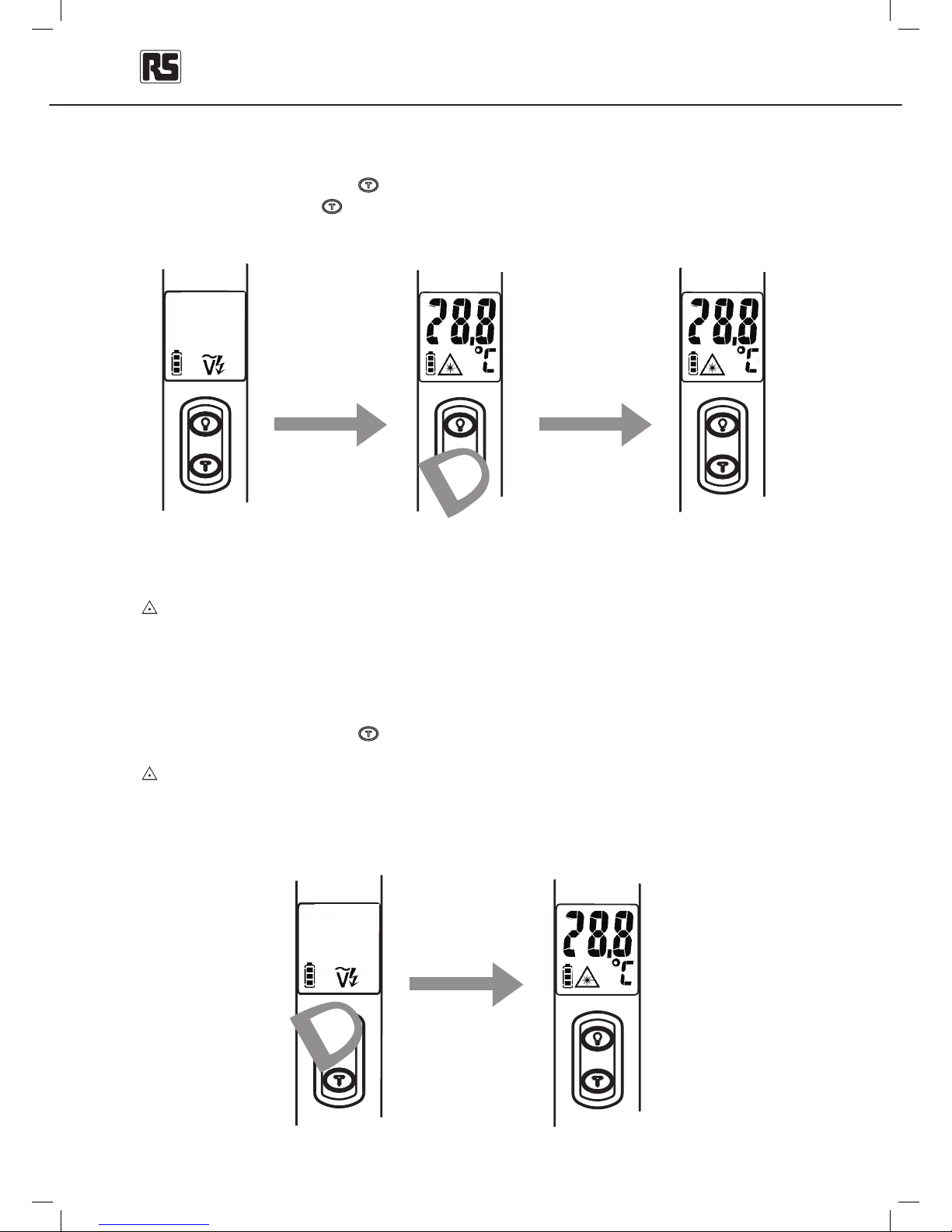
Temperature Measurement
When powered on, press the key, the tester will show the temperature of the measured
target. Then release the
key, the LCD will hold the reading for 10 seconds.
The laser light points out the measuring direction during the temperature test.
Take care, do not stare into the beam
Continuous Measurement Mode
When powered on, press the key for 3 seconds, the tester will enter the IR temperature
continuous measurement mode.
The laser light points out the measuring direction during the temperature test.
Take care, do not stare into the beam.
pressfor3secs
continuous
measurement
mode
press release
auto hold for 10 secs
Page 6
IT-1 Infrared Thermometer English
6
°C / °F Selection
Press the key and the key for 2 seconds at the same time to switch the temperature
tester between oC and oF
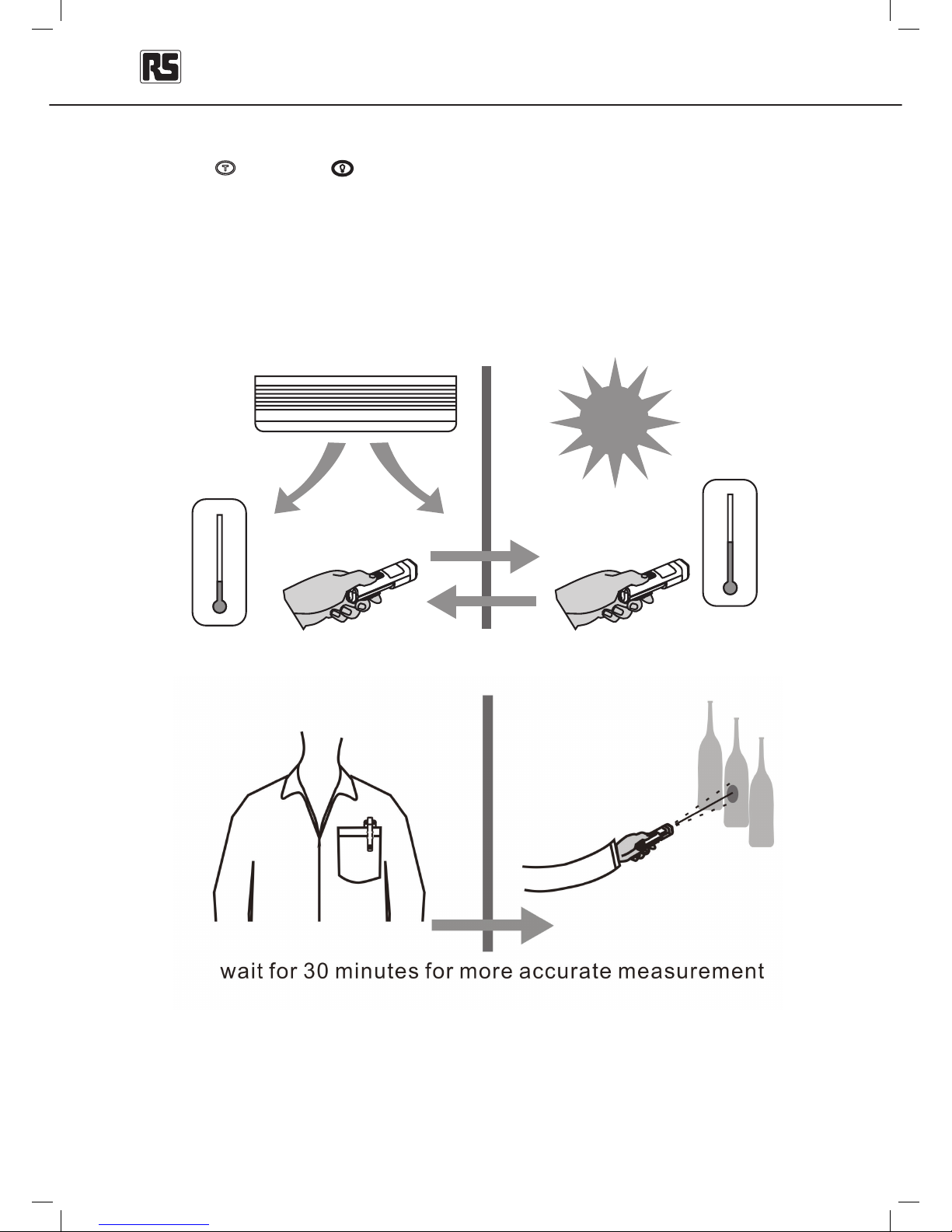
Notes on making Temperature Measurements
For accurate temperature measurements, allow the tester to acclimatize to the ambient
temperature for 30 minutes.
25℃/
77 ℉
3955℃ /
℉
wait for30minutes
Page 7
IT-1 Infrared Thermometer English
7
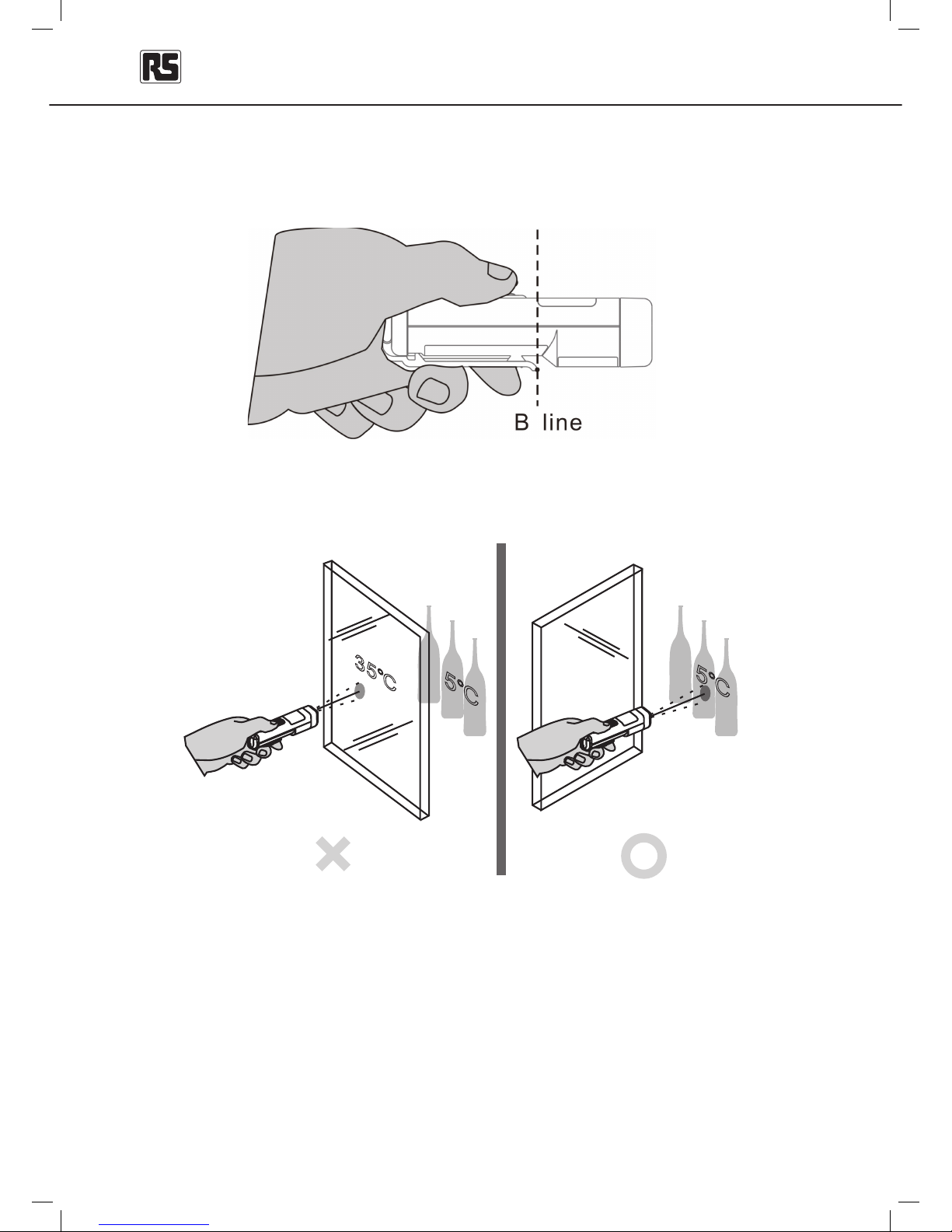
To prevent thermal effects interfering with the measurement accuracy:
Do not put the ngers on the housing for long periods of time
• Do not cross the “B” line:
The tester cannot measure through transparent materials such as glass; remove the
barrier between the tester and the target surface.
The tester is calibrated at 30 cm; use the tester at about 30cm from the target to get the
most accurate measurement.
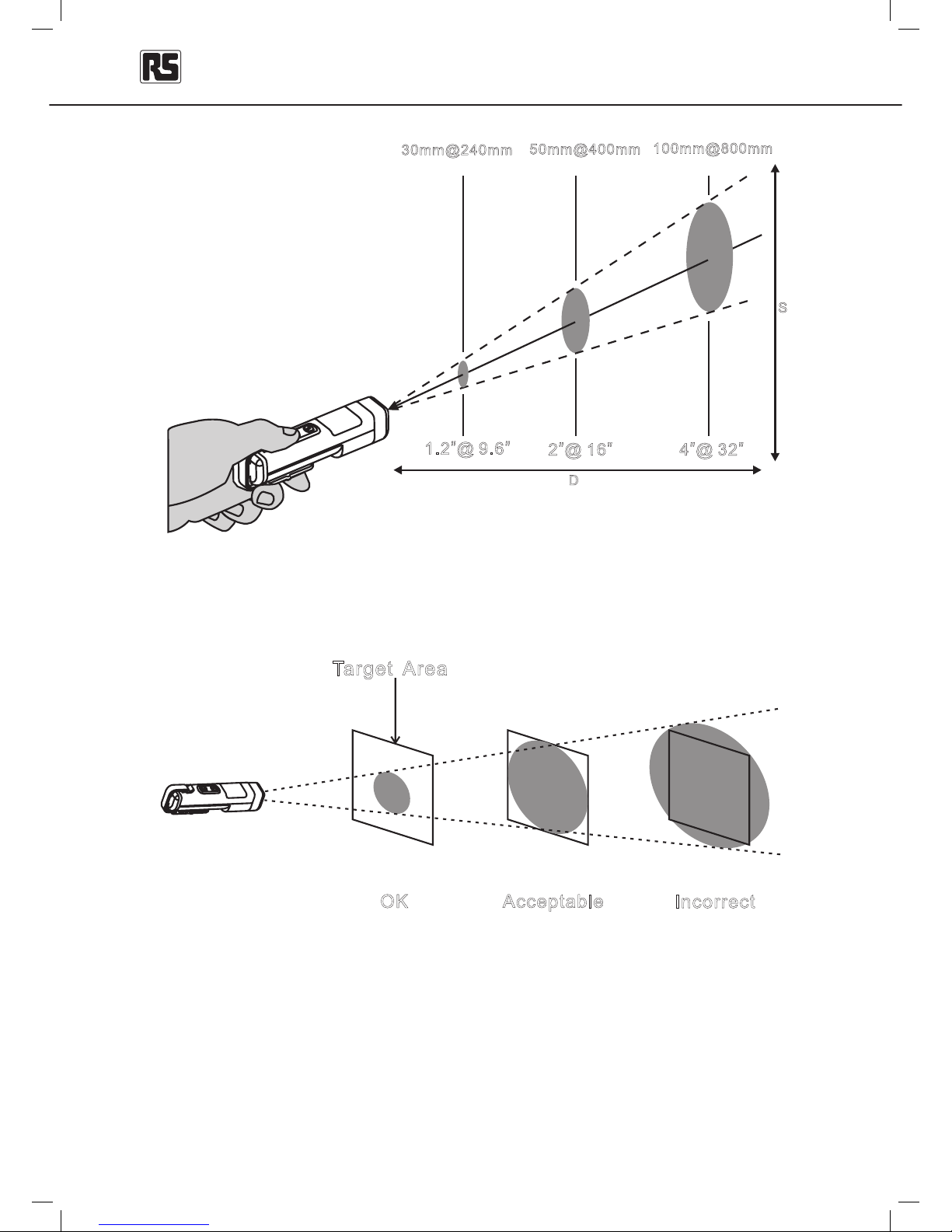
At longer distances, the target area should be larger than the distance divided by 8.
5℃
5℃
35℃
Page 8
IT-1 Infrared Thermometer English
8
1. The measured area cannot be bigger than target area, or the reading will be incorrect.
2. The minimum measurement area is 3.75 cm (1.5”) diameter.
3. It is not recommended for use on measuring shiny or polished metal surfaces
(aluminium,, stainless steel etc.).
4. Steam, dust, smoke, etc., can prevent accurate measurement by obstructing the
tester‘s optics
D
S
DS 81:=:
30mm@240mm
2@16”” 4@32””
50mm@400mm
100mm@800mm
OK
Acceptable
Incorrect
Target Area
Page 9
IT-1 Infrared Thermometer English
9
Emissivity
Most organic materials and painted surfaces have an emissivity of 0.95 (pre-set in the
tester). Inaccurate readings will result from measuring shiny or polished metal surfaces.
To compensate, cover the surface to be measured with masking tape or matt black paint.
Allow time for the tape to reach the same temperature as the material underneath it.
Measure the temperature of the tape or painted surface.
Torch
When the tester is powered on, press the key to switch the torch on and off.
Volt Sense (non contact voltage detection)
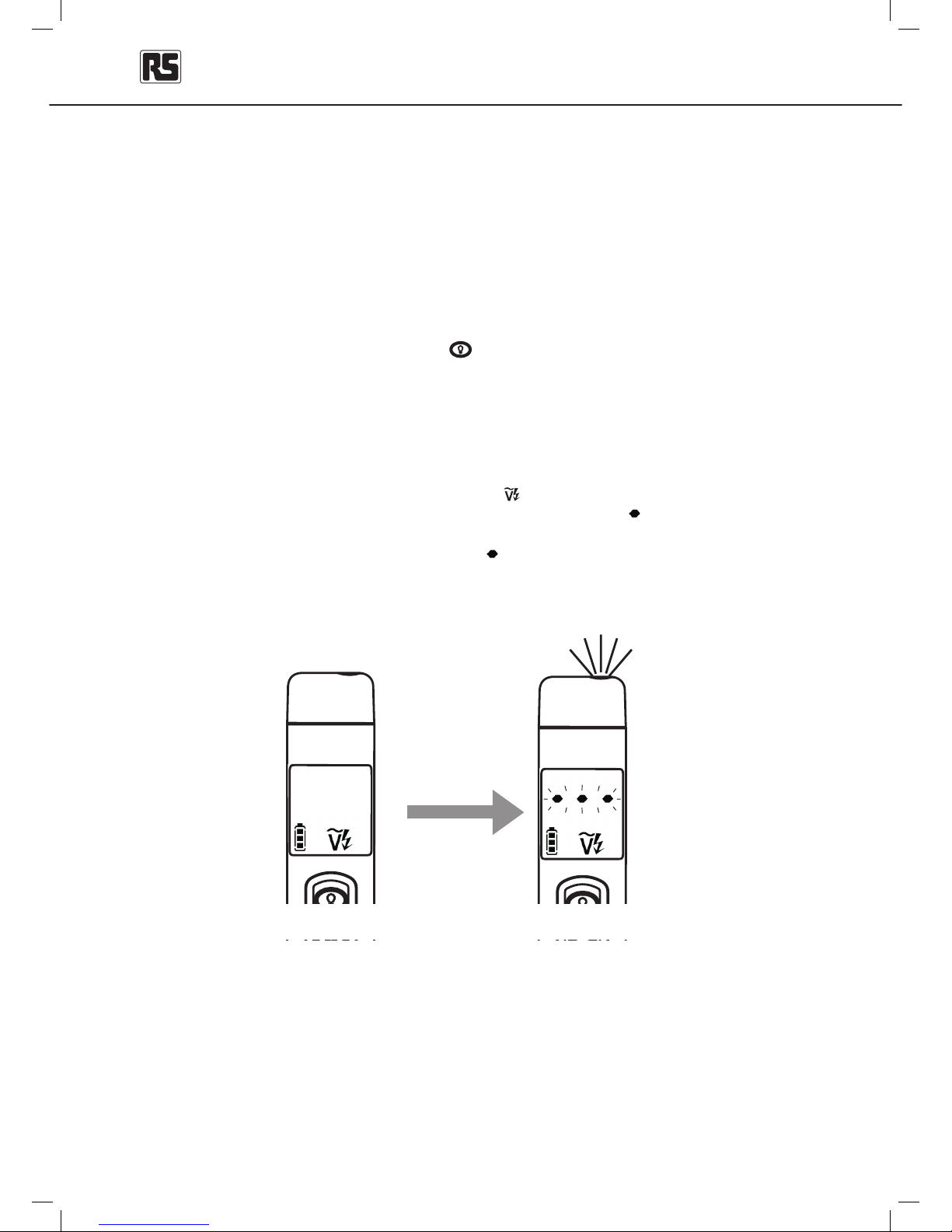
The Volt Sense function is ON automatically when the tester is switched on and is in
standby mode. The LCD displays will display the
indicator.
While an electric eld is being sensed, the LCD displays ashing “
insulated wire
“ symbols and the
torch ashes.
The higher the electric eld sensed, the more “
insulated wire
“ symbols are displays on the LCD and
the faster the display and the torch will ash
detected
Page 10
IT-1 Infrared Thermometer English
10
Safety Information
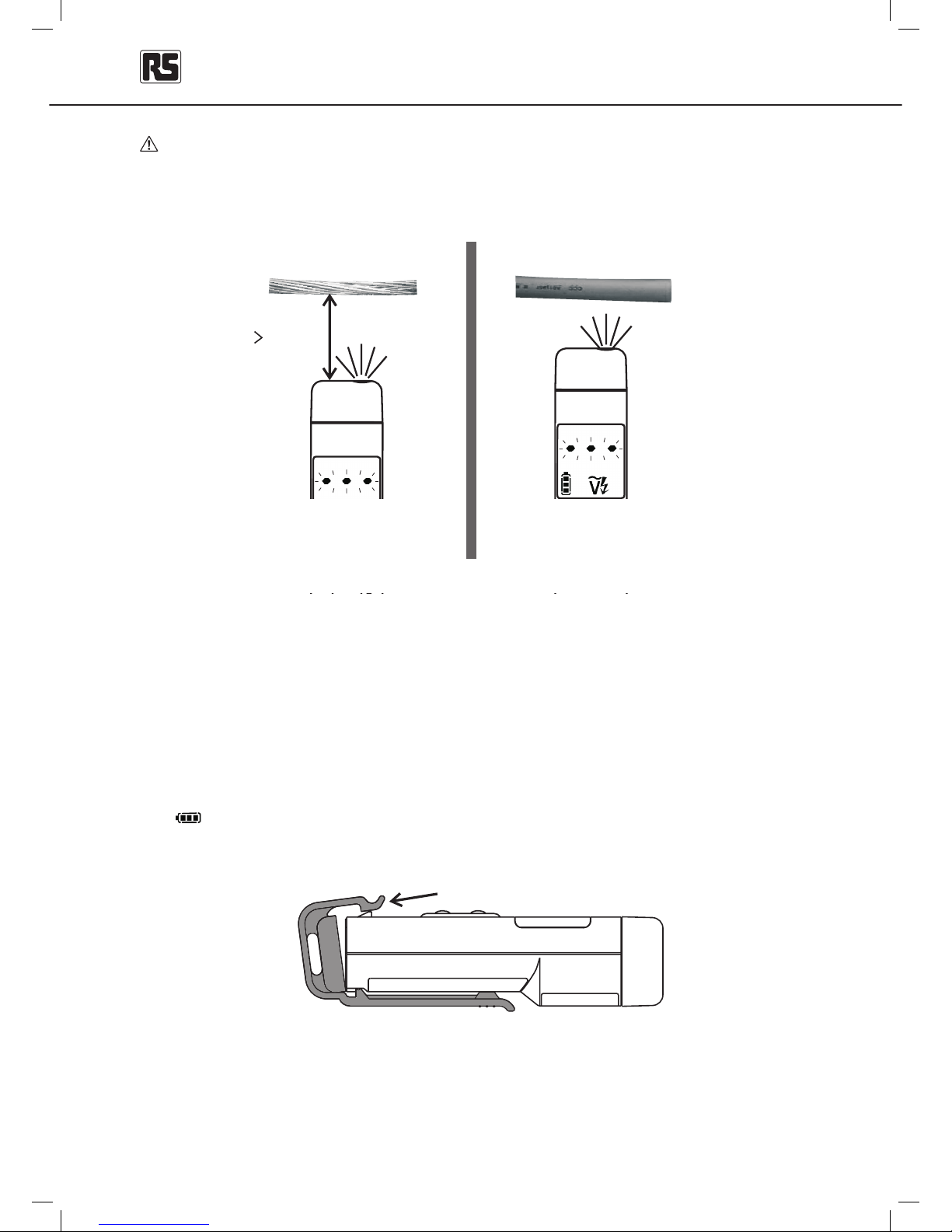
The Volt Sense function should only be used to test insulated wire.
Testing high voltage wire should keep a distance of 20mm, or it might cause danger.
Maintenance
Do not attempt to repair this tester.
It contains no user-serviceable parts.
Repair or service should only be performed by qualied personal.
Battery Replacement
The tester displays the battery capacity when powering up. Replace the battery when
the “ “ battery indicator is ashing.
Open the back cover to replace the battery.
Check the battery polarity carefully when inserting the battery.
Do not short-circuit used batteries, disassemble them, or throw them in a re. Doing so
may cause the batteries to explode.
Dispose of the used batteries in accordance with local regulations.
insulated wire
high voltage
dmm20
pull to open
Page 11
IT-1 Infrared Thermometer English
11
Cleaning
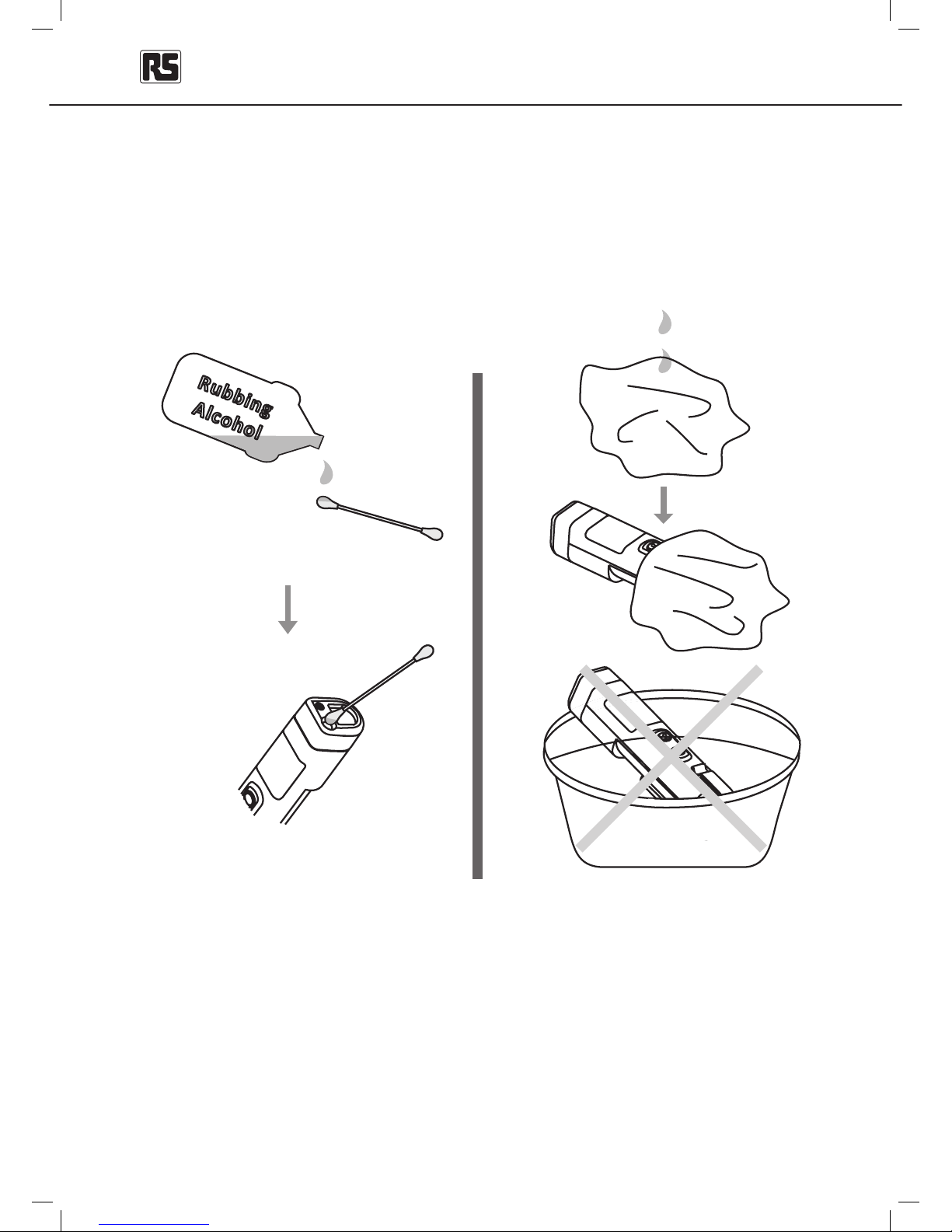
Periodically wipe the case with a dry cloth and detergent.
Do not use abrasives or solvents.
Do not immerse the tester in water.
Periodically wipe the lens with a cotton swab and rubbing
alcohol. Do not use abrasives or any other solvents.
Rubbi ng
Alcoh ol
Page 12
IT-1 Infrared Thermometer English
12
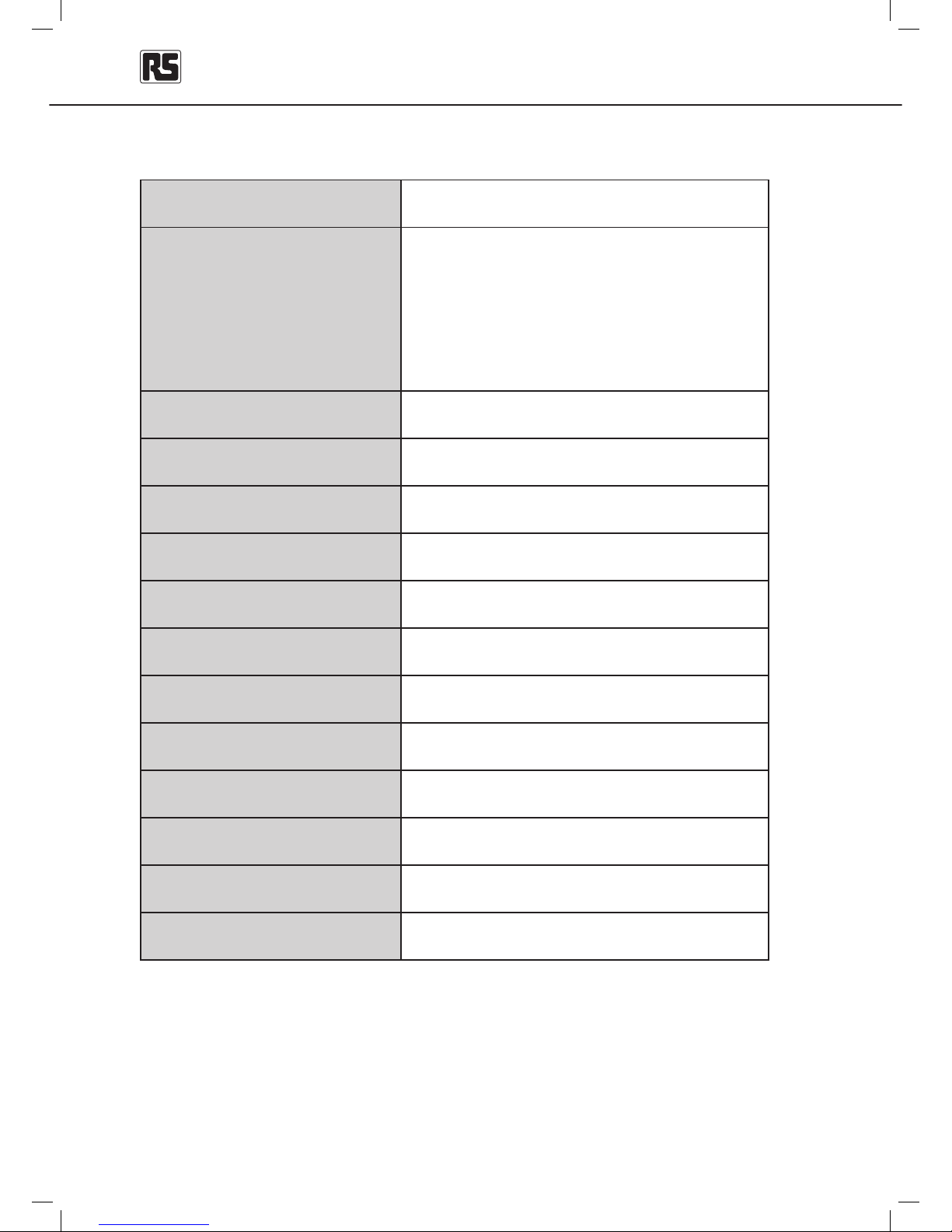
Temperature -30°C ~ 500°C (-22°F ~ 932°F)
Accuracy at
23°C ± 2°C
< 80% RH
-30°C ~ 0°C (-22°F ~ 32°F) : ± 3°C (± 6°F )
1°C ~ 10°C (34°F ~ 50°F) : ± 1.5°C (± 3°F )
11°C ~ 40°C (52°F ~ 104°F) : ± 1°C (± 2°F )
41°C ~ 500°C (106°F ~ 932°F) :
±1.5°C (± 3°F ) or ± 1.5%
of reading, whichever is greater.
Display Resolution
0.2°C (0.5°F)
Response Time 0.5 s
Spectral Response 6.5um ~ 18um
Emissivity E=0.95
D:S 8:1(calculated at 80% energy)
Repeatability
±1°C or ±0.5% of reading, whichever is greater.
Display Hold 10s
Weight / Dimension 40g 20mm(W)x30mm(D)x100mm(L)
Battery Life 150hrs (with laser)
Power 1.5 V AAA alkaline battery
Non-Contact Voltage 60VAC ~ 600VAC
Storage Temperature
-20°C ~ 60°C (without battery)
Specications
Page 13

IT-1 Infrared Thermometer English
13
Europe
RS Components UK
PO Box 99, Corby,
Northants.,
NN17 9RS
United Kingdom
Tel: 004 (0)1536 201234
Fax: 004 (0)1536 405678
rswww.com
Asia
RS Components
460 Alexandra Road, #15-01A
PSA Building
Singapore 119963
www.rs-components.com
South America
Av. Pdte. Eduardo Frei M. 6001-71
Centro Empresas El Cortijo
Conchali, Santiago, Chile
www.rs-components.com
 Loading...