

Page 1

PRO
QUICK START GUIDE
CL-3017
Page 2
WARNING
• Never rely solely on ROVI products when driving. Always practice safe driving
habits and follow all driving laws and standards. ROVI products are not a
replacement for safe driving habits.
• Always survey your surrounding before driving and operating ROVI products.
ROVI products are not replacements for manually checking your surroundings
• Never drive while only looking into the built-in monitors of ROVI products. The
images and objects viewed from the screen will be different from the actual
distance to your vehicle.
• Do not operate or change settings on any ROVI products while driving or while
the vehicle is in motion. Always practice safe, hands-free, and
unobstructed driving.
• Mounting and installation locations are for recommendations only. The
placement recommendations may not apply to every type of vehicle. Please
ensure that installation and mounting location you choose will not obstruct
visibility, any safety features of the vehicle, or violate government
safety standards.
BEFORE USING ROVI...
Page 3
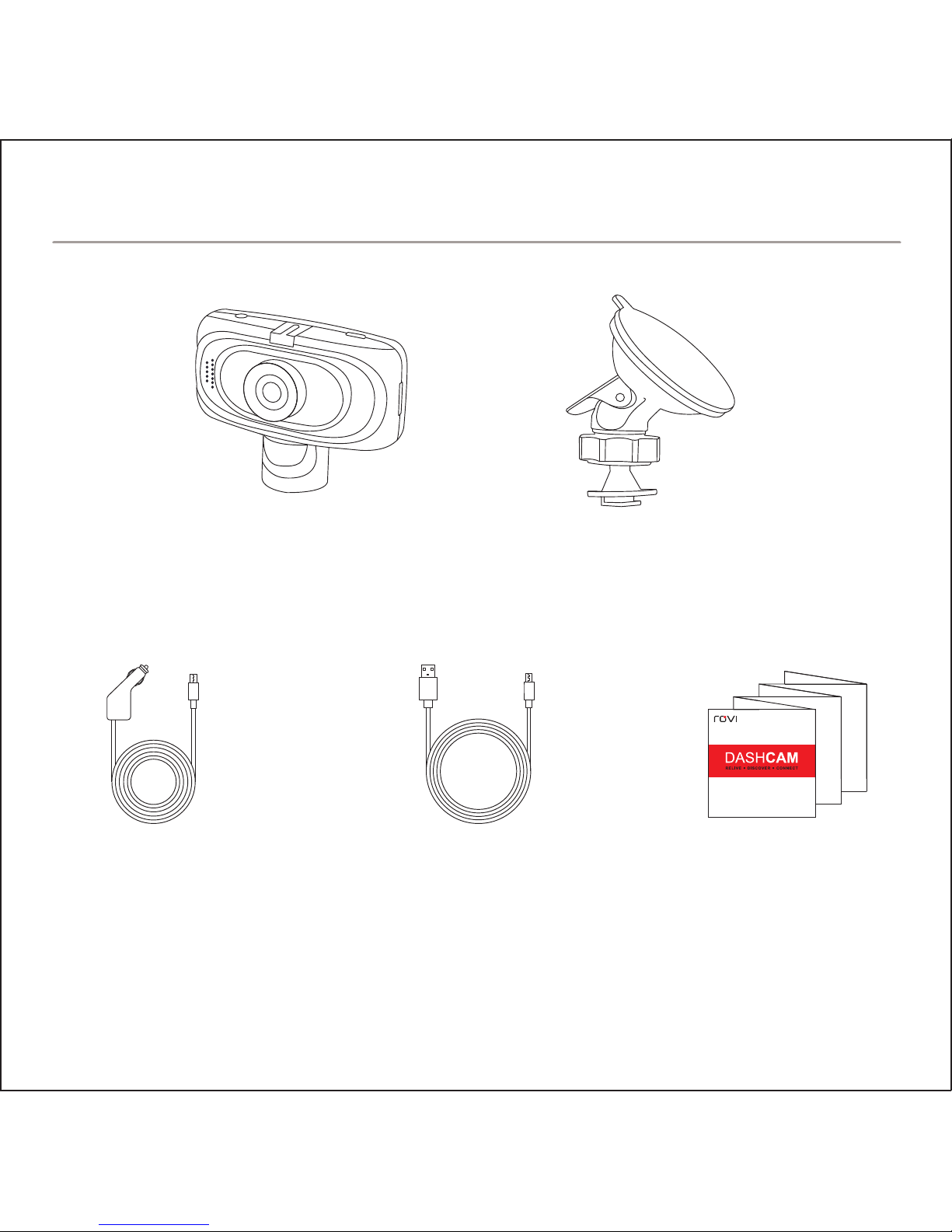
ROVI Dashcam Suction Mount
USB Car Charger
USB Charge
and Sync Cable
Quick Start Guide
Accessories sold separately. Available on RoviCams.com
IN THE BOX
Page 4
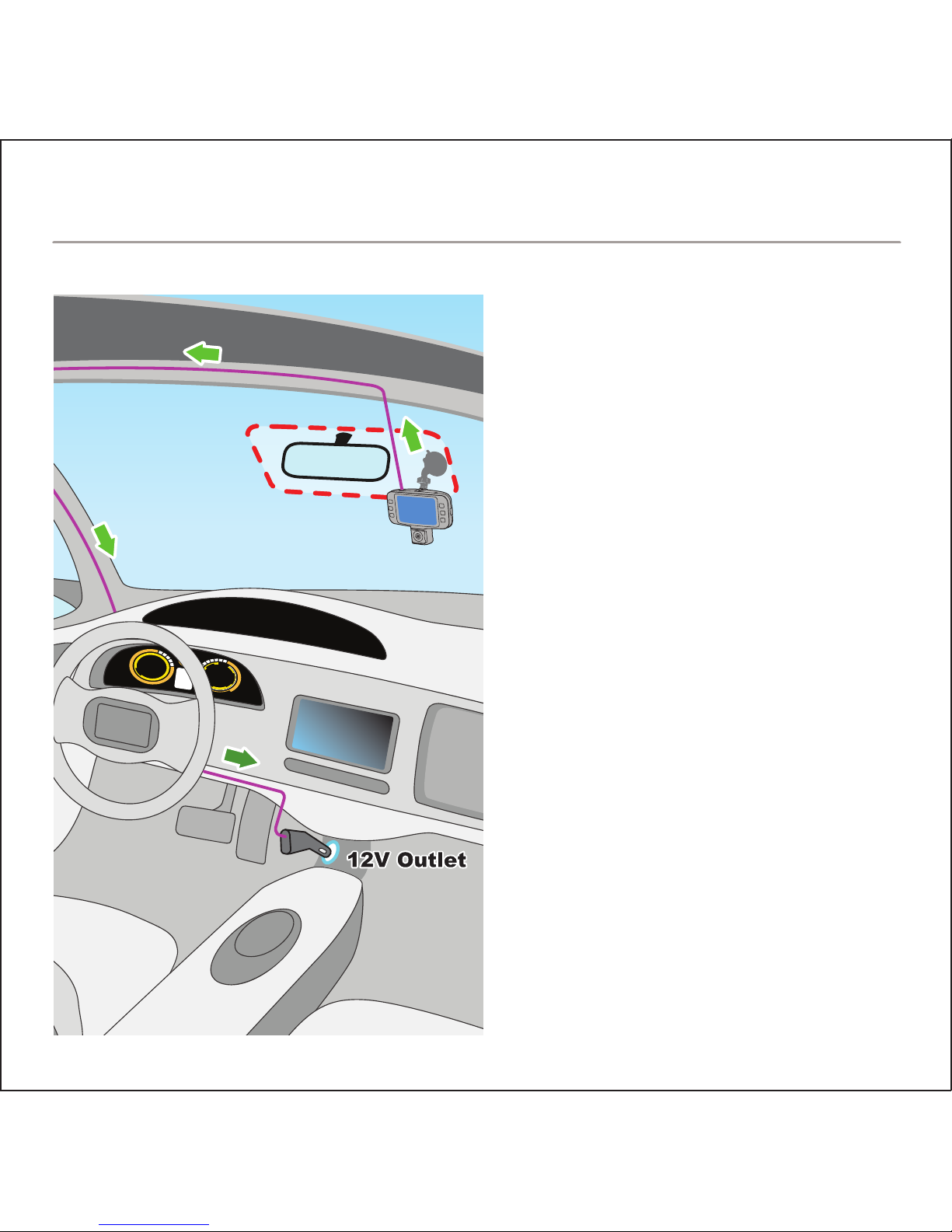
1. Insert the MicroSD card in the
ROVI dashcam. Push card
until it locks into place.
2. Determine mounting location
(See diagram for optimal
placement)
3. Attach the ROVI dashcam and
the mount to the windshield.
4. Connect USB car charger to
the ROVI dashcam.
5. Route cable around windshield
so it is not obstructing visibility.
6. Plug the USB car charger into
the 12V socket.
7. Adjust the angle of the mount
and lens for optimal viewing.
INSTALLATION
Page 5
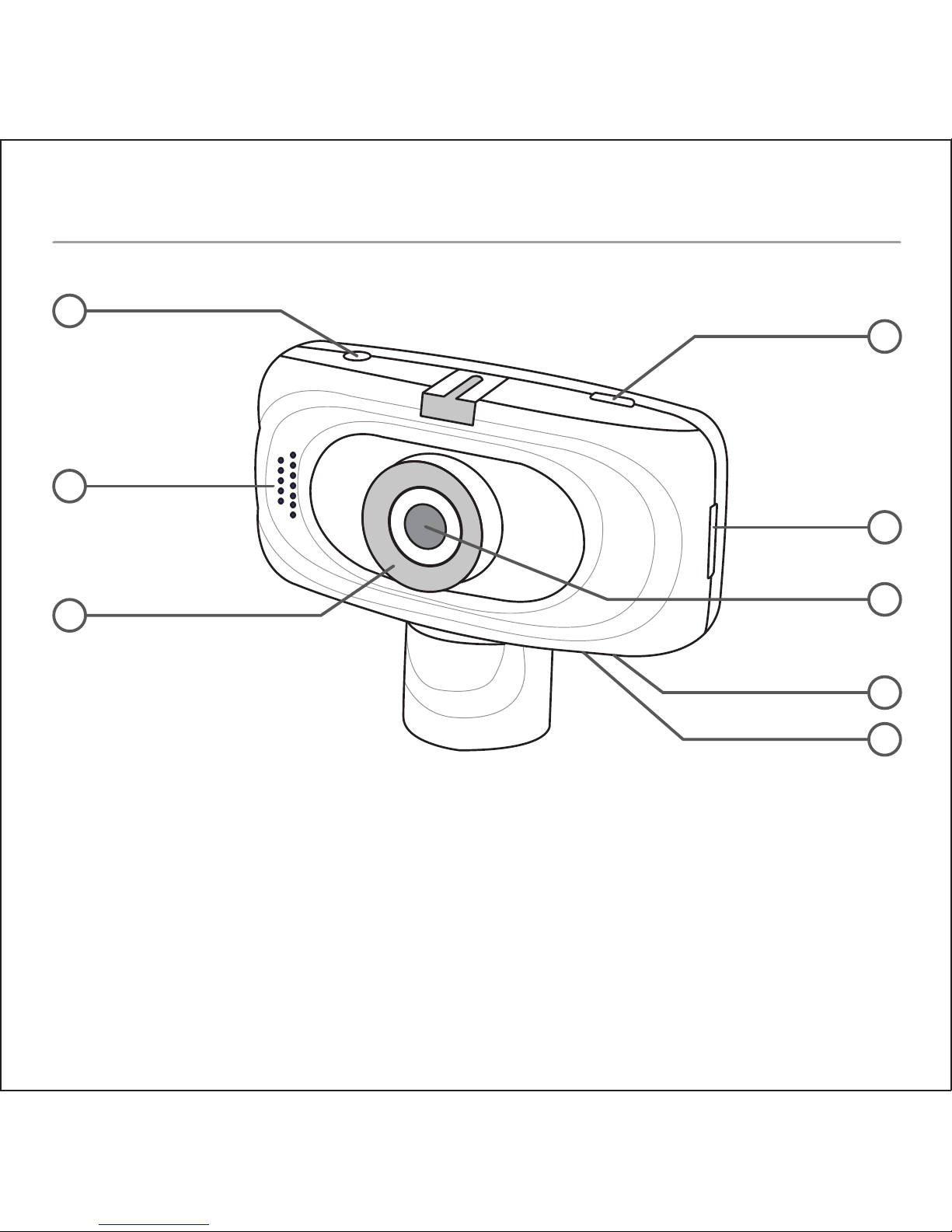
1. AV Output
2. Speaker
3. Infrared Lights
4. USB Power Connector
5. MicroSD Card Slot
6. Wide Angle Lens
7. Microphone
8. Reset Button
9. Power Indicator
10. 2.7” Screen
11. Charging/Recording Indicator
12. Rotatable Lens
1
2
3
4
5
6
7
8
BUTTON LAYOUT
Page 6
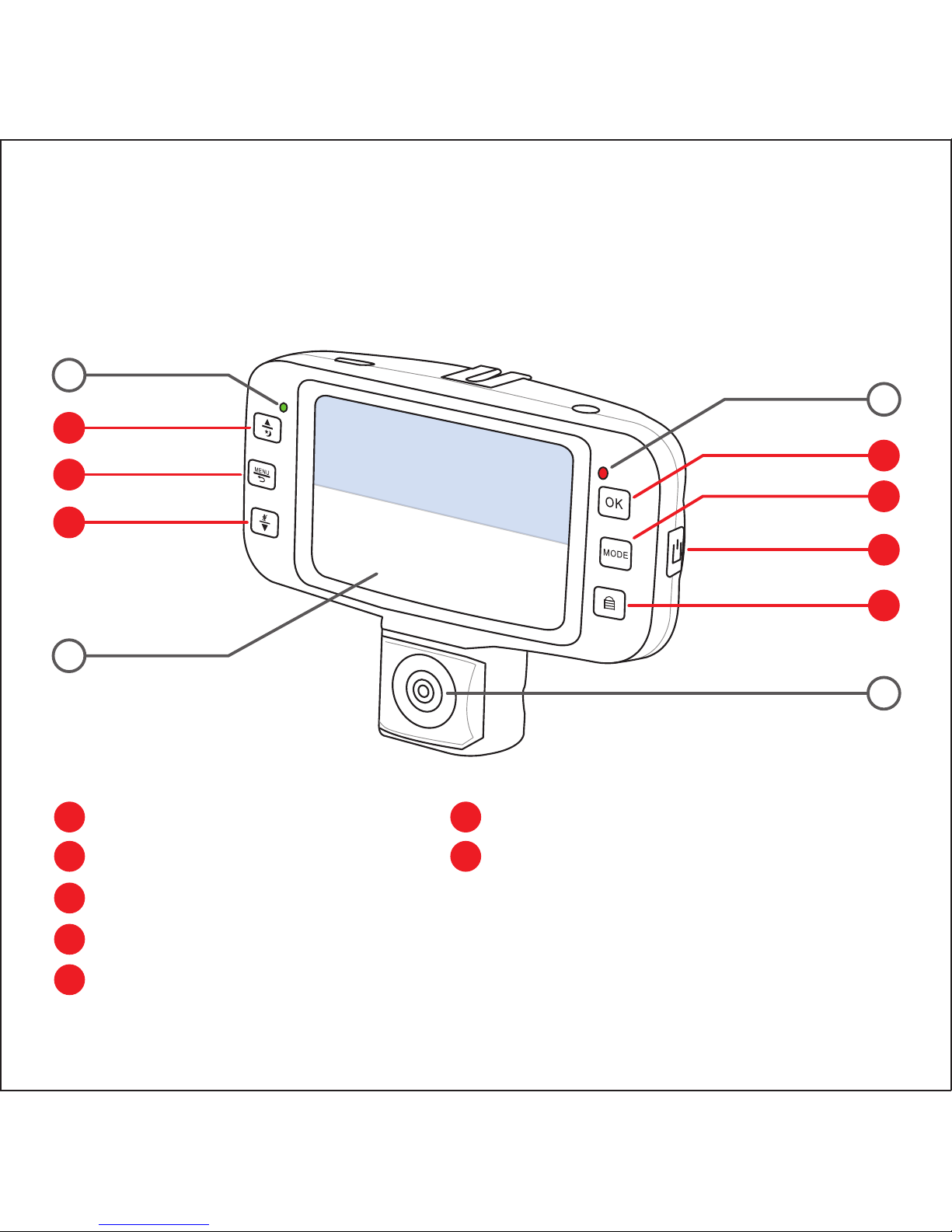
A Up / Infrared Light
B Menu / Return
C Down / Audio on/off
D OK / Record / Pause
E Mode Select
9
A
B
C
D
E
F
G
10
11
12
F Power on/off
G Recording Lock
ROTATABLE CAMERA VIEW
FRONT CAMERA VIEW
Page 7
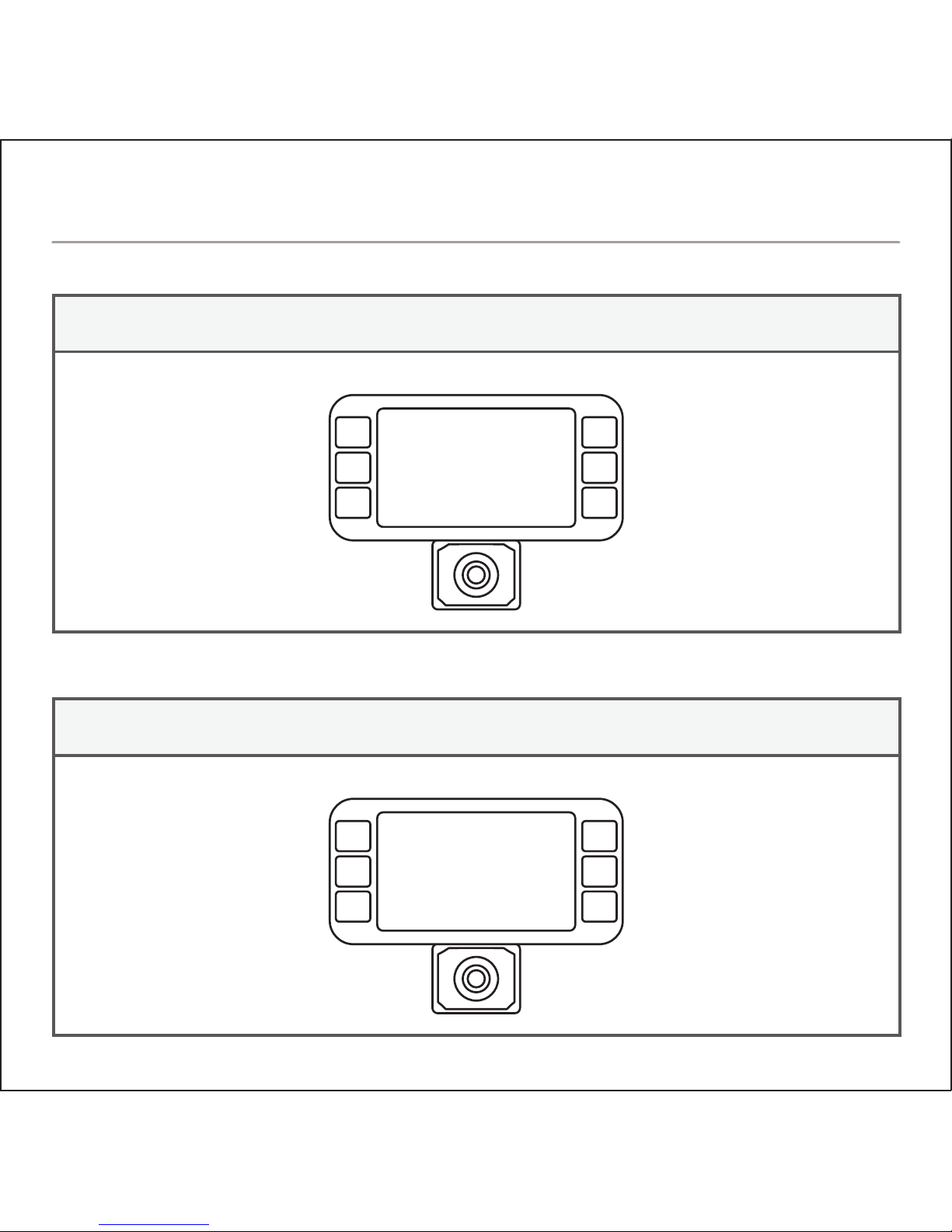
RECORDING MODERECORDING MODE
Pause/Unpause Recording
Lock Current Recording
Infrared Mode ON/OFF
Mute/Unmute Audio
RECORDING MODEREVIEW MODE
Playback/Pause Recording
Select Previous Clip
Clip Options
Select Next Clip
BUTTON FEATURES
Page 8
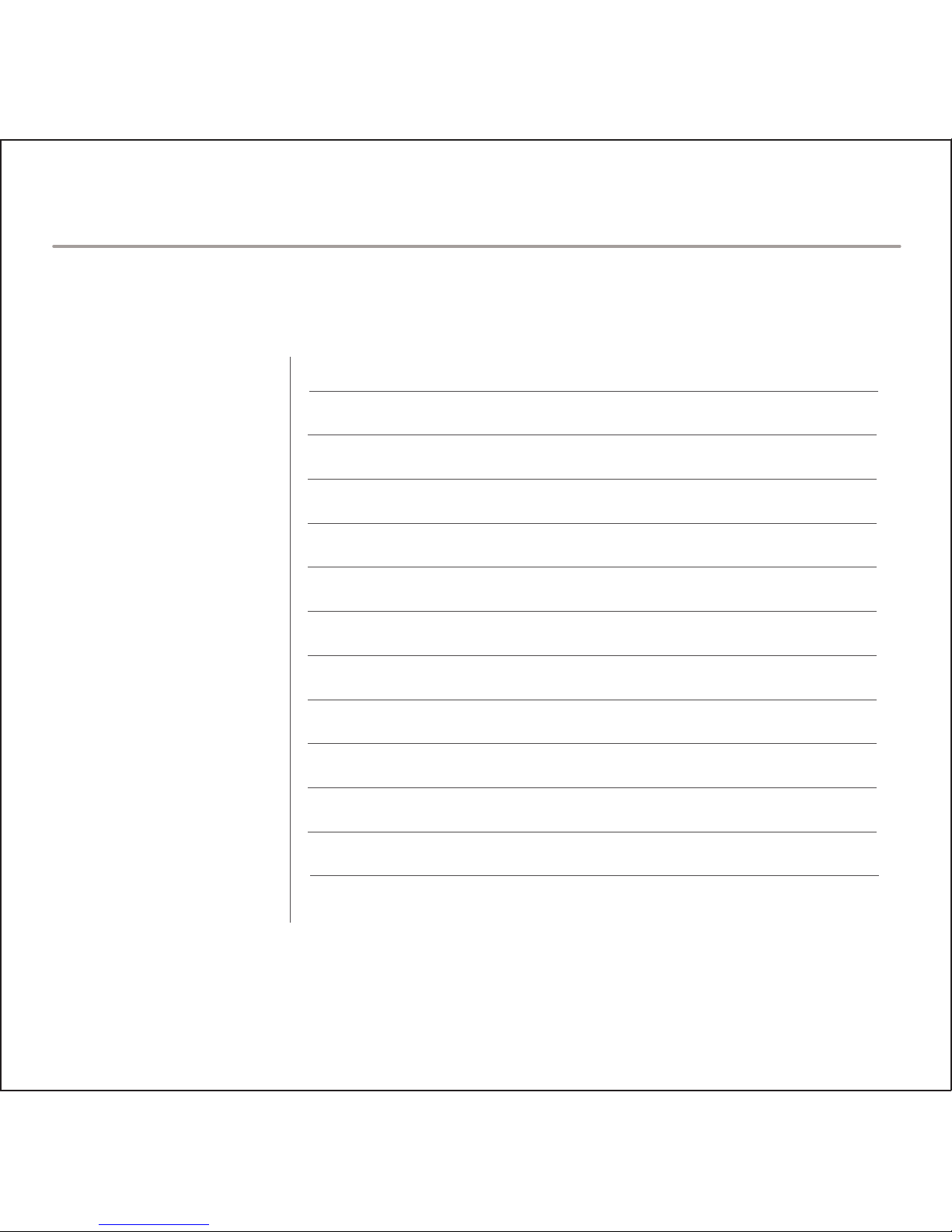
Lens
LCD
Resolution/FPS
Languages
Battery
Loudspeaker
Microphone
Storage
TV Standard
Working Temperature
140° Wide Angle
2.7” TFT LCD
MAX 1080p @25fps, 720p @30fps, 840x480, 640x480
English, Français (French), Español (Spanish), Português
(Portuguese), Deutsch (German), Italiano (Italian),
简体中文 (Simplified Chinese), 繁體中文 (Traditional Chinese),
pусский (Russian), 日本語 (Japanese), 한국어 (Korean)
Built-In, Rechargeable
Built-In
Built-In
MAX: 32GB micro SD (Class 10 Required)
NTSC/PAL
- 10°C ~ 50°C (- 14°F ~ 122°F)
SPECIFICATIONS
Page 9
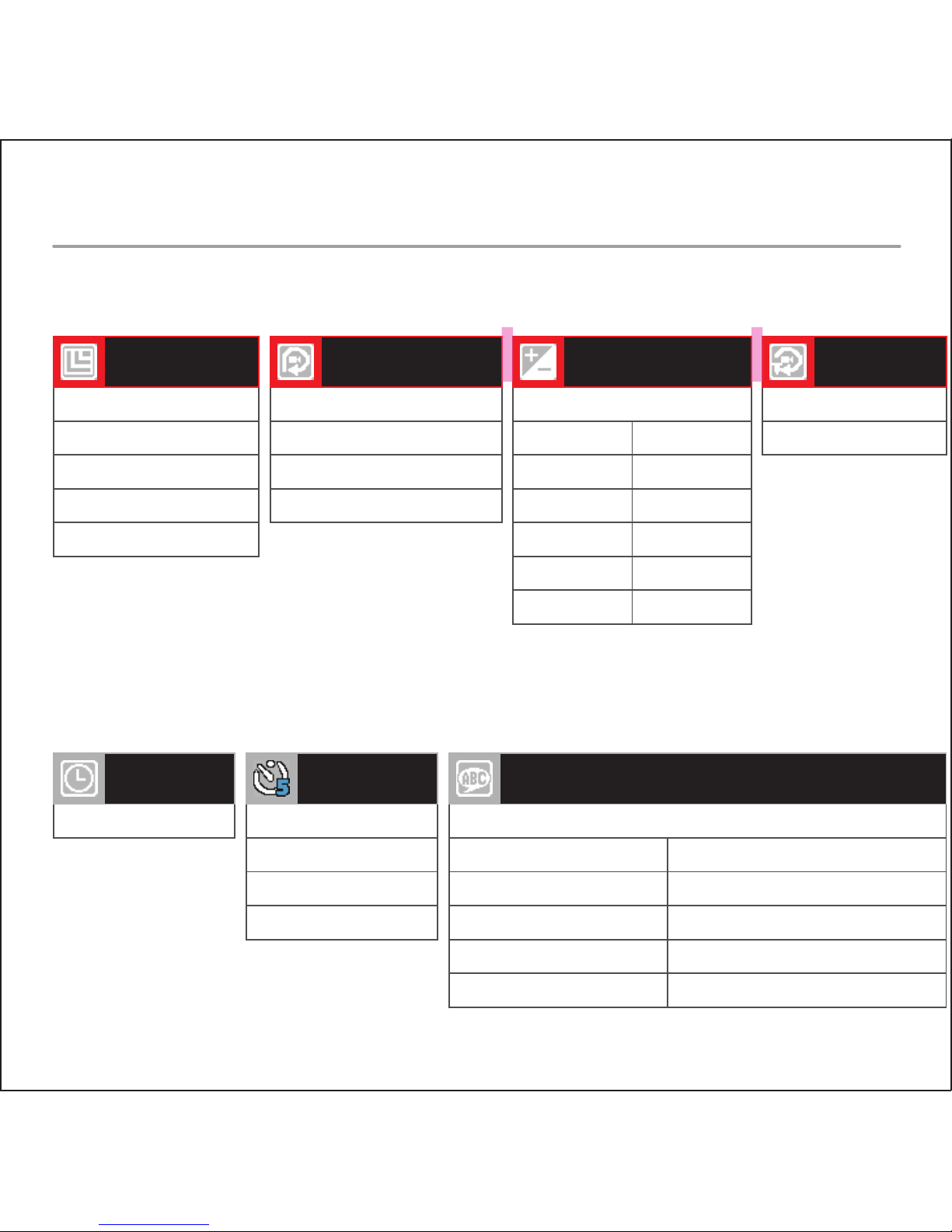
VIDEO RECORDING SETTINGS
1080 FHD 1920x1080
1080p 1440x1080
720p 1280x720
WVGA 848x480
VGA 640x480
VIDEO
RESOLUTION
OFF
3 Minutes
5 Minutes
10 Minutes
LOOP RECORDING
+ 0.0
EXPOSURE
OFF
ON
MOTION
DETECTION
+2.0
+5/3
+4/3
+1.0
+2/3
+1/3
-1/3
-2/3
-1.0
-4/3
-5/3
-2.0
SYSTEM SETTINGS
Manual Input
DATE / TIME
English
LANGUAGES
OFF
1 Minute
3 Minutes
5 Minutes
AUTO
POWER OFF
Français (French)
Español (Spanish)
Português (Portuguese)
Deutsch (German)
Italiano (Italian)
简体中文 (Simplified Chinese)
繁體中文 (Traditional Chinese)
pусский (Russian)
日本語 (Japanese)
한국어 (Korean)
MENU LIST
Page 10
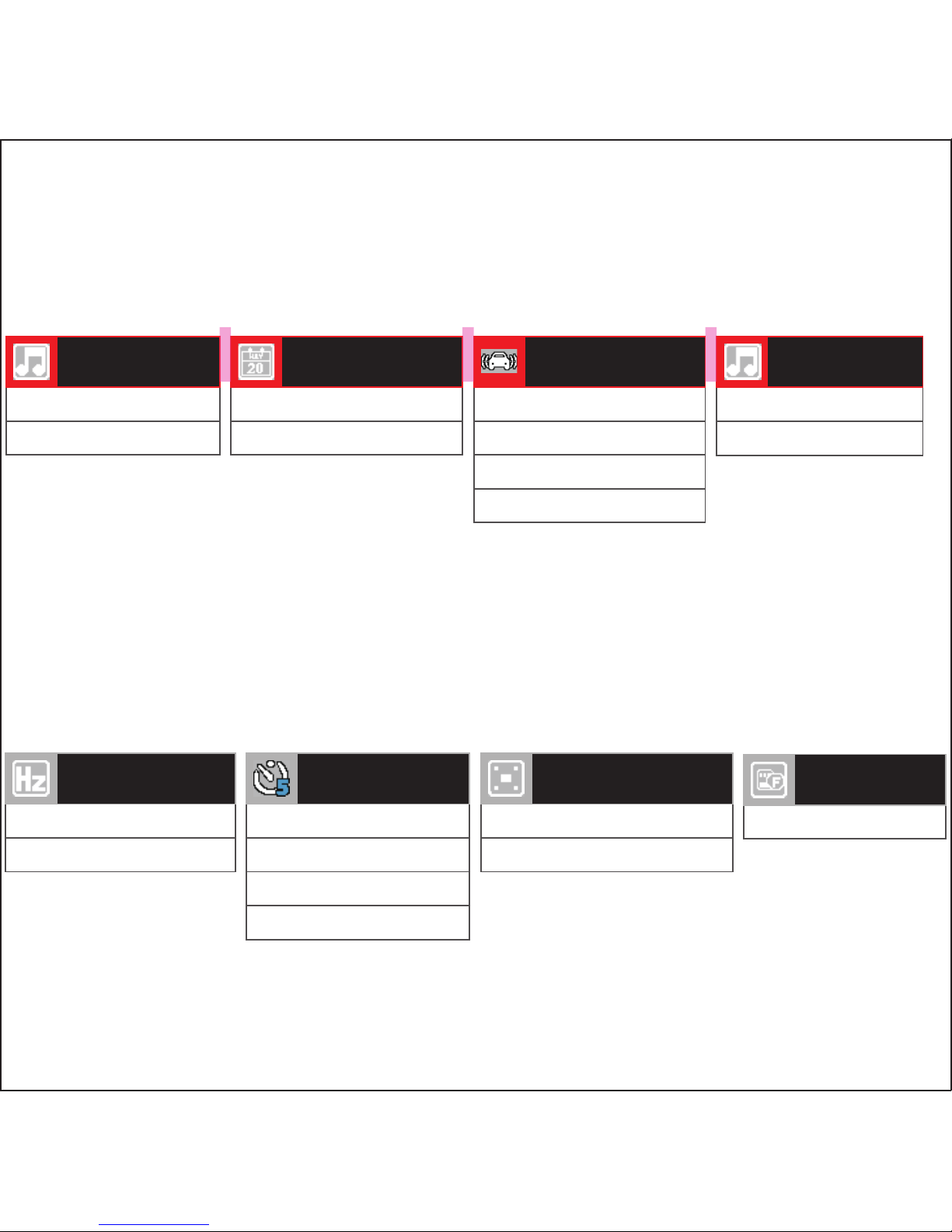
OFF
ON
RECORD AUDIO
OFF
ON
DATE STAMP
OFF
2G
4G
8G
G-SENSOR
SENSITIVITY
OFF
ON
BEEP
50 Hz
60 Hz
FREQUENCY
OFF
1 Minute
3 Minutes
5 Minutes
SCREEN SAVER
OFF
ON
INFRARED SENSOR
Format SD Card
FORMAT
Page 11
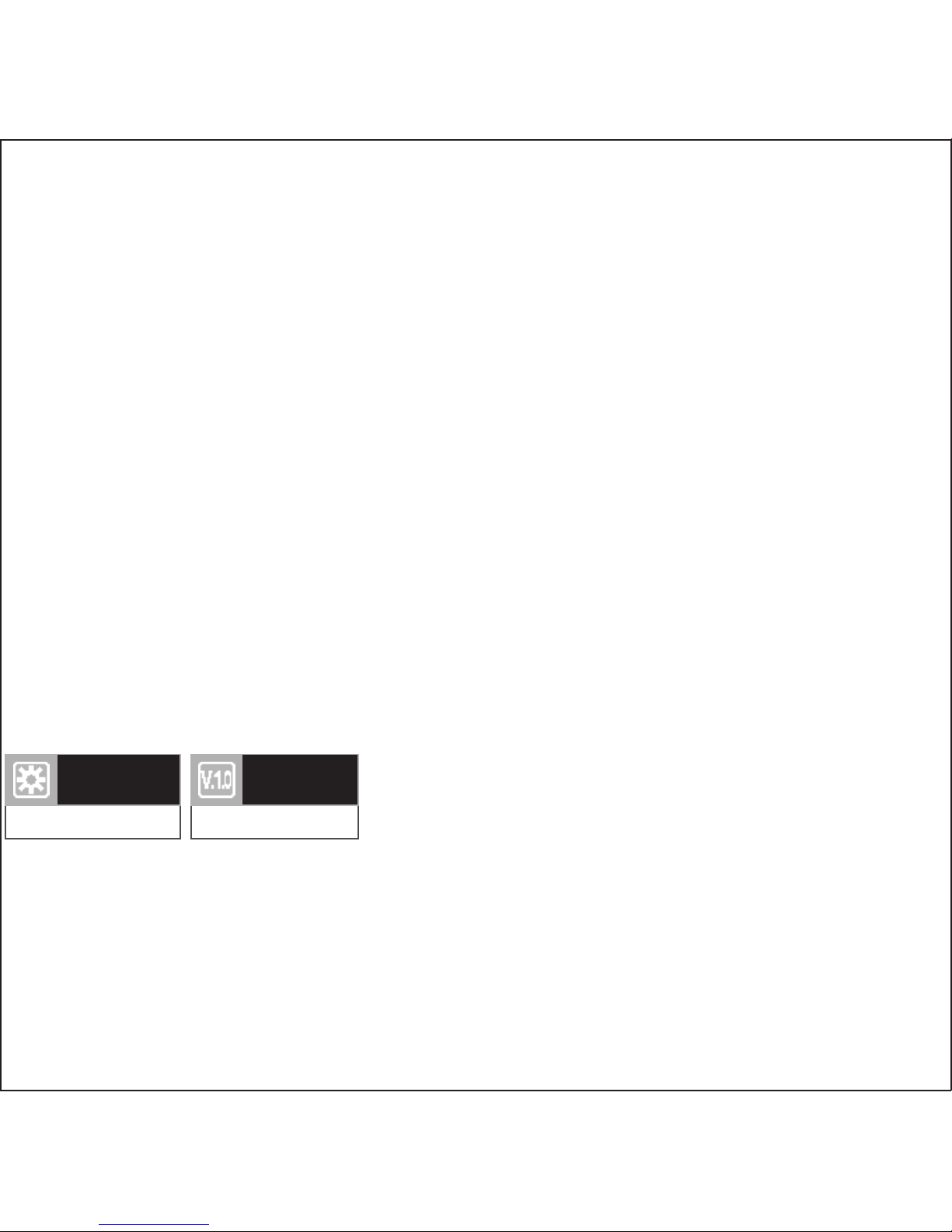
Restore Defaults
DEFAULT
SETTINGS
Firmware Version
VERSION
Page 12
rovicams.com
THANK YOU FOR CHOOSING ROVI.
ENHANCE YOUR DRIVING EXPERIENCE.
FOR IMMEDIATE HELP AND SUPPORT,
AS WELL AS HOW-TO VIDEOS, PLEASE VISIT
 Loading...