

Page 1
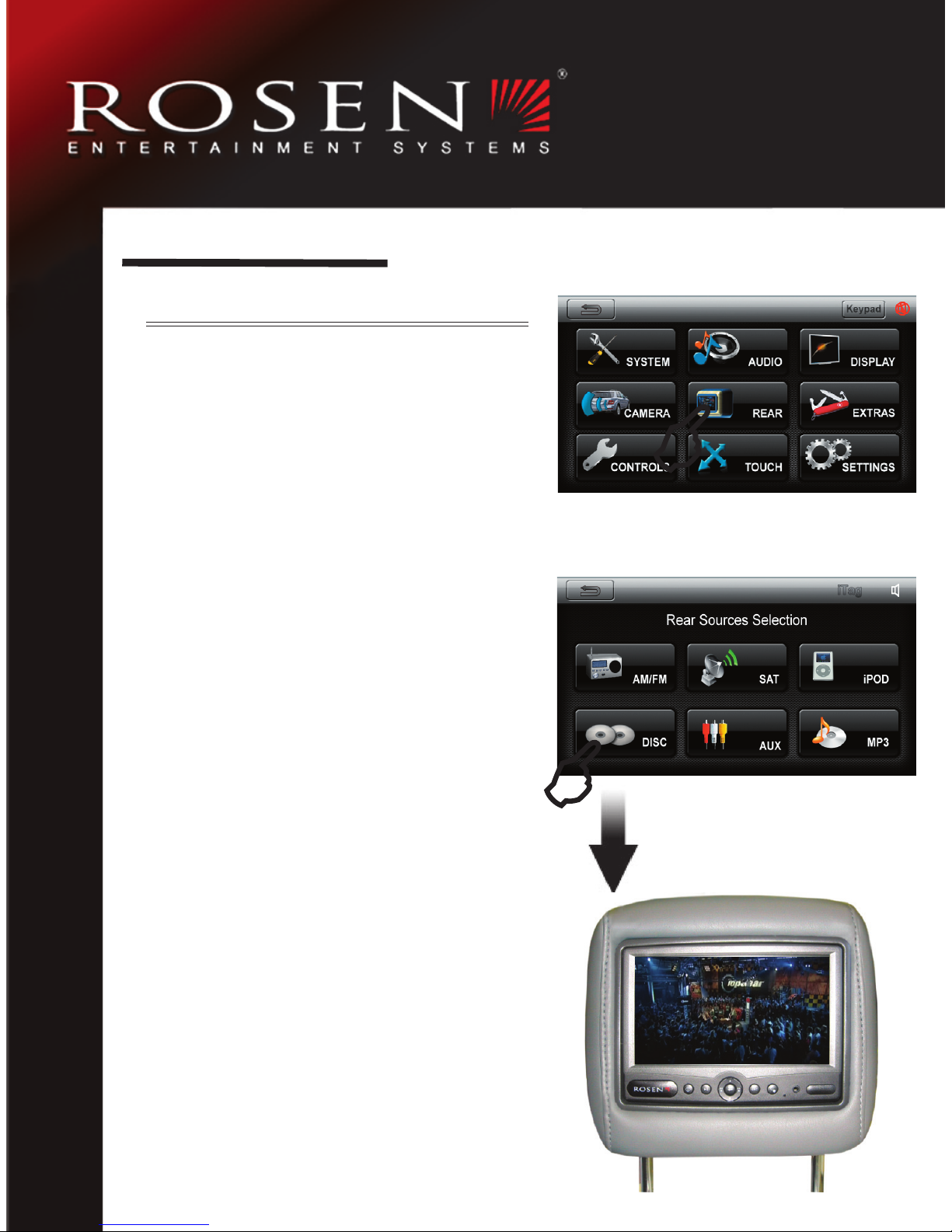
Selecting a Video Source
From your navigation system, select
Rear Source from the Menu page.
Choose from one of the available options.
Note: Options will vary depending on the
unit installed.
Your selection will automatically display
on the Rear Monitor System.
AV 7550 Q ui ck R ef er en ce C ar d
GETTING STARTED
Page 2
AV 75 50 Q ui ck R ef er en ce C ar d
Enter setup mode by pressing the
PLAY/PAUSE and SOURCE button
simultaneously for several seconds.
Use the left and right arrows to switch
between Ch. A/B/OFF.
Setting The Headphone Channels
Press ENTER for the settings menu.
You can adjust the brightness, color,
tint, contrast and screen mode (Normal/Wide). RESET will change settings back to default.
Adjusting The Display
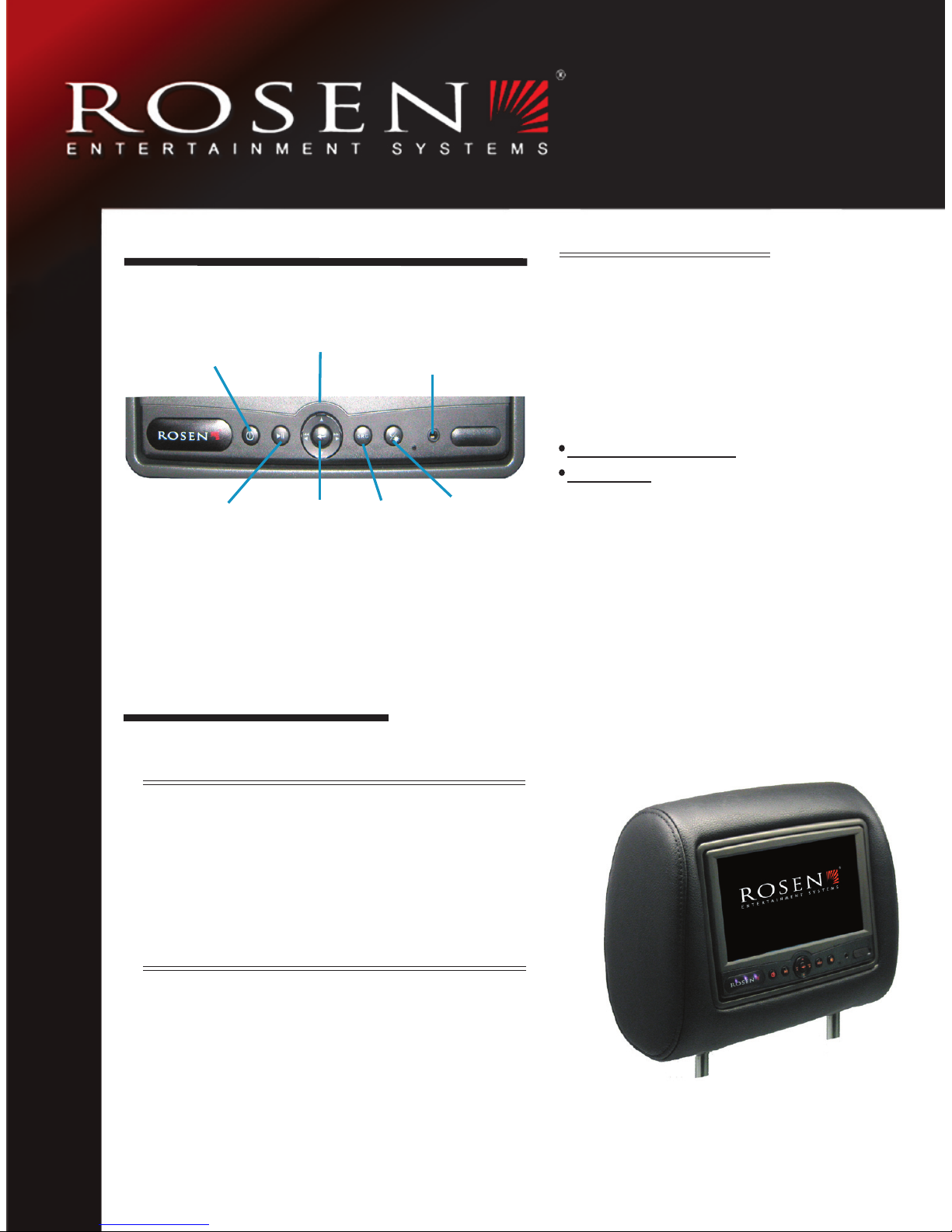
POWER
PLAY/PAUSE
DVD Controls
AUX Input
POWER: Turn system On/Off
PLAY/PAUSE
: Play or pause DVD
DVD Controls: Select various DVD
functions such as previous/next chapter,
scene selection, etc.
Chapter Prev/Next -Long press for DVD
Up Arrow -Long press for root menu
ENTER: Confi rms selection in DVD
mode or hold for several seconds to
enter display menu
SOURCE: Select between Main and
AUX screen
DAY/NIGHT MODE:
Select for screen
dimmer
SOURCE
DAY/NIGHT
Button Functions
ENTER
CONTROLLING THE SOURCE
SYSTEM SETTINGS
RES PN AP1083
www.rosenentertainment.com
 Loading...