

Page 1
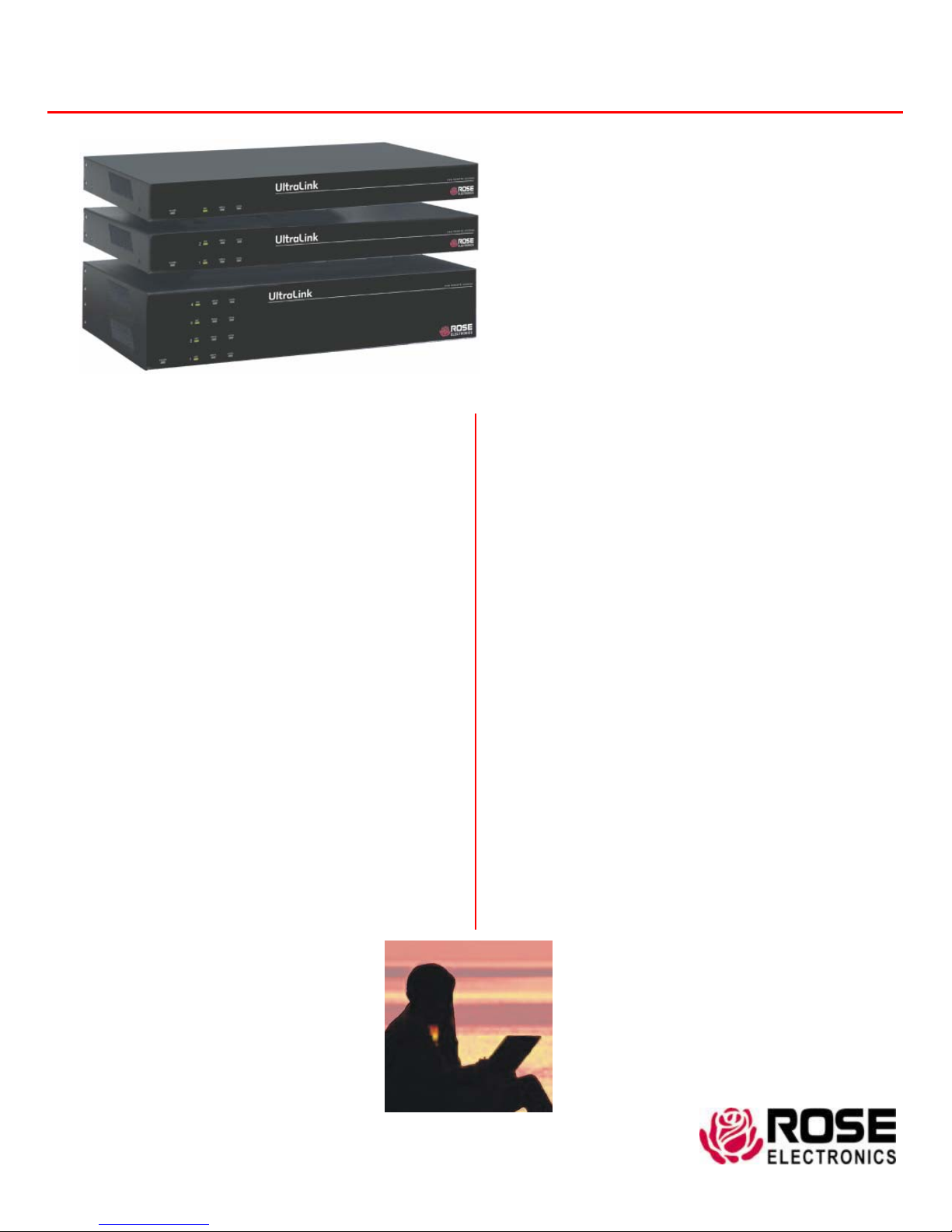
UltraLink
Features and Benefits
J Available in single, dual, and quad models
J Local KVM port for configuring the UltraLink and direct
local access to the computer or KVM switch
J Connect to a remote computer, server, or KVM switch
directly or over a network IP
J Remote or Local BIOS-level access control
J Resolution up to 1280 x 1024 @ 75Hz
J Solid-state embedded unit for maximum reliability
J Compatible with all Rose Electronics KVM products
and most other KVM devices
J Easy to install and configure
J Scaling of computer images reduces the amount of
data sent and permits fast screen updates over slow
links (Modes: scaled, scrolled, or full-screen)
J Quad screen mode allows you to view four servers
from one screen
J Password security prevents unauthorized
configuration and access
J User ID and password required for remote access
J Remote client application is simple to install, use, and
requires no licensing
J Front panel shows power and current
connected input port
(Network, serial, or local KVM)
J Flash memory technology allows for
fast and reliability upgrades
J Free firmware upgrades for product
enhancements and new Software
features available at www.rose.com
J Rackmount kits available in 19”, 23”, and
24” sizes
J Made in USA
KVM access over IP
High-quality video up to 1280 x 1024 @ 75Hz
Very easy to install and operate
Secure encrypted operation
Scaling, scrolling, and auto-size features
Quad screen, real-time viewing of 4 computers
Compatible with most KVM switches
Available in single, dual, and quad models
The UltraLink™ Advantage . . .
UltraLink sets a new standard for the remote management
of server room environments. It allows you to access your
computers and servers locally or across your network.
Connect the unit to a Rose Electronics KVM switch and
you now have access to as many as 1,000 computers or
servers.
The UltraLink is easy to install and configure. Connect the
unit, assign an IP address, install the remote viewer
software, and it’s ready to use.
The sophisticated scaling feature allows you to position
any size image of your server’s video anywhere on your
screen. With this feature, you can monitor servers while
working on other tasks in another window.
Network workstations can connect to multiple UltraLinks
and display each connection in a separate viewer window.
The dual and quad models contain two or four
completely independent units in a rack mountable
chassis. Typically, the dual and quad models are
connected to a KVM switch. This provides multiple
users remote access to the servers.
The remote client viewer program is designed to simplify
accessing the remote computers. Click on the connect
icon, login, and you will see a crisp, clear, high-quality
image of the remote computer.
Maintain your systems from
anywhere in the world
WWW.ROSE.COM
Page 2
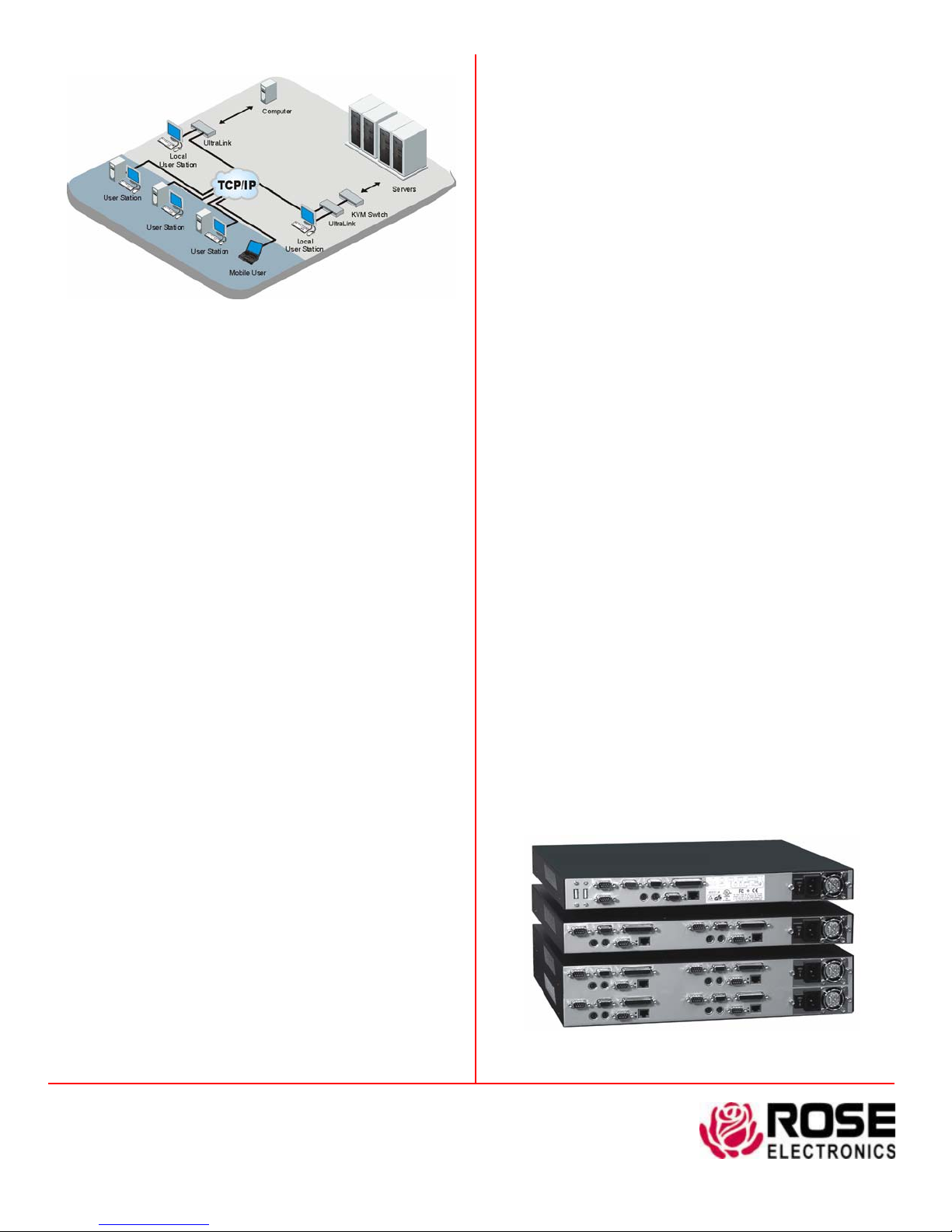
Typical Application
Introduction The UltraLink is a versatile and powerful product
that extends the range of access to your computers and servers to
anywhere in the world. Its advanced design makes it compatible
with most KVM switches and computers.
Installation The UltraLink is very easy to install and configure.
Just connect the unit to your network, a local KVM station, and a
computer or KVM switch. Next, assign an IP address to the unit and
you’re done. Next, run the remote client viewer program o n a
network workstation. Enter the UltraLink’s assigned IP address and
other configuration parameters, save it, and the workstation is ready
to access the UltraLink.
Operation All access to the UltraLink is through the remote client
viewer. Drop-down menus provide a selection list of multiple
UltraLink locations that can be connected to. Once connected, you
will see the computer’s video and have complete control over that
computer.
Viewer windowing The remote client viewer can be adjusted to
any size. This feature allows you to place a scaled viewer’s image in
the corner of your screen and monitor a server while working on
other tasks in another window or multiple viewer windows to monitor
multiple remote locations.
Security The UltraLink is designed with the highest regard for
security. Remote access requires a user ID and password. All
transmissions to and from the viewer and UltraLink are encrypted
with the latest SSL technology. Login, time-out, and lock out for
repeated attempts to enter the password, add to the security of the
system.
Quad screen mode With the UltraLink connected to a KVM
switch, you can view four servers at one time. The four conn ected
servers are viewed in real time and are automatically scaled to fit their
assigned quadrant in the viewer screen.
Color modes and resolution Full 16-bit color video is
supported. You can view the video in black and white, gray scale,
color, or use progressive color rendering.
Mouse cursor The UltraLink uses a one-mouse cursor system in
a very intuitive style to access the remote connection or an
application on your desktop.
Video resolution
automatically adjusts to the connected computers video . It supports
a video resolution up to 1280 x 1024 which allows you to access the
standard Sun computers resolutions.
Unlike other products, the UltraLink
Flash memory To support the latest devices and provide
continuing features and support, UltraLink contains flash memory.
We provide free lifetime firmware upgrades fr om our web site at
www.rose.com.
Part Numbers
UL-V3 Single access unit
UL-DV3 Dual access unit
UL-QV3 Quad access unit
RM-UBxx Rack mount kit for UL-V3, UL-DV3
RM-UCxx Rack mount kit for UL-QV3
(xx = 19”, 23”, or 24”)
CAB-CXVSMM005 5’ UltraLink to KVM switch cable (provided)
CAB-CX0606C005 5’ UltraLink to CPU cable (provided)
CAB-CXVMM1 Video loop cable (provided with UL-V3 model)
Specifications
Dimensions
Power Auto Switching, 90 - 240 VAC, 130 watts
Connectors Power: IEC 320 standard receptacle
Local KVM: Video - HD15F
Keyboard - MD6F
Mouse - MD6F
Switch or computer : DB25F
Ethernet port: RJ45
Serial port: DB9M
Video bandwidth 150Mhz
Chassis Electro galvanized steel, black powder coated
(top cover)
Controls Power On / Off Switch
Indicators LEDs: Power, Net, Serial, Local, Ethernet link,
10/100MB Ethernet speed
Environmental 0°- 45°C / 32°- 113°F, 5 - 80% non-cond. RH
Approvals FCC, UL, cUL, TUV, CE, VCCI
Model Width Depth Height Weight
UL-V3 16.7
UL-DV3 16.7
UL-QV3 16.7
42.4
42.4
42.4
9.70
24.6
9.70
24.6
9.70
24.6
1.75
4.40
1.75
4.40
3.50
8.90
in
cm
in
cm
in
cm
8.00 lbs
3.60 kg
9.00 lbs
4.10 kg
11.0 lbs
5.00 kg
Phone: 281-933-7673 E-mail: [email protected]
10707 Stancliff Rd. Houston, TX 77099
Rose Electronics – Europe: +49 (0)2454 969442 Rose Electronics – Asia: +65 6324 2322
DS-UL-2.0 Copyright 2004 Rose Electronics. All rights reserved
Rear view - UL-V3 / UL-DV3 / UL-QV3
WWW.ROSE.COM
 Loading...