

Page 1
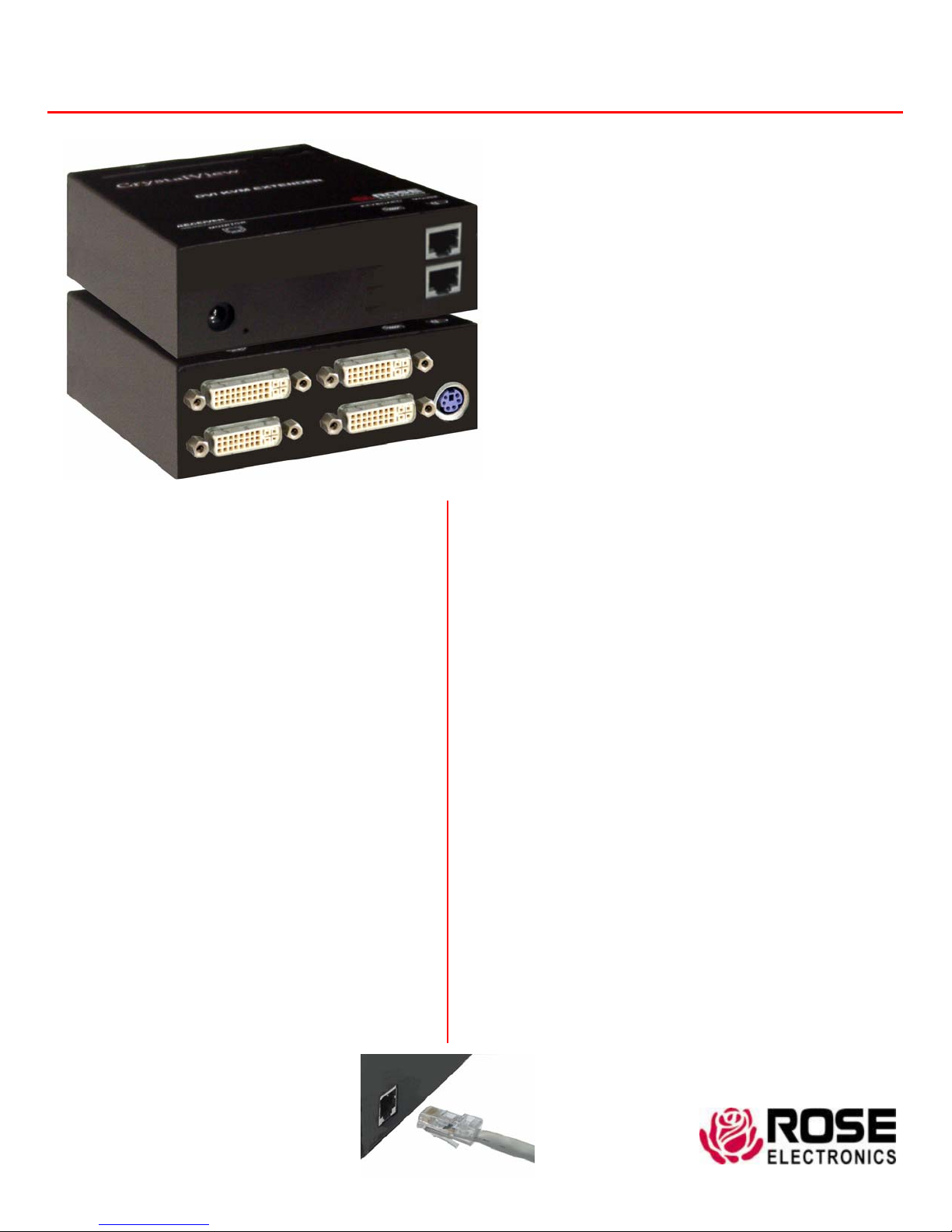
CrystalView DVI CATx
Features and Benefits
J Supports:
DVI-D video modes
PS/2 or USB keyboards and mice
J Extend a KVM station from a CPU using
CATx cable up to 400 feet (120 m)
J Video resolutions up to 1920 x 1200 @ 60Hz
J Supports 18–Bit color (256,000 colors)
J Single and Dual video models available
J Optional serial support with rates up to 19.2KBaud
J Optional bi-directional audio support
J Compatible with all operating systems
J Fully automatic KVM sharing
J Status and Data error indicators on all units
J Easy installation and operation
J Rack mountable options
Note : CATx = CAT5, CAT5e, CAT6, or Cat7 cables
Digital CATx KVM extender
Extends keyboard, video, mouse, serial, and
audio signals up to 400 feet away
Supports DVI-D video at resolutions
up to 1920 x 1200 @ 60Hz
Serial and Audio capability (optional)
Supports CAT5, CAT5e, and CAT6 cables
PS/2 or USB keyboard and mouse support
Single or Dual video models
Easily adapted to your system
The CrystalView™ DVI CATx Advantage
The CrystalView DVI CATx is the KVM extender of choice
for businesses that need to extend and operate a
computer, server, or KVM switch from a great distance.
The CrystalView DVI CATx makes this possible by the use
of standard CAT5, 5e, 6, or 7 cable. You can fully operate
and control a computer or server from as far away as 400
feet using standard CATx cable. It supports all
combinations of DVI-D monitors and video cards.
The system consists of two units; a transmitter and a
receiver. The transmitter connects to your CPU’s
keyboard, DVI-D monitor, and mouse connectors, or to a
Rose KVM switch. The receiver connects to a keyboard,
DVI-D video monitor and mouse or KVM station. The
transmitter and receiver are connected together with CATx
industry standard cable. The receiver can be up to 400
feet from the transmitter using CAT5, 5e, 6, or 7 cables.
All models are available with both transmitter and receiver
KVM access. The transmitter’s KVM access allows an
additional KVM station to be connected to the transmitter
unit. If your system requires dual video, the CrystalView
DVI CATx dual video model can fully support it. If you
need to extend your serial device or audio the CrystalView
DVI CATx serial and audio model can support this feature.
Standard CATx cable
WWW.ROSE.COM
Page 2
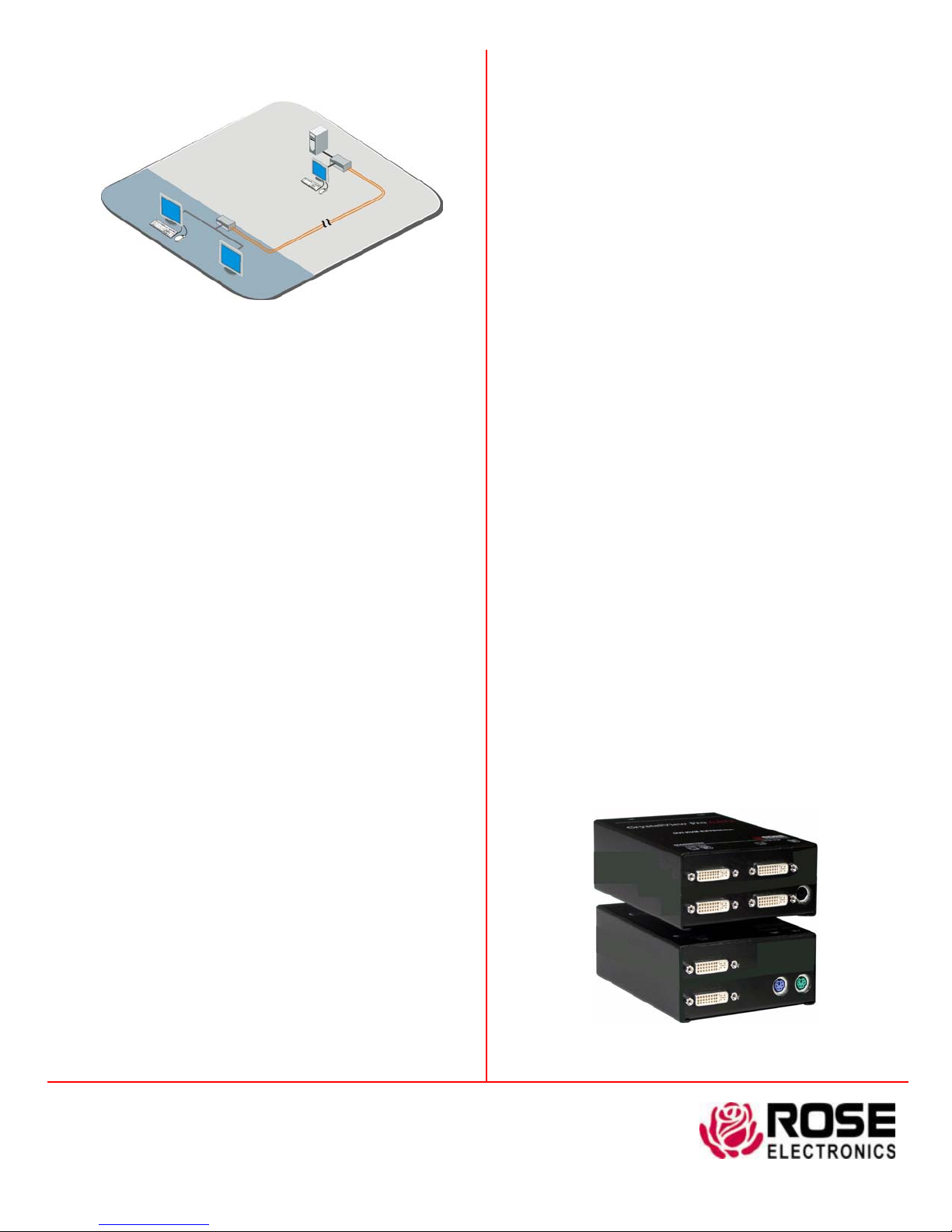
Typical Application
Transmitter
Receiver
Up to 400’ of
Catx Cable
Dual DVI Video model Application
Digitally access a computer from two locations,
locally or up to 400feet away
CrystalView DVI CATx basics The CrystalView DVI CATx
system consists of a transmitter that connects to a PC, server, or KVM
switch and a receiver that connects to a keyboard, monitor, and mouse
or a KVM switch. The transmitter and receiver units are connected
together with up to 400 feet of standard CATx cable.
The ideal way to apply the CrystalView DVI CATx is to connect the
transmitter to a Rose Electronics KVM switch. Expanding the switch
allows the receiver to access up to 1,000 computers or servers.
Models The CrystalView DVI CATx is available in a PS/2 or USB
model. All models allow for a second KVM station to be connected to
the transmitter unit, providing operation from the transmitter or the
receiver unit. The dual video model supports systems that need to
digitally transmit a second video source. Serial and full stereo audio
models provide extended serial and audio support.
Installation Installing the CrystalView DVI CATx units is as easy as
connecting the KVM station to the receiver, connecting the CPU t o the
transmitter, and connecting the transmitter to the receiver with CATx
cable.
Keyboard and Mouse emulation The CrystalView DVI CATx
uses a microprocessor to emulate the keyboar d and mouse. Only the
transmitter unit has to be connected for the PC to boot properly.
Part Numbers
CRK-2DTXPD1D PS/2, DVI-D, Single video
CRK-2DTXPD2D PS/2, DVI-D, Dual video
CRK-2DTXUD1D USB, DVI-D, Single video
CRK-2DTXUD2D USB, DVI-D, Dual video
/AUD = Serial and Audio option
Specifications
Dimensions 4.125W x 5.625D x 1.375H (in)
10.0W x 14.4D x 3.0 (cm)
Weight 0.65 lbs / 0.3 kg (each unit)
Operating Temp 5˚C – 45˚C / 41˚F – 113˚F
Humidity 80% max, non-condensing
Resolution 1920 x 1200 @60 Hz
Serial Speed – 19,200 Baud
Data Format – Format independent
Flow Control – RTS, CTS, DTR, DSR
Audio Bi-directional stereo audio
CD-quality (16-bit, 38.4KHz)
Line level – 5V p-p
+17db microphone amplification
setting option
Connectors Video – DVI – I
Keyboard – PS/2 or USB
Mouse – PS/2 or USB
Serial – DB9F
Audio – 3.5mm stereo jack
Power 90-240 VAC to 5.0 VDC / app. 10W
Max distance 400’ (120m) CATx cable (AWG24)
200’ (60M) CATx cable (AWG26/8)
Indicators (LEDs) Front panel – power
Video check LED
RJ45 LEDs – Data error / status
Approvals CE
Phone: 281-933-7673 E-mail: [email protected]
10707 Stancliff Rd. Houston, TX 77099
Rose Electronics – Europe: +49 (0)2454 969442 Rose Electronics – Asia: +65 6324 2322
DS-CRVDx-1.6 Copyright 2006 Rose Electronics. All rights reserved
CrystalView DVI CATx (Dual video model)
WWW.ROSE.COM
 Loading...