

Page 1
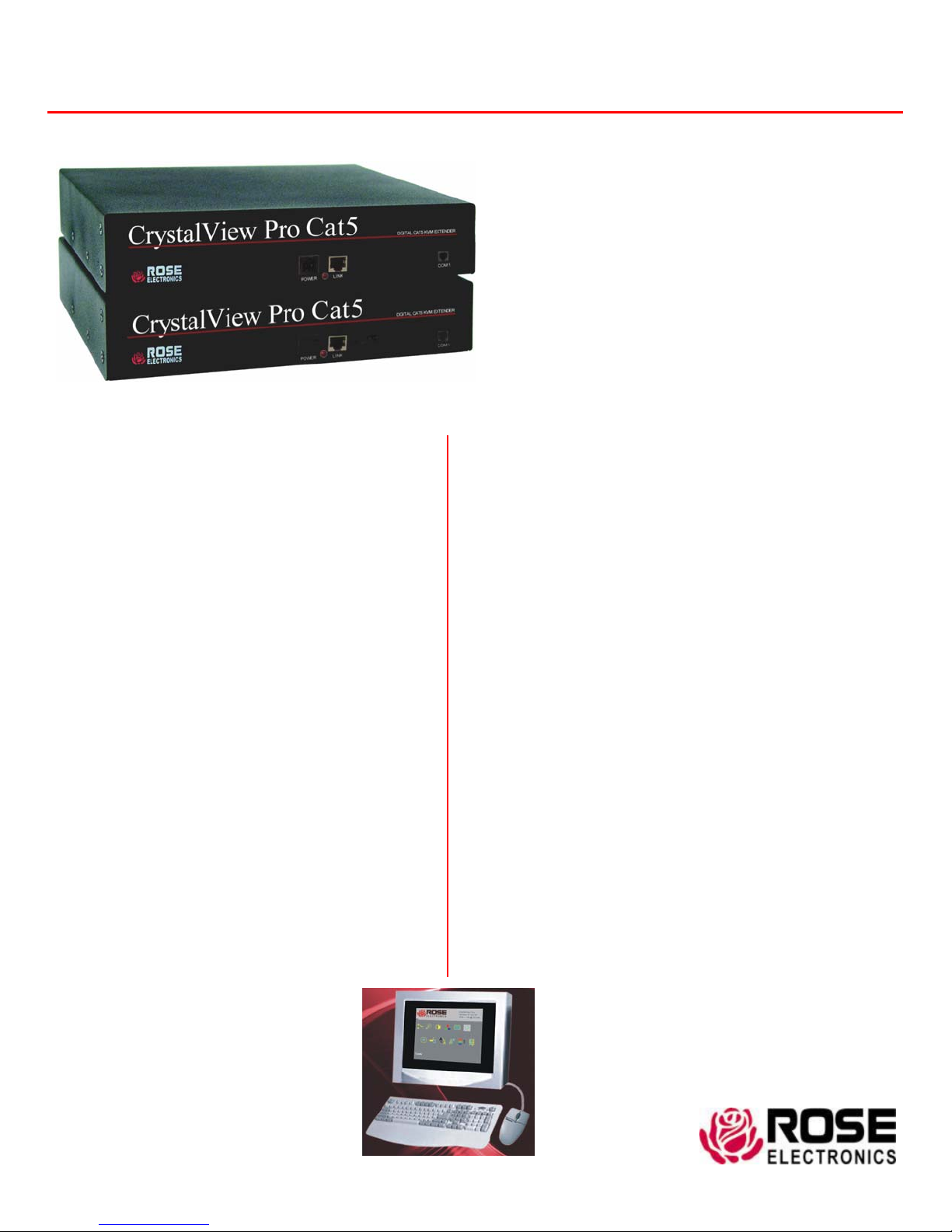
CrystalView Pro CAT5
Features and Benefits
J Supports:
DVI and VGA video modes
PS/2 keyboards and mice
J Extend a KVM station from a CPU using:
CAT5 cable – 330 feet
CAT5e cable – 330 feet
CAT6 cable – 330 feet
J Video resolutions up to 1600 x 1200
J Dual version available
J Serial and audio options
J Compatible with Rose Electronics KVM switches
such as ServeView Pro, UltraView Pro, and
UltraMatrix.
J Compatible with windows, windows NT, OS/2,
UNIX, Linux, and other operating systems
J Fully automatic KVM sharing
(Local access models)
J Digital OSD setup menu
J Rackmount kits available in 19”, 23”, or 24” sizes
J Available in a 10-unit rack (Transmitters or
receivers)
Digital CAT5 KVM extender
Extends keyboard, video, mouse, audio and
serial signals up to 330 feet away
Supports DVI and VGA video at resolutions
up to 1600 x 1200
Supports CAT5, CAT5e, and CAT6 cables
Single or Dual models
Easily adapted to your system
The CrystalView™ Pro CAT5 Advantage
The CrystalView Pro CAT5 is the KVM extender of choice
for businesses that need to extend and operate a
computer, server, or KVM switch from a great distance.
The CrystalView Pro CAT5 makes this possible by the use
of standard CAT5 cable. You can fully operate and control
a computer or server from as far away as 330 feet using
standard CAT5 cable.
The CrystalView Pro CAT5 supports both DVI video as well
as analog VGA video. All combinations of DVI and VGA
video cards and monitors are supported.
The Serial/Audio model allows stereo audio to be
transmitted in either direction across the CAT5 link
simultaneously. Many serial devices like a Touchscreen
can plug directly into the serial port on the Remote Unit
The OSD features make it easy to adjust all the necessary
device parameters, color, brightness, contrast, and
saturation. RGB color compensation is performed from
the remote unit. This adjusts each color to achieve the
best image and compensate for differences in cables,
patch panels, and connectors.
The modular architecture makes the CrystalView Pro CAT5
easily adapted to your system.
On-Screen Display
WWW.ROSE.COM
Page 2
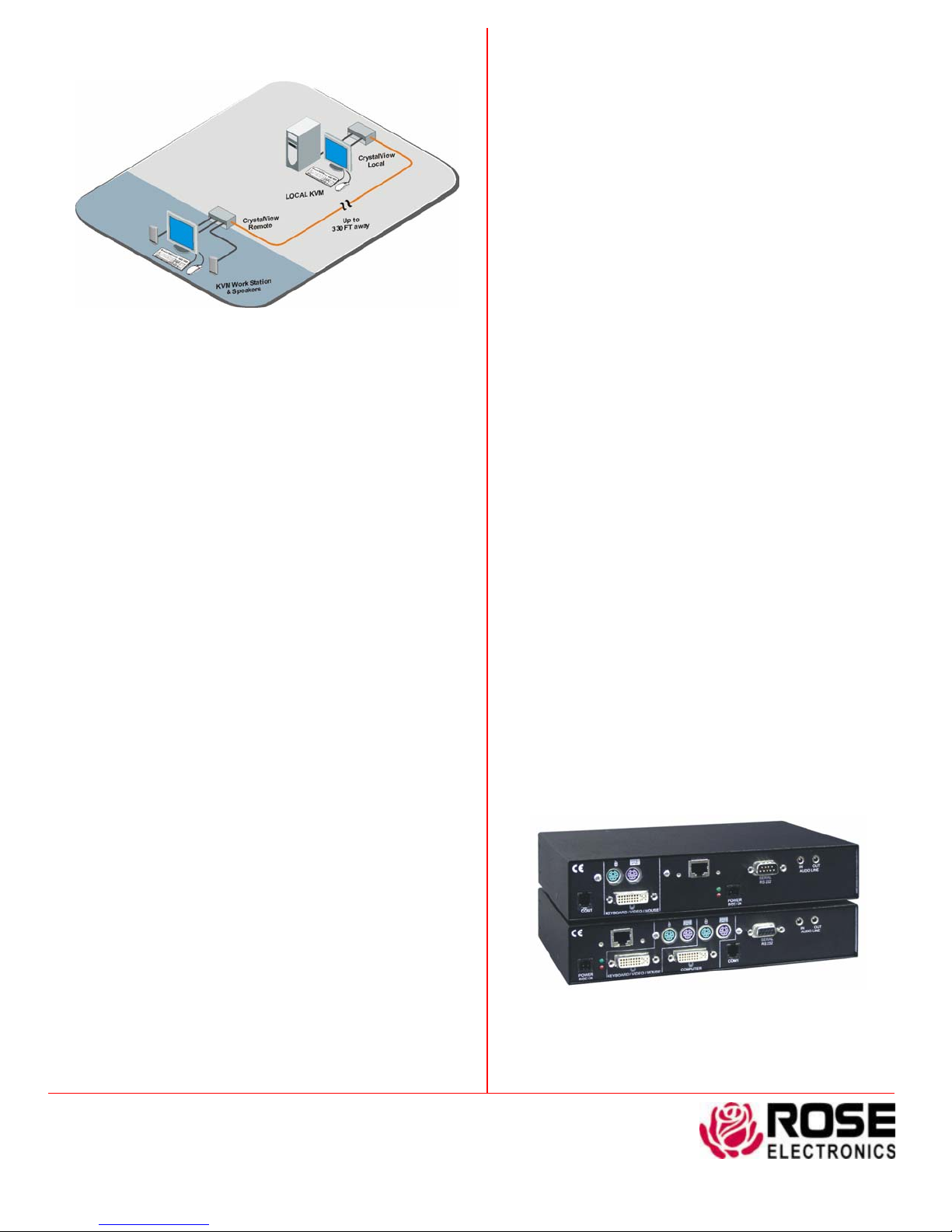
Typical Application
Digitally access a computer from two locations,
one is local, the other is 330 feet away
CrystalView Pro CAT5 basics The CrystalView Pro CAT5 system
consists of a transmitter that connects to a PC, server, or KVM switch
and a receiver that connects to a keyboard, monitor, and mouse or a
KVM switch. The transmitter and receiver units are connected to gether
with up to 330 feet of standard CAT5 cable.
The ideal way to apply the CrystalView Pro CAT5 is to connect the
transmitter to a Rose Electronics KVM switch. Expanding the switch
allows the receiver to access up to 1,000 computers or servers. The
Rose Electronics KVM switch can be connected between the
transmitter and computers, the KVM station and the receiver unit, or
both.
Models The CrystalView Pro CAT5 is available in a PC model. The
dual version allows for a second KVM station next to the PCs, providing
operation from the transmitter or the receiver unit. A rack version,
containing 10 transmitters or receivers is also available.
On-screen display All models offer a digital on-screen display for
setup and configuring the unit for DVI or VGA.
Installation Installing the CrystalView Pro CAT5 units is as easy as
connecting the KVM station to the receiver, connecting the CPU t o the
transmitter, and connecting the transmitter to the receiver with CAT5
cable.
Keyboard and Mouse emulation The CrystalView Pro CAT5
uses a microprocessor to emulate the keyboard and mouse.
Rack Assembly The CrystalView Pro CAT5 can be ordered in a 10-
unit rack assembly with several options available.
Part Numbers
CRK-2DTPPDVI Dual Digital CAT5 KVM extender
(Transmitter and Receiver)
ACC-DVIVF Male to VGA HD15F Adapter
/AUD Audio and Serial option
RM-UMxx Rack mount kits
(xx= 19”, 23”, or 24”)
Specifications
Dimensions 8.8W x 6.7D x 1.75H (in.)
142W x 169D x 41 (mm)
Weight 2.2 lbs / 1.0 kg (each unit)
Operating Temp 10˚C – 45˚C / 50˚F – 113˚F
Humidity 80% max, non-condensing
Resolution 1600 x 1200
Connectors Video – DVI - I
PC keyboard – MiniDIN6
PC mouse – MiniDIN6
Power – 4-pin square
Program (Com 1) – RJ11
Power 90-240 VAC to 6.0 VDC 200 ma
Local interface = 8 W
Remote interface = 9.5W
Max distance 330’ CAT5 stranded cable
200’ CAT5 solid cable
Indicators (LEDs) Front panel – Communication
Rear panel – Power / Link / Video
Approvals CE
Phone: 281-933-7673 E-mail: [email protected]
10707 Stancliff Rd. Houston, TX 77099
Rose Electronics – Europe: +49 (0)2454 969442 Rose Electronics – Asia: +65 6324 2322
DS-CRVP5-2.2 Copyright 2004 Rose Electronics. All rights reserved
Rearview, CrystalView Pro digital CAT5 KVM
extender with serial and audio options
WWW.ROSE.COM
 Loading...