

Page 1
Version: 0.1
Date: 2019-02-19
Page: 1 | 4
WCP-21 User Manual
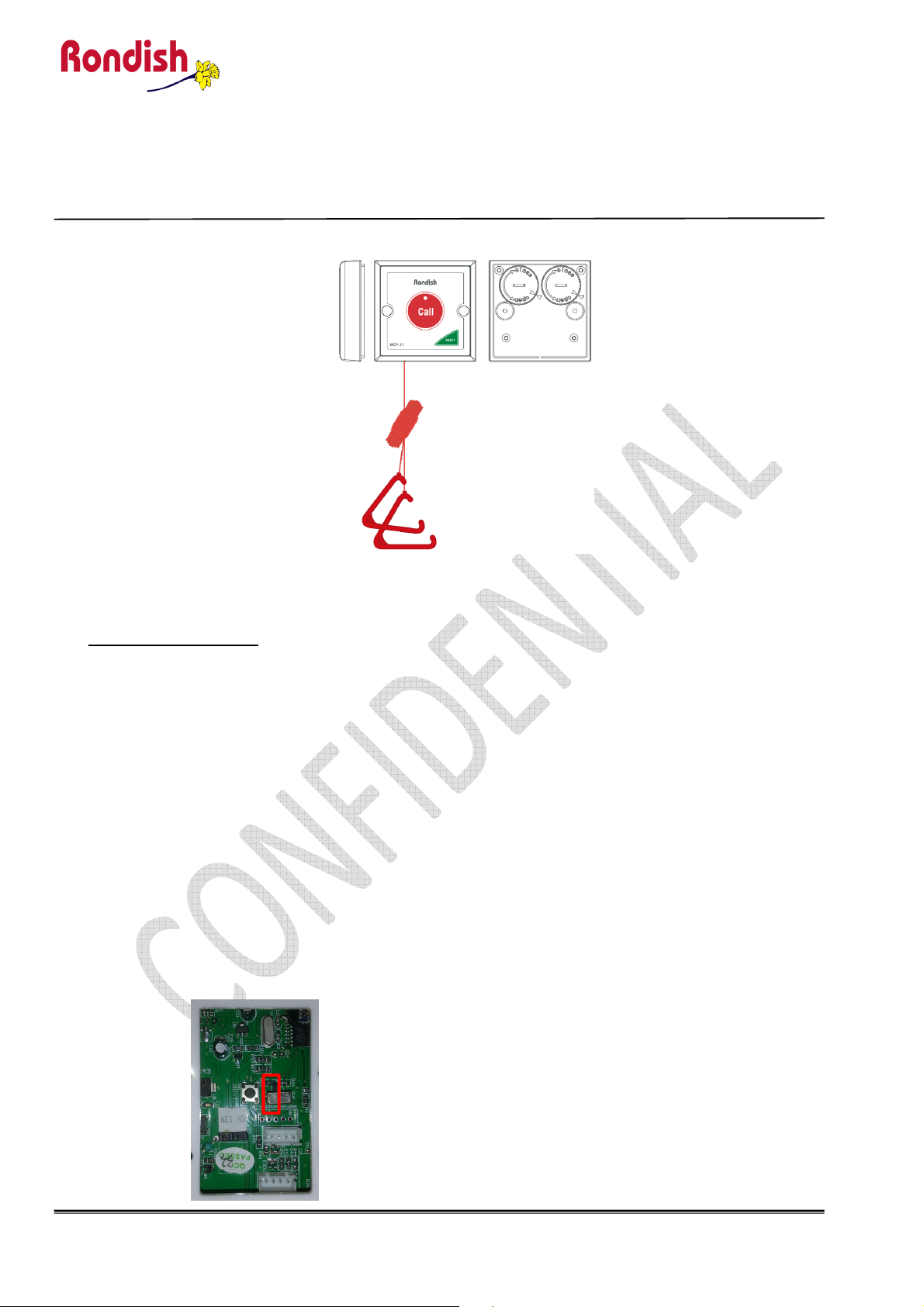
1. Make sure the unit is power up with 2x CR2477 inserted
2. If batteries have been installed, it should be put into storage mode by default.
Exit the Storage Mode
3. Programming WCP-21
i) Press and hold the "Call" button.
ii) LED will flash about 10 seconds and then off.
User ID Programming:
Refer to “WCP-21 UID Programming.pdf” to program the user ID. And program it to:
ZZ AA S: 01 01 0
P LL G: 30 10
TFFRRUBB 03 01 00 10
4. Learning the WCP-21 to MCL-01
a. Power on MCL-01 and WCP-21
b. Put the mode switch on MCL-01 back side to “1”
RONDISH PROPERTY and CONFIDENTIA
Page 2
Version: 0.1
Date: 2019-02-19
Page: 2 | 4
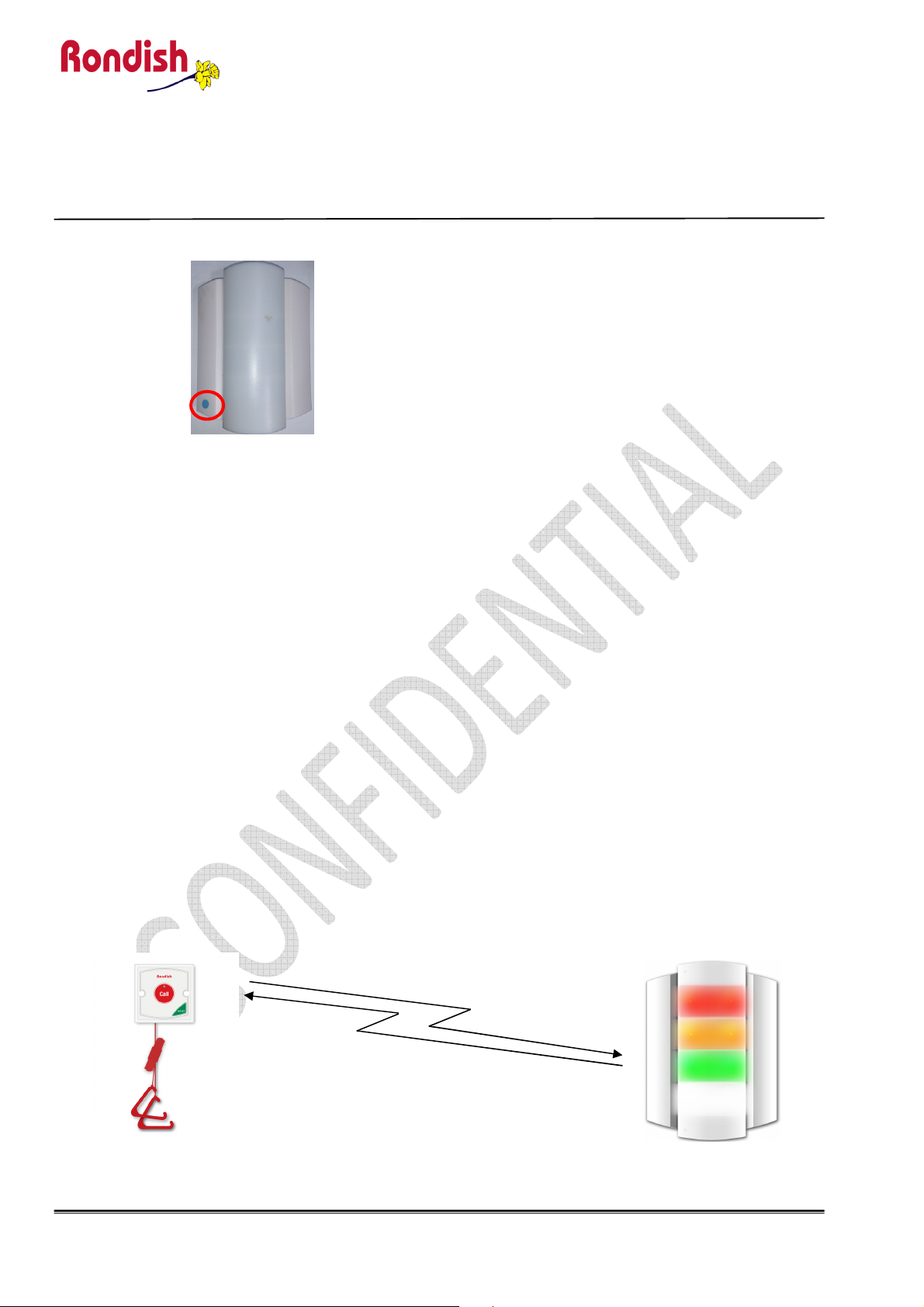
c. Place the magnet on MCL-01 blue point reed-switch position
When MCL beeps 2 sounds, remove the magnet
d. Place the magnet on WCP-21 reset reed-switch position. WCP-21 LED will flash slowly
Then LED will become flash rapidly. Remove the magnet at this moment
e. Wait until MCL will beep a sound and WCP-21 LED will stop flashing
f. Place the magnet on the MCL-01 blue point reed-switch position. Remove the magnet MCL
beeps 2 sounds.
g. Press the “call” button on WCP-21 and MCL will light up.
5. Disable or Enable the reset button
WCP-21 User Manual
a. Disable the reset button:
Applying magnet and program code “40”
Press “CALL” to transmit alarm
Press “RESET” and it will not reset alarm
b. Enable the reset button: Applying magnet and program code “41”
Applying magnet and program code “41”
Press “CALL” to transmit alarm
Press “RESET” and it will reset alarm
6. Function and RF message confirmation
a. Call” button test:
Procedure:
RONDISH PROPERTY and CONFIDENTIA
Page 3

Version: 0.1
Date: 2019-02-19
Page: 3 | 4
i. Press the “call” button,
ii. WCP-11 led will flash and have a beep sound
iii. MCL will light up
iv. Press the “reset” button, MCL will light off
b. Cord-string test:
Procedure:
i. Pull the cord-string,
ii. WCP-11 led will flash and have a beep sound
iii. MCL will light up
iv. Press the “reset” button, MCL will light off
c. Magnet reset test:
Procedure:
i. Press the “call” button,
ii. WCP-11 led will flash and have a beep sound
iii. MCL will light up
iv. Put the magnet on the “reset” button,
v. MCL will light off
Entering storage mode
Procedure:
i. Program code “25” to put WCP-21 into storage mode
ii. Press and hold “Call” button with magnet placing at “RESET” position.
iii. LED will flash for about 5 sec. Then it will stay ON if entering into program
iv. Press “Call” button 2 times and then touch the position of “RESET”.
v. Press “Call” button 5 times and then touch the position of “RESET”. LED will
RONDISH PROPERTY and CONFIDENTIA
WCP-21 User Manual
mode. Remove the magnet.
stop flashing.
Page 4
WCP-21 User Manual
Version: 0.1
Date: 2019-02-19
Page: 4 | 4
FCC/CE Statement
FCC Interference Statement
This device complies with part 15 of the FCC Rules.
Operation is subject to the following two conditions:
(1) This device may not cause harmful interference, and
(2) this device must accept any interference received, including interference that may cause undesired operation.
Notice:
Any changes or modifications not expressly approved by the party responsible for compliance could void your authority to operate the equipment.
NOTE: This equipment has been tested and found to comply with the limits for a Class B digital device, pursuant to part 15 of the
FCC Rules. These limits are designed to provide reasonable protection against harmful interference in a residential installation.
This equipment generates uses and can radiate radio frequency energy and, if not installed and used in accordance with the
instructions, may cause harmful interference to radio communications. However, there is no guarantee that interference will not
occur in a particular installation. If this equipment does cause harmful interference to radio or television reception, which can be
determined by turning the equipment off and on, the user is encouraged to try to correct the interference by one or more of the
following measures:
- Reorient or relocate the receiving antenna.
- Increase the separation between the equipment and receiver.
- Connect the equipment into an outlet on a circuit different from that to which the receiver is connected.
- Consult the dealer or an experienced radio/ TV technician for help.
The antenna(s) used for this transmitter must not be co-located of operating in conjunction with any other antenna or
transmitter.
This device complies with FCC radiation exposure limits set forth for an uncontrolled environment. In order to avoid the
possibility of exceeding the Fcc radio frequency exposure limits, human proximity to the antenna shall not be less than
20cm (8inches) during normal operation.
RF exposure statements
This equipment complies with FCC radiation exposure requirement set forth for an uncontrolled environment. End users
must follow the specific operating instructions for satisfying RF exposure compliance.
Operate Frequency Bands : 868/922.5MHz
EU declaration of conformity
Rondish Company Limited hereby declares that the device is in compliance with the essential requirements and other relevant provisions of directives
2014/53/EU, 2014/30/EU and 2014/35/EU.
RONDISH PROPERTY and CONFIDENTIA
 Loading...