

Page 1
HR74 MP3 card reader
Quick Start Guide
ROLLS CORPORATION
SALT LAKE CITY, UTAH
11/14
Features:
- Playing format : MP3 and WMA
- Accepts from 128MB to 16G USB or SD
- LCD display 3 digits, from 001 to 999 tracks.
Specs:
Output level: At 1kHz 1V +/-2db
Output level dif. between channels: Less than 2 db
Frequency response: 1KHz=0db
20Hz=0db +/- 2db
100Hz=0db +/- 2db
10KHz=0db +/- 2db
20KHz=0db +/- 2db
Separation degree: More than 60db
S/N Ratio: More than 60db
THD: Less than 0.3%
Supply voltage: Rolls PS27s - 15VDC
Power consumption: Within 2.5W
Size: 6.75” x 1.6” x 4”
Weight:1.3 lbs.
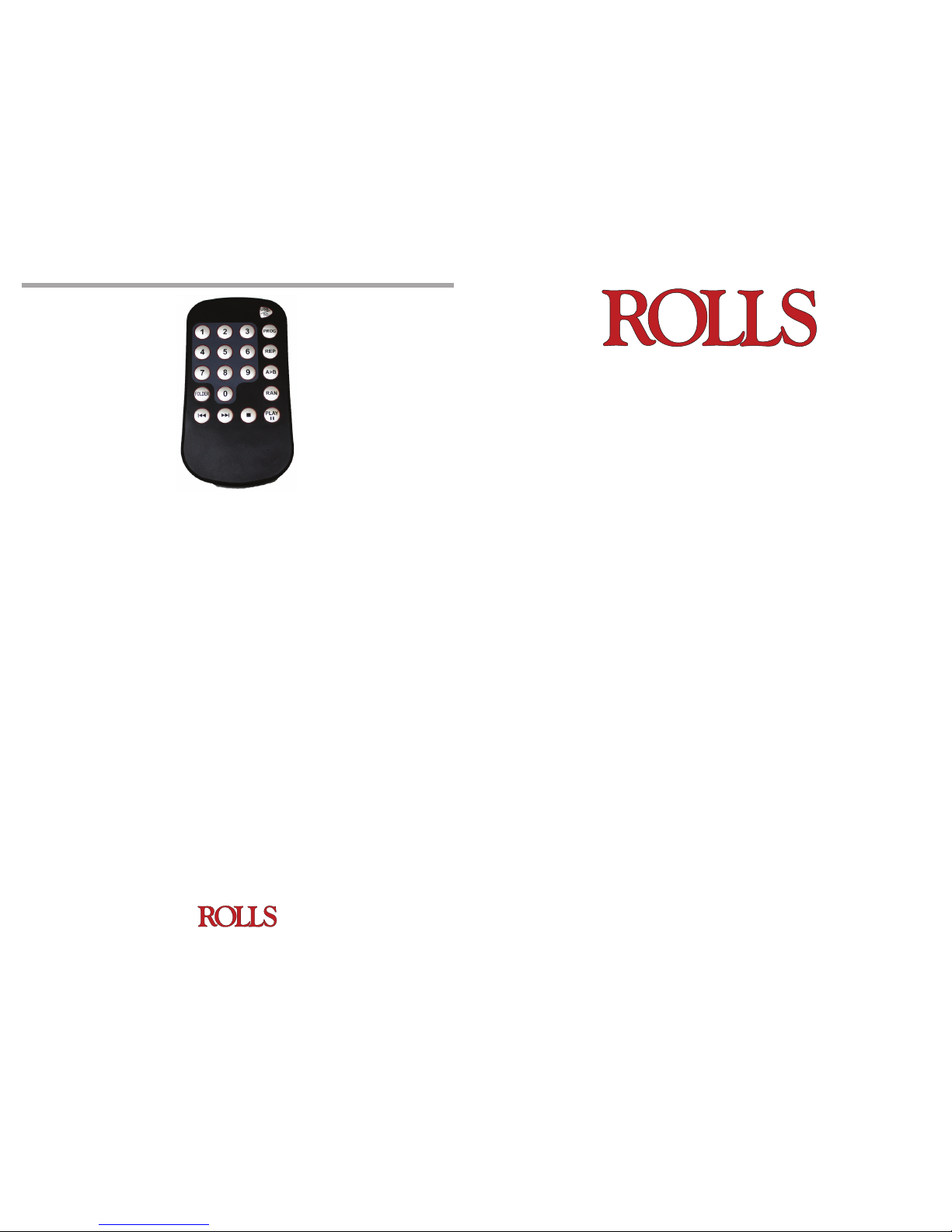
- Numbers Key: 0 ~ 9. To select the track number to be played.
- USB/SD: Press to switch between a USB and SD card (this function is for the remote
only, and is NOT ON THE FRONT PANEL OF THE HR74). The HR74 will automaticaly recognize if a SD or USB thumb drive is connected to the unit.
- PROG: To program tracks in a given folder to play in the “programed order”. Only the
tracks stored in the same folder can be programed. If the programed tracks exceed the
total tracks in the folder, LCD will show “Error”. (this function is for the remote only, and
is NOT ON THE FRONT PANEL OF THE HR74)
- Press PROG key rst, and then select the track by pressing number keys. Start over the
above process for storing more tracks. Up to 20 tracks can be stored.
- After nishing the program memory, press play to start playing programmed tracks.
Use prev/next buttons to skip over programmed tracks.
- Press stop twice, to cancel all the programmed tracks.
All other remote functions work the same as the front panel buttons.
- Battery installation of remove control:
1. To open up the battery cover (on the back side of the remote), Press down the
RELEASE cap, and slide it from the left to the right, then pull the battery tray out.
2. Place a new battery (battery type: CR2025 3V, w / it’s positive upward).
The included Infrared Remote provides a way to control the HR74 at a distance from
the unit. It must be located in the “line-of-sight”.
REMOTE
Page 2
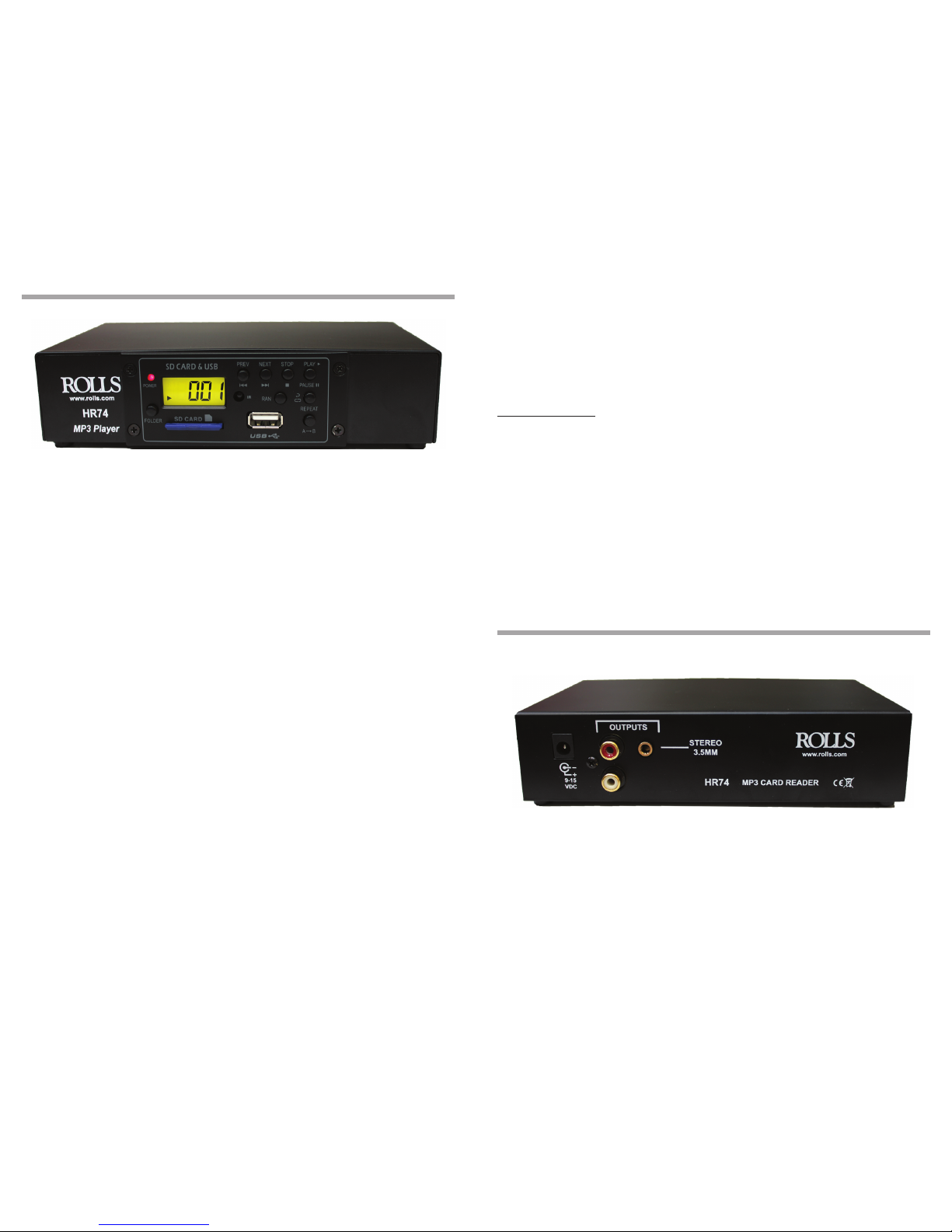
FRONT PANEL DESCRIPTION
REAR PANEL DESCRIPTION
Important Notes:
- When inserting a USB or SD Card, the HR74 will automatically start
playing.
- If both USB and SD Card are installed in the HR74, the SD Card will play
rst.
USB OPERATION
IMPORTANT NOTE THE USB FROM THE HR74 SHOULD NEVER BE
PLUGGED INTO A COMPUTER IT IS FOR THUMB DRIVE DEVICES ONLY.
DAMAGE WILL BE DONE TO THE HR74 AND YOUR COMPUTER IF YOU
PLUG THEM TOGETHER!!!!!!!!!!!!
- PREV : Press to go back to the last track. Press for 3 seconds to rewind
the track being played.
- NEXT: Press to go forward to next track. Press for 3 seconds to fast forward with in the track being played.
-REPEAT:
1.Press once to repeat current track, LCD shows “R 1”.
2.Press twice to repeat all tracks, LCD shows “R ALL “.
3.Press 3 times to cancel the repeat function.
- RAN:
Press once to play tracks in a random order. LCD will ash to indicate it is
in random play mode. Press again to exit, the LCD will stop ashing.
- FOLDER:
Press to switch to next folder for MP3 player.
Pressing the FOLDER button will switch to next folder. The LCD will
show Folder# for 1 second and then will show the current track#. For
example, LCD will show F002 to indicate moved Folder#2 for 1 second.
The unit will automatically play the rst track of Folder#2 and will show
the current track# - 001.
- A>B: “Repeat Play”
1.Press once to start the beginning of memory.
2.Press again to stop at the end of memory area. The HR74 will repeat
the A-B selection over repeatedly.
3.Press it again to stop section repeating.
- RCA outputs: Stereo RCA line level.
- 1/8” (3.5mm) output: Stereo Tip Ring Sleve line level output.
- VDC: For connection to the supplied Rolls PS27s adapter.
 Loading...