

Page 1
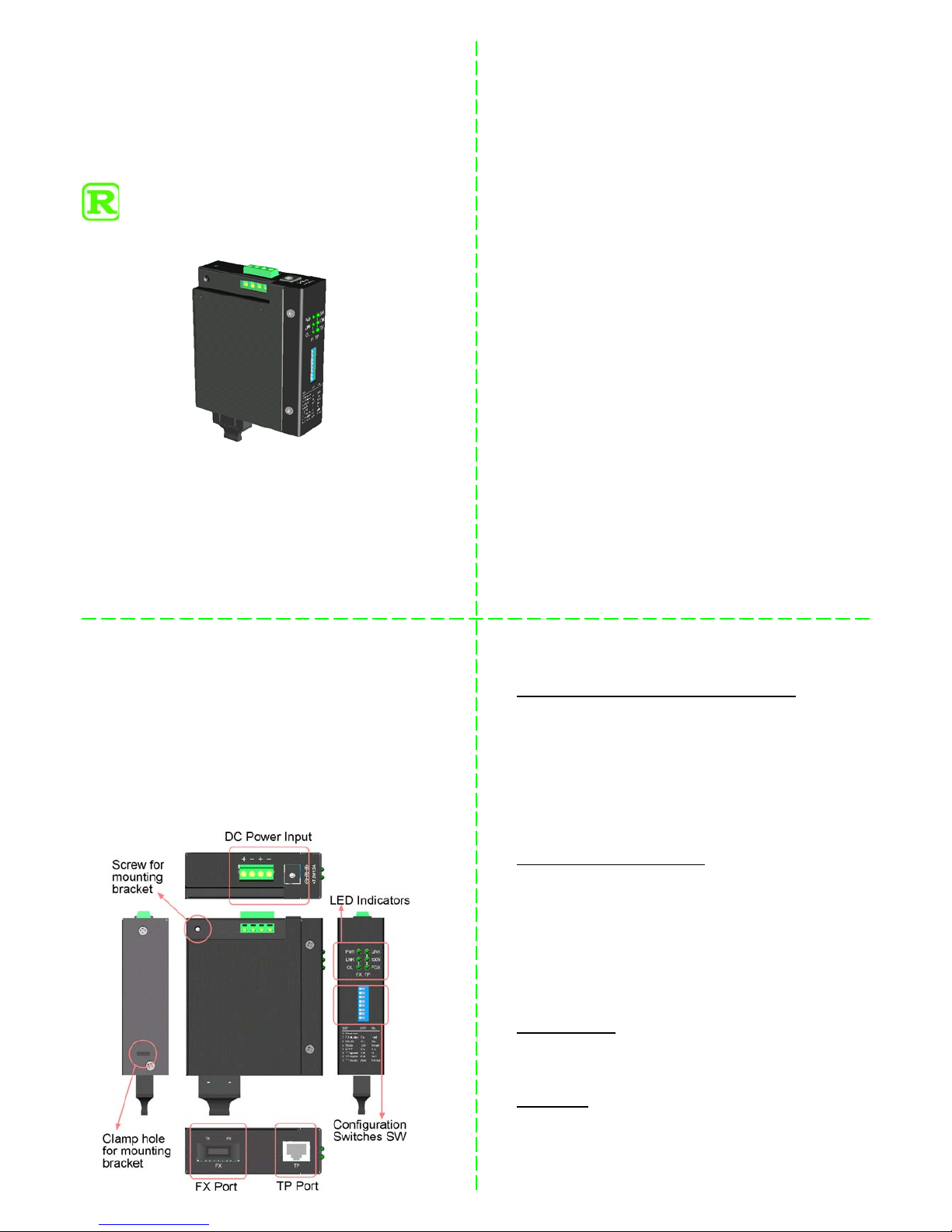
INDUSTRIAL
10/100BASE-TX TO 100BASE-FX
MEDIA CONVERTERS
21.13.1 142AR (ST Model)
21.13.1 143AR (SC Model)
Installation Guide
DOC.110427-NCD300
General
The industrial 10/100BASE-TX to 100BASE-FX media converter series provides industrial strength Ethernet copper-tofiber media conversion, allowing for 10Base-T-100Base-FX
or 100Base-TX-100Base-FX over multimode or optional
single-mode fiber optical media.
Features
• Conversion for 10Base-T-100Base-FX or 100Base-TX-
100Base-FX over multimode or single-mode fiber
• Comprehensive configuration settings to increase the flex-
ibility for more application needs
• Smart-Forward operating mode, which uses store-and-for-
ward mechanism for packet forwarding normally when
both media ends operate at different speed, but switch to
direct conversion automatically to achieve the least latency
when both media ends operate at the same speed.
• Link Fault Pass Through function which allows link fault
status passes through from one end to another end transparently.
Enhanced Features for Industrial Environment
• Wide operating Temperature: -20
o
C to +70oC
• Wide operating power voltage: +7 ~ 30VDC
• Power interfaces: Terminal block and DC jack
• DIN rail mounting and panel mounting support for
industrial enclosure
• Enhanced Emission and Immunity performance
Functions
• Convert speed and media type
• Support full wire speed conversion
• Support 10Mbps and 100Mbps speed on TP port
• Auto MDI/MDI-X detection function on the TP port
• Auto-negotiation function on the TP port
• Link fault pass through function
• Transparent to 802.1Q VLAN tagged packets
• Far End Fault function on FX (fiber) port
• Support full duplex 802.3x flow control and half duplex
back pressure flow control for store-and-forward mode
• Support wide range of fiber options on the FX port
• Low power consumption
Specifications
Twisted-Pair Interface (TP Port, Copper Port)
Connector Shielded RJ-45
Pin Assignments Auto MDI/MDI-X detection
Signal Compliance 10BASE-T, 802.3u 100BASE-TX
Data Speed 10Mbps or 100Mbps
Duplex Mode Half-duplex or Full-duplex
Configuration Auto-negotiation and forced
Cable Types 10Mbps - Category 3, 4, or 5 UTP
100Mbps - Category 5 UTP
Link Distance Up to 100 meters
Fiber Optic Interface (FX Port)
Signal Compliance IEEE 802.3u 100BASE-FX
Connector SC, ST (model dependent)
Data Speed 100Mbps
Duplex Mode Full-duplex and optional half duplex
Cable Types MMF - 50/125, 62.5/125
SMF - 9/125
Link Distance MMF up to 2km
SMF -model dependent
Eye Safety compliance IEC825 Class 1
DC Power Input
Interfaces Screw terminal block , DC Jack
Operating Voltages DC input +7V ~ +30V
Power consumption max 2.6W @+30VDC input
Mechanical
Dimension (base) W 28mm x D 82mm x H 95mm
Housing Enclosed metal with no fan
Mounting Support DIN-rail, plain surface mounting
Weight 252g
12
43
Page 2
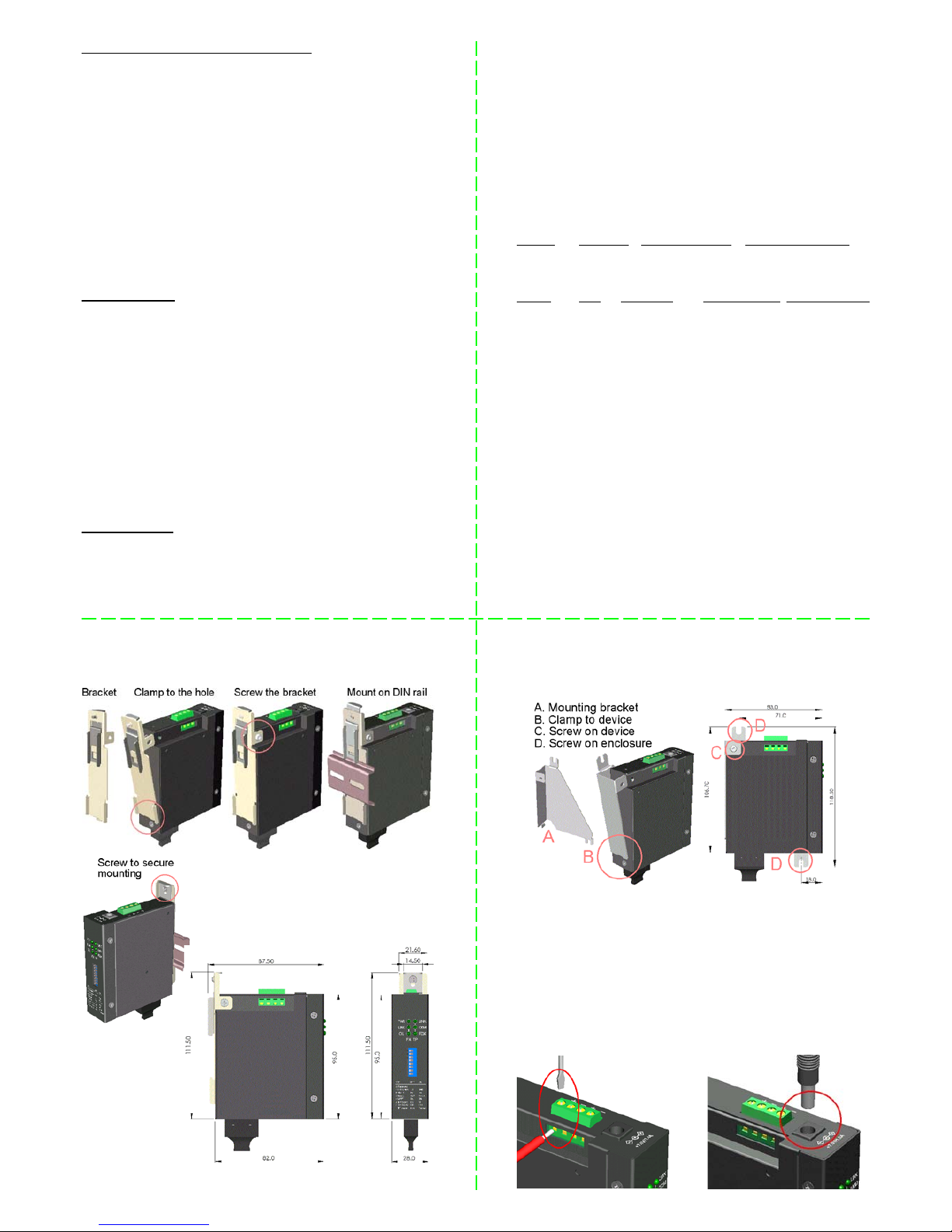
Configuration Setting Switches (SW)
SW1 TP Port mode OFF Auto-negotiation (default)
ON Forced mode
SW2 TP Port Duplex OFF Full duplex (default)
ON Half duplex
SW3 TP Port Speed OFF 100Mbps (default)
ON 10Mbps
SW4 LFPT OFF Enable (default)
ON Disable
SW5 Forwarding OFF Store-and-forward (default)
ON Smart-forward
SW6 802.3x function OFF Enable (default)
ON Disable
SW7 FX port duplex OFF Full duplex (default)
ON Half duplex
LED Indicators
PWR ON Power on
OFF Power off
TP LINK ON TP port link up and blink for data traffic
OFF TP port link fault
TP 100M ON TP port 100Mbps
OFF TP port 10Mbps
TP FDX ON TP port full duplex
OFF TP port half duplex
BLINK TP port collisions on half duplex
FX LINK ON FX port link up and blink for data traffic
OFF FX port link fault
FX OL ON FX port optical signal detected
OFF FX port no optical signal
Environmental
Operating Temperature model dependent
Storage Temperature -40 ~ 85oC
Relative Humidity 5% ~ 90%
LFPT - Link Fault Pass Through function allows a link
fault detected on one port will force a link down on another
port at the same time.
Smart Forward Mode - the converter can change to direct
conversion automatically when it detects same speed on both
TP port and FX port. Direct conversion method converts the
signal between TP port and FX port without storing the received packet on one port then forwarding to another port.
The media converter operates with the mini mum latency.
Models - Operating Temperature / Optical Specification
Model FX Con. Fiber Distance Op. Temperature
ST model ST MMF 2km -10oC ~ 70oC
SC model SC MMF 2km -10oC ~ 70oC
Model WL. Tx Power Rx Sensitivity Max. Rx Power
ST model 1310 -20 ~ -14 dBm -32 max. -8 min.
SC model 1310 -20 ~ -14 dBm -31 max. 0 min.
DIN Rail Mounting w/h DIN-rail Bracket Panel Mounting w/h optional Bracket
Applying Power
Terminal block (2 pairs of Positive+ / Negative- contacts)
1st pair : main power source wires
2nd pair : power wires for cascading to next converter unit
DC Jack (Input for external AC power adapter)
Jack specification : -D 6.3mm / + D 2.0mm
Terminal Block Installation DC Jack Installation
56
8
7
 Loading...