

Page 1
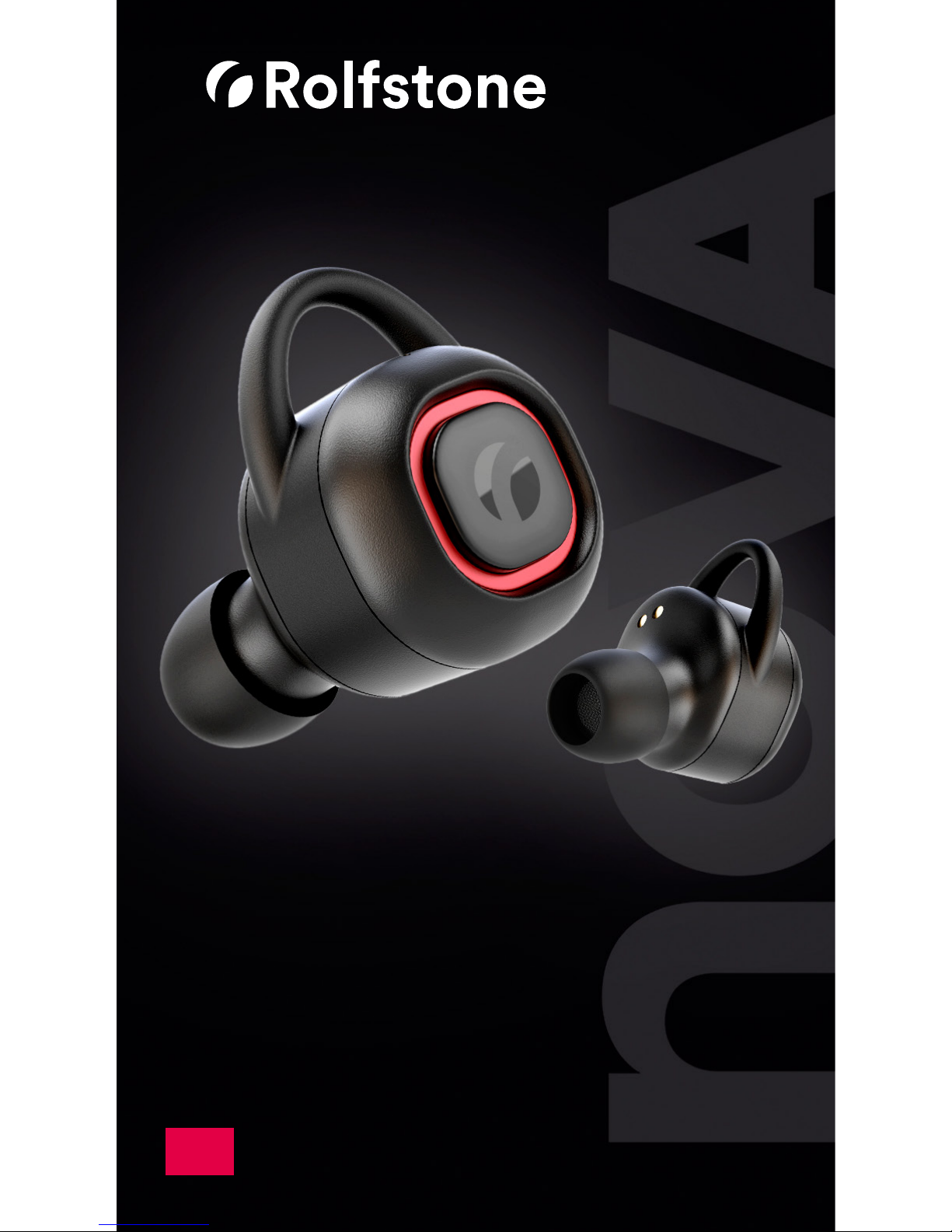
NOVA
Truly wireless sport earbuds
EN
User Manual
Page 2
32
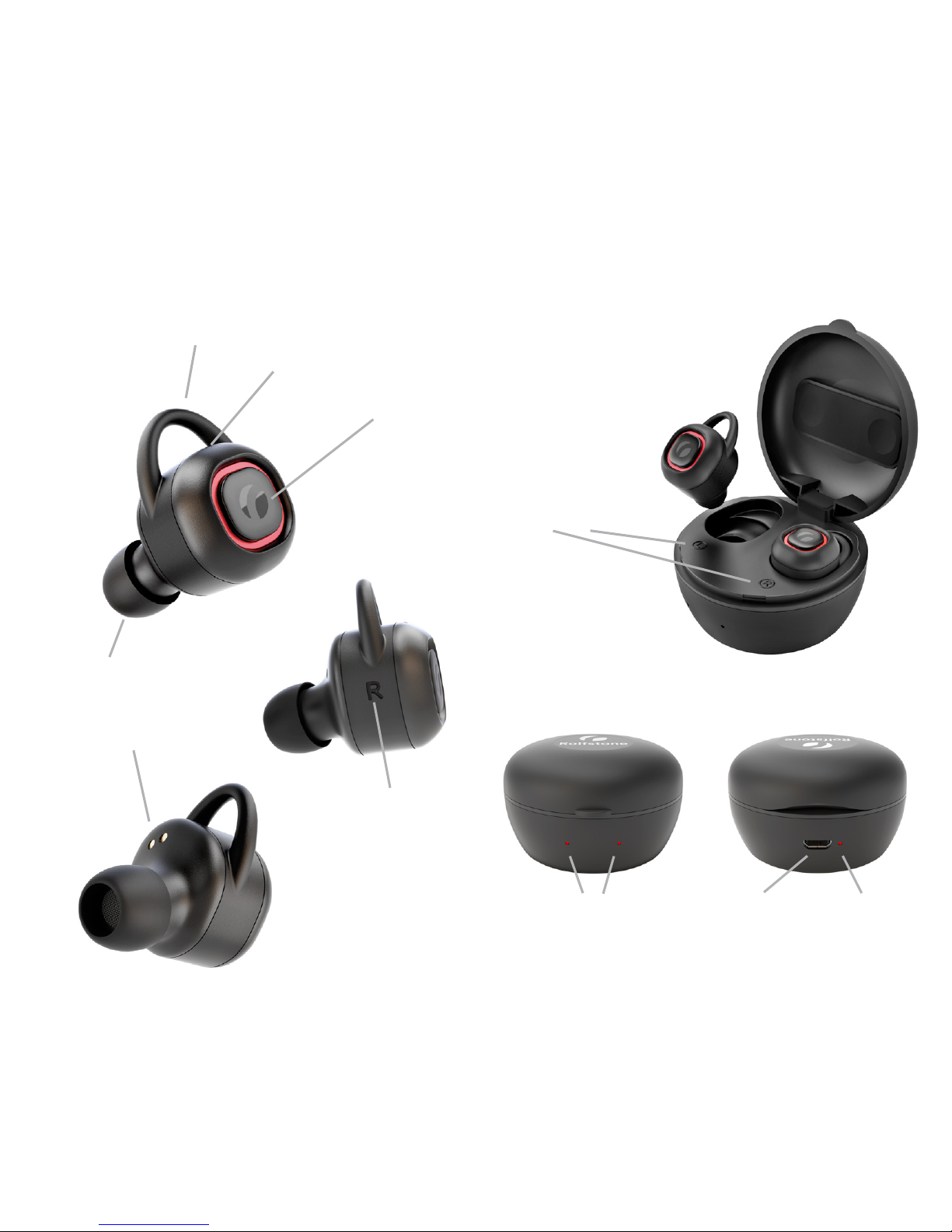
Charging contact points
Earbuds overview Charging case overview
Control button
Replaceable eartip
Left / Right
mark
Wingtip
Microphone
Front view
Charging
indicator
per earbud
Micro USB Charging
indicator
Rear view
Left / Right
mark
Page 3

54
Connect for the rst time
A manual connection must be made when
the earbuds have not been connected to a
Bluetooth device before.
1. Get both earbuds out of the charging case.
2. Place both earbuds in your ears.
3. Press and hold the control button of both
earbuds for 3 sec. In both earbuds you will
hear an ascending tone.
4. Both earbuds will now connect
automatically (Pling!).
5. They will now search for a Bluetooth player.
6. Open the Bluetooth settings on your player
and activate Bluetooth.
7. Wait until Rolfstone Nova appears and
select it. The earbuds are ready for use.
!
More information and instruction videos can
be found on www.rolfstone.com/support
Automatically reconnect
When the earbuds have been connected to a
player before then the earbuds only need to
be turned on to automatically reconnect with
the player.
1. On the previously connected player:
- Bluetooth must be enabled.
- Rolfstone Nova needs to be in the list of
devices.
2. Get both earbuds out of the charging case.
3. Place both earbuds in your ears.
4. Press and hold the control button of
both earbuds for 3 sec. You will hear an
ascending tone in both earbuds.
5. Both earbuds will now automatically
connect with each other (Pling!).
6. Hereafter the Rolfstone Nova will
search for a known Bluetooth player and
automatically connect to it.
!
More information and instruction videos can
be found on www.rolfstone.com/support
Page 4

76
Disconnect the earbuds
Open the Bluetooth settings on your player
and disconnect the Rolfstone Nova.
The earbuds are now free to connect to
another player.
If you want to reconnect the earbuds later,
follow the steps on page 4.
Good to know
• The earbuds and the player must be
within 10 meters (or 33 feet) of each other.
Intermediate objects such as walls can
shorten the range.
• The earbuds can only be connected to one
player at a time.
• The Rolfstone Nova earbuds will
automatically turn o when placed in the
charging case.
• More information and instruction videos
can be found at www.rolfstone.com/support
• If you still have questions, please do not
hesitate to contact us (page 12).
Charging the Rolfstone Nova
When the Rolfstone Nova earbuds are fully
charged they will last 3 hours.
When the earbuds are almost empty you will
hear a short descending tone. Shortly after
that the earbuds will be disconnected.
• Place the earbuds into the charging case.
Make sure that the charging contact points
(page 2) are properly connected to the
contact points in the charging case.
- When the earbuds are placed in the
charging case two red lights will light up
on the front of the charging case.
- If both lights are not turned on the
charging case is empty.
• To fully charge the earbuds will take
about 40 minutes. When the earbuds are
fully charged the lights on the font of the
charging case will turn o. Each earbud
may have a dierent charging time.
• Make a habit of storing the earbuds in the
charging case after use. This way they stay
together, are well protected and are fully
loaded for future use.
Page 5

98
Charging the charging case
A fully charged charging case allows you to
charge the earbuds 4 times on the go.
If the charging case itself is almost empty a
red light will ash on the back of the case.
• Connect the charging case to a charger or
laptop/desktop computer using the micro
USB cable.
• The charging case takes about 50 minutes
to fully charge. During charging, the red
light on the back ashes.
• The charging case is full when the red light
on the back is lit continuously.
!
The battery life of the earbuds may be
shorter at higher music volumes and
lower temperature conditions.
Rolfstone Nova in use
The Rolfstone earbuds are very suitable for
sports because the earbuds are small and
stay perfectly in place during any activity.
To stay in place it is important that the
earbuds are correctly placed in the ears.
• Gently push the eartips into the ear canal.
• At the top of the earbuds is a wingtip
(page 2). Make sure that the wing tip
clamps with the auricle.
For an optimal t, several types of eartips
are included.
The eartip can easily be changed.
!
The Rolfstone Nova earbuds are rain and
sweat resistant. However, they are not
completely waterproof. Do not wash
them under running water or use them
under water.
Page 6

1110
Functions & control
The control button (page 2) allows you
to select music and make calls without
touching your mobile phone.
Play / Pause
Press 1x
Next track
Press 2x
Previous track
Press 3x
Accept incoming call / end a call
Press 1x
Reject incoming call
Press 2 sec.
Turn Rolfstone Nova on and o
Press 3 sec.
The sound of the phone call is heard through
one of the two earbuds.
Important
Do not expose your ears to high noise
levels for long periods of time to avoid
hearing damage.
Be aware that when using earbuds the
ambient noise is less noticeable. This can
cause dangerous situations. So pay extra
attention and don’t put yourself and your
environment in danger.
Warranty
The Rolfstone Nova earbuds and charging
case come with a two-year warranty. If
you encounter problems within this period
that are not the result of improper use or
damage due to external inuences, please
contact us (page 12).
Page 7

12
Service & contact
More information and instruction videos can
be found at www.rolfstone.com/support.
Do you have questions? Then feel free to
contact us. We think it’s important that
everyone can enjoy the Rolfstone Nova to
the fullest.
- Email: [email protected]
- Whatsapp: +31 6 83 99 39 93
- Phone: +31 6 83 99 39 93
Contact us during oce hours (Central
European Time). Does this not suit you?
Send us a WhatsApp message or email and
we will respond the next working day.
Have fun using the Rolfstone Nova truly
wireless earbuds!
 Loading...