

Page 1
1
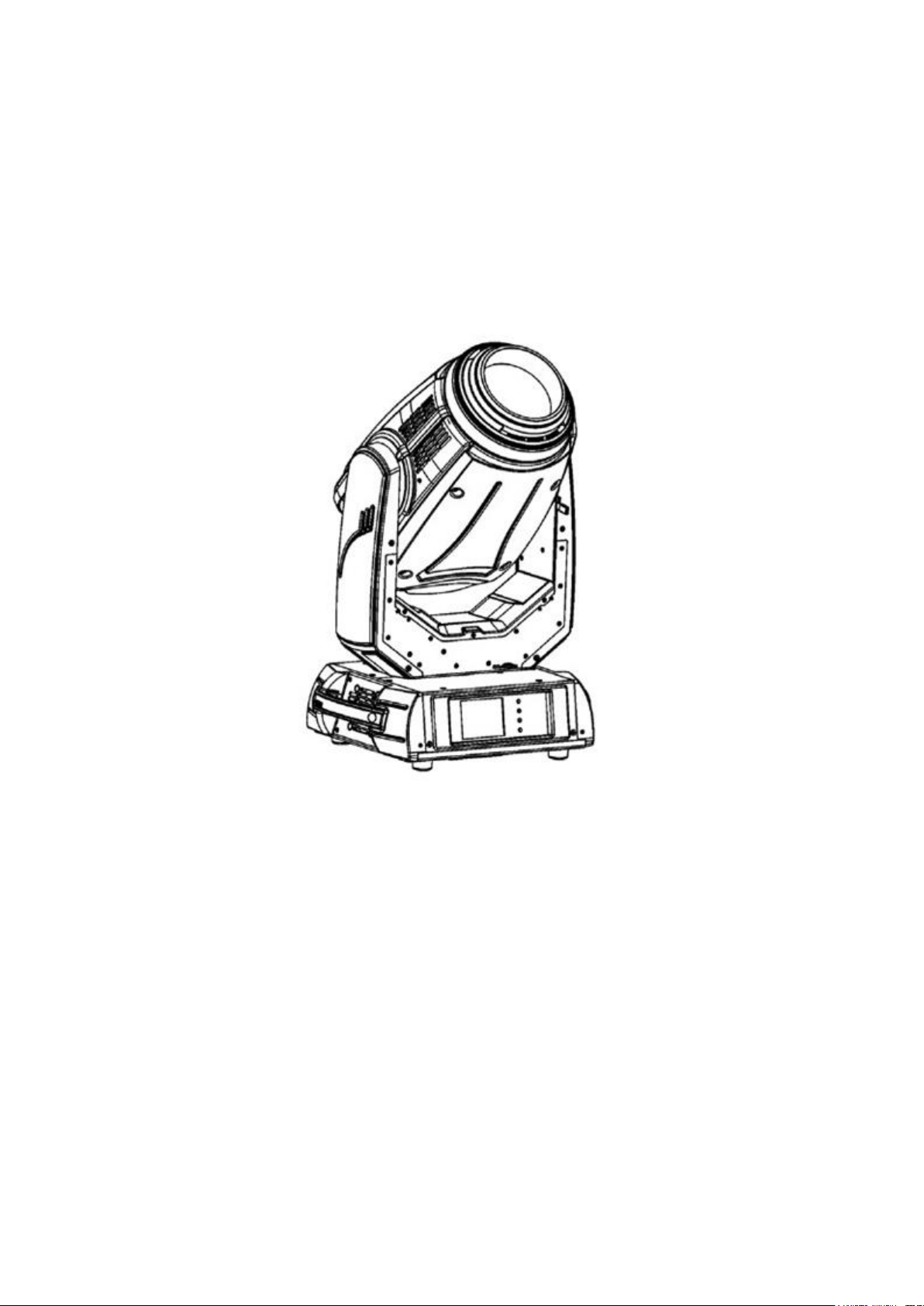
POINTE 280 MOVING HEAD
USER MANUAL
Thank you for choosing our products. For safety, please carefully read this manual before using.
Features
The Empire Ultimate Pointe 280 is an innovation, with an exciting & surprise effect. which has highly
superior and innovative features. It’s has Spot+ Wash+ Beam effects, it’s the true "3 in 1 mode".
Elegant, lightweight, high color temperature but only16kgs, makes it the most popular in the markets.
Page 2

2
Maintenance Features
1. To reduce the risk of electrical shock or fire, do not expose this unit to rain or moisture.
2. Intermittently using will extend this item’s service life
3. Please clear the fan, fan net and optical lens in order to keep good work state.
4. Do not use the alcohol or any other organic solvent to wipe the shell.
Statement
The product has perfect performance. All users should be strictly complying with the warning and
operating instructions as stated. Or we are not in charge of any result by misusing. Any damage resulting
by misuse is not within the Company’s warranty. Any fault or problem caused by neglecting the manual is
also not in the charge of dealers.
Note: All information is subject to change without prior notice.
Safety Precautions
1. In order to guarantee the product’s life, please don’t put it in the damp places or even the environment
over 60degress.
2. Always mount this unit in safe and stable matter.
3. Install or dismantle should operate by professional engineer
4. Using lamp,the change rate of power voltage should be within±10%,If the voltage is too high,it will
shorten the light’s life; if it’s not enough, will influence the effect
5. Please restart it 20 minutes later after turning off light, until full-cooling. Frequent switching will
reduce the life span of lamps and bulbs; intermittent using will improve the life of bulbs and lamps。
6. In order to make sure the product is used well, please read the Manual carefully.
Products Instruction
·lamp: Osram SIRIUS HRI 280W/ YODN HRI 280W (Llife:1500-2000 hours Color temperature:
8000K)
· Channel mode:16/24 DMX512 Channel
· Pan scan:540°(16bit) Electric correction
· Tilt scan:270° (16bit) Electric correction
· Amazing dot max ,four tact switch, 180° turning show
· Color wheel: one color wheel, 13 kinds of color chips in one color wheel
· Gobo : two gobo wheels , one static gobo wheel with 13 gobos & one rotating gobo wheel with 9
gobos
· Effect Wheel: Rotatable eight prism, effect move , frost
· 0-100% mechanical dimming, mechanical dimming and free dimming available
strobe macro control available.
· Lens optical system mechanical focus. 2.5° - 10° beam; 5 - 20° spot
Page 3
3
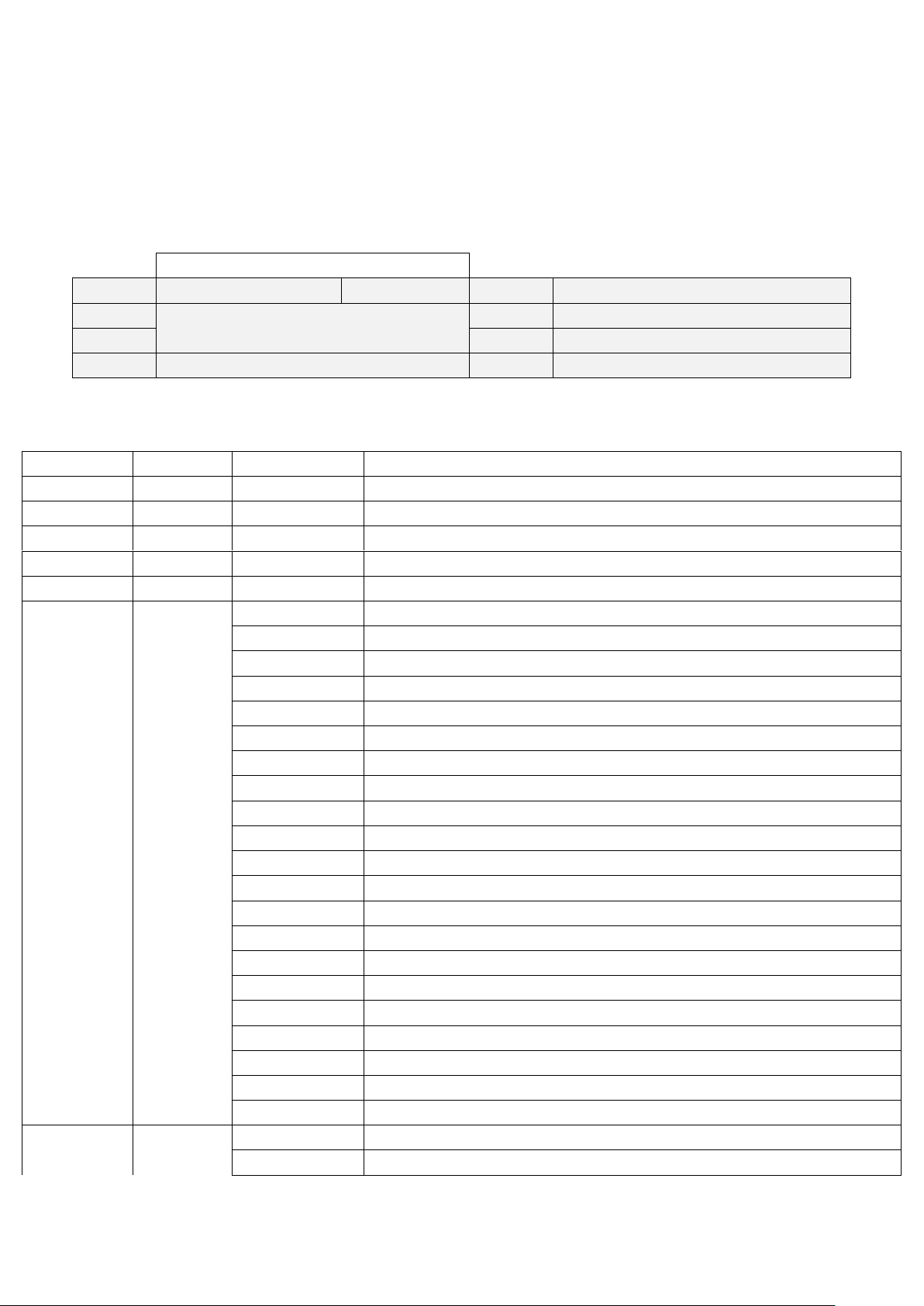
Interface diagram
Set up
Manuel operation
Information
Display
Lamp
DMX set up
Invert
Chinese/English display
Channel mode
Return
Mode
Mode
DMX Value
Channels function
1 1 0-255
Pan 2 *
0-255
Pan fine 3 2
0-255
4 *
0-255
Tilt 5 3
0-255
Pan/Tilt speed ,Pan/Tilt time
6 4
Power/Special functions
0-19
Reserved
20-24
Eco mode (Lamp power 280W)
25-29
Standard mode (Lamp power 280W)
30-49
Reserved
50-59
Pan/Tilt speed mode
60-69
Pan/Tilt time mode
70-79
Blackout while pan/tilt moving
80-89
Disabled blackout while pan/tilt moving
90-99
Blackout while color wheel moving
100-109
Disabled blackout while pan/tilt moving
110-119
Blackout while gobo wheel moving
120-129
Disabled blackout while gobo wheel moving
130-139
Lamp on ,reset(total reset except pan/tilt reset)
140-149
Pan/Tilt reset
150-189
Color system reset
190-199
Reserved
200-209
Total reset
210-229
Reserved
230-239
Lamp off
240-255
Reserved
7 5
Color wheel
0-8
Open/white
· Power: 100-240V,50/60Hz · Consumed power:450W
· IP level: IP20 · Electronic ballast and AC/Dc power supply
· Net weight:16 KGS · Over heat protection
Menu Functions:
Channels Control:
Page 4

4
9-17
Deep red
18-26
Deep blue
27-35
Yellow
36-44
Green
45-53
Magenta
54-62
Sky blue
63-71
Red
72-80
Deep green
81-89
Amber
90-98
Blue
99-107
Orange
108-116
CTO
117-127
UV filter
128-129
White
130-134
UV filter + CTO
135-138
CTO + orange
139-143
Orange + blue
144-147
Blue + amber
148-152
Amber + deep green
153-157
Deep green + red
158-161
Red + blue
162-166
Blue + magenta
167-171
Magenta + green
172-176
Green + yellow
177-180
Yellow + deep blue
181-185
Deep blue + deep red
186-189
Deep red + White
190-215
Forwards rainbow effect from fast to slow
218-243
Backwards rainbow effect from slow to fast
244-249
Random color selection by audio control
250-255
Auto random color selection from fast to slow
8 *
Color wheel-fine positioning
9 6
Effect Speed
10 7
Static Gobo wheel
0-3
Open
4-9
Gobo1
10-15
Gobo2
16-21
Gobo3
22-27
Gobo4
28-33
Gobo5
34-39
Gobo6
40-45
Gobo7
46-51
Gobo8
Page 5

5
52-57
Gobo9
58-63
Gobo10
64-69
Beam reducer 1
70-75
Beam reducer 2
76-87
Beam reducer 3
Shaking gobos from slow to fast
88-95
Gobo1
96-103
Gobo2
104-111
Gobo3
112-119
Gobo4
120-127
Gobo5
128-135
Gobo6
136-143
Gobo7
144-151
Gobo8
152-159
Gobo9
160-167
Gobo10
168-175
Beam reducer1
176-183
Beam reducer2
184-199
Beam reducer3
200-201
Open/hole
202-221
Forwards gobo wheel rotation from fast to slow
222-223
No rotation
224-243
Backwards gobo wheel rotation from slow to fast
244-249
Random gobo selection by audio control
250-255
Auto random gobo selection from fast to slow
11 8
Rotating gobo wheel
0-8
open
9-17
Gobo1
18-26
Gobo2
27-35
Gobo3
36-44
Gobo4
45-53
Gobo5
54-62
Gobo6
63-71
Gobo7
72-80
Gobo8
81-89
Gobo9
Shaking gobos from slow to fast
90-97
Gobo1
98-106
Gobo2
107-115
Gobo3
116-124
Gobo4
125-133
Gobo5
134-142
Gobo6
Page 6

6
143-151
Gobo7
152-160
Gobo8
161-169
Gobo9
171-179
Gobo10
180-217
Forwards gobo wheel rotation from fast to slow
218-255
Backwards gobo wheel rotation from slow to fast
12 9
Rot.gobo indexing and rotation
0-127
Indexing
128-177
Forwards gobo rotation from fast to slow
178-203
No rotation
204-255
Backwards gobo wheel rotation from slow to fast
13 * 0-255
Fine indexing(rotation)
14
10
Prism
0-19
Open position(hole)
20-49
6-facet linear rotating prism-indexing
50-75
6-facet linear rotating prism-rotation
76-105
8-facet linear rotating prism-indexing
106-127
8-facet linear rotating prism-rotation
128-135
Marco 1
136-143
Marco 2
144-151
Marco 3
152-159
Marco 4
160-167
Marco 5
168-175
Marco 6
176-183
Marco 7
184-191
Marco 8
192-199
Marco 9
200-207
Marco 10
208-215
Marco 11
216-223
Marco 12
224-231
Marco 13
232-239
Marco 14
240-247
Marco 15
248-255
Marco 16
15
11
Prism rotation and indexing
0-127
Indexing
128-191
Forwards prism rotation from fast to slow
192-193
No rotation
194-255
Backwards prism rotation slow to fast
16
12
Frost
0-64
Open
65-255
Linear frost
17
13
Zoom
Page 7

7
0-255
Zoom from max.to min.beam angle
18 * 0-255
Zoom-fine
19
14
0-255
Focus
20 * 0-255
Focus-fine
21 * 0-255
Autofocus(priority & distance selection)
22
15
Shutter/strobe
0-31
Shutter closed
32-63
Shutter open
64-95
Strobe-effect from slow to fast
96-127
Shutter open
128-143
Opening pulse in sequences from slow to fast
144-159
Closing pulse in sequences from fast to slow
160-191
Shutter open
192-223
Random strobe-effect from slow to fast
224-255
Shutter open ,Full lamp power
23
16
Dimmer intensity
0-255
Dimmer intensity from 0% to 100%
24 *
Dimmer intensity -fine
A warm note:
When your performances over, please use your console to turn off the lamp first
(channel 6, value 230 to 239 off), let the fan keep working to cooling down around
5 minutes, then cut off the power.
This action could be helpful to extend the lifetime of lamps.
Thanks for reading. ~.~
 Loading...