

Page 1

SAP Printing: Customer documentation: Volume 1
page 1 / 12
SAP Printing
Customer documentation
Volume 1
ReadMe:
Support by Ricoh
Version: 1.33
Abstract:
This document contains first-step information about support by Ricoh for printing from SAP systems (R/3, mySAP ERP).
It explains the supported device models, the available SAP device types, and the available documentation.
Published by
Ricoh Company Ltd.
Page 2

SAP Printing: Customer documentation: Volume 1
page 2 / 12
C o n t e n t s
1. THE CONCEPT...................................................................................................................................................................3
1.1 THE SAP SYSTEMS SUPPORTED .......................................................................................................................................3
1.2 THE DEVICE MODELS SUPPORTED....................................................................................................................................3
1.3 THE FAMILY OF PROVIDED DEVICE TYPES........................................................................................................................3
2. THE DEVICE TYPES .........................................................................................................................................................6
2.1 ZA00 (AND ZA04) ..........................................................................................................................................................6
2.2 ZA01 (AND ZA05) ..........................................................................................................................................................6
2.3 ZB00...............................................................................................................................................................................7
3. THE DOCUMENTATION..................................................................................................................................................8
3.1 VOLUME 1 = README.....................................................................................................................................................8
3.2 VOLUME 2 : [DEVICE TYPE] = DEVICE TYPE SPECIFIC INFORMATION...............................................................................8
3.3 VOLUME 2B = BARCODE AND OCR TEXT PRINTING........................................................................................................8
3.4 VOLUME 3 : [DEVICE CLASS] = DEVICE-SPECIFIC INFORMATION .....................................................................................8
4. APPENDICES.......................................................................................................................................................................9
4.1 APPENDIX D: DEVICE MODELS SUPPORTED .....................................................................................................................9
Trademarks
Microsoft®, Windows® are registered trademarks of Microsoft Corporation in the United States and/or other countries.
PostScript® is a registered trademark of Adobe Systems, Incorporated.
PCL® is a registered trademark of Hewlett-Packard Company.
Andale and WorldType are registered trademarks of Monotype Imaging, Inc.
Other product names used herein are for identification purposes only and might be trademarks of their respective companies. We disclaim any
and all rights in those marks.
Important notice
Parts of this manual are subject to change without prior notice.
Page 3

SAP Printing: Customer documentation: Volume 1
page 3 / 12
1. The Concept
This chapter introduces our approach to support printing to our printer devices from SAP systems (R/3, mySAP ERP).
The printer controllers of our devices support the PCL, PJL and/or PostScript printer language.
A priori, the customer can print on our devices with any suitable SAP standard device type, such as HPLJ4, as indicated in SAP note # 8928
.
However, this way it is hard to activate our devices' specific features, like additional input and output trays, and finishing options, like stapling
and punching.
Alternatively, some settings could be configured on the device's front panel. This is acceptable to do for permanent changes, but not for a perjob basis. Using the Windows driver based SWIN/SAPWIN device types has also some drawbacks.
For the above reasons, we provide a family of proprietary device types (DT).
The device types differ in the class of device models they support, the printer language they are based on, the device features supported, and
some other "DT distinctive features".
For a list of the supported device models see below.
For the definition of the DT distinctive features see below.
For a list of the supported features see the corresponding issue of Volume 2
of the documentation.
For some device models and features the degree of support may be partially limited. Those limitations can be found in Volume 3
.
Each device type, as shipped, is "generic": In particular, it is independent of any specific device model.
For each device setting, the "generic" code contains initially a default command sequence, and/or is commented out.
The customer can and needs to configure the settings by himself, thus adapting the device type to the targeted device model and the intended
behavior.
The shipped device type has to be used as a template for creating the actual device types to use.
If the SAP system and the shipped Device type support POSS ("Print Options for SAPscript and SmartForms"), then the configuration of most
features can be done in each Output device, using the shipped Device type as-is.
The accompanying documentation provides the necessary detailed information to the customer, i.e. typically, the SAP administrator.
See below for the contents.
For general information about our proprietary device types, their installation and configuration, see Volume 2
.
For information about a particular device type (supported features, limitations), read the corresponding issue of Volume 2
.
For information about a particular device model (features, commands, limitations), read the corresponding issue of Volume 3
.
For a general printing troubleshooting procedure and how to contact support, see Volume 2
.
1.1 The SAP systems supported
The support is essentially platform-independent.
Explicitly supported are these Enterprise Resource Planning (ERP) systems by SAP
:
- SAP R/3 (release versions 3.0 and higher)
- SAP R/3 Enterprise
- mySAP ERP (2004 and higher)
In our documentation these are collectively referred to as "SAP systems", unless a distinction is necessary.
1.2 The Device models supported
For a list of the printer device models for which SAP printing is supported, please refer to Appendix D
.
A "device class" [DCxx] groups device models which have similar behaviour with respect to SAP printing.
For information about a particular device model (features, commands, limitations):
1. Determine which device class your device model belongs to, say [DCxx].
2. Refer to the corresponding section of Volume 3 [DCxx]
.
1.3 The family of provided Device types
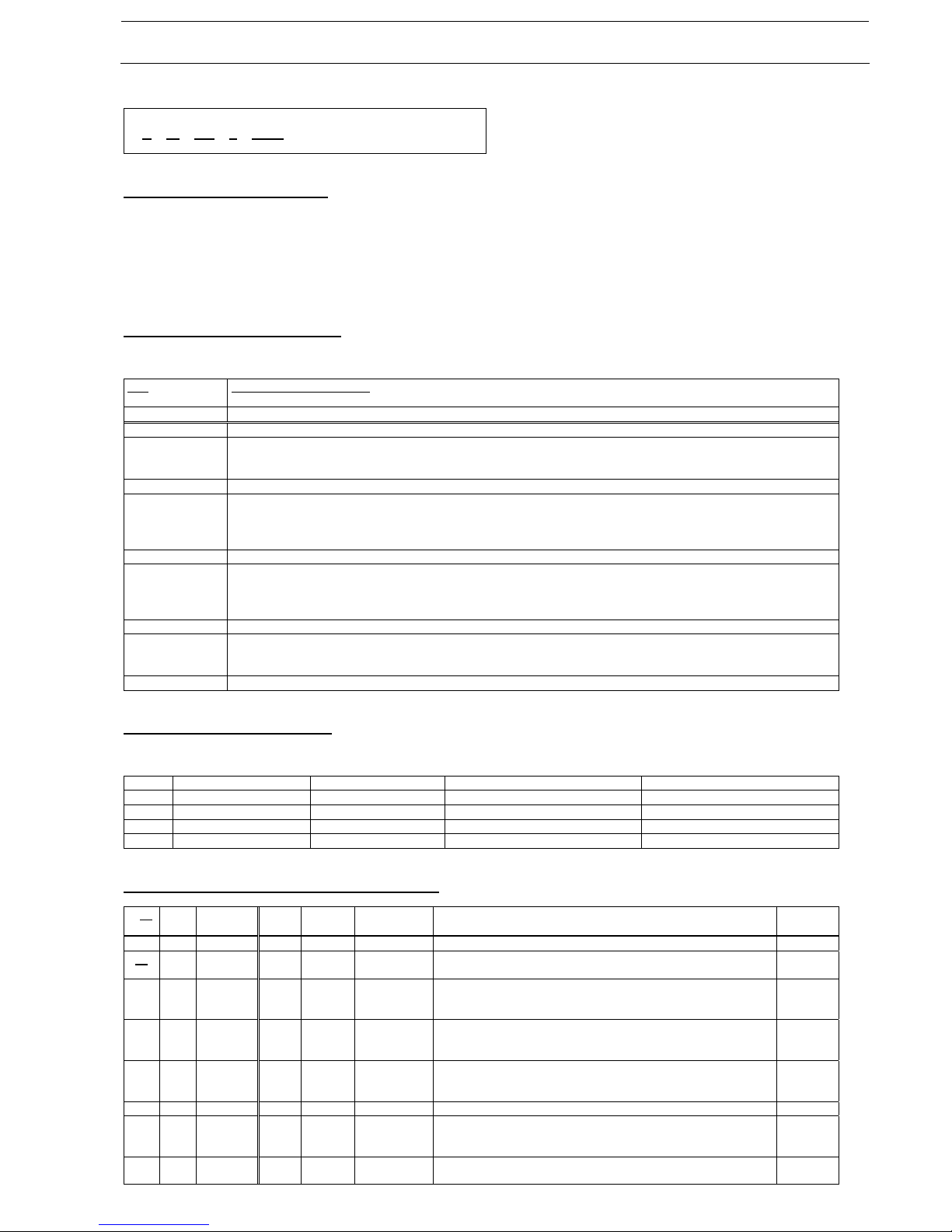
The naming of the Device types
The name of an individual member of our proprietary family of Device types reflects:
- the model controller type supported (m)
- the DT distinctive features supported (xx)
- the codepage it supports (c)
Page 4
SAP Printing: Customer documentation: Volume 1
page 4 / 12
- the version (vvv)
Z m x x c v v v
The Model controller type (m)
The following model controller types are supported:
- A
- B
They differ by the supported command set and their behaviour.
The DT distinctive features (xx)
The individual members of our family of proprietary Device types differ by certain features, hereafter referred to as "DT distinctive features".
Tag
< DT distinctive feature >
- value = meaning
[Fabapd] < ABAP list driver default > (default/initial setting)
- NONE
= "Do not use printer driver ..." (standard)
- HPL2
= "Printer driver for PCL-5 (...)"
[Fbarcs] < barcoding solution compatibility/support >
- B0= none
= none
- B2= BOP
= "Barcode & OCR Package" (BOP)
- B3= IBS
= "Barcode & OCR Package - Intelligent version" (BOCR)
[Ffscal] < font scaling mechanism >
- S0 = discrete (like HPLJ4 )
- S1 = arbitrary (scalable flag) (like HPLJ4000 )
- S2
= dto. & (proportional flag) (like HPUTF8 )
[Fposs] < "Print Options for SAPscript and SmartForms" (POSS) support >
- P0
= not supported
- P1 = supported
The code pages supported (c)
The individual members of our family of proprietary Device types differ by the set of characters supported.
c = Code page SAP character set PCL symbol set Definition
- 1 Latin-1
1116 0N ISO8859-1
- 2 Latin-2
1416 2N ISO8859-2
- U Unicode
4210 18N Unicode (Andale fonts)
- V Unicode
4210 18N Unicode (resident fonts)
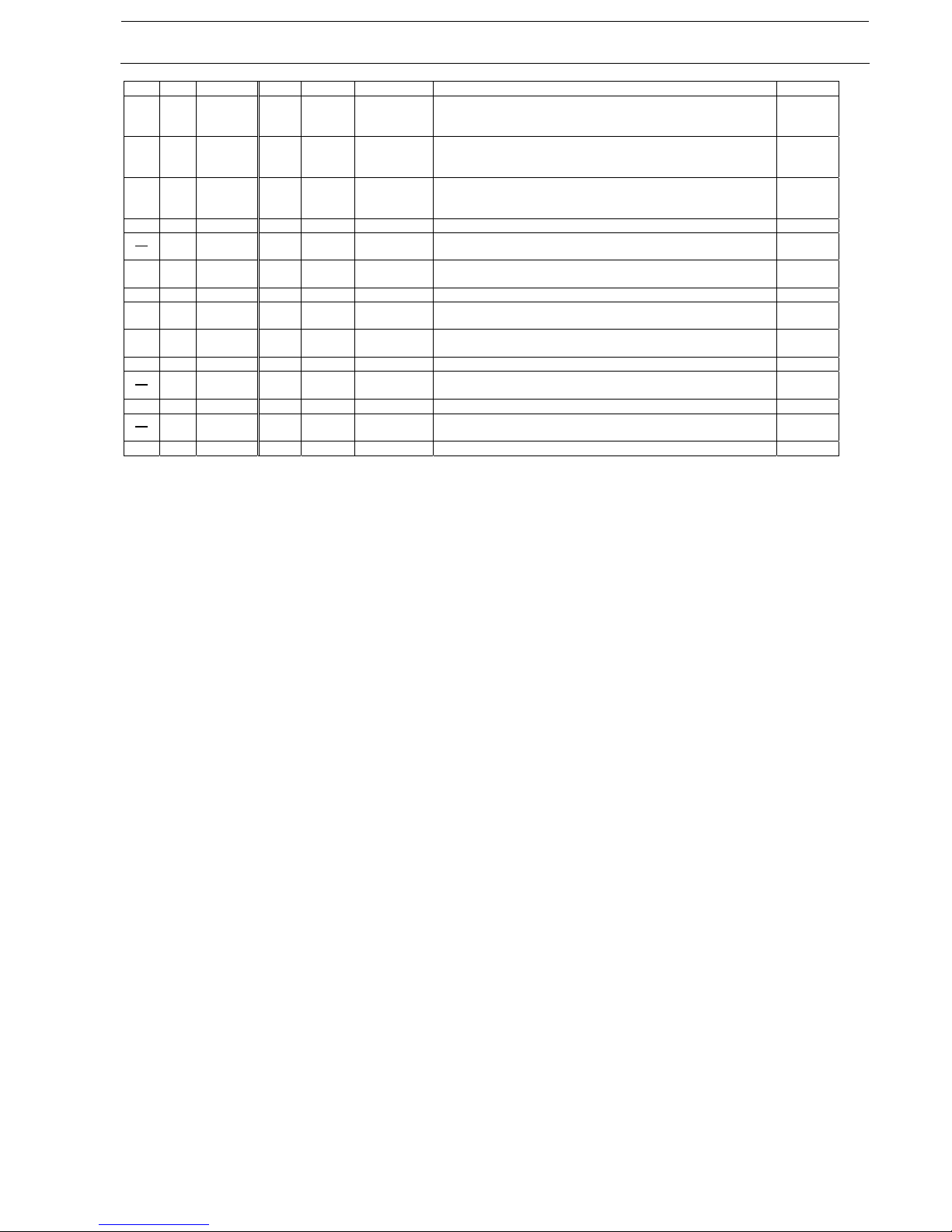
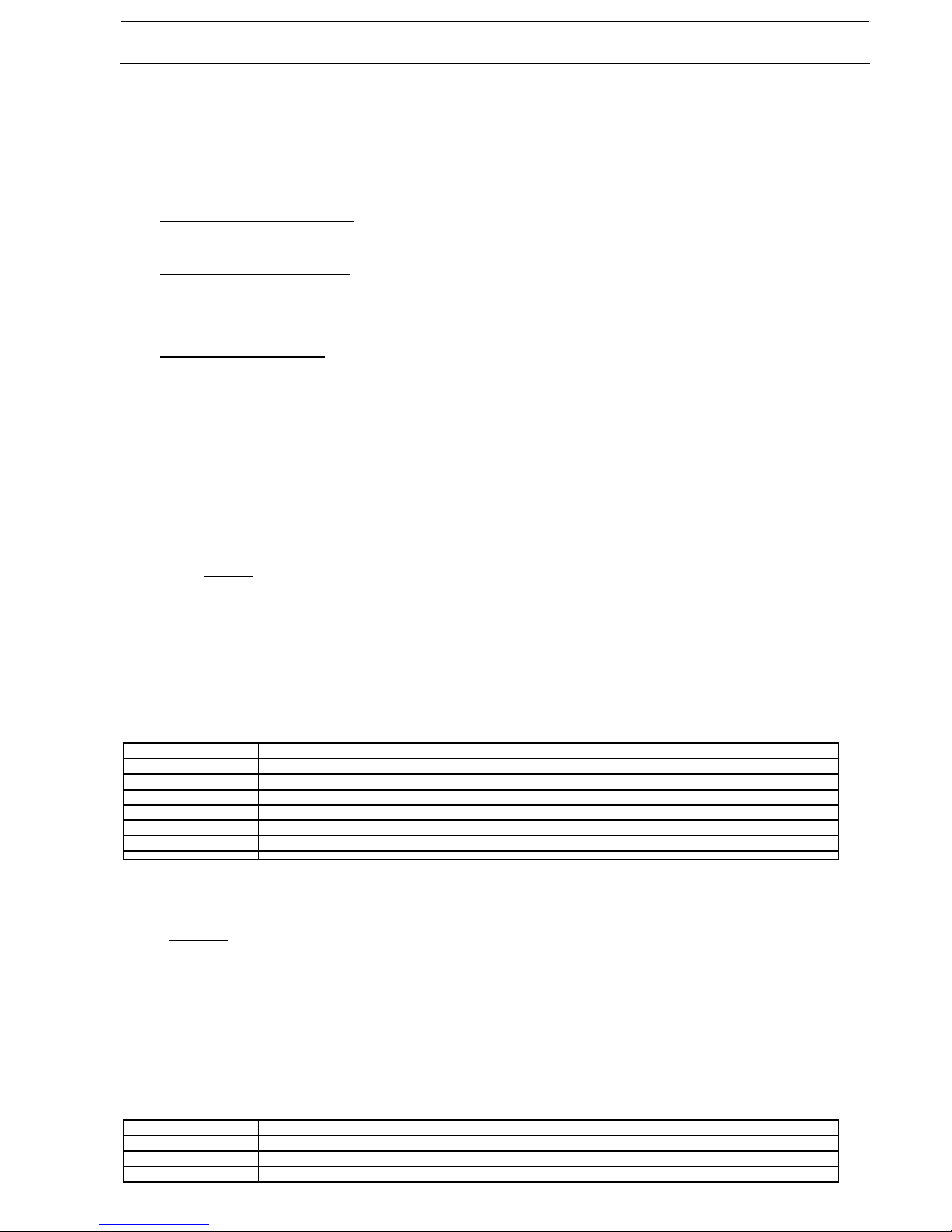
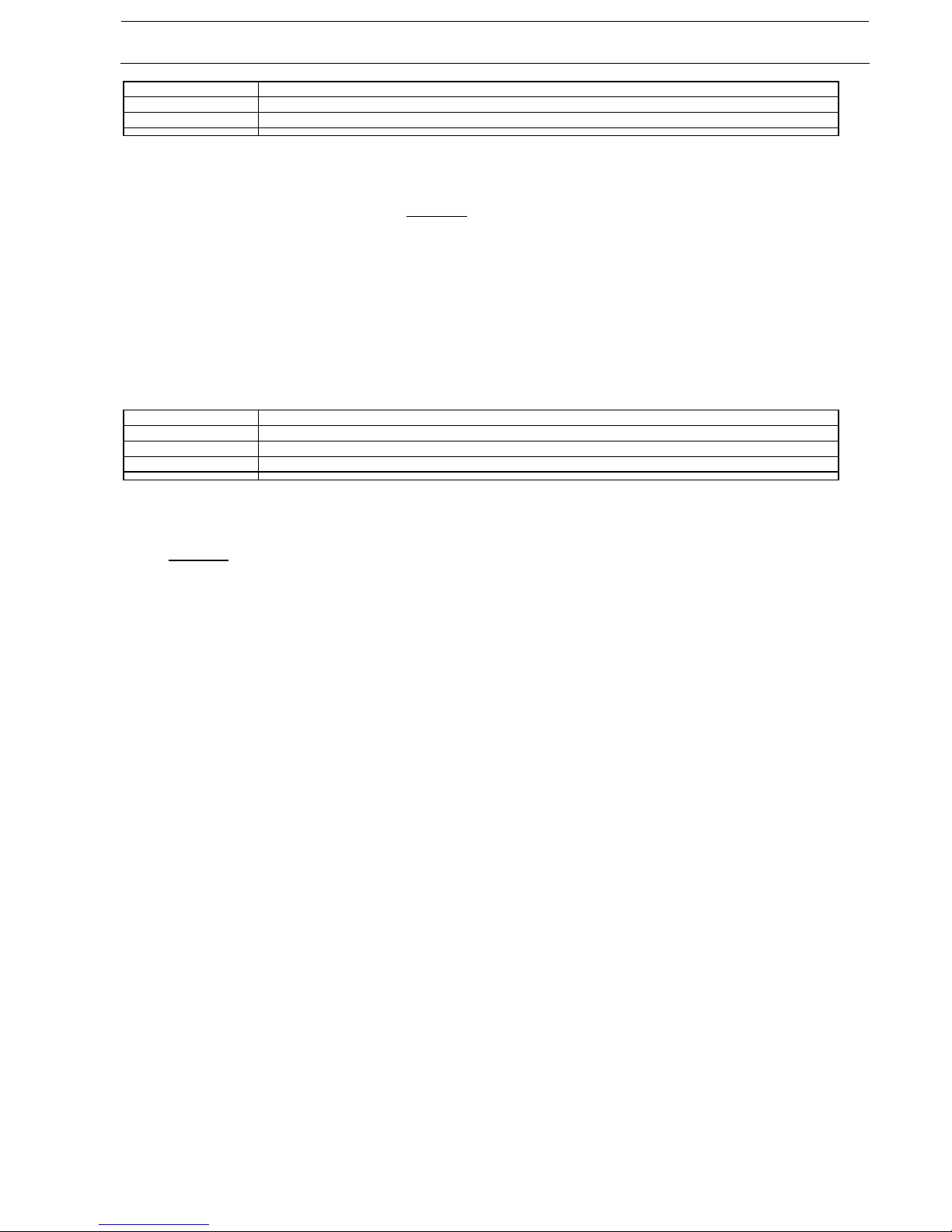
The members of the ZA0x & ZB0x DT families
xx
c vvv [Fbar
cs]
[Fabap
d]
[Ffscal] [Fposs]
- 00 1,2
001..013 none/
BOP
NONE S0 discrete
(like HPLJ4)
P0
014..inf none/
BOP
NONE S2 scalable
(like
HPUTF8)
P0
016..018 none/
BOP
NONE S2 scalable
(like
HPUTF8)
P1
020..inf none/
BOP
HPL2 S2 scalable
(like
HPUTF8)
P1
- 00
U,V
011 none/
BOP
NONE S2 scalable
(like
HPUTF8)
P0
012..013 none/
BOP
NONE S2 scalable
(like
P0
Page 5
SAP Printing: Customer documentation: Volume 1
page 5 / 12
HPUTF8)
014 .. inf none/
BOP
NONE S2 scalable
(like
HPUTF8)
P0
016 .. 018 none/
BOP
NONE S2 scalable
(like
HPUTF8)
P1
020 .. inf none/
BOP
HPL2 S2 scalable
(like
HPUTF8)
P1
- 01 1,2
006..inf IBS same as
xx=00
same as
xx=00
P0
016..inf IBS same as
xx=00
same as
xx=00
P1
- 01
U,V
011..inf IBS same as
xx=00
same as
xx=00
P0
016..inf IBS same as
xx=00
same as
xx=00
P1
- 04
1,2 014..inf none/
BOP
NONE S0 discrete
(like HPLJ4)
P0
- 05
1,2 014..inf IBS same as
xx=04
same as
xx=04
P0
Page 6
SAP Printing: Customer documentation: Volume 1
page 6 / 12
2. The Device Types
This chapter lists all our proprietary SAP device types available.
There are two ZA DT families: { ZA00 , ZA01 }, their legacy version counterparts { ZA04 , ZA05 }, and one ZB DT family { ZB00 }.
Note: (ZB00: Difference between ZA and ZB
)
The ZB0x DT familiy has been newly introduced in v025 to support the new model controller type of Device class [DC68].
The ZA0x DT familiy supports the model controller type of all other Device classes.
Note: (Difference between Zm00 and Zm01
)
The difference between them lies only in the support for barcoding; please refer to Volume 2 [ZA0x]
.
For the barcode solution "Barcode & OCR Package" (BOP), the Device type Zm001vvv has to be used.
For the barcode solution "Barcode & OCR Package - Intelligent version" (BOCR), the Device types ZA01cvvv (c=1,2,U,V) have to be used.
For non-barcode printing, the Device types Zm00cvvv (c=1,2,U,V) should be used.
Note: (Specification of ZA04 and ZA05
)
ZA04 is a legacy version of ZA00.
ZA05 is a legacy version of ZA01.
They only support discrete font sizes. Otherwise they are identical to their counterparts.
This is required for older SAP systems, namely SAP R/3 rel 3.x.
To obtain them, please contact Technical support.
For each device type family the following information is provided here:
• Latest release version
• Base page description language (PDL): PCL
• Name of device type file (ZAxxcvvv.PRI) for each character set supported
• Usage
• List of device models supported
For more information about a particular device type, such as supported features and limitations, please refer to the corresponding issue of
documentation Volume 2
.
2.1 ZA00 (and ZA04)
Release version: 024
Printer language: PCL5
Device type file: Character set:
• ZA001024.PRI
1116 (Latin-1 / 0N)
• ZA002024.PRI
1416 (Latin-2 / 2N)
• ZA00U024.PRI
4210 (Unicode / 18N) (Andale fonts)
• ZA00V024.PRI
4210 (Unicode / 18N) (resident fonts)
• ZA041024.PRI
1116 (Latin-1 / 0N) -- legacy version for SAP R/3 rel 3.x with discrete font sizes
• ZA042024.PRI
1416 (Latin-2 / 2N) -- dto.
Usage:
Prepared for use with the barcode solution "Barcode & OCR Package" (BOP).
Should also be used for non-barcode printing.
Device models supported:
Refer to Appendix D
; the models supported by this Device type are tagged "(ZA)".
For which of these printer device models are supported by the barcode solution "Barcode & OCR Package", please refer to its User's Manual.
2.2 ZA01 (and ZA05)
Release version: 024
Printer language: PCL5
Device type file: Character set:
• ZA011024.PRI
1116 (Latin-1 / 0N)
• ZA012024.PRI
1416 (Latin-2 / 2N)
• ZA01U024.PRI
4210 (Unicode / 18N) (Andale fonts)
• ZA01V024.PRI
4210 (Unicode / 18N) (resident fonts)
Page 7
SAP Printing: Customer documentation: Volume 1
page 7 / 12
• ZA051024.PRI
1116 (Latin-1 / 0N) -- legacy version for SAP R/3 rel 3.x with discrete font sizes
• ZA052024.PRI
1416 (Latin-2 / 2N) -- dto.
Usage:
Prepared for the sole use with the barcode solution "Barcode & OCR Package - Intelligent version" (BOCR).
Note: This product is not available in all regions.
Device models supported:
The same models as for ZA00 are supported. Refer to Appendix D
; the models supported by this Device type are tagged "(ZA)".
For which of these printer device models are supported by the barcode solution "Barcode & OCR Package - Intelligent version" (BOCR), please
refer to its User's Manual.
2.3 ZB00
Release version: 025
Printer language: PCL5
Device type file: Character set:
• ZB001025.PRI
1116 (Latin-1 / 0N)
• ZB002025.PRI
1416 (Latin-2 / 2N)
• ZB00U025.PRI
4210 (Unicode / 18N) (Andale fonts)
Usage:
Prepared for use with the barcode solution "Barcode & OCR Package" (BOP).
Should also be used for non-barcode printing.
Device models supported:
Refer to Appendix D
; the models supported by this Device type are tagged "(ZB)".
For which of these printer device models are supported by the barcode solution "Barcode & OCR Package", please refer to its User's Manual.
Page 8

SAP Printing: Customer documentation: Volume 1
page 8 / 12
3. The Documentation
The following pieces of documentation are available in Acrobat/PDF format. Please use always the latest available version.
For more information, please refer to:
• your SAP documentation
• standard SAP literature
• http://help.sap.com
• http://service.sap.com
3.1 Volume 1 = ReadMe
This ReadMe file. Contains first-step information for the customer.
3.2 Volume 2 : [Device type] = Device type specific information
Contains general information about device types, such as:
• Installation and Configuration
• Troubleshooting and Support
Contains specification information specific for the indicated proprietary device type (family), such as:
• Features supported
• Formats, Print controls, Fonts, Cover pages
• Limitations
Note: (ZB0x specific information
)
Please note that the manual "Volume 2 [ZA0x]" is primarily focused on the ZA0x Device types. Deviations and information specific to the ZB0x
Device types are currently not documented there. In the case of questions or problems, please contact Technical support.
Note: (Print control naming Zxxxx vs Xxxxx)
The naming of non-standard Print controls in our Device types has been changed to "Xxxxx".
Note that in some of these documents they may still show as "Zxxxx".
3.3 Volume 2B = Barcode and OCR text printing
Contains information about Barcode and OCR text printing from SAP systems.
3.4 Volume 3 : [Device class] = Device-specific information
Contains general information about our devices, such as:
• Printer languages
• Configurable features
Contains information specific for the indicated device, such as:
• Hardware accessories
• Features and Settings
• Commands
• Limitations
Note: (Print control naming Zxxxx vs Xxxxx)
The naming of non-standard Print controls in our Device types has been changed to "Xxxxx".
Note that in some of these documents they may still show as "Zxxxx".
Page 9
SAP Printing: Customer documentation: Volume 1
page 9 / 12
4. Appendices
4.1 Appendix D: Device models supported
The table below lists the supported device models, sorted by the device class they belong to.
Device class Ricoh Brand Name
Remarks (*1)
• [DC01]
(*2)
a
b
c
Aficio 340
Aficio 350 / 355
Aficio 450 / 455
(C--) (U--) (P--) (ZA)
• [DC02]
(*2)
a
b
Aficio 220
Aficio 270
(C--) (U--) (P--) (ZA)
• [DC03]
(*2)
a AP4500
(C--) (U--) (P--) (ZA)
• [DC04]
(*2)
a
b
c
Aficio 551
Aficio 700
Aficio 1055
(C--) (U--) (P--) (ZA)
• [DC05]
(*2)
a
b
AP2600
AP2600N
(C--) (U--) (P--) (ZA)
• [DC06]
(*2)
a
b
Aficio 1035 / 1035G
Aficio 1045 / 1045G
(C--) (U--) (P--) (ZA)
• [DC07]
AP3200
(C--) (U--) (P--) (ZA)
• [DC08]
(*2)
a
b
c
d
Aficio 850
Aficio 1050
Aficio 1085
Aficio 1105
(C--) (U--) (P--) (ZA)
• [DC09]
CL5000
(C+) (U--) (P--) (ZA)
• [DC10]
(*2)
AP3800C
(C+) (U--) (P--) (ZA)
• [DC11]
AP4510
(C--) (U--) (P--) (ZA)
• [DC12]
(*2)
a
b
c
Aficio 1022
Aficio 1027
Aficio 1032
(C--) (U--) (P--) (ZA)
• [DC13]
a
b
Aficio 1224C / 1224CG
Aficio 1232C / 1232CG
(C+) (U--) (P--) (ZA)
• [DC14]
(*2)
a
b
AP2610
AP2610N
(C--) (U--) (P--) (ZA)
• [DC15]
a
b
c
d
e
CL3000
CL2000
CL2000N
CL3000e / CL3100N
CL3100DN
(C+) (U--) (P--) (ZA)
• [DC16]
a
b
Aficio 1060
Aficio 1075
(C--) (U--) (P--) (ZA)
• [DC17]
a
b
c
d
Aficio 2035 / 2035G
Aficio 2045 / 2045G
Aficio 2035e / 2035eG
Aficio 2045e / 2045eG
(C--) (U--) (P--) (ZA)
• [DC18]
(*2)
CL7000
(C+) (U--) (P--) (ZA)
• [DC19]
a
b
Aficio 2090
Aficio 2105
(C--) (U--) (P--) (ZA)
• [DC20]
a
b
c
Aficio 2022
Aficio 2027
Aficio 2032
(C--) (U--) (P--) (ZA)
• [DC21]
a AP400 (C--) (U--) (P--) (ZA)
Page 10
SAP Printing: Customer documentation: Volume 1
page 10 / 12
b
c
AP400N
AP410
• [DC22]
AP600N
(C--) (U--) (P--) (ZA)
• [DC23]
K
y
z
Aficio 2228C
Aficio 2232C
Aficio 2238C
(C+) (U--) (P--) (ZA)
• [DC24]
CL7100
(C+) (U--) (P--) (ZA)
• [DC25]
a CL1000N
(C+) (U--) (P--) (ZA)
• [DC26]
a
b
CL4000DN
CL4000HDN
(C+) (U--) (P--) (ZA)
• [DC27]
a
b
c
Aficio 2051
Aficio 2060
Aficio 2075
(C--) (U--) (P--) (ZA)
• [DC28]
AP610N
(C--) (U--) (P--) (ZA)
• [DC29]
AP410N
(C--) (U--) (P--) (ZA)
• [DC30]
b
c
Aficio 3224C
Aficio 3232C
(C+) (U--) (P--) (ZA)
• [DC31]
K
a
b
Aficio 3228C
Aficio 3235C
Aficio 3245C
(C+) (U--) (P--) (ZA)
• [DC32]
a
b
Aficio 3260C
Aficio Color 5560
(C+) (U--) (P--) (ZA)
• [DC33]
AP900
(C--) (U--) (P--) (ZA)
• [DC34]
a
c
CL7200
CL7300
(C+) (U--) (P--) (ZA)
• [DC35]
b
c
d
e
f
g
Aficio 2015
Aficio 2018
Aficio 2018D
Aficio 2016
Aficio 2020
Aficio 2020D
(C--) (U--) (P+) (ZA)
• [DC36]
b
c
Aficio 3035/3035G
Aficio 3045/3045G
(C--) (U--) (P--) (ZA)
e
f
Aficio MP 3500
Aficio MP 4500
(C--) (U+) (P--) (ZA)
• [DC37]
b
c
Aficio 3025
Aficio 3030
(C--) (U--) (P--) (ZA)
e
f
Aficio MP 2510
Aficio MP 3010
(C--) (U+) (P+) (ZA)
• [DC38]
a
b
c
d
e
f
Aficio MP 9000
Aficio MP 1100
Aficio MP 1350
Pro 906EX
Pro 1106EX
Pro 1356EX
(C--) (U+) (P--) (ZA)
• [DC39]
a
b
c
d
e
f
Aficio MP 5500
Aficio MP 6500
Aficio MP 7500
Aficio MP 6000
Aficio MP 7000
Aficio MP 8000
(C--) (U+) (P+) (ZA)
• [DC40]
a
b
L
Aficio SP C410DN
Aficio SP C411DN
Aficio SP C400DN
(C+) (U+) (P+) (ZA)
• [DC41]
a
b
Aficio CL3500N
Aficio CL3500DN
(C+) (U--) (P--) (ZA)
• [DC42]
a Aficio MP C2500 (C+) (U+) (P+) (ZA)
Page 11
SAP Printing: Customer documentation: Volume 1
page 11 / 12
b
k
Aficio MP C3000
Aficio MP C2000
• [DC43]
c
d
Aficio MP C3500
Aficio MP C4500
(C+) (U+) (P+) (ZA)
• [DC44]
Aficio SP 9100DN
(C--) (U+) (P+) (ZA)
• [DC45]
Aficio SP 8100DN
(C--) (U+) (P--) (ZA)
• [DC46]
b
c
Aficio MP 1600
Aficio MP 2000
(C--) (U+) (P--) (ZA)
• [DC47]
Aficio SP C811DN
(C+) (U+) (P--) (ZA)
• [DC50]
b
c
L
Aficio SP 4100N
Aficio SP 4110N
Aficio SP 4100NL
(C--) (U+) (P+) (ZA)
• [DC51]
Aficio SP C420DN
(C+) (U+) (P+) (ZA)
• [DC52]
a
b
Aficio MP C6000
Aficio MP C7500
(C+) (U+) (P+) (ZA)
• [DC53]
b
c
e
f
Aficio MP 4000/4000B
Aficio MP 5000/5000B
Aficio MP 4001/4001G
Aficio MP 5001/5001G
(Cg) (U+) (P+) (ZA)
• [DC54]
b
c
e
f
Aficio MP 2550/2550B
Aficio MP 3350/3350B
Aficio MP 2851
Aficio MP 3351
(Cg) (U+) (P+) (ZA)
• [DC55]
Aficio MP 2500SP
(C--) (U+) (P--) (ZA)
• [DC56]
Aficio MP 161
(C--) (U+) (P--) (ZA) (*3)
• [DC57]
Aficio SP 8200DN
(Cg) (U+) (P+) (ZA)
• [DC59]
Aficio SP 4210N
(Cg) (U+) (P+) (ZA)
• [DC60]
a
b
c
Pro 907EX
Pro 1107EX
Pro 1357EX
(Cg) (U+) (P+) (ZA)
• [DC61]
a
b
c
d
Aficio MP C2800/C2800G
Aficio MP C3300/C3300G
Aficio MP C3001/C3001G
Aficio MP C3501/C3501G
(C+) (U+) (P+) (ZA)
• [DC62]
c
d
g
h
Aficio MP C4000/C4000G
Aficio MP C5000/C5000G
Aficio MP C4501/C4501G
Aficio MP C5501/C5501G
(C+) (U+) (P+) (ZA)
• [DC63]
a
c
d
f
La
Lc
Aficio MP C2050
Aficio MP C2550
Aficio MP C2051
Aficio MP C2551
Aficio MP C2030
Aficio MP C2530
(C+) (U+) (P+) (ZA)
• [DC64]
c
d
Aficio SP C820DN
Aficio SP C821DN
(C+) (U+) (P+) (ZA)
• [DC68]
a
b
c
Pro 907
Pro 1107
Pro 1357
(C--) (U+) (P+) (ZB)
• [DC69]
a
b
d
e
Aficio MP 6001
Aficio MP 7001
Aficio MP 8001
Aficio MP 9001
(Cg) (U+) (P+) (ZA)
• [DC70]
--
b
Aficio MP 171SPF
Aficio MP 201SPF
(Cg) (U+) (P+) (ZA)
• [DC72]
Aficio SP 6330N
(Cg) (U+) (P+) (ZA)
Page 12
SAP Printing: Customer documentation: Volume 1
page 12 / 12
• [DC73]
a
b
Aficio MP C6501SP
Aficio MP C7501SP
(C+) (U+) (P+) (ZA)
• [DC74]
Aficio GX e5550N (C+) (U--) (P+) (ZA)
• [DC75]
b Aficio GX e3350N (C+) (U--) (P+) (ZA)
• [DC76]
a
b
Aficio SP C430DN
Aficio SP C431DN
(C+) (U+) (P+) (ZA)
• [DC77]
a
b
Aficio MP C300
Aficio MP C400
(C+) (U+) (P+) (ZA)
• [DC78]
Aficio SP C320DN
(C+) (U+) (P+) (ZA)
• [DC79]
f
m
Aficio SP 5200S
Aficio SP 5210SR
Aficio SP 5210SF
(Cg) (U+) (P+) (ZA)
• [DC80]
a
b
Aficio SP 5200DN
Aficio SP 5210DN
(Cg) (U+) (P+) (ZA)
• [DC81]
a
b
c
Aficio MP 2352
Aficio MP 2852
Aficio MP 3352
(Cg) (U+) (P+) (ZA)
• [DC82]
Aficio SP 4310N
(Cg) (U+) (P+) (ZA)
• [DC83]
b c Aficio MP 4002/4002G
Aficio MP 5002/5002G
(Cg) (U+) (P+) (ZA)
• [DC84]
c d Aficio MP C4502/C4502G
Aficio MP C5502/C5502G
(C+) (U+) (P+) (ZA)
• [DC85]
a b Aficio MP C3002/C3002G
Aficio MP C3502/C3502G
(C+) (U+) (P+) (ZA)
• [DC86]
b c Aficio SG 3110DN
Aficio SG 3110DNw
(C+) (U--) (P+) (ZA)
• [DC87]
Aficio MP C305SP
(C+) (U+) (P+) (ZA)
• [DC88]
a
c
e
Aficio MP 6002
Aficio MP 7502
Aficio MP 9002
(Cg) (U+) (P+) (ZA)
• [DC89]
Aficio MP 301
(Cg) (U+) (P+) (ZA)
• [DC90]
Aficio SG 3110SFNw
(C+) (U--) (P+) (ZA)
• [DC91]
Aficio SP 8300DN
(Cg) (U+) (P+) (ZA)
• [DC92]
c d Aficio SP C830DN
Aficio SP C831DN
(C+) (U+) (P+) (ZA)
• [DC94]
b c Aficio MP 2001
Aficio MP 2501
(Cg) (U+) (P+) (ZA)
• [DC97]
Aficio SG K3100DN
(Cg) (U--) (P+) (ZA)
Note: (*1)
The following tags are used to describe particular features of the model ((...+) = supported/present, (...--) = not supported/present).
- (Cx) = Color support: ( C-- = b&w (cannot handle color data); Cg = b&w (converts color data to grayscale); C+ = color )
- (Ux) = Unicode support (For the minimum required firmware version please contact technical support.)
- (Px) = POSS support confirmed and documented in Volume 3 (Print Options for SAPscript and Smartforms)
- (Zm) = model controller type {m=A,B}
Note: (*2)
The Volume 3 for these device classes will no longer be updated.
Note: (*3)
This model is only supported via customization; no customer documentation Volume 3 exists.
Note:
A model name suffix "SP" or "SPF" may be omitted.
 Loading...