

Page 1
Revolution 3D Printers
TM
READ ME BEFORE UNPACKING!
INFINITY3D
Setup Guide
Page 2

Revolution 3D Printers INFINITY 3D
2
Welcome
Congratulations on your purchase of theINFINITY 3D printer. We’re excited
that you’re part of the 3D Printing Revolution! 3D printing is changing and
innovating at a pace we’ve never seen before. The modular design of the
INFINITY 3Dmakes it easy for you to keep up with what’s new and incorporate
it right into your own printer. Onwards and upwards!
Documentation
We’ve got a series of guides to get you started with your new printer:
• INFINITY 3DSetup Guide – included in your Package
• INFINITY 3DQuick Print Guide – included in your Package
• INFINITY 3DOperations Manual – available for download
All of our documentation and more can be found online at:
Revolution3DPrinters.com
Package Contents
On top of the Packing Box
INFINITY 3D Setup Guide
Accessories Package 1
On the side of the Packing Box
Side Enclosure Panel x 2
Inside the INFINITY 3DPrinter
All printer components
Front Enclosure Panel
Glass build plate
In the Accessory Package 1
Spool Holder arm x 2
Tool Kit
o 5.5 mm – 7 mm
combination box end
wrench
o 3 mm hex key (grey)
o 2.5 mm hex key
Accessories Package 2
Filament as ordered
Plate clip x 4
SD card (inside SD card slot)
o 2 mm hex key
o 1.5 mm hex key
o Tweezers
o Ceramic screwdriver
o Precision oiler
In the Accessory Package 2
Single or Dual Filament Spool Holder Rod
Magnetic end cap x 2
Power cord
Page 3
Revolution 3D Printers INFINITY 3D
3
WARNING: BURN HAZARD
BEFORE HANDLING
WARNING: VAPORS/FUMES
NEAR THE PRINTER WHEN POWERED OR IN OPERATION
WARNING: MOVING PARTS CAN CRUSH/ CUT
IN THE MOVING PARTS OF THE PRINTER.
WARNING: DO NOT OPERATE UNATTENDED
OPERATION
WARNING: ELECTRIC SHOCK HAZARD
Safety Information
Caution: Do not reach inside th e INFINITY 3D printer while it is operating, and
always allow for the heated parts to be fully cooled after operation. The INFINITY
3D printer generates high temperatures and has moving parts that may cause
injury.
HOT SURFACE
ALLOW COMPONENTS AND FILAMENT TO FULLY COOL
VAPORS/FUMES MAY CAUSE IRRITATION AT OPERATING
TEMPERATURES. OPERATE IN A WELL VENTILATED AREA
NEVER PLACE FLAMMABLE MATERIALS OR LIQUIDS ON OR
ALWAYS KEEP HANDS CLEAR WHILE OPERATING
TIE BACK LONG HAIROR CLOTHING THAT C A N GET CAUGHT
DO NOT LEAVE INFINITY 3D PRINTER UNATTENDED DURING
NEVER OPEN ELECTRONICS CASE WHEN PRINTER IS
POWERED ON. TURN OFF AND UNPLUG THE POWER SUPPLY
READ FIRST: UNPACKING NOTES
Printer is packed upright to minimize chance of damage.
Page 4
Revolution 3D Printers INFINITY 3D
4
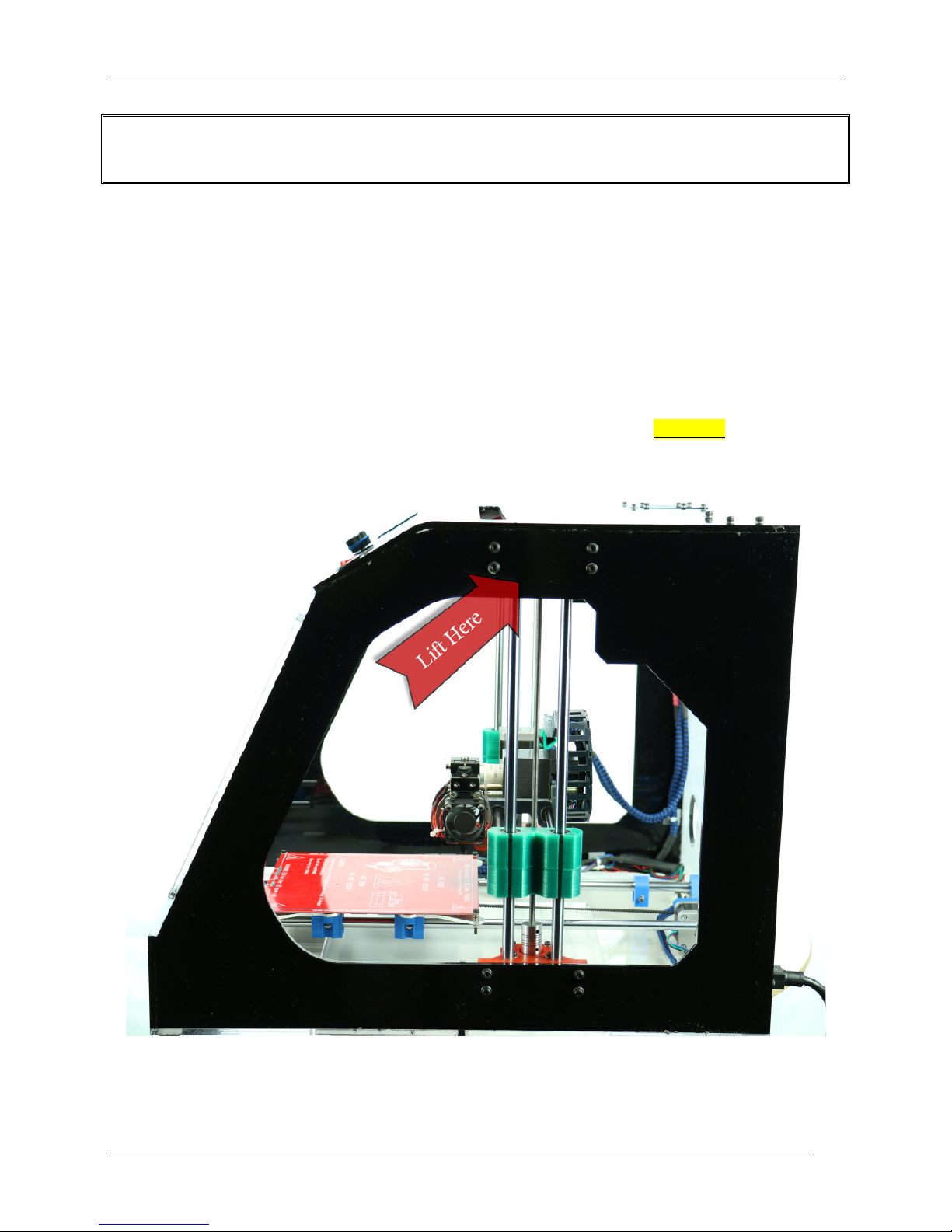
Only lift the printer at the red arrow sticker locations to ensure the printer is
lifted by an appropriate area!
Keep printer upright!
Setting up the INFINITY 3D Printer
Step 1: Unpack the Box
1. Remove the two Accessory packages, your ordered filament and the
small packing boxes.
2. Remove the top foam padding.
3. Remove the two side enclosure panels from it’s foam padding at the front
of the box.
4. Grab the top of the wrapped printer on the top center where you will feel
two lengths of rods. Holding the top two threaded rods, SLOWLYpull the
printer upwards out of the box.
5. Set your printer on a stable level surface.
6. Gently unwrap the bubble wrap covering the printer. Lightly lift the printer to
slide the plastic wrapping from under the printer.
Page 5

Revolution 3D Printers INFINITY 3D
5
Step 2: Unlock the Components
1. Axis are secured with zip ties for shipping. Using scissors or wire cutters, cut
and remove thezip ties. Make sure to not cut any of the surrounding wires or
belts.
Step 3: Refer to Quick Print Guide
Page 6
Revolution 3D Printers INFINITY 3D
6
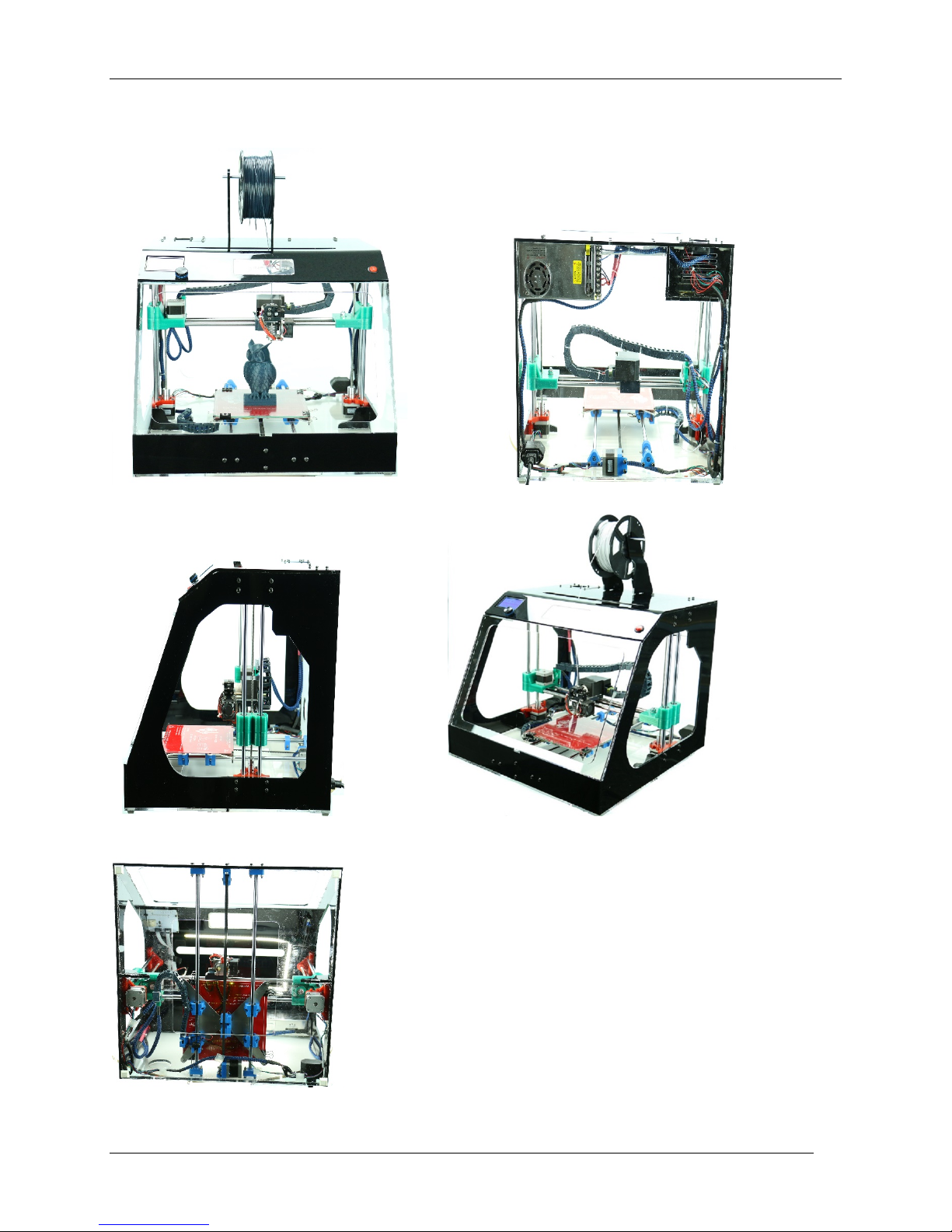
Bottom
Side
Angle
Front
Back
INFINITY 3D Printer & Specifications
Page 7

Revolution 3D Printers INFINITY 3D
7
Software Links
Refer to INFINITY 3D Operations Manual and electronic copies of the Quick
Print Guide and Setup Guide at revolution3Dprinters.com.
Support
Technical Assistance: 1-877-269-5510, ext 2 for Support.
Email: [email protected]
 Loading...