

Page 1
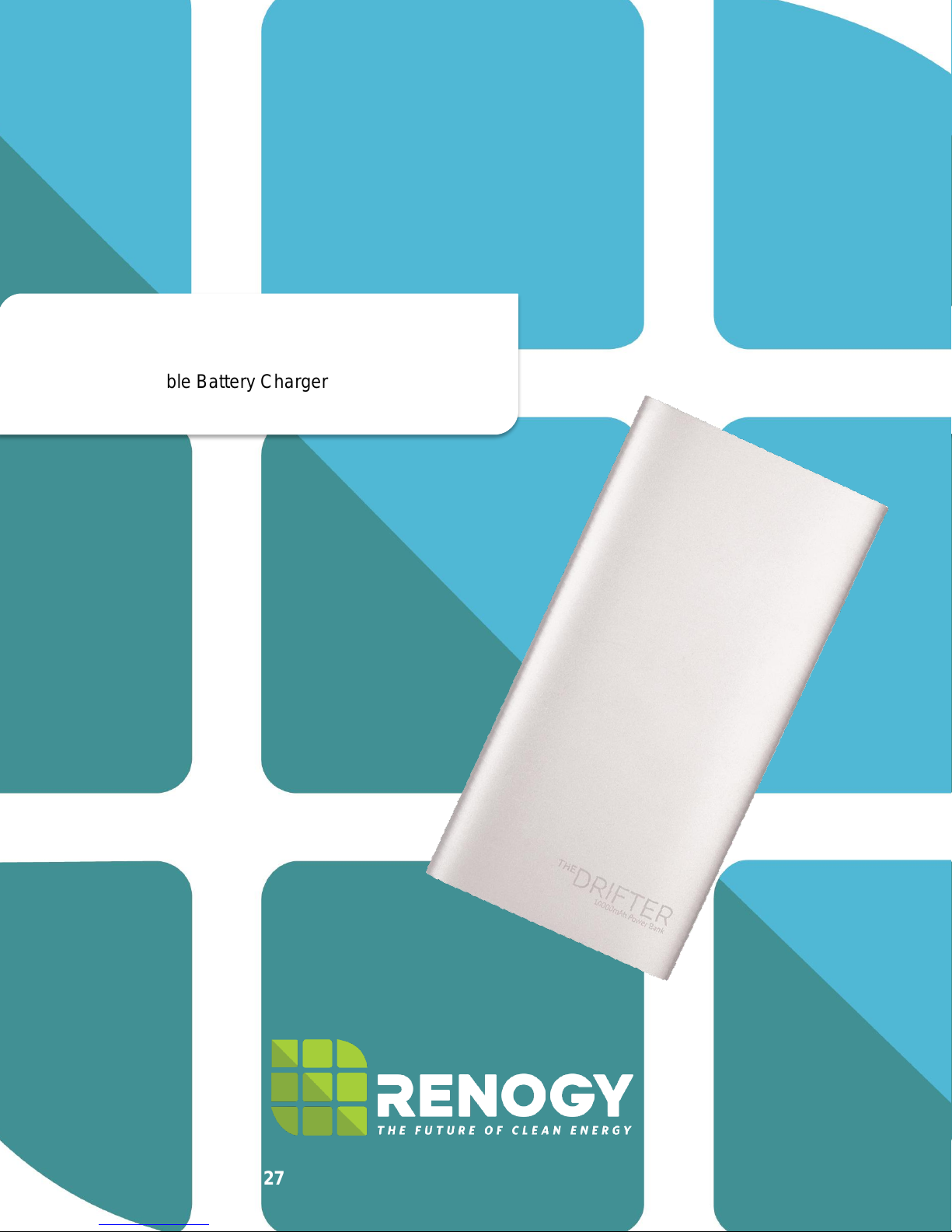
Drifter
10,000mAh Portable Battery Charger
2775 E. Philadelphia St., Ontario, CA 91761
1-800-330-8678
Version: 1.0
0
Page 2
Safety Information and Warnings
1
2
3
4
Violation of safety instructions may cause fire, electric shock, damage or other danger.
The Drifter Power Bank uses high quality polymer cells for the best user security.
Do not pierce this product, emerge it in water or fire, or place under high temperatures,
such as below the car windshield indirect sunlight. Use qualified USB adapters to charge
the power bank. Do not dissemble the battery. This product is not a toy and is not suitable
for children. If you have found that the charging device or power bank is bloating, has a
crack, or if any abnormalities occur, please stop using this product.
General Information
The Renogy Drifter is a powerful USB battery charger suitable enough to handle on the
go charging needs. This 10,000mAh battery charger features two USB ports for
simultaneous charging, an LCD display demonstrating remaining power, and a sleek
aluminum design.
Key Features
Simple plug and charge technology
Compact aluminum design
Dual USB (1.0A + 2.1A) for charging 2 devices simultaneously
Rounded corners making it easy to hold
LCD demonstrating state of charge
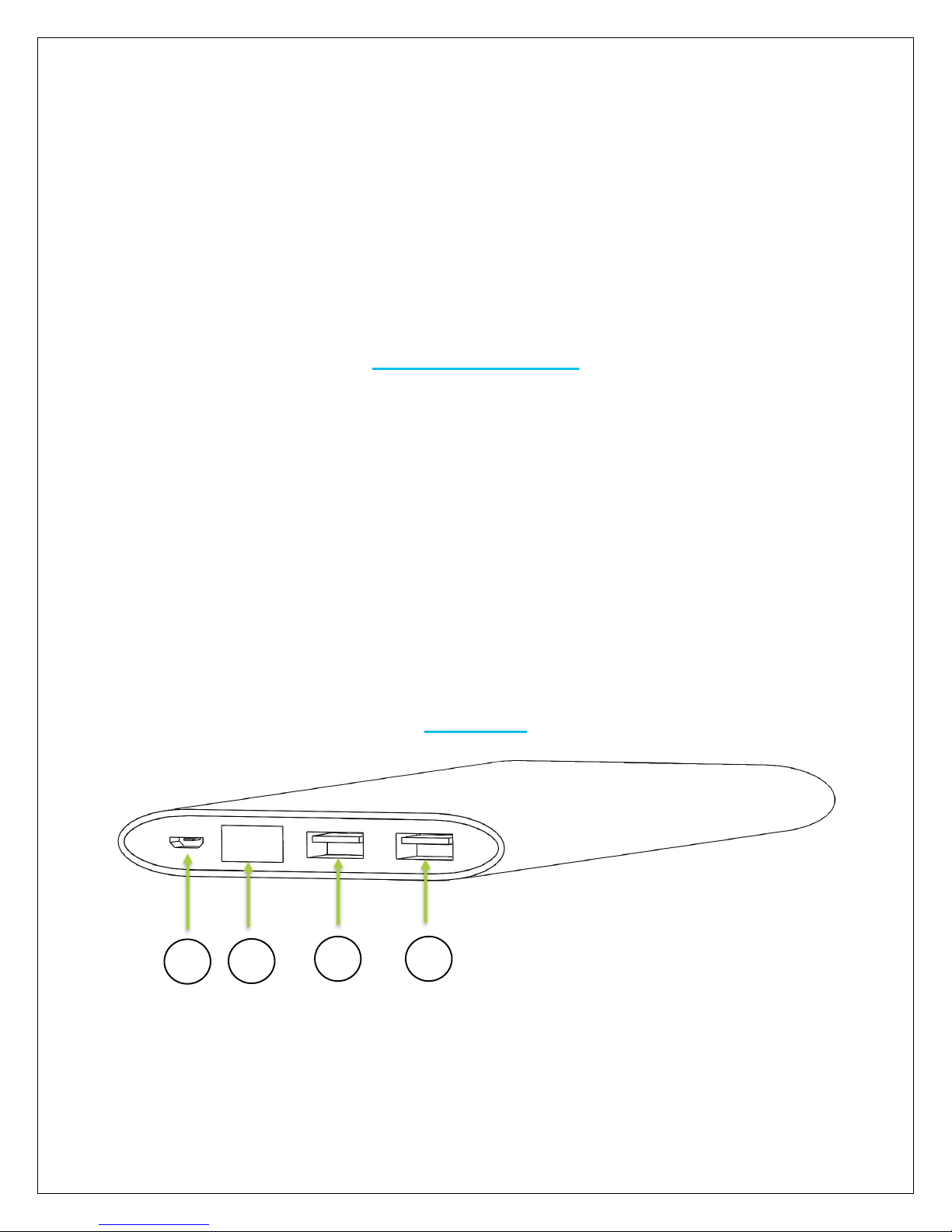
1. Micro USB Port
2. LCD Power Display
3. USB Output 2: DC5V 2.1A max
4. USB Output 1: DC5V 1.0A max
Operation
1
Page 3
Charging your digital device:
1. Use the device’s original cable to connect your digital device to The Drifter.
2. When charging, the light on your Drifter’s LCD screen will flash.
3. Check your Drifter’s power level by shaking it. Once you give it a shake, the LCD screen
will display the power’s status as a percentage. (Please refer to the section below about
Power Indication to learn more.)
Charging your Drifter:
1. Use the USB/Micro USB charging cable to connect your Drifter to a power source such
as a laptop or computer. The USB should be connected to the power source, and the
Micro USB should be connected to the Drifter.
2. When the Drifter is properly connected, the LCD screen will flash its current battery
percentage.
3. When the percentage on the LCD display reaches 100, The Drifter will be fully charged.
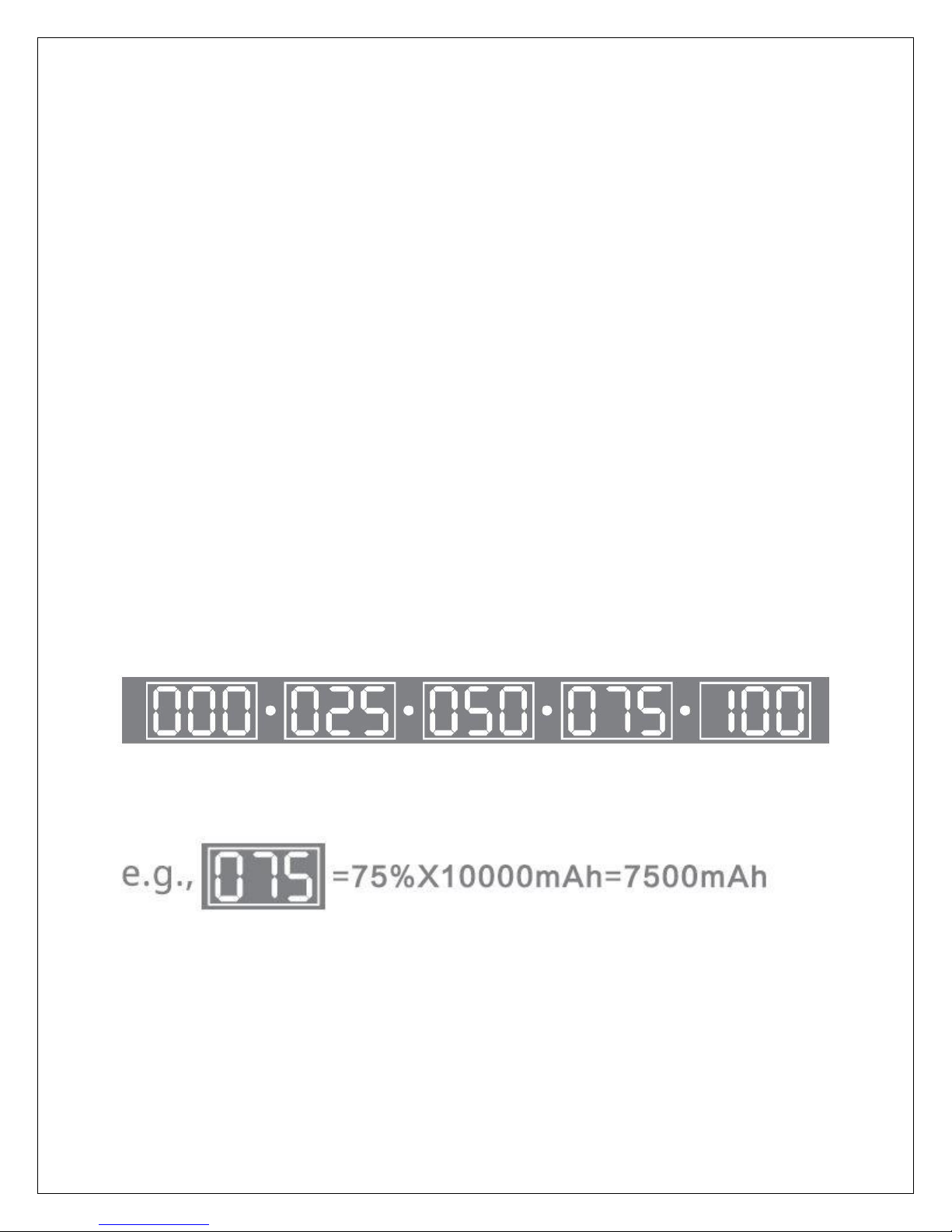
Power Indicator:
The Drifter’s power indicator allows you to check on the battery’s remaining power status.
The number displayed on power indicator reflects the remaining capacity as a
percentage.
2
Page 4
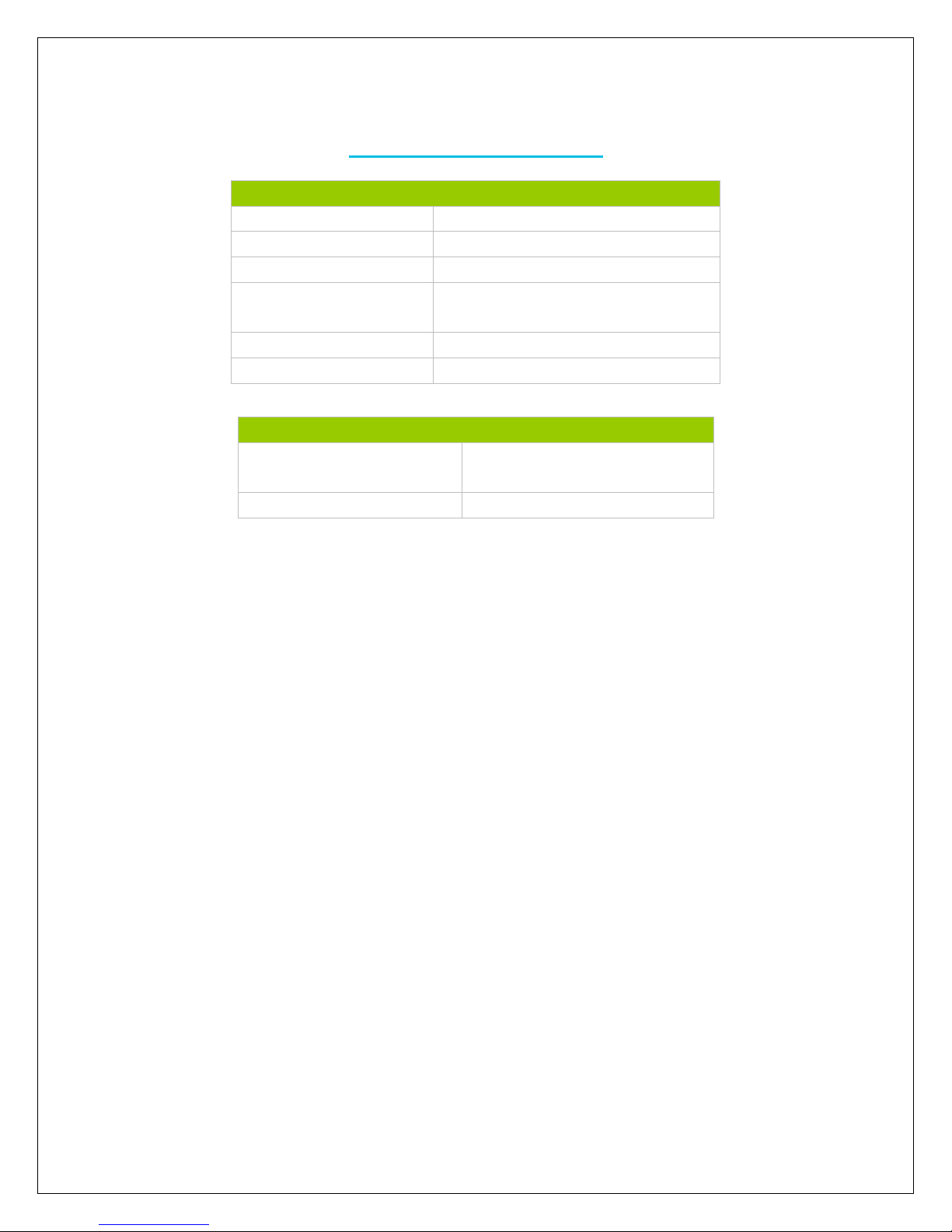
Electrical Parameters
Capacity
10000mAh
Battery Cell
Li-polymer
Input
DCV-2.0A (Max)
DC Output
5V @ 1.0A (Max)
5V @ 2.1A (Max)
Lifespan
Lifespan >500times
Standard
GB5296.2-2008, GB/T18287
Mechanical Parameters
Dimension
6.3 x 3.2 x 0.5 inches
160 x 82 x 13 mm
Weight
0.71 lbs / 320 g
Technical Specifications
3
 Loading...