

Page 1
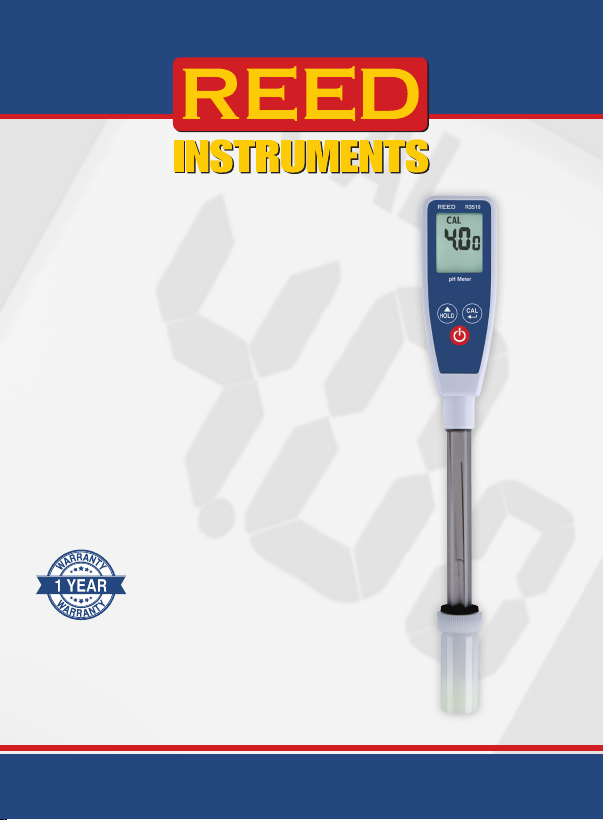
Long Stem
pH Meter
Instruction
Manual
R3510
1-877-849-2127 | [email protected] | www.reedinstruments.com
REED Instruments
Page 2

Table of Contents
Introduction ................................................................................................ 3
Product Quality
Safety
......................................................................................................... 4
Features
Included
Specications
Instrument Description
Display Description
Operating Instructions
Power ON/OFF ...................................................................................... 9
Electrode Preparation and Usage Instructions
Testing with the pH Meter
Auto Power Off
pH Calibration Procedure ............................................................... 11-12
Troubleshooting Tips
Power On but No Display .................................................................... 13
Slow Response
Display Shows "- - -" and ATC Indicator
pH Value Fluctuates Rapidly
Battery Replacement ................................................................................ 14
Applications
Accessories and Replacement Parts
Product Care
Product Warranty
Product Disposal and Recycling
Product Support
........................................................................................... 3
...................................................................................................... 5
...................................................................................................... 5
............................................................................................. 6
............................................................................... 7
.................................................................................... 8
........................................................................... 9-12
...................................... 9
................................................................... 10
.................................................................................9-10
................................................................................ 13
.................................................................................... 13
............................................. 13
................................................................ 13
.............................................................................................. 15
....................................................... 15
............................................................................................ 16
..................................................................................... 17
.............................................................. 17
....................................................................................... 17
REED Instruments
1-877-849-2127 | [email protected] | www.reedinstruments.com
Page 3

Introduction
Thank you for purchasing your REED R3510 Long Stem pH Meter. Please
read the following instructions carefully before using your instrument. By
following the steps outlined in this manual your meter will provide years of
reliable service.
Product Quality
This product has been manufactured in an ISO9001 facility and has been
calibrated during the manufacturing process to meet stated product
specications. If a certicate of calibration is required please contact the
nearest authorized REED distributor or authorized Service Center. Please
note an additional fee for this service will apply.
REED Instruments
1-877-849-2127 | [email protected] | www.reedinstruments.com
Page 4
Safety
Never attempt to repair or modify your instrument. Dismantling your
product, other than for the purpose of replacing batteries, may cause
damage that will not be covered under the manufacturer's warranty.
Servicing should only be provided by an authorized service center.
WARNING
• Remove and immediately recycle or dispose of used batteries
according to local regulations and keep away from children. Do
NOT dispose of batteries in household trash or incinerate.
• Even used batteries may cause severe injury or death.
• Call a local poison control center for treatment information.
• Identication of compatible battery type: (2) CR2032
• Nominal battery voltage: 3V.
• Non-rechargeable batteries are not to be recharged.
• Do not force discharge, recharge, disassemble, heat above
140°F (60°C) or incinerate. Doing so may result in injury due to
venting, leakage or explosion resulting in chemical burns.
• Ensure the batteries are installed correctly according to
polarity (+ and -).
• Do not mix old and new batteries, different brands or types of
batteries, such as alkaline, carbon-zinc, or rechargeable batteries.
• Remove and immediately recycle or dispose of batteries from
equipment not used for an extended period of time according
to local regulations.
•
Always completely secure the battery compartment. If the battery
compartment does not close securely, stop using the product,
remove the batteries, and keep them away from children.
REED Instruments
1-877-849-2127 | [email protected] | www.reedinstruments.com
Page 5

Features
• Large, clear LCD display
• Long 4.7" (119.4 mm) pH probe
• Easy one-touch auto-calibration
• Data hold function
• Waterproof housing
• Protective cap keeps sensor moistened
• Low battery indicator and auto shut off
Included
• pH Meter
• Electrode Storage Bottle
• Batteries
REED Instruments
1-877-849-2127 | [email protected] | www.reedinstruments.com
Page 6

Specifications
pH
Measuring Range: 0.00 to 14.00 pH
Accuracy: ±0.2 pH
Resolution: 0.01 pH
Probe Specifications
Reference: Single, Ag/AgCl
Junction: Ceramic
Electrolyte: Gel, 3.3M KCl
Tip Shape: Round
Probe Diameter: 0.5" (12mm)
Probe Length: 5.11" (130mm)
General Specifications
pH Calibration: Yes (3-point)
Display: LCD
Data Hold: Yes
LCD Size: 1.14 x 0.89" (29 x 22.5mm)
Auto Shut-Off: Yes (after approximately 20 minutes / Off)
Low Battery Indicator: Yes
Power Supply: 2 x CR2032 Batteries
Battery Life: 100 hours of continuous use
Product Certications: CE, IP54
Operating Temperature: 32 to 122°F (0 to 50°C)
Operating Humidity Range: 10 to 80%
Storage Temperature: 14 to 122°F (-10 to 50°C)
Storage Humidity Range: 10 to 80%
Dimensions: 3.7 x 1.4 x 0.79" (94 x 36 x 20mm)
Weight: 4.05oz (115g)
REED Instruments
1-877-849-2127 | [email protected] | www.reedinstruments.com
Page 7
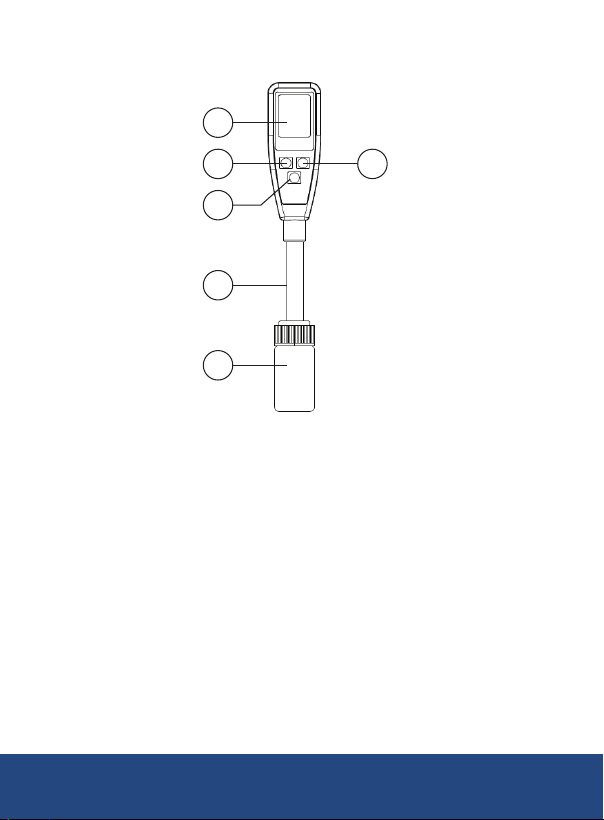
Instrument Description
1
2
3
4
5
1. LCD Display
2. HOLD Button
3. POWER Button
4. Electrode
5. Electrode Storage Bottle
6. CAL Button
6
1-877-849-2127 | [email protected] | www.reedinstruments.com
REED Instruments
Page 8
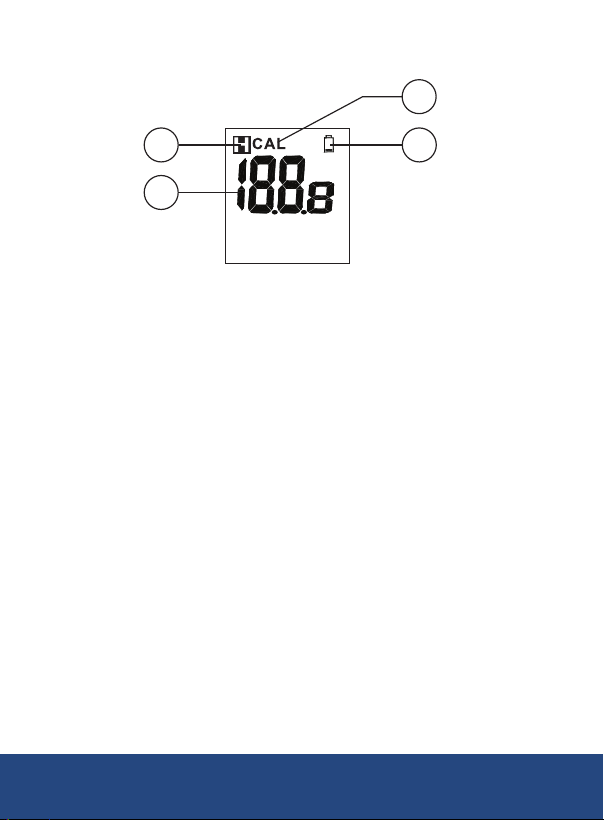
Display Description
4
1
2
1. Hold Status Indicator
2. pH Measurement Value
3. Battery Status Indicator
4. Calibration Mode Indicator
3
1-877-849-2127 | [email protected] | www.reedinstruments.com
REED Instruments
Page 9
Operating Instructions
Before use, soak the glass bulb in distilled water for a minimum of 30
minutes. In order to obtain the most accurate results possible, a pH
meter should be calibrated at least once a day.
Power ON/OFF
Turn the meter on or off by pressing the "Power" button.
Electrode Preparation and Usage Instructions
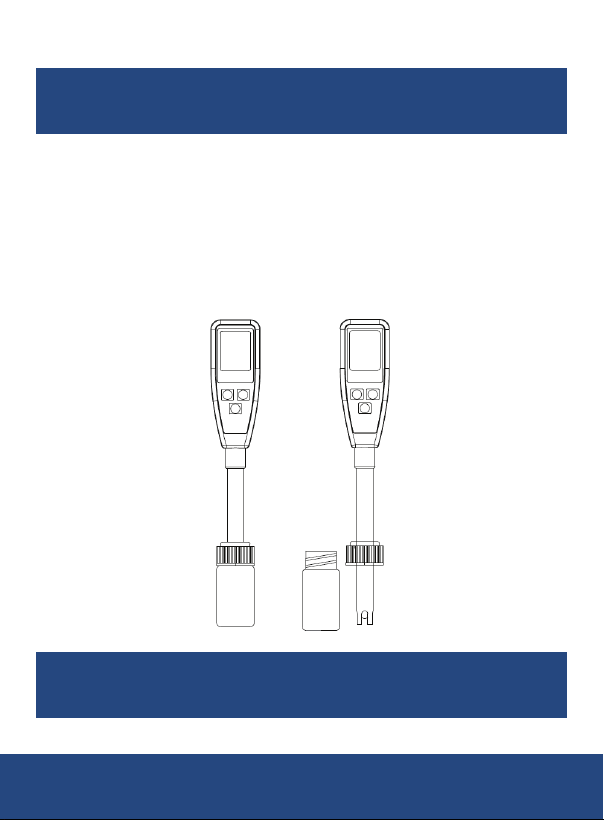
Remove the electrode storage bottle
loosened, pull the bottle off completely to expose the electrode.
Note: It's normal to nd white crystals on the cap or electrode assembly.
by rotating it counterclockwise. Once
Important: For pH meters, always ensure the storage bottle is lled
with storage buffer solution. This keeps the electrode wet and in optimal
condition for storage.
REED Instruments
1-877-849-2127 | [email protected] | www.reedinstruments.com
Page 10
Testing with the pH Meter
1.
Dip the exposed electrode into the test solution. Press the "Power"
button
to turn on the meter. Gently stir the solution to achieve a
stable reading.
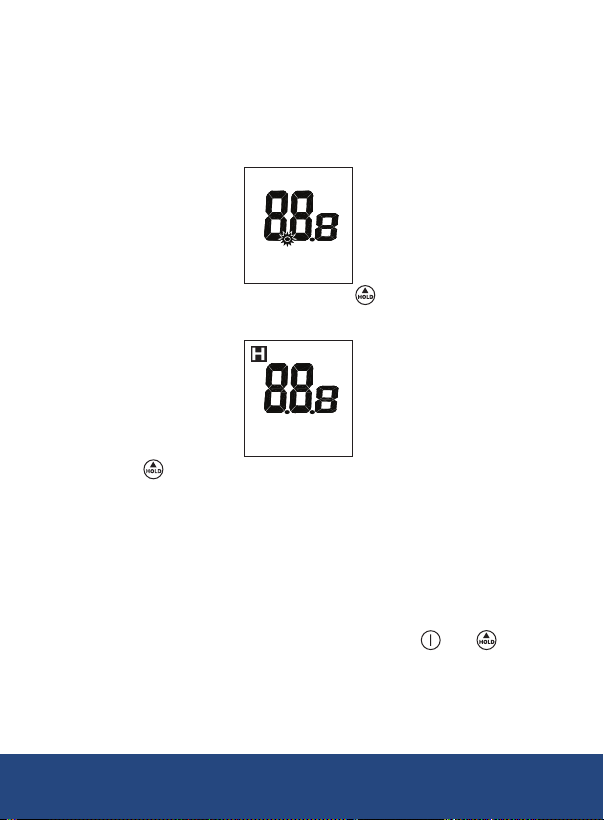
2. While in measurement mode, a small dot "•" will ash on the display,
indicating the meter is actively taking readings.
3. To freeze the current reading, press the button. The "Hold" icon
will appear on the screen, and the small dot will stop ashing.
4. Press the button again to exit the hold mode.
5. Once nished, clean the electrode, replace the storage bottle, and
store the meter in an environment between 0–50°C.
Auto Power Off
To preserve battery life, the meter is programmed to turn off after
approximately 20 minutes of inactivity.
To disable the auto power-off function:
1. Before turning on the device, press and hold the and
buttons simultaneously.
2. Keep holding the buttons until the letter "n" appears on the screen.
Once "n" is displayed, release the keys to exit and return to normal operation.
continued...
REED Instruments
1-877-849-2127 | [email protected] | www.reedinstruments.com
Page 11
Note: Disabling sleep mode will reset after every power-off, so this
process must be repeated each time the device is powered on.
pH Calibration Procedure
To obtain the most accurate results possible, a pH meter should be
calibrated at least once a day.
If the pH meter is stored for an extended period of time, prior to
calibration, condition your electrode in pH 4 buffer solution or distilled
water for a minimum of 1 hour.
1. Ensure the pH meter is turned on and ready for use.
2.
Immerse the electrode into a buffer solution (choose from pH 4, 7, or 10).
3.
Start with the pH 7 buffer solution, as this is typically calibrated rst for
accuracy. Follow with pH 4 or pH 10 to complete the calibration process.
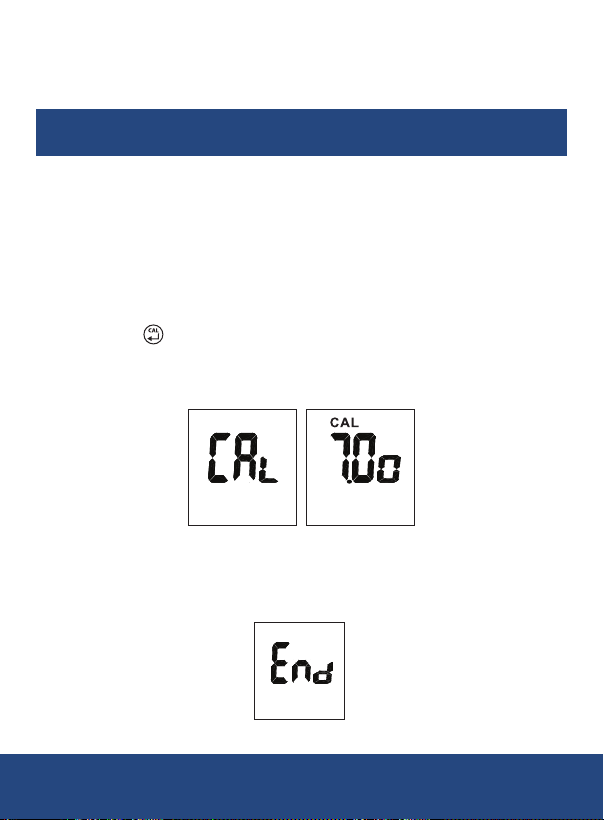
4. Press the button to enter the pH calibration mode.
5. The "CAL" icon will briey appear on the screen, and the pH value of
the buffer (4, 7, or 10) will be displayed.
Note: If there is an issue (e.g., incorrect buffer, damaged probe, or
inability to detect the correct voltage range), the meter will exit calibration
mode automatically after 10 seconds. The message "End" will briey
appear on the screen before returning to normal operation.
continued...
REED Instruments
1-877-849-2127 | [email protected] | www.reedinstruments.com
Page 12
Acceptable Voltage Ranges:
pH 4.00: 97mV to 250mV
pH 7.00: -60mV to 60mV
pH 10.00: -250mV to -97mV
6. If the probe correctly recognizes the buffer solution, the
corresponding pH value (4, 7, or 10) will appear on the display within
2 seconds.
7. If your buffer solution has a slightly different pH (e.g., 7.01), press
the button to adjust the value.
The adjustable calibration Point Range are as follows:
For pH 4.0: The adjustable range is 3.50 to 4.50.
For pH 7.0: The adjustable range is 6.50 to 7.50.
For pH 10.0: The adjustable range is 9.50 to 10.50.
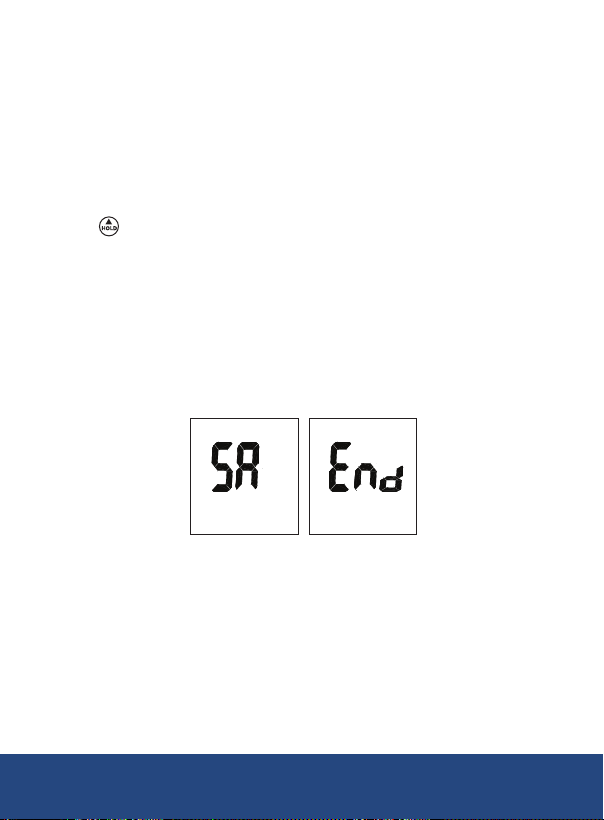
8. Once the electrode provides a stable reading and no buttons are
pressed, the meter will automatically save the calibration value and
exit calibration mode.
9. Rinse the probe with de-ionized water or a suitable rinse solution
(e.g., tap water) after each measurement to extend the life of the
meter and ensure accurate readings.
10. Repeat the above steps for all three buffer solutions (pH 4, 7, and 10)
to ensure accurate 3-point calibration.
REED Instruments
1-877-849-2127 | [email protected] | www.reedinstruments.com
Page 13

Troubleshooting Tips
Power On but No Display
1. Verify that the batteries are correctly inserted, making proper contact
with the terminals, and are in the correct polarity.
2. If the issue persists, replace the old batteries with new ones and
try again.
3. Remove the batteries for at least one minute, then reinsert them and
power on the device.
Slow Response
To improve response time:
1.
Clean the probe by immersing the electrode in tap water for
10–15 minutes.
2. After soaking, rinse the probe thoroughly with distilled water.
3. Alternatively, you can use a general-purpose electrode cleaner for
more effective cleaning.
Display Shows "- - -" and ATC Indicator
This indicates that the pH reading is out of range. The solution being
tested may be either too acidic or too alkaline for the device to measure.
pH Value Fluctuates Rapidly
Rapid uctuations are normal if the electrode is exposed to air. Ensure the
electrode is properly immersed in the solution to get stable readings.
REED Instruments
1-877-849-2127 | [email protected] | www.reedinstruments.com
Page 14
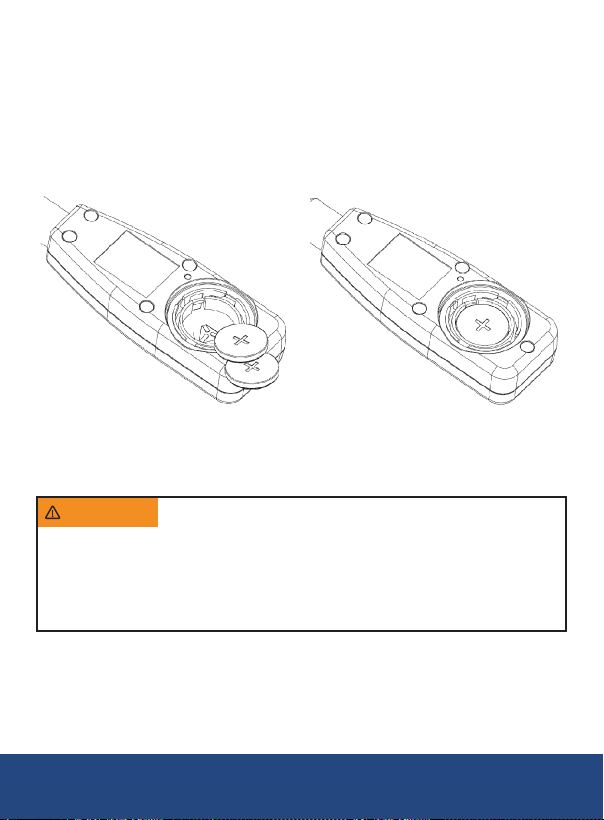
Battery Replacement
The batteries must be replaced when the low battery icon appears on
the LCD.
1. Ensure the meter is turned off before proceeding.
2. Using a coin, loosen the battery cover by turning it clockwise.
Important: Do not remove or misplace the black O-ring.
3. Replace the old batteries with two new CR2032 button cells.
4. Conrm the batteries are securely in place with the correct polarity.
5. Secure the battery cover back into place and tighten it by turning it
counterclockwise until it locks.
WARNING
occur • A swallowed button cell or coin battery can cause Internal
Chemical Burns in as little as 2 hours • Keep new and used batteries
OUT OF REACH OF CHILDREN • Seek immediate medical attention
if a battery is suspected to be swallowed or inserted inside any part of
the body • For treatment information call: 1-800-498-8666.
INGESTION HAZARD • DEATH or serious injury can
Note: After replacing the batteries, it is necessary to re-calibrate the meter
for accurate readings.
If you do not intend to use the instrument for a month or longer, remove
the batteries to avoid damage caused by leakage. Do not leave batteries
in unused instruments.
REED Instruments
1-877-849-2127 | [email protected] | www.reedinstruments.com
Page 15

Applications
• Water Conditioning
• General purpose pH measurement
• Aquariums
• Wastewater monitoring
• Beverage Production
Accessories and Replacement Parts
• R1404 Buffer Solution, 4.01 pH
• R1407 Buffer Solution, 7.00 pH
• R1410 Buffer Solution, 10.00 pH
• R1420 Electrode Storage Solution
• R1425 Electrode Cleaning Solution
• CA-52A Soft Carrying Case
Don't see your part listed here? For a complete list of all accessories and
replacement parts visit your product page on www.REEDInstruments.com.
REED Instruments
1-877-849-2127 | [email protected] | www.reedinstruments.com
Page 16

Product Care
To keep your instrument in good working order we recommend the following:
• Store your product in a clean, dry place.
• Change the battery as needed.
• If your instrument isn't being used for a period of one month or longer
please remove the battery.
• Clean your product and accessories with biodegradable cleaner. Do not
spray the cleaner directly on the instrument. Use on external parts only.
•
Before rst use or after storage, you may notice white KCl crystals forming
outside your electrode. This will not interfere with measurements. Simply
rinse the electrode.
• Always keep the pH glass bulb wet by using the cap to protect and
store the electrode.
• Always rinse the pH electrode in de-ionized water or rinse solution
before next use.
• Never touch or rub the glass bulb.
• Make sure the electrode is clean. Between measurements, rinse the
electrode with de-ionized water. If the electrode has been exposed to a
solvent immiscible with water, clean it with a solvent miscible with water
e.g. ethanol or acetone and rinse carefully with water.
• Store the electrode carefully using storage solution (If not available
use pH4 solution).
REED Instruments
1-877-849-2127 | [email protected] | www.reedinstruments.com
Page 17
Product Warranty
REED Instruments guarantees this instrument to be free of defects in
material or workmanship for a period of one (1) year from date of shipment.
During the warranty period, REED Instruments will repair or replace, at no
charge, products or parts of a product that proves to be defective because
of improper material or workmanship, under normal use and maintenance.
REED Instruments total liability is limited to repair or replacement of the
product. REED Instruments shall not be liable for damages to goods,
property, or persons due to improper use or through attempts to utilize the
instrument under conditions which exceed the designed capabilities. In
order to begin the warranty service process, please contact us by phone at
1-877-849-2127 or by email at [email protected] to discuss the
claim and determine the appropriate steps to process the warranty.
Product Disposal and Recycling
Please follow local laws and regulations when disposing or recycling your
instrument. Your product contains electronic components and must be
disposed of separately from standard waste products.
Product Support
If you have any questions on your product, please contact your authorized
REED distributor or REED Instruments Customer Service by phone at
1-877-849-2127 or by email at [email protected].
Please visit www.REEDInstruments.com for the most
up-to-date manuals, datasheets, product guides and software.
Product specifications subject to change without notice.
All rights reserved. Any unauthorized copying or reproduction of
this manual is strictly prohibited without prior written permission
from REED Instruments.
REED Instruments
1-877-849-2127 | [email protected] | www.reedinstruments.com
Page 18

TEST & MEASURE
WITH CONFIDENCE
CHECK OUT OUR LATEST PRODUCTS!
www.REEDInstruments.com
1-877-849-2127 | [email protected] | www.reedinstruments.com
REED Instruments
 Loading...