

Page 1
reedinstruments
www
com
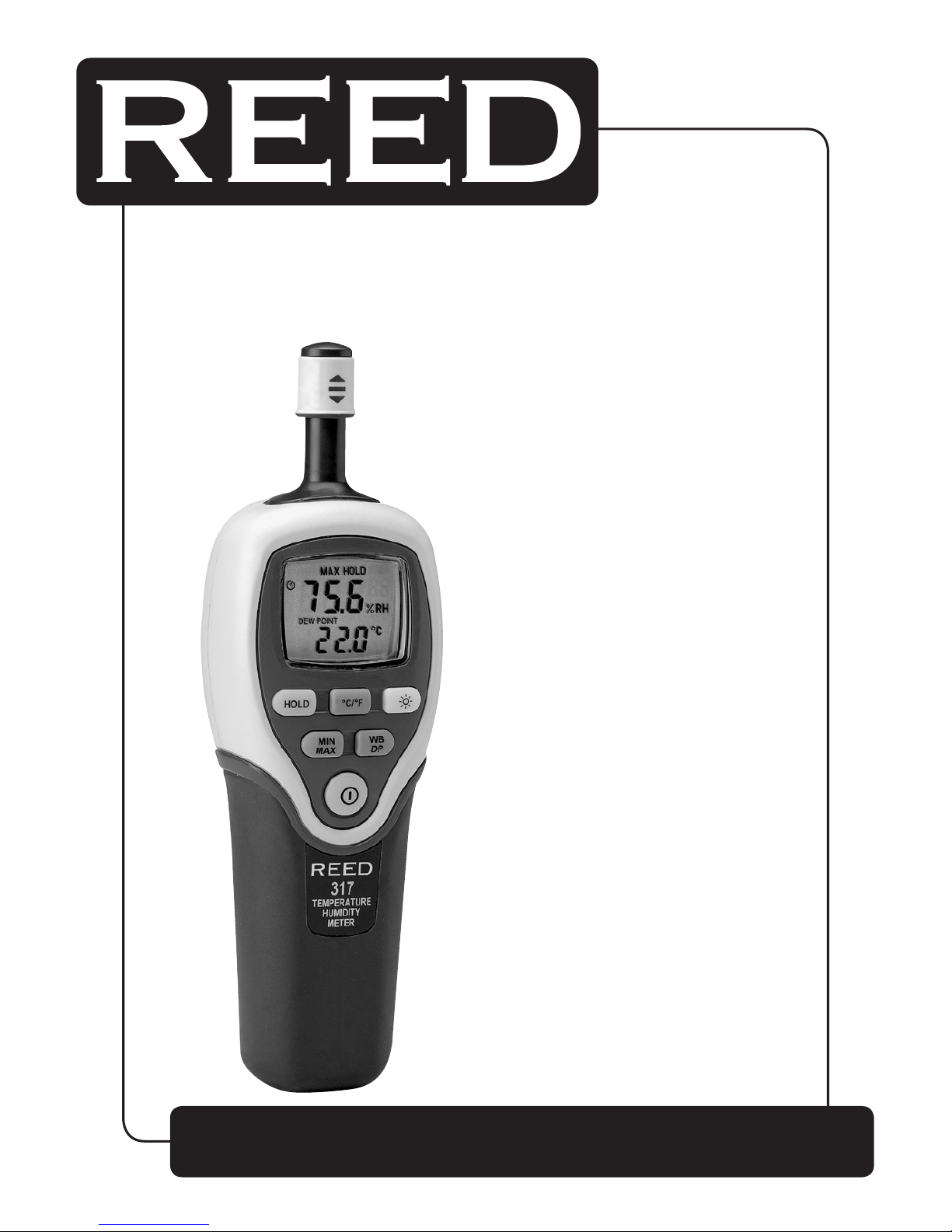
Model
C-317
Psychrometer
Instruction
Manual
Page 2

reedinstruments
www
com
2
Table of Contents
Features ......................................................................................... 3
Specications .............................................................................3-4
Instrument Description ...............................................................4-5
Operating Instructions ................................................................5-6
ON/OFF ...................................................................................... 5
Selecting Temperature Units ....................................................... 5
Data-Hold Operation ................................................................... 5
Dew Point/Wet Bulb/Ambient Temperature Operation ................. 6
MAX/MIN Operation ....................................................................6
Auto Power Off ........................................................................... 6
Backlight On/Off .......................................................................... 6
Low Battery Indication ................................................................6
Battery Replacement ..................................................................... 7
For service on this or any other REED product or information on other
REED products, contact REED Instruments at [email protected]
Page 3

reedinstruments
www
com
3
Features
• Simultaneous display of relative humidity and temperature
• Electronic capacitance polymer lm humidity sensor
• Measures dew point and wet bulb temperatures
• Displays temperature in °F or °C
• LED backlight
• Display Hold
• Max/Min function
• Auto shut off conserves battery life
• “Pull-up” sensor protector cap
Specifications
Display: Dual LCD screen
Temperature Range: -20 to 60°C (-4 to 140°F)
Temperature Accuracy: ±1.6°F (±0.8°C)
Humidity Range: 0 to 99%RH
Humidity Accuracy: ±2.5%RH
Resolution: 0.1%RH, 0.1°C / 0.1°F
Humidity Response Time: 60 seconds
Temperature Response Time: 10 seconds
Temperature Coefcient: 0.1 X (specied accuracy)/°C
(<23°C or >23°C)
Operating Conditions:
Temperature: -20 to 60°C
Humidity: 0 to 55°C
Storage Conditions: -10 to 60°C; <70%RH
Sampling Rate: 2.5 times per second
Power Supply: 4 x 1.5V “AA” alkaline batteries
continued ...
Page 4
reedinstruments
www
com
4
Battery Life: 200-hours continuous
(with alkaline battery)
Dimensions: 210 x 65 x 43mm (8.3 x 2.6 x 1.8”)
Weight: Approx. 230g
Includes: Batteries and carrying case
Optional Accessories: 33% humidity calibration standard
(model RHA-33)
75% humidity calibration standard
(model RHA-75)
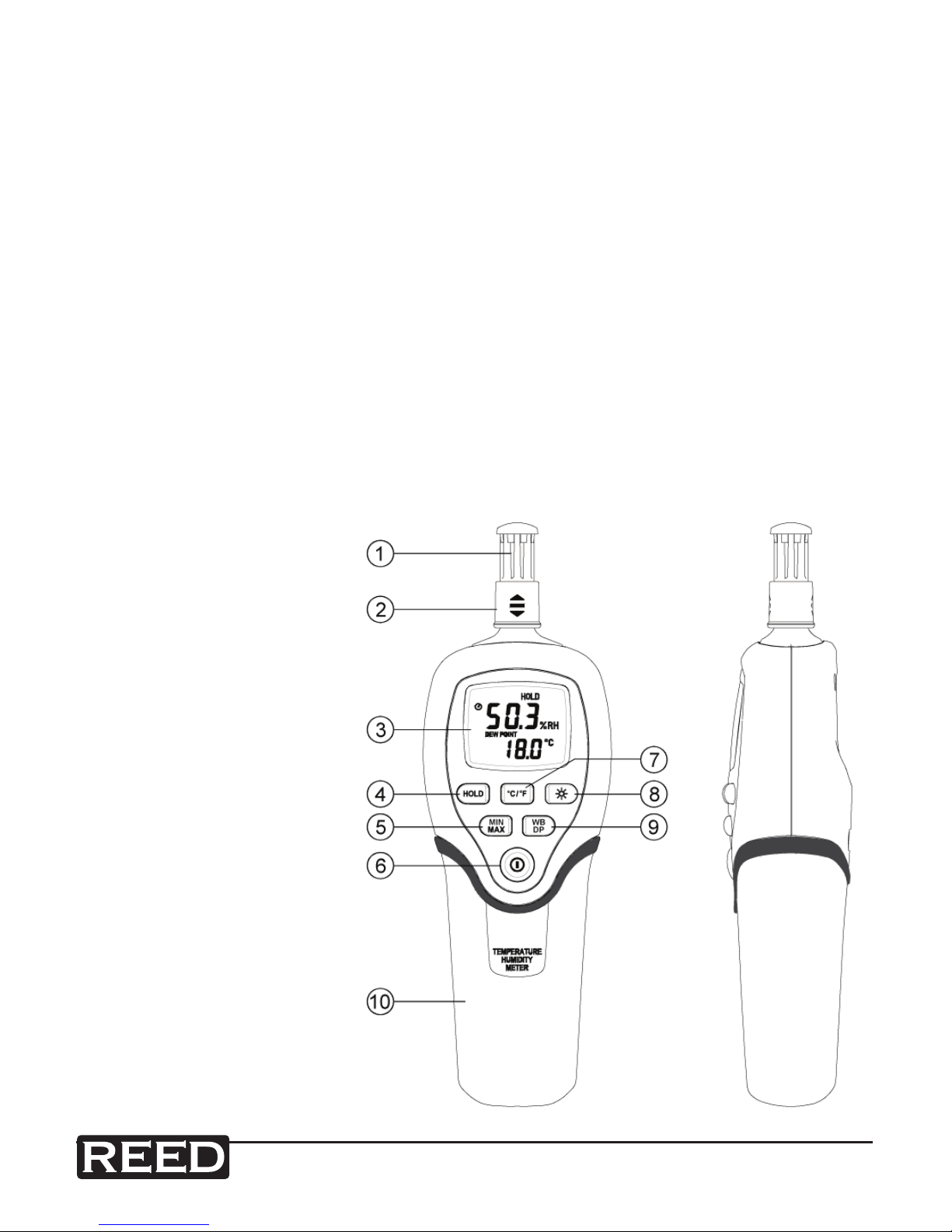
Instrument Description
1) Sensor
2) Dust cover
3) LCD display
4) HOLD button
5) MAX/MIN button
6) ON/OFF button
7) °C/°F select button
8) Backlight
9) DP/WB/Ambient
Temperature button
10) Battery cover
Page 5
reedinstruments
www
com
5
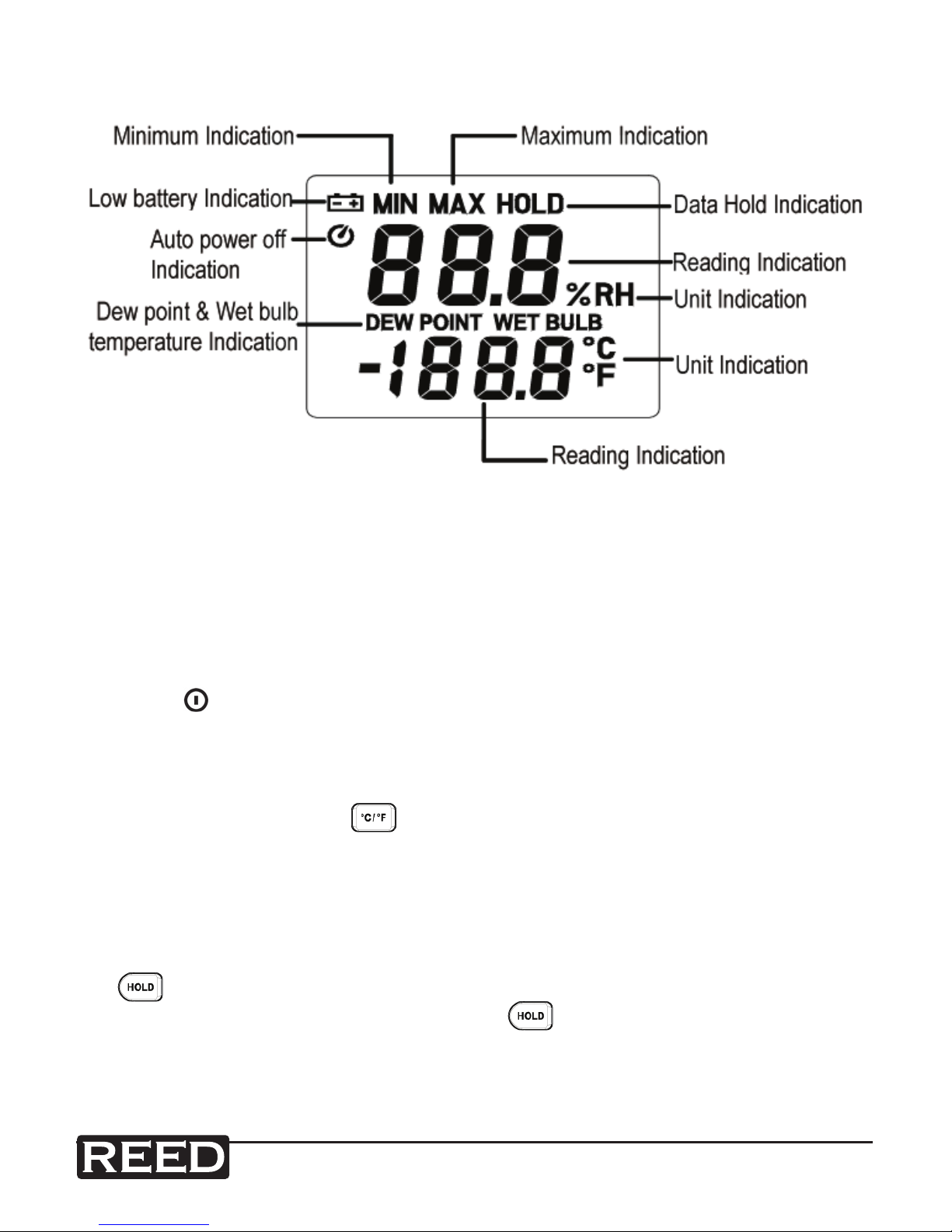
LCD Description
Operating Instructions
Note: To extend sensor life, keep the sensor’s protective shutter closed
whenever the meter is not in use.
ON/OFF
Press the button to turn the humidity/temperature meter ON or OFF.
Selecting Temperature Units
By default the meter is set to the Celsius (°C ) scale. To change to
Fahrenheit (°F ) press the button. Press the button again to revert
back to Celsius. The next time the meter is turned on, the scale setting
will be the same as it was when you powered off last time.
Data-Hold Operation
To hold the current measurement displayed on the LCD screen press
the button. When the data being held is no longer needed, release
the data-hold operation by pressing the button again. When the
meter is in the data-hold mode, the MAX/MIN, and °C/°F buttons are
disabled.
Page 6
reedinstruments
www
com
6
Dew Point/Wet Bulb/Ambient Temperature Operations
When rst turned on the meter will display the ambient temperature. To
display the dew point (DP) temperature, press the button. Press the
button again to switch to wet bulb (WB) temperature. Pressing the
button a third time returns the meter to ambient temperature. The
display indicates when dew point and wet bulb temperature are selected.
MAX/MIN Operation
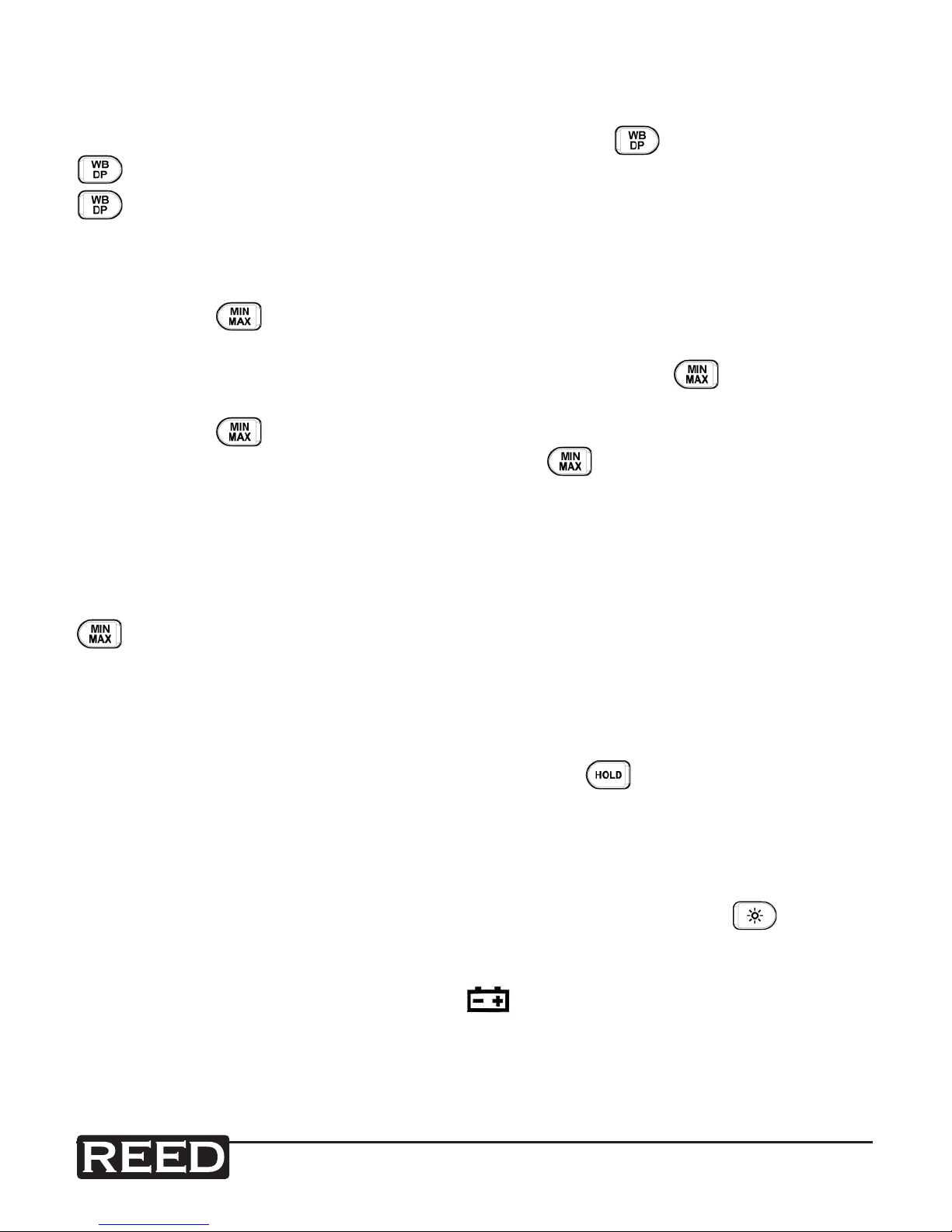
Pressing the button places the meter in the MAX/MIN mode. Under
this mode the maximum value and minimum values are kept in memory
and updated with every new data reading. Pressing the button once
will display the MAX indicator and the maximum value on the display.
Pressing the button again will display the MIN indicator and the
minimum value on the display. Pressing the button again causes the
MAX and MIN indicators to blink together. This means that the meter is
now taking a new data reading and is displaying the present temperature
and humidity on the LCD screen. The meter is now logging a new MAX/
MIN reading to be displayed. When the meter is in the MAX/MIN mode,
the °C/°F buttons are disabled. To exit the MAX/MIN mode press and hold
button for two seconds.
Auto Power Off
By default the meter is set to auto power off mode. The meter will power
itself off if left inactive for 30 minutes. To disable the auto power off feature, rst turn the meter off. Press and hold the button and then turn
the meter back on. The auto power off symbol will disappear indicating
that auto power off has been disabled.
Backlight On/Off
The LCD backlight can be switched on or off by pressing the button.
Low Battery Indication
When the battery voltage is low, the symbol will show on the LCD
indicating that the battery needs to be replaced.
Page 7
reedinstruments
www
com
7
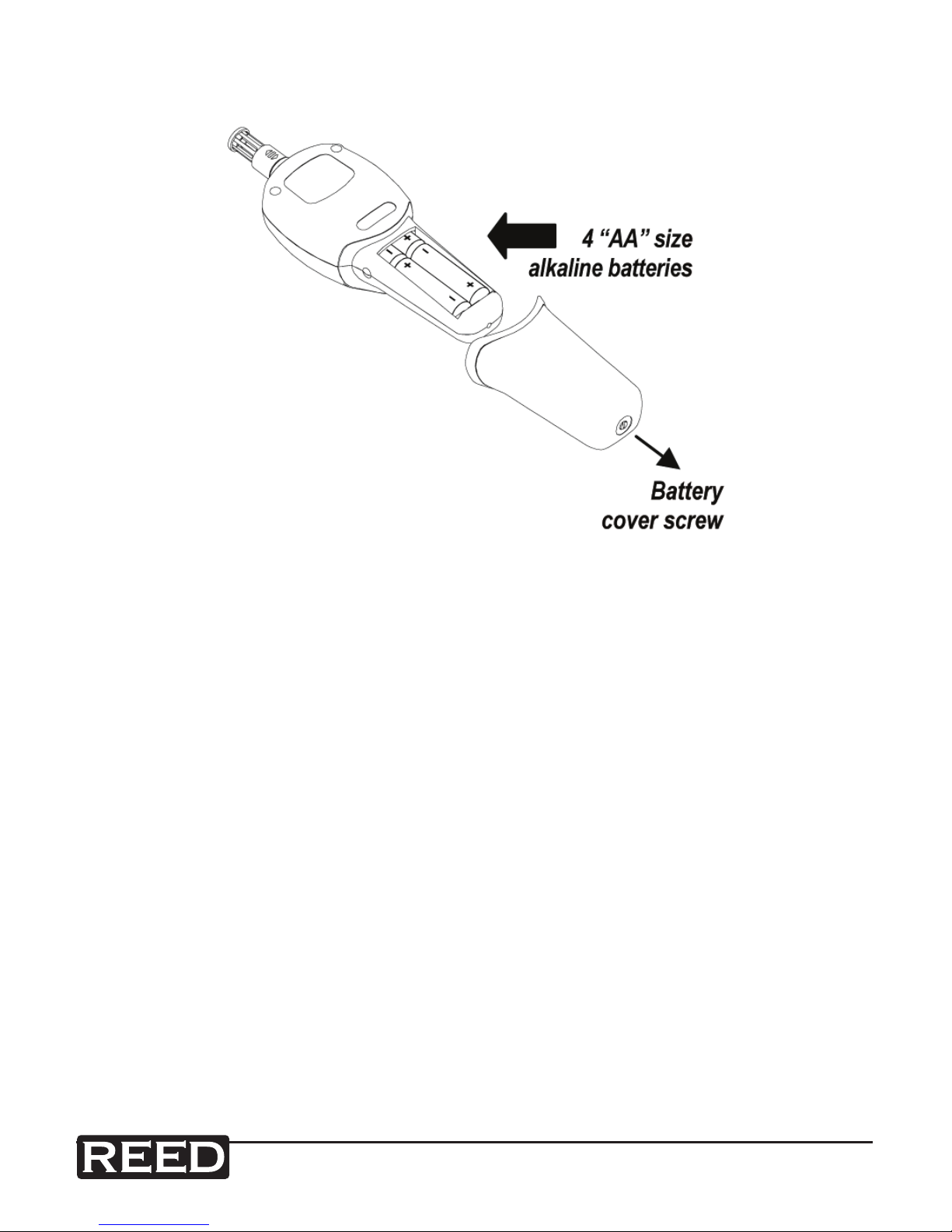
Battery Replacement
1) Take out the screw on the bottom of the battery door and lift the
door away from the meter.
2) Remove the four AA batteries from the compartment.
3) Replace with four new AA batteries, observing proper polarity as
depicted on the bottom of the battery compartment.
4) Replace the battery door and tighten the screw to lock it in place.
For service on this or any other REED product or information on other
REED products, contact REED Instruments at [email protected]
Page 8

reedinstruments
www
com
8
Notes _________________________________________
________________________________________________
________________________________________________
________________________________________________
________________________________________________
________________________________________________
________________________________________________
________________________________________________
________________________________________________
________________________________________________
________________________________________________
________________________________________________
________________________________________________
________________________________________________
________________________________________________
________________________________________________
________________________________________________
________________________________________________
 Loading...