

Page 1
重要提示,请认真阅读
本智能门磁是设计用于家居或贵重物品的定位防盗通讯,对
侵犯他人隐私的行为概不负责。
所有 GSM 定位相关的产品都会因外在因素产生误差,因此
本机提供位置信息仅供参考。
因为电信运营商的缘故,在部分情况下,信息传送可能会延
迟,本公司对使用者的人身和财产安全免责。
主要功能
GSM 四频 +LBS 全球定位
苹果/安卓/SMS/网页/微信多维度智能设 置与查询
开门/关门即时报警
声音感应即时报警
震动感应即时报警
远程收音
低电量报警
换卡提示
超长待机
配件表:
主机一台
磁盒一个
充电器一个
USB 充电线一条
魔术贴、
说明书
产品规格
GSM频段: 850/900/1800/1900MHz
GPRS标准: Class 12, TCP/IP
工作温度: -20℃ ~ +70℃
工作湿度: 5% ~ 95% RH
尺寸: 40.0(长)x34.0(宽) x14.0(高)毫米
重量: 27克
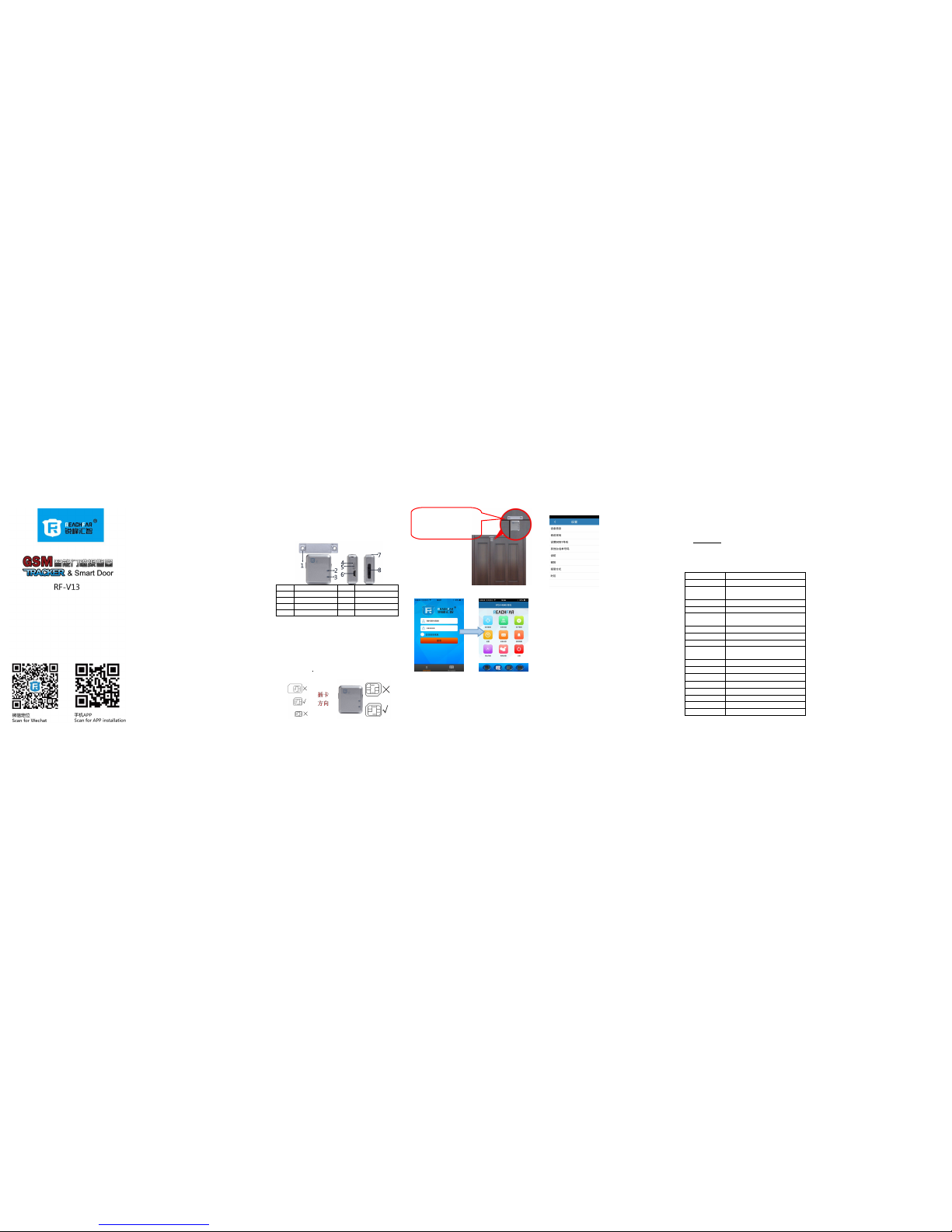
产品示意图:
编号功能编号
功能
1
感应磁条2指示灯
3
指示灯4复位键
5
开/关机键6充电口
7
收音孔8MicroSIM 卡槽
使用前准备:
本产品使用GSM 网络的 Micro-SIM 卡(iphone4 同类型)。并请
注意以下事项:
在安装或取出SIM 卡前,请先关机;
定位通讯器SIM 卡需要开通 GPRS 和来电显示功能.
开/关机
请按胶塞上的指示方向插入 Micro-SIM卡.
按开机键3 秒,指示亮灯,开机成功.
开机状态,按开机键3 秒钟,指示亮灯,则关机成功.
.
3.确认设备在线,即可进进行对应的指令设置。
实时追踪:显示智能门磁最后一次上报的地址位置.
历史轨迹:分时佰查看设备的历史轨迹。
电子栅栏:设置和查看电子栅栏区域,当设备进入或离开电子栅栏区域
即出报警。
设备信息:显示和修改设备的相关信息。
报警提醒:设置和查看是否接报警信息的APP 推送。
注销:退出APP 程序了,不再接收 APP 的报警推送。
以下特别说明:设置指令模块
4.报警方式:
只上传到平台:当有警情发 生时,只通过 APP 报警.如 APP 没有
登录则不能即时收到报警提示.(只有流量费,不产生其他费用.)
先短信,后电话再上传平台 :当有警情发生时,3 种方式全部通
知.(会产生相应的短信费和话费)
电话和平台报警:当有警 情发生时,先打电话并有 APP 通知.(如
果接听电话则会产生话费.)
短信和平台报警:当有警 情发生时,手机短信报警及 APP 通知.(
会产生相应的短信费用.)
5.短信语言:发送短信报警时的语言,智能门磁支持中文,英文,法
语三种报警语.
6.时区:智能门磁默认为 UCT+8 北京时间,如果出国使用则可以
按实际需要调整时区.
请登录 www.reachfar-gps.com了解 APP及平台详细功能!
远程语音监护:用已经设定的SOS1 及白名单号 码,拔打智能门
磁内的手机号码,即可以收听智能门磁周围的声音,以了解及判
断家居是否安全。
智能门磁也可接受短信方式设置相关的参数.
所有指令中的字母全部小写,标点为英文标点,并且都以#号为结
束符.
绑定SOS1号码:短信指令:密码,sos1, 手机号码#
例如:123456,sos1#
或:123456,sos1,180********#
定位通讯器即回复:
已设置180********为主控号码。
特别提示: 所有指令必须先绑定的主控号码后,才能用主控号码设置。
其他短信指令表:
短信指令
功能
密码,sos1,号码#
设置主控号码,初始密码是123456.
sos2,号码#
设置sos2号码,sos3,sos4,sos5用同样的方法
设置.
don#
开启门磁感应防盗报警功能
doff#
关闭门磁感应防盗报警功能.
von,数字#
开启震动感应防盗报警功能,数字为1时,灵敏
度最高,数字为4时,灵敏度最低.即von,1#
voff#
关闭震动感应防盗报警功能.
non#
开启环境声音感应报警功能.
noff#
关闭环境声音感应报警功能.
mod,数字#
设置防盗报警的报警方式,1为先发短信再打
电话(出厂默认.);2为只打电话;3为只发短信.
dw#
短信查询定位通讯器位置
dsp#
查询设备工作状态
gon#
打开APP 和平台功能。(出厂默认)
goff#
关闭APP 和平台功能。
lag,1#
系统语言转为中文.(出厂默认)
lag,2#
系统语言转为英文.
lag,3#
系统语言转为法文.
旧密码,t,新密码#
更改密码,出厂密码123456
注意事项
关机状态下,充电将自动开机.
请将本品安放在网络信号较好的位置使用。
新机使用前需充电2-3小时,以达到最佳的效果,充电时请使
用本机配送的充电器,以免损坏主机。
充电器指示状态:红灯亮为充电中,绿灯常亮为充满电。
待机时间:1)每10分钟上传一次定位信息,待机时间为100小时,
通话时间:5-8小时。(实测); 2)关闭 APP 及平台功能(goff#):
待机时间为300小时,约12天.注:以上测试数据来自 GSM网络
信号强的状态.
本机在开机搜网不成功或没有插放SIM 卡,会自动重启.
本产品不防水,请在使用时注意防水.
常见问题:
问:设备插卡后,能接通电话,但是在平台及APP 上显示未启用.
答:请确认SIM 卡已经开通了 GPRS 功能.
问:设备显示在线,但用 APP设置指令时,显示等待设备应答.
答: A.设备信号不良,导致 GPRS通讯不畅通;
B.设备正在通话中.
问:设备已经开通了GPRS 功能,但是 APP 依然显示未启用.
答:因为移动和联通升级3G 和4G 后针对不同的SIM 卡有不同的APN.
可能是预设 GPRS的 APN 参数不正确.
请先用短信方式绑定SOS1 号码,然后再发送短信指令:
联通卡:apn,uniwap#,重启后依然不上线,则改发:apn,uninet#
移动卡:apn,cmwap#,重启后依然不上线,改发:apn,cmnet#
问:主机与磁条都对齐了,但是开门不触发报警.
答:请将磁条与主机左右微调一下位。.
User Manual
主机及磁条用 魔术贴,分别 贴在门
及门框上即可,如图所示:
注意 两者 之间 的缝 隙不 可大 于
1CM,否则会影响传感器性能.
1.SOS1 号码:是主控号码, 用于发送
指令及接收报警信息.
2.白名单号 码:远程收听被授权的 号
码.
3.设防/撤防:打开或关闭相关传 感器
的报警功能. 智能门磁备用 三种传感
器,可同时工作;
门磁感应:门被打开/关上时报警.
震动感应:受到震动时报警.
声音感应:有异常声响时报警.
智能手机APP 绑定及功能
设置
1.扫描说明书封面二维码
下载APP 手机客户端。
2.输入10 位数 ID 号码,
初始密码为 123456,即可
登录。
Page 2
GSM Smart door alarm
Important, please attention:
1. This smart door alarm was designed forhome and asset
location and communication, our companyassumes no
liability or responsibility for anybehaviors violateother
individual’s privacy.
2. Due to external factors allGSM deviceshave position
error, so the position provide by thisdevice justfor
reference only.
3. There may be delays ca used by telecom operators at
certain circumstance. Our company doesn’tassume
liability for users’ personal and prop erty safety
Main Features:
GSM quadband network,LBS location
Website/IOS APP/A ndroid APP/SMS ;multiple set and
tracking
Open/cl ose door alarm
Voice sensor alarm
Vibration sensoralarm
Voice monitorin g
Low batteryalarm
SIM changingalarm
Long timestandby
Accessories
1* Main Host
1* Magnet box
1* Charger
1* Multiple-function USB cable
1* User manual
1* Velcro
Product specification:
GSM network: 850/900/1800/1900MHz
GPRS standard: Class 12, TCP/IP
Working temperature: -20℃ ~ +70℃
Working humidity: 5% ~ 95% RH
Host size: 40x34 x14mm
Host weight: 27g
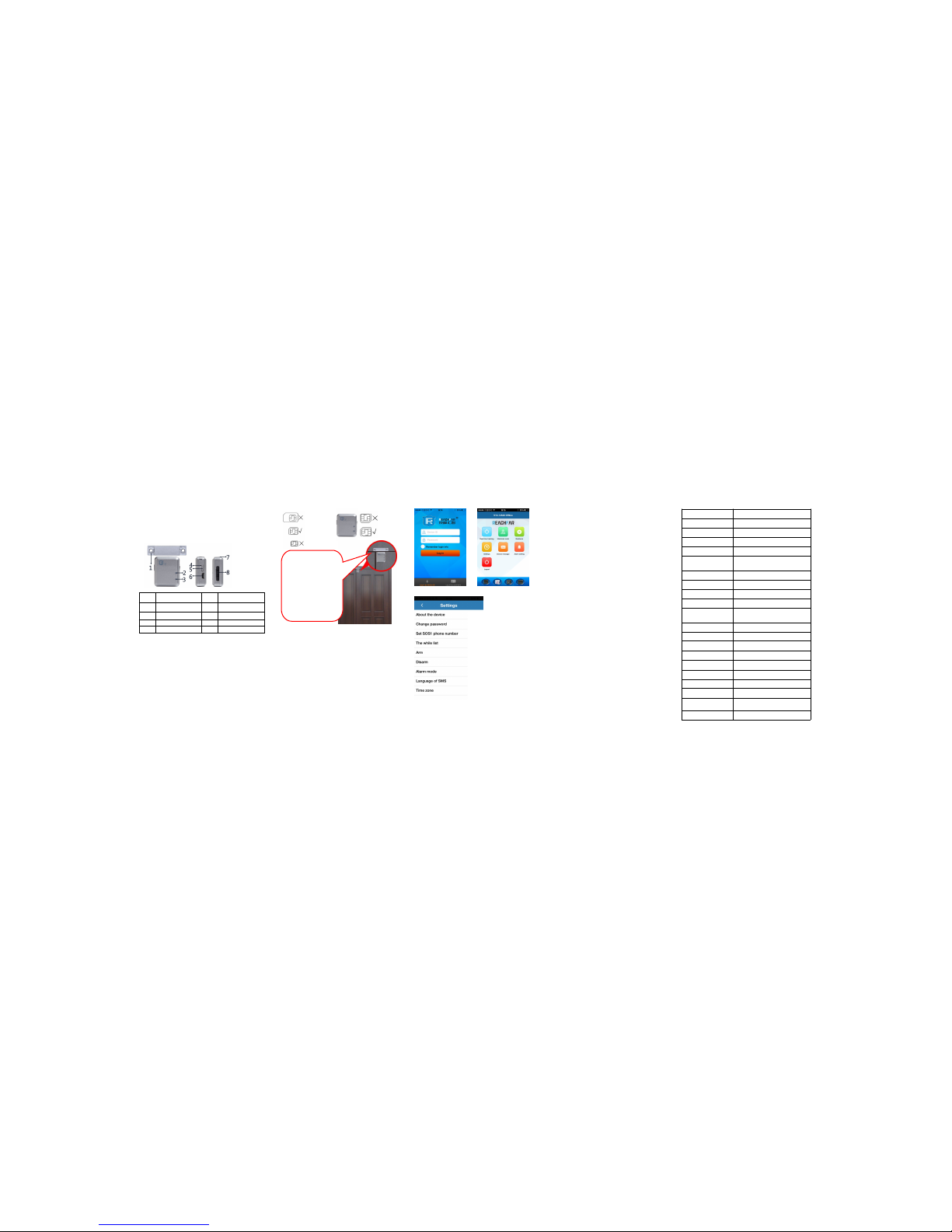
Product View:
Prepare for work:
Please choose GSM network-based Micro-SIM card (same
as Iphone4) for the product. And pleasenote:
a. Please be sure the trackeris turnoff before insertor
take out the Micro-SIM.
b. Please be sure the GPRSand CallerID hasbeen
activated
Power on
Press power button 3S, when indicatorf lash it means
power on, when indicator light flashfast itshow sthat the
tracker search network successfully
APP binding and function setting:
1.Scan the Use r manual cover QR code toinstall the APP
2.Enter the ID numberand passwordto login,the default
password is 123456.
3.Confirm the sma rt door online, the corresponding
instruction set can be achieved .
Real-time Tracking:show the last positionand trace.
Historical route:display the historical .
Geo-fence: set and display geo-fence area,when the
smart door get into or getout thegeo-fence thenit wi ll
send a alert SMS.
Device message:display the alert list.
Alarmset ting:get the remind via APP when alarm
Logout: logout the APP,andnever getthe ala rm
remind via APP.
Command setting
Sound sens or: when the smart door detectthe
abnormal sound, it will alarm
4.Alarm mode:
Alert to APP : only through theAPP alarm. You can't
receive alarm notification if you don'tlogin .(Only
GPRS fee, no other charge)
Alert to SMS,phone and APP: T he smart door will
send SMS and APP alert first andthen m ake call
notification(it will charge calling andSMS fee)
Alert to phone and APP:The smartdoor willcall you
and send APP notification(Call charges )
Alert to SMS and APP: The smart door will send SMS
and APP alert(SMS charge)
5. Language Setting
:
Choose SMS language, the smartdoor providethree
languages: Chinese, English and French
6. Time zones
:
The factory default is UTC+0 8:00; users can set it
according to local time zone.
Please log on www.reachfar-gps.com to learnmore
details of APP and platform
Voicemoni toring function: call to the smart door SIM
number via the SOS1 or whitelist number,you can listen
the voice around the smart door.
All functions also can set by SMS command
All command use in lowercase letters,with out any blank
space and ending by #.
Command for setting master number:
password,sos1,phone number#
For example:123456,sos1,180********#
The tracker will reply: 180******* * has been set for the
master number successfully.
Note:All SMS setting must send via SOS1 number.
Command for SMS setting
Command
Function
password,sos1,phone
number#
Set master-control phone number
sos2(3,4,5), phone
number#
Set sos2(3,4,5) phone number
don#
Turnon the door sensor alarm
doff#
Turnoff thedoor sensor alarm
von,number#
Turnon the vi bratingsensor burglar
alarm( level 1 is the most sensitive and
level 4 is the least sensitive)
voff#
Turnoff the vibrating sensor burglar
alarm
non#
turn on the sound sensor burglar alarm
noff#
turn off the sound sensorburgl ar alarm
ntim,number#
Set the sound sensor burglar alarm
lasting time
mod,number#
Set the method of burglar
alarm,1phone calls&messages,2only
phone calls,3only messages
dw#
Inquiry positioning by SMS message
dsp#
Inquiry tracker’s situation
gon#
Turnon the APP and web platform
function .(factory default)
goff#
Turnoff the APP and web platform
function.
lag,1#
Change the language to
Chinese(factory default)
lag,2#
Change the language to English
lag,3#
Change the language to French
lon#
Turnon the i ndicatorlight(factory
default)
loff#
Turnoff the indicator light
Password,t,password#
Change the password, the factory
default password is 123456
Remark:
The tracker willboot automa tically when it was
charging.put the tracker in networ k signal better
position when use.
The new m achines need to be recharged for2-3 hours
before use in order to achievethe bestresults, please
use our distribute charger avoid damage to the host.
Chargerlight: red is charg ing, green is full charge or
have no charge .
Standbytime: 1) With APP and webplatform ,the
standby time is about 100 hours,talking timeis 5-8
hours;2) Without APP and web platform ,thestandby
time is about 300 hours.(Actual test)Note: Above test
data is under the status ofstrong GSMnetwork
Pleasecharging and boot withSIM card,the smart
door will automatically reboot when it can’t search GSM
network.
This product isnot wat erproof, please pay attention
when using.
FAQ
Q: After inserting a SIM card, itcan makea call,but it
display not enable on the platformand APP?
A: Please check that SIM Cardhas openedGPRS.
Q: When I make call to smartdoor, why itis not
auto-answer my call?
A: Please check that SIM Cardhas openedcaller ID.
Q: Smart door show online, butit shows “waitf or the
device responses” when you setinstruction withAPP.
A: a. Smart door signal isnot good,so not smooth result
of GPRS; b.Smart dooris busy.
Q: The SIM card has opened GPRS function, but the smart
door still not online.
The tracker have pre-program allmost APN, maybe the
APN of the SIM card youuse don’tpreset inthe tr acker,
please send command to add youAPN into thetracker.
The command is: anp,<apn>#
Q:The host and magnetic stripeare alig nment,but it
doesn't trigger alarm when doo r open.
A:Please trim around the magn etic stripe and the host
location.
Item
Function
Item
Function
1
Magnetic stripe
2
GSM indicator light
3
GSM indicator light
4
Reboot hole
5
Power on/off key
6
USB charger hole
7
Microphone8SIM card slot
1. SOS1 phone number: set the
master phone number, used to
send command and receive
alarm.
2. White list number: the othe
SOS number for voice monitoring
function .
3.Arm/Disarm: open or close
related sensor alarm function.
Smart door has three sensor s ,
can work at the same time;
Magnetic se nsor : when
door open/close,it will alarm
Vibration sensor: when the
smart door detect trembled,it
will alarm
Use Velcro to past the
host on the door and
paste magnet box on
the frame, as picture
shown:
Please make sure the
gap between the two is
no more than 1cm,
otherwise it will
influence the sensor
performance.
Insert
SIM
card
 Loading...