

Page 1
User Manual
Single load cell platform scales
Manual number
PTI-15-10/02/09/A
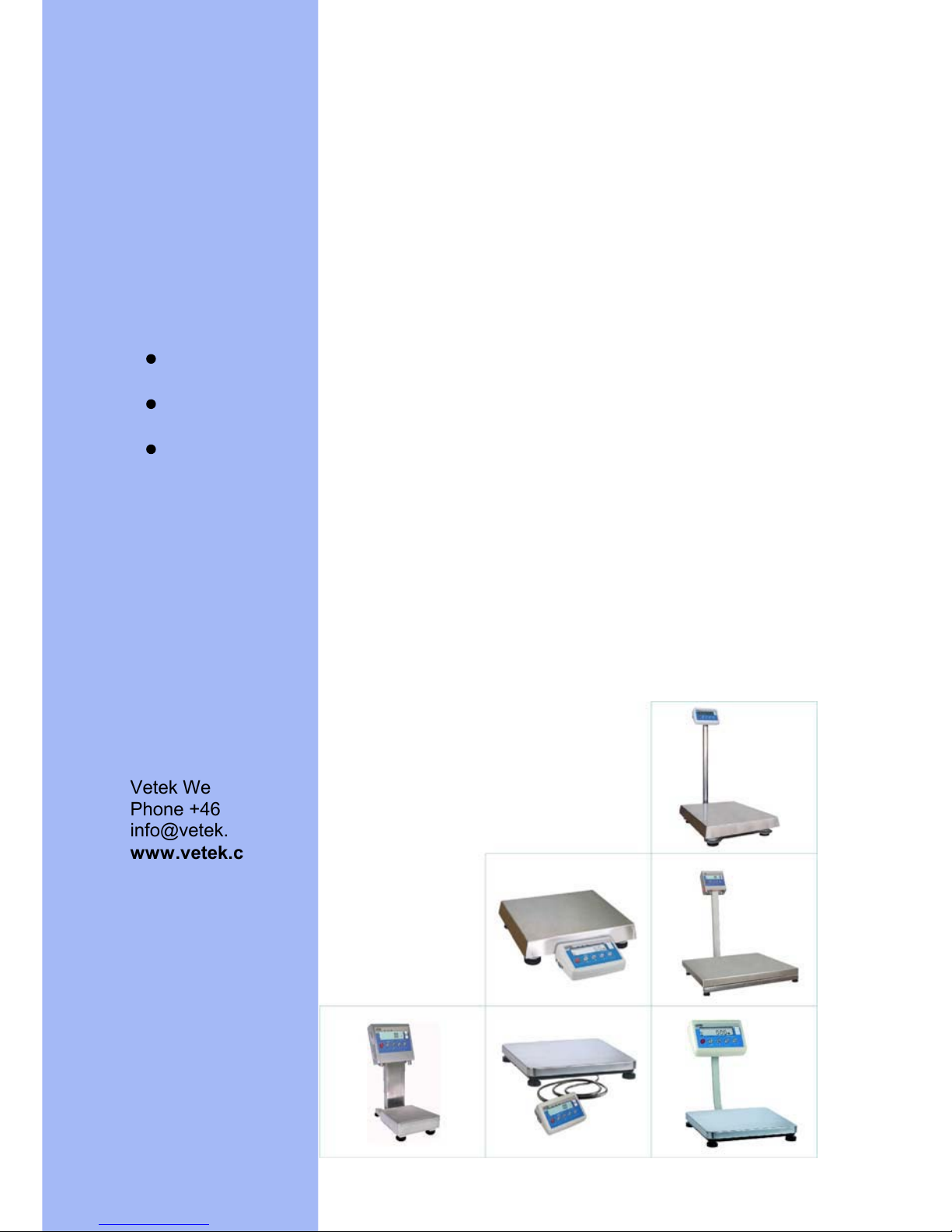
Table platform scales of WPT/F series
Platform scales of WTC series
Waterproof platform scales
Vetek Weighing AB, Box 79, S-76040 Väddö, Sweden
Phone +46 176 20 89 20 fax. +46 176 20 89 29
in
fo@vetek.com
www.vetek.com
Radwag WPT WPF WTC user ManualRadwag WPT WPF WTC user ManualRadwag WPT WPF WTC user ManualRadwag WPT WPF WTC user Manual
Page 2

- 4 -
15. WORK MODES ................................................................................................................. 40
15.1. Setting accessibility of operation modes ................................................................... 40
15.2. Selecting quantity of operation modes ...................................................................... 41
15.3. Counting pieces of the same mass ........................................................................... 42
15.4. +/- control referring to the inscribed standard mass .................................................. 44
15.5. Control of % deviation referring to the inscribed standard mass ............................... 45
15.5.1. its weighing..................................................... 46Standard mass determined by
15.5.2.
Mass of standard inscribed to scale memory .................................................. 47
15.6. Automatic tare ........................................................................................................... 48
15.7. Measurement max force on the pan – latch .............................................................. 49
15.8. Totalizing ................................................................................................................... 49
15.8.1. ork mode.................................................................................. 50Enabling the w
15.8.2.
........................................................................................ 50Totalizing procedure
15.8.3.
of the last value of sum of weighed goods ........................................ 51Memory
15.8.4.
Return to weighing .......................................................................................... 52
15.9. eighing animals ......................................................................................................53W
15.10.
Tare memory............................................................................................................ 54
15.10.1. Entering the tare value to the scale memory ................................................ 54
15.10.2. Selecting a tare value from the memory ....................................................... 56
16. USER CALIBRATION ....................................................................................................... 57
16.1. Calibration ................................................................................................................. 57
1
17.
COOPERATION WITH PRINTER ..................................................................................... 60
6.2. Start mass adjustment............................................................................................... 59
18. COOPERATION WITH COMPUTER................................................................................. 61
19. COMMUNICATION PROTOCOL ...................................................................................... 62
19.1. General information ................................................................................................... 62
19.2. A set of commands for RS interfaces: ....................................................................... 63
19.3. Respond message format ......................................................................................... 63
19.4. Command’s description ............................................................................................. 64
19.4.1. ng ............................................................................................................ 64Zeroi
19.4.2.
ng ............................................................................................................. 64Tarri
19.4.3.
.................................................................. 64Send the stable result in basic unit
19.4.4.
in basic unit ........................................................ 65Send the result immediately
19.4.5.
............................................................... 66Send the stable result in current unit
19.4.6.
in current unit ..................................................... 66Send the result immediately
19.4.7.
itch on continuous transmission in basic unit ............................................. 67Sw
19.4.8.
itch off continuous transmission in basic unit ............................................. 67Sw
19.4.9.
Switch on continuous transmission in current unit .......................................... 67
19.4.10. Switch off continuous transmission in current unit ........................................ 68
19.4.11. Send all implemented commands................................................................. 68
19.5. Manual printouts / automatic printouts....................................................................... 68
19.6. Continuous transmission ........................................................................................... 69
1
20.
ERROR COMMANDS........................................................................................................ 71
9.7. Configuring printouts ................................................................................................. 70
21. TECHNICAL PARAMETERS ............................................................................................ 72
21.1. Platform scales of WTC series .................................................................................. 72
21.2. Table platform scales of WPT/F series...................................................................... 73
2
22.
TROUBLE SHOOTING ..................................................................................................... 75
1.3. Waterproof platform scales........................................................................................ 74
23. ADDITIONAL EQUIPMENT............................................................................................... 76
Page 3

- 5 -
1. INTENDED USE
Scales are designed for fast and precise measurement
s of weighed loads
masses and direct commercial settlements. Tarring in full weighing range
enables to determine net mass of weighed loads.
Functions:
x backlight of display
x level of filtration
x autozero function
x setting baud rate of transmission
x continuous data transmission for RS 232
x automatic operation for RS 232
x designed printouts
x designation minimum mass for function operating
x counting pieces
x +/- mass control
x percentage deviation from standard mass
x latch of maximum scale indication
x automatic tare
x memory of tare
x Memory of 9 tare values
x inscribing tare value
x automatic scale switch-off
x user calibration
x Totalizing
x Weighing animals
User functions may have attribute of accessibility. For this reason it is
possible to adjust scale to individual needs to provide access to only
these functions which are currently needed. Attribute determination
accessible / inaccessible is possible in user menu and described in
further part of manual.
 Loading...