

Page 1
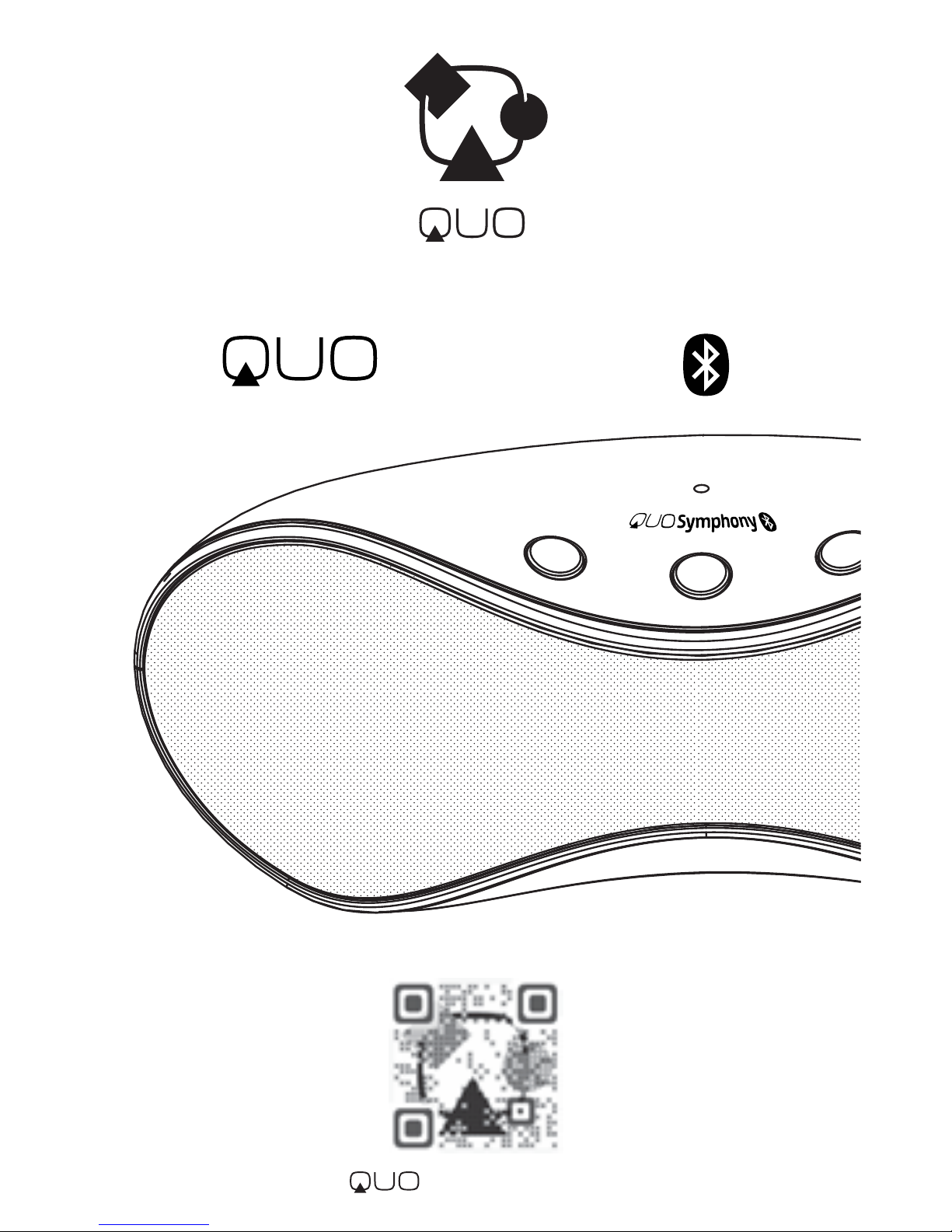
Symphony
User Manual
Wireless Stereo Speaker System
mobility
.com
Page 2
Simply
Powerful
!
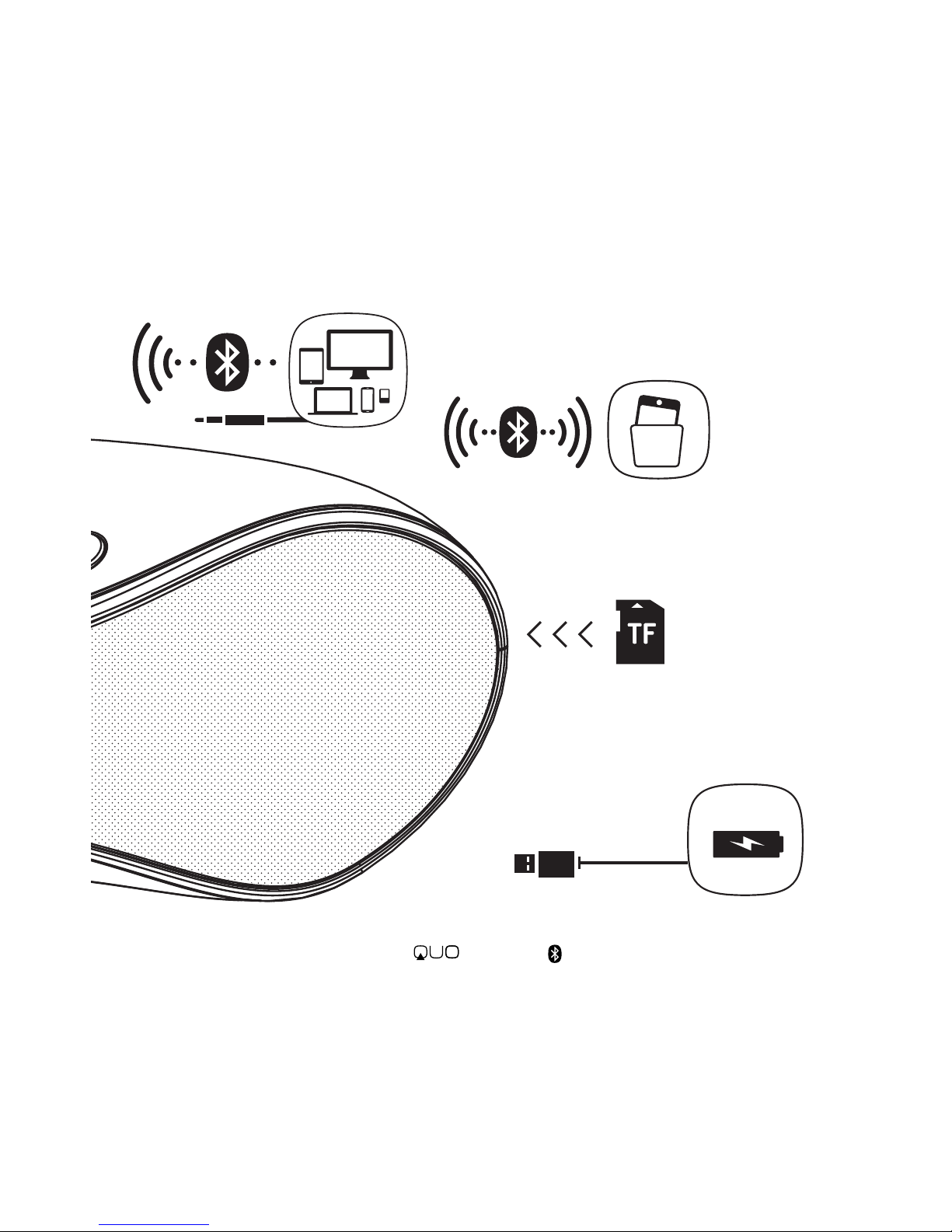
Recharge the lithium
battery and enjoy 7 hours*
of portable supreme sound!
Connect any device
remotely via Bluetooth
or with the included
3.5 mm cable.
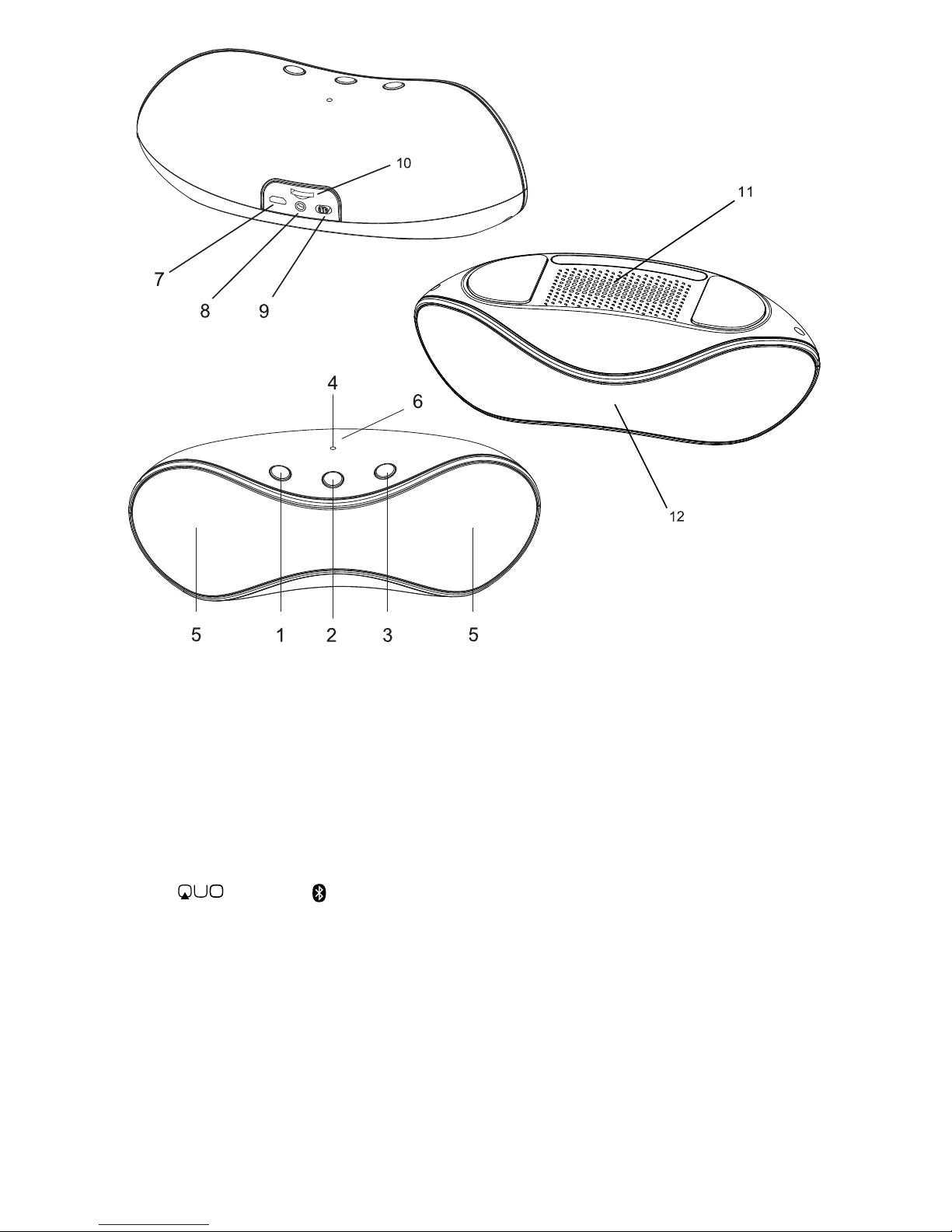
1. Previous Song/ Volume Decrease 7. Mini USB DC In
2. Play/ Pause/ Mode Switch 8. AUX-in Jack
3. Next Song/ Volume Increase 9. On/ O
4. Indicator Light 10. TF Card Slot
5. Speaker Unit 11. Bass Strengthening Unit
6. NFC Induction Zone 12. Microphone
a. Package contents
• Stereo Speaker System
• User Manual
• 3.5mm Stereo Audio Cable
• Micro USB Power Cable
Note: If the materials inside the package are not consistent with this list,
please contact the distributor or retailer where you purchased the unit
from.
b. Safe handling of the product
• Never expose your speaker to direct sunlight or excessive heat.
• Keep your speaker in a dry place. Never expose this product to rain
or water.
Symphony
Answer
your calls
without taking out your phone,
using the speaker phone mode
with its built-in microphone
.
Load and update your
music lib
rary directly with
y
our TF card.
Thank you for purchasing the Bluetooth Speaker System.
This product supports Bluetooth 2.1+EDR, a range of mobile phones, smart
phones, tablets, laptops and other Bluetooth devices. Our modern design is
the latest in electronic technology to produce a high quality portable music
experience and still keep its ultimate portable features with its built-in
rechargeable lithium battery and remote control.
Visit www.quomobility.com to nd out more about all the great features
your new device has. Please read the following instructions carefully before
operating. Keep them safe for future reference.
1
Page 3
• Do not use or store your speaker in dusty, dirty areas.
• Do not use harsh chemicals, soaps or detergents to clean your speaker.
• Do not modify, disassemble, open, drop, crush, or puncture
this product.
c. Battery instructions
• The battery has a limited service life so it will need replacing when it no
longer holds enough charge.
• Do not throw batteries into a re.
• Do not force the battery when installing it.
• Do not expose batteries to high temperatures.
• Do not charge the battery for more than 24 hours.
d. Disposal information
Electrical and electronic products as well as batteries must not be
discarded as regular household waste. As part of the company’s
eco-friendly approach, we encourage you to recycle and follow all
applicable local waste regulations to dispose of your used devices
properly. Never dispose of batteries in a re.
1. Getting started
a. Charging your speaker
• Connect the Micro USB power cable to speaker, charging light will be
on(red light). Finished, the light will turn o. The battery reaches a full
charge in about 3 hours in the OFF mode, or 5 hours when in use.
b. Switching your speaker ON/OFF
• To turn On: Slide the button to the ON position, the indicator light will
turn on.
• To turn OFF: Slide the button to the OFF position.
c. Mode Switch
Press “Play/Pause” button for 2 sec. to change mode.
Intelligent mode selection is supported.
eg. TF mode will be skipped if no TF card is detected.
Note:
• The audio signal cable and power cable cannot be pulled, tied,
extruded, trampled or suspended with heavy objects to avoid
damaging which will lead to short circuit or bad contact.
• Please power o this product when it is not operated for a long time.
2. Bluetooth mode
a. Pairing mode
1. Previous Song/ Volume Decrease 7. Mini USB DC In
2. Play/ Pause/ Mode Switch 8. AUX-in Jack
3. Next Song/ Volume Increase 9. On/ O
4. Indicator Light 10. TF Card Slot
5. Speaker Unit 11. Bass Strengthening Unit
6. NFC Induction Zone 12. Microphone
a. Package contents
• Stereo Speaker System
• User Manual
• 3.5mm Stereo Audio Cable
• Micro USB Power Cable
Note: If the materials inside the package are not consistent with this list,
please contact the distributor or retailer where you purchased the unit
from.
b. Safe handling of the product
• Never expose your speaker to direct sunlight or excessive heat.
• Keep your speaker in a dry place. Never expose this product to rain
or water.
Symphony
2
Page 4

• Do not use or store your speaker in dusty, dirty areas.
• Do not use harsh chemicals, soaps or detergents to clean your speaker.
• Do not modify, disassemble, open, drop, crush, or puncture
this product.
c. Battery instructions
• The battery has a limited service life so it will need replacing when it no
longer holds enough charge.
• Do not throw batteries into a re.
• Do not force the battery when installing it.
• Do not expose batteries to high temperatures.
• Do not charge the battery for more than 24 hours.
d. Disposal information
Electrical and electronic products as well as batteries must not be
discarded as regular household waste. As part of the company’s
eco-friendly approach, we encourage you to recycle and follow all
applicable local waste regulations to dispose of your used devices
properly. Never dispose of batteries in a re.
1. Getting started
a. Charging your speaker
• Connect the Micro USB power cable to speaker, charging light will be
on(red light). Finished, the light will turn o. The battery reaches a full
charge in about 3 hours in the OFF mode, or 5 hours when in use.
b. Switching your speaker ON/OFF
• To turn On: Slide the button to the ON position, the indicator light will
turn on.
• To turn OFF: Slide the button to the OFF position.
c. Mode Switch
Press “Play/Pause” button for 2 sec. to change mode.
Intelligent mode selection is supported.
eg. TF mode will be skipped if no TF card is detected.
Note:
• The audio signal cable and power cable cannot be pulled, tied,
extruded, trampled or suspended with heavy objects to avoid
damaging which will lead to short circuit or bad contact.
• Please power o this product when it is not operated for a long time.
2. Bluetooth mode
a. Pairing mode
• Turn on the speaker in Bluetooth mode, the blue indicator light will be
ashing.
• Pair: It is necessary to pair this product the rst time you operate it with
every device.
• After the speaker is turned on, it enters into Bluetooth mode
automatically. It will change light between green and blue.
• Activate Bluetooth on your mobile phone or other device you want to
pair.
• Once is found and you select it, the speaker’s
indicator light will ash slowly (blue) and it will be successfully
connected (if it requires a password please enter “0000” to complete
the pairing).
• If pairing times out (blue/green working light stops ashing), the
speaker will be in standby mode (light blue ashes twice). Please
restart the machine or press and hold Play/Pause button to make it
re-enter to the pairing mode.
• Device Connection Memory: When you turn on the speaker in
Bluetooth mode, it will reconnect with the last device it was connected.
If that device is out of range, pair procedure will start over.
b. Operation
After pairing is completed, you will be able to play music from your
Bluetooth device wirelessly to the speaker. You will be able to control the
functions with the PLAY/PAUSE, VOLUME UP/DOWN buttons, and also be
able to answer/refuse incoming phone calls.
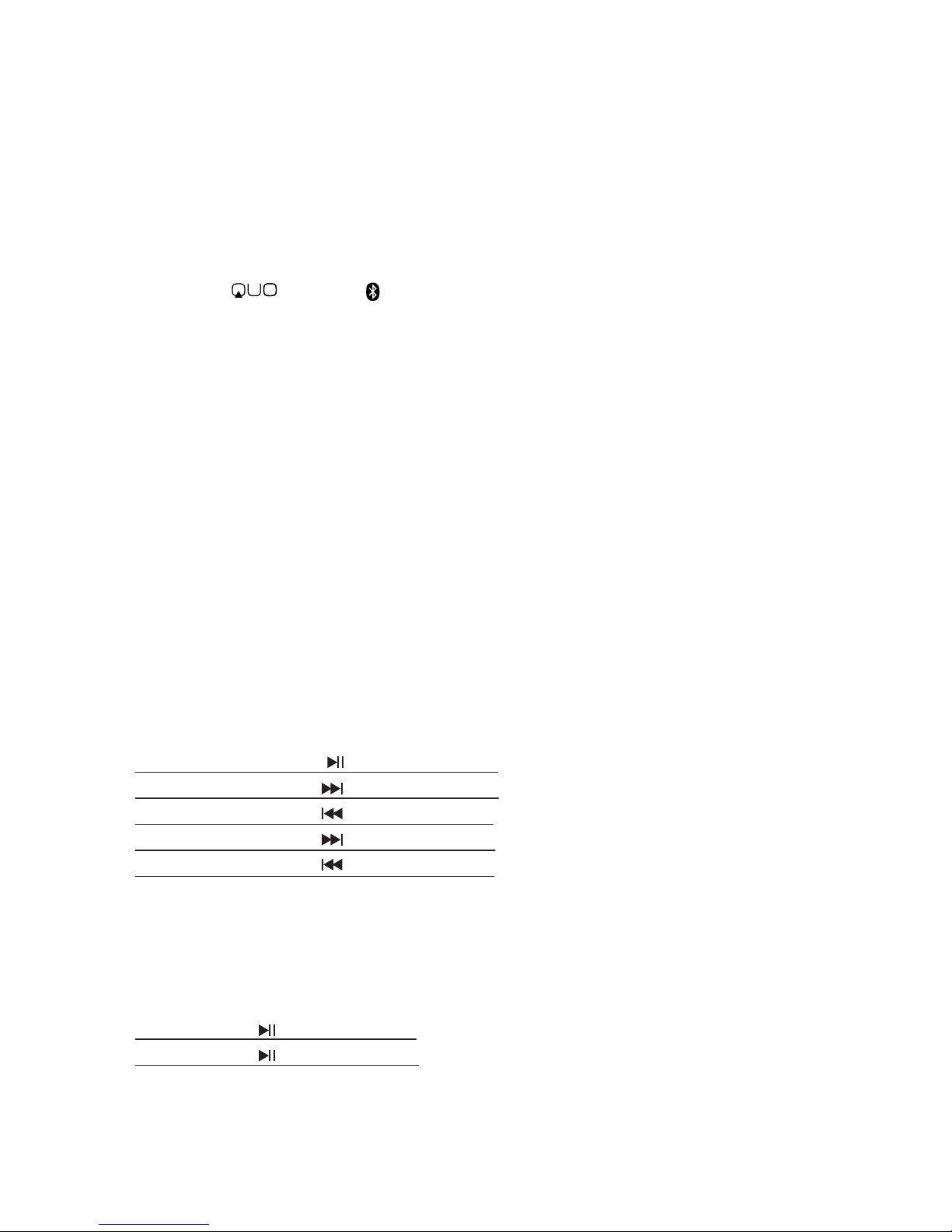
Music:
Play/ Pause Press
Next song Press
Previous song Press
Increase volume Press and hold
Decrease volume Press and hold
Answer calls:
When the speaker is paired with your phone and you receive a call, you will
hear the rings through the speaker (if it’s playing music it will pause
automatically).
Answer Press
Hang up Press again
c. Disconnection
• Bluetooth mode will disconnect automatically if the speaker has not
been used for a long period time. The speaker will revert to sleep mode
and you would need to pair your device again.
3
Page 5
• Turn on the speaker in Bluetooth mode, the blue indicator light will be
ashing.
• Pair: It is necessary to pair this product the rst time you operate it with
every device.
• After the speaker is turned on, it enters into Bluetooth mode
automatically. It will change light between green and blue.
• Activate Bluetooth on your mobile phone or other device you want to
pair.
• Once is found and you select it, the speaker’s
indicator light will ash slowly (blue) and it will be successfully
connected (if it requires a password please enter “0000” to complete
the pairing).
• If pairing times out (blue/green working light stops ashing), the
speaker will be in standby mode (light blue ashes twice). Please
restart the machine or press and hold Play/Pause button to make it
re-enter to the pairing mode.
• Device Connection Memory: When you turn on the speaker in
Bluetooth mode, it will reconnect with the last device it was connected.
If that device is out of range, pair procedure will start over.
b. Operation
After pairing is completed, you will be able to play music from your
Bluetooth device wirelessly to the speaker. You will be able to control the
functions with the PLAY/PAUSE, VOLUME UP/DOWN buttons, and also be
able to answer/refuse incoming phone calls.
Music:
Play/ Pause Press
Next song Press
Previous song Press
Increase volume Press and hold
Decrease volume Press and hold
Answer calls:
When the speaker is paired with your phone and you receive a call, you will
hear the rings through the speaker (if it’s playing music it will pause
automatically).
Answer Press
Hang up Press again
c. Disconnection
• Bluetooth mode will disconnect automatically if the speaker has not
been used for a long period time. The speaker will revert to sleep mode
and you would need to pair your device again.
Symphony
3. AUX input mode:
• The indicator light is green when the AUX cable is inserted into the
speaker.
• When in AUX mode, you will only be able to control the music Volume
Up/Down from the speaker.
4. TF mode:
When the TF card is inserted into the speaker, it enters into TF mode
automatically. The indicator light will turn green. The speaker support
music les in MP3, WAV, WMA, formats directly from the TF card. You can
control: "Volume Up/Down", "Next/Previous", "Play/Pause" from the
speaker as explained in the previous section.
5. Update music online:
• This speaker supports online music updating from the TF card.
• Insert the TF card into the speaker and connect a computer with a USB
cable. Then you can update the music online. When you nish press
and hold .
6. Low charge warning:
During regular operation, the indicator light will ash red when the
power is too low to remind you to charge the speaker. During Bluetooth
operation, the indicatior light will ash blue 3 times when the power is
too low to remind you to charge the speaker. During AUX and TF
operation, the indicator light will ash green 3 times when the power is
too low to remind you to charge the speaker. Speaker will enter into low
power protective mode if it is not charged after the warning. Please turn
o the speaker and charge it after it enters low charge warning mode.
Specifications
• 2.0 Sound Channel Stereo Output
• Power Output: 3Wx2
• Speaker Unit; 2“4Ω3W
• Frequency Response:100 Hz ~ 18 KHz
• S/N Ratio: ≥70dB
• Bluetooth Standard: 2.1+EDR
• Bluetooth signal power: CLASS II
• Supports: A2DP, AVRCP, HFP, etc.
• Signal Distance: 8 - 10M
• Support reading MP3 from TF card
• Power: DC5V 500mA
• Built-in Battery: 3.7V 1,800mAH.
4
Page 6

3. AUX input mode:
• The indicator light is green when the AUX cable is inserted into the
speaker.
• When in AUX mode, you will only be able to control the music Volume
Up/Down from the speaker.
4. TF mode:
When the TF card is inserted into the speaker, it enters into TF mode
automatically. The indicator light will turn green. The speaker support
music les in MP3, WAV, WMA, formats directly from the TF card. You can
control: "Volume Up/Down", "Next/Previous", "Play/Pause" from the
speaker as explained in the previous section.
5. Update music online:
• This speaker supports online music updating from the TF card.
• Insert the TF card into the speaker and connect a computer with a USB
cable. Then you can update the music online. When you nish press
and hold .
6. Low charge warning:
During regular operation, the indicator light will ash red when the
power is too low to remind you to charge the speaker. During Bluetooth
operation, the indicatior light will ash blue 3 times when the power is
too low to remind you to charge the speaker. During AUX and TF
operation, the indicator light will ash green 3 times when the power is
too low to remind you to charge the speaker. Speaker will enter into low
power protective mode if it is not charged after the warning. Please turn
o the speaker and charge it after it enters low charge warning mode.
Specifications
• 2.0 Sound Channel Stereo Output
• Power Output: 3Wx2
• Speaker Unit; 2“4Ω3W
• Frequency Response:100 Hz ~ 18 KHz
• S/N Ratio: ≥70dB
• Bluetooth Standard: 2.1+EDR
• Bluetooth signal power: CLASS II
• Supports: A2DP, AVRCP, HFP, etc.
• Signal Distance: 8 - 10M
• Support reading MP3 from TF card
• Power: DC5V 500mA
• Built-in Battery: 3.7V 1,800mAH.
• Rechargeable lithium battery.
• Playing Time: 10 hours (mid. volume)
• Product Size (W*D*H): 196 x 87 x 74.5 mm
• Weight: 385g
QUO Limited Warranty
All Sound Products
QUO warrants to the original retail purchaser (and to their dealers) that the
products purchased from authorized dealers do not contain default in
material and workmanship for a period of 1 year since the day of
purchasing. During this period, If this product proves defective in either
material or workmanship, QUO will, at its discretion, either a) repair the
defective unit or b) replace it at no charge for parts or labor except as
stated below. The parts or product that is replaced become the property of
QUO.
Limitations: This limited warranty does not cover any losses or damages
that occur as a result of:
• Shipping or improper installation or maintenance.
• Misuse.
• Neglect.
• Any cause other than ordinary commercial or industrial application.
• Repair, modication, or installation of options or parts by anyone other
than a QUO Authorized Service Center.
• Improper environment. (such as: ood, re, earthquake, lightning, etc.)
• Quality defects do not include personal subjective objection against
timbre, tone, etc.
• If products are without serial number, there’s no obligation to provide
after-sales service. Serial Number will be found in Manuals and Gift Box.
If you have any question about your warranty coverage, need help, or you
think you may need service, email us at: support@quomobility.com
5
Page 7

• Rechargeable lithium battery.
• Playing Time: 10 hours (mid. volume)
• Product Size (W*D*H): 196 x 87 x 74.5 mm
• Weight: 385g
QUO Limited Warranty
All Sound Products
QUO warrants to the original retail purchaser (and to their dealers) that the
products purchased from authorized dealers do not contain default in
material and workmanship for a period of 1 year since the day of
purchasing. During this period, If this product proves defective in either
material or workmanship, QUO will, at its discretion, either a) repair the
defective unit or b) replace it at no charge for parts or labor except as
stated below. The parts or product that is replaced become the property of
QUO.
Limitations: This limited warranty does not cover any losses or damages
that occur as a result of:
• Shipping or improper installation or maintenance.
• Misuse.
• Neglect.
• Any cause other than ordinary commercial or industrial application.
• Repair, modication, or installation of options or parts by anyone other
than a QUO Authorized Service Center.
• Improper environment. (such as: ood, re, earthquake, lightning, etc.)
• Quality defects do not include personal subjective objection against
timbre, tone, etc.
• If products are without serial number, there’s no obligation to provide
after-sales service. Serial Number will be found in Manuals and Gift Box.
If you have any question about your warranty coverage, need help, or you
think you may need service, email us at: [email protected]
6
s/n
 Loading...