

Page 1
1
User Manual
a. Package contents
b. Safe handling of the product
c. Battery instructions I.D.
d. Disposal information
1. CHAPTER 1 • Basic conguration and setup
1.1. Charging your phone
1.2. Switching your phone on/o
2. CHAPTER 2 • Getting started
2 .1. Home screen
2.2. Managing icons and several screens
3. CHAPTER 3 • Main applications
3 .1. Internet access
3.2. Web browser
3.3. Email
4. CHAPTER 4 • Data transfer modes
4.1 . Connection to a PC
4.2. Micro-SD card
5. CHAPTER 5 • Productivity applications
5 .1. File manager
5.2. Search
5.3. Manage downloads
5.4. Clock
5.5. Calendar
6. CHAPTER 6 • Entertainment applications
6.1 . Sound recorder
6.2. Music player
6.3. Camera
6.4. Camera and camcorder settings
6.5. Social applications
6.6. FM radio
6.7. FM transmission
7. CHAPTER 7 • Settings
7.1. Wireless and networks
7.2. 3G internet
7.3 . GPS navigation
7.4. Device settings
7.5 . Personal settings
7.6. System settings
7.7. About Phone
8. CHAPTER 8 • Security
9. CHAPTER 9 • Backup and reset
10. CHAPTER 10 • Make and answer calls
11. CHAP TER 11 • Contacts
12. CHAPTER 12 • Messaging
Appendix 1 Specications
Appendix 2 Troubleshooting checklist
Appendix 3 FCC statement
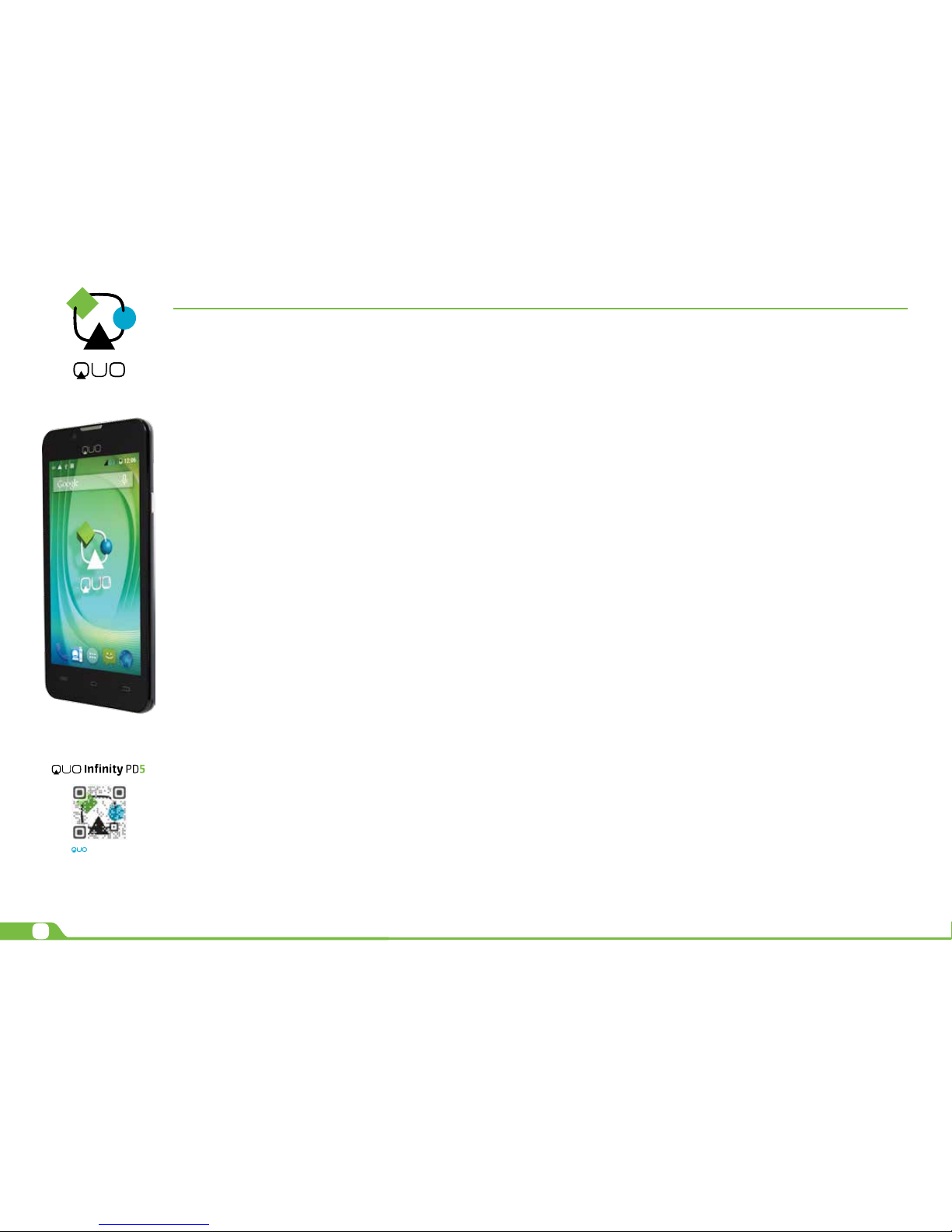
Thank you for purchasing the QUO Innity PD5 Phone. This manual guide will show you
how to set up your device and use its functions. The info and image here exposed could
be referential and have aesthetic and operational changes. Once your phone is up and
running, you can visit www.quomobility.com to nd out more about all the great features
your new device has and get the last software update.
a. Package contents
• QUO Innity PD5 Phone with rechargeable lithium-ion battery
• AC charger/USB sync data cable
• Earbuds
• User manual
Note: If any of the listed items is missing, mismatched, damaged or broken, contact your
local dealer immediately for replacement.
b. Safe handling of the product
• Never expose your phone to direct sunlight or excessive heat.
Avoid leaving the product inside a car with the windows closed.
• Keep your phone in a dry place. Never expose this product to rain or water.
• Do not use or store your phone in dusty, dirty areas.
• Do not use harsh chemicals, soaps or detergents to clean your phone.
• Do not modify, disassemble, open, drop, crush, or puncture this product.
• Never disconnect your phone while a download or upload is in progress.
• Switch o the device in restricted areas or where the use of electronic devices is
prohibited.
• To protect your hearing, make sure the volume level is not set too high when
plugging the earbuds.
c. Battery instructions
• Use only the battery and battery charger specied by the manufacturer.
• The battery has a limited ser vice life so it will need replacing when it no lon ger
holds enough charge.
• Dispose of old batteries at directed places.
• Do not throw batteries into a re.
• Do not force the battery when installing it.
• If the battery overheats or changes color while charging it or storing it, stop
using it.
• Do not expose batteries to high temperatures.
• Do not charge the battery for more than 24 hours.
d. Disposal information
Electrical and electronic products as well as batteries must not be discarded as regular
household waste. As part of the company’s eco-friendly approach, we encourage you to recycle
and follow all applicable local waste regulations to dispose of your used devices properly. Never
dispose of batteries in a re.
Introduction
mobility
.com
User Manual
Page 2
2
User Manual
CHAPTER 1 Basic setup
1.1. Charging your phone
• Fully charge the battery prior to using the phone for the rst time. Firmly
insert the Micro-USB end of the supplied charger into the I/O port on
the phone, and the other end to a standard AC wall outlet or to an available
USB port on your computer.
• The battery must be initially charged for 5 hours and for 3 hours or so
thereafter.
• Let the battery drain completely, before recharging it to full capacity for a
second time. From then on, allow the battery to charge until the icon on the
screen becomes solid green.
1.2. Switching your phone on/o
• To turn on the phone, press and hold the Power button for several seconds.
The welcome screen will appear.
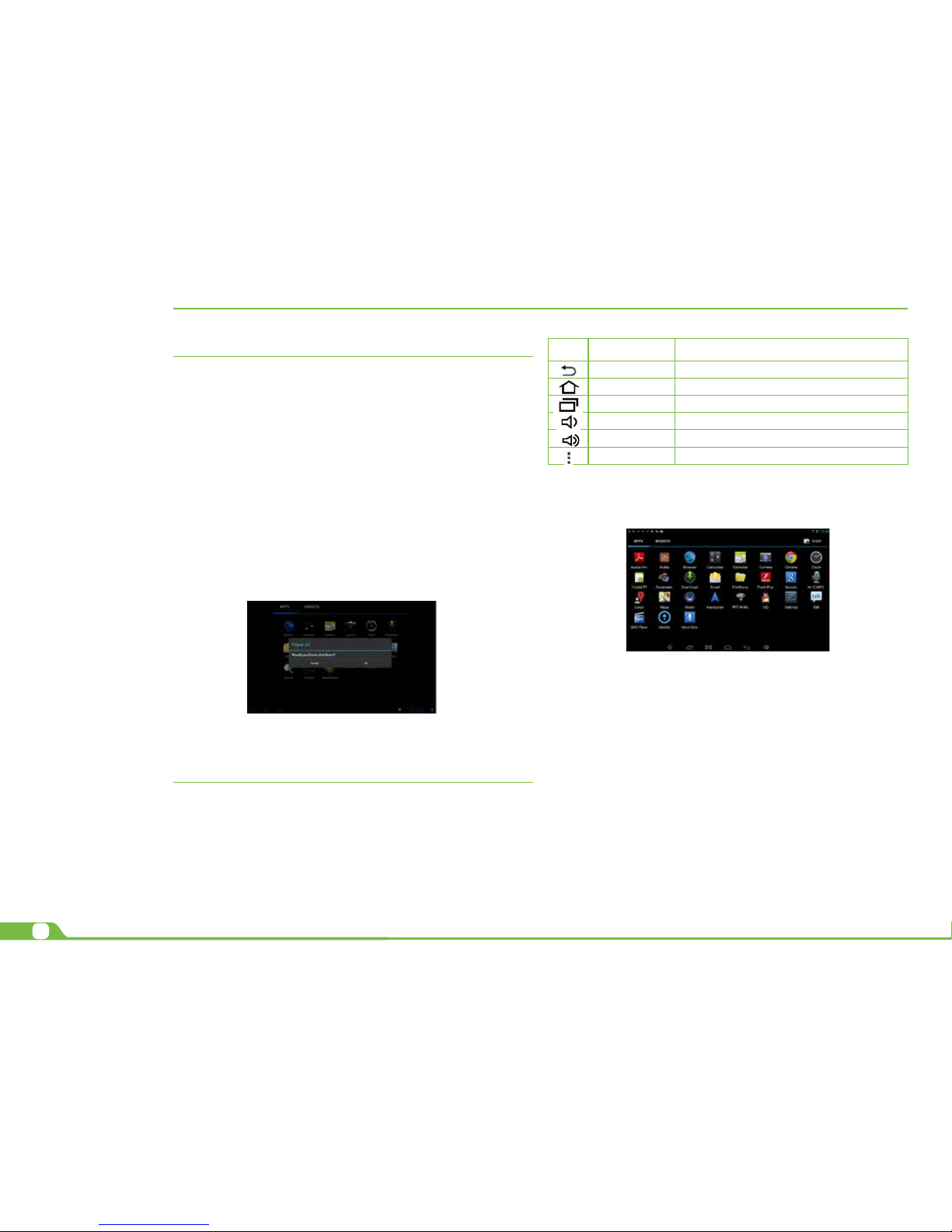
• To switch o the phone, press and hold down the Power button again.
When the “Power o” options menu comes up, select OK. The device will
shut o completely.
Note: make sure to follow the on-screen prompts for the initial setup of the phone.
CHAPTER 2 Getting started
2.1. Home screen
As soon as you power-on your phone, you will see the Locked screen interface Slide yo ur
nger to the right to access the Home screen. This screen provides quick access to the
things you need m ost. The home screen contains a System bar, located in the bottom
left corner of the display, which includes six default navigation buttons accessible by
touching the screen:
In addition the user can choose between two home screen visualization modes:
1. Desktop
2. Application view.
A. In Desktop view, six default shortcuts will be displayed, which you can later customize based
on your own particular needs and lifestyle.
B. The Application view allows access to all the application available in your device. To open
the main All Apps screen, touch the icon on any Home screen.
Note: on the locked screen the most recent application icons will be displayed when accessing
the system from either visualization mode.
2.2. Managing icons and dierent screens
In order to see the dierent screens, slide your nger to the left or to the right. You may customize the home screen or any of the other screens by moving icons to another location. Just
tap on the icon, drag it and drop it at the location where you want to place it.
Icon Name Description
Back Opens the previous screen you were working in
Home Opens the Home screen
Recent apps Opens a list of thumbnail images of apps recently
Volume down Tap on this icon if you want to decrease the volume
Volume up Tap on this icon if you want to increase the volume
Shortcut Opens the options menu for frequently used applications
Page 3
3
User Manual
CHAPTER 3 Main applications
3.1. Internet access
Congure the internet connection using your new phone.
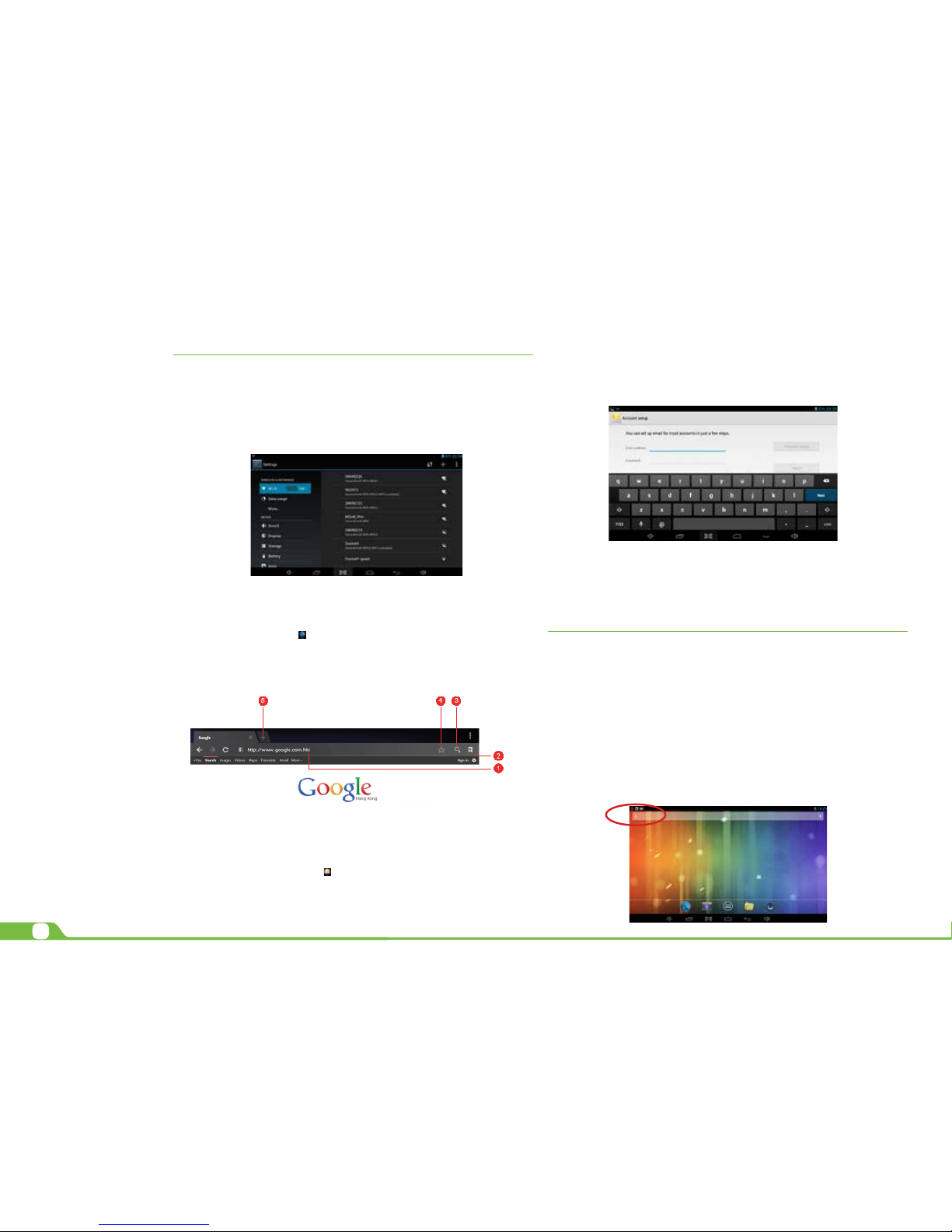
• Go to Settings and click on Wi-Fi ON/OFF switch in order to enable the wireless
Conguration on the phone.
• Choose a wireless access point, and enter your login and password
• Select the Connect option on this menu to ac tivate access to the internet.
3.2. Web browser
The browser allows you to enjoy a seamless surng experience using your new phone.
• Once you have successfully established an internet connection, you just need
to tap on the Browser icon on the apps screen or the shortcut icon on a Home screen
to launch this application.
• At this stage, the following window will be displayed.
• The user can then congure all related navigation settings based on his/her individual
preferences
3.3. Email
Stay in touch with friends, family and your business associates via email wherever you are.
Follow this quick and easy setup process.
• Select the Email application icon from the apps menu.
• You will be prompted to enter your full email address and password.
• Once you are done, tap the Next button and the system will automatically
search for the incoming and outgoing server settings. If unable to congure
automatically, you have the option to manually set these parameters.
• The Account settings menu will be displayed, allowing you to set certain
emails parameters. When done, select Next to nish the setup.
• If setup is successful, you will have instant access to all your emails using
your wireless connection.
• If you also want to set up a Gmail account, look for the icon in the applications
menu.
CHAPTER 4 Data transfer modes
You can transfer data to and from your phone PC using the micro-USB connection or the
micro-SD card s lot.
4.1. Connection to a PC
• On main desktop, connect the device with the PC, touch right side of the status bar on
the top of desktop.
• Press “USB connected”, select “Turn on USB storage”. The device is recognized at
Explorer of the computer.
Now you can use it as an external storage.The Android icon will turn orange.
• On your computer, the phone will be displayed as a hard drive.
• Now, you are able to copy, delete or share les between your computer and the
phone.
Page 4
4
User Manual
Important note: to safely disconnect your phone from the computer, you must touch the
Turn o USB storage button on the phone screen.
4.2. Micro-SD card
• Insert the micro-SD card into the slot located on the inside battery slot of
the phone.
• Open the File manager application on your phone. The SD-card tab will
become illuminated, and you will be able to visualize the folders and
les stored in the external memory attached to the device.
CHAPTER 5 Productivity applications
5.1. File manager
In addition to creating, deleting or sharing les, the le manager allows you to keep all
your data properly organized and conveniently stored in your memory.
• Select the File manager icon on your main screen.
• After opening the le browser interface, users will be able to copy, paste or
delete les stored in the local memory, SD card, or USB external storage device.
5.2. Search
Select the icon to open Google search in order to nd content matching the key words
you entered.
5.3. Manage downloads
The les, apps or other items that the user downloads are saved in the phone´s internal
storage.
• In order to see those items, select the icon from the All Apps screen.
• From the download directory of your phone, select the item you want to view,
reopen or delete.
5.4. Clock
Select the icon on the applications menu to open the clock interface. It allows the user
to enable or disable the alarm, set up the time, select the alert tone (Ringtone option), and
other related functions of this feature.
5.5. Calendar
Keep track of your meetings, appointments, places you want to visit, or schedules that you need to
follow.
• It is required to have a network connection active the rst time you use this
application, in order to be able to congure it using an existing Google Account, or
by creating a new account.
• Once you have an email account set up, you need to select the icon on the
application screen to open this feature.
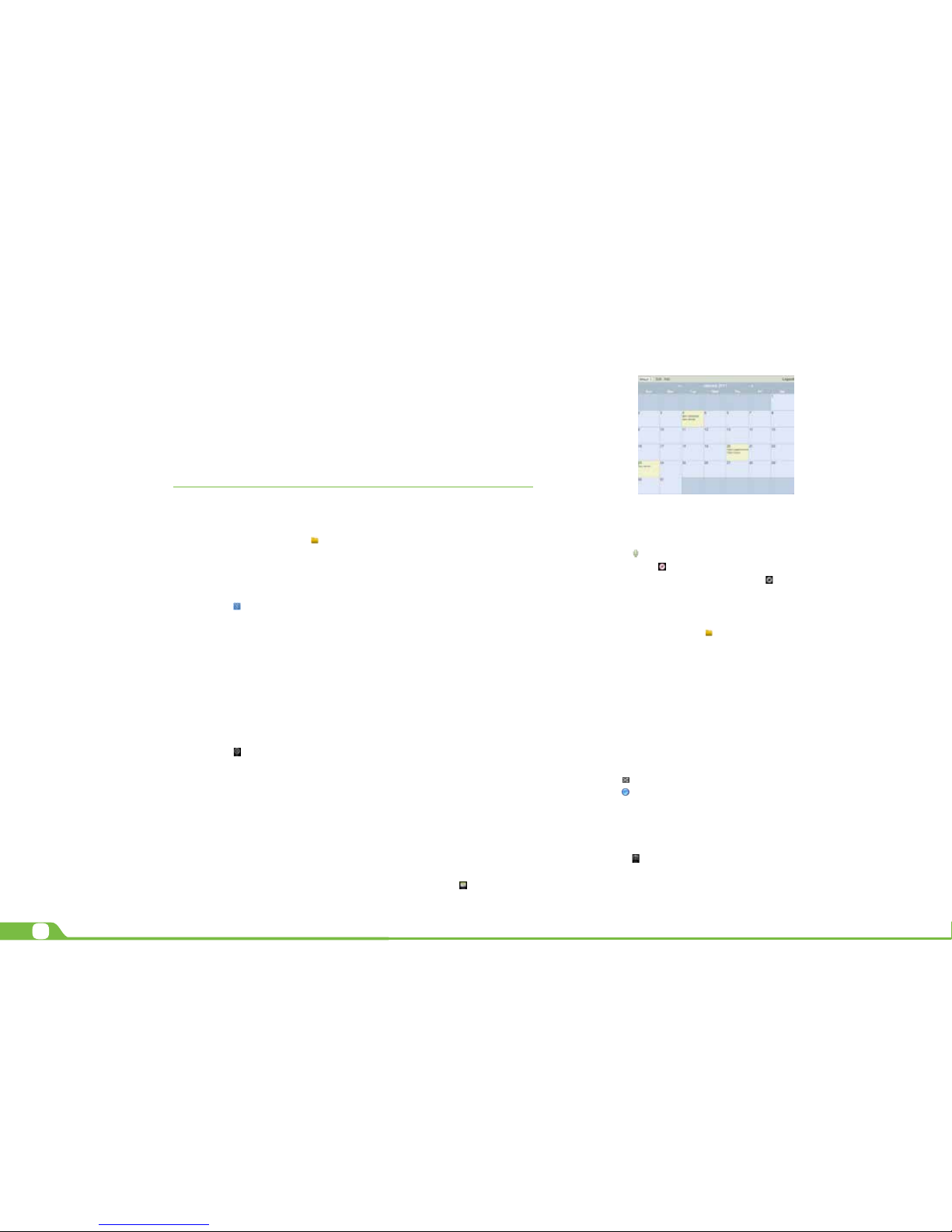
• Click on the day, week, month or agenda tab to view, add or delete an event.
CHAPTER 6 Entertainment applications
6.1. Sound recorder
• Select the icon to enter the sound recorder interface
• Next, tap on the icon
to start recording.
• When you are nished recording, tap on the icon to stop.
• A dialog box will popup. Click on Done if you want to save your recording, or
Discard if you prefer to permanently delete that le.
• Click on the icon to listen to the recording you just saved or go to Applica
tions view, tap the File manager icon to see the recordings. To per form other
le operations, tap and hold your nger on the recording; a menu will pop and
you will be able to delete, rename, copy, move or email your le.
6.2. Music player
• Select the icon to enter the music player interface.
• Three dierent sorting schemes will be displayed at this stage: by Artists, Albums
and Songs.
• The user can also choose Playlists to replay his/her customized tracks, or tap on the
Now playing tab to either access the music or movie currently
being played or to resume playback after being stopped or paused.
• Tap the icon to enable or disable the random playback mode.
• Tap the icon
to switch between continuous repeat mode or single song
playback.
6.3. Camera
This interface provides an integrated camera, camcorder, and gallery experience.
• Select the icon
to enter the camera interface.
• Then touch the proper icon to toggle between still and video capture
modes.
Page 5
5
User Manual
• Tap the blue button in the center to take a snapshot or the red one to start
recording.
• After capturing a snapshot or recording a video, your le will appear above the blue
button. Tap the image once to choose options such as see your media le in the
gallery send it by email, post it on Facebook or in Twitter.
• To delete your media le, just tap on the center of the image followed by the
Garbage icon on the upper right corner of the screen.
• To view les, you can tap on the media application icon for instant visualization of
your recorded les, or go to your le manager and retrieve your images from the
default location of the camera folder.
6.4. Camera and camcorder settings
Both the still mode and the video capture mode have additional settings. Still and video
capture modes: slide the dot towards the plus (+) sign to zoom in or towards the minus
(-) si gn to zoom out. You may also tap the menu icon next to the minus sign to open options
such as White balance, Exposure, Store location and Time lapse interval, only for video
capture mode.
6.5. Social network applications
Your phone would come with other popular and exciting social applications such as
Facebook and Twitter. In order to access to them, you should set your own username and
password.
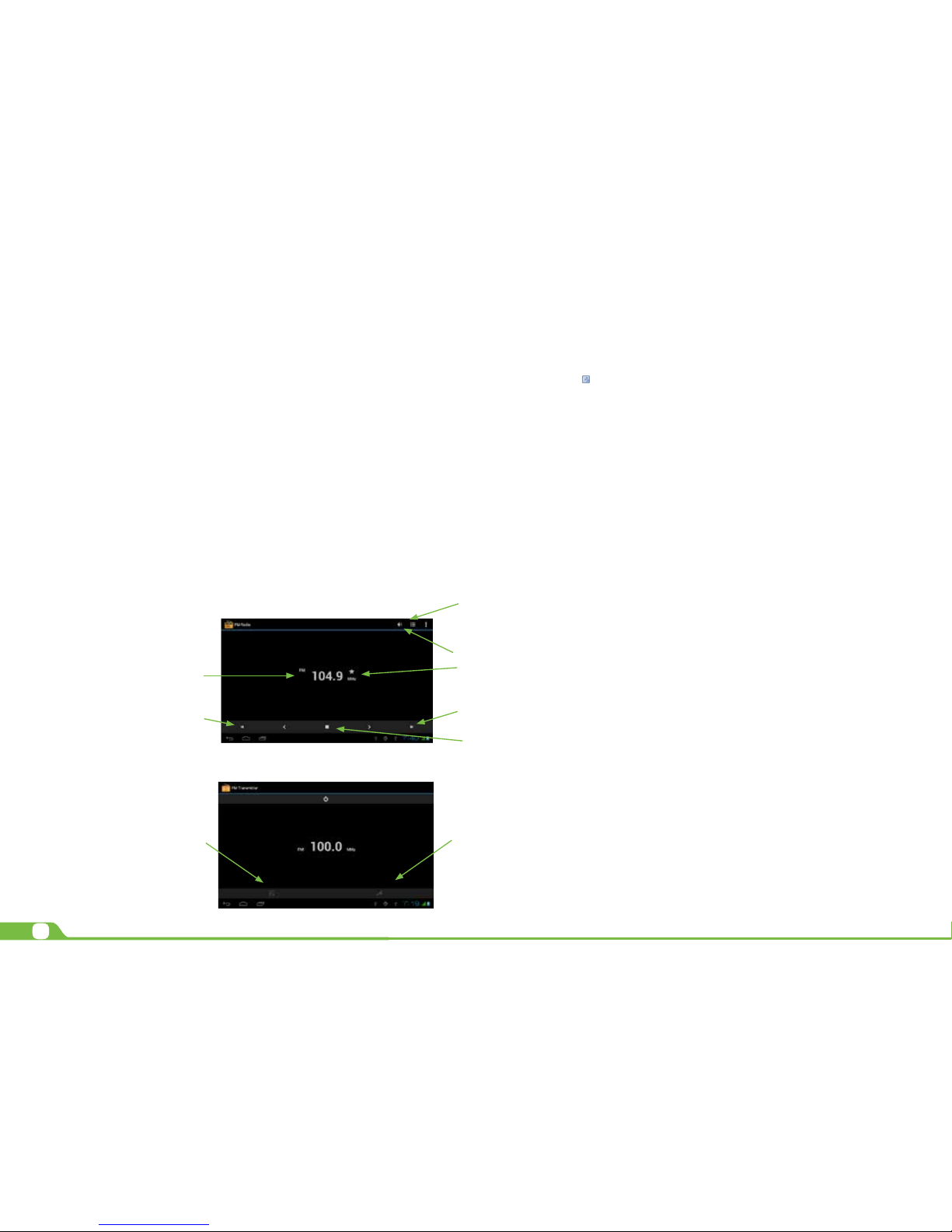
6.6. FM radio (Headphone required as antenna)
1. Click Setting application procedure.
2. Click FM transmitter.
3. Operate as below picture.
CHAPTER 7 Settings
The icon
gives you access to a host of customizable features that each user can
congure based on his/her own individual preferences. The most frequently used features
will be explained below. Please refer to the manual in our website for a complete description
of all settings.
7.1. Wireless and networks
• Wi-Fi: turn on Wi-Fi so you can see a list of available wireless networks
to connect to.
• Data usage: measure the data used in a certain period of time.
• Airplane mode: enable or disable this mode if you are in an area where no
electronic devices are allowed.
• VPN (Virtual Private Network): connect to a VPN to access resources inside
a secur e local netwo rk, from outside that network. To select this option, you
should rst choose a lock screen PIN or password.
• Portable hotspot: congure a portable Wi-Fi spot in order to share your
phone’s network data connections.
• Wi-Fi direct: see a list of available networks to set up a peer-to-peer
connectivity.
• Mobile network: tap to enable access to data access, roaming data, use of
3G networks to save battery or to select network operators.
7.2. 3G Internet
1. Turn o the device and plug in 3G card.
2. Turn on the device.
3. Unlock to enter into system, make sure the MID can search signal.
(Note: 3G internet can’t be used with wi internet at the same time, the system is defaulted to use Wi internet. If you wish to use 3G internet, please turn o wi internet.)
7.3. GPS Navigation
Map of the third parties is required for MID internal GPS satellite signal receiver positioning, after installation the device can accurately implement trac real-time navigation,
meet the needs of outdoor navigation.
7.4. Device settings
• Sound: select the volume for music, video, games and other media,
ringtones, notications and alarms
• Display: select brightness, wallpaper, the autorotate option, sleep, font size,
screen adaption.
• Storage: monitor the used and available space on your phone’s internal
Play/Pause
Previous
Channel
Next Channel
Save Button
Open Speaker
Channel List
Current Fre
-
quency
Manual Setting
Frequency
Auto Search
Vacant
Channels
Page 6
6
User Manual
storage and on the card.
• Battery: monitor the battery used when the phone is idle, by the display
and backlight and by the app.
• Apps: see all the applications that have been downloaded, that are
located on the SD card, the applications that are currently running or to
view all of them.
7.5. Personal settings
• Accounts and synchronization: add, remove and manage your Google and other
accounts.
• Location and services: enable Google’s location service or Location and Google
search to let apps use data from sources such as Wi-Fi and mobile networks to
determine your approximate location or to let Google use your location to improve
search and other services.
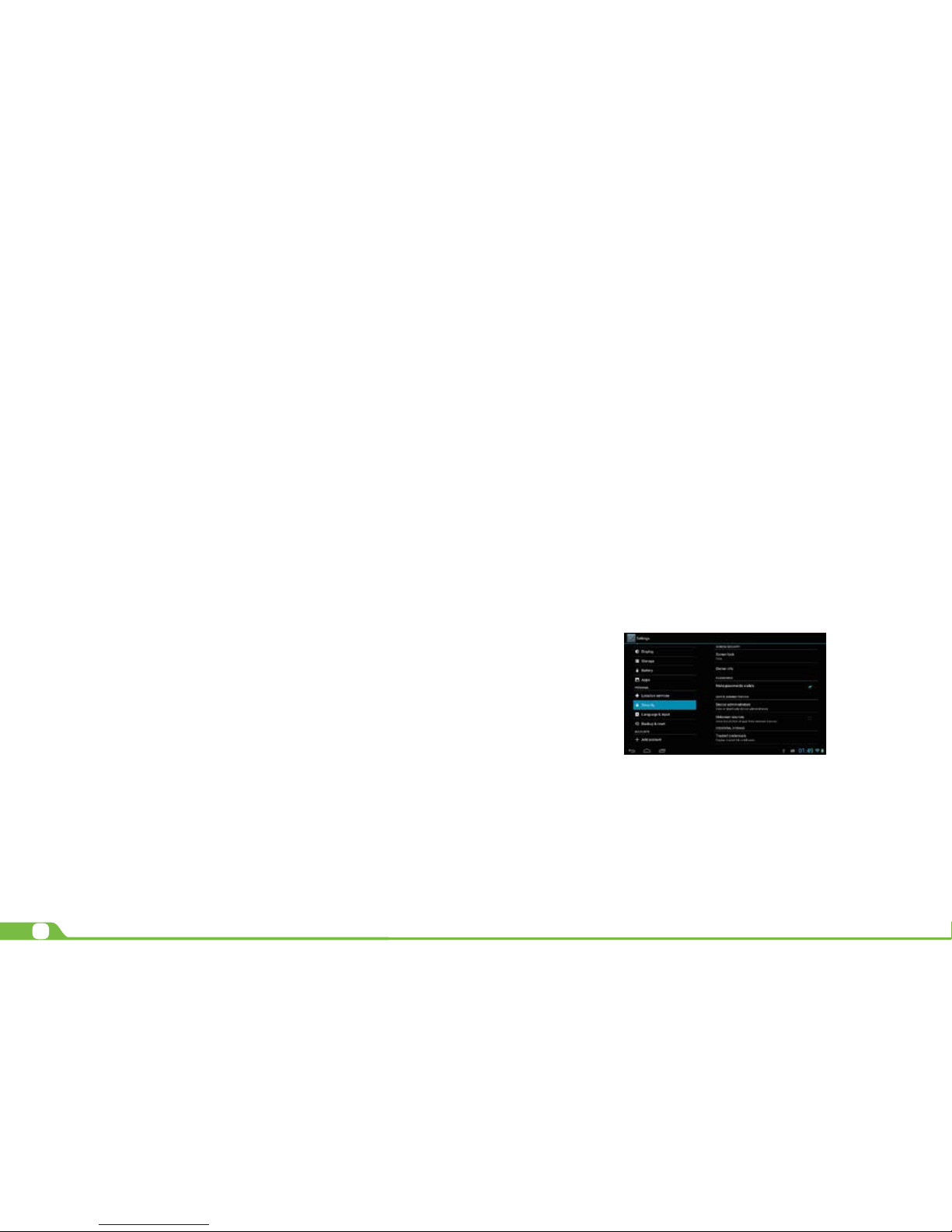
• Security: manage screen security, passwords, device administrators and
credential storage. (See Chapter 8)
Language and input: • Use the Language & Input settings to select the language
you want to work with on your phone.
• From this menu, the user can congure the onscreen keyboard
and other input methods. It is also possible to add or remove words
that have been stored in the Personal dictionary.
Backup and reset: • enable or disable this setting to restore and backup data,
passwords. (See 8.1)
7.6. System settings
Set the date and time, accessibility plug-ins, developer options and view information
about your Phone such as system updates, Status, Legal information, Android version and
more.
• Date and time: check this option to allow the network to provide the time
and date.
• Accessibility: adjust font size, enable auto-rotate screen, and speak
passwords and other settings.
• Developer options: tap to enable the debug mode when the USB is
connected, to enable the Stay awake mode, to allow mock locations
and other options.
• User interface: tap to select options such as Flash screen when applica
tions do long operations, to show visual feedback for touches, to ash
areas of the screen when they update.
• Applications: enable the option to destroy every activity as soon as
the user leaves it, to limit background processes or to show that Apps
not responding dialog for background apps.
7.7. About Phone
Information about the phone: tap for system updates, to see the status of the battery, to
access legal information about the Phone, to the model number, the Android version, the
kernel version, the baseband version and the build number.
CHAPTER 8 Security settings
Protect your phone and the privacy of your personal information by locking the screen or
using data encryption methods.
1. To secure the screen go to Applications, select Security, followed by Screen security.
Pick any of the ve locking options included in the menu to unlock the screen:
• None: slide the lock interface and slide your nger to the right
• Slide: tap the lock interface and slide it to the
• Pattern: draw a pattern to lock the screen
• PIN: set up a personal identication number to unlock the screen
• Password: enter a passphrase to unlock the screen
2. Encrypt phone: to further secure your device, choose this option and follow the onscreen instructions to complete the process.
3. Make passwords visible: tap to see the passwords as you set them.
4. Device administration: tap to view or deactivate device administrators or to allow instal-
lation of apps from unknown sources
5. Credential storage: credentials are used to establish some kinds of VPN and Wi-Fi
connections. If you require a certicate to log on to certain networks, you should rst
obtain it and store it in your phone’s secure location or memory card
before you can
congure access to those networks.
CHAPTER 9 Back-up and reset
You can backup settings and other data associated with one or more of your Google
accounts. If you need to replace or factory reset your device, you can restore your data
for any accounts that were previously backed up.
To view these settings:
1. From a Home or All Apps screen, touch the Settings icon
2. Under that, you will see several options such as Backup my data, Automatic restore,
Factory data reset or System upgrade, touch Backup & reset.
Page 7

7
User Manual
CHAPTER 10 Make and Answer Calls
Directly make a call: On the home screen or in the All Apps screen, touch the
button to display the dialing keypad. Touch the numeric buttons to input the
telephone number and touch the button to make the call.
Make the call from Contacts: On the home screen or in the All Apps screen, touch the
icon, touch the desired contact and touch the phone number to dial it.
Make the call from Call log: On the home screen or in the All Apps screen,touch the
button, notice the three tabs at the top of the phone, the call log tab shows recent calls.
Touch the phone icon in a call log to return it.
Dial from Messaging:
1. On the home screen or in the All Apps screen, touch the Messaging icon
2. Select and open one message or conversation.
3. Touch the icon at the top of the phone to dial.
Answer a call: Your phone will ring or vibrate (depends on the current mode and settings)
upon an incoming call.
• Slide the icon from middle to right to answer the call.
• If the earphone is inserted, press the key on the earphone to answer the call.
Reject a call: Slide the icon from middle to left to reject the call.
End a call: Touch the button to hang up the call.
Adjust the volume: In a call, you can raise or lower the volume by using the volume keys.
Turn the speaker on or o: In a call, touch the button to turn on the speaker, and touch
it again to turn o speaker.
Add one call: In a call, touch the button then dial a number and touch the phone icon
to add one call and put the current caller on hold. This function requires the support of the
network operator.
Open the dialing keypad: In a call, you can touch the button to open the dialing keypad to input additional numbers.
CHAPTER 11 Contacts
You can place calls from the Phone app , the People app , or other apps or widgets
that display contact information. Wherever you see a phone number, you can usually
touch it to dial.
The contacts interface can be divided into the following tab pages:
• Caller groups: Groups of callers you have created.
• Contacts: View the list of contacts.
• Favorites: Display the numbers you usually call.
All of your contacts are displayed alphabetically in a scrollable list. You can slide your
nger up or down to scroll quickly.
Add new contact:
1. In People, touch the add contacts icon at the bottom right hand corner of the screen.
2. Select a memory location.
3. Input all contact information. Slide up to move to the next eld or touch Next.
4. Touch the icon to save your contact.
Delete contacts:
1. In People, touch the Menu keyand then select Delete contact.
2. Touch the contacts you want to delete, then select OK.
Edit contact details:
1. In People, touch the contact whose details you want to edit.
2. Touch the Menu key and then select Edit.
3. Edit the contact information.
Search contacts:
1. In People, touch the
icon.
2. Type a key word of a contact name. The phone will automatically list all matched contacts.
Add a contact to Favorites: You can tap the contact you want to add to favorites in the
contact interface, and then touch in the upper right corner to add it to Favorites directly.
You can only add the contacts stored on the phone to the Favorites.
Create a group of contacts: By creating groups of contacts, you can manage multiple
contacts and send a message to an entire group.
1. In People, touch the tab.
2. Touch the icon at the bottom of the screen.
3. Select a memory location.
4. Enter the group’s name and type the person’s name or touch icon to select the contacts you want to add to the group, then touch .
5. Press the Menu key then touch Edit to add members to the group.
6. Touch .
Accounts
You can synchronize contacts information to your phone from multiple GoogleTM Accounts, Microsoft Exchange ActiveSync accounts or other kinds of accounts, depending on
the applications installed on your phone.
In People, touch the Menu key and then select Accounts.
Import/Export contacts:
1. In People, touch the Menukey to select Import/export.
2. You can select your Google account, your SIM Card, Phone contact, Phone storage and
SD Card.
Share a contact: You can share a contact with someone.
1. In People, tap the contact you want to share.
2. Touch the Menukey and then touch Share.
3. Select application with which to share (Bluetooth®, Email, Gmail, MMS, SMS and SD
Card).
CHAPTER 12 Messaging
In Messaging, you can send or receive text messages and multimedia messages.
On the home screen or in the All Apps screen, touch the Messaging icon to open.
Send messages:
1. In Messaging, touch the icon.
2. Input your desired telephone number in Type name or number.
Page 8

8
User Manual
You can also touch the button to select contacts you want to send message from the
People and then touch OK.
3. You can touch the icon attach pictures, videos or audio le and the phone will convert
the message to a multimedia message.
4. Input some text in Typetext message. You can touch the Menu key to select:
• Addsubject: Add a message subject.
• Insertquick text: Insert a quick text.
• Insert contact: Insert contact information.
5. After that, touch the icon to send the message.
APPENDIX 1 Specications
*Please note duration times vary depending on usage patterns and conditions. Battery
power consumption depends on factors, such as network conguration, signal strength,
operating temperature, features selected, backlight settings, browser, data use, and other
application usage patterns.
APPENDIX 2 Troubleshooting checklist
1. You are unable to turn on your device
• Replace the battery
• Connect the adaptor and then check again
• If, after charging the device, you are still unable to turn it o, contact
the dealer immediately.
2. Your phone has poor wireless reception
• You may be in an area near tall buildings or in a basement.
• There might be a lot of network congestion in that area.
3. You are unable to charge your device
• Replace the battery
• Your phone may be consuming a lot of battery power and reducing
standby time.
• Turn o the phone temporarily
4. The operating speed of the phone is very slow
• Close applications or programs that you are not using, since they
use memory thus, aecting the speed at which the phone is working.
Closing applications
• Tap Settings, go to Device and select Apps.
• You will see the applications that are running.
• Tap the application or program you want to close.
• A window will pop up to conrm whether you want to Force stop or
Uninstall it.
• Tap the action you want to perform.
5. Your phone is not working properly
• Perform a forced shutdown: press and hold the Power button for 7
seconds to turn o the phone by force. Then, turn it on again and see
if that has solved the problem.
• Factory data reset: to restore the factory settings and erase all data,
go to Settings, then Personal followed by Personal data and Fac tory
data reset.
Note: After resetting the phone, all the settings that you have congured and applications that you may have downloaded will be erased.
APPENDIX 3 FCC Statement
This equipment has been tested and found to comply with the limits for a Class B digital
device, pursuant to part 15 of the FCC Rules. These limits are designed to provide
reasonable protection against harmful interference in a residential installation. This
equipment generates, uses and can radiate radio frequency energy and, if not installed
and used in accordance with the instructions, may cause harmful interference to radio
communications. However, there is no guarantee that interference will not occur in a
particular installation. If this equipment does cause harmful interference to radio or
television reception, which can be determined by turning the equipment o and on,
the user is encouraged to try to correct the interference by one or more of the following
General
Processor
Operating system
Charging jack
Power Input
DualCore ARM Cortex A7 1.2GHz
Android™ 4.4
Micro USB port
AC100-240V
Size
Dimensions
Weight
148.2 x 74 x 8.8mm
155gr
Display
Type
Size
Resolution
IPS Capacitive multitouch screen
5 inches
FWVGA 854x480 High Resolution
Music and audio
Audible notications
Speaker
Earphone jack
Record
Music player
Ringtones and feedback sounds
Yes
Yes, 3.5 mm
Built-in microphone
Supports MP3, WMA, MP2, OGG, AAC, M4A, FLAC,
APE., 3GP, WAV formats
Camera
Type Camera and camcorder
(0.3MP Front/5MP Back)
Video player
Supports AVI; RM, RMBV; MKV; WMV, MOV; MP4, FLV, ASF, TS,
TP, 3GP, MPG formats
Memory
Internal
Expandable
RAM: integrated 1GB DD2 ROM: 8.0 GB
Supports up to 32 GB with micro SD card slot
Battery*
Type and capacity
Video playback time
Audio playback time
Standby time
Li-ion battery, 1,800 mAh
5 hours max.
9 hours max
Up to 5 days
Highlights
Wi-Fi
Speed
Bluetooth
Sensor
Languages
Mobile Technologie
GPS
Supports 802.11 b/g/n
Up to 150 Mbps
Yes 4.0
360 degree, 12-bit, proximity, light and G sensor
Multilingual
(GSM 850/900/1800/1900) (WCDMA 850/1900)
Yes
Other
Warranty
Certifications
1-year limited
FCC
Page 9
9
User Manual
measures:
• Reorient or relocate the receiving antenna.
• Increase the separation between the equipment and receiver.
• Connect the equipment into an outlet on a circuit dierent from that to
which the receiver is connected.
• Consult the dealer or an experienced radio/TV technician for help.
Copyright statement
Reproduction of this manual or any part thereof is forbidden without written consent from
QUO.
1 Year Limited Warranty
 Loading...