

Page 1
Rev. 1.0
Firmware version 1.10
Page 2

Page 3

ii
1 Contents
1 General Description ................................................................................. 1
1.1 Specification...................................................................................... 1
1.2 Pyxis EM-400 Major Features ........................................................... 1
1.3 Unpacking the Instrument ............................................................... 2
1.4 Standard Accessories ........................................................................ 2
1.5 Optional Accessories ......................................................................... 2
1.6 Light Shield Cover ............................................................................. 2
2 Start Pyxis EM-400 ................................................................................... 3
2.1 Battery Installation ........................................................................... 3
2.2 Description of the Control Keys ........................................................ 4
2.3 Turning On/Off Pyxis EM-400 ........................................................... 4
3 CHLOROPHYLL-A Measurement ............................................................... 5
3.1 Measurement ................................................................................... 5
3.2 High Color and Turbidity Warning .................................................... 5
4 Calibration ................................................................................................ 6
5 Device Information and Diagnosis ........................................................... 9
6 Wireless Connection .............................................................................. 10
Page 4

iii
Confidentiality
The information contained in this manual may be confidential and proprietary and is
the property of Pyxis Lab Inc. Information disclosed herein shall not be used to
manufacture, construct, or otherwise reproduce the goods disclosed herein. The
information disclosed herein shall not be disclosed to others or made public in any
manner without the express written consent of Pyxis Lab Inc.
Standard Limited Warranty
Pyxis Lab warrants its products for defects in materials and workmanship. Pyxis Lab
will, at its option, repair or replace instrument components that prove to be defective
with new or remanufactured components (i.e., equivalent to new). The warranty set
forth is exclusive and no other warranty, whether written or oral, is expressed or
implied.
Warranty Term
The Pyxis warranty term is thirteen (13) months ex-works. In no event shall the
standard limited warranty coverage extend beyond thirteen (13) months from original
shipment date.
Warranty Service
Damaged or dysfunctional instruments may be returned to Pyxis for repair or
replacement. In some instances, replacement instruments may be available for short
duration loan or lease.
Pyxis warrants that any labor services provided shall conform to the reasonable
standards of technical competency and performance effective at the time of delivery.
All service interventions are to be reviewed and authorized as correct and complete at
the completion of the service by a customer representative, or designate. Pyxis
warrants these services for 30 days after the authorization and will correct any
qualifying deficiency in labor provided that the labor service deficiency is exactly
related to the originating event. No other remedy, other than the provision of labor
services, may be applicable.
Repair components (parts and materials), but not consumables, provided in the
course of a repair, or purchased individually, are warranted for 90 days ex-works for
materials and workmanship. In no event will the incorporation of a warranted repair
component into an instrument extend the whole instrument’s warranty beyond its
original term.
Shipping
A Repair Authorization Number (RA) must be obtained from the Technical Support
([email protected]) before any product can be returned to the factory. Pyxis will
pay freight charges to ship replacement or repaired products to the customer. The
customer shall pay freight charges for returning products to Pyxis. Any product
returned to the factory without an RA number will be returned to the customer.
Page 5
1
1 General Description
1.1 Specification
Measurement Range
0.3-100 ppb (In-vivo Chlorophyll-a)
[1]
Excitation Wavelength
470 nm LED
Emission Wavelength
675 nm
Wavelength Accuracy
±1 nm
Detection Limit
0.3 ppb
Accuracy
±2% or ±4.0 ppb
Battery
9V alkaline battery
Typical Battery Life
3200 readings (480mAh battery)
Display
320x240 TFT-LCD, visible under direct
sunlight
Dimension
L160 W74 H33 (mm)
Weight
310g (without battery)
Temperature Range
40 to 106 ℉ (4 to 41 ℃)
Humidity
85% at 106 ℉ (41 ℃)
Environmental
IP67, dustproof and waterproof
[1] The detection range can be customized according to the user requirement.
1.2 Pyxis EM-400 Major Features
The Pyxis EM-400 analyzer measures the in-vivo chlorophyll-a concentration in live
algae cells. Chlorophyll a is the main photosynthetic pigments of algae. Chlorophyll a
measurement can be used to assess algal biomass. Main features include:
.
The EM-400 is pre-calibrated with using a live algae sample. The fluorescence
chlorophyll-a measurement is automatically compensated for sample color and
turbidity interference.
EM-400 can be calibrated using a water sample with known chlorophyll-a
concentration or a simulated 470/675 (Ex/Em) fluorescent sample through a userfriendly menu-driven procedure.
No sample cuvette is needed and variations associated with the cuvette is
eliminated.
Large color graphic screen that can be read in direct sunlight.
Page 6
2
1.3 Unpacking the Instrument
Remove the instrument and accessories from the shipping container and inspect each
item for any damage that may have occurred during shipping. Verify that all items
listed on the packing slip are included. If any items are missing or damaged, please
contact Pyxis Customer Service at [email protected].
1.4 Standard Accessories
Quick instruction guide
9V alkaline battery
Full instrument manual is available from www.pyxis-lab.com
1.5 Optional Accessories
Carrying case for EM-400
100 ppb simulated CHLOROPHYLL-A calibration standard
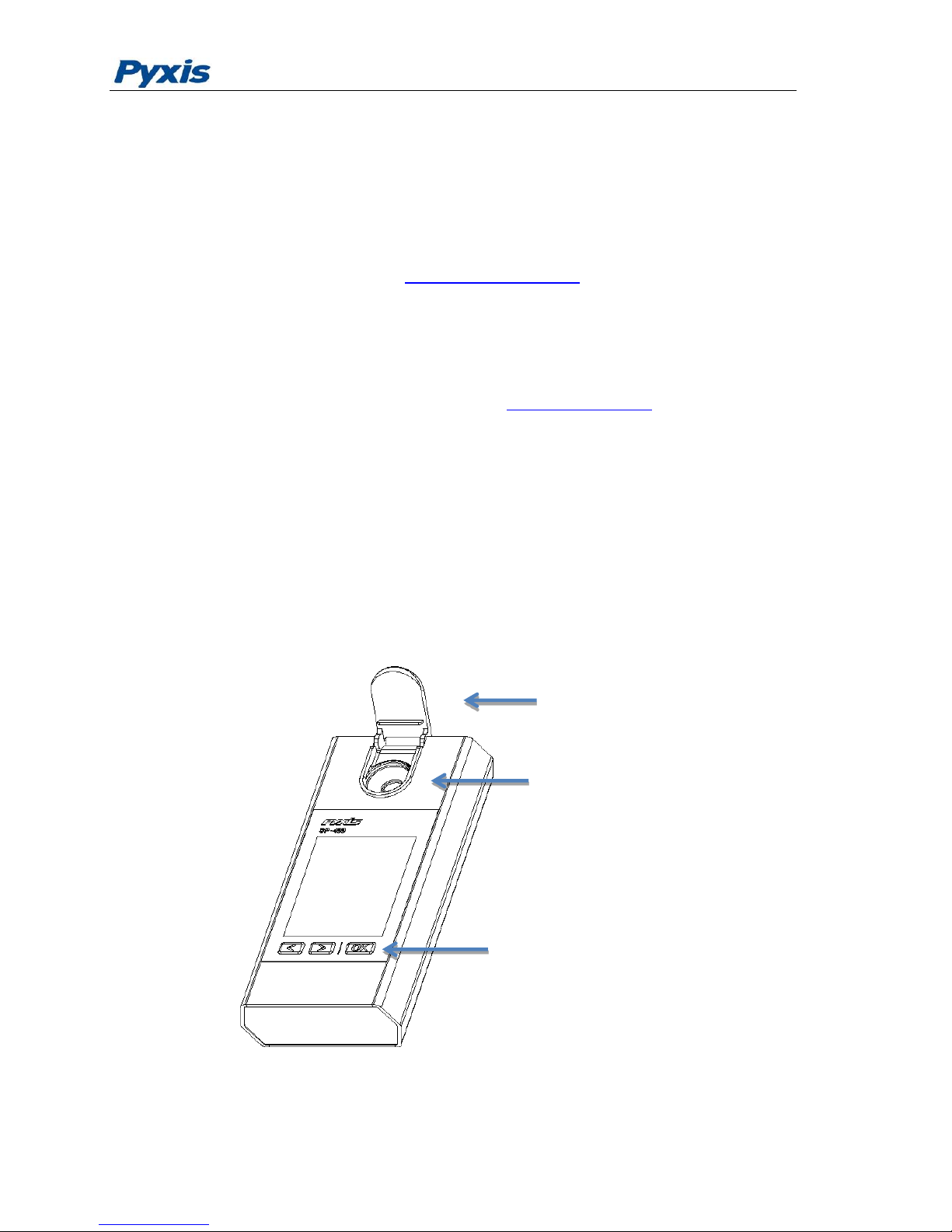
1.6 Light Shield Cover
The light shield cover is shown in Figure 1. It should be in the closed position during
CHLOROPHYLL-A measurement.
Figure 1 Light Shield in the Open Position
Light Shield
Three keys
Measurement Cell
Page 7
3
2 Start Pyxis EM-400
2.1 Battery Installation
The EM-400 is powered by a 9-volt alkaline battery. Do not use rechargeable nickel
cadmium (NiCad) or lithium batteries. A typical 9V battery lasts for two months and
enables about 3000 measurements. When the battery capacity is critically low, the
EM-400 will display a LOW BATTERY warning for 5 seconds and then automatically
turn off.
Replace the battery to resume operation of the EM-400 after the battery warning. The
EM-400 will automatically turn on in the measurement mode after new battery
installation.
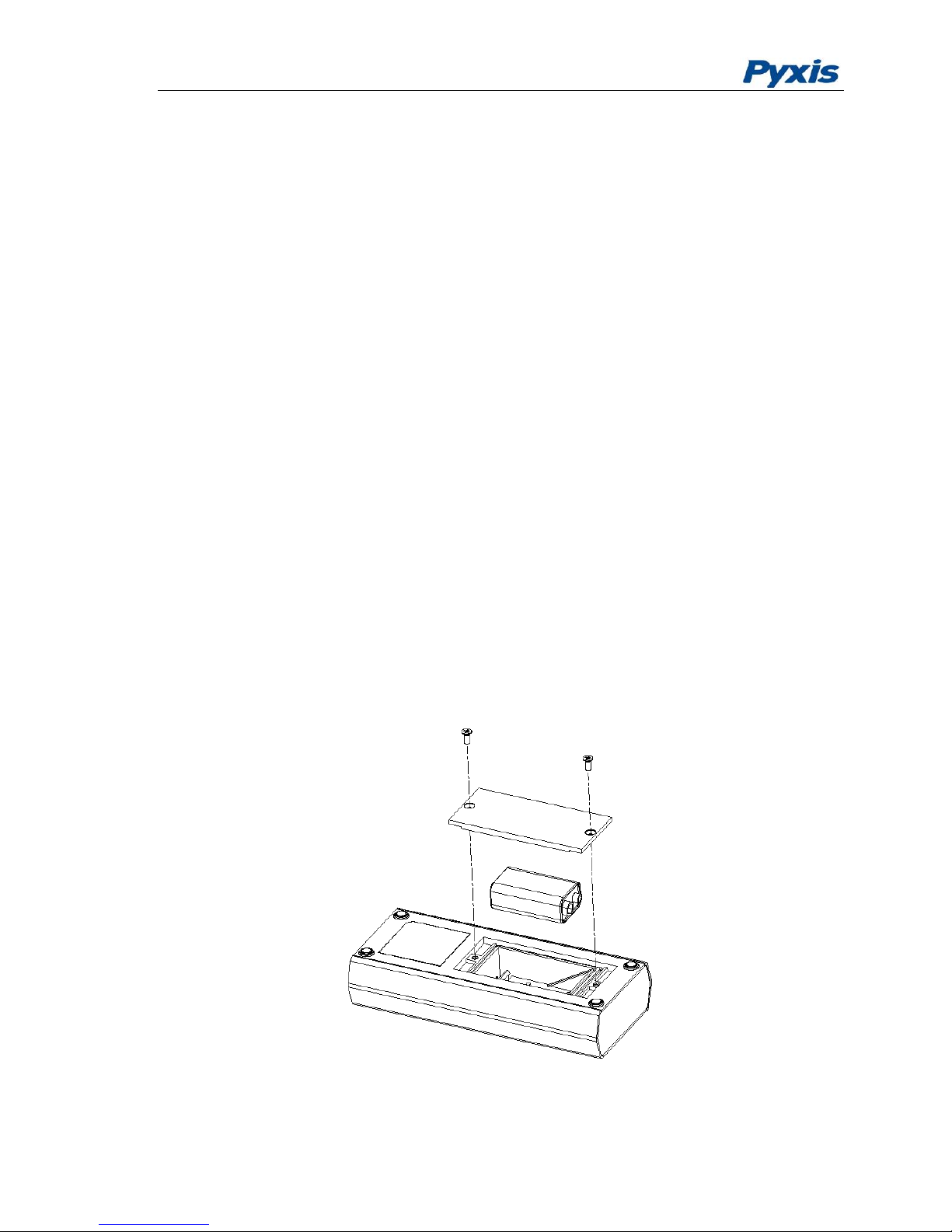
The EM-400 battery compartment, shown in Figure 2, is on the back side of the
instrument.
Install battery as follows:
1. Remove the battery compartment cover by loosening two screws.
2. Make sure that the smaller circular terminal (positive) of the battery is aligned with
the hexagonal socket (positive) of the battery holder and the hexagonal socket
(negative) of the battery with the circular terminal of the holder. Snap the battery
firmly into the battery holder.
3. Replace the battery compartment cover, making sure that the sealing O-ring is
lying flat on the battery holder. To prevent the EM-400 from accidently being
turned on due to vibration, please firmly tighten the two screws.
Figure 2 Install Battery
Page 8
4
2.2 Description of the Control Keys
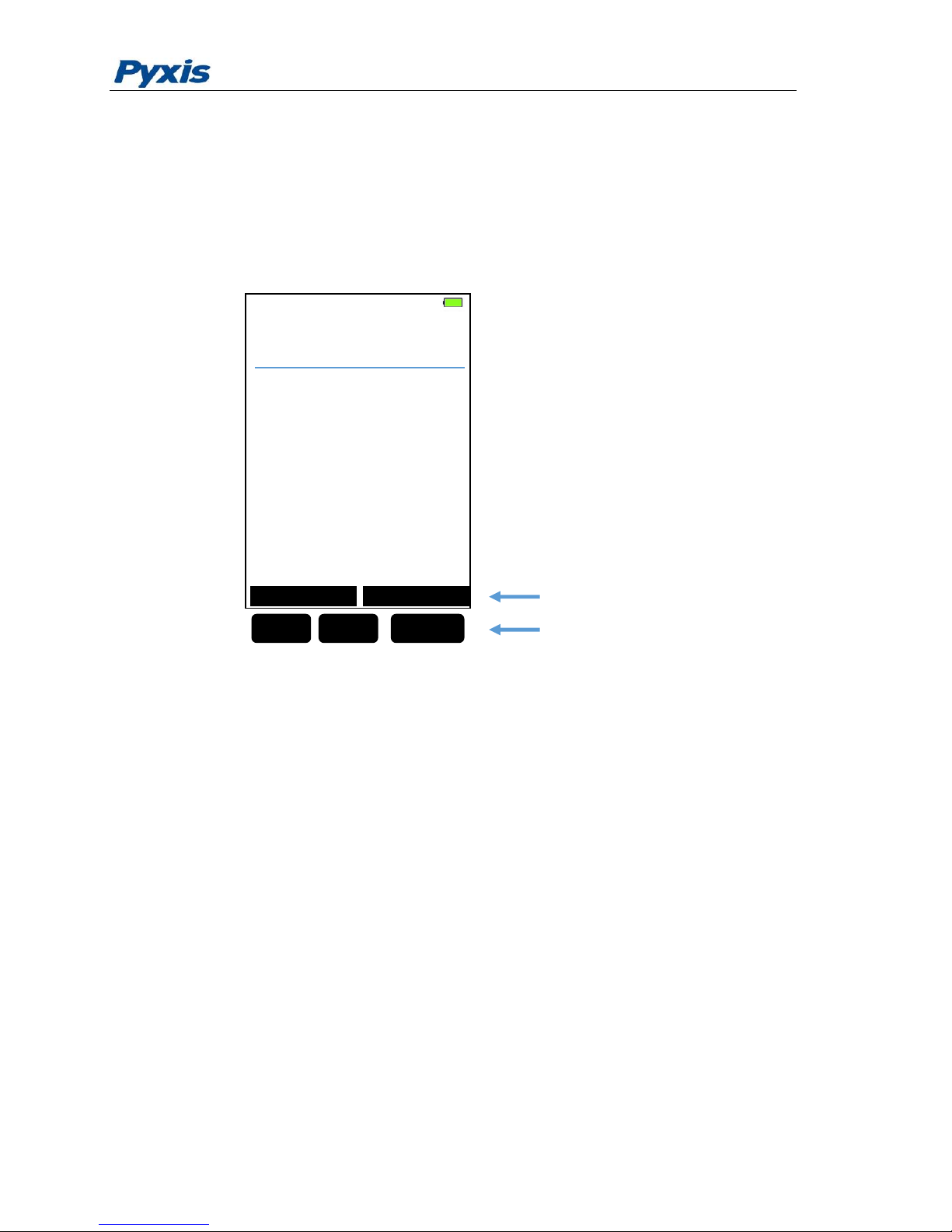
The EM-400 has three keys as shown in Figure 1. The left (<), right (>) and OK keys
are used to launch an action indicated on the screen directly above the keys. Please
note that the screen is not a tough screen. The labels above the keys indicate the
function associated with the keys and can change according to the screen modes.
Figure 3 Keys and associated functions
2.3 Turning On/Off Pyxis EM-400
To turn on the EM-400, press OK momentarily and release.
To turn off the EM-400, press and hold the OK key. Release the OK key when the LCD
display turns off (after about 3 seconds). The EM-400 will turn itself off after 60
seconds without user interaction through the keys.
>
<
OK
Key Functions
Keys
MEASUREMENT
Chlorophyll a
Calibration
Info
100.0
ppb
Page 9

5
3 CHLOROPHYLL-A Measurement
3.1 Measurement
When powered on, the EM-400 will be in the measurement (read) mode (see figure
3).
The water sample can be transferred to the measurement cell using a pipette or filled
directly from a faucet, sample bottle, or sample valve.
The light shield should be in the closed position in order to measure CHLOROPHYLL-A.
Allow 5 seconds for the EM-400 to reach stable CHLOROPHYLL-A readings. For a
sample containing 100 ppb CHLOROPHYLL-A, the measured CHLOROPHYLL-A should
be stabilized within the range of 98 to 102 ppb.
The EM-400 does not need to be turned off between measurements of two samples.
Rinsing the measurement cell several times is recommended.
3.2 High Color and Turbidity Warning
The EM-400 has extra channels to measure sample turbidity and color to
automatically compensate sample color and turbidity interference. If sample turbidity
and color values determined are too high, a CHLOROPHYLL-A measurement warning
will be displayed. In such a case, the user should dilute the sample for CHLOROPHYLLA measurement.
Page 10
6
4 Calibration
The EM-400 fluorimeter was calibrated using a laboratory cultured live algae sample.
The chlorophyll-a concentration in the standard sample was determined by the
standard extraction and spectrophometry procedure. Since chlorophyll-a in different
algae species has different fluorescent properties, the user must calibrate EM-400
with the real sample under investigation in order to measure an absolute (versus
relative) algae concentration. The chlorophyll-a concentration in the real sample can
be determined with the extraction method.
Alternatively, EM-400 can be calibrated with using a simulated standard. The
standard does not contain live algae. Instead, the standard contains a fluorophore
that emits a 675 nm fluorescence when it is excited by a 470 nm light. This calibration
ensures that any change in fluorescent signal strength caused by drift in electronics or
in optics is eliminated.
Calibration Process as follows:
1. Rinse sample cell with DI water three times. Fill the sample with DI water near
full and close the light shield. In emergency, “non-chlorophyll-a” water, such as
city water, may be used, but re-calibrate using DI water for the zero set step as
soon as it is available.
2. Power on by a press of OK key. Allow 5-10 seconds for meter to stabilize.
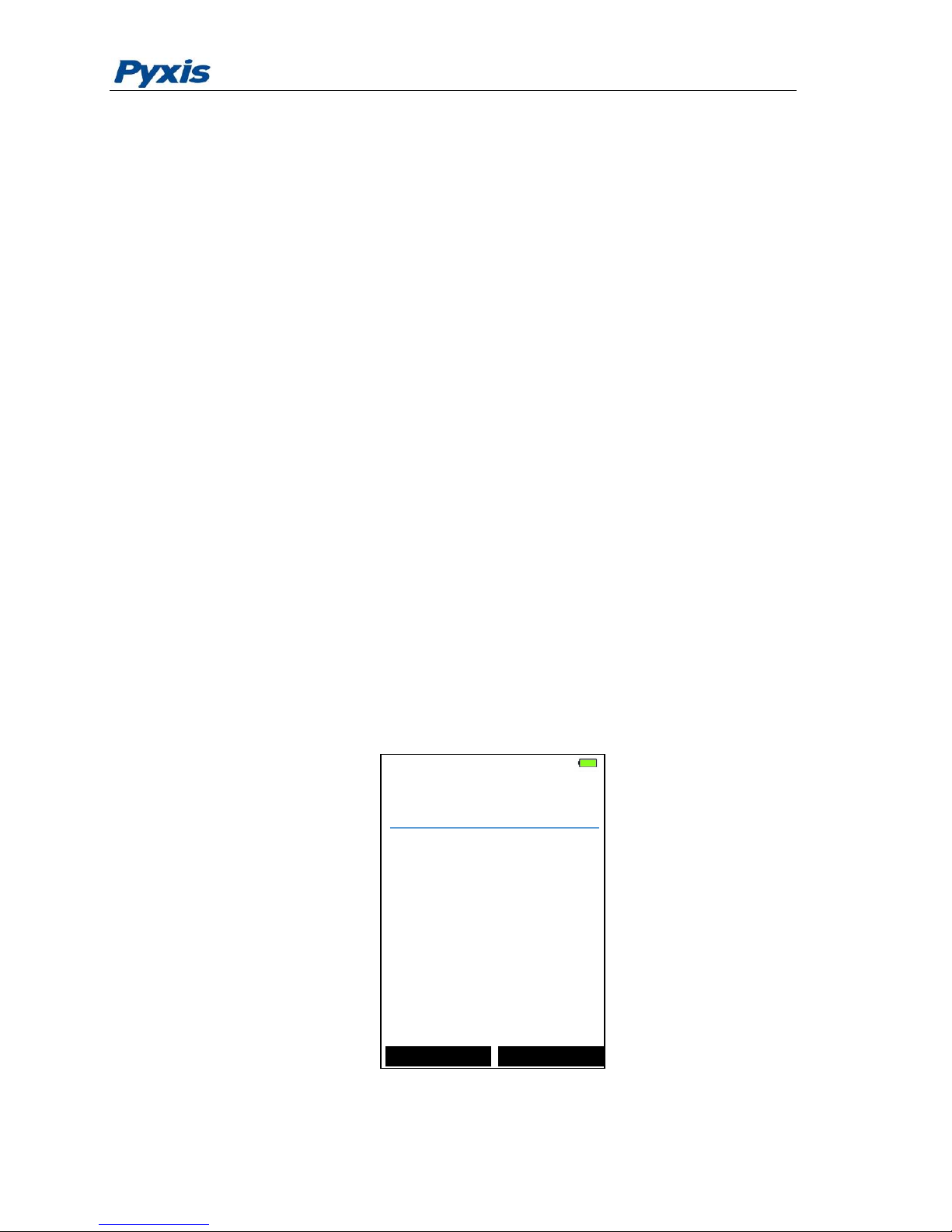
3. A Screen similar to Figure 4 appears. The value will be very low if DI water is
used; chlorophyll a should be near zero. A low non-zero value (e.g. 0.1 or 0.2,
etc.) is not problematic.
Figure 4
MEASUREMENT
Chlorophyll a
Calibration
Info
0.0
ppb
Page 11
7
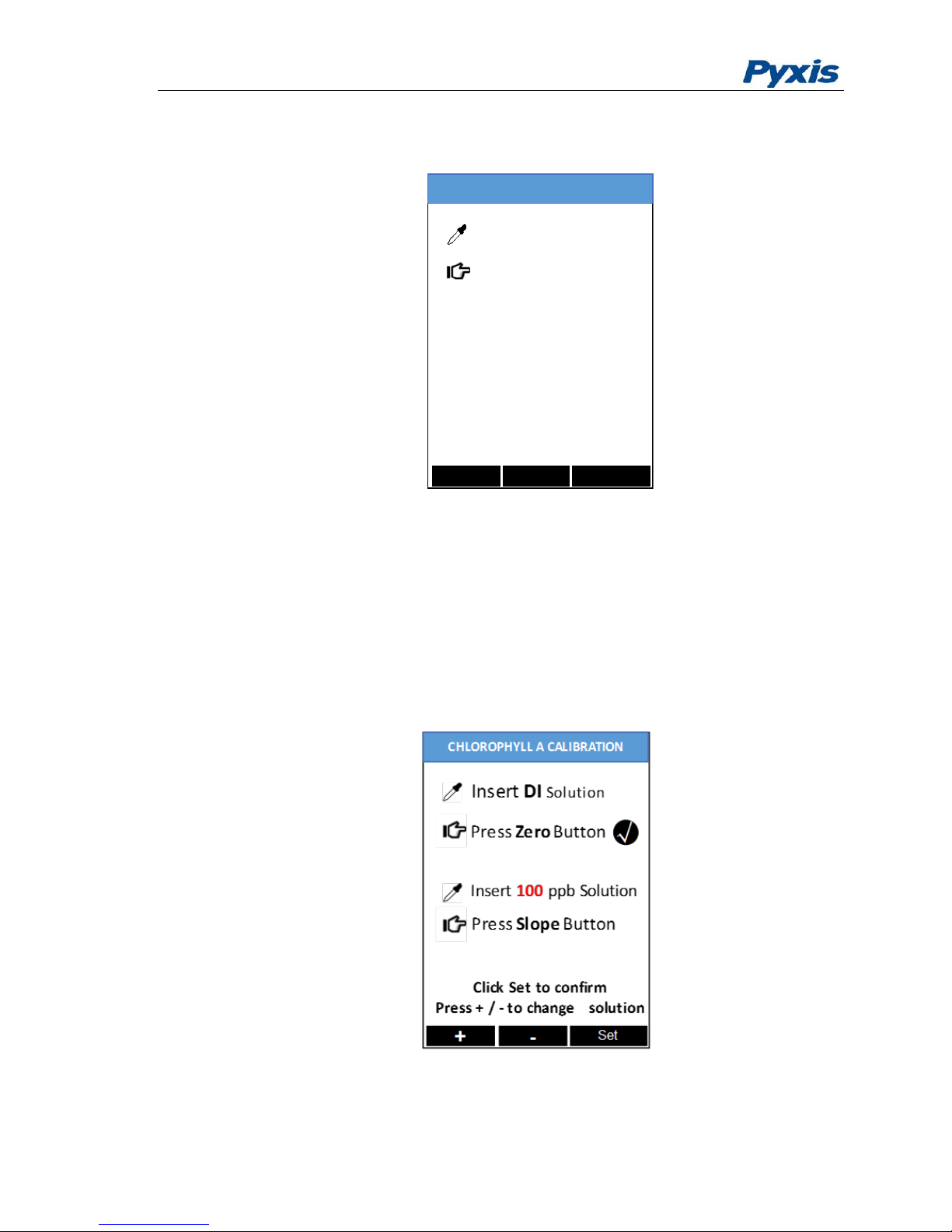
4. Press Calibration key (<).
5. Figure 5, the first screen of the CHLOROPHYLL-A calibration appears.
Figure 5
6. Press Zero labeled key (<) to set the zero point.
7. After successful zero set, a checkmark symbol will appear next to “Press Zero
Button” to confirm success. The screen will also update to show the Slope
steps, as in Figure 6. The Cycle command replaces Zero on the black bar and the
possible chlorophyll a selection is displayed in red. The default is 100 ppb. If the
displayed Target numeric value is not that desired, use the - and + labeled keys
(< or >) to adjust the value to that desired. Ensure the value selected matches
the standard actually present.
Figure 6
MEASUREMENT
Zero
Slope
Exit
CHLOROPHYLL A CALIBRATION
Insert DI Solution
Press Zero Button
Page 12
8
8. Rinse the sample cell out thoroughly (twice) with the desired chlorophyll a
standard and with the measurement cell near full, close the light shield. (If the
screen darkens, promptly press any key to re-set the timer for auto shutdown.
The key pressed does not perform its activity, only re-sets timer. The screen
then re-lights.)
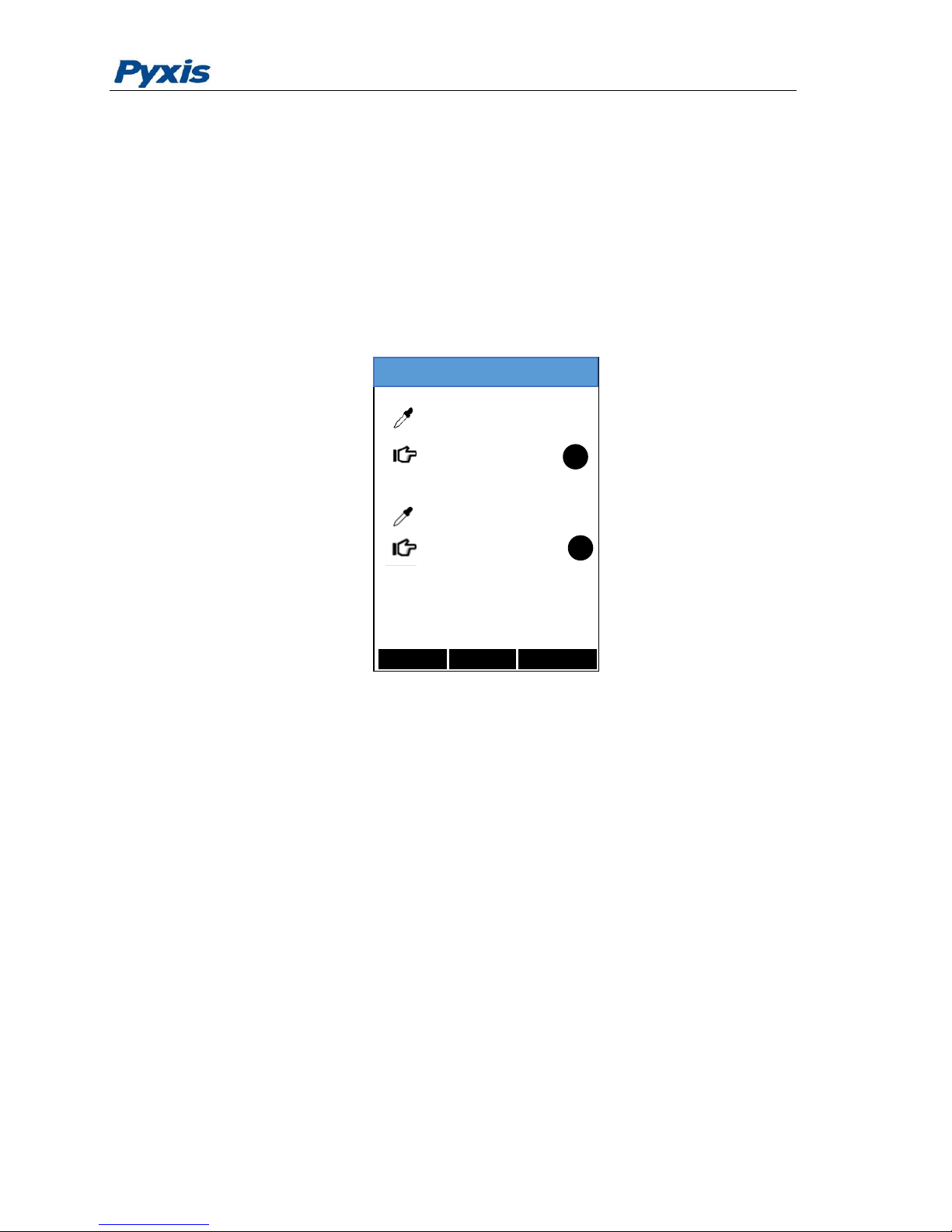
9. Press the Slope labeled key (>) to set the slope of the standard desired and
complete chlorophyll a calibration.
10. If calibration is successful, the message Calibration Succeed will appear, as in
figure 7.
Figure 7
11. Press the Exit labeled key (OK) to return to the basic read screen. The screen
will be similar to Figure 4. Slight variance in the chlorophyll a value is not
problematic. If Exit is done before the second checkmark appears, the
calibration will not be completed and must be re-done. After a successful
calibration, the unit does not automatically return to the read (Measurement)
mode. If Exit is held down too long the unit will power down rather than
returning to the read mode.
MEASUREMENT
Zero
Slope
Exit
CHLOROPHYLL A CALIBRATION
Insert DI Solution
Press Zero Button
Insert 100 ppb Solution
√
Press Slope Button
√
Calibration Succeed
Page 13
9
5 Device Information and Diagnosis
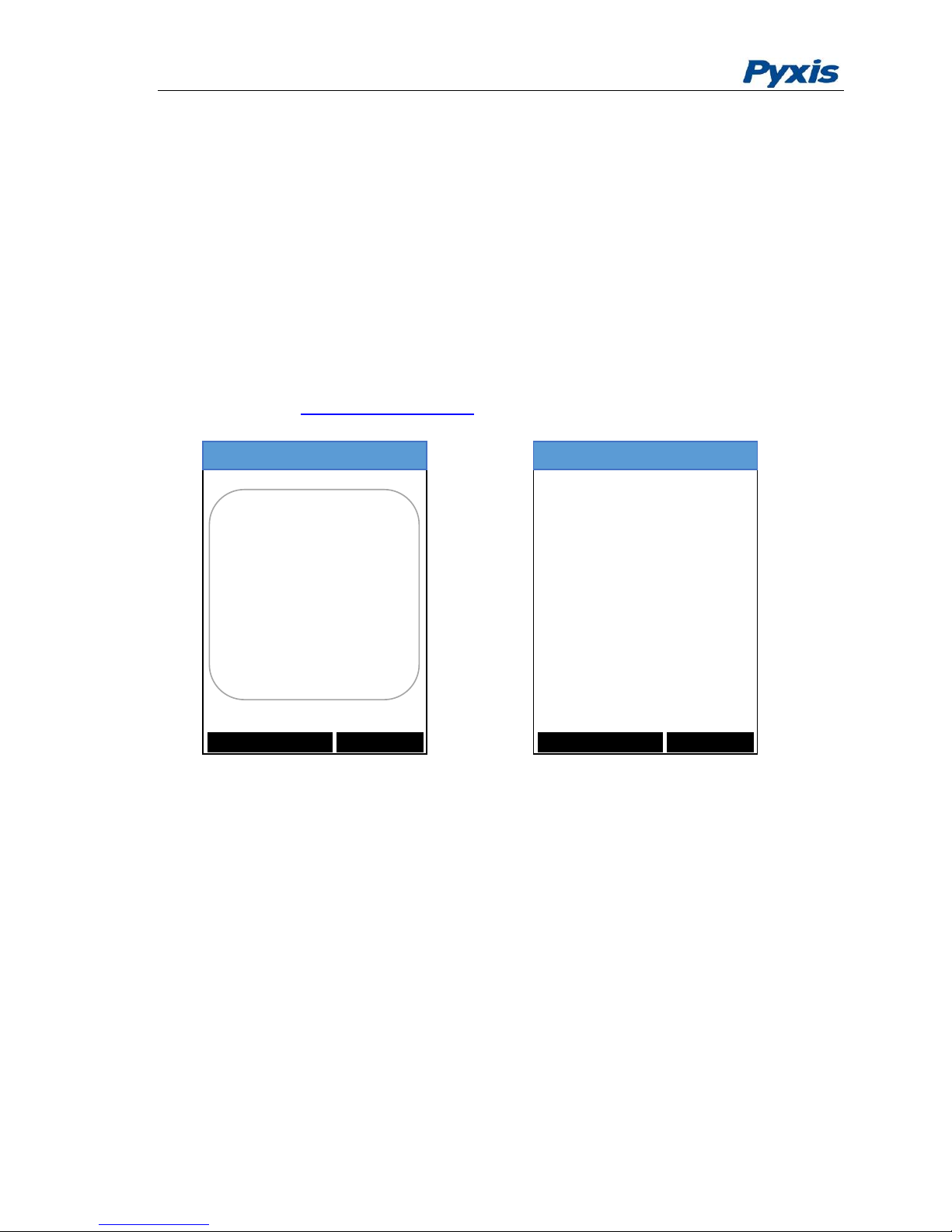
The device information is shown when the Info labeled OK key in the measurement mode
is pressed momentarily (Figure 3). The screen contains the device serial number, software
version, and hardware version (Figure 8). The battery life as a percentage and the
standard that were used in the last calibration are also shown.
Press the diagnosis labeled key to switch to the diagnosis screen where raw measurement
data are displayed (Figure 9). The information has no use for normal operation. Please
provide an image of both the device information screen and the diagnosis screen when
you contact Pyxis ([email protected]) for troubleshooting your device.
Figure 8 Figure 9
MEASUREMENT
Diagnosis
Exit
DEVICE INFORMATION
Serial Number 160868
Hardware Ver 3.0
Software Ver 1.2.1
Software Rev 480
Battery Satus 54%
WiFi SSID EM400-160868
Chlorophy Calib 10
MEASUREMENT
Factory Reset Exit
SYSTEM DIAGNOSIS
252 2054 19965 198830
[1] 56
[2] 7
[3] 1500
[4] 600
[5] 115
[10] 210
[11]
[12] 0.00
[6] 3366
[7] 912
[8] 2331
[9] 418
Page 14

10
6 Wireless Connection
The Pyxis EM-400 can be connected to a smart phone or a computer via WIFI or
Bluetooth for upgrading the device software. The EM-400 can be wirelessly paired
with other Pyxis devices for exchanging data. In the normal operation modes, the
wireless function is turned off. If you want to explore the EM-400 wireless functions,
please contact Pyxis Lab Inc. ([email protected])
 Loading...