

Page 1
Page 2
Page 3
Important Correct Operation & Application
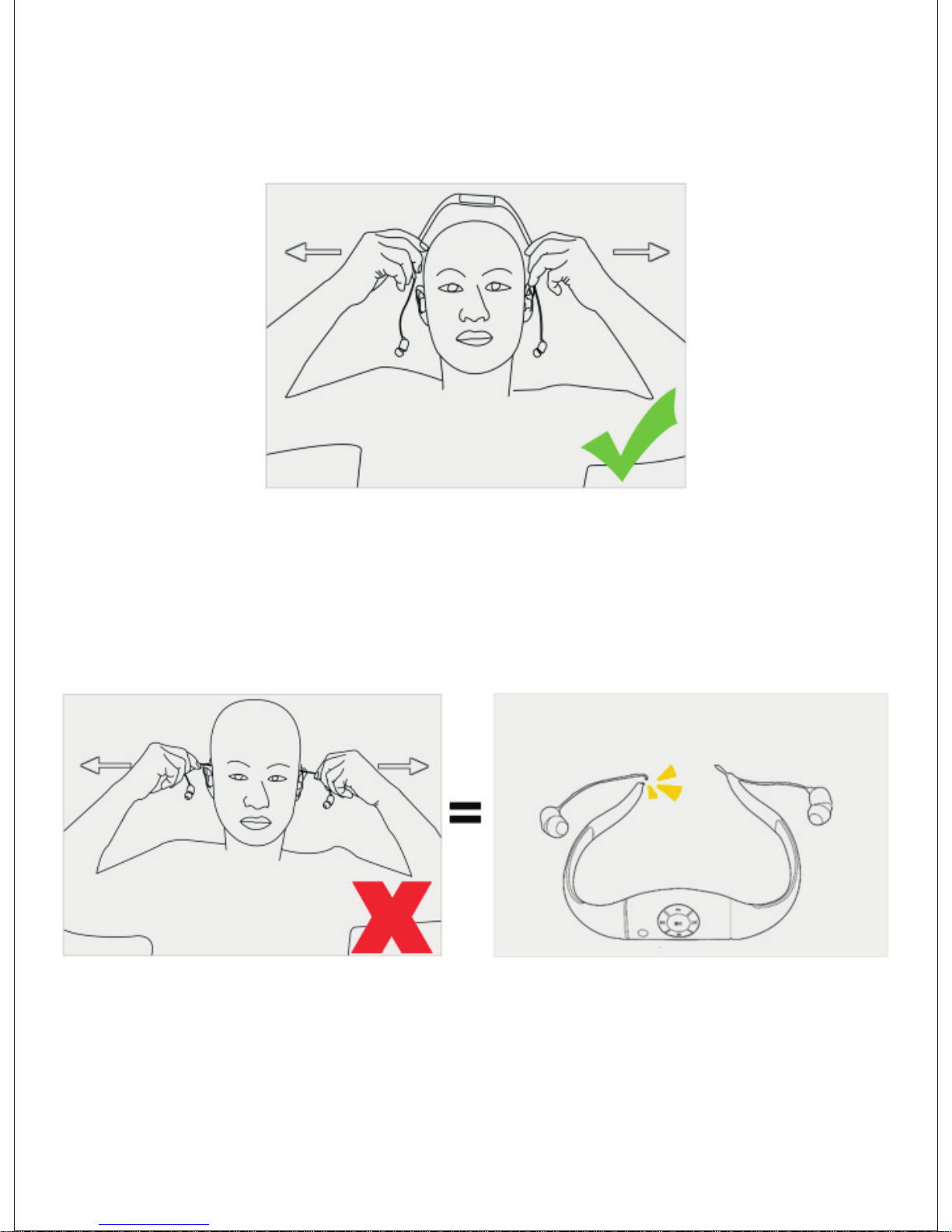
picture 1
picture 2
Wrong: Hold the headphone cables and pull
See picture 2.
strongly to wear or take off.
The copper wires of the headphone cables will
headphone no sound. See picture 3.
be broken and
Note:
The headphone cable is made by slim copper wires and it will be broken
if you pull the cables strongly. This will cause the headphone no sound
and this problem is out of warranty.
picture 3
Right: Hold the ends of headphone bone to wear
See Picture 1.
or take off.
Page 4
Page 5
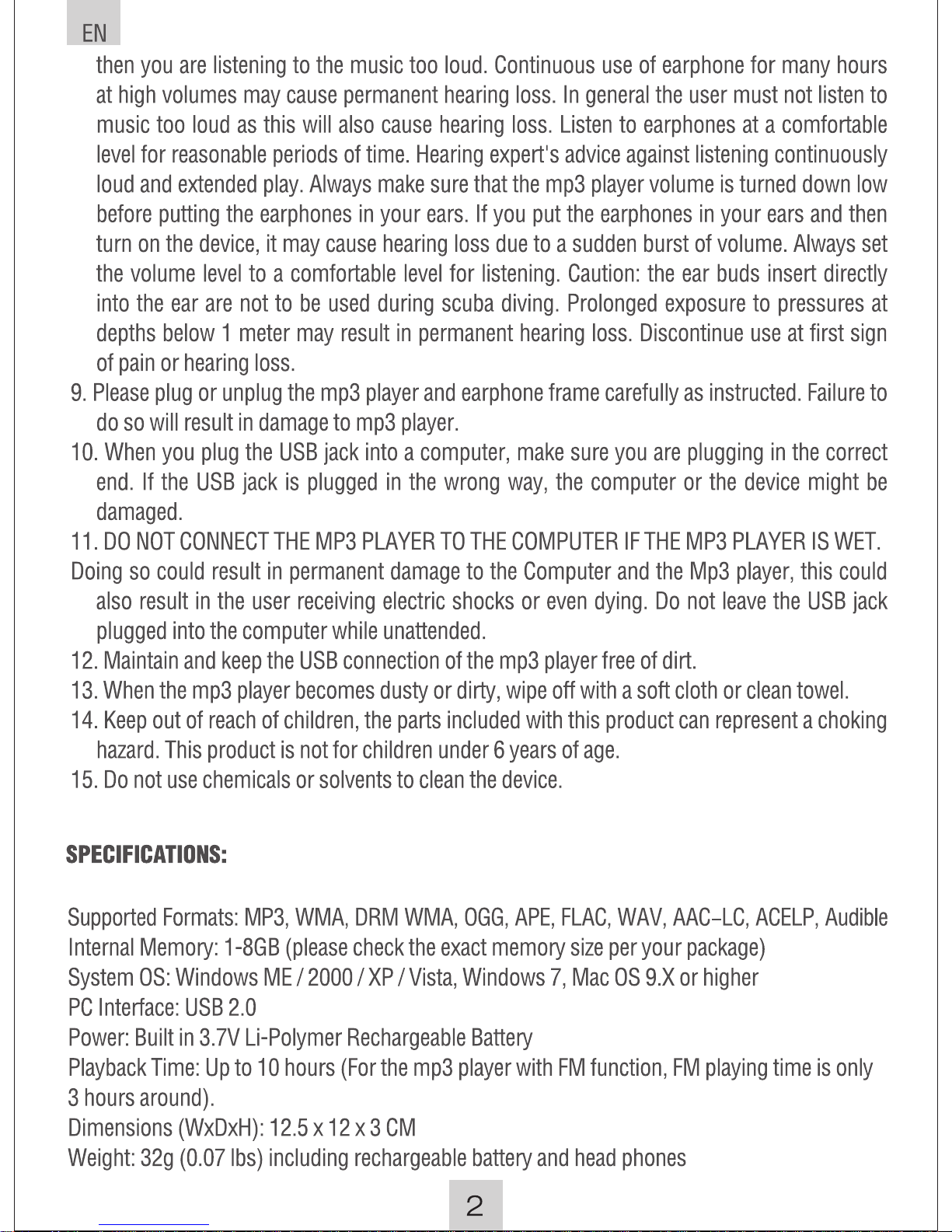
IPX8 Waterproof up to 3 meters (10 feet) under water
Page 6
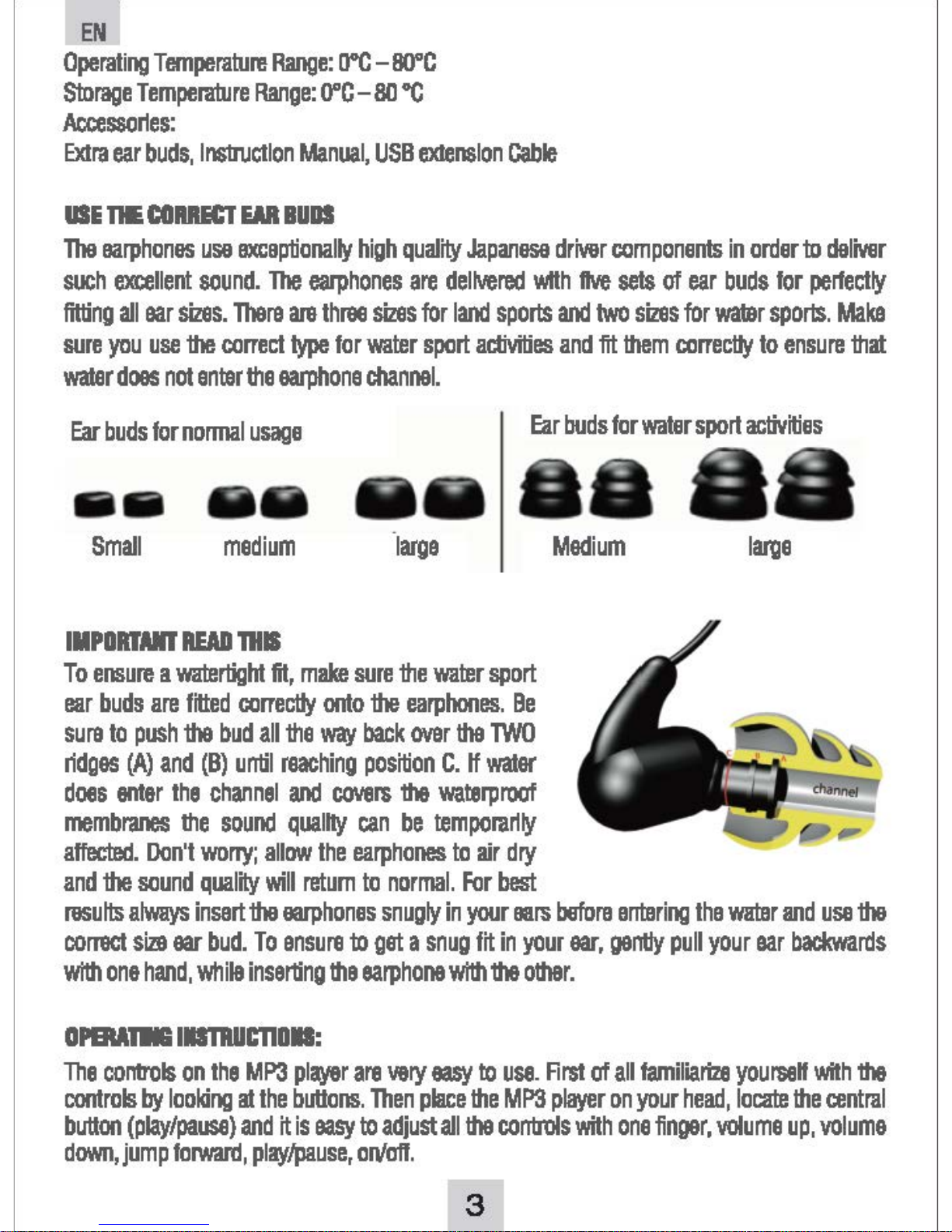
Page 7
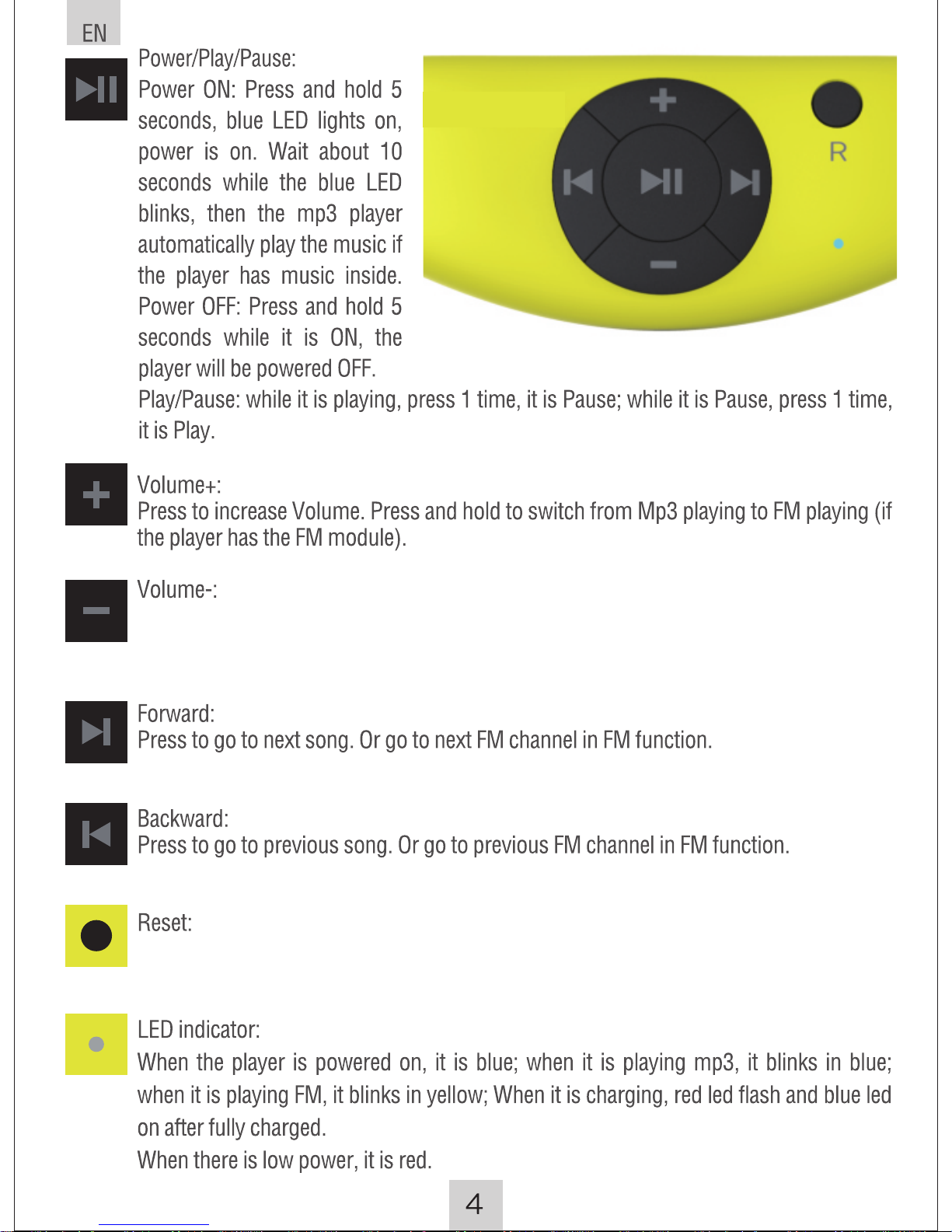
Press to decrease Volume. In MP3 playing mode, press to switch from shuffle
playing (default) to order playing. In FM playing mode, press and hold to search
channels automatically.
Press to reset the default setting. Sometimes, you need to use the pen point or similar
tool to press and the reset can work. This is to avoid mis-use this button as power on.
Page 8
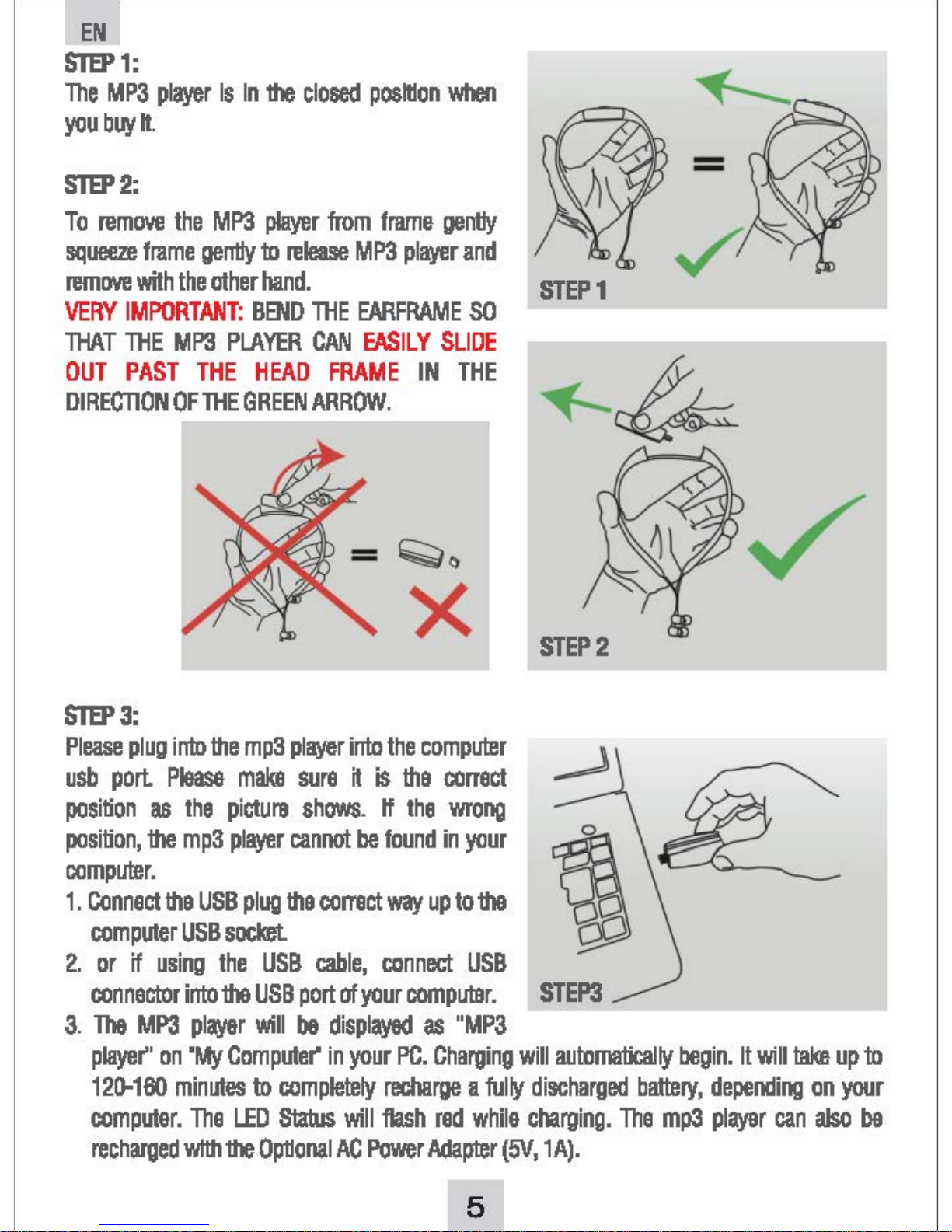
Page 9
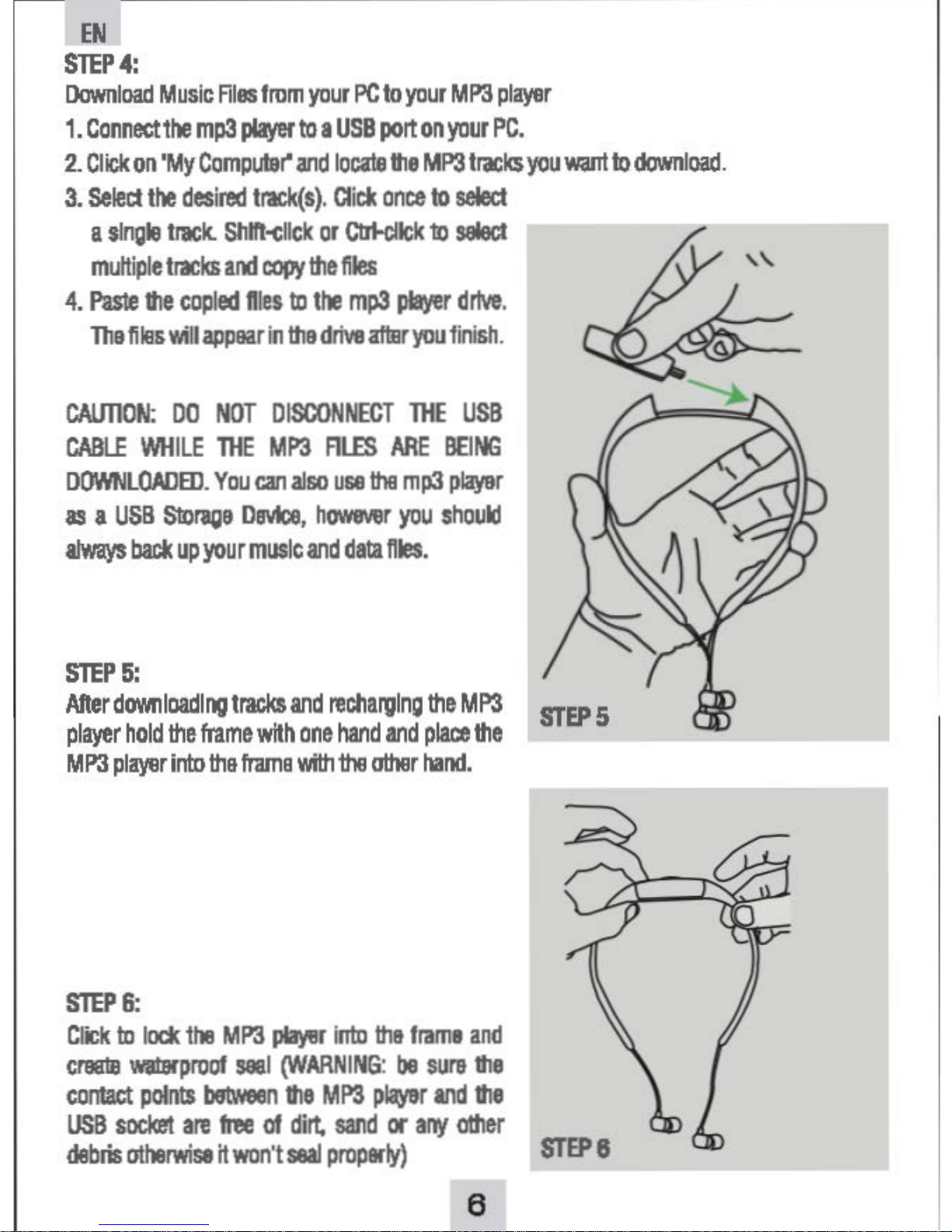
Page 10
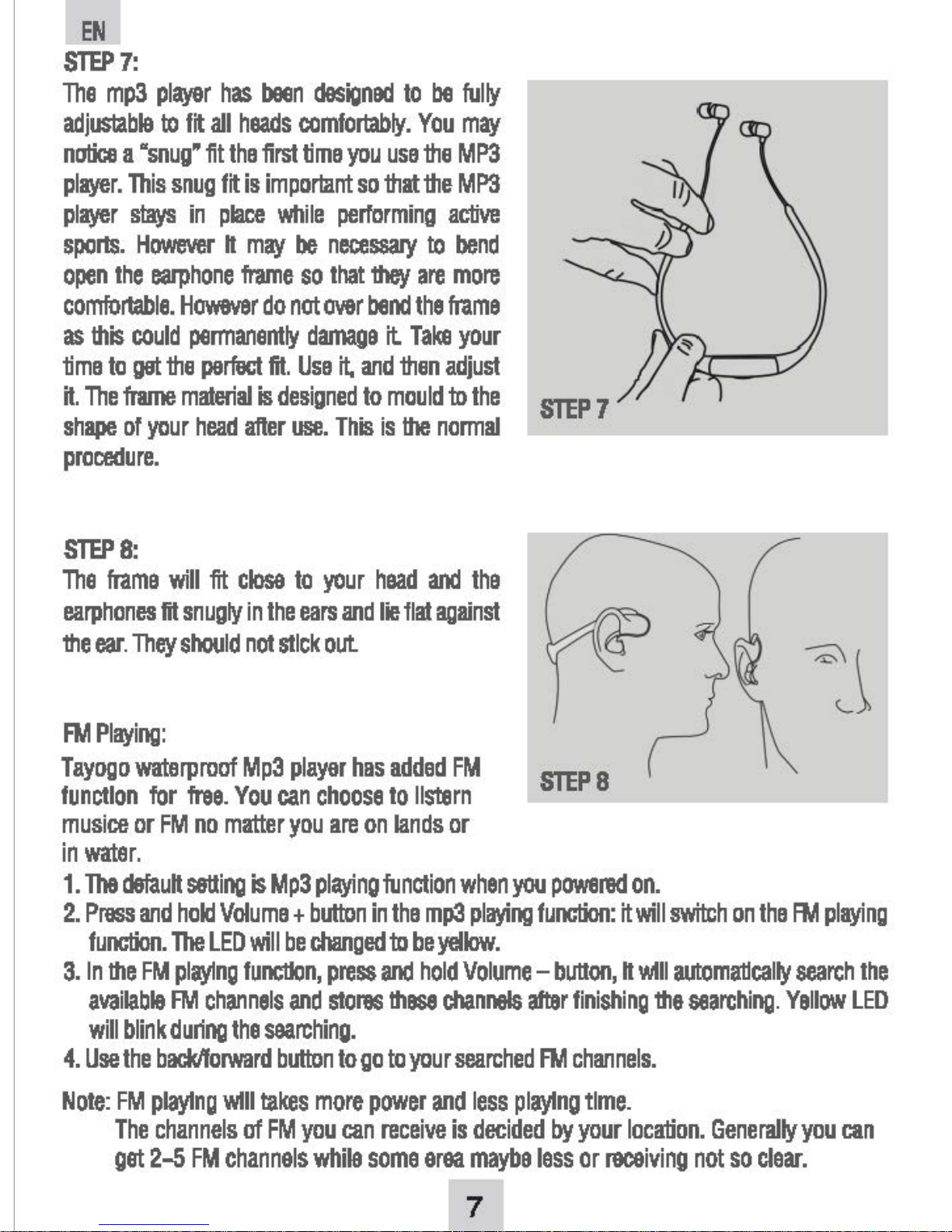
Page 11

Questions and Ansers:
1) Why I can not see the flash after plugging the computer port?
A:1.Check if you plug the usb in right direction; please try the other usb port; make sure
the 4 gold fingues connect well with the usb port.
2. Check if the usb plug dirty or not. Please clear if it is dirty.
3. If plug to the computer port, please use the extending cable to plug the back usb port.
The front port of computer sometimes is not stable.
4. Press the RESET button and try again.
5. When you see" MP3 player" disk in my computer, you can copy your songs into it.
2)What to do if the playing has trouble or the buttons don't work?
A:Press the Reset button.
3) How to switch from shuffle to order playing?
A:The default playing is shuffle. In the mp3 playing mode, press and hold Volume -, it can
go toorder playing. The rules for order playing is: play first the song name as Number from
small to big; then for the songs name with letters from A-Z.
4) Why the songs playing sometimes stops suddenly?
A:Please make sure the music files are fine. When the songs have virus or damaged, it
will stop suddenly.
5) Will the mp3 player sink down to water?
A:NO. We use the super light and specialized material, it will float on the water.
6) Why the headset works well only in one side?
A:This is caused by the bad connection of the usb plug and the headphone bone. Please
take out and plug again.
7) Why the outlooking of the headphone bone looks not so well?
A:We use the 2nd injection on the usb port parts of the headphone bone to make it
works easily. The second injection parts will look a little different with the first injection
body.
8) I have found the headphone with hole open, it is really waterproof?
A:We use the waterproof headphone speaker and other waterproof technology. This
items works perfectly in water.
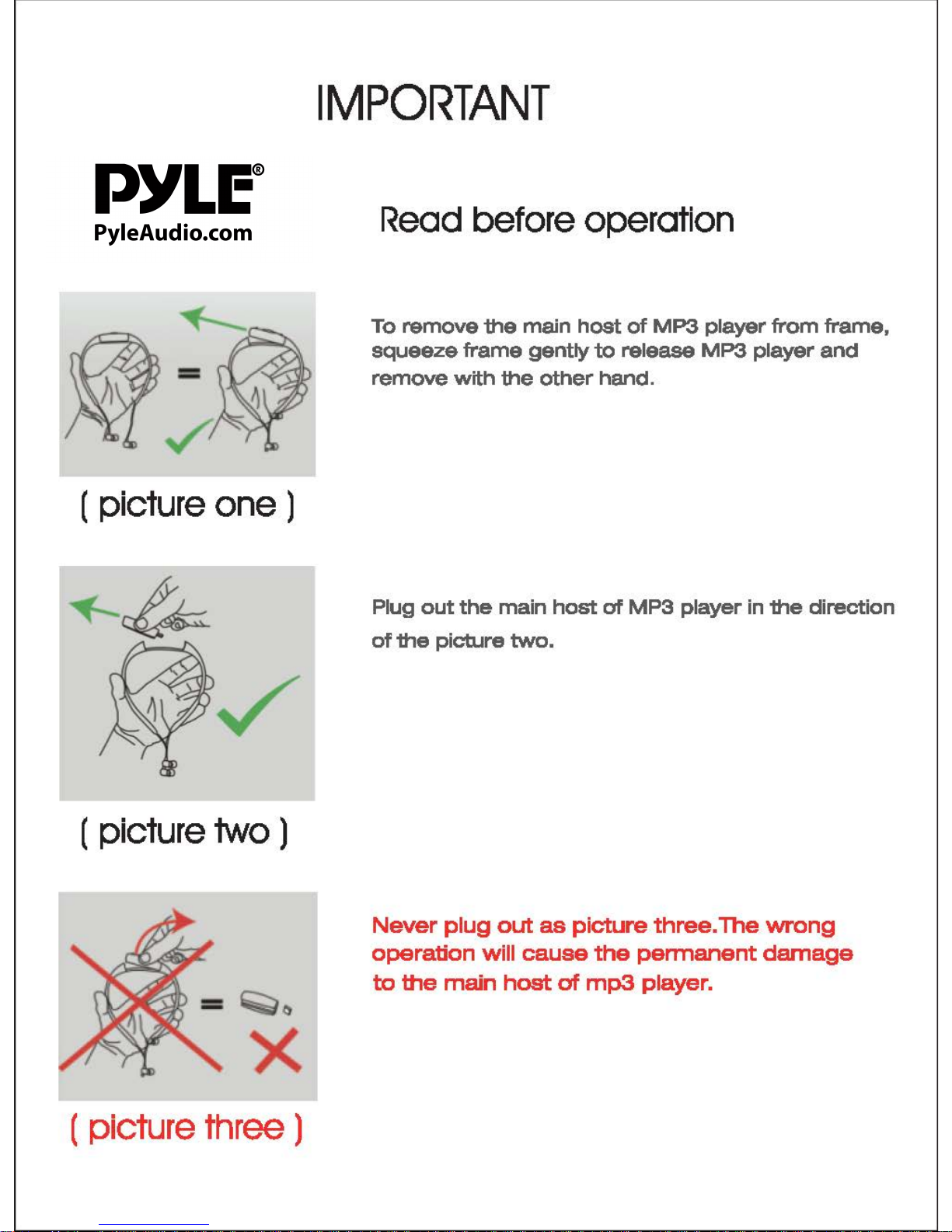
9) Can I bend the headphone bone after removing the usb player?
A:NO, this will damage the headphone bone permanently.
10) Can I use it as the USB Flash?
A:Sure, you can use it as the USB flash to store the files.
Note: Please don't plug out the player during files copying.
For more question, please go to check our website: www.
pyleaudio.com
 Loading...