

Page 1
Sound
Sound
Sound
Sound Level
Level
Level
Level Meter
Meter
Meter
Meter
Ⅰ
.
.
.
. Safety
Safety
Safety
Safety information
information
information
information
Read the following safety information carefully before
attempting to operate or service the meter.
Use the meter only as specified in this manual; otherwise, the
protection provided by the meter may be impaired.
�
�
�
�
Environment
Environment
Environment
Environment conditions
conditions
conditions
conditions
1 Altitude up to 2000 meters
2 Relatively humidity 90% max.
3 Operation Ambient 0~40 ℃
� Maintenance
Maintenance
Maintenance
Maintenance &
&
&
& Clearing
Clearing
Clearing
Clearing
1 Repairs or servicing not covered in this manual should
only be performed by qualified personnel.
2 Periodically wipe the case with a dry cloth. Do not use
abrasives or solvents on this instruments.
Ⅱ .
.
.
. General
General
General
General Description
Description
Description
Description
Thank you for using our Sound Level Meter .
To
ensure that
you can get the most from it, we recommend that you read and
follow the manual carefully before use.
This Sound Level Meter has been designed to meet the
measurement requirements of safety Engineers, Health,
Industrial safety offices and sound quality control in various
environments.
� Ranges from 4 0dB to 130dB at frequencies between
31.5Hz and 4 KHz.
�
Display with 0.1dB steps on a 3 digit s LCD.
� With the equivalent weighted sound pressure levels, .
A
Page 2
Ⅲ
.
.
.
. Specifications
Specifications
Specifications
Specifications
Frequency range : 31.5Hz~ 4 KHz
Measuring level range : 4 0~130dB
Frequency weighting : A
Microphone : 1/2 inch electret condenser microphone
Display : LCD
Digital display : 3 digits
Resolution: 0.1dB
Display Up data: 0.5 sec.
Time weighting : F AST(125mS)
Level ranges : Lo: 4 0-100dB
Hi : 60-130dB
Accuracy : + 1.5dB (under reference conditions)
Alarm function : “ O L ” is show when input is out of
range
Auto power off : Meter automatically shuts down after
approx. 15 minutes of inactivity.
Power supply : One 9V battery, 006P or IEC 6F22 or
NEDA 1604.
Power life : About 50hrs(alkaline Battery)
Operation temperature : 0 to 40 ℃ (32 to 104oF)
Operation humidity : 10 to 90%RH
Storage temperature : -10 to 60
℃
( 14 to 140oF)
Storage humidity : 10 to 75%RH
Dimensions : 170*58*35 mm
107 g( N/W )
pack age : 9V battery, carrying case, Instruction
manual.
Ⅳ
.
.
.
. Name
Name
Name
Name and
and
and
and Functions
Functions
Functions
Functions
Page 3

1)
1)
1)
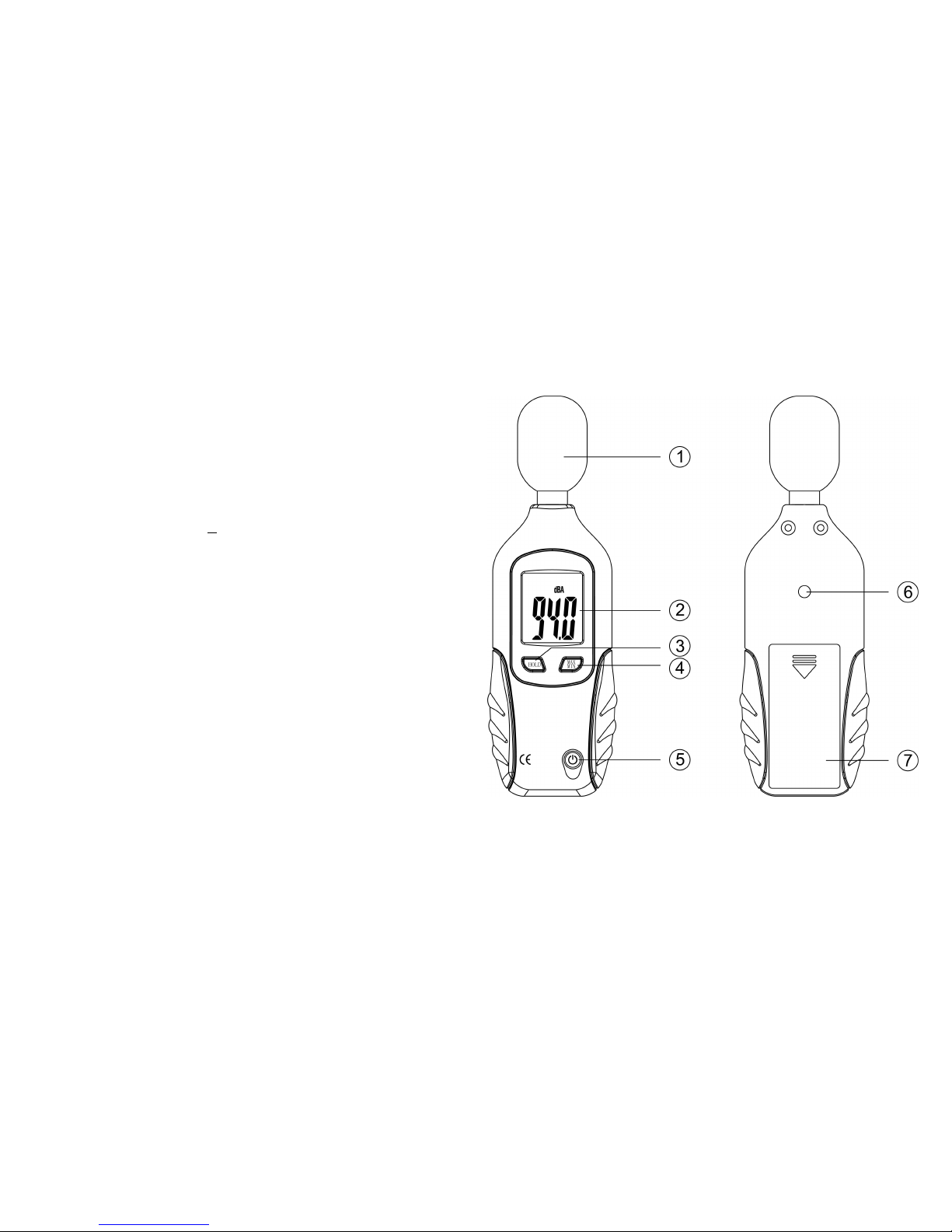
1) Windscreen
Windscreen
Windscreen
Windscreen
If you operate at wind speed over 10m/sec, please put
protective accessories in front of the microphone.
2)
2)
2)
2) Display
Display
Display
Display
3)
3)
3)
3) "HOLD'
"HOLD'
"HOLD'
"HOLD' button
button
button
button
Data Hold button: Press and hold the Button to turn on or off
data hold function
The hold function freezes the reading in the display.
4)
4)
4)
4) "
"
"
" MAX/
MAX/
MAX/
MAX/ MIN"
MIN"
MIN"
MIN" button
button
button
button
The MAX/MIN button is used to measure the maximum and
minimum l evel of sounds. Press the MAX/MIN button two
seconds,the meter will be go on measuring.
5) On/Off button
.
V.
V.
V.
V.
Measurement
Measurement
Measurement
Measurement Preparation
Preparation
Preparation
Preparation
(1) Battery loading
Remove the battery cover on the back and put in one 9V
Battery.
(2) Battery Replacement
When the battery voltage drops below the operating
voltage, mark “
BAT
” appears. If it appears, battery should
be replaced with new one.
VI.
VI.
VI.
VI. Operating
Operating
Operating
Operating Precautions
Precautions
Precautions
Precautions
(1) Wind blowing across the microphone would bring
additional extraneous noise.
Once using the instrument in the presence of wind, it is a
must to mount the windscreen to not pick up undesirable
signals.
(2)
To
achieve more accurate measurement, use an extension
cable to separate the Microphone from the main body so
that the effect of unexpected sound reflection can be
eliminated.
(3) Calibrate the instrument before operation if the instrument
was not in use for a long time or operated at bad
environment.
(4) Do not store or operate the instrument at high temperature
and high humidity environment.
(5) Keep microphone dry and avoid severe vibration.
(6) Please take the battery and keep the instrument in low
humidity environment. When not in use.
SYMBOL
SYMBOL
SYMBOL
SYMBOL FUNCTION
FUNCTION
FUNCTION
FUNCTION
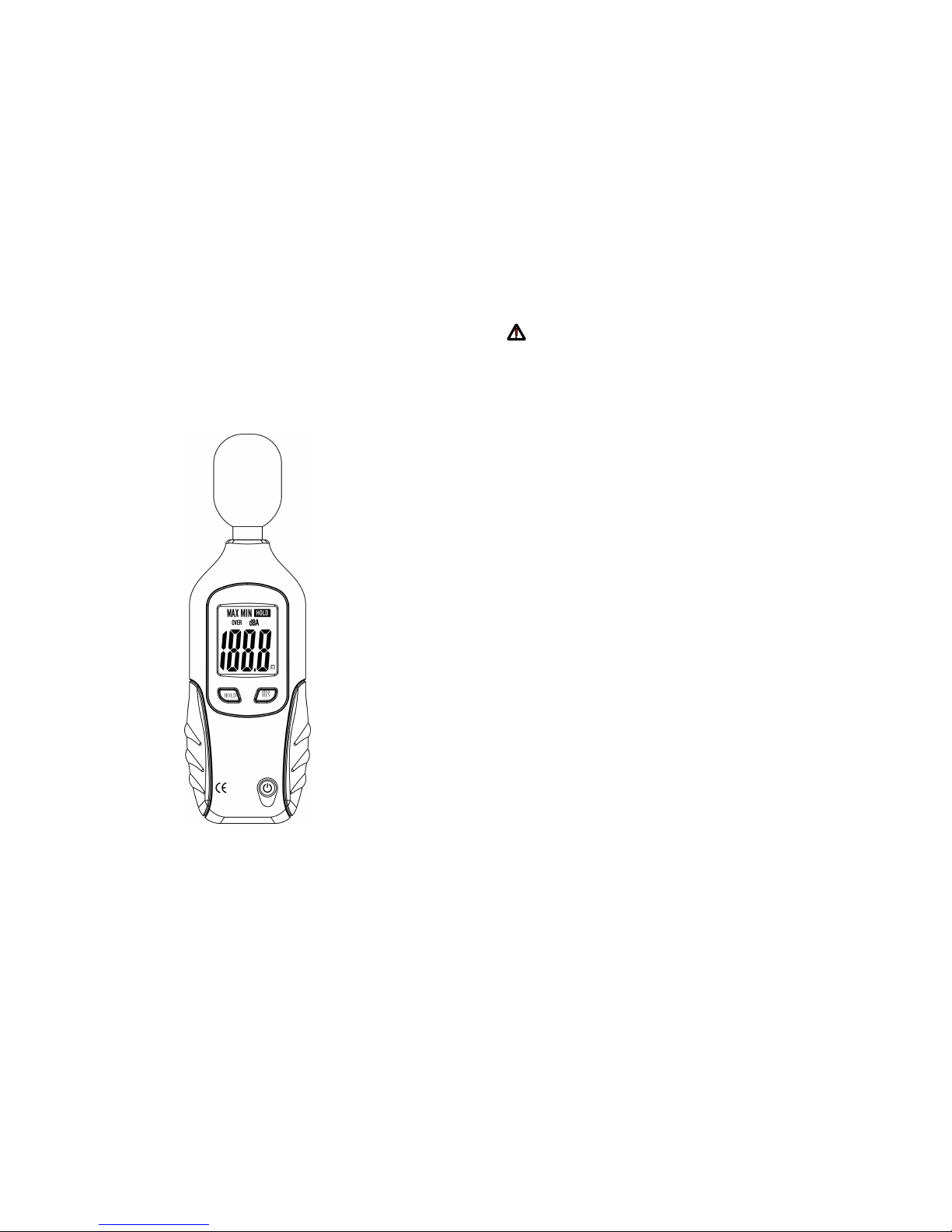
LCD 3 digits
MAX /MIN
Maximum and
Minimun Value
O VER Over range
dBA unit
HOLD Keep the reading
BAT
Low-Battery
Page 4

VII.
VII.
VII.
VII. Measurement
Measurement
Measurement
Measurement
1 Open battery cover and install a 9-volt battery in the battery
compartment.
2 Hold the instrument comfortably in hand or fix on tripod and
point the microphone at the suspected noise source, the sound
pressure level will be displayed.
3 When MAX (maximum) mode is chosen. The instrument wil
show the maximum and minimum reading on the display.
4 When HOLD (data hold )mode is chosen.The hold function
freezes the reading in the display. Press the HOLD button
momentarily to activate or to exit the HOLD function
5 Turn OFF the instrument and remove and remove battery
when not in use.
 Loading...