

Page 1
PMKSPAD1
Multimedia Microphone Stand With Adapter for iPad 2
(Adjustable for Compatibility w/iPad 1)
http://www.pyleaudio.com
Thanks for purchasing the PMKSPAD1, an innovative
new stand adaptor from Pyle that allows you to use a
microphone stand to hold your iPad 2. It securely holds
your iPad with sure-grip touch points, preventing
scratching or marring. Easily snap it in or out with the
quick-snap clips. Just screw it on to the included
microphone stand, or use your own. Try it on the boom
for increased mobility, or place it vertically on the stand
for stability. The iPad can be used in portrait and
landscape modes.
Specifications:
Sturdy, Durable Construction With Sure-Grip Touch
Points — Securely Holds Your iPad Without
Scratching Or Marring It
Multi-Angle Adjustment Allows Precise Positioning
For Optimal Stage Or Studio Viewing
Quick-Snap Clips Provide Fast, Secure iPad Insertion
Fast Installation — On Your Mic Stand In Seconds
With The Twist Of A Knob
All Controls, Buttons And Connectors Are
Accessible When Your iPad Is Clipped On
Can Be Mounted On The Vertical Part Of A Mic
Stand, Or On A Horizontal Boom
Also Compatible With The iPad 1
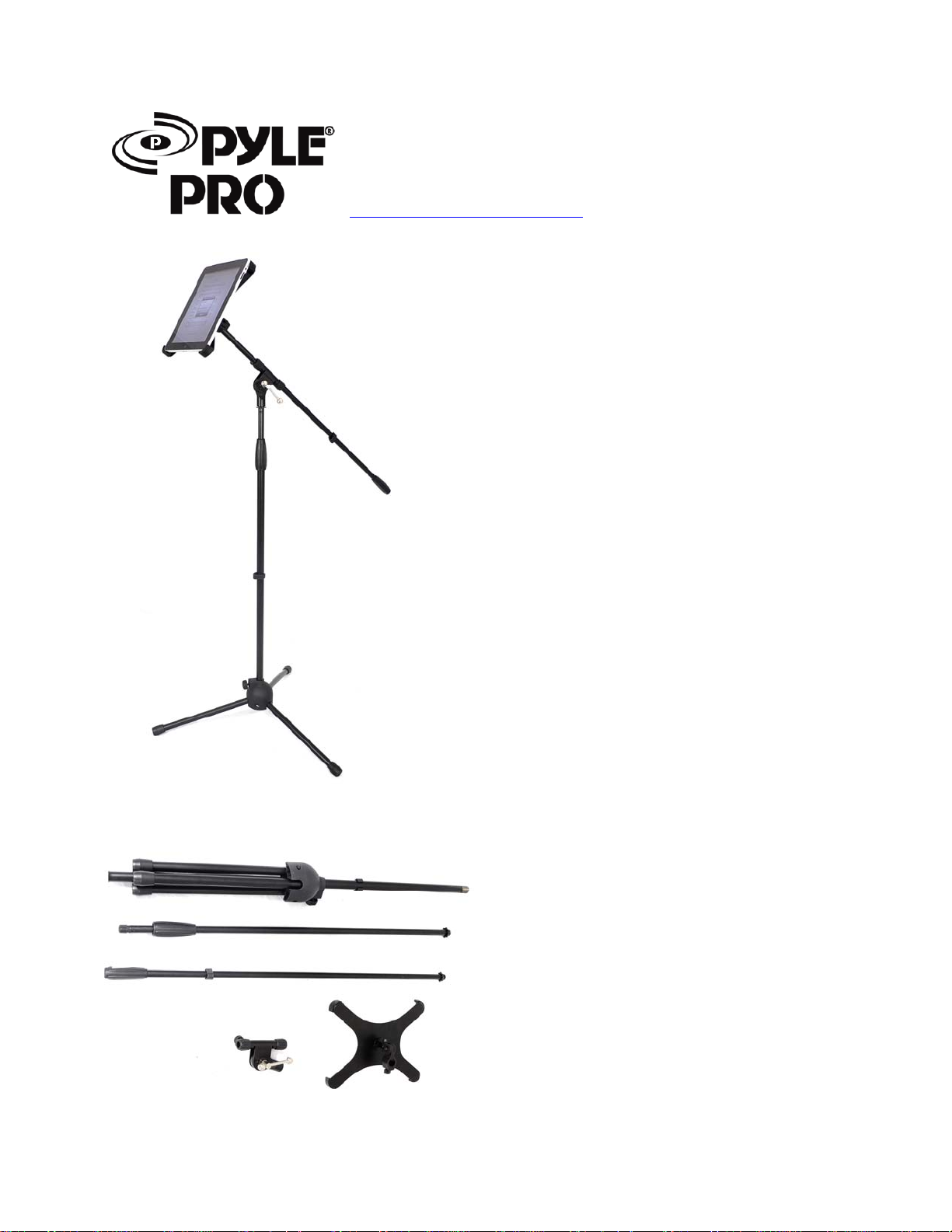
Your kit includes one (1) set of the following items:
1 x tripod base bar
1 x extender bar
1 x boom bar
1 x multi-mount boom clip
1 x iPad holder with universal clip
Page 2
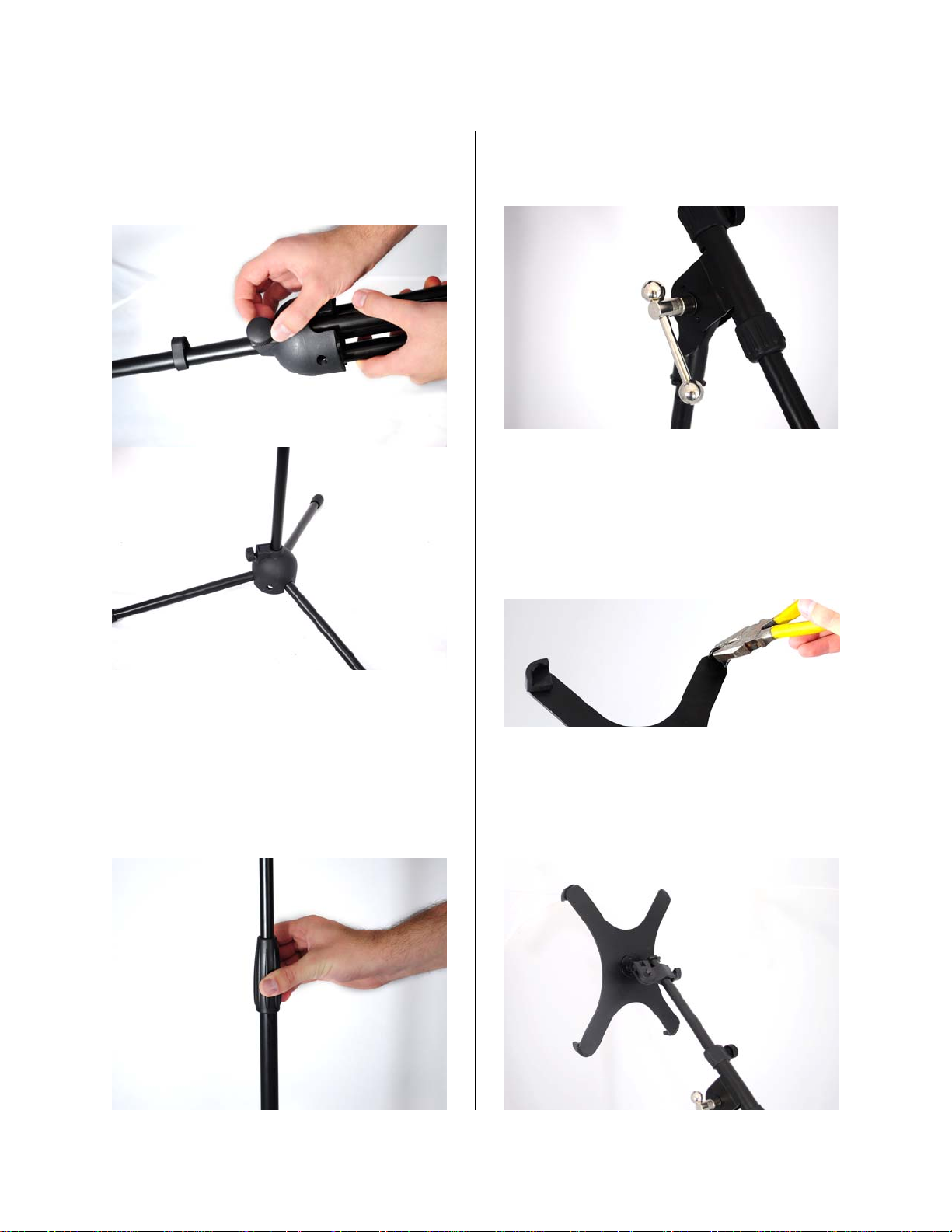
1. Start with the tripod base bar piece.
Loosen the screw so that you can lower the
tripod stand to extend the legs. Then tighten
to secure the legs in place.
3. Screw on the multi-mount boom clip, then
insert the boom bar. Rotate the silver bar
clockwise to tighten the mechanism.
2. Next, insert the extender bar into the
tripod. The extender bar is threaded on one
end, and has a moveable grip on the other.
Make sure you do not use the boom extender,
which does not have a moveable grip. Then
screw the handlebar into place.
4. Note: For compatibility with the iPad 1,
you will need to make adjustments to the four
clips, as it is slightly larger than the iPad 2. If
you have the iPad 2, skip this step. Remove
the rubber pads. Then, using a pair of pliers,
carefully bend each corner on the iPad holder
slightly back.
5. Now, attach the iPad holder to the
extended boom bar by loosening the screw,
sliding it on, and then tightening the screw
when you find a spot you find appropriate.
Your stand is now ready to use!
 Loading...