

Page 1
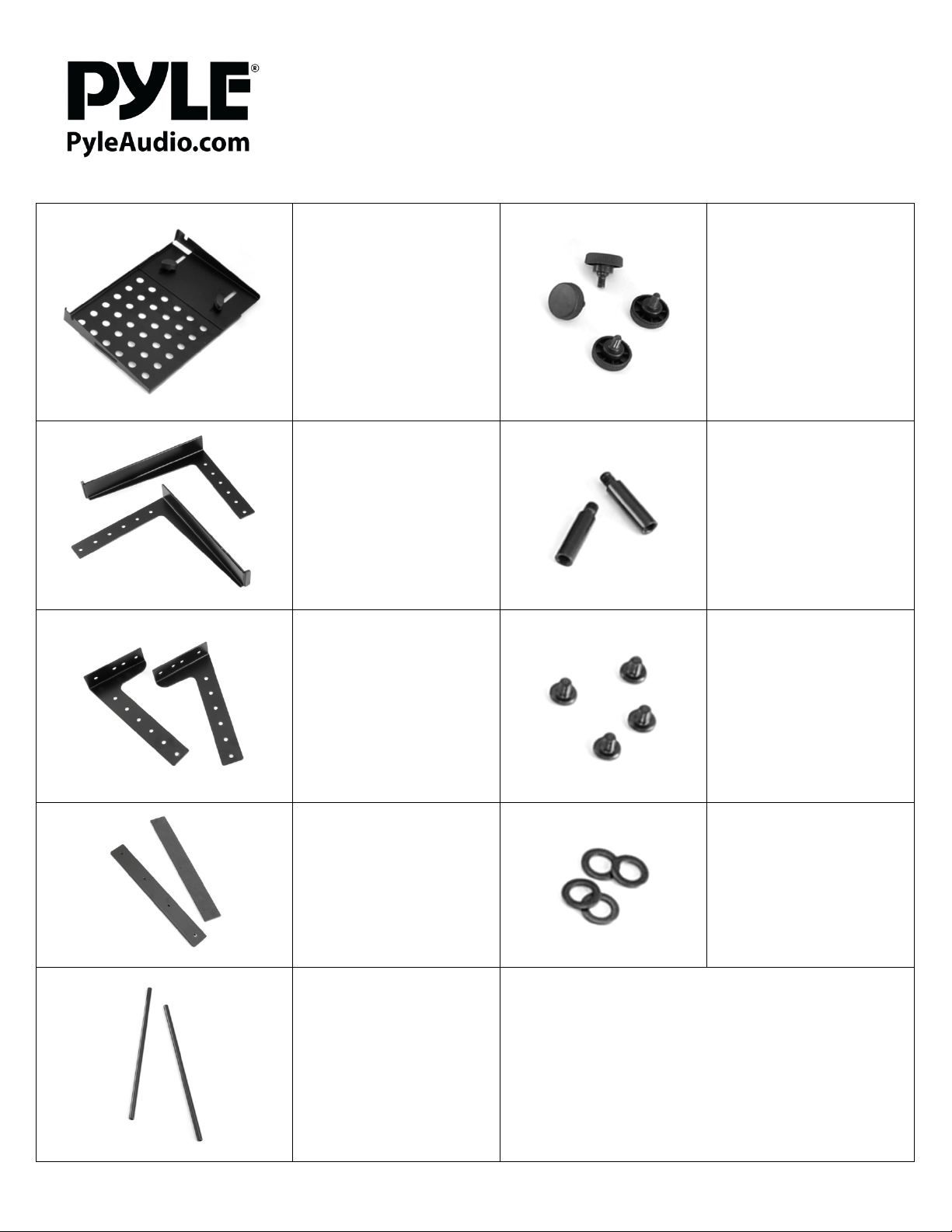
Universal Laptop & DJ Equipment
PLPTS30
Secondary Device Plate
Laptop Holding Arms
Model:
Screw Knobs
Support Pole Extension
Leg Stands
Leg Base Plates
Screws
Washers
Support Poles
www.PyleAudio.com
Page 2
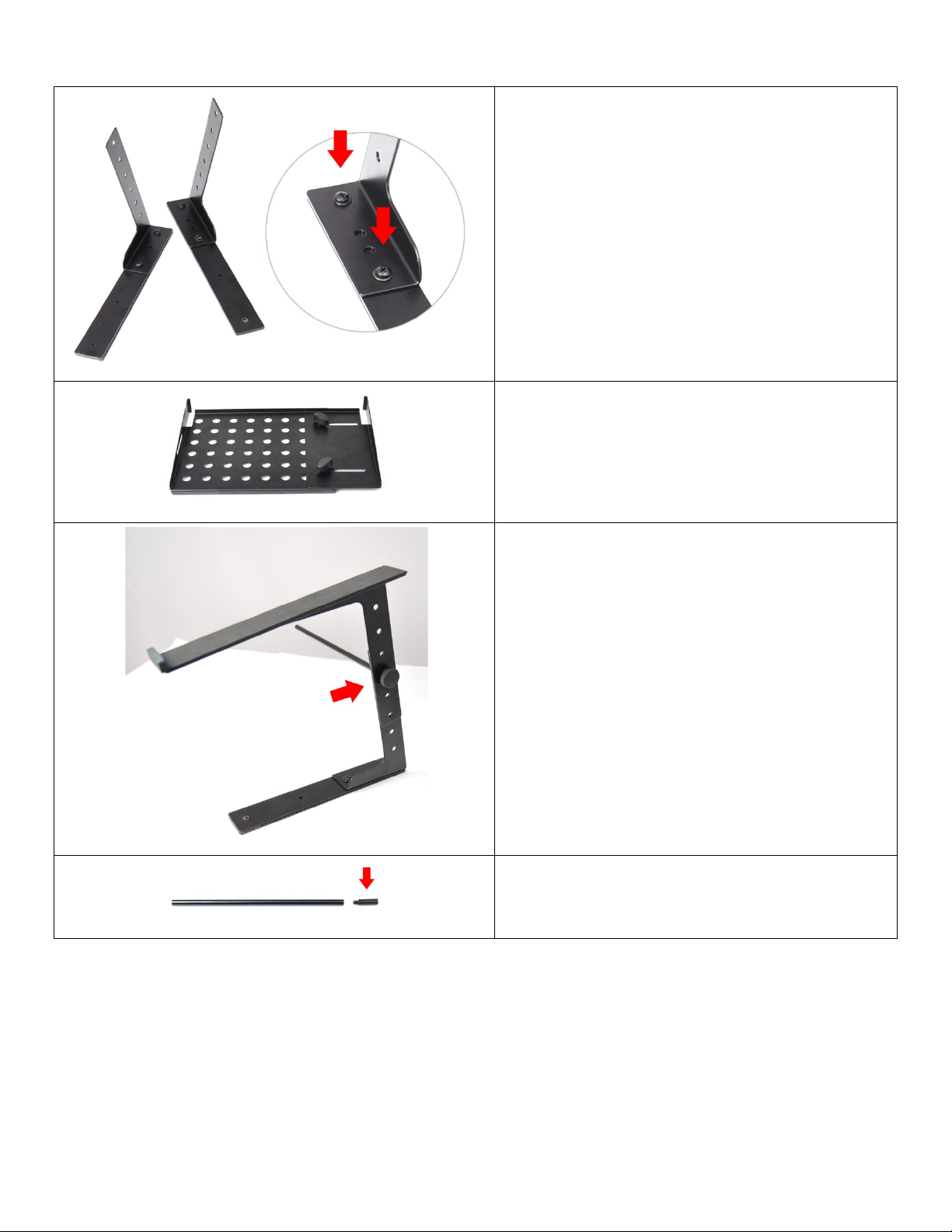
Assembly:
Use the optional included support pole extensions, if you
support poles.
Fasten the leg stands to the leg base plates.
Use (2) screws and (2) washers per assembly and tighten
securely.
The leg base plates have pre-drilled holes for you to insert
the leg stands towards the edge of the metal supports.
The secondary device plate is adjustable so you can use the
tray for different sized equipment.
*Leave the tightening knobs loose until the final steps of
assembly. Once the unit is fully assembled, you can securely
tighten.
The assembled leg stand and leg base plates then connect to
the laptop holding arms. Use one of the screw knobs and
support poles to fasten the laptop holding arm.
The screw knob fastens to the outside of the laptop
holding arm, while the support pole stretches toward
the other accommodating leg stand / leg base plate
assembly.
*Do not tighten the screw knob to the support pole tightly,
as you will need to slide in the secondary device plate.
decide to extend the length of your secondary device plate.
The support pole extensions screw into the end of the
www.PyleAudio.com
Page 3
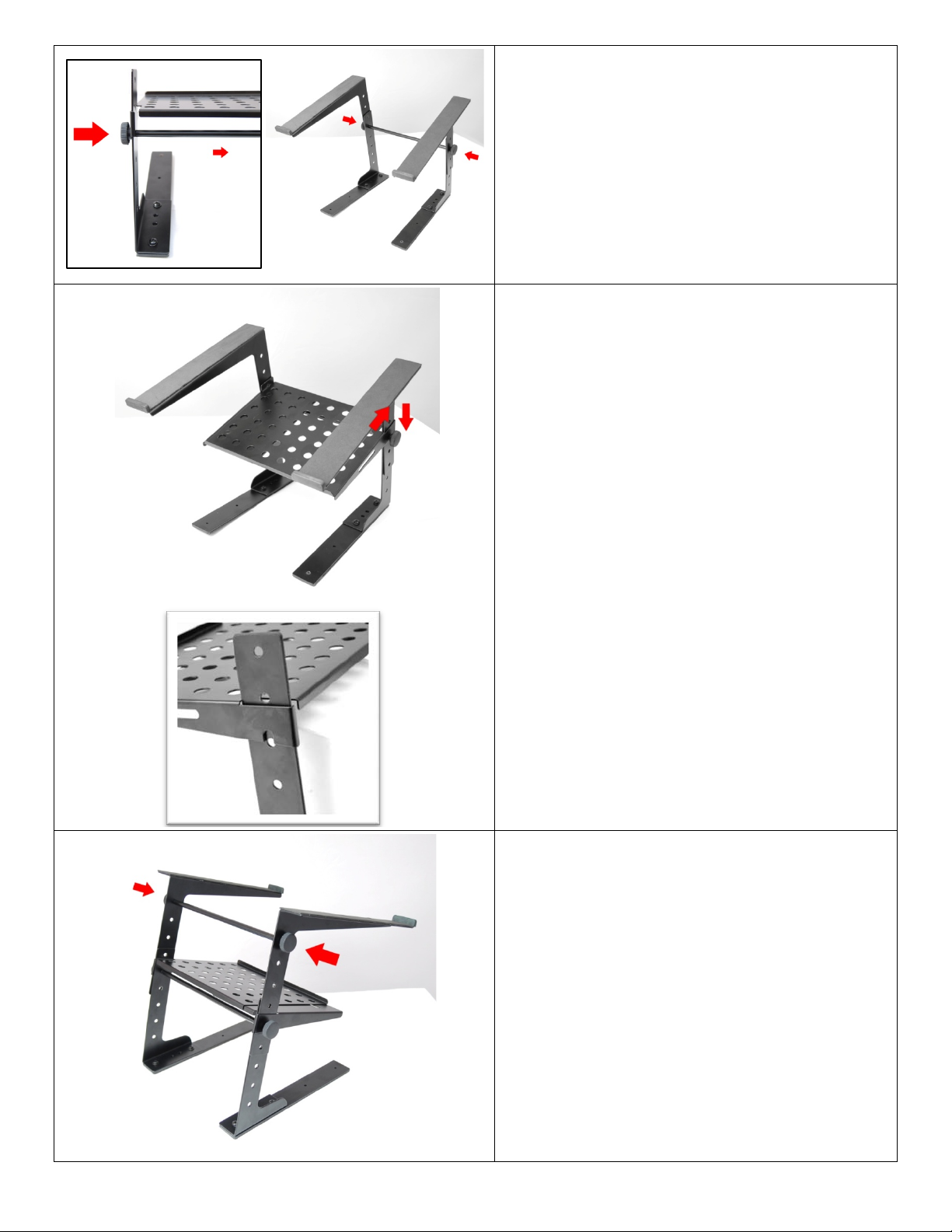
While placing your support pole between the
assembled stand legs, use your screw knobs on both
ends to join the assembly together. The screw knobs
fasten to the outside of the laptop holding arms, while
the support pole lies in-between the two holding arm
assemblies.
*Do not tighten the screw knobs to the inner support pole
tightly, as you will need to slide in the secondary device
plate.
The secondary device place slides into the assembled
stand legs and slide onto the screw knobs.
*Since you did not tighten the screw knobs completely,
the notch groove in the secondary device plate allows
it to slide in between the screw knob and stand leg.
Once your correctly position the secondary device
plate on both ends (into the leg stands & onto the
screw knobs) you can tighten the screw knobs for
secure placement.
The next support pole acts as further support for
mounting your devices on the laptop stand.
*This additional support pole is preferably mounted at
the highest vertical position of the leg stand assembly.
The screw knobs fasten to the outside of the laptop
holding arms, while the support pole lies in-between.
*Be sure to tighten accordingly, and use the other support
pole extension, if you used the first support pole extension
on the support pole used to mount the secondary device
plate.
www.PyleAudio.com
 Loading...