

Page 1

Page 2
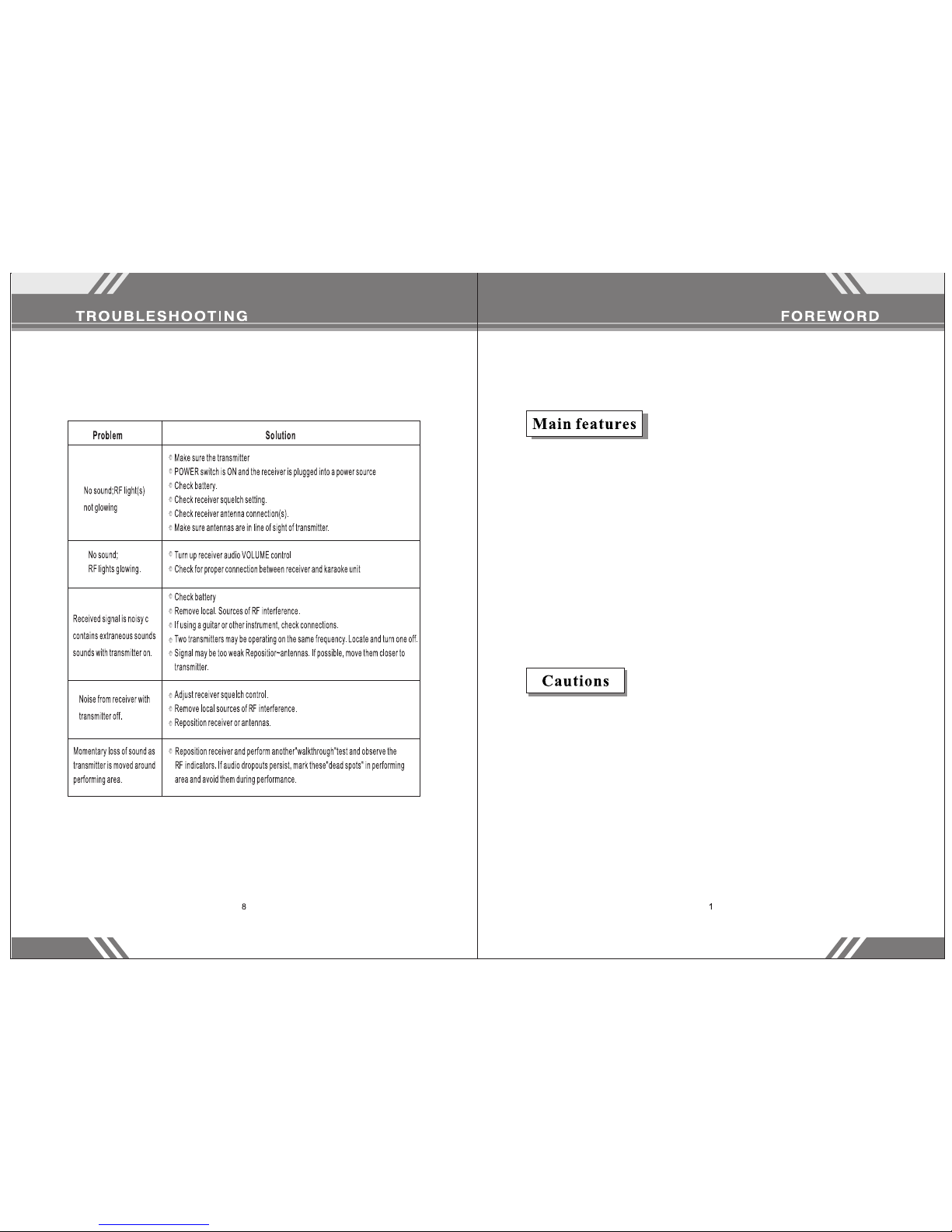
Some comm on proble ms and th ei r solut io ns are pr in ted bel ow.
Thanks fo r purch as ing our w ir eless m ee ting mi cr ophon e. P lease r ea d
these ins tructio ns care fu lly so th at y ou full y un derst an d how to
operate t his micro phone . St ore the se i nstru ct ions in a s af e place f or
future re feren ce .
- Uses VHF 170-27 0 MH Z fr equency to avoid in te rf erence.
- Uses multilevel h ig h frequency and mid fr eq uency
narrowband filt er s to avoid interfer en ce .
- Quartz crysta l os ci llating circuit s gu ar antee a steady
frequency.
- Audio compressio n an d expansion techn ol og y to increase the
dynamic range and l ow er feedback.
- Uniform cardi oi d pi ckup pattern isol at es t he main sound
source –your voic e – an d minimizes backg ro un d noise
- Effecti ve , bu ilt-in spherica l wi nd and pop filter
- Longest operati ng d istance: ~100 yar ds .
- Best effe ct iv e distance: ~50 y ar ds .
1. Ensure t he host r ec eiver h as a s olid co nn ectio n wi th the
microph one befor e use.
2. Do not dro p, thro w, or o therw is e damag e yo ur equi pm ent to
ensure it s longevi ty.
3. Keep awa y from wa te r – this mi cr ophon e is n ot wate rp roof.
4. Keep awa y from el ec troma gn etic fi el ds, hig h vo ltage p ow er
sources , and large m etal ob je cts.
5. Switch o ff the tr ansmi tt er when c ha nging t he b atter y.
6. Take out t he batter y if you do n ot p lan on us in g the mic ro phone f or
a long time .
7. Unplug t he receiv er if you d o no t plan on u si ng it for a l on g time.
8. This e quipmen t is not us er -repa ir able. C on tact th e ma nufac tu rer if
equipme nt fails.
Page 3
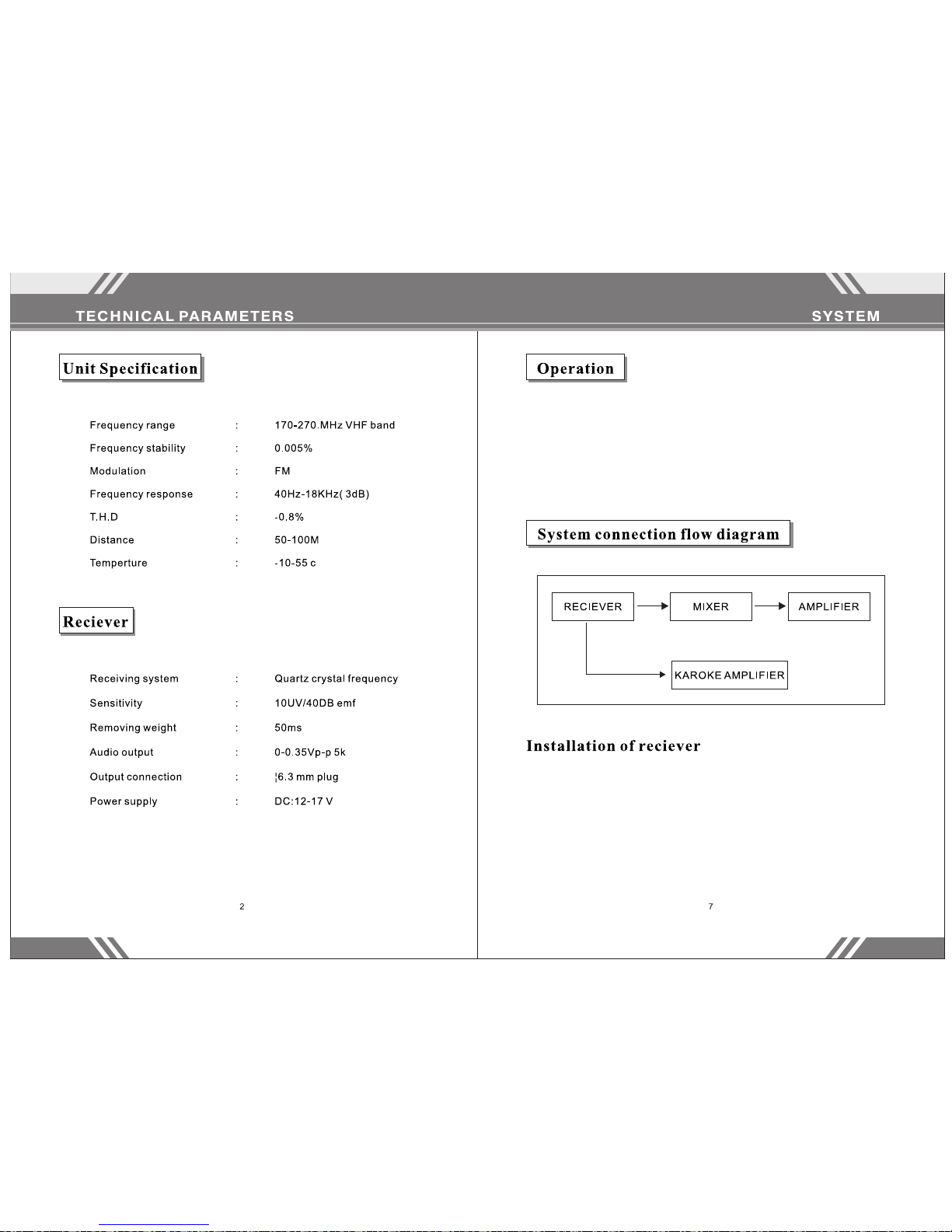
1. Please t ake note of t he foll ow ing wor kf low dia gr am for re fe rence o n
connect ing this ma chine .
2. Make sur e your sy st em is set t o th e corre ct p ower (11 0 V). The n set
the volum e of your sou nd equi pm ent.
3. Adjust th e mix so th at t he user s of M IC 1 and MI C 2 so und goo d
togethe r.
4. Unplug t he machin e if you wi ll n ot be usi ng i t for a lon g ti me.
- Keep the ma chine at le ast 3 fee t ab ove the g ro und and 3 f ee t
away from w alls.
- Pull the an tenna upr ight.
- Your equipm ent will op erate b es t if ther e is n o physi ca l barri er
between t he microp hone an d th e recei vi ng ante nn a.
- Keep the re ceive r aw ay from d ig ital eq ui pment , su ch as CD
players , compute rs, or ot he r radio e qu ipmen t.
Page 4
Page 5
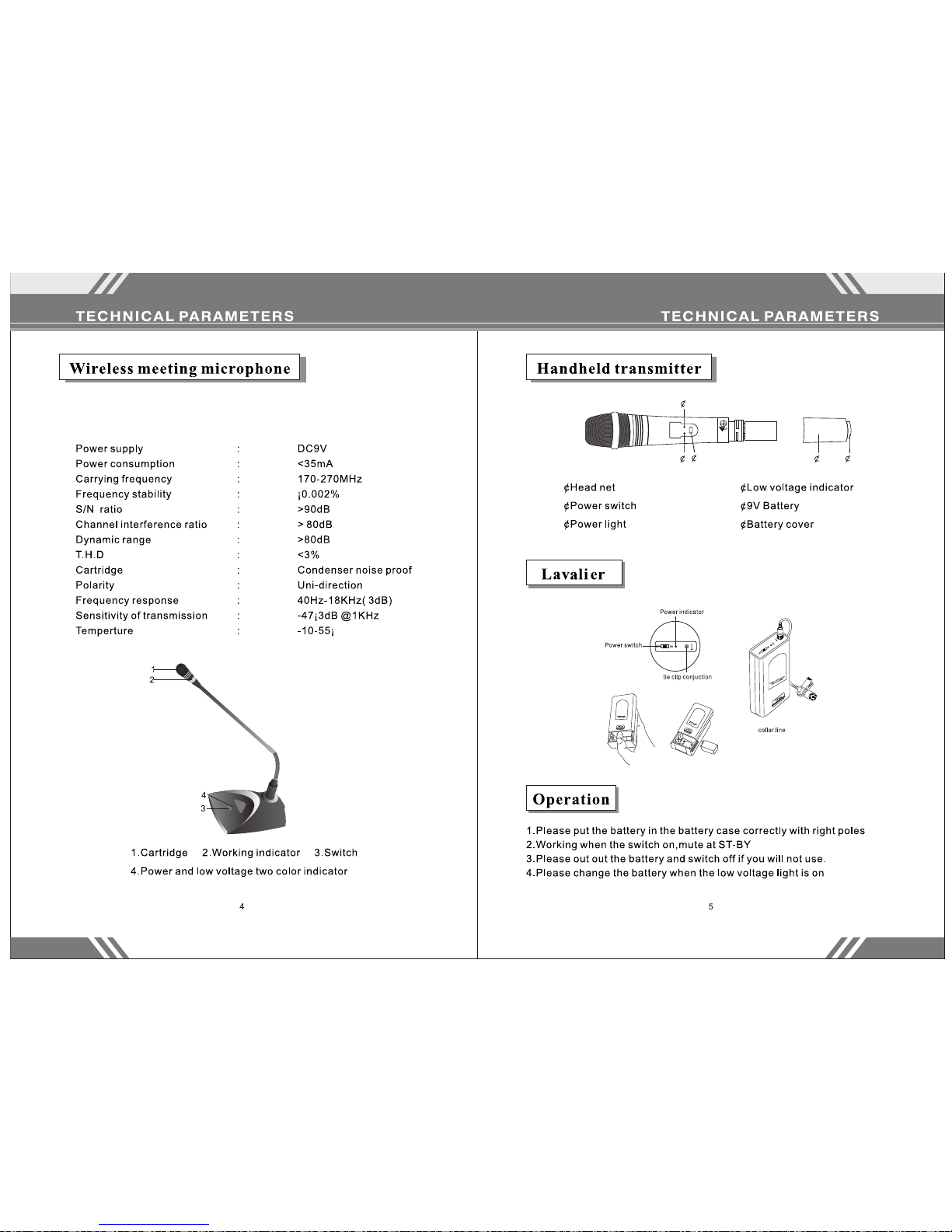
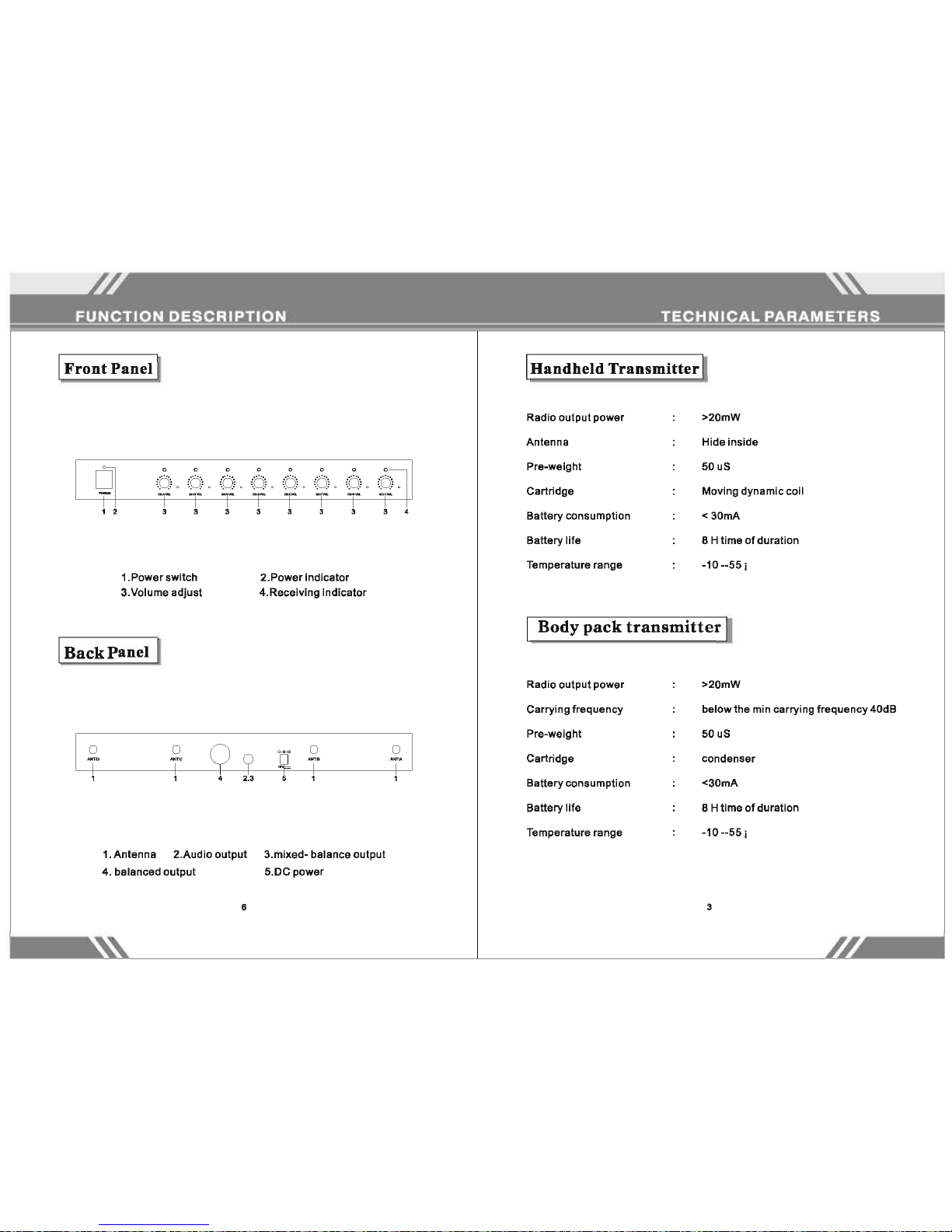
The light o n the micro phone i nd icate s th at the ba tt ery has p ow er and
that the mi croph on e is func ti oning .
 Loading...