

Page 1

PSBT62A
8'' Wireless BT Portable PA Speaker
and Microphone System
High-Powered PA Loudspeaker with Built-in Rechargeable Battery,
Questions? Issues?
We are here to help!
Phone: (1) 718-535-1800
Email: [email protected]
MP3/Micro SD Card Reader/USB/FM Radio & LED Lights (600 Watt MAX)
Page 2
IMPORTANT SAFETY INSTRUCTIONS
1. Read and keep these instructions.
2. Heed all warnings.
3. Follow all instructions.
4. Do not use this apparatus near water.
5. Clean only with a dry cloth.
6. Do not block any ventilation openings. Install in accordance with the
manufacturer's instructions.
7. Do not install near any heat sources such as radiators, heat registers, stoves,
or other apparatus (including ampliers) that produce heat.
9. Do not defeat the safety purpose of the polarised or ground plug:
A polarised plug has two blades with one wider than the other. The wide
blade is provided for your safety. When the provided plug does not t into
your outlet, consult an electrician for replacement of the obsolete outlet.
10. Protect the power cord from being walked on or pinched particularly at plug,
convenience receptacles, and the point where they exit from the apparatus.
11. Only use attachments/accessories specied by the manufacturer.
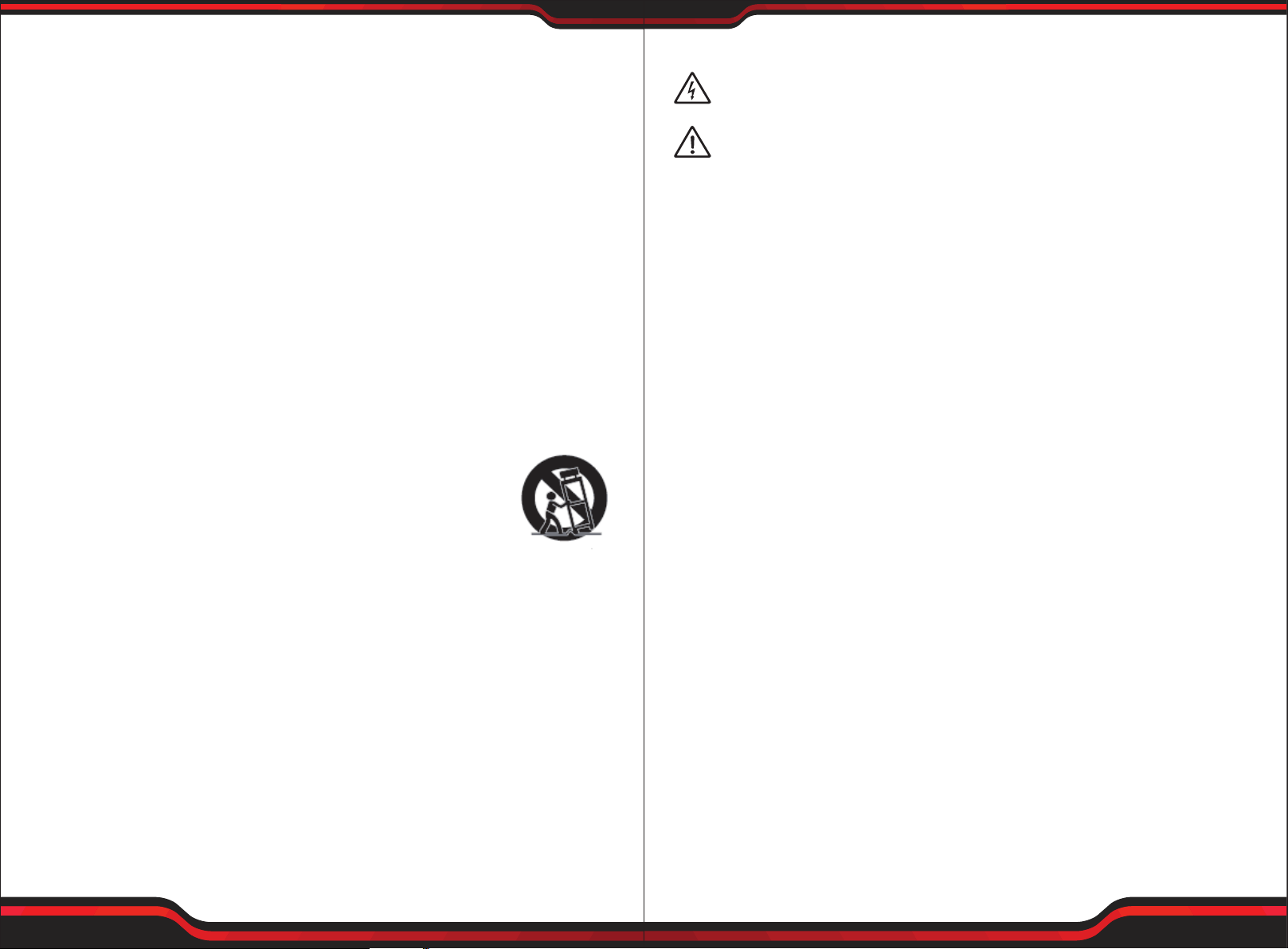
12. Use only with a cart, stand, tripod, bracket, or table specied by
the manufacturer, or sold with the apparatus, a cart is used,
use caution when moving the cart/apparatus combination to
avoid injury from tip-over.
13. Unplug this apparatus during lightning storms or when unused for long
periods of time.
14. Refer all servicing to qualied service personnel. Servicing is required when
the apparatus has been damaged in any way, such as power supply cord or
plug is damaged, liquid has been spilled or objects have fallen into the
apparatus, the apparatus has been exposed to rain or moisture, does not
operate normally, or has been dropped.
15. To reduce the risk of re or electric shock, do not expose this apparatus to
rain or moisture.
16. Apparatus should not be exposed to dripping or splashing and no objects
lled with liquids, should be placed on the apparatus.
17. Use only with the battery which specied by manufacturer.
18. The power supply cord set is to be the main disconnected device.
WARNING
This symbol indicates that dangerous voltage constituting a risk of
electric shock is present within this unit.
This symbol indicates that there are important operation and maintenance
instructions in the literature accompanying this unit.
1. FOR OUTDOOR USE:
To reduce the risk of re or electric shock, do not expose this apparatus to
rain or moisture.
2. UNDER WET LOCATION:
Apparatus should not be exposed to dripping or splashing and no objects
lled with liquids, such as vases should be placed on the apparatus.
3. SERVICE INSTRUCTIONS:
CAUTION - These servicing instructions are for use by qualied service personnel
only. To reduce the risk of electric shock, do not perform any servicing other
than that contained in the operating instructions unless you are qualied to
do so.
Tips - To Prolong the Life of Rechargeable Batteries
1. Store portable system with batteries in a fully charged condition. 8-10 hours
to fully charge.
2. The battery prefers a partial rather than a full discharge. A partial discharge
reduces stress and prolongs battery life.
3. Avoid frequent full discharges because this puts additional strain on the
battery.
4. Avoid keeping the battery at full charge and high temperature.
5. Fully charge the system at least once every 3~6 months. Battery may not charge
if not charged for a prolonged periods of time.
6. Do not freeze the battery. Store in a dry, cool place away from heat.
Elevated temperature reduces battery lifespan.
7. Rechargeable batteries have a limited number of charge cycles and may
eventually need to be replaced. Battery life and number of charge cycles vary
by use and settings.
www.PyleUSA.com
2
www.PyleUSA.com
3
Page 3
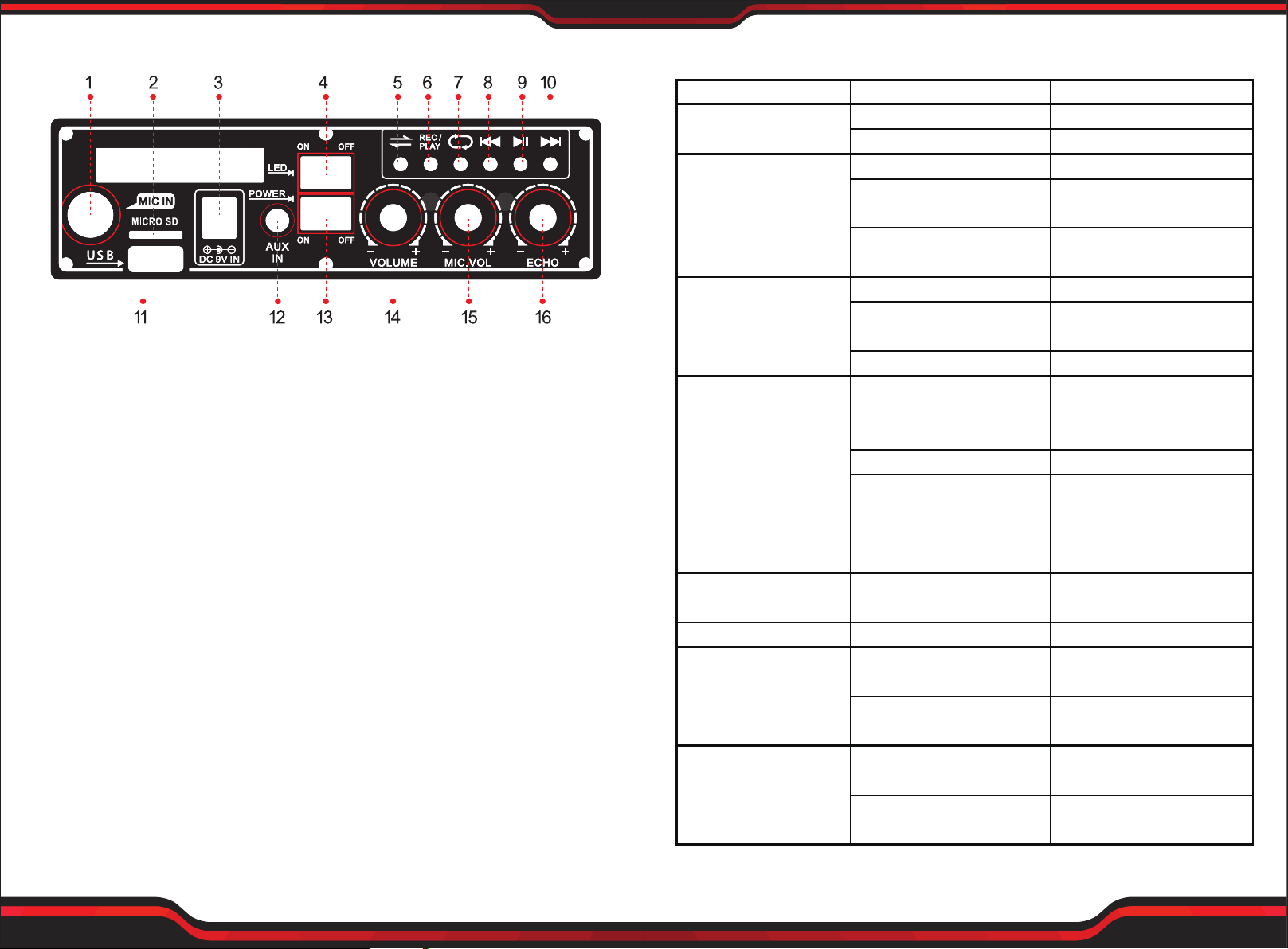
Control Board Functions
TroubleShooting
PROBLEM POSSIBLE CAUSE SOLUTION
No Sound or Faint
Sound From Speaker
Power Indicator
Not ON
Volume turned down
Power switch is turned o
Power switch is turned o
Rechargeable Battery is
discharged
Turn power switch on
Turn power switch on
Adjust volume
Plug into AC outlet
to recharge
1. Mic input
2. Micro SD card input
3. Power adaptor input
4. Light on/o
5. Input Mode Swith
6. Record to USB/Micro SD card
11. USB input
12. AUX input
13. Power on/o
14. Music volume control
15. Microphone volume control
16. Microphone echo control
7. Cycling mode
8. Previous song
9. Play/Pause
10. Next song; Under BT mode, Press and hold for 3 seconds to start TWS*
*Instructions on TWS (True Wireless Stereo):
1. To start TWS, you need to rst have two pcs. of PSBT62A.
2. Turn ON both speakers and switch them to Wireless BT mode.
3.
Press and hold the next song button on either speakers for 3 seconds, then
it will automatically connect to another speaker wirelessly.
4. Use your phone to connect the speaker by Wireless BT.
5. To exit the TWS mode, long press the next song button for 3 seconds.
Distorted Sound
From Speaker
Excessive Feedback
Weak, Distorted Sound.
Power Indicator Flickers
Excessive Hum or Noise
Shortened Battery
Life
Battery CHARGE
Indicator Not Flickering
when plugged into
AC Outlet
Rechargeable Battery is
“dead”
Volume set too high
Excessive wind noise
breath “pops”
Input signal too strong
Microphone too close or
directly in front of the
speaker
Volume set too high
Microphone too far from
sound source (requiring
the volume to be turned
up to compensate)
Batteries level is low
Input Cable not shielded
Old or overused battery
Battery is not charged
for over 3~4 months
Rechargeable Battery is
“dead”
Battery is not charged
for over 3~4 months
Replace battery and plug
into AC outlet to recharge
Reduce volume
Use windscreen on
wireless & wiredmicrophone
Adjust input signals
Move microphone away
from the speaker
Recharge
Speak closer to the
microphone or move
microphone closer to
sound source
Plug into AC outlet to
recharge
Use shielded cable
Recharge or replace
battery
Recharge or replace
battery
Recharge or replace
battery
Replace battery
www.PyleUSA.com
4
www.PyleUSA.com
5
Page 4

PSBT62A
Wireless BT Streaming Connectivity:
8'' Wireless BT Portable PA Speaker & Microphone System
High-Powered PA Loudspeaker with Built-in Rechargeable Battery,
MP3/Micro SD Card Reader/USB/FM Radio & LED Lights (600 Watt MAX)
Features:
• Portable Speaker System
• High-Powered PA Loud Speaker Style
• Wireless BT Music Streaming Ability
• Wireless BT TWS (True Wireless Stereo)
• Multi-Color Automatic Flashing LED Party Lights
• Built-in Rechargeable Battery
• FM Radio with Digital LCD Display
• Connect & Stream Audio from External Devices
• Aux (3.5mm) Input Connector Jack
• USB Flash Memory Reader
• 1/4'' Microphone input
• Rugged & Durable Molded Cabinet Design
• Compact Design with Shoulder Strap for Easy Carry
• Used for Public Gatherings, Crowd Control, Karaoke
• Built-in Wireless BT for Music Streaming
• Simple & Hassle-Free Pairing
• Works with All of Today’s Latest Devices
• Smartphones, Tablets, Laptops, Computers, etc.
• Wireless BT Version: 5.0
• Wireless BT Network Name: ‘PYLE PSBT62A’
• Wireless Range: Up to 32’ ft.
Technical Specs:
• Power Output: 600 Watt MAX
• Sound System: 8’’ -inch Full Range Speaker
• Impedance: 4 Ohm
• Frequency Response: 55-20kHz
• S/N Ratio: 80dB +/-3dB
• SPL: 92dB (+/-2dB) (1W/M)
• T.H.D.: <1%
• USB Interface Type: 2.0
• Digital Audio File Support: MP3, WAV, FLAC, APE
• For Indoor / Outdoor Use
What’s in the Box:
• PA Speaker System
• Wired Microphone
• Power Adapter
www.PyleUSA.com
6
• Maximum USB Flash Support: 16GB
• Battery Life: 3-5 Hours
• Rechargeable Battery: 7.4V Li-ion Battery, 2200mAh
• Power Supply: AC 120/240V, (DC 9V Power Adapter)
• Dimensions (L x W x H): 10.2’’ x 5.9’’ x 11.4’’ -inches
www.PyleUSA.com
7
 Loading...