

Page 1
Cautions:
1. Purelink logo is our own trademark of Dtrovision LLC.,Inc.
2. Any of the products may be changed without any notice in order to improve the function
of the product.
3. The design and specification of the product may be changed without any prior notice.
User Manual
DVI Pure Fiber Optic Extender Dual Link
ODC
Dtrovision LLC
9A Bergen Turnpike
Little Ferry, NJ 07643 USA
Tel: 1-201-488-3232
Fax: 1-201-621-6118
www.purelinkAV.com
For order support, please contact your Distributor or Reseller.
For technical support, check with the Email: [email protected]
Page 2

Package Content
Each DVI Pure Fiber Optic Extender Dual Link package includes the following items;
- ODC TX/RX Unit
- DVI-D Dual Link Cable – 1.2m, 2pcs
- 12V Power Adapter: 2 pcs
- User manual
Page 3

Contents
Contents 1-1
Description, General Specification 1-2
Environmental and Reliability Specifications 1-3
Main Features 1-4
Video Connection 1-5
Mechanical Specification 1-6
Technical Specification 1-7
Warranty Information 1-8
Troubleshooting 1-9
1-1 Contents
Page 4
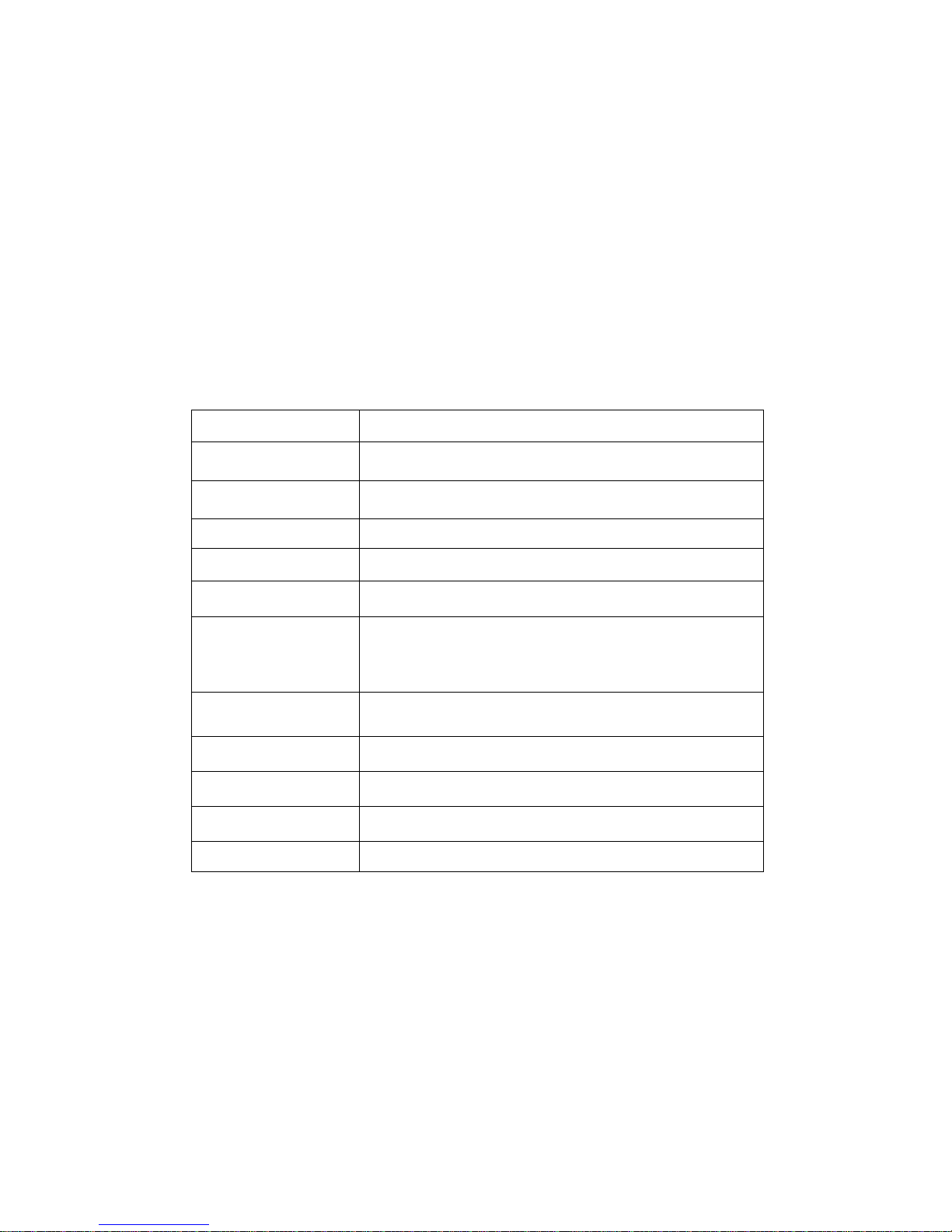
ITEM
DESCRIPTION
Model Name
ODC
Input Signal
Digital RGB (DVI), Digital Audio (OPTICAL, COAXIAL)
Output Signal
Digital RGB (DVI), Digital Audio (COAXIAL)
Resolution
VGA~QXGA
Distance
500m (1640ft) at 2560x1600
Receptacle
DC Power Jack
DVI 29 Pin Female
LC type fiber optic connecter 8 strands
HDCP/DDC Support
Compliant/Save EEprom
Interface
DDWG DVI 1.0
Power Consumption
12V Power Adapter(Included), Max 10 W
Dimension
125x111x35 mm
Weight
TX, RX: 0.40Kg each
Description, General Specification
Send DVI video signal and digital audio signal to long distance using pure fiber optic
cable (multimode 8 strands)
Owing to its compact size and low power design ODC connects monitors only for DVI-D
dual link, PDP, and projectors at the lowest price
ODC uses fully insulated fiber optic cable and is rarely affected by electronic wave or
electric noise. The best quality of DVI video signal and digital audio signal can be
achieved in every industrial site and place
1-2 Description , General Specification
Page 5

Environmental and Reliability Specifications
Recommended environmental conditions for the operation are temperature range of
10°C~40°C, non-condensing humidity levels of 10%-80%, and altitude ceiling of 3,000
meters (9,840 feet).
Environmental limits for transportation are temperature range of -25°C ~ 60°C, non-
condensing humidity levels of 5%~95%, and altitude ceiling of 15,000 meters (49,200feet)
Environmental limits for storage are established at temperature range of -20°C~45°C, non-
condensing humidity levels of 5%~95%, and altitude ceiling of 3,000 meters (9,840 feet)
The DVI Pure Fiber Optic Extender Dual Link is expected to function for more than 50,000
hours of use at a 90% confidence level. The device is tested according to the identical
standards for testing LCD monitors.
1-3 Environmental and Reliability Specifications
Page 6

Main Features
High Quality Picture - No Signal Loss and Digital Noise Free
Our ODC is built to deliver the highest quality picture preserving the native resolutions of the video
sources without any signal loss. At the same time, the digital noises that may affect the picture quality will
be eliminated. Due to the nature of the digital signals and passing through multiple stack of connection, it
is important to eliminate the digital noises and boost the signal strength to preserve/enhance the video
signal quality, which ODC does.
Signal Amplification for signal reliability and long length signal transmission.
ODC gets internal or external DC 12V power to run an internal chipset, which was designed to transmit
high quality visual signal to long distance. It has a specialized EQ chipset on input and out port for long
distance application, allowing DVI-D Dual Link cable up to 10m.
Compact and Practical Design
The ODC is designed compactly and practically allowing customers more ease and
convenience
Long distance signal transmission over fiber optic cable
DVI signal can be transmitted minimum 500m (1640ft) to maximum 1000m (3280ft) over
multimode fiber optic cable without signal loss
Compliance to DVI Ver 1.0
ODC fully supports DDWG standard, DVI 1.0
1-4 Main Features
Page 7
Video Connection
Step 1: Ensure the digital video/audio source and display is turned off
Step 2: Connect the digital DVI-D Dual Link cable and fiber optic cable to ODC module
Step 3: Connect power adapter to the transmitter (TX/RX) module of ODC
Step 4: Connect power code to the power adapter and plug in to power outlet
Step 5: Turn on the display
Step 6: Turn on the source
EDID data saving
Step 1: Connect DVI Input port on ODC TX unit to display such monitor or HDTV
Step 2: Push EDID S/W for 3~4 seconds
Step 3: EDID LED is illuminated for about 1 second if EDID was saved correctly
If EDID was not saved correctly, EDID LED blinks 6 times. The default EDID when it is shipped is
QXGA 2650*1600.
EDID saving is to display the best resolution between the video source and the display
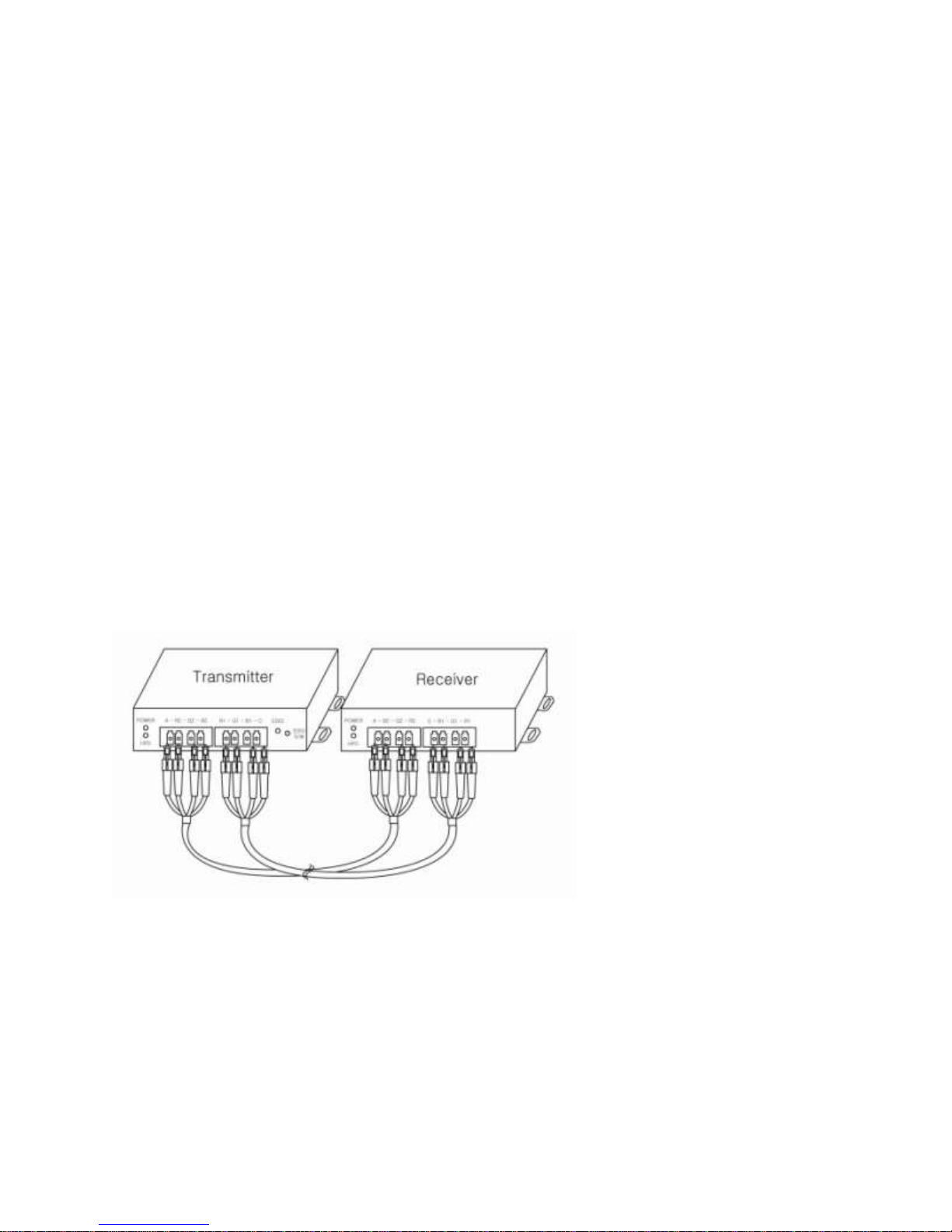
Connection of fiber optic cable
Connect fiber optic cables one to one according to the signs on ports.
1-5 Video Connection
Page 8
Mechanical Specification
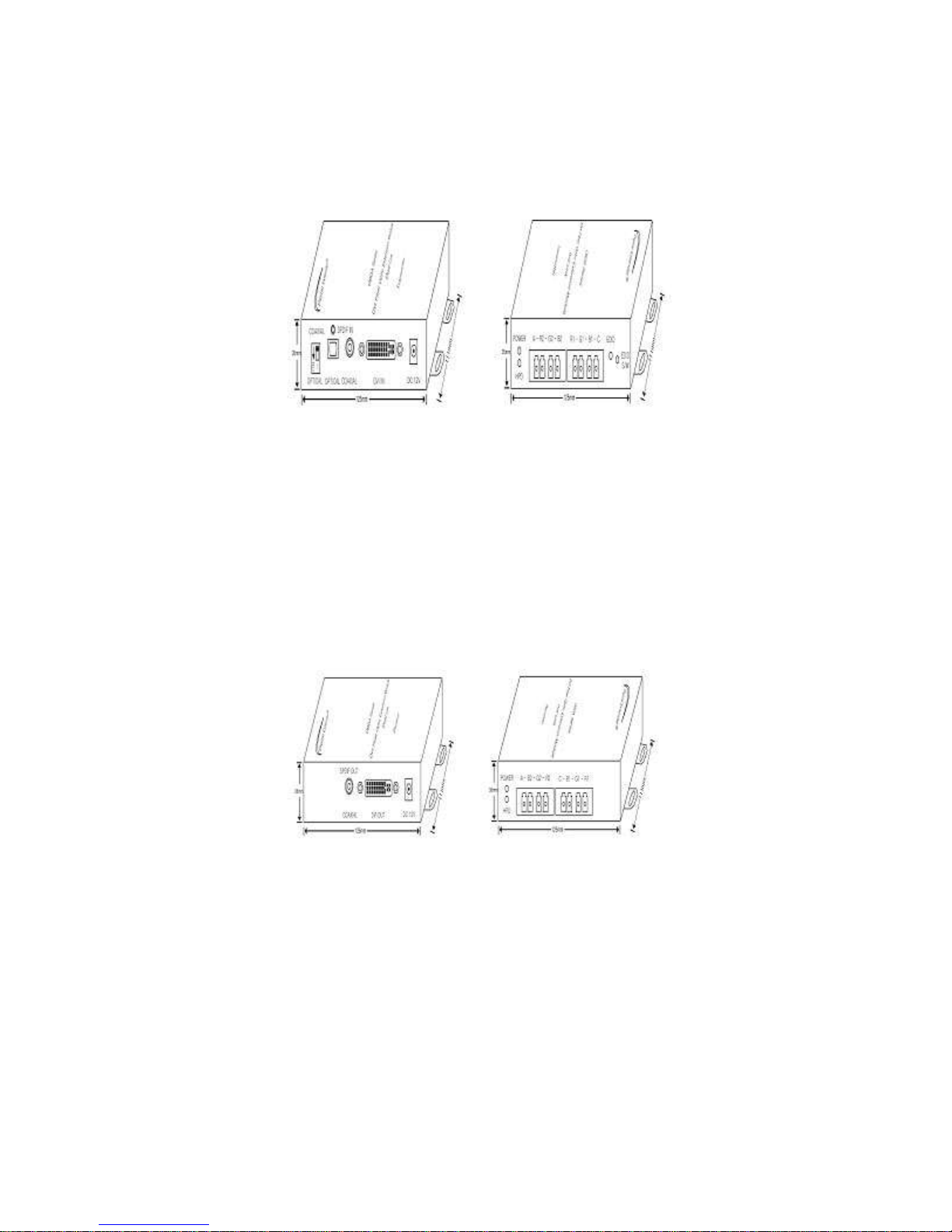
Dimension: 125x111x35 mm / 4.9 „‟ x 4.4‟‟ x 1.4‟‟ (inch)
TX Functioning part
DVI In: DVI-D Dual Link Input port
SPDIF In: Digital Audio (Optical, Coaxial) Input port
DIP S/W: Digital Audio (Optical, Coaxial) selection switch
A-R2-G2-B2-R1-G1-B1-C: Fiber optic cable connection port
DC-12V: power input port
Display part
POWER LED: display Power on/off
EDID LED: display the status of EDID appropriate operation
EDID S/W: EDID operation switch
HPD LED: display the status of DVI Input
RX Functioning part
DVI Out: DVI-D Dual Link Output port
SPDIF Out: Digital Audio (Coaxial) Output port
A-B2-G2-R2-C-B1-G1-R1: Fiber optic cable connection port
DC-12V: power input port
Display part
POWER LED: display Power on/off
HPD LED: display the status of DVI Input
1-6 Mechanical Specification
Page 9
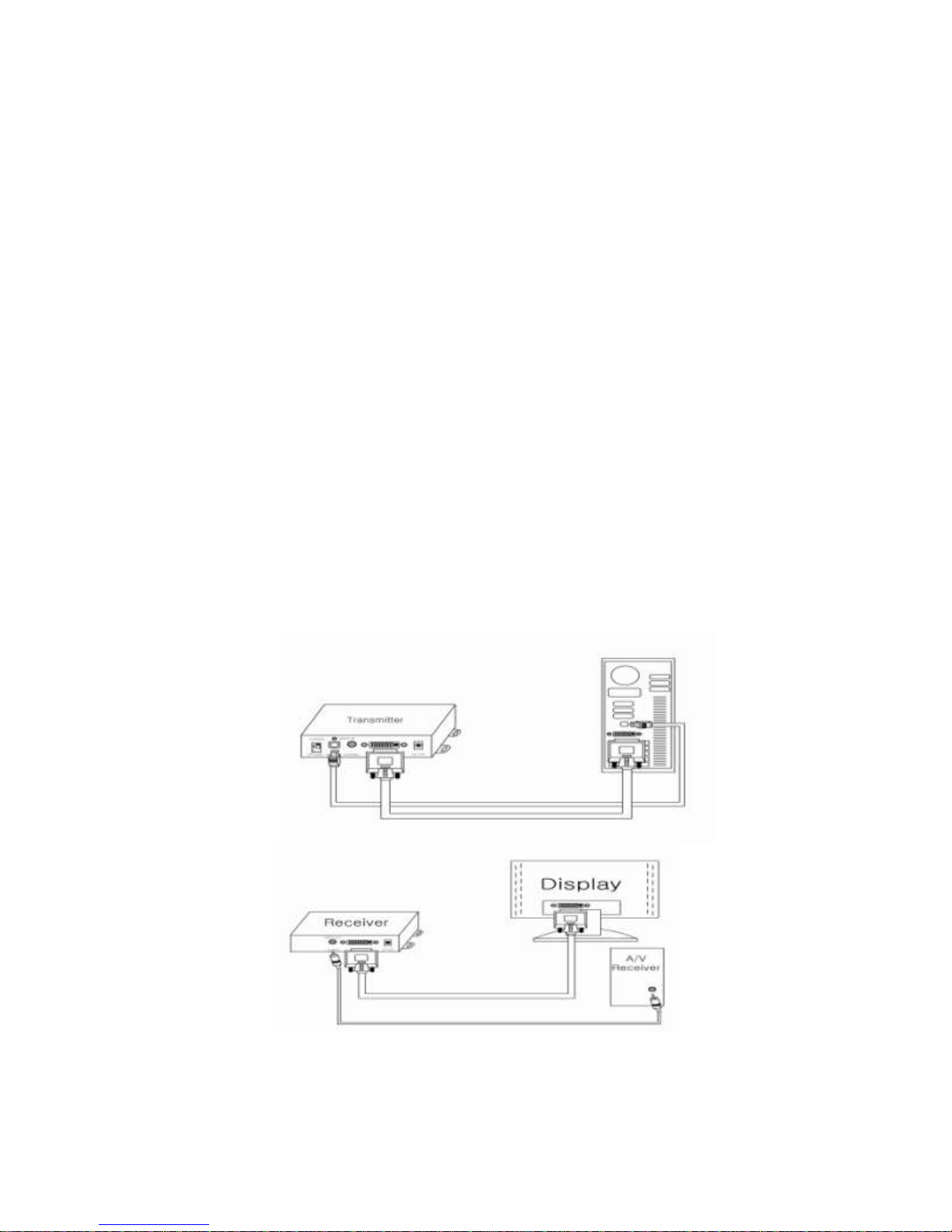
Technical Specification
Data transmission speed: 3.3 Gbps (Per color)
Digital Video Bandwidth: 25~268.5 Mhz
Resolution: Up to QXGA (2560x1600)@60Hz / 1080P
Input/output signal standard: Digital RGB, TMDS, SPDIF
Maximum length: 2560*1600p -> 500m (1640ft)
Optional -> 1000m (3280ft)
Light Source: 850 nm Vcsel
Fiber Optic cable: 50/125 & 62.5/125 multimode
Input connector type: DVI Female 29P / LC type Fiber Optic connecter * 8 strands
Digital Audio (OPTICAL, COAXIAL)
Output connector type: DVI Female 29P / LC type Fiber Optic connecter * 8 strands
Digital Audio (COAXIAL)
Power consumption: TX 4.5 Watts (Max), RX 6.2 Watts (Max)
Power supply: DC 12V, 2A
Product connections
1-7 Technical Specification
Page 10

Warranty Information
2(Two) Year Warranty
Dtrovision LLC warrants this DVI Pure Fiber Optic Extender Dual Link to be free from defects in
workmanship and materials, under normal use and service, for a period of two (2) years from
the date of purchase from Dtrovision LLC or its authorized resellers.
If a product does not work as warranted during the applicable warranty period, Dtrovision LLC
shall, at its option and expense, repair the defective product or part, deliver to customer an
equivalent product or part to replace the defective item, or refund to customer the purchase
price paid for the defective product.
All products that are replaced will become the property of Dtrovision LLC.
Replacement products may be new or reconditioned.
Any replaced or repaired product or part has a ninety (90) day warranty or the reminder of the
initial warranty period, whichever is longer.
Dtrovision LLC. shall not be responsible for any software, firmware, information, or memory data
of customer contained in, stored on, or integrated with any products returned to Dtrovision LLC
for repair under warranty or not.
Warranty Limitation and Exclusion
Dtrovision LLC shall have no further obligation under the foregoing limited warranty if the
product has been damaged due to abuse, misuse, neglect, accident, unusual physical or
electrical stress, unauthorized modifications, tampering, alterations, or service other than by
Dtrovision LLC or its authorized agents, causes other than from ordinary use or failure to
properly use the product in the application for which said product is intended.
1-8 Warranty Information
Page 11

Problem
Solution
No picture(or signal)
1. Ensure the power LED is illuminated.
2. Check if TX or RX module is properly connected to sources or
displays.
3. Check if fiber optic cable is properly connected.
4. Make sure that the display is only for DVI-D Dual Link
5. Reboot source device after the connection of fiber optic cables.
Poor picture or noise
1. Ensure the graphic resolution is correctly set up.
- Select “Settings” on Window Display properties
- Check if the resolution is lower than QXGA
(2560x1600)@60Hz
2.Restart the system
3.Turn off DC power adapter, disconnect fiber optic cable,
reconnect the cables and power on.
4, Check electric ground level of power for DVI Devices
5. Make sure that saved EDID is same as that of display
No Sound
1. Check if the Audio (coaxial) plug or jack is securely connected
2.Check if the input / output audio is digital
3. Ensure the power LED is illuminated.
Troubleshooting
The DVI Pure Fiber Optic Extender Dual Link is designed for years of trouble free service,
please refer to the troubleshooting chart below if experiencing issues with the device.
1-9 Trouble Shooting
 Loading...