

Page 1

CAL. 5Y67, VX3T
RETROGRADE DAY INDICATOR
● Time indicates by the hour, minute and
second hands
● Date indicates by the date hand
● Day of the week indicates by the day
hand
● The 24-hour hand indicates the hour in
the 24-hour indication
ENGLISH
Page 2
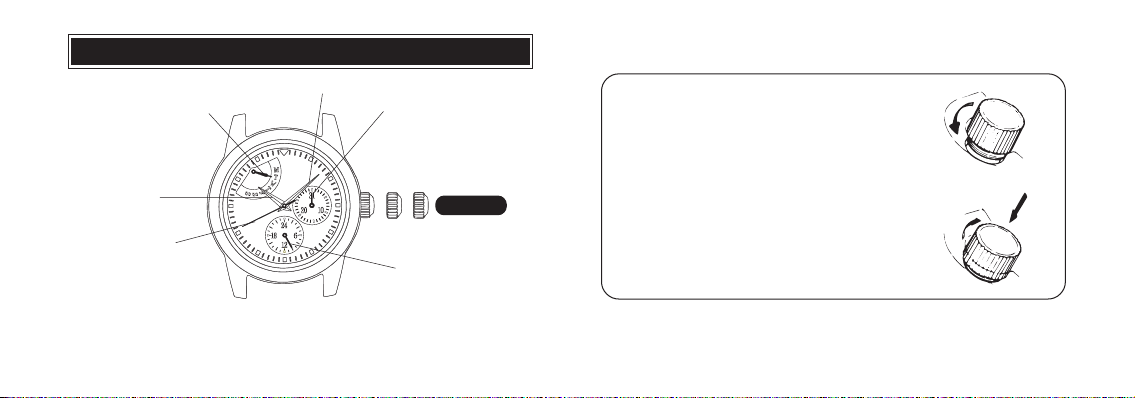
Day hand
(retrograde day
indicator: see page 7)
Hour hand
English
Second hand
DISPLAY AND CROWN
Minute hand
a b c
Date hand
24-hour hand
CROWN
SCREW DOWN CROWN
[for models with screw down crown]
1 Turn Crown counterclockwise until you no
longer feel the threads turning.
2 Crown can be pulled out.
Locking the crown
1 Push Crown back in to normal position.
2 Turn Crown clockwise while pressing it lightly
until tight.
English
a. Normal position c. Second click
*
2
Orientation of the retrograde display may vary depending on the model.
b. First click
3
Page 3
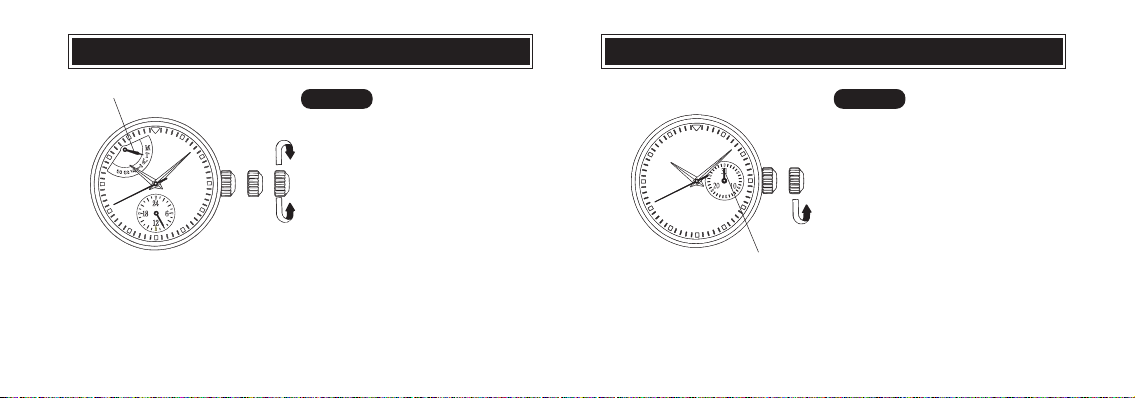
Day hand
English
clockwise
➠
➠
counterclockwise
CROWN
1 Pull out to second click when Second
hand is at the 12 o’clock position.
2 Turn clockwise to advance Hour
and Minute hands until Day hand
is set to the desired day of the
week.
3 Turn to set the time.
4 Push the crown back into the
normal position in accordance
with a time signal.
DATE SETTINGDAY AND TIME SETTING
➠
Date hand
CROWN
1 Pull out to first click.
2 Turn counterclockwise to set Date
hand to the desired date.
3 Push in.
English
4
5
Page 4

NOTES ON OPERATING THE WATCH
BATTERY CHANGE
TIME/DATE SETTING
To advance the day hand quickly, turn back the hour and minute hands 4 to 5 hours
●
beyond the point the day changes (between 11:00 p.m. and 4:00 a.m.), and then
advance them again until the day hand is set to the next.
*The day hand will not move back by turning the crown counterclockwise.
●
After the day hand reaches the last day of the week, turn the crown clockwise and the
hand will return to the first day of the week (retrograde day indicator).
●
When adjusting the day hand, turn the crown slowly.
●
The 24-hour hand moves correspondingly with the hour hand.
●
When setting the hour hand, check that the 24-hour hand is correctly set.
English
●
When setting the minute hand, advance it 4 to 5 minutes ahead of the desired time and
then turn it back to the exact time.
DATE SETTING
●
Do not set the date hand between 9:00 p.m. and 1:00 a.m. Otherwise, it may not turn
properly.
●
While setting the date hand, check that it moves properly in one-day increments.
●
It is necessary to adjust the date on the first day after a 30-day month and February.
6
Battery life : Approx. 3 years
Battery : SEIKO SR920SW
● As the battery is inserted at the factory to check the function and performance of
the watch, its actual life once in your possession may be less than the specified
period.
● When the battery expires, be sure to replace it as soon as possible to prevent any
malfunction.
● We recommend that you contact an AUTHORIZED PULSAR DEALER for battery
replacement.
English
7
Page 5
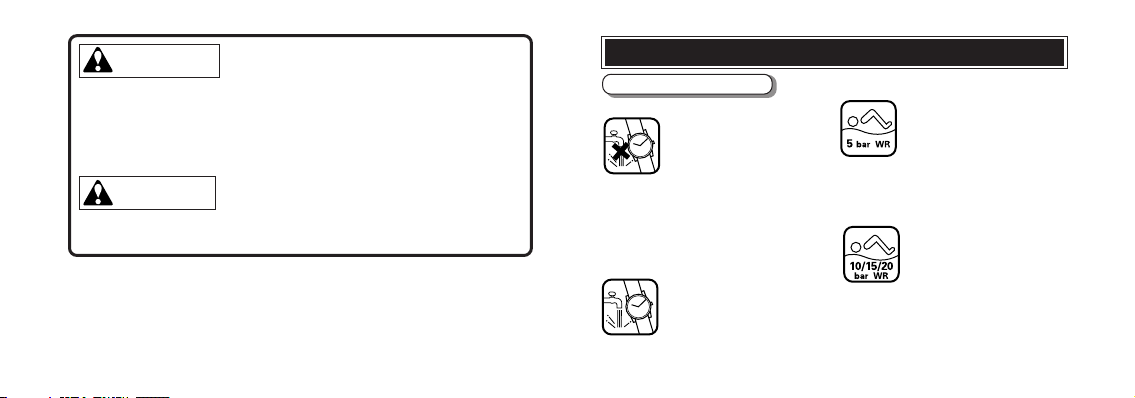
WARNING
● Do not remove the battery from the watch.
● If it is necessary to take out the battery, keep it out of the reach of
children. If a child swallows it, consult a doctor immediately.
● Never short-circuit, tamper with or heat the battery, and never expose
it to fire. The battery may burst, become very hot or catch fire.
CAUTION
English
● The battery is not rechargeable. Never attempt to recharge it, as this
may cause battery leakage or damage to the battery.
8
TO PRESERVE THE QUALITY OF YOUR WATCH
WATER RESISTANCE
● Non-water resistant
wet as water may damage the movement. If
the watch becomes wet, we suggest that you
have it checked by an AUTHORIZED PULSAR
DEALER or SERVICE CENTER.
● Water resistance (3 bar)
dental contact with splashes of water or rain, but it is
not designed for swimming or diving.
If “WATER RESISTANT” is not
inscribed on the case back, your
watch is not water resistant, and
care should be taken not to get it
If “WATER RESISTANT” is inscribed
on the case back, your watch is
designed and manufactured to
withstand up to 3 bar, such as acci-
● Water resistance (5 bar)*
and is suitable for swimming, yachting and taking
a shower.
●
Water resistance (10 bar/15 bar/20 bar)*
your watch is designed and manufactured to
withstand up to 10 bar/15 bar/20 bar and is
suitable for taking a bath, shallow diving, but not
for scuba diving. We recommend that you wear a
PULSAR Diver’s watch for scuba diving.
If “WATER RESISTANT 5 BAR”
is inscribed on the case back, your
watch is designed and manufactured to withstand up to 5 bar
English
If “WATER RESISTANT 10 BAR”,
“WATER RESISTANT 15 BAR”
or “WATER RESISTANT 20 BAR”
is inscribed on the case back,
9
Page 6
* Before using the water resistance 5, 10, 15 or 20 bar watch in water, be sure the
crown is pushed in completely.
Do not operate the crown when the watch is wet or in water. If used in sea water,
rinse the watch in fresh water and dry it completely.
* When taking a shower with the water resistance 5 bar watch, or taking a bath with
the water resistance 10, 15 or 20 bar watch, be sure to observe the following:
• Do not operate the crown when the watch is wet with soapy water or shampoo.
• If the watch is left in warm water, a slight time loss or gain may be caused. This
condition, however, will be corrected when the watch returns to normal
temperature.
NOTE:
Pressure in bar is a test pressure and should not be considered as corresponding
to actual diving depth since swimming movement tends to increase the
English
pressure at a given depth. Care should also be taken on diving into water.
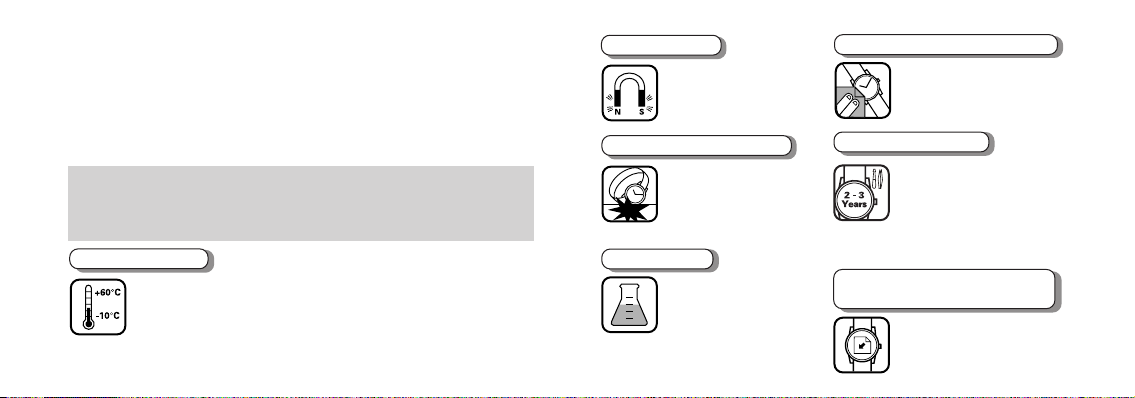
TEMPERATURES
Your watch works with
stable accuracy within a
temperature range of 5°
C and 35° C (41° F and
Temperatures over 60° C (140° F)
10
may cause battery leakage or shorten
95° F).
the battery life. Do not leave your
watch in very low temperatures below
–10° C (+14° F) for a long time since
the cold may cause a slight time loss
or gain.
However, the above conditions will
be corrected when the watch returns
to normal temperature.
MAGNETISM
Your watch will be
adversely affected by
strong magnetism. Keep
it away from close contact
with magnetic objects.
SHOCKS & VIBRATION
Light activities will not
affect your watch, but be
careful not to drop your
watch or hit it against hard
cause damage.
surfaces, as this may
CHEMICALS
Be careful not to expose
the watch to solvents,
mercury, cosmetic spray,
detergents, adhesives or
case, bracelet, etc. may become
discolored, deteriorated or damaged.
paints. Otherwise, the
CARE OF CASE AND BRACELET
To prevent possible rusting of
the case and bracelet caused
by dust, moisture and
perspiration, wipe them
periodically with a soft dry cloth.
PERIODIC CHECK
It is recommended that the
watch be checked once
every 2 to 3 years. Have
your watch checked by an
DEALER or SERVICE CENTER to
ensure that the case, crown, buttons,
gasket and crystal seal remain intact.
AUTHORIZED PULSAR
PRECAUTION REGARDING
CASE BACK PROTECTIVE FILM
If your watch has a
protective film and/or a
sticker on the case back,
be sure to peel them off
before using your watch.
English
11
 Loading...