

Page 1

WS5
Precision Balance
Operator Manual
Rev. 6.6.19
Innovative Measurement Electronics
Page 2

Thank you for purchasing a PT Electronic Digital Scale. In order to use the
scale properly, please read this Manual carefully before use. If you have a
problem concerning the scale, please contact your supplier.
PT regularly updates and issues new information regarding products, the most
up-to-date information and additional detailed information is located on the PT
web site.
www.pt-global.com
Page 3

WS5 Operator Manual Rev 6.6.19
1. TABLE OF CONTENTS
1. TABLE OF CONTENTS................................................................................................................1
2. PREPARATION.............................................................................................................................2
2.1.Before using the scale........................................................................................................2
2.2.Preparing the scale for use................................................................................................2
2.2.1.Transportation lock...............................................................................................3
2.2.2.Wind shield...........................................................................................................3
3. FEATURES AND SPECIFICATIONS............................................................................................4
3.1.Features..............................................................................................................................4
3.2.Specifications......................................................................................................................4
3.3.Product Package................................................................................................................4
3.4.Selectable Weight Units......................................................................................................4
3.5.Selectable units capacity and division table.......................................................................5
3.6.Error Messages..................................................................................................................6
4. DISPLAY........................................................................................................................................7
5. KEYBOARD FUNCTIONS............................................................................................................8
5.1.Key descriptions.................................................................................................................8
5.2.Basic Operation..................................................................................................................9
5.2.1. Switching the scale on / Re-zeroing ..................................................................9
5.2.2. Selecting the desired units..................................................................................9
5.2.3. Using TARE to deduct the weight of the container.............................................9
5.2.4. Simple weight calibration....................................................................................9
5.2.5.Operating mode switching...................................................................................9
5.2.6.Unit weight function............................................................................................10
5.2.7.Counting mode...................................................................................................10
5.2.8.Percentage mode..............................................................................................10
5.2.9.Notes.............................................................................. ....................................11
Page 1
Page 4

WS5 Operator Manual Rev 6.6.19
2. PREPARATION
2.1. Before using the scale
1. Please keep the scale in a cool and dry place. Do not store at high temperatures.
2. Do not allow any liquids to come into or contact with the scale. If it is happened,
wipe the scale dry with a cloth.
3. Avoid objects impacting with the scale. Do not drop loads onto the scale or subject
the weigh pan to any strong shock loads.
4. The load placed on the weigh pan must not exceed the maximum weighing
capacity of the scale.
5. If the scale is not going to be used for some time, please remove the dry cell
batteries, clean it and store it in a plastic bag in dry conditions. A desiccant sachet
may be included to prevent moisture build up.
6. Do not mix different types of dry battery or mix used dry batteries with new dry
batteries.
2.2. Preparing the scale for use
1. Unpack the scale carefully and place it on a firm surface. Fit the platter and
assemble and fit the cover on the scale and remove any packing materials that
may be underneath. The scale may come with a protective film on the display and
button panel which should be removed for clear reading of the display.
1. For accurate weight readings locate the scale on a firm level surface free from
vibrations.
2. Avoid operating the scale in direct sunlight or drafts of any kind.
3. Remove any weight that might be on the weigh pan before the scale is switched on
and avoid leaving weight on the pan for long periods of time.
4. Once the scale has been switched on, it will go through a LCD display test and then
re-zero to be ready for use.
5. For best accuracy switch the scale on for 15~20 minutes before use.
6. Please note when the symbol appears on the screen, the dry batteries need
to be replaced.
7. All goods weighed should be placed in the centre of the weigh pan for accurate
weighing. The overall dimensions of the goods being weighed should not exceed
the dimension of the weigh pan.
8. The acceleration due to gravity varies around the world. The force on the scale is a
product of the gravity value and the mass placed on the scale to weigh. As the
gravity value can vary in different world locations so can the weight displayed for
the same mass. The Scales have been calibrated for a gravity value (acceleration
due to gravity) of g=9.803 m/s2. Discrepancies in readings at the location of
installation could be due to a different gravity value and adjustment of the scale
calibration or gravity value may be needed for the scale to be most accurate at your
location.
9. The scale is equipped with a transportation protection device. This locks the scale
during transportation and handling to avoid damage. Before use this screw must be
removed.
10.The WS5 is supplied with a wind shield to ensure a stable reading in the presence
of air currents. This must be assembled before use.
Page 2
Page 5
WS5 Operator Manual Rev 6.6.19
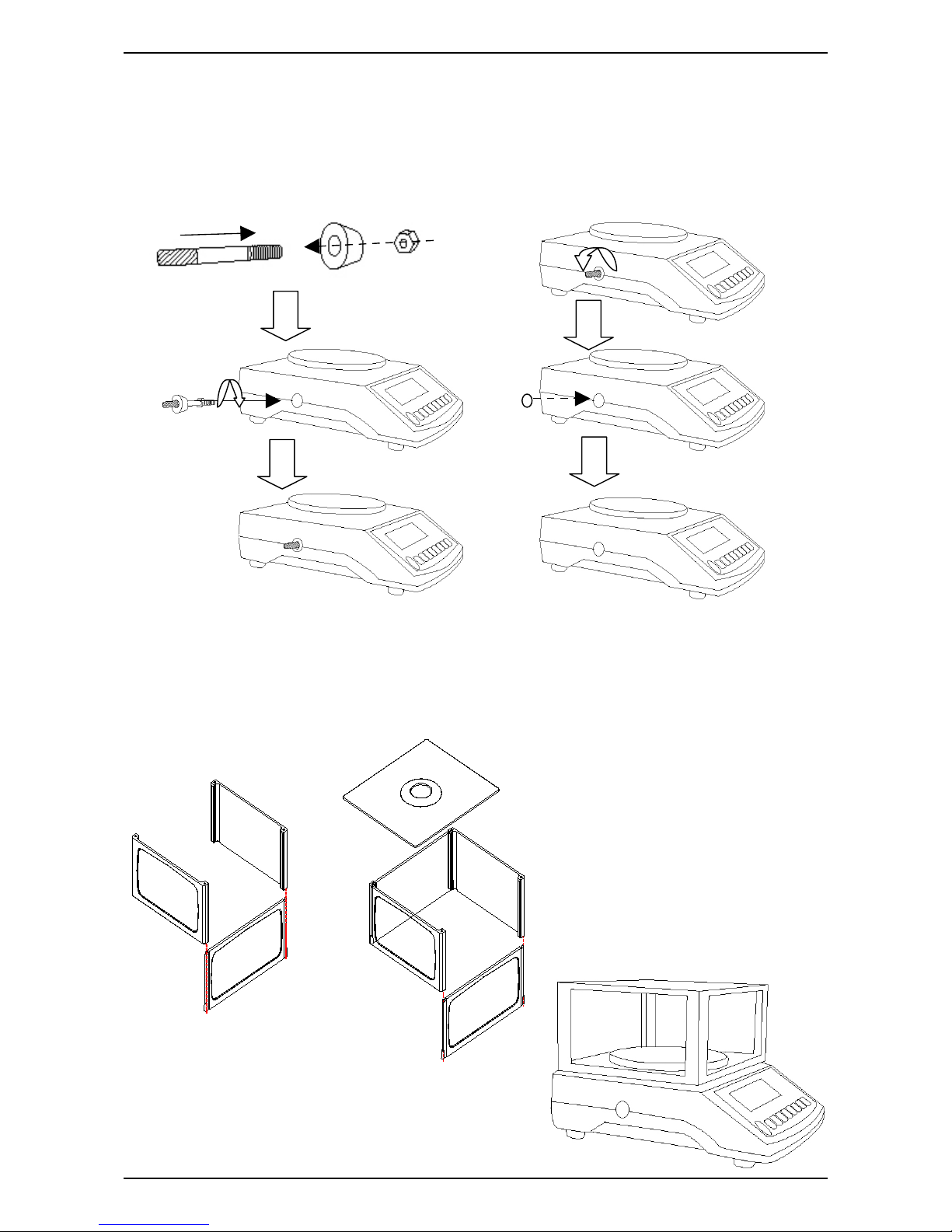
2.2.1.Transportation lock.
For maintenance or transportation of this machine, install the protection screw to avoid
any damage to the sensitive components within.
1 Installing the protection screw: 2 Removing the protection screw:
2.2.2.Wind shield
Assemble the wind shield as below.
Page 3
Page 6
WS5 Operator Manual Rev 6.6.19
3. FEATURES AND SPECIFICATIONS
3.1. Features
● Multi-function operation: Fast weighing operation; Full range tare; Net / Gross
weight display; Simple counting (pcs); percentage mode; Auto power-off; high
resolution mode.
● Multiple-weighing units: 13 units, see table below.
● User-friendly design: Simple calibration; Large LCD display (6 digits x 16mm
high); Gravity compensation; low battery warning indicator; double over-load
protection.
● Dual-power source: Either from mains AC/DC adapter or dry cell batteries.
● Options as standard: Stainless steel platter, back light, levelling feet, RS232, wind
shield.
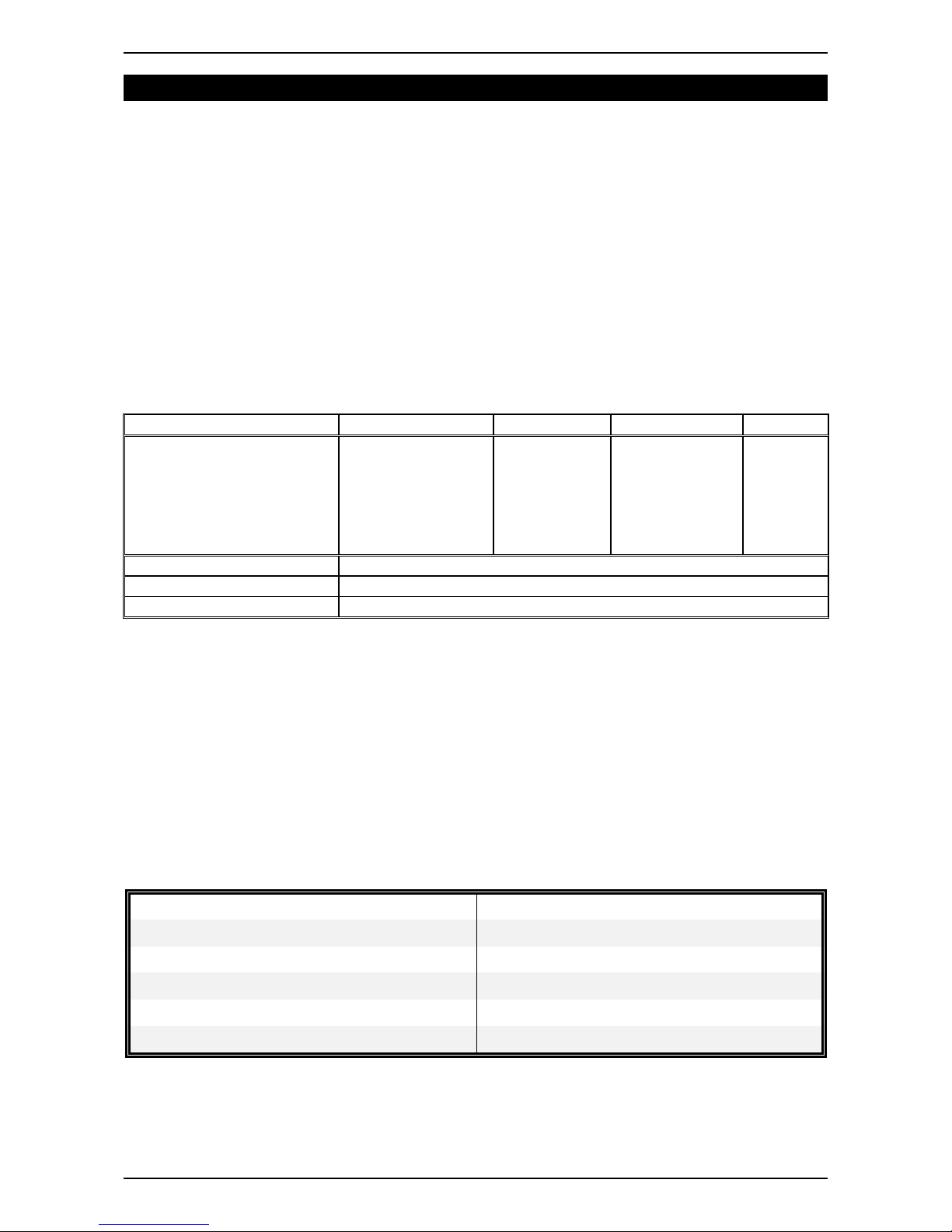
3.2. Specifications
Model Capacity Division Resolution Min. Cap.
WS5-150 150g 0.005g 1/30 000 10g
WS3-300 300g 0.00g 1/30 000 20g
WS3-600 600g 0.02g 1/30 000 40g
WS3-1200 1200g 0.02g 1/60 000
WS3-1500 1500g 0.05g 1/30 000
WS3-3000 3000g 0.1g 1/30 000 100g
Operating Temperature 0°C ~ 40°C (32°F ~ 104°F)
Power Source 4 x UM-1 (AA cell) 1.5V dry batteries or AC adaptor DC 9V
Size (L x W x H) 226 x 175 x 63mm
The power consumption is around DC 0.3 mA (standby mode), DC 28~33 mA (system + load cell), DC
38~43 mA (system + load cell + backlight).
3.3. Product Package
● Scale 1 off
● Wind shield 1 off
● User manual 1 off
● AC/DC mains adapter 1off
● Please contact to your supplier, if any of the items described above are missing.
● Dry batteries are not included in the product package.
3.4. Selectable Weight Units.
Pieces and % modes also selectable.
1 ct metric carat = 0.2 g 1 dwt pennyweight = 1.55517384 g
1 lb avoirdupois pound = 453.59237 g 1 MM
momme (jpn)
= 3.749996 g
1 oz avoirdupois ounce = 28.349523125 g 1 tl.J hong kong jewelry tael = 37.4290018 g
1 dr avoirdupois dram = 1.7718451 g 1 tl.T
tael (twn)
= 37.49995 g
1 GN
grain (u.k)
= 0.06479891 g 1 tl.H hong kong tael = 37.799375 g
1 ozt troy ounce = 31.1034768 g 1 t
[tola](india)
= 11.6638038 g
Page 4
Page 7
WS5 Operator Manual Rev 6.6.19
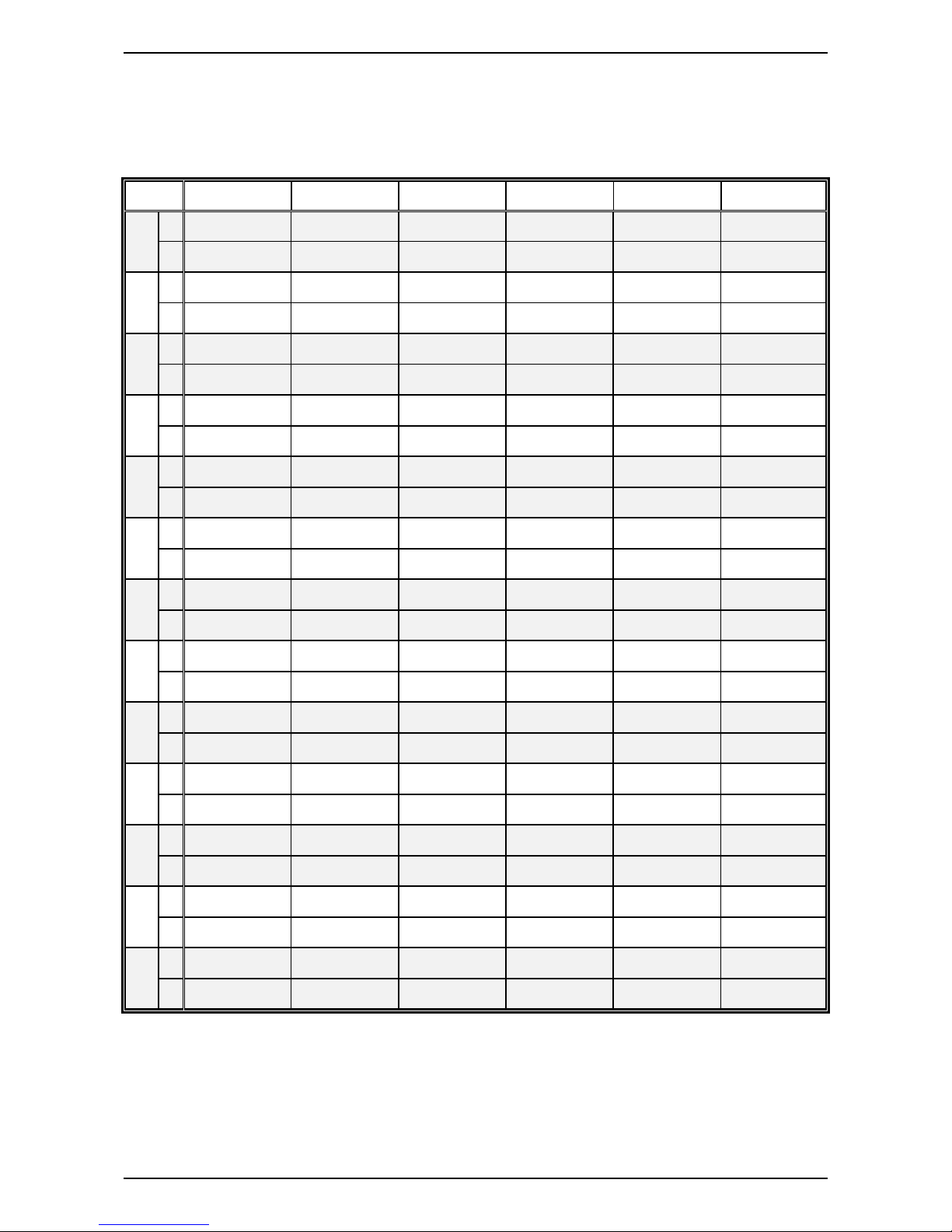
3.5. Selectable units capacity and division table.
External resolution: 1/30000
WS5-150 WS5-300 WS5-600 WS5-1200 WS5-1500 WS5-3000
g
Hr
150 ×0.005 300 × 0.01 600 × 0.02 1200 × 0.02 1500 × 0.05 3000 × 0.1
nr
150 ×0.05 300 × 0.1 600 × 0.2 1200 × 0.2 1500 × 0.5 3000 × 1
ct
Hr
750 ×0.05 1500 × 0.05 3000 × 0.1 6000 × 0.1 7500 × 0.5 15000 × 0.5
nr
750 ×0.5 1500 × 0.5 3000 × 1 6000 × 1 7500 × 5 15000 × 5
lb
Hr
0.33 ×0.00002 0.66 × 0.00005 1.32 × 0.00005 2.64 × 0.00005 3.3 × 0.0002 6.6 × 0.0005
nr
0.33 ×0.0002 0.66 × 0.0005 1.32 × 0.0005 2.64 × 0.0005 3.3 × 0.002 6.6 × 0.005
oz
Hr
5.2 ×0.0002 10.5 × 0.0005 21 × 0.001 42 × 0.001 52 × 0.002 105 × 0.005
nr
5.2 ×0.002 10.5 × 0.005 21 × 0.01 42 × 0.01 52 × 0.02 105 × 0.05
dr
Hr
84 ×0.005 160 × 0.01 330 × 0.02 670 × 0.02 840 × 0.05 1600 × 0.1
nr
84 ×0.05 160 × 0.1 330 × 0.2 670 × 0.2 840 × 0.5 1600 × 1
GN
Hr
2300 ×0.1 4600 × 0.2 9200 × 0.5 18500 × 0.5 23000 × 1 46000 × 2
nr
2300 ×1 4600 × 2 9200 × 5 18500 × 5 23000 × 10 46000 × 2
ozt
Hr
4.8 ×0.0002 9.6 × 0.0005 19 × 0.001 38 × 0.001 48 × 0.002 96 × 0.005
nr
4.8 ×0.002 9.6 × 0.005 19 × 0.01 38 × 0.01 48 × 0.02 96 × 0.05
dwt
Hr
96 ×0.005 190 × 0.01 380 × 0.02 770 × 0.02 960 × 0.05 1900 × 0.1
nr
96 ×0.05 190 × 0.1 380 × 0.2 770 × 0.2 960 × 0.5 1900 × 1
MM
Hr
40 ×0.002 80 × 0.005 160 × 0.01 320 × 0.01 400 × 0.02 800 × 0.05
nr
40 ×0.02 80 × 0.05 160 × 0.1 320 × 0.1 400 × 0.2 800 × 0.5
tl.J
Hr
4 ×0.0002 8 × 0.0005 16 × 0.001 32 × 0.001 40 × 0.002 80 × 0.005
nr
4 ×0.002 8 × 0.005 16 × 0.01 32 × 0.01 40 × 0.02 80 × 0.05
tl.T
Hr
4 ×0.0002 8 × 0.0005 16 × 0.001 32 × 0.001 40 × 0.002 80 × 0.005
nr
4 ×0.002 8 × 0.005 16 × 0.01 32 × 0.01 40 × 0.02 80 × 0.05
tl.H
Hr
3.9 ×0.0002 7.9 × 0.0005 15 × 0.001 31 × 0.001 39 × 0.002 79 × 0.005
nr
3.9 ×0.002 7.9 × 0.005 15 × 0.01 31 × 0.01 39 × 0.02 79 × 0.05
t
Hr
12.8 ×0.0005 25 × 0.001 51 × 0.002 102 × 0.002 128 × 0.005 250 × 0.01
nr
12.8 ×0.005 25 × 0.01 51 × 0.02 102 × 0.02 128 × 0.05 250 × 0.1
Page 5
Page 8
WS5 Operator Manual Rev 6.6.19
3.6. Error Messages
E0 ⇒ The EEPROM memory is not working correctly.
E1 ⇒ Zero is higher than the zero range when switching the scale on.
E2 ⇒ Zero is lower than the zero range when switching the scale on.
E4 ⇒ A/D value is unstable or when the scale is first turned on the reading is
unstable for more than 10 seconds or when the
T
key is pressed the
reading is unstable for more than 10 seconds.
E5 ⇒ A/D value is less than zero.
E8 ⇒ The resolution entered is too high. Press the
T
key to enter the
capacity configuration setting again.
oF ⇒ A/D value is higher than the maximum range.
oL ⇒ The weight of the object is over the maximum capacity + 9 divisions.
Page 6
Page 9
WS5 Operator Manual Rev 6.6.19
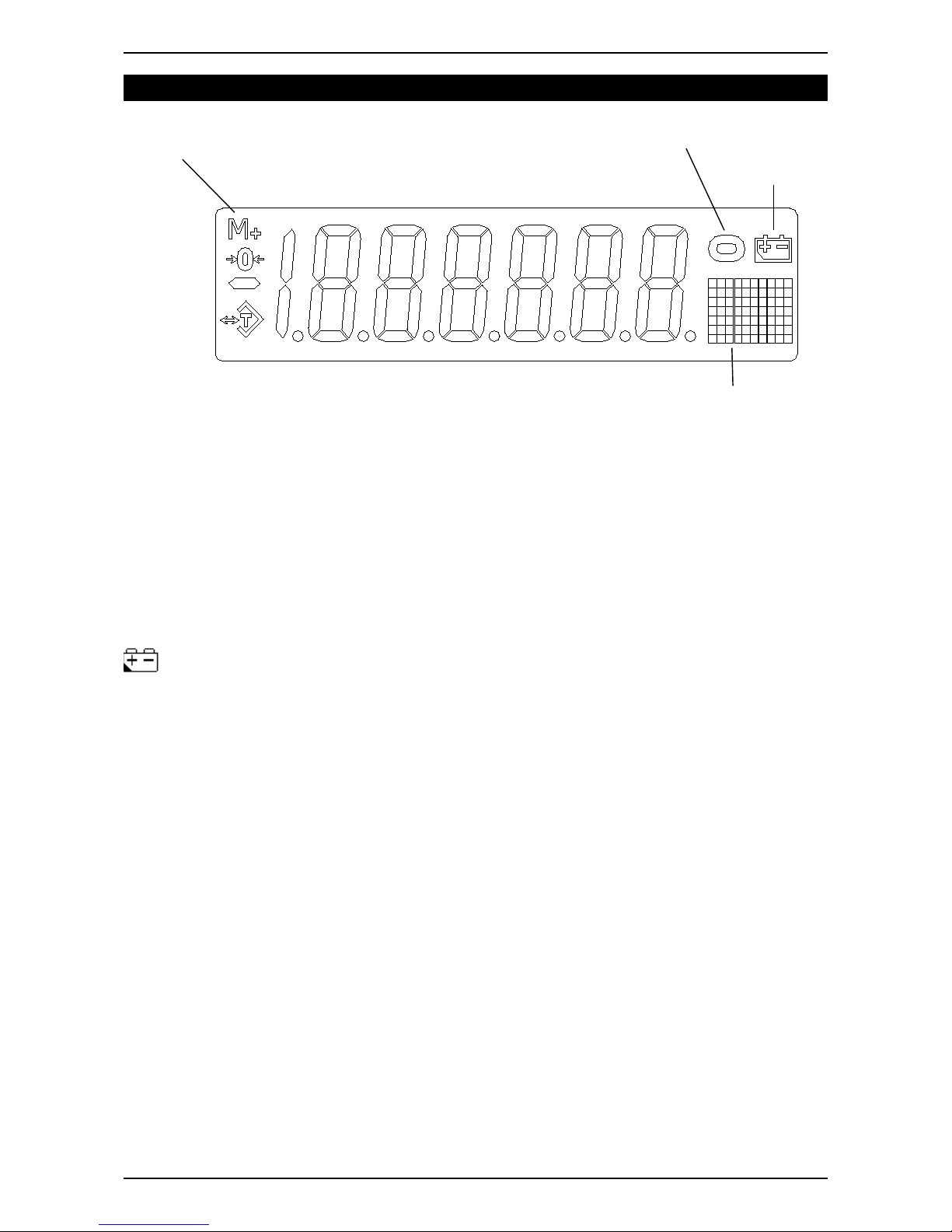
4. DISPLAY
“Tare” indication. The Net weight is displayed.
“Zero” indication. The scale has returned to zero.
“Unit” indication. The currently selected unit is displayed.
“Stable” indication. The weight is stable and the reading can be taken.
: “Low Battery” indication.
Page 7
Zero
Minus sign
Stable weight
indication
Low battery
indication
Unit display
Tare Mode
Accumulation
active
Page 10
WS5 Operator Manual Rev 6.6.19
5. KEYBOARD FUNCTIONS
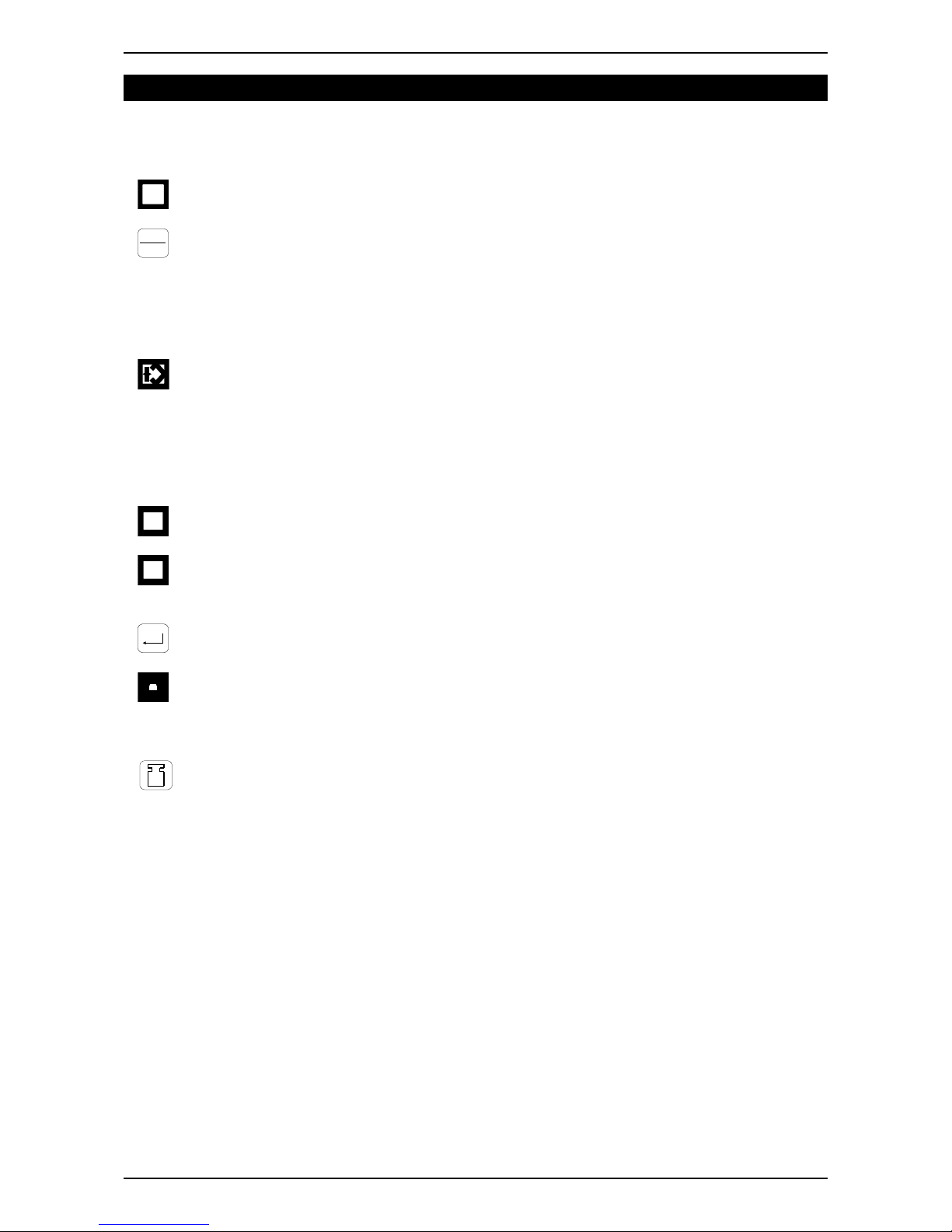
5.1. Key descriptions
OFF
: The key to switch the scale off.
→0←
ON
: ON/ZERO key. When the scale is off, press the key to switch it on. When the
scale is switched on, with the weigh pan empty, if the display is not showing zero,
press this key to zero (balance) the scale. Zero range: ± 2% of full scale.
● In the calibration or function setting mode, press the key to move the cursor
one step to the right.
T
: TARE key. Press the key to deduct the weight of the container. The tare key is
not functional when the weight value shown on the display is negative or over the full
scale capacity. The scale is in gross mode when it is first turned on and the tare key
is functional.
● In the calibration or function setting mode, press the key to move the cursor
one step to the left.
UNITS
: UNITS key. Press the key to select the desired weight units or count units (pcs).
MODE
: MODE key. Press the key to select different operation modes: weighing mode,
counting mode, and percentage mode.
: ENTER key. Press the key to confirm or accept the setting.
H R
: UNIT WEIGHT key. Press the key to show the unit weight.
● In the calibration or function setting mode, press the key for downward digit
selection and downward menu movement.
: SAMPLE key. In the counting or percentage mode, press the key to calculate the
unit weight of the sample.
● In the calibration or function setting mode, press the key for upward digit
selection and upward menu movement.
Page 8
P
CS
Page 11
WS5 Operator Manual Rev 6.6.19
5.2. Basic Operation
5.2.1. Switching the scale on / Re-zeroing
1. When the scale is off, press the
→0←
ON
key to turn the scale on.
2. When the scale is on and without any object placed on the weigh pan, press the
→0←
ON
key to obtain a zero reading. The zero indication shows in the left hand side
of the display.
5.2.2. Selecting the desired units
1. Press the
UNITS
key to select gram (g), ounce (oz), any of the other available units
or pcs,The units symbol will show in the right hand side of the display.
2. After power off, the scale will remember the active units. When the scale is
powered on again, it displays the previous active units.
5.2.3. Using TARE to deduct the weight of the container
1. Place the container on the weigh pan. After the reading is stable, press the
T
key to deduct the weight value of the container. The tare mode annunciator will
show on the left of the display.
2. Place the object(s) to be weighed in the container, the scale will show the net
weight value (or quatity in pcs mode) of the object(s).
3. Remove the container and contents, and the display shows the negative weight
value of the container. Press the
T
key to clear the weight value of the
container, and the tare indication goes off. If the tare indicator does not go off at
this point, press the
→0←
ON
key.
4. Tare continuously (Press the
T
key, when weight is added or deducted on the
weigh pan so the next amount added or removed can be weighed).
5. Tare value = The full capacity (The scale can be tarred continuously to the full
capacity).
5.2.4. Simple weight calibration
1. Press the key and hold pressed for 3 seconds to perform simple weight
calibration. The display shows the predefined calibration weight to put on the scale.
2. Place the displayed weight on the scale, when the display becomes stable the
calibration is automatically completed.
3. The value for the calibration weight is factory set.
5.2.5.Operating mode switching
1. Press the
MODE
key to switch between weighing mode, counting mode and
percentage mode.
Page 9
Page 12
WS5 Operator Manual Rev 6.6.19
5.2.6.Unit weight function
1. Press the
H R
key to switch between unit weight display and pcs mode display. The
weight of a sample should be greater than 0.2 of a scale division. When the sample is
too small --or- is displayed.
5.2.7.Counting mode
1. Press
MODE
key to select piece unit (pcs), and enter the counting mode. When the
counting mode is reached (the Pcs annunciator is displayed) the scale will show
C10 pcs depending on the previous use of piece counting.
2. If a container is to be used to hold the pieces during counting then place the empty
container on the scale and press the tare key. The indicator shows ---- and
then 0. If a container is not to be used, skip this step.
3. Press
P
CS
key to select the counting sample size 10, 20, 50, 100, or 200, and
the display shows C10, C20, C50, C 10 0 or C200 pcs.
4. Place the quantity of samples set above on the weigh pan or in the container if one
is used, then press . The display shows “----”. After the weight becomes
stable, the scale shows the quantity of the samples. When the samples are removed
the scale shows 0. After the sampling process is complete, put the goods to be
counted on the weigh pan or in the container and the screen shows the quantity of
the goods on the scale.
5. If more items of the same type are to be weighed with a different container or
without a container when previously a container was used, press the
T
key
with the empty container or scale before adding the components. This way
containers of different tare weight can be repeatedly filled with the same type of
components.
6. If the items to be counted are different, repeat the above proceedure from step 2.
7. Press the
H R
key to switch between Unit Weight Display mode and PCS mode
display.
8. The scale remembers the sample unit weight when turning the scale off. To enter the
counting mode directly with the same sample unit weight when the scale is switched on
press the
P
CS
key when the scale has completed its power on self check before
pressing any other button.
9. If the quantity of the items weighed is larger than the resolution times 5 (pcs), the display
shows the error message “oL”.
5.2.8.Percentage mode
1. Press the
MODE
key to select Percentage mode. The display shows 100 %.
2. Press the
P
CS
key to select 100.0 % or 100.00 % (2 decimal places).
3. Place a load on the scale equal to 100% of the weight or items. and press the
key, The display shows “----” and the % symbol flashes. When the % stops flashing
the sampling procedure is complete and weighing in the % mode is possible.
4. Place the weight to be measured on the scale. The percentage this weight is of the
sample is displayed.
5. Press the
H R
key to switch between general (100.0%) and high resolution
(100.00%) modes.
Page 10
Page 13

WS5 Operator Manual Rev 6.6.19
10.The scale remembers the sample unit percentage when turning the scale off. The scale
will use the same selected sample percentage, when entering the percentage mode
next time. To enter the percentage mode directly with the same sample weight when the
scale is switched on press the
P
CS
key when the scale has completed its power on
self check before pressing any other key.
5.2.9.Notes
● In the counting or percentage mode, press the key or the
UNITS
key to
switch to the weighing mode, after the sampling process is completed. Press the
PCS
key to change the balance to counting or percentage mode. The balance
memorizes the sample data that has previously been taken.
● When shifting between the counting and percentage modes, the last sampling data will
be automatically saved.
Page 11
MODE
 Loading...