

Page 1
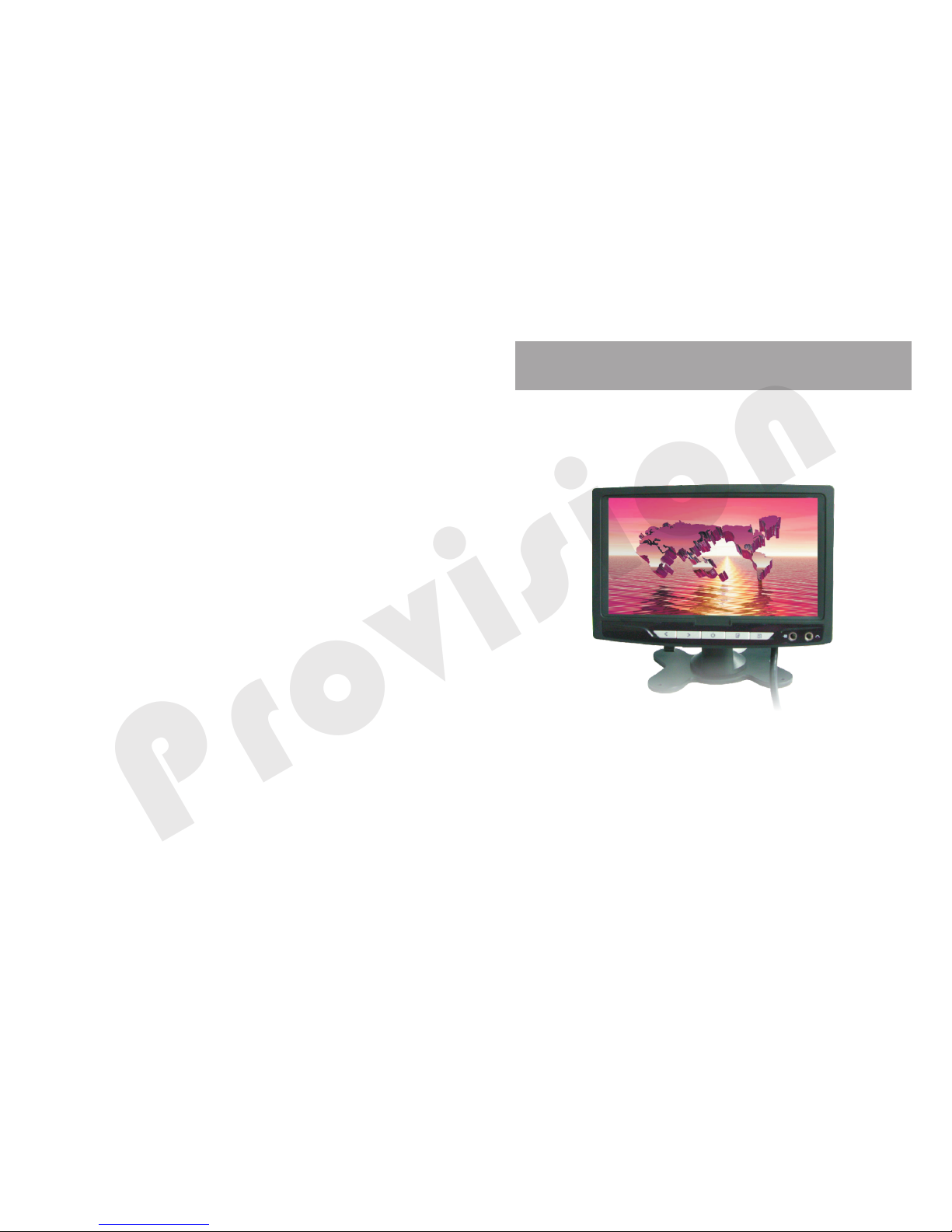
NOTICE: Please read the user manual carefully before
using this product
TFT LCD MONITOR CAR
Op er at in g in st ru ct io ns
P
r
o
v
i
s
ion
Page 2

1
Type:TFT LCD
Screen size:7. 0"
Display form at : 1 6: 9
Power consum pt io n: 8 .5 W
Power supply : D C 12 V
Brightness :3 00 n it s
System:PAL/NTSC/SECAM
Video input:V1/V2
Operation Temperature:0℃~+50℃
Storage Temperature:-20℃~+60℃
Resolution :4 80 (W )×R/ G/ B×23 4( H)
4
WARNING
This unit is no t in te nded for inst al la tion in the fro nt d ri ver/passe ng er
area where it may b e se en by the drive r. In st allation of t hi s un it where
it may impair t he d ri ver's conce nt ra tion is dange ro us . The man uf ac turer
or retailer ass um es no responsib il ity for faili ng t o ob ey the above
warnings.To red uc e the risk of ele ct ri c shock, plea se d o no t expose
this unit to ra in , mo isture or att em pt t o open the unit . There are no us er
serviceable p ar ts inside the u ni t.
Cauti on:
1. Plea se re ad th es e ins tru ction s car efull y bef ore o perat ing t he unit a nd ob ser ve the
relev ant w arn in gs.
2. Plea se ke ep aw ay f rom m ois ture an d dir ect sun lig ht.
3. Do not a tte mpt t o di sas sem ble or re mod el the un it yo urs elf to av oid e lectr ic sh ock .
4. Plea se cl ean t he d isp lay w ith a dry a nd so ft clot h.D o not c lean th e dis play wi th an y
alcoh ol or c hem ic al cl ean ser.
5. Plea se as k a qua li fie d eng ineer t o ins tall th e uni t.
6. Do not t ry to r ech ar ge th e rem ote con tro l batte ry.
7 Pleas e kee p the r em ote c ont rol bat ter y away fr om ch ild ren.
8. Th e displ ay ma y som et ime s sho w pixel s (li ght d ot s or da rk do ts) dur ing u se. This i s
norma l and d oes n ot i ndi cat e any mal fun ction .
Specification
Accessori es
User Manual
Power cable
Fan-shaped b ra ck et
Connecting c ab le s
Headrest bra ck et
Remote Contr ol
1 Piece
1 Piece
1 Piece
1 Piece
1 Piece
1 Piece
Dear User
Congratul at io ns on your sele ct ion of the revolv in g roof mounted ca r
LCD series. We appreciat e yo ur p urchase of ou r pr od uct. For maxi mu m
enjoyment a nd p ro longed life o f th is unit, we stron gl y recommend you
read this own er 's m anual in deta il b efore attempt in g to operate the un it .
Please reta in t hi s manual for fu tu re r eference.
The uni t you h ave p ur cha sed h as the fo llo wing ad van tag es
1、Radia tio n shi el ded
2、Power s avi ng
3、High cl ari ty of L CD s cre en
4、High Br igh tne ss /co ntr ast
5、Wide vi ew an gle
6、Quick r esp ons e ti me
7、On Scre en Di spl ay ( OSD ) and I nfrar ed Re mote Co ntr ol
8、Multi ple v ide o/ aud io ca bling o pti ons i.e .: VC D/D VD, por tab le vide o cam era ,
webca m, GP S and p or tab le el ectro nic g ame s
1. Audio IR Transm it te r fu nc ti on : le ft t ransmitter
frequency: 2.3 MH Z, r ig ht t ra ns mi tt er frequency: 2.8MHZ
2.When the mon it or i s on , ch oo se t he v is ual-audio channel
to activate IRfu nc ti on . You ca n co nt ro l the volume by the
earphone
■ Not i ce : I R fun c tio n i s op t ion a l
IR function
P
r
o
v
i
s
ion
Page 3
2
Control panel
Method of wiring
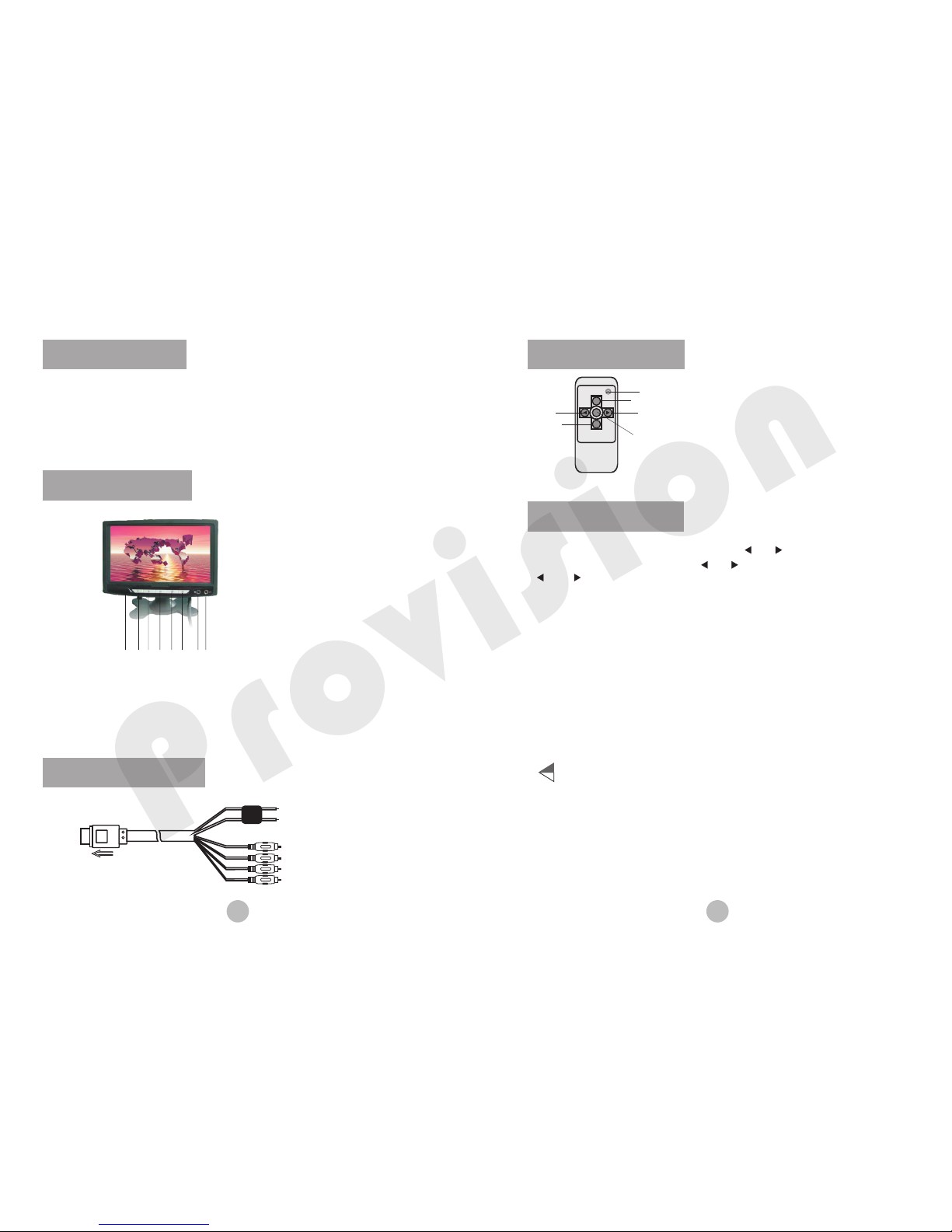
Press " M ENU " but to n to se lec t menu: p res s " " or " " to s el ect o pti ons, pr ess
"MENU " to en ter o pt ion ,th en pres s " " or " " to s ele ct s ub- men u,pre ss " ME NU"、
" " 、 " " to conf irm o pti on a nd ma ke ad justm ent .
3
Functionality
1、OSD fun cti on
2、Suppo rt PAL /NT SC sy stem
3、Blue pa nel f uncti on: i f no si gnal, t he pa nel wil l be au to- shift t o blu e mode
4、Up down / lef t rig ht r evo lvi ng
5、When th e uni t has n o si gna l, th e monit or wi ll auto -sh ift b lue scr een a nd in
few min ute s, th e mo nit or wi ll shut d own a utoma tic all y
Remote control
VIDEO
SELECT
MENU
MODE
SELECT
LCD REMOTE
Pow er
Vide o Selec t
Volu me-
Rev erse
Men u
Volu me+
1.Pow er: Pre ss t his b utt on for po wer O n or Off.
2.Video Se lec t:P re ss th is bu tton to s wit ch
Vid eo1 orVide o 2 inp uts .
3.Men u: En ter t o fu nct ion m enu
4." " and " " :Na vig at e thr oug h the var iou s
menu op tio ns
5.Rev ers e: up d ow n/l eft r ight re vol ving
with di agr am
▲
▲
operating in st ru ct io n
2 Funct io n+、
4 Power s wi tch、
6、AV conve rsion
8 Earph on e、
3 Funct io n-、
5、Menu
7 Audio /Vide o In put、
8
BRIGHT
-
---
---
---
---
- - - -- -
50
CONTRAST
-
---
---
---
---
- - - -- -
50
ZOOM 16:9
SLEEP 0
ENGLISH 中 文
SYSI
COLOR
-----
-----
---
- - - - - -
50
Ins et to LCD S t ermin al
Bla ck to gro undin g
Red t o batte ry +12V
Whi te to aud io
Yell ow to v ideo 1
Fus e 2A
Red t o audio
Yell ow to v ideo 2
7654321
1、IR
P
r
o
v
i
s
ion
Page 4
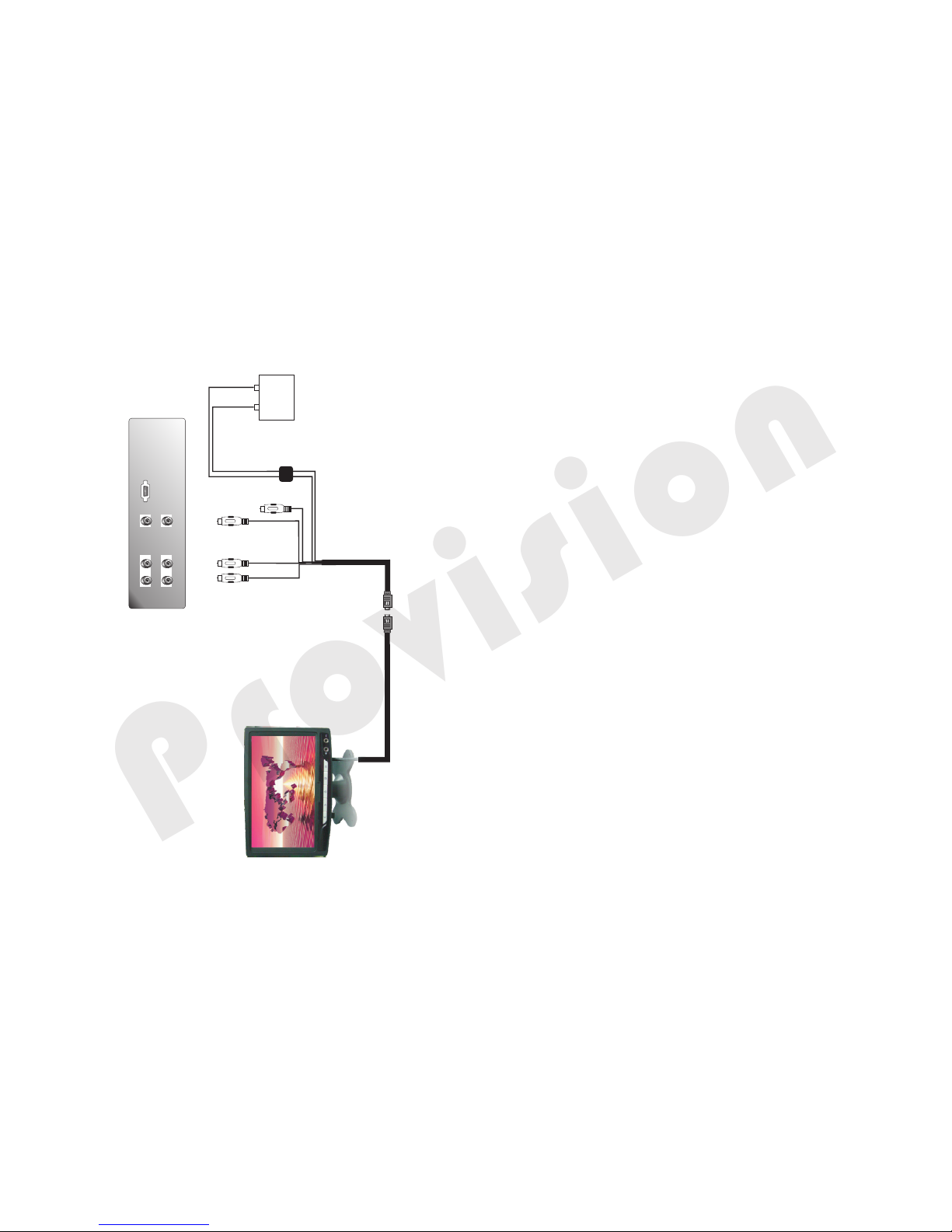
INSTALLATION
WHC706
Red Whit e Yellow
Red
Whit e
Yellow
Whi te to aud io
Yello w to vide o1
Red t o audio
Red t o 12V(+)
Bla ck to gro undin g
Fus e2A
+12V
BETTER
+
-
Yello w to vide o2
P
r
o
v
i
s
ion
 Loading...