

Page 1
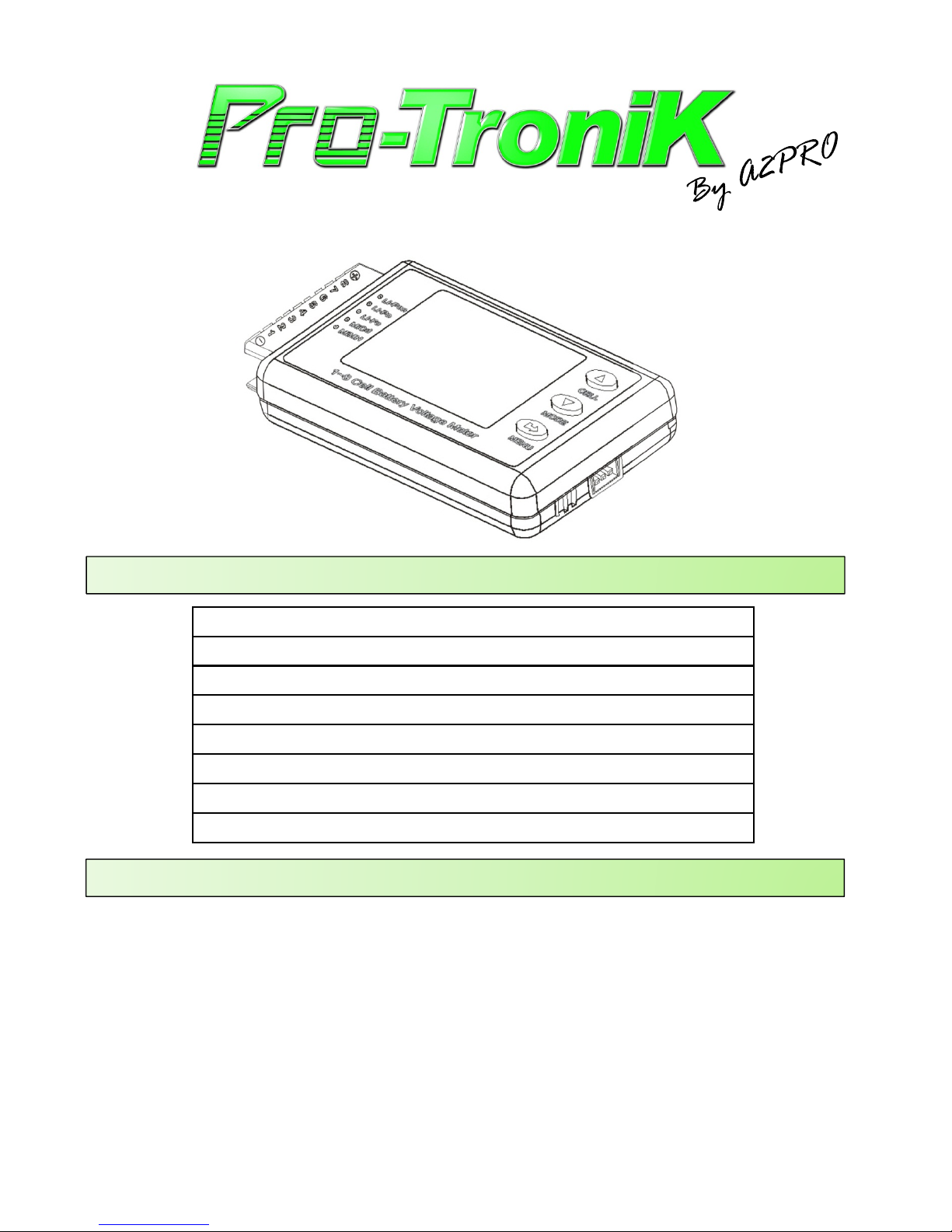
7903 - CELL LOG 8S
SPECIFICATIONS
Nombre d’éléments Li-Xx Lithium battery 1 ~ 8 cells
Tension d’un pack Pack Voltage range 3.3 ~ 24V
Tension d’une cellule Cell Voltage range 0.5 ~ 5.0V
Alarme tension basse Alarm cell low Voltage 2.0 ~ 4.0V
Résolution Voltage resolution 0.001V
Consommation Amp draw 24mA
Poids Weight 23g
Dimensions Dimensions 67 x 39 x 13mm
CARACTERISTIQUES / SPECIAL FEATURES
• Taille réduite avec de multiples fonctions, écran couleur rétro éclairé et puissant buzzer. Small size, multi-
functions, backlight color screen and powerful alarm.
• Possibilité de mesurer la tension de batteries de type : NiMh, NiCd, Pb, LiFe, LiIo et LiPo. Can measure
voltage for NiMh, NiCd, Pb, LiFe, LiIo et LiPo battery types.
• Différentes alarmes réglables individuellement + buzzer additionnel. Different alarms can be set individualy +
extra alarm.
• Calibration précise réalisée en usine. Precise factory calibration is done.
17903 - Cell log 8S
Page 2
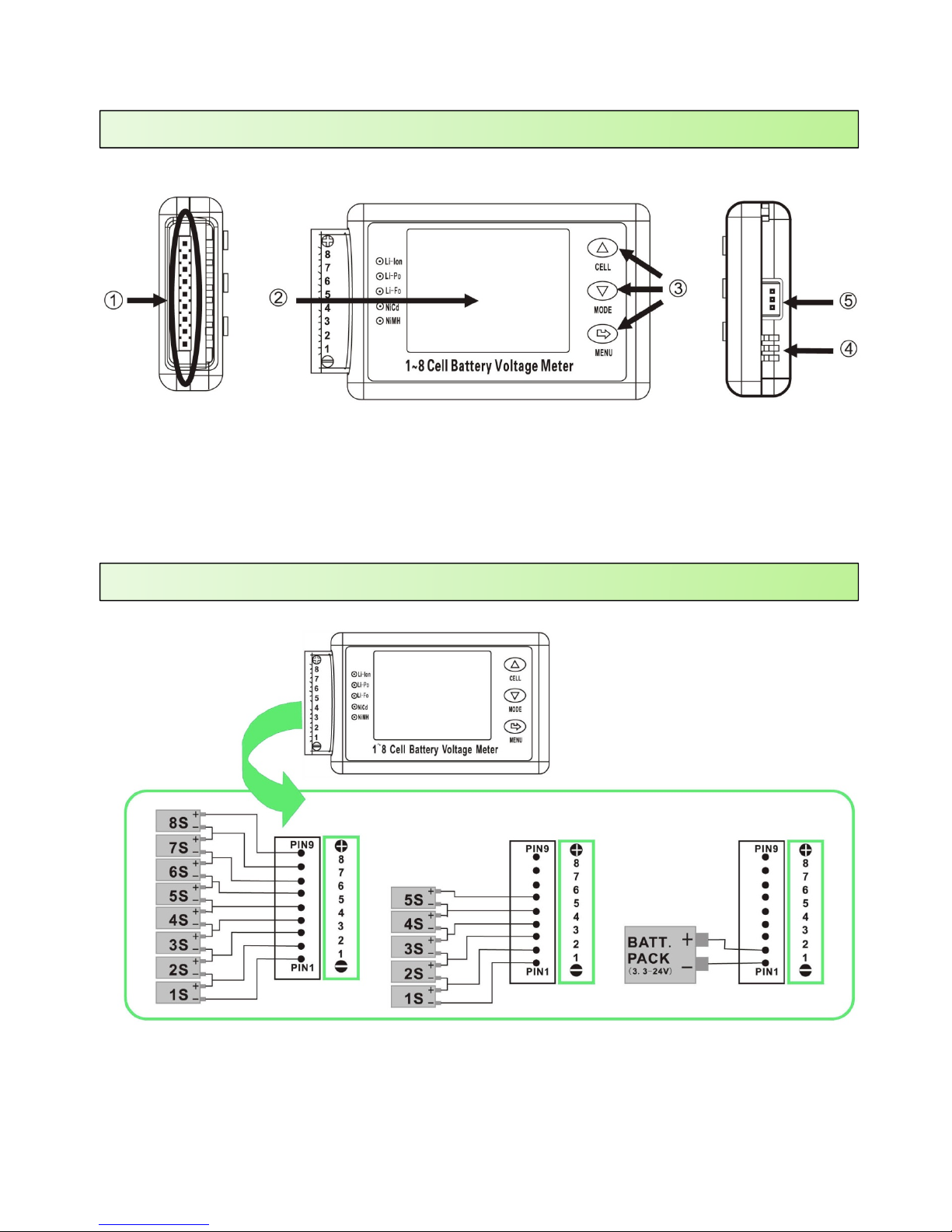
BRANCHEMENTS et COMMANDES / CONNECTIONS and CONTROLS
1. Port batteries. Batteries input.
2. Ecran LCD. LCD screen display.
3. Boutons de commande. Command buttons.
4. Buzzer intégré. Integrated beeper.
5. Port pour buzzer externe. External beeper port.
DIAGRAMME DE CONNECTION / CONNECTION DIAGRAM
27903 - Cell log 8S
Page 3
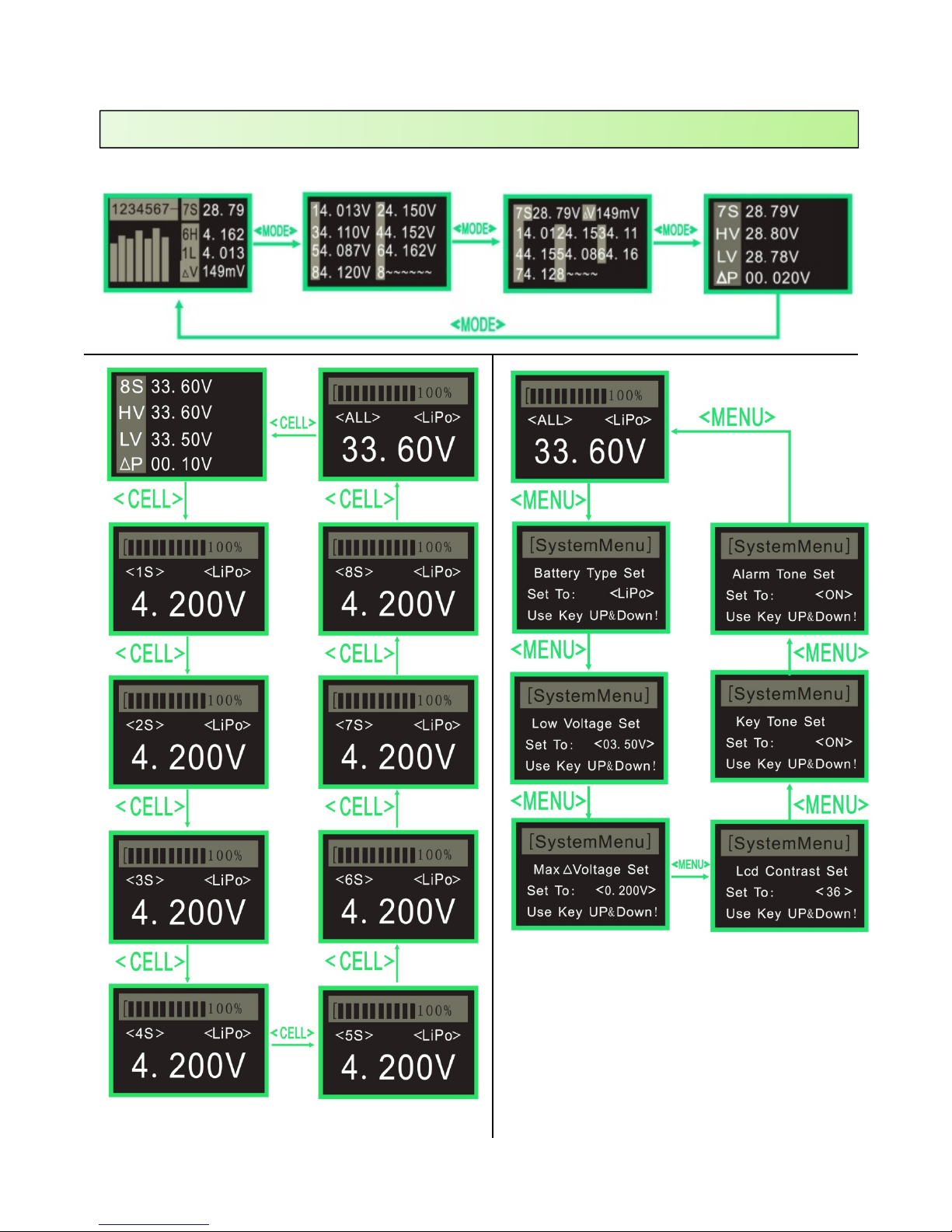
UTILISATIONS DES MENUS / USING MENUS
37903 - Cell log 8S
Page 4
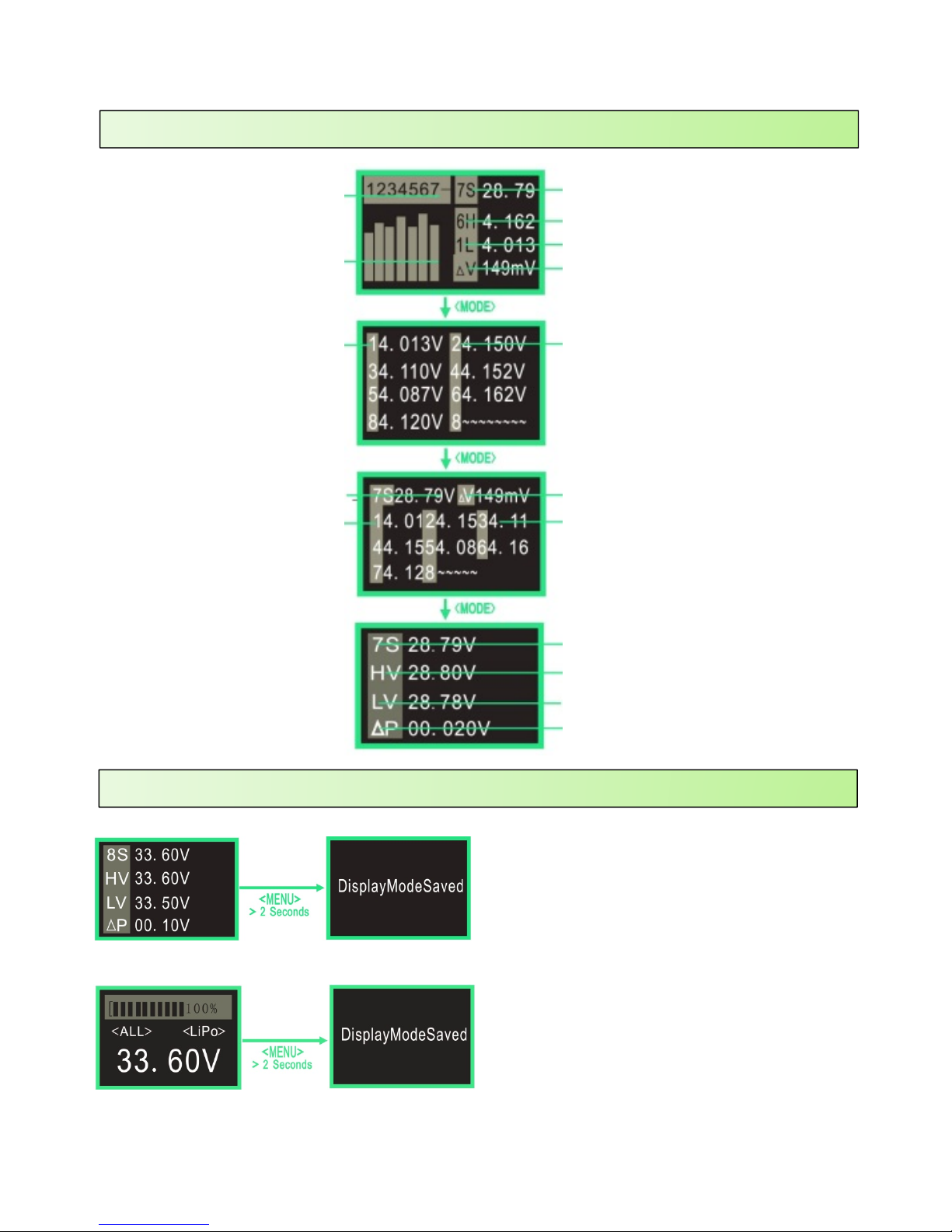
MONITORING DE LA TENSION / VOLTAGE MONITOR
Nbre éléments. Cell count
Histogramme de tension.
Voltage histogram
Tension du pack. Pack Voltage
Tension maxi. Highest Voltage
Tension mini. Lowest Voltage
Différentiel maxi. Highest difference
Tension de l’élément. Cell Voltage
Différentiel maxi. Highest difference
Tension de l’élément. Cell Voltage
Tension du pack. Pack Voltage
Tension maxi du pack. Max pack Voltage
Tension mini du pack. Minimum pack Voltage
Différentiel. Difference
Tension du pack. Pack Voltage
Nbre éléments. Cell count
CHOIX DE L’ECRAN D’ACCUEIL / POWER UP SCREEN CHOICE
Si vous avez un affichage préféré que vous utilisez
le plus souvent, pour connaitre rapidement l’état
de charge d’une batterie en pourcentage par
exemple, il vous suffit de garder appuyée la touche
« MENU » pendant 2 secondes pour que l’affichage
actuel deviennent l’affichage par défaut à
l’allumage.
If you have a prefered screen display that you are
using most of the time, to quickly check a battery
voltage without having to scroll all the menus for
example, just press the « MENU » button for 2
seconds and the screen you are watching will be set
as default screen when you’ll power up the device
again,
47903 - Cell log 8S
 Loading...