

Page 1
Page 2
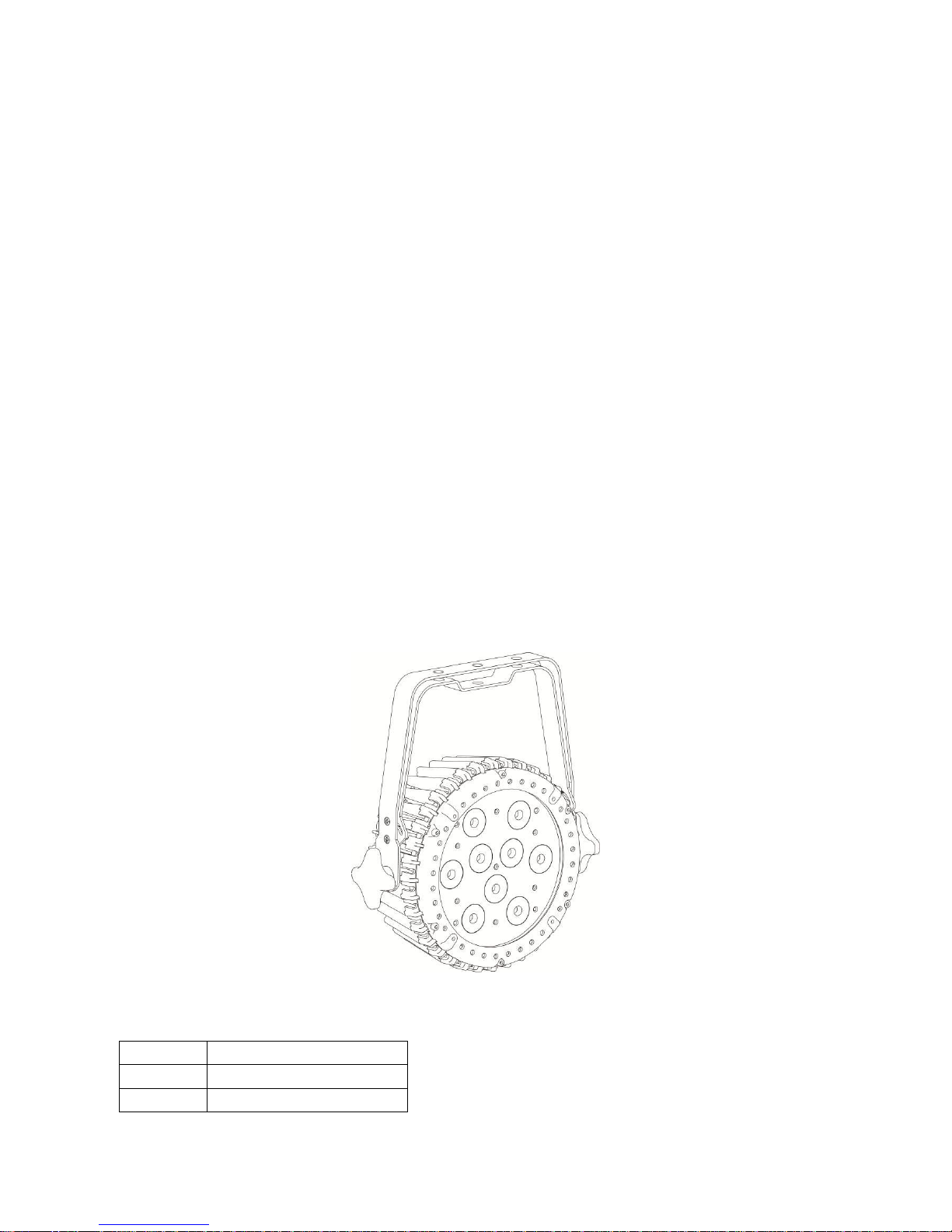
LED-PAR 951 EXT
User Manual
Our outdoor par light offers many possibilities to achieve very nice laser effects which you want. It is specially
designed for the stages, disco, night clubs etc. Please read the manual before operation.
A. SPECIFICATION
1. Voltage: AC 100V~240V, 50Hz/60Hz
2. Power consumption: 66W/110V 66W/240V
3. Current: 0.97A/110V, 0.48A/240V
4. Beam angle: 28 degree
5. LEDS: 9pcs*RGBWA 450mA
6. Working temperature: -10℃~40℃
7. DMX channels: 5-ch, 7-ch, 9-ch
8. DMX linking: 3-pin
9. Weight: 3.34kg
10. Power linking: 6pcs/110V, 11pcs/240V
11. Lumen: R 2951ux /2m
G 2601ux /2m
B 360lux /2m
W 515lux /2m
A: 170lux/2m
RGBWA 1420lux /2m
B. OPERATION
This fixture have five working mode, press the “MODE” button can switch the working mode.
1. Built-in Programs Mode
Pr.01
Static color
Pr.02
one color fading
Pr.03
colorful fading
Page 3
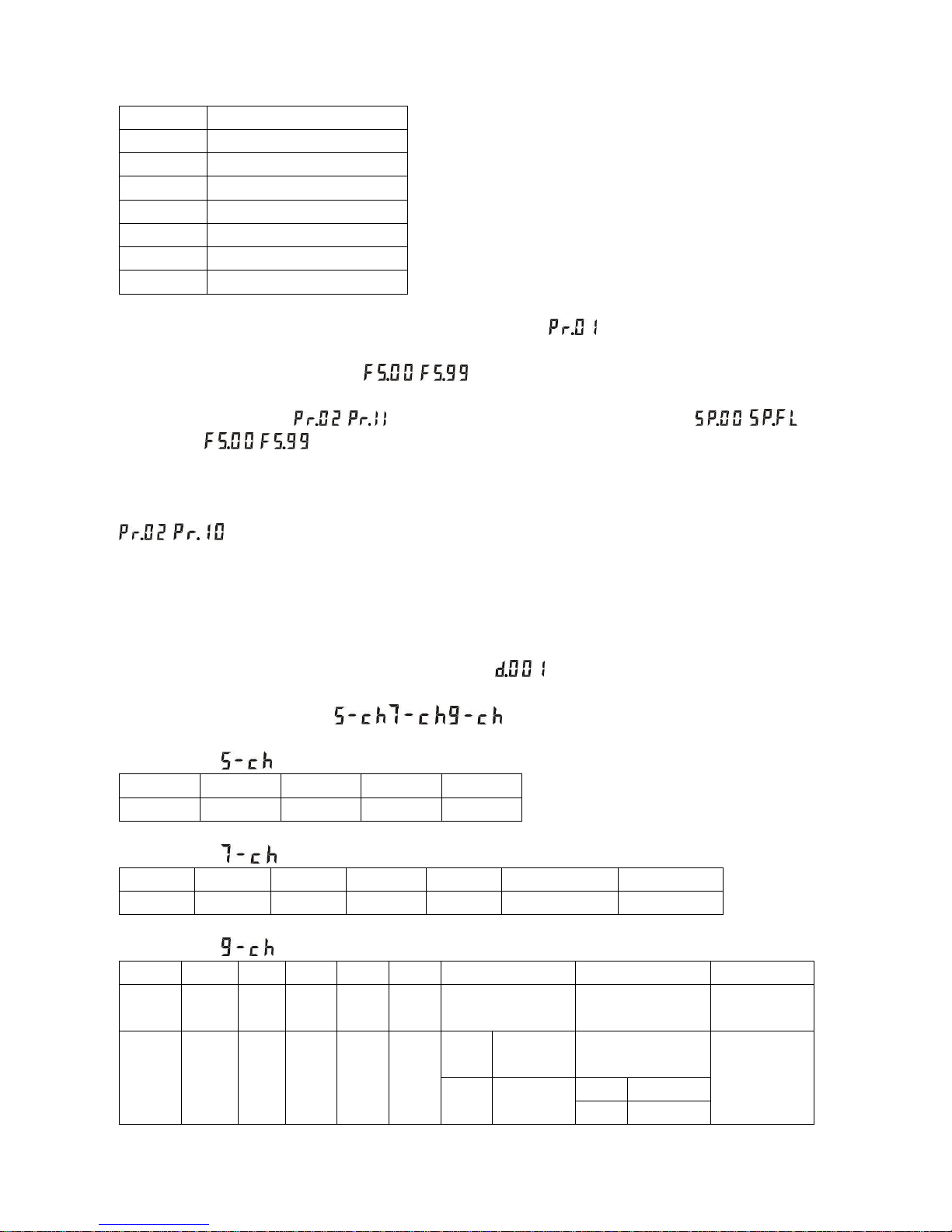
Pr.04
colorful dream
Pr.05
one color hopping
Pr.06
colorful hopping
Pr.07
Red fading
Pr.08
Green fading
Pr.09
Blue fading
Pr.10
White fading
Pr.11
Amber fading
This mode is built-in programs mode, when LED display show “ ” is static color programs, press the
“SETUP” enter into, to select the static colors through “UP” or “DOWN”; press the “SETUP” to set the static color
strobe value, to select the strobe value “ ~ ” through “UP” or “DOWN”.
When LED display show “ ~ ”, press the “SETUP” can set the speed value “ ~ ” and
strobe value “ ~ ”.
2. Auto Running Mode
This mode is auto running mode, will auto running above effect programs according the preset parameter of
~ .
3. Master/slave Mode
This mode is master/slave mode, with DMX cable linking to the host, will follow the host operation.
4. DMX Mode
When enter into DMX mode, the LED display will show “ ”, can set the DMX address through “UP” or
“DOWN”, the maximum value is 512.
This fixture has 3 kinds of mode:, , ,
DMX model 1:
CH1
CH2
CH3
CH4
CH5
R(0~255)
G(0~255)
B(0~255)
W(0~255)
A( 0-255 )
DMX model 2:
CH1
CH2
CH3
CH4
CH5
CH6
CH7
R(0~255)
G(0~255)
B(0~255)
W(0~255)
A(0~255)
Dimmer(0~255)
Strobe(0~255)
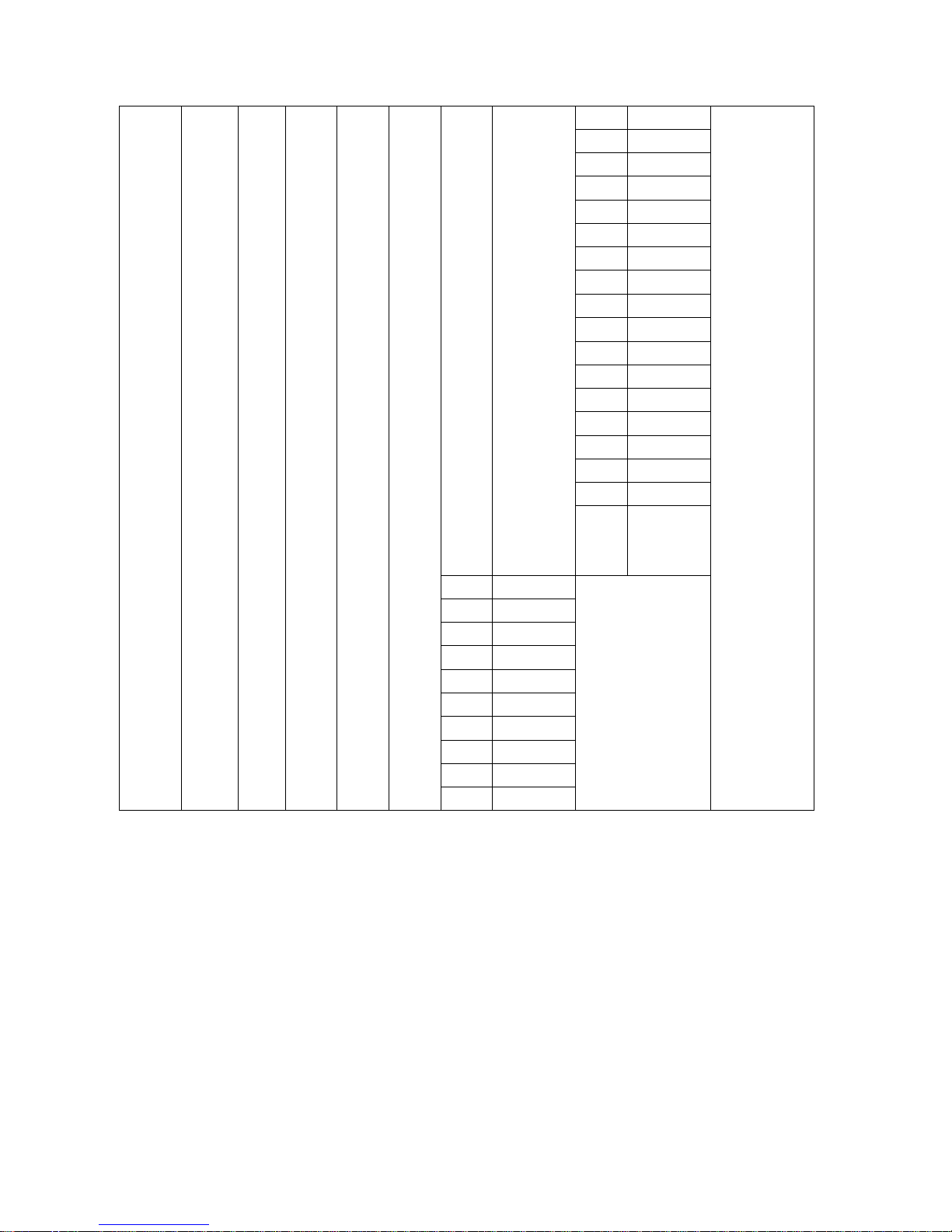
DMX model 3:
CH1
CH2
CH3
CH4
CH5
CH6
CH7
CH8
CH9
DIMM
ER
R G B W A
Program
Speed
Strobe
CH2-
CH6
0
OFF
0-12
RGB
13-25
Page 4
0-255
0-255
0-255
0-255
0-255
0-255
Pr.01
1-24
R
26-38
0-255
G
39-51
B
52-64
W
65-77
A
78-90
RG
91-103
RG
104-116
RB
117-129
RB
130-142
GB
143-155
RW
156-168
GW
169-181
BW
182-194
RA
195-207
GA
208-220
BA
221-233
WA
234-246
RGB
WA
247-255
Pr.02
25-49
0-255
Pr.03
50-74
Pr.04
75-99
Pr.05
100-124
Pr.06
125-149
Pr.07
150-174
Pr.08
175-199-
Pr.09
200-224
Pr.10
225-249
Pr.11
250-255
5. Dimming Mode
This mode is dimming mode “Colr”, press the “SETUP” enter into monochrome dimming, press the “UP” or
“DOWN” can set r.000~r.255, g.000~255, b.000~b.255, u.000~u.255, A.000~255
C. NOTE
1. Press the “MODE” and “SETUP” at same time for a few seconds later, will restore factory settings, the data will
be initialized.
2. This fixture with the temperature detection functions. In order to avoid other problems, when 5. 5. Colr Mode
This mode is dimming mode “Colr”, press the “SETUP” enter into monochrome dimming, press the “UP” or
“DOWN” can set r.000~r.255, g.000~255, b.000~b.255, u.000~u.255, A.000~255
C. NOTE
Page 5

1. Press the “MODE” and “SETUP” at same time for a few seconds later, will restore factory settings, the data will
be initialized.
2. This fixture with the temperature detection functions. In order to avoid other problems, when the temperature
detection fault occurs, the fixture will auto entered into self-protection state and the LED display will flash “-rt-”
character, to prompt temperature control error.
3. Be careful with your operations. You endanger your own safety and others, please follow the operation in this
manual.
4. When the fixture operating in a environment temperature is beyond the scope of parameter allows, if the
temperature is higher than allows, please reduce full power use time, to prevent overheating damage fixture.
5. In DMX mode, if there is a control signal, the display board will flicker for prompting.
the temperature detection fault occurs, the fixture will auto entered into self-protection state and the LED display
will flashing “-rt-” character, to prompt temperature control error.
 Loading...