

Page 1
Pronomic Laptop Stativ LS-210
Artikel: 00032124
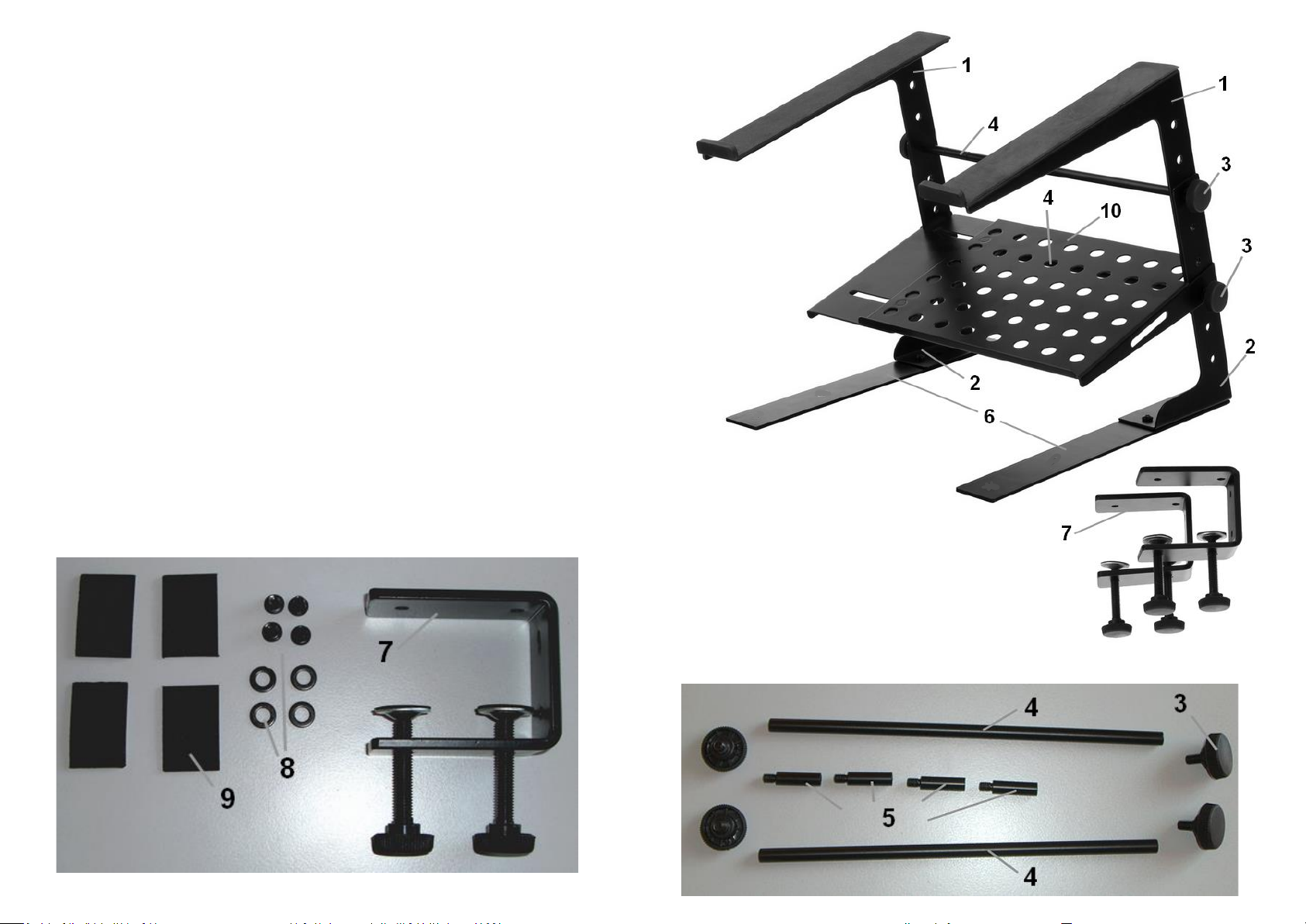
Legen Sie ein Seitenoberteil (1) sowie einen Standfuss (2) übereinander.
Durch die Wahl der Abstandslöcher können Sie hier die resultierende Höhe des Stativs
einstellen. Mit den Rändelschrauben (3) befestigen Sie die Distanzbolzen (4), damit werden
zugleich Seitenoberteil und Standfuss fixiert. Mit den Zusatzdistanzbolzen (5) können Sie die
Gesamtbreite variieren und auf Ihren Laptop anpassen. Bevor Sie die unteren Schrauben
festziehen, hängen Sie das Ablageblech (10) ein. Führen Sie diesen Schritt für das gegen-
überliegende Oberteil und Standfuss genau so aus. Sie können das Stativ mit den
Grundplatten (6) oder den Klammer (7) für Tischbefestigung verwenden, diese
werden mit Schrauben und Beilagscheiben (8) am Standfuss fixiert. Selbstklebende Gummipads (9)
können an den Klammern oder Grundplatten angebracht werden um die Tischoberfläche vor Verkratzen zu schützen.
Page 2
Pronomic Laptop Stativ LS-210
Artikel: 00032124
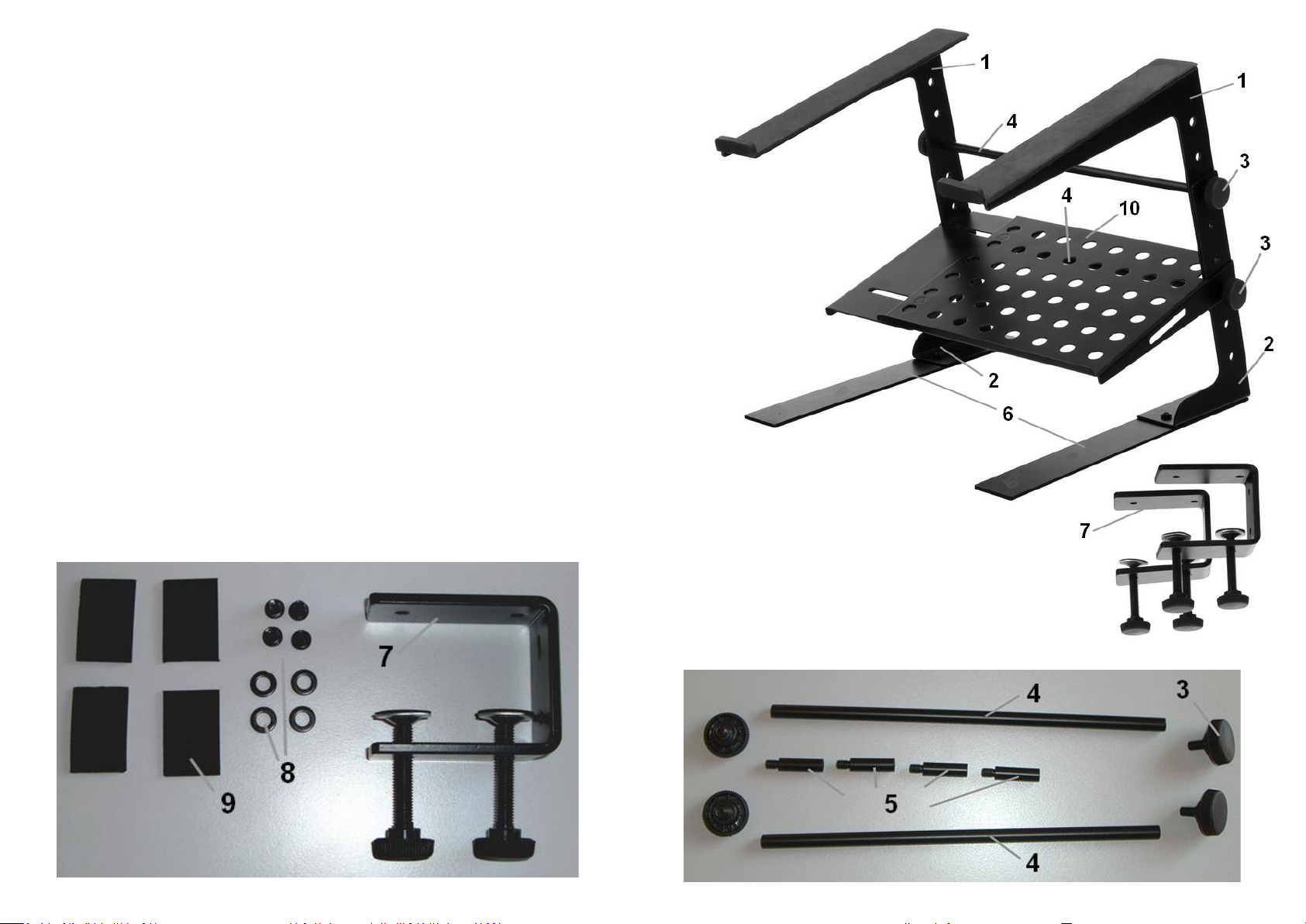
Place one top side part (1) and one side leg (2) on top of each other. By choosing the
holes you can adjust total height of stand. Fix both parts with screws (3) and distance poles (4).
To adjust total width of stand you can use poles (5). Before you fix lower screws mount
middle rack (10). Repeat this steps for opposite top part and side leg. You can use the
laptop stand with additional ground plates (6) or clamps (7) to fix the stand on a table top.
Fix ground plates or clamp with screws and washers (8) at laptop legs.
You can attach self sticking rubber pads (9) on ground plates or clamps to protect
table surface and avoid scratches.
 Loading...