

Page 1
20800mAh Compact Universal
Power Bank with Dual USB Ports
User Guide
Compatible with All
Tablet
& Smartphones
reliefMate-
Page 2

Thank you for choosing reliefMate-21. Power-on-the-go; reliefMate-21 is a
powerful 20800mAh powerbank which is a one stop solution for all the
on-the-go charging needs, especially in today’s fast-paced lifestyle. With its
sleek and handy design, it is easy to carry around without any bulge. With Dual
USB charging ports, it makes charging two devices a breeze.
• reliefMate-21 back-up battery
• Micro-USB Charging Cable
• User Guide
• Battery Type: Li-ion Battery
• Capacity: 20800mAh
• Input: DC 5V, 1000mA
• Output: DC 5V, 1000A/2100mA
• Charging Time: 23-25 hours
Introduction
Packaging Contents
Specification:
1
Page 3

Please read all safety instructions and warnings thoroughly before using this
product. Improper use of this product may result in damage to this or attached
products.
1. Do not disassemble the back-up battery or attempt to fix it.
2. Kindly use an original charging cable provided to charge the product.
3. Do not attempt to replace any part of this Back-up battery or battery inside.
4. Do not crush, puncture, dispose of in fire, short the contacts or expose the
battery to water or other liquids.
5. Do not connect input and output in reverse.
6. Do not store or use the battery in a high temperature environment, including
intense sunlight or heat.
7. Avoid drops, bumps, abrasions and impacts.
8. If there is any reason to believe that there is damage to the battery, discontinue
use immediately.
9. If you find that the battery is too hot, is emitting an odor or is deformed,
punctured or exhibits any suspicious or abnormal behavior, discontinue use
immediately and contact our customer service.
10. Always charge this product before extended storage.
• High capacity 20800mAh portable power keeps your smartphone powered
on-the-go.
• LED indicator indicates the remaining capacity of discharge.
• Professional, Smart, Fashionable, and Convenient for traveling or on the go
• Compatible with cell phones, smartphones and media players or anything that
charges from a standard powered USB port
• Recharge via the included USB charging cable
• Small dimensions with a generous 20800mAh capacity of anytime spare power
• High compatibility with universal USB charging ports
Features:
Precautions
2
Page 4
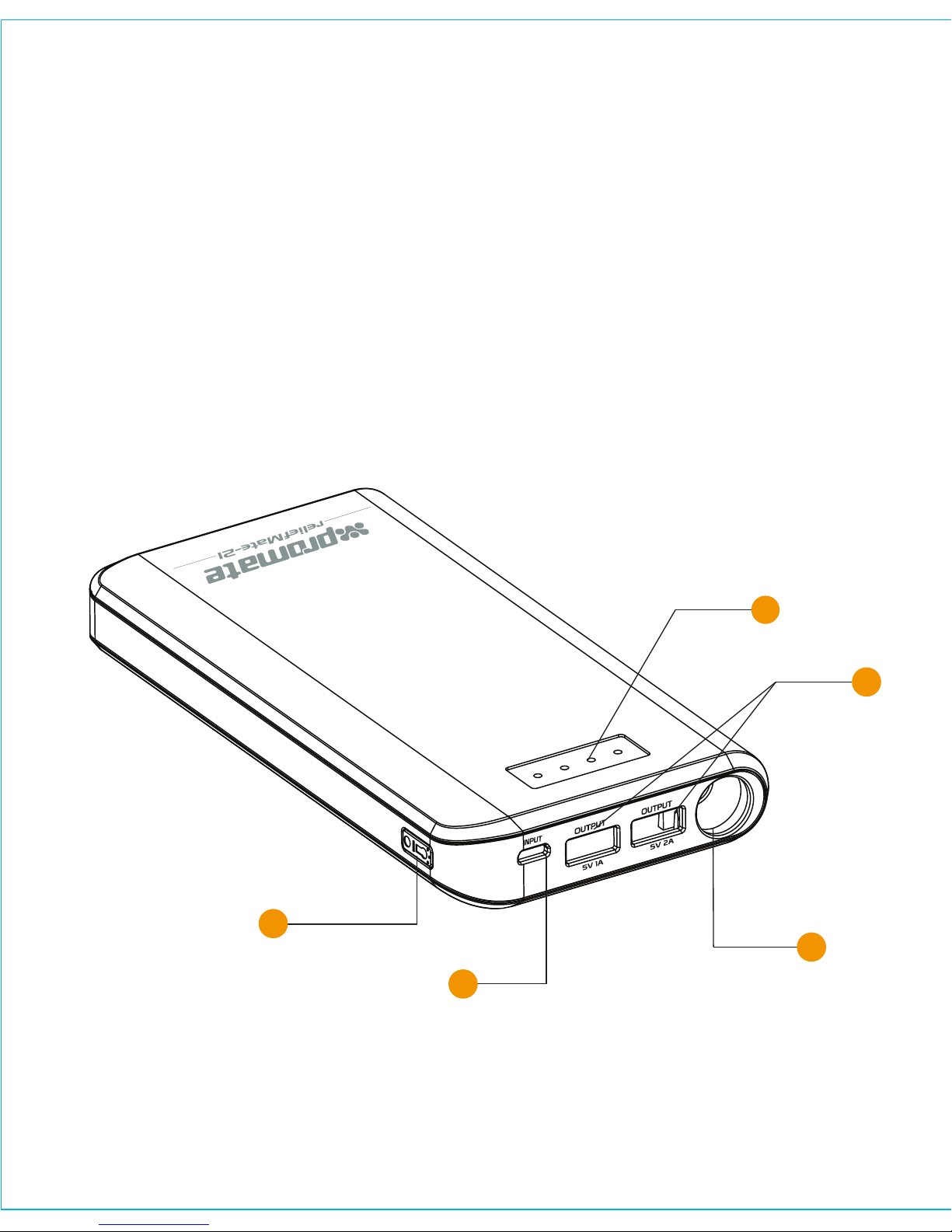
1. Battery level indicator
2. USB Output ports
3. Micro-USB input port
4. LED Lamp
5. Power button
Appearance & Interface Description:
3
1
2
5
4
3
Page 5
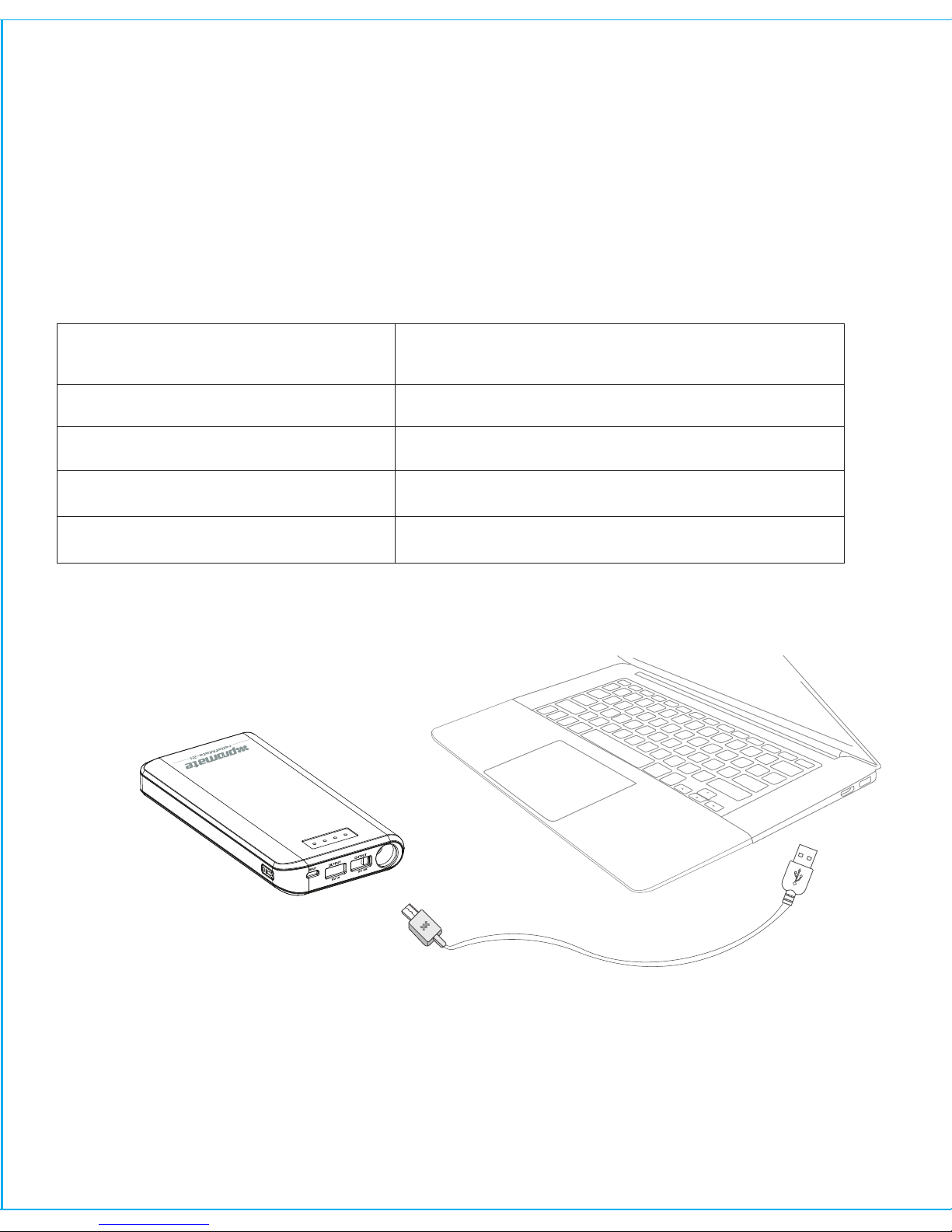
Plug the Micro-USB end of the charging cable provided into the Micro-USB charging
port in reliefMate-21 back-up battery. Connect the other end of the Micro-USB
charging cable to a power adapter or computer USB port. The battery level
indicator LED’s light up indicating that the back-up battery is charging normally.
2. Charging reliefMate-21 back-up battery
Operation Instructions:
4
1. Checking the remaining power left in reliefMate-21 back-up battery
reliefMate-21 has a hassle-free button to check on remaining battery. In-order to
view the remaining power left, simply press on the button on the side and view the
amount of power left in reliefMate-21
Number of Baery Indicator LED’s
Illuminated
Amount of Charge Remaining
One LED <=25%
Two LED’s <=50%
Three LED’s <=75%
Four LED’s <=100%
Page 6
3. Charging USB chargeable devices using reliefMate-21
4. Using the LED Light
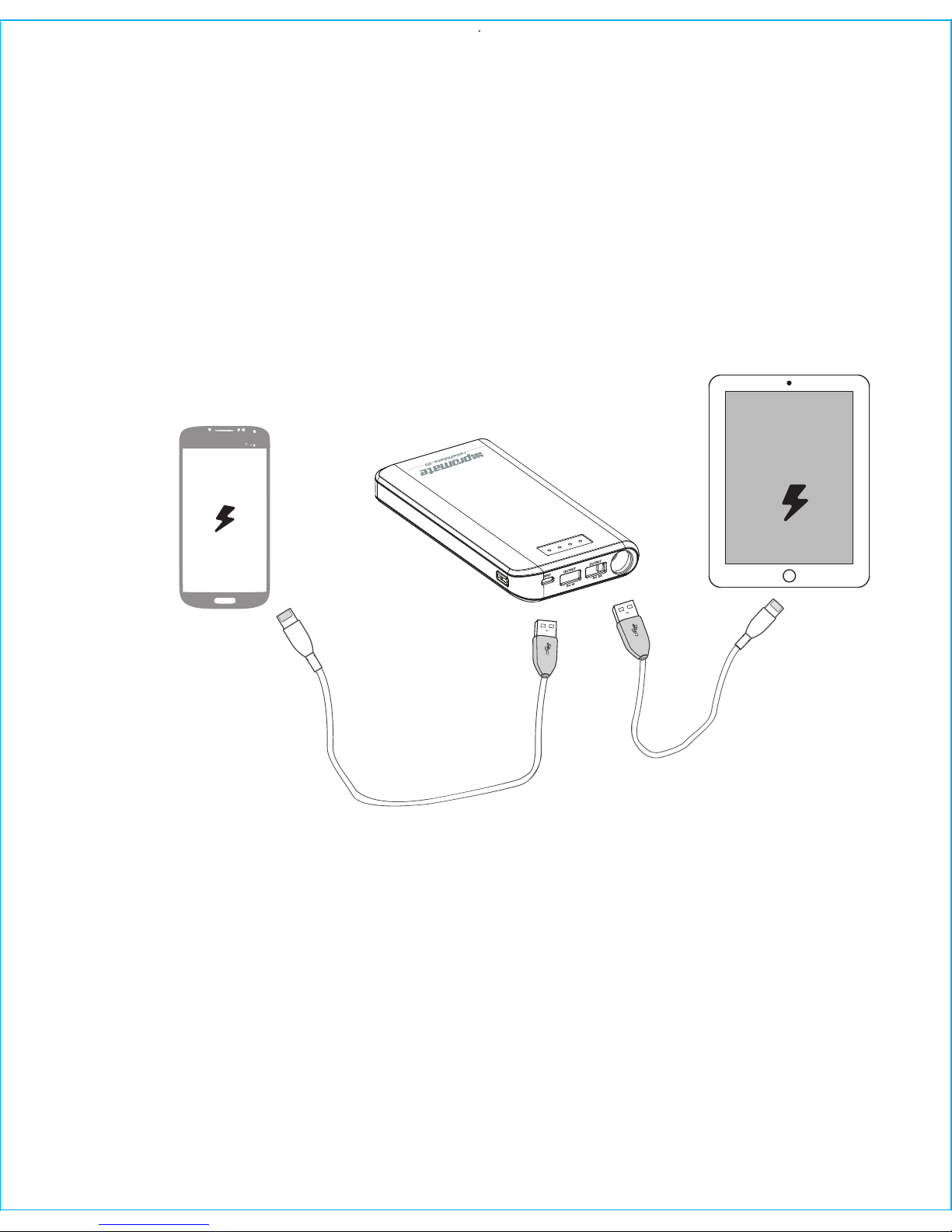
There are 2 USB ports available on reliefMate-21. Use the 1A port to charge
smartphones or the 2.1A output port to charge small tablets. Plug the USB
cable into the required USB output port on reliefMate-21 back-up battery and
the other end into the device. Press the power button once and the power
bank would charge the device connected.
Press the power button twice to turn on the LED light. Press the power button
twice to turn the LED light off.
5
Page 7

 Loading...