

Page 1
User Guide
proHarmony.1
Bluetooth® Hi-fi Headset for
Wireless and Call Streaming
Page 2

Bluetooth®: Version 2.1 Chipset CSR BC05
Bluetooth® profile: Headset, Hands free, A2DP, AVRCP
Effective range: 10m
Working time: 10 hours
Standby time: 250 hours
Charging time: 3 hours
Input voltage: 5V DC
Radio frequency: 2.402 ~ 2.480 Ghz
Transmit power: Class 2 (Max 2dBm)
Specification
Headset:
• Bluetooth® Hifi headset for wireless music and call streaming
• Mobile and Bluetooth® device full compatibility function
• 10 Hours play time
• Wireless connection for hands free communication
• Automatic music pause and resume during incoming and outgoing calls
• Automatic connection with last used device
• Built-in rechargeable Li-polymer battery feature
Features
Promate’s proHarmony.1 is a sleek over-the-head designed Bluetooth® stereo
headset with Hi-Fi output for wireless music and call streaming. It supports
Multiple profiles – headset, hands-free, A2DP and AVRCP –, allowing even the
most demanding Bluetooth® usage. The proHarmony.1 comes with a built-in
lithium-ion battery for complete portability and longevity. With its rich sound
and sophisticated wireless Bluetooth®, proHarmony1 is the ultimate device for
audio and communication.
Introduction
Page 3
proHarmony1
Micro-USB charging cable
Warranty Card
User Manual
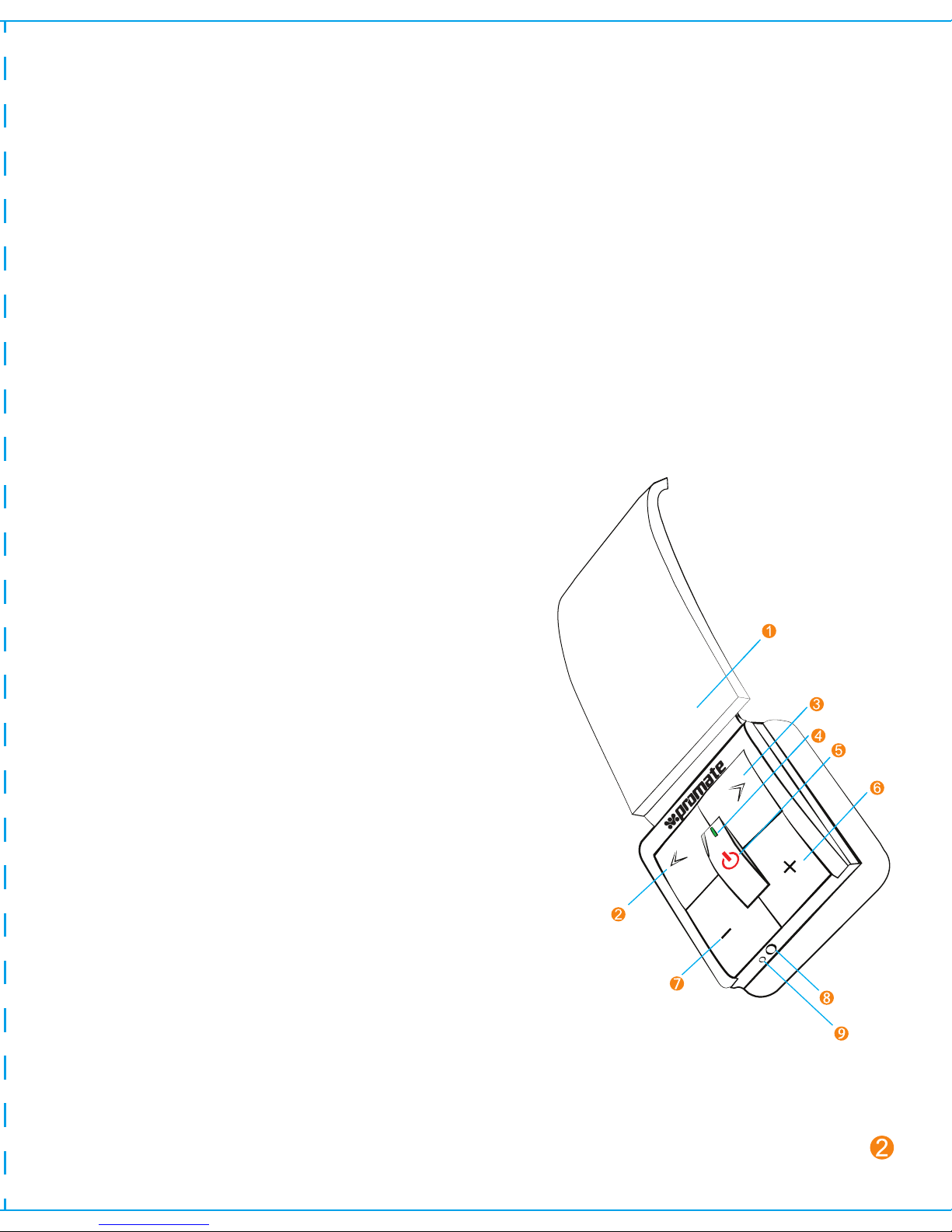
I: Headband
2: < key :last song
3: > key :next song
4: LED Indicator
5: Multifunction button (MFB): Turn on/off
the headset, answer, end and reject call,
mute, voice dial and switch
conversation, redial last number, pause
and revert music.
6: + key: volume up
7:
- key: volume down
8: Micro-USB Charging port
9: Built-in microphone
Packing Contents:
Getting Started
Page 4

While connecting this Bluetooth® headset to your notebook’s built-in
Bluetooth® adaptor, make sure that your notebook’s Bluetooth® adaptor
supports A2DP, AVRCP and VOIP protocols. If mentioned protocols are not
already available in your notebook’s Bluetooth® adaptor, you need to use
an external USB Bluetooth® adaptor that supports AD2P, AVRCP and VOIP
protocols.
Note:
Operation Instructions:
Charging
Before using proHarmony.1 for the first time ensure the battery is fully
charged for at least 3 hours. When the battery is running low a “beep”
warning tone will be heard and the red LED will start blinking. Follow the
below steps to charge proHarmony.1 :
A. Charging the battery with travel charger
Step1 Plug the travel charger into standard AC power outlet.
Step2 Connect the travel charger with the micro-USB charging port of
the headset.
When the red light is on, the headset is charging.
When the red light is off, the headset is charged fully.
Step3 It takes about 2.5 hours to charge the headset fully.
B. Charging the battery with USB cable
Step1 Insert micro-USB charging cable into USB outlet of PC.
Step2 Connect charging cable with the micro-USB charging port of
headset.
When the red light is on, the headset is charging.
When the red light is off, the headset is charged fully.
Step3 Charging time of the USB charging cable: About 2.5Hrs.
Page 5
Choosing Travel charger or USB cable depends on different countries or
areas and actual demands
Warning:
Remark: proHarmony1 will switch off automatically if no device is connected
after 5 minutes in order to save power.
Note:
1 Switching on / off headset
2 Pairing with Bluetooth® device
How to enter into pairing mode
How to use
Function Operaon Indicator light Indicaon tone
Enter into pairing
mode
Make sure the headset is
off.. Press and hold the
MFB for 5-7 seconds, and
release the key ll the
red and blue LED’s blink
alternately’
The red and blue
LED’s blink
alternately.
Two tone “Du
Du”
Function Operaon Indicator light Indicaon tune
Switch on Press the MFB for
3-5 seconds
Press the MFB for
3-5 seconds
The blue LED
blinks quickly
A “DI” tone
Switch off The red LED
blinks quickly
A “DI” tone
Page 6

The pairing mode will last for 2 minutes. If the headset still can’t pair with any
Bluetooth® devices after 2 minutes, it will switch into standby mode
automatically.
Note:
3 Pairing with Bluetooth® mobile phone
Please make sure your mobile phone has Bluetooth® function that can be
used. Special pairing procedures may vary with different mobile phone.
Please refer to the manual of your mobile phone for further information.
Steps as follows:
a) Please keep the headset and mobile phone in the range of 1 meter
when pairing.
b) Press and the multi-function button for 5-7 seconds as described above
to enter into pairing mode.
c) Start the Bluetooth® function of mobile phone and search for new
Bluetooth® devices. Select “proHarmony.1 ” in the Bluetooth®
device list.
d) If prompted for a password, kindly enter “1234”.
e) After successful pairing, select “proHarmony1 in the Bluetooth® device
list and press “connect”.
f) After successful connecting, the blue LED on the headset blinks twice
every 4 seconds.
• If the pairing is not successful, please switch off headset, and then re-pair as
per the steps mentioned above.
• After pairing is successful, pairing devices will remember each other. Unless
pairing information is deleted because of new pairing.
• The headset will connect with the latest paired device. If you want to pair
with any other Bluetooth® device, please switch off the Bluetooth® function
of the current Bluetooth® device, and then pair and connect it with the new
Bluetooth® device according to steps mentioned above.
Note:
Page 7

4 Pairing with Bluetooth® transmitter
5 Pairing with several Bluetooth® devices
The headset can connect with two devices at most. Kindly refer to the
below steps to pair proHarmony.1 to multiple devices:
You can enjoy music wirelessly by connecting proHarmony.1 with a stereo
Bluetooth® transmitter. Pairing steps are as follows:
a) Keep the Bluetooth® transmitter and proHarmony1 in the range of 1
meter when pairing.
b) Press and the multi-function button for 5-7 seconds as described above
to enter into pairing mode.
c) Turn on the Bluetooth® transmitter and it will search Bluetooth® device
automatically and start pairing.
d) If prompted for a password, kindly enter “1234”.
e) After successful pairing and connecting, the blue (or red) light of
headset blinks twice every 4 seconds.
Step1 First, pair the headset with the first Bluetooth® device as
described above
Step2 Switch off the first Bluetooth® device.
Step3 Pair and connect the headset with the second Bluetooth®
device as described above
Step4 Restart the first Bluetooth® device, and it will connect with the
headset automatically.
Page 8
6 Wearing headset
• After successful pairing with several Bluetooth® devices, the paired devices
will remember each other. Unless paired information is deleted because of
new pairing, otherwise make mobile phone and headset and set up hands
free connection and restart the Bluetooth® transmitter, then the
connection of several devices can be performed.
• For the mobile phone which supports the HSP and A2DP at the same time.
It may set up connection with HSP and A2DP simultaneously. At this time,
start Bluetooth® transmitter may not connect with the headset again.
Note:
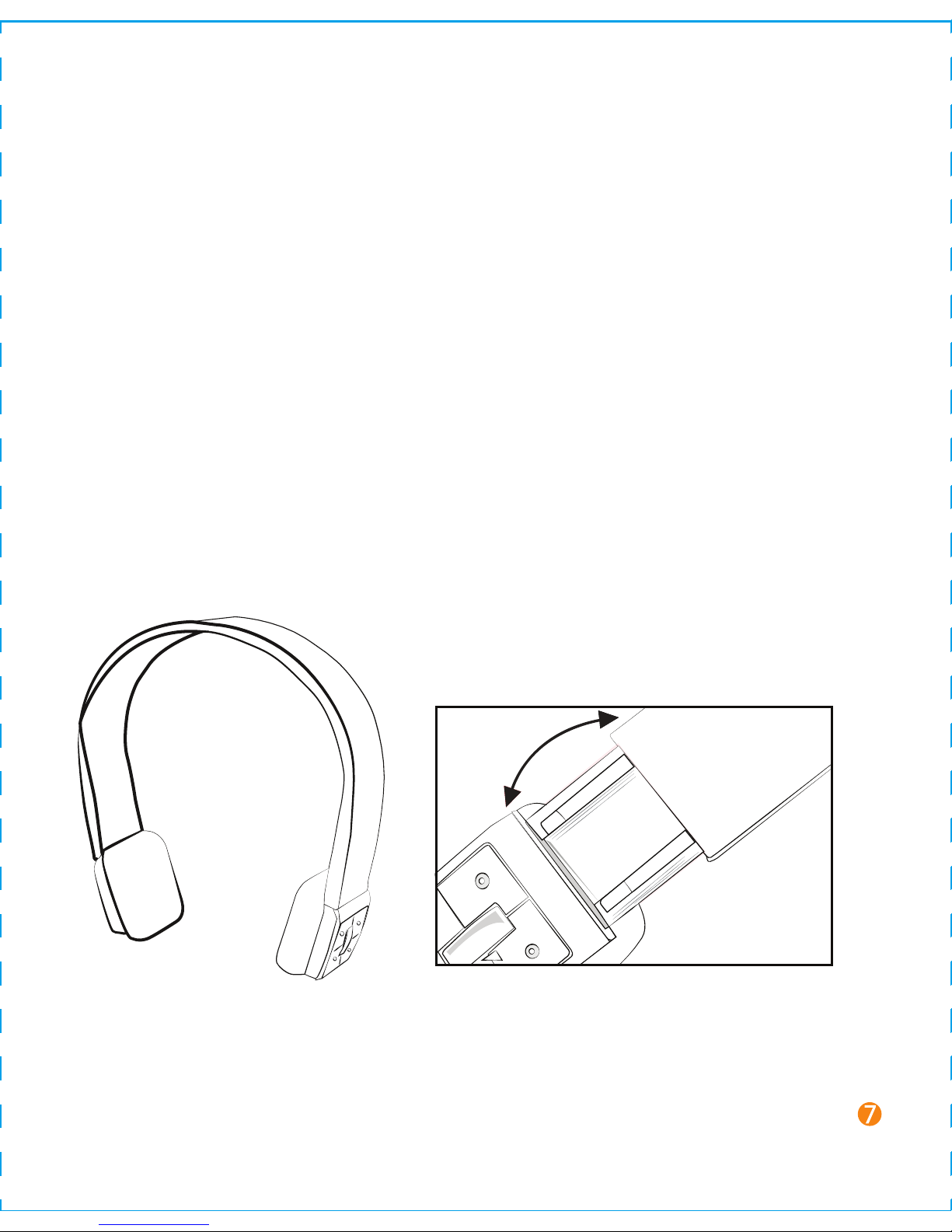
The headband of this headset is retractable; please adjust accordingly.
Page 9

7 Making a call with the headset
Remark:
• Not all mobile phones support the function listed above. Please
refer to the instruction of your mobile phone.
Function Status of headset Operaon Indicaon
Voice dial Standby mode A short tone “DU”
Redial last call Standby mode press the MFB
twice
A short tone “DU”
Turn up volume
Conversation mode
Short press or
long press + key
Nothing
Turn down volume Conversaon mode Short press or
long press - key
Nothing
Answer calling Ringing Short press the
MFB
A short tone “DU”
Reject calling Ringing Press and hold
the MFB for 2s,
and release the
key ll you hear
the indicaon
sound
A short tone “DU”
End calling Conversaon mode Short press the A short tone “DI”
MFB
Switch
conversaon
between headset
and cell phone
Conversaon mode Press and hold
the MFB for 2s,
release the key ll
you
hear
the
indicaon sound
A short tone “DU”
Microphone mute Conversaon mode Quickly press the
MFB twice
“Du”” Du” tone
every 5s
Cancel mute Conversaon mute Quickly press the
MFB twice
Nothing
Press and hold
release the key ll
“<” buon for 2s
(last song),
you
hear an
indicaon sound
Page 10

8 Playing music
When the headset connects with the mobile phone or
Bluetooth®transmitter which supports A2DP, you can enjoy music
through headset, wirelessly.
Remark:
• For some of mobile phones, when they are playing music, the music will
transmit to the speaker of mobile phone, you have to choose “transmit the
sound through Bluetooth® ” in the “setting” of music play interface, and
then choose “proHarmony.1” in the device list, the music will be
transmitted to the headset. Please refer to the instruction of your mobile
phone for further information.
• When the volume is adjusted to max or min, you will hear a indication
sound of “Ding-Dong”.
• For some mobile phones, when you press the key of accepting on the
phone, the conversation will be sent to mobile phone. At this time, you can
switch the call to headset by using the conversation switch button or
through operating on the mobile phone. Please refer to the instruction of
your mobile phone for further information.
Function Status of headset Operaon Indicaon
Volume up Playing music Short press or
long press + key
nothing
Volume down Playing music Short press or
long press - key
nothing
Pause Playing music Short press the
MFB
A short tone “du”
Revert Pause Short press the
MFB
A short tone “du”
Last song Playing music Short press < key A short tone “du”
Next song Playing music Short press> key A short tone “du”
Page 11
9 LED indications
11 Tune Indications
• When the volume of headset is adjusted to max or min, you will hear an
indication sound of “Ding-Dong”.
• Remote control the function of last song/next song/pause/revert, it
needs your mobile phone or Bluetooth® transmitter supports AVRCP.
Please refer to the instruction of your mobile phone or Bluetooth®
transmitter for further information.
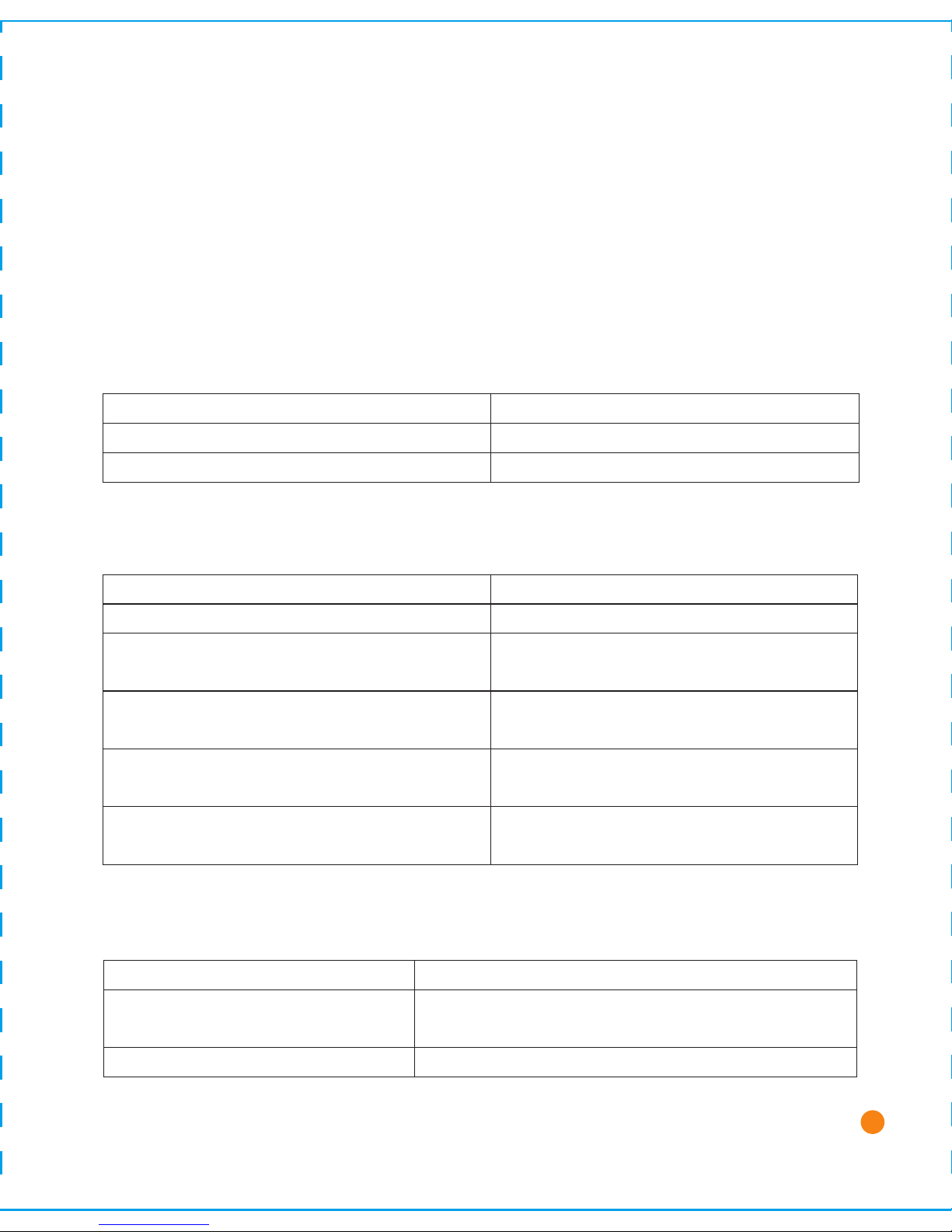
1. Charging
2. Pairing with the Bluetooth® devices
LED Indicator Status of headset
Red and blue LED blink alternately Pairing mode
Blue LED (blue LED will turn red if low
power) blinks twice every 2 seconds.
Standby mode (paired, but not connected
with the Bluetooth® device)
Blue LED (blue LED will turn red if low
power,) blinks twice every 4 seconds
Standby mode (connected with the
Bluetooth® device)
Blue LED blinks (blue LED will turn red as
low power,) 3 mes every 2 seconds
Ringing
Red LED (blue LED will turn red if low power)
blinks 1 me every 2 seconds
Conversaon mode
LED indicator Status of headset
Red LED is on Charging
Red LED is off Charging Complete
Indication tune Status of headset
Two tones every 5 seconds Conversaon mode and microphone
mute
A tone “DU” every 20 seconds Low power
10
Page 12

FAQ’s
Care and maintenance
Please read the following suggestions carefully, that will help you to fulfill any
warranty obligations and to enjoy this product for many years.
• Keep dry and don’t put it in the dump place, in case of effecting the interior
circuit of product
• Don’t put the product under the sunlight or place hot areas. High
temperature will short the life of electronic device, destroy the battery, or
distort certain plastic.
• Don’t expose the product in the cold areas. This may damage the internal
circuit board.
• Don’t try to take apart the product. It may damage the product if you are
not professional.
• Don’t fall off on the floor or knock the hard substance, it may damage
interior circuit.
• Don’t use intensified chemical or detergent to clean the product.
• Don’t scrap the surface with sharp things
• If the product can’t work normally, please sent it to the regularly asserted
store, the staff will help you to solve problem warmly.
1 Q: What does it mean when red indicator light is on ?
A: Battery is low, need to be recharged
2 Q: Why is not the red light bright when charging?
A: a) Please make sure the charging device connects with headset well.
b) You didn’t use the headset for a long time, the battery may dry up. At
this time, you have to charge the battery for 30 minutes, and then the
red light will be bright.
11
Page 13

3 Q: How far is the effective range between the headset and mobile phone?
A: According to the Bluetooth® standard, the max. controllable range of
Class2 headset is 10 meters. It varies under different environment.
4 Q: Why my cell phone cannot search and find the headset?
A: The mobile phone will not find the headset if headset and mobile phone
are not under the pairing mode, Make sure the headset is under the
pairing mode and in the effective working range, and then the headset
can be paired and connected.
5 Q: Why I cannot hear the voice?
A: a) Make sure the headset has been switched on.
b) Make sure the volume is not too low or muted
c) Make sure the headset connects with the mobile phone correctly.
d) Make sure the distance between the headset and the cell phone is in
the normal working scope.
6 Q: Why is the voice not clear during conversation?
A: a) Make sure the mobile phone is in the strong signal area.
b) Make sure the headset is in the function range of this product.
7 Q: Why can’t control the function of pause, revert, control last song and
next song when playing music?
A: This function needs your Bluetooth® device supports AVRCP.
12
Page 14

 Loading...