

Page 1

Force.i5
Premium Sporty Back-up Battery Case
for iPhone 5/5S
Short-Circuit
Protection
LED
Indicator
Over-charge
Protection
Page 2

Get plenty of on-the-go power anytime with this sporty, lightweight on the go
charging case designed for iPhone 5 & 5S. This stylish and sporty rechargeable
external battery case adds up to 100% additional battery charge while its
rubber nish and funky outer band yield unmatched style and protection to
complement your iPhone.
Introduction:
Packaging contents:
• Force.i5 rechargeable battery cover
• Micro-USB Charging Cable
• User Guide
• Warranty Card
Specications
• Capacity: 2200mAh
• Input voltage: 5V
• Input current: 500mA
• Output voltage: 5V
• Output current: 1000mA
• Charging time: 4 hours
Features:
• Powerful 2200mAh Built-in rechargeable lithium polymer battery
• Smart LED battery status indicator.
• On/off power button to activate charging as and when required
• Ergonomic design to Provide optimal protection from bumps and bruises
• Sporty designs and colors.
• Made from ABS plastic with rubber coating
Page 3

Compatibility:
This case is designed to be used only with iPhone 5 or iPhone 5s, please do not
attempt to use this product with any other device.
Precautions
Please read all safety instructions and warnings thoroughly before using this product.
Improper use of this product may result in damage to this or attached products.
1. Do not disassemble the case or attempt to x it.
2. Do not attempt to replace any part of this case or battery inside.
3. Do not crush, puncture, dispose of in re, short the contacts or expose the battery
to water or other liquids.
4. Do not store or use the battery in a high temperature environment, including
intense sunlight or heat.
5. Avoid excessive drops, bumps, abrasions and impacts.
6. If there is any reason to believe that there is damage to the battery, discontinue use
immediately.
7. If you nd that the battery is too hot, is emitting and odor is deformed, punctured or
exhibits any suspicious or abnormal behavior, discontinue use immediately and
contact our customer service.
8. Always charge this product before extended storage.
Page 4
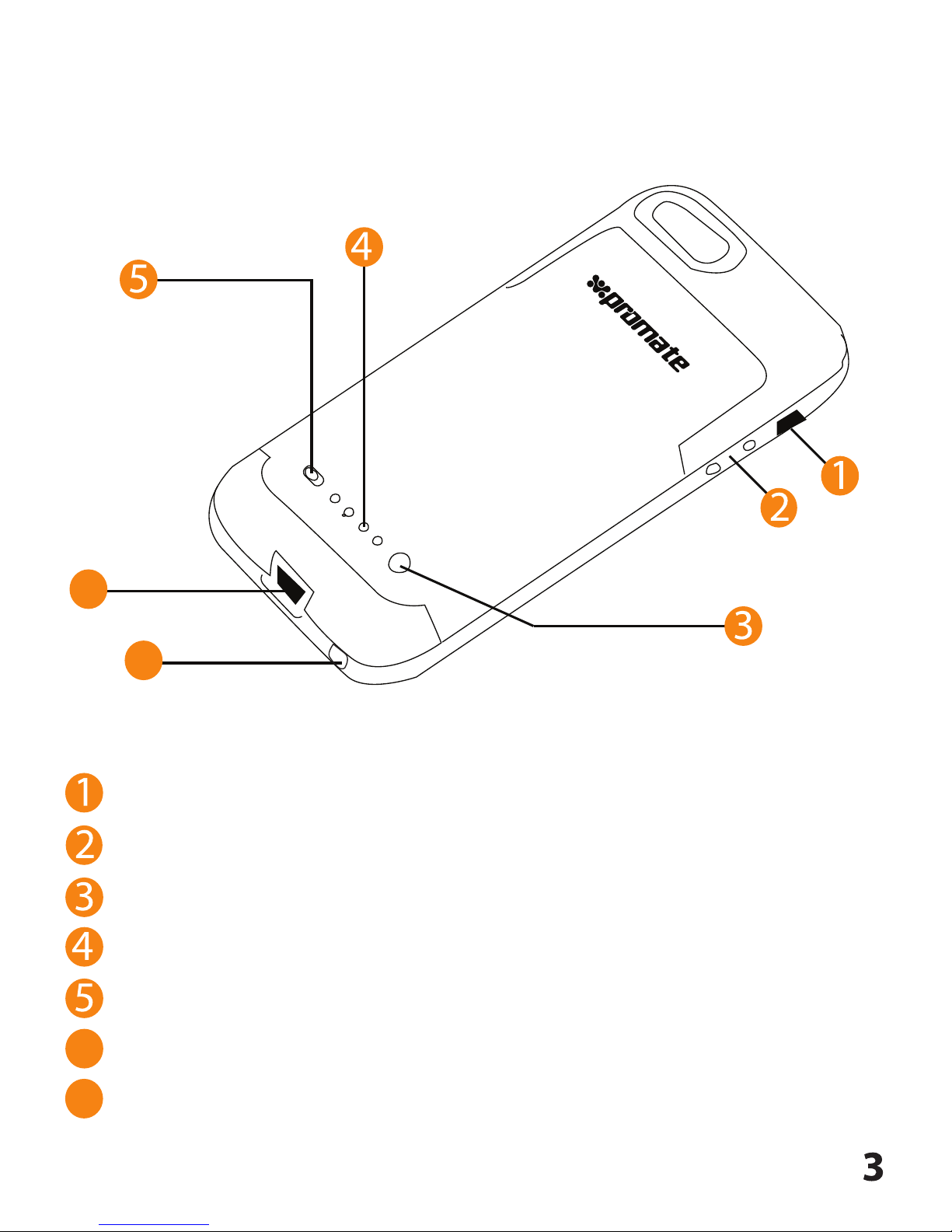
Appearance & Interface Description:
Ring/Silent Switch
Volume Buttons
Battery Level Indicator Button (Push button to check level of battery remaining)
Battery level LED indicator
Power on/off switch
Headphone output
Micro - USB Charging Input
6
7
6
7
Page 5
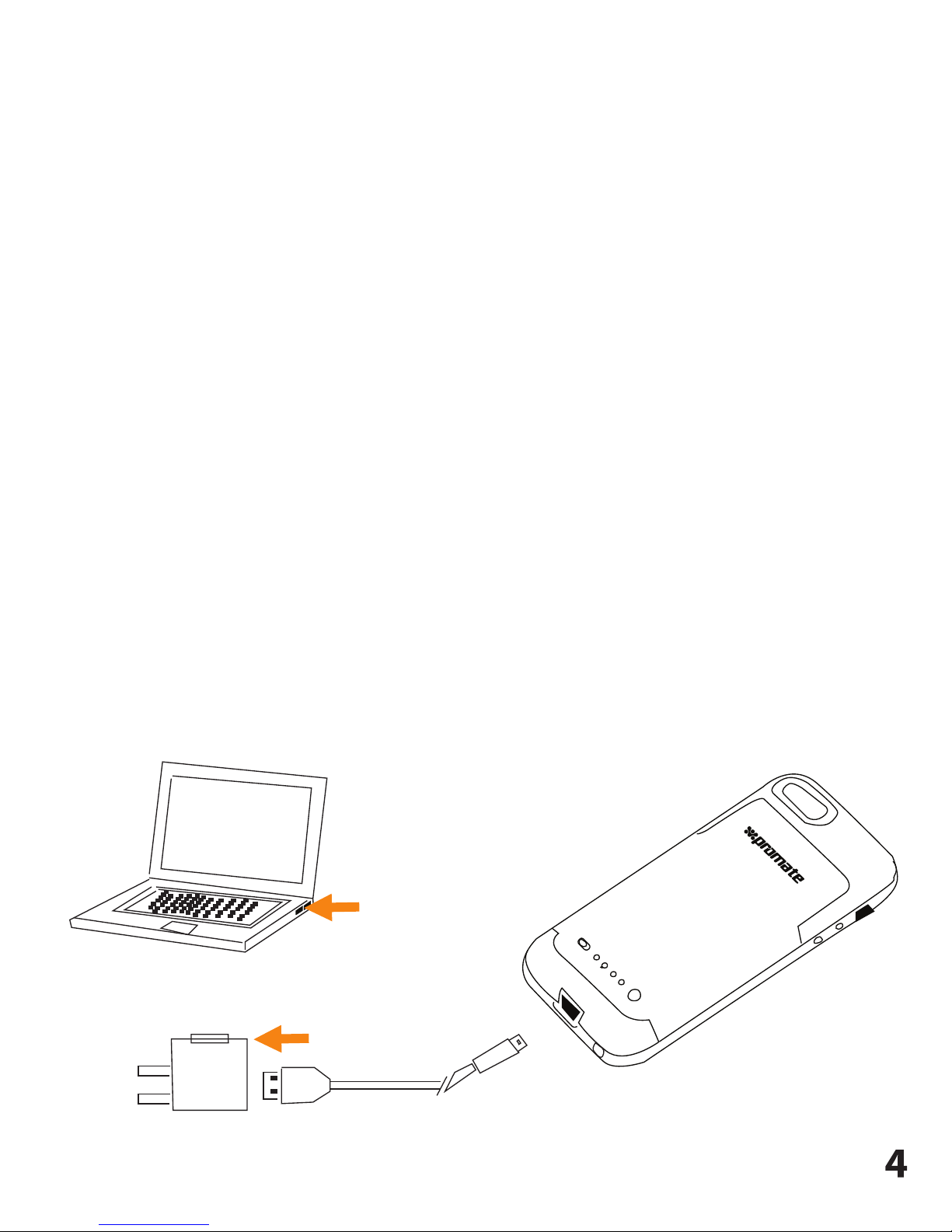
Operation Instructions:
1. Charging Force.i5 without iPhone 5/5s connected
Kindly use the original micro-USB cable provided to charge your Force.i5.
Connect the charging cable to the Force.i5 USB input interface and the other end
to a power adapter or computer USB port. The LED light starts ashing to indicate
the level of charge. When all the four LEDs light up, Force.i5 is fully charged.
The whole charging process takes around 4 hours.
2. Charging iPhone 5/5s using Force.i5
Connect your iPhone into the external rechargeable battery aligning the pins on
the iPhone with the pins on Force.i5. Flip the power switch to the “on” position to
begin charging of your iPhone using Force.i5. Once charging is complete ip the
switch to the “off” position to stop charging. You can view the amount of power
left in the battery pressing and holding the battery level indicator button.
USB connector
adapter
Page 6
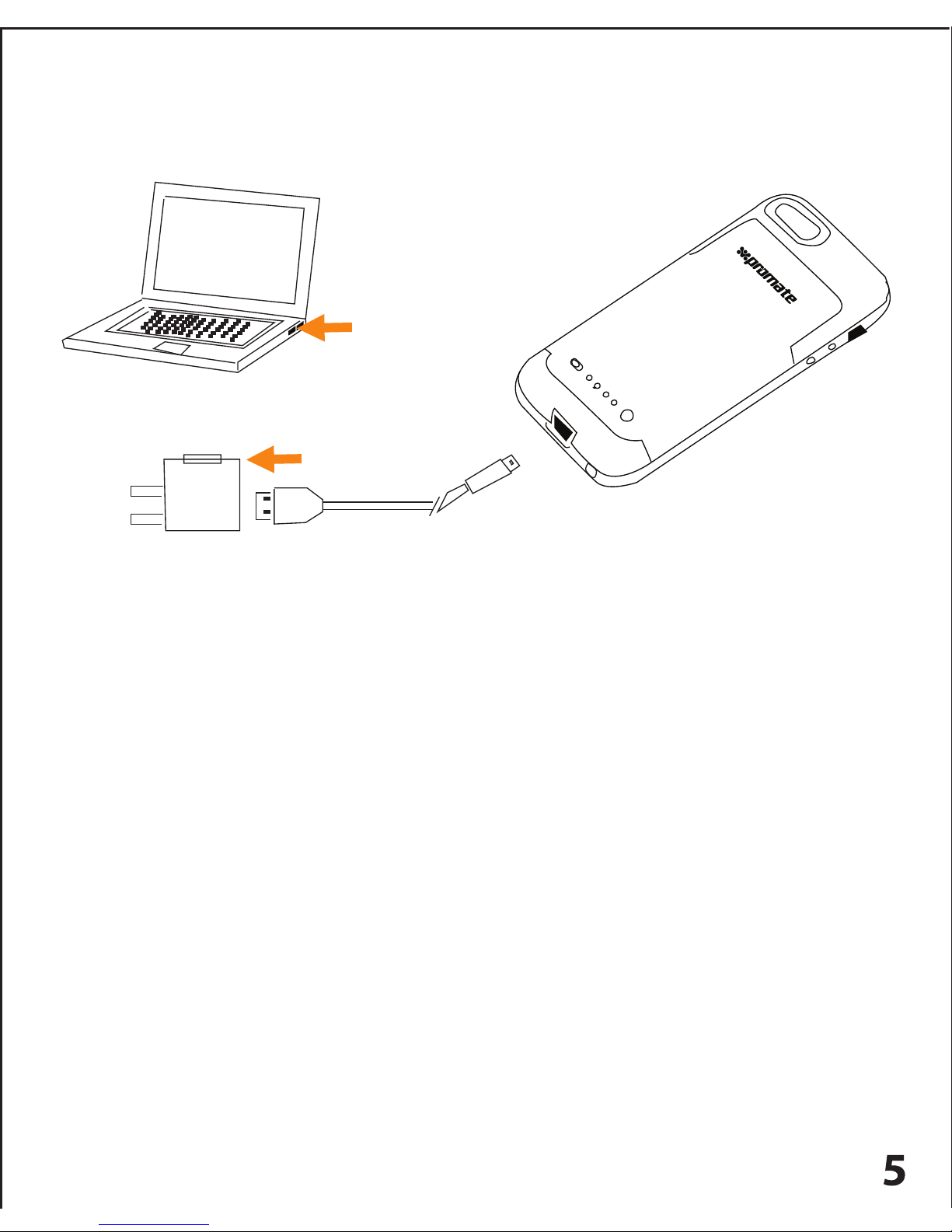
Connect your iPhone 5/5s to Force.i5 and then connect the provided
micro-USB charging cable to the charging port at the bottom of Force.i5.
Connect another end of the micro-USB charging cable to a power adapter
or computer USB port. Your iPhone will now start charging. When your
iPhone 5/5s is fully charged, the backup battery in Force.i5 automatically
starts getting charged. During the charging process, the LEDs located on
the bottom of the device will ash to indicate your device has begun
charging. When all the four LEDs light up, Force.i5 is fully charged.
USB connector
adapter
3. Charging Force.i5 with iPhone 5/5s connected:
Page 7

 Loading...