

Page 1
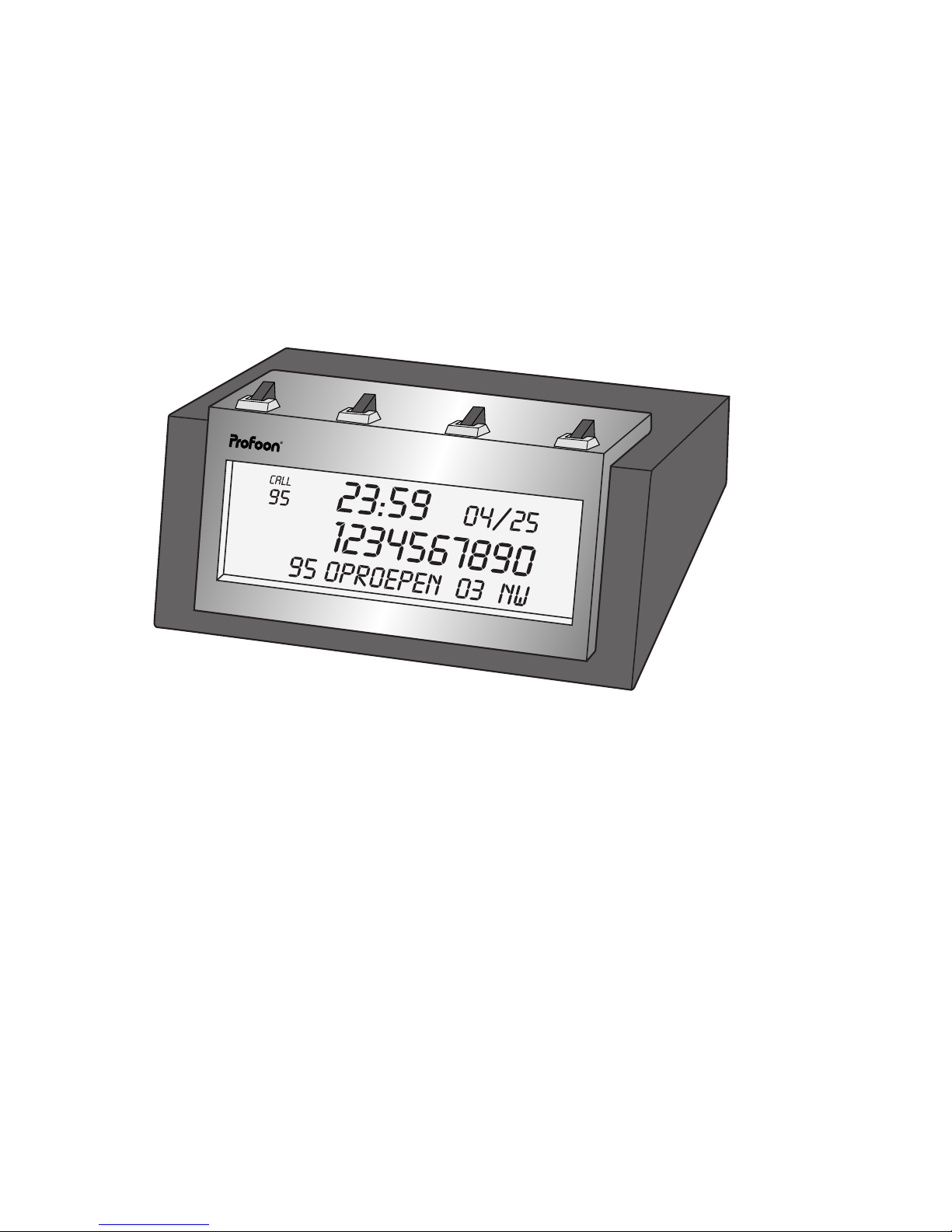
PROFOON PCI-27B
Caller-ID
Users manual
Page 2

INTRODUCTION
The Profoon PCI-27B shows you the telephone number
of the person who is calling to you. At wish you can answer the call or leave it unanswered.
With one key-press you can dial the number without
having to look for it in a phonebook.
The memory capacity is 95 calls, including the date and
time of the call.
The display can be set to Dutch, English or French.
INST
ALLATION
Please first unplug the telephoneplug from your telephone wall-outlet.
Open the battery cover and install 4 pcs 1,5Volt batteries. It is also possible to power this caller-ID with a 9
Volt DC power adaptor (9V / 200mA / DC / center plus).
Battery and power adaptor are not included.
Unplug the telephone cord from your telephone and connect it with the LINE terminal on the rear side of the
PCI-27B.
Use the supplied cord to connect the PCI-27B (connection TEL) with the telephone.
-2-
Page 3

Place the telephoneplug into the telephone wall outlet.
In case your telephone is equipped with a non detacha-
ble cord, please consult your supplier.
ADJUSTING
Please follow these instructions to set the time/date and
the language:
As soon as the battery (or the power adaptor) is connected, the display shows 'ENG' 'FRA' 'NED'.
Use the buttons and to select the language and
press .
Use buttons and to set the hours, press to confirm.
Use the same buttons to set the minutes and the date,
press to confirm
You also can wait for the first incoming call after which
the time/date will automatically be set by the telephone
company.
The adjusting mode can also be entered after pressing
and holding buttons and for some seconds.
-3-
Page 4

FUNCTIONING
Just after the first ring, the telephone company sends the
telephonenumber of the person who is calling to you.
This can also be the telephonenumber of a fax or of a
mobile phone.
On receipt of this information, the display of the PCI-27B
shows this number and stores it into its memory.
Because the numbers are stored in memory, at any time
you can see who called you and at what time and day.
The display indicates how many calls are in memory and
how many calls are received after the last time you viewed the numbers (indication NEW in the display).
Please note that you must subscribe yourself for CallerID. Contact your provider.
-4-
Page 5

MEMORY
The memory of the PCI-27B can hold 95 incoming calls.
When the memory is full, each new incoming call will
overwrite the oldest call. Please make sure to regular
read the memory and to delete it contents.
The display indicates how many calls are in memory
(CALL) and how many of them have not been read yet
(NEW).
READ THE MEMOR Y:
Press or to start reading the numbers and use
these buttons to step through the memory. The display
gives the telephonenumber together with the date and
the time of the call.
A number which has not been read before, has the indication NEW on the display.
When a same number has been received more than
once, only the last call will be stored in memory and the
display indicates RPT (repeat).
The maximum length of a number is 16 digits.
-5-
Page 6

DELETE:
Look for the number to be deleted and press button
twice.
In case all numbers have to be deleted, make sure the
display indicates “END OF RCV” and press and hold button until the display reads: “NO CALL”.
CALL B
ACK
Use the call back feature to call the number with a single
keypress:
Look for the required number, using the buttons and
.
Lift the handset of your telephone (please note that this
telephone must be connected to the terminal TEL on the
rearside of the PCI-27B) and wait for the dialtone.
Press button .
The PCI-27B will automatically dial the number.
-6-
Page 7

TIPS & REMARKS
BATTERIES:
Do not just throw away empty batteries but hand
them over to your local depot for chemical
waste.
Always disconnect the PCI-27B from the telephoneline
when replacing the battery.
You may use rechargeable batteries but these must be
recharged in a separate charger.
CALL BACK:
The maximum length of a telephonenumber in memory is
16 digits. If the number to be dialed is longer, than this
number must be dialed manually.
In case the Caller-ID is connected to a PABX which is
capable for Caller-ID, than lift the handset of the telephone and dial the prefix (mostly a 0) by the keypad of the
telephone prior to press on the PCI-27B.
-7-
Page 8

PABX:
In case your PABX is not capable to pass the caller-ID
signals, than the PCI-27B must be connected directly to
the CO-line.
CLOCK:
The clock does not have summer and wintertime and
February has always 28 days. You may correct this setting by hand or you may wait for a new call so that the
time/date setting will be corrected automatically.
DISPLAY:
The maximum display capacity is 16 digits.
In case the caller has instructed not to make public his
number, than the display gives PRIVATE.
MORE CO-LINES:
The PCI-27B is for connecting to one analogue CO line.
In case you have more CO lines with Caller-ID. you need
to get more PCI-27B's.
-8-
Page 9

GUARANTEE CARD
CUSTOMER:
Name: attache here your
Address: purchase ticket
Zip-code:
City:
Telephone:
You have a guarantee of 12 MONTHS after the date of purchase
on this Caller-ID. We guarantee during this period the free repair of
defects caused by material- and construction faults. This at the
importers discretion. It is only possible to claim to the guarantee
when you enclose your purchase ticket with the PCI-27B.
HOW TO ACT:
If you notice a defect, consult the manual first. If this manual gives
you no definite answer, consult your dealer with a clear description
of your complaint. He will collect the device together with this guarantee card and the dated purchase ticket and he will take care of a
prompt repair, respectively free sending to the importer.
THE GUARANTEE EXPIRES:
When used inexpert, faulty connections, leaking and faulty placed
batteries, use of unoriginal parts or accessories, negligence and
defects caused by fire, flood, stroke of lightning and natural disasters. With unqualified modifications or repairs by third persons.
With incorrect transport without a suitable packing. If the device is
not handed in with the correct filled in guarantee card and the purchase ticket.
NOT UNDER THIS GUARANTEE: cords, plugs and batteries.
All further responsibilities, in particular subsequent damages, are
excluded.
-9-
 Loading...