

Page 1
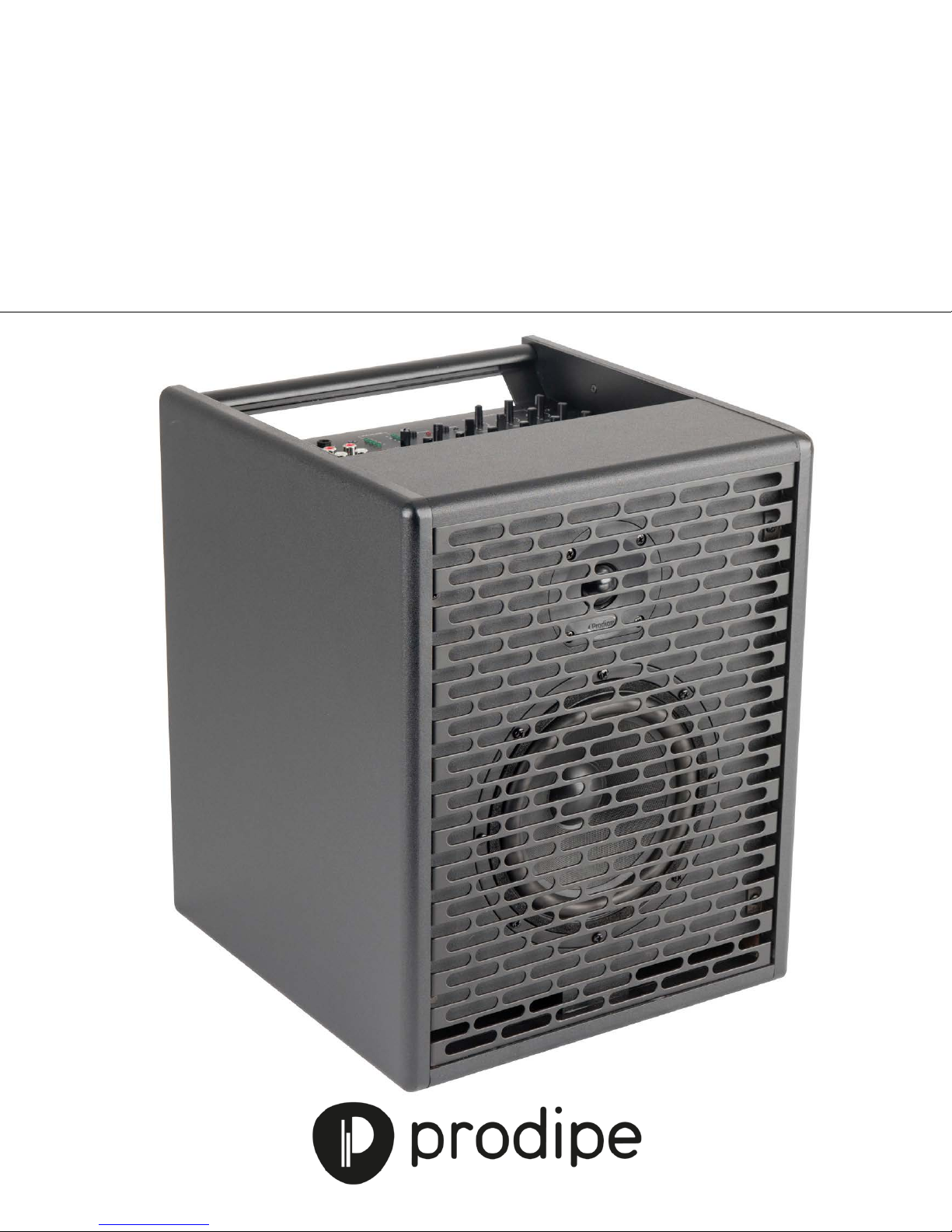
Active Electro Acoustic Amp
Natural6
User Manual
Natural6 Acoustic Instrument Amp
Page 2
Do not block any of the ventilation openings that were installed in accordance with the manufacturer’s
Thank you for purc hasing this digital appliance. To ensure perfect operati on and security, please rea d th
CAUTION
Risk of electric shock
manual carefully and retain it for future reference. This manual can be downloaded from our site.
Precautions
The lightning flash with the arrowhead symbol in an equilateral trian gle is intended to alert the user to t he presence of
non-insulated “dang erous volt age” inside the appl iance that may be of su fficient magnitude to constitu te a risk of e lectric
shock.
The exclamation m ark within an equilateral triangle is intended to alert the user to the p resence of important operating
and maintenance (se r v ic in g) instructions in th e literature accompany in g the product.
Safety Information
Do not open!
Important Instructions
1) Read these instructions.
2) Retain these instructions.
3) Heed all warnings.
4) Follow all instructions.
5) Do not use this appliance near water.
6) Clean only with a dry cloth.
7)
instructions.
8) Do not install near any heat sources such as radiators, heat registers, stoves, or other appliances (including
amplifiers) that produce heat.
9) Do not defeat the safety purpose of the polarized or grounding-type plug. A polarized plug has two blades
with one wider than the other. A grounding type plug has two blades and a third grounding prong. The wide
blade or the third prong is provided for your safety. If the plug provided does not fit into your outlet,
consult an electrician to ensure replacement of the obsolete outlet.
10) Protect the power cord from being walked on or pinched, particularly at plugs, convenience receptacles, and
the point where it exits from the appliance.
11) Only use attachments/accessories specified by the manufacturer.
12) Use only with the cart, stand, tripod, bracket, or table specified by the manufacturer, or sold with the
appliance. If using a cart, be careful when moving the cart/appliance combination to avoid injury from tip over (Figure 1).
13) Unplug this appliance during lightning storms or when unused for long periods of time.
14) Refer all servicing to qualified service personnel. Servicing is required when the appliance has been damaged
in any way, for example, the power-supply cord or plug is damaged, liquid has been spilled or objects have
fallen inside the appliance, the appliance has been exposed to rain or moisture, does not operate normally,
or has been dropped.
WARNING: To reduce the risk of fire or electric shock, do not expose this appliance to rain or moisture.
CAUTION: The appliance sho ul d not b e expo s e d to dr ips o r spla shes of wa t er. O bjec ts fi lled w it h liquids, such as vas es , sho uld
not be placed on the appliance.
This logo indicates tha t t he pro d uct can b e re c yc led a fter i t ha s been used . P le as e do not dis po se o f t he produc t
with your normal household waste. Return t he product to the shop where y ou purchased it or place it i n the
designated recycling container.
Page 3

Contents
1 – Introduction ..................................................................................... 1
2 – Connections ..................................................................................... 1
3 – Settings ........................................................................................... 2
4 – Audio inputs/outputs ......................................................................... 3
5 – Configuring the amp .......................................................................... 5
6 – Technical specifications ...................................................................... 6
Page 4
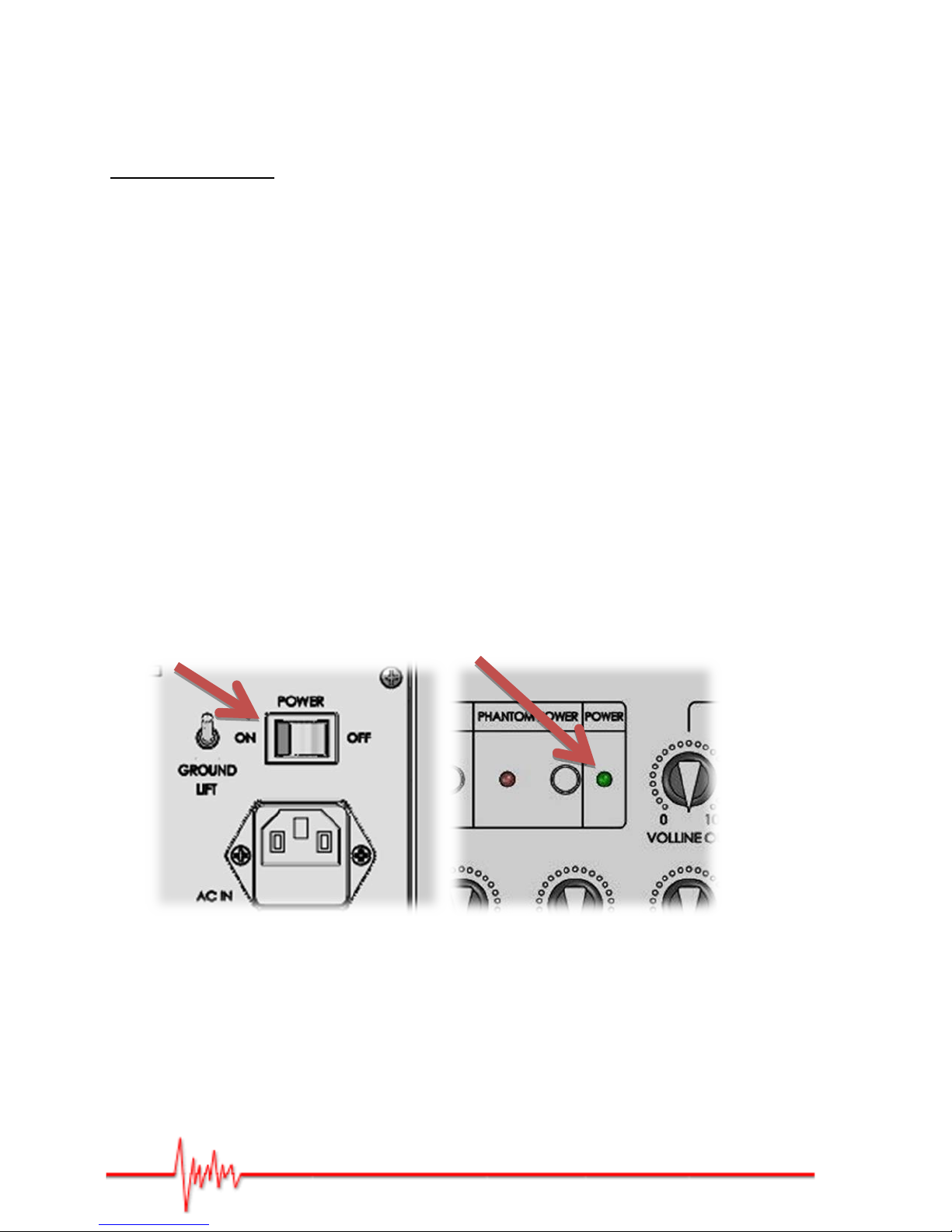
(1) Switch ON/OFF (rear) (2) POWER light (top)
1 – Introduction
Thank you for choosing this PRODIPE product.
Safety Precautions
To ensure both your safety and the troubl e-free op eration o f this product, please read the
safety precautions carefully. These are located at the back of the box.
Important: to reduce the risks of e lectric shock, do n ot remove the panel from the rear of
this product. For any maintenance issues, please contact your dealer or a qualified
technician.
At high volume, this equipment is liable to produce a level of sound that may cause
permanent damage to your hearing.
2 – Connections
To ensure that your amp performs as intended, please observ e the following procedure:
1. Check the audio cords.
2. Lower ALL the levels, including the master controls, on the built-in mixing console.
3. Check the power cord and the mains switch.
4. Power up the Prodipe Natural6 amp by flicking the switch at the rear of the amp to ON (1).
The green POWER LED on the m ixing c onsole will light up (2).
Note that: when powering down your equipment, turn off the Prodipe amp first by flicking the
switch at the rear of the amp to OFF (1). The POWER LED on the mixing console will go out (2).
Figure 1
Actual product(s) may differ from illustrations/photographs used
Copyright © 2016 IPE Music/Prodipe
Page 5

3 - Settings
The built-in mixing cons ole on the Natural6 amp o ffers a whole range of in p ut s, settings and other
options:
DSP Multi-effects Processor
(1) A button to select one of the eight pre-set DSP effects. The relevant eff ect i s i n dicated
by a green LED.
(2) The REV RET knob in the MASTER control section controls the output level for a DSP
effect.
Anti-Feedback
(3) An ON/OFF button activates /deactivates the anti-feedback effect.
(4) The ANTIFEEDBACK knob controls the effect (100 to 250Hz).
With this effect you can suppress the feedback created by an electro acoustic guitar when
played at high volume near the amp. The attenuation filter offers 12dB sound reduction
over an adjustable frequency range of 100 to 250Hz.
Phantom Power
(5) An ON/OFF button activates/deactivates the PHANTOM POWER (+48V) supply that
features balanced XLR inputs for the first two audio inputs.
This power source is essential for most types of condenser mic.
Ground Lift
(6) By using this switch you can break the connection to the electrical earth.
Eliminates unwanted hum and buzz by preventing current flow between devices.
Main Switch
(7) Natural6 ON/OFF switch.
As a safety precaution, never use the amp at maximum power when it has just been
switched on from ‘cold’. Wait for the components to warm up (2 to 10 minutes depending
on room temperature).
Actual product(s) may differ from illustrations/photographs used
Copyright © 2016 IPE Music/Prodipe
Page 6

4 – Audio inputs/outputs
1- Inputs
The Natural6 amp offers a range of audio inputs to ensure that you can connec t t he vast majority of
your mics, equipment and instruments.
(8) Two mic/instrument mono inputs:
• XLR socket (balanced)
• 6.35mm Jack socket (unbalanced)
• GAIN knob with PEA K saturation warning light
• HIGH, MID and LOW three-band EQ
• Track REVERB output routed to the DSP effects
• VOLUME control routed to the MASTER control
(9) One mic/instrument mono input:
• 6.35mm Jack socket (unbalanced)
• GAIN knob with PEA K saturation warning light
• HIGH, MID and LOW three-band EQ
• Track REVERB output routed to the DSP effects section
• VOLUME control routed to the MASTER control
(10) One stereo input:
• Dual RCA/CINCH socket (unbalanced)
• STEREO IN control routed to the MASTER control
• HIGH and LOW two-band EQ
Actual product(s) may differ from illustrations/photographs used
Copyright © 2016 IPE Music/Prodipe
Page 7

2- Outputs
The Natural6 amp offers a range of outputs:
Stereo output
(11) Dual RCA/CINCH socket (unbalanced)
(12) STEREO OUT control (functions independently of MASTER volume control).
Stereo output for headphones
(13) Stereo HP OUT Jack socket
(14) PHONES control (functions independently of MASTER volume control)
Mono output for an additional audio system
(15) DI REC T O UT XLR socket (unbalanced) controlled by MASTER control section
Mono output for an additional audio system
(16) LINE OUT Jack socket (unbalanced)
(17) VOLUME OUT control (functions independently of M ASTER volume control)
Actual product(s) may differ from illustrations/photographs used
Copyright © 2016 IPE Music/Prodipe
Page 8

5 – Configuring the amp
The Natural6 amp is an active loudspeaker system. It has been designed for guitarists and
musicians from all genres. It offers 140 Watts of RMS power and a complete mixing console: digital
multi effects, anti-feedback, balanced inputs/outputs, phantom po wer and much mo re.
Its sturdy manufacture, cub elike shape, carry handle and base plate for stand mounting make it an
excellent and extremely versatile tool for professionals.
Actual product(s) may differ from illustrations/photographs used
Copyright © 2016 IPE Music/Prodipe
Page 9

6 – Technical specifications
Frequency range
Tweeter
Woofer
Amplification
HF Power RMS (peak)
LF Power RMS (peak)
Signal to Noise ratio
SPL level (max)
Input/output impedance
Balanced XLR
Unbalanced Jack
RCA
EQ boost/cut range
High frequency
Mid frequency
Low frequency
Prodipe Natural6
50Hz -20KHz
1” (25mm)
Neodymium Dome
6½” (165mm)
Fibreglass membrane
40W (60W)
100W (180W)
92dB
114dB
1.5KΩ
1MΩ
22Ω
+/- 15dB
12KHz
2.5KHz
80Hz
Electronic filtering
Cut-off Frequency
Subsonic Filter
Fuse rating
100V - 120V
220V - 240V
Audio inputs
Audio outputs
Dimensions (W x H x D) in mm
Weight (per unit)
Actual product(s) may differ from illustrations/photographs used
2.6KHz
45Hz
3.15A
1A
2 XLR/Jack
1 Jack
1 stereo RCA
1XLR
1 Jack
1 stereo headphone set
390 x 320 x 285
13Kg
Copyright © 2016 IPE Music/Prodipe
Page 10

_____________________________________________________________
_____________________________________________________________
_____________________________________________________________
_____________________________________________________________
_____________________________________________________________
_____________________________________________________________
_____________________________________________________________
_____________________________________________________________
_____________________________________________________________
_____________________________________________________________
_____________________________________________________________
_____________________________________________________________
_____________________________________________________________
_____________________________________________________________
_____________________________________________________________
Page 11

_____________________________________________________________
_____________________________________________________________
_____________________________________________________________
_____________________________________________________________
_____________________________________________________________
_____________________________________________________________
_____________________________________________________________
_____________________________________________________________
_____________________________________________________________
_____________________________________________________________
_____________________________________________________________
_____________________________________________________________
_____________________________________________________________
_____________________________________________________________
_____________________________________________________________
Page 12

IPE Music
20, rue Clément ADER
Z.A. Les Gloriets
85340 OLONNE SUR MER
France
www.prodipe.com
 Loading...