

Page 1
www.prodevice.eu
DEGAUSSER INSTRUCTION MANUAL
ASM 120 ProDevice
Page 2

ASM120
Instruct ion manual
Instruction manual
Contents
Introduction 04
Package contents 04
Unpacking 05
Decommissioning 05
Safety 06
Operation and technical parameters 07
PPMS technology 09
Front, rear panels and side view 09
Installation and use 11
Warranty conditions 15
www.prodevice.eu
3
Page 3

Instruction manual
Instruction manual
Word to the user
Thank you for purchasing ProDevice ASM120 degausser. This device was
designed using state of the art technical know-how and manufactured using
modern and reliable electrical, electronic and mechanical elements. It
produces a strong magnetic field to completely delete data from magnetic
storage media.
An innovative Pre-Paid Management System (PPMS) is implemented in
the degausser which enables access to the advanced and unique
functions of the device.
Please read the manual carefully before using the device.
Device should be used only with directions included in this instruction.
Observe instructions included in the manual to prevent incorrect use and
possible damage to the degausser.
User should respect norm and rules that are valid in their country.
Retain the instruction manual and keep it in a secure place.
ASM120
Package contents
• ASM 120 ProDevice degausser
• Power cable
• RJ45 UTP patch cable Cat. 5
• Software
• Degausser instruction manual and warranty card
• Software and PPMS manual
4
www.prodevice.eu
Page 4
ASM120
Instruct ion manual
Instruction manual
Unpacking
The device is protected against transport damages. Remove packaging
elements after unpacking in a way not harmful to environment.
Check for transport damages to degausser immediately after unpacking.
Inform the transport company and the of the device distributor if the
degausser or accessories were damaged or impaired. Read the detailed
information on the warranty.
Leave the devic e for at least 3 ho urs befo re starting to de gauss if the devi ce
has been transported in low ambient temperature.
Decommissioning
According to the idea of GreenIT, correct handling of
electronic and electrical waste helps to avoid harmful
consequences to the people's health and to environment
resulting from incorrect storage and processing of
equipment. This is provided for by European Community
Directive 200 2/96/E C an d Poli sh a ct on waste elect rical and
electronic equipment.
A degausser after the end of life should be submitted to an electrical and
electronic waste c olle c tio n point.
This is signalled by a symbol placed on the product, packaging or in manual.
Information on collection points for waste can be obtained from the
degausser's manufacturer.
www.prodevice.eu
5
Page 5
Instruction manual
Instruction manual
Safety
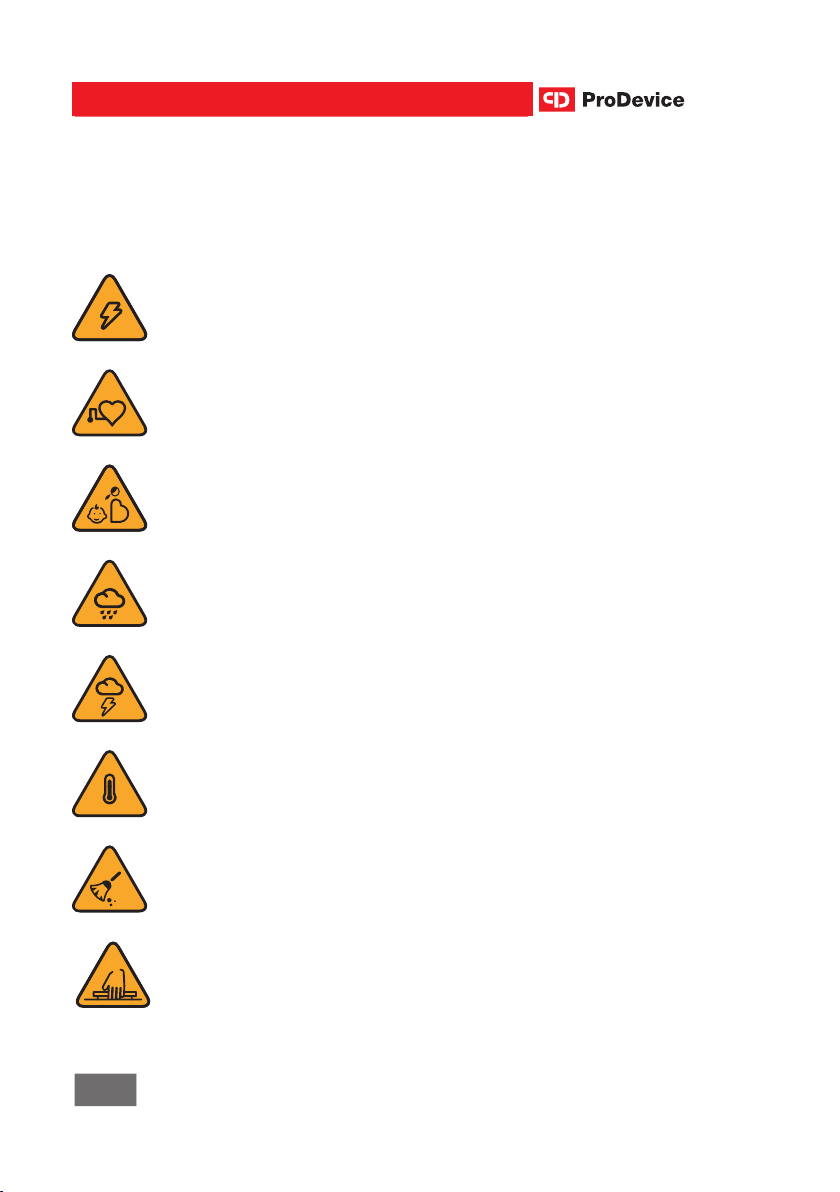
Read the instruction manual before using the machine!
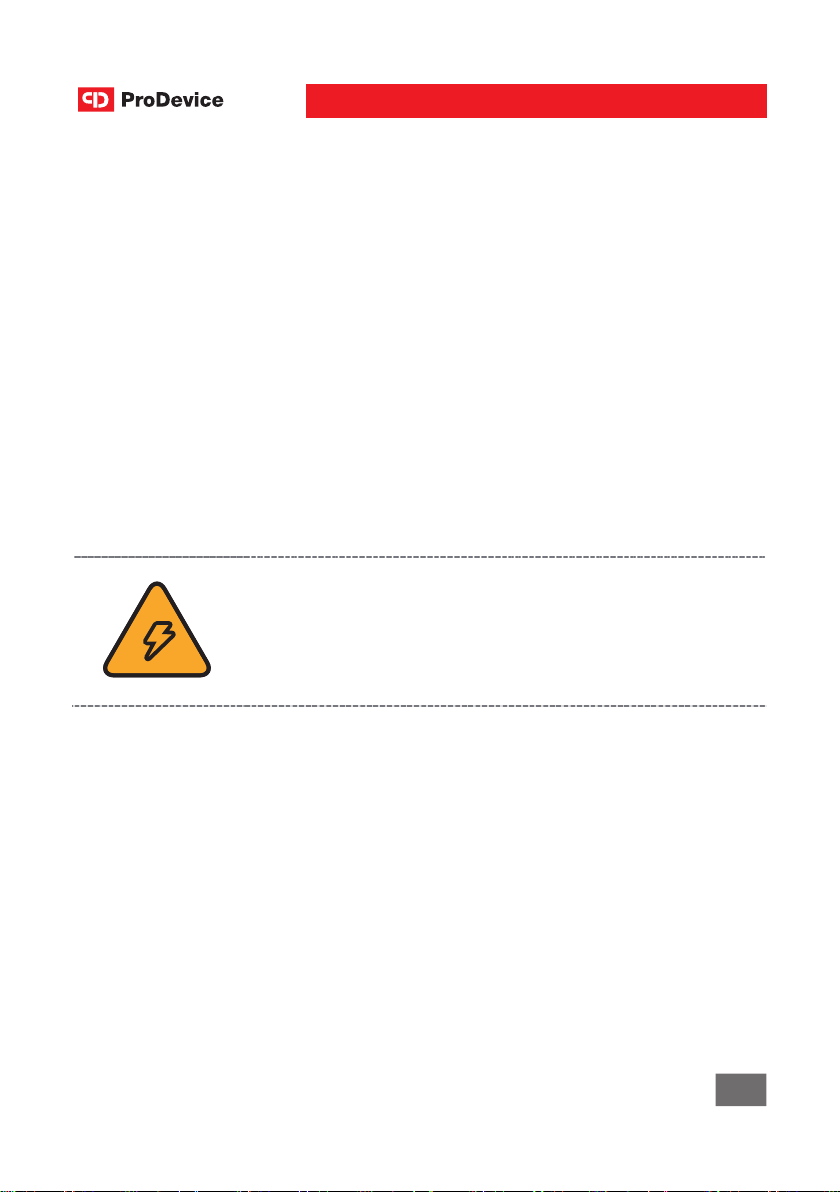
HIGH VOLTAGE!
Risk of electric shock after removing cover!
ELECTROMAGNETIC FIELD!
People with pacemaker should not stay in the same place with degausser.
DO NOT PLACE THE DEVICE NEAR PREGNANT WOMAN
ANDCHILDREN
WATER AND HUMIDITY!
Do no use the degausser in places where it might be subjected to humidity. Do not place containers with water. Do not let any liquids act on the
device.
ASM120
LIGHTNING/ELECTRIC DISCHARGE!
Unplug the device from local and power grid during a thunderstorm.
HIGH TEMPERATURE!
Do not place the device near sources of high temperature.
CLEANING
Unplug the device from mains before cleaning the housing. Do not use any
liquids for cleaning.
DO NOT CLOSE THE DRAWER WITH FINGERS INSIDE
6
www.prodevice.eu
Page 6

ASM120
It is prohibited to manipulate, unscrew or remove the housing from the
device. Do not place any other objects than magnetic storage media
intended for degaussing inside the device.
Any maintenance activities can be carried out only by the device's
manufacturer or in specialized workshops selected by the
manufacturer.
Instruction manual
Instruction manual
Operation and technical parameters
Operation
ASM120 degausser is intended for erasing data from the majority of magnetic
storage media available on the market with the dimensions that enable to fit
them inside the device drawer. A disk is simply put in a drawer which enables
deleting data from different types of media, and from media with different
dimensions. There is no need to use extra connectors or adapters.
Strong magnetic pulse generated by the device causes physical change in
the ferromagnetic layer of a medium and transforms it into a paramagnetic.
This results in an irreversible loss of data and makes the medium unusable
(no data can be stored again – does not apply to some types of tapes: DAT,
DLT). Device should be used only with it's purpose.
Types of storage media which can be degaussed in ASM120
ProDevice:
• 2.5" and 3.5" HDDs (also disks from storage chassis with housing)
• Streamer tapes: LTO, DLT, SDLT, DDS, DAT, AIT, Travan, SLR, QIC,
3592, 3590E, 3490E 3480, 9840, 9940, T10K
• Floppy disks, audio and video tapes.
ProDevice ASM120 can be used for continuous operation.
The device operates in network mode.
www.prodevice.eu
7
Page 7
Instruction manual
Instruction manual
ASM120
Magnetic field
ASM120 generates a single, concentrated magnetic pulse which is active for
at least 1/50 s – only during the degaussing of storage media. High
concentration enables the device to erase modern storage media with high
coercion factor with simultaneous distribution of the magnetic field outside the
actual erasing field.
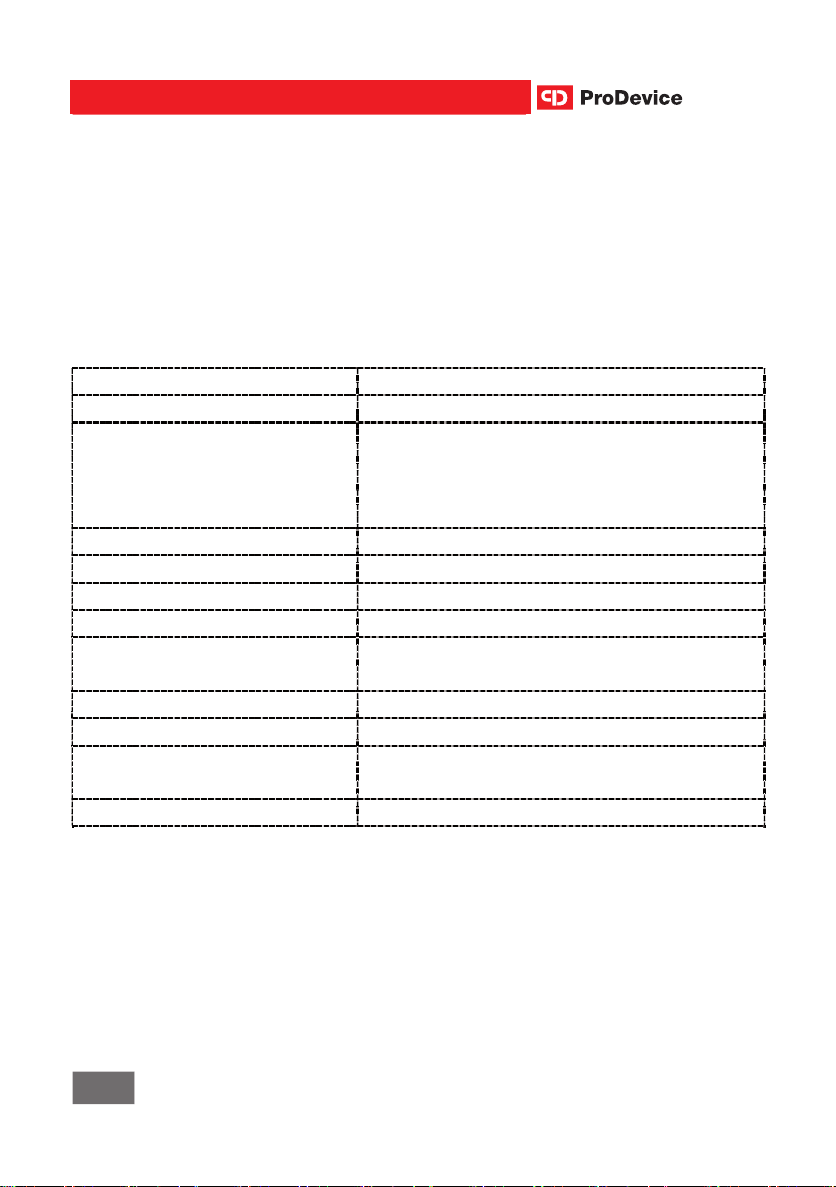
Technical specifications
Device make ProDevice
Device name ASM120
Power Source 230 V, 50 / 60 Hz (depending on the
version, the device can be designed to
match voltage in the country it will be
used)
Power consumption Ready mode: 0.35 A, charging: 1.7 A
Degaussing system Volumetric discharge
Erasing time 30 seconds/storage medium
Magnetic field intensity 1.1 T (11 000 Gauss)
Maximum storage medium
26 cm x 12 cm x 5 cm
dimensions
Ambient temperature 5°C – 45°C (41°F – 104°F)
Working humidity 10% to 60% (no condensation)
Dimensions H - 200 mm x W - 465 mm x D - 325
mm
Weight 30 kg
8
www.prodevice.eu
Page 8
ASM120
Instruct ion manual
Instruction manual
PPMS technology
Unlike other devices, ASM120 enables remote programming of allowable
number of eras ing cycles. An autom atic lock i s activated a fter this n umber is
exceeded. This i s possible due to innovative P PMS (Pre-Paid Manageme nt
System) techn ology: degausser is program med for a preset volume of data
erasing units. T he use r (using sp ecial a pplica tion ) can cha rge de gaus ser wit h
extra media deleting cycles. This way the user can freely decide about t he
final number of cassettes or disks being degaussed.
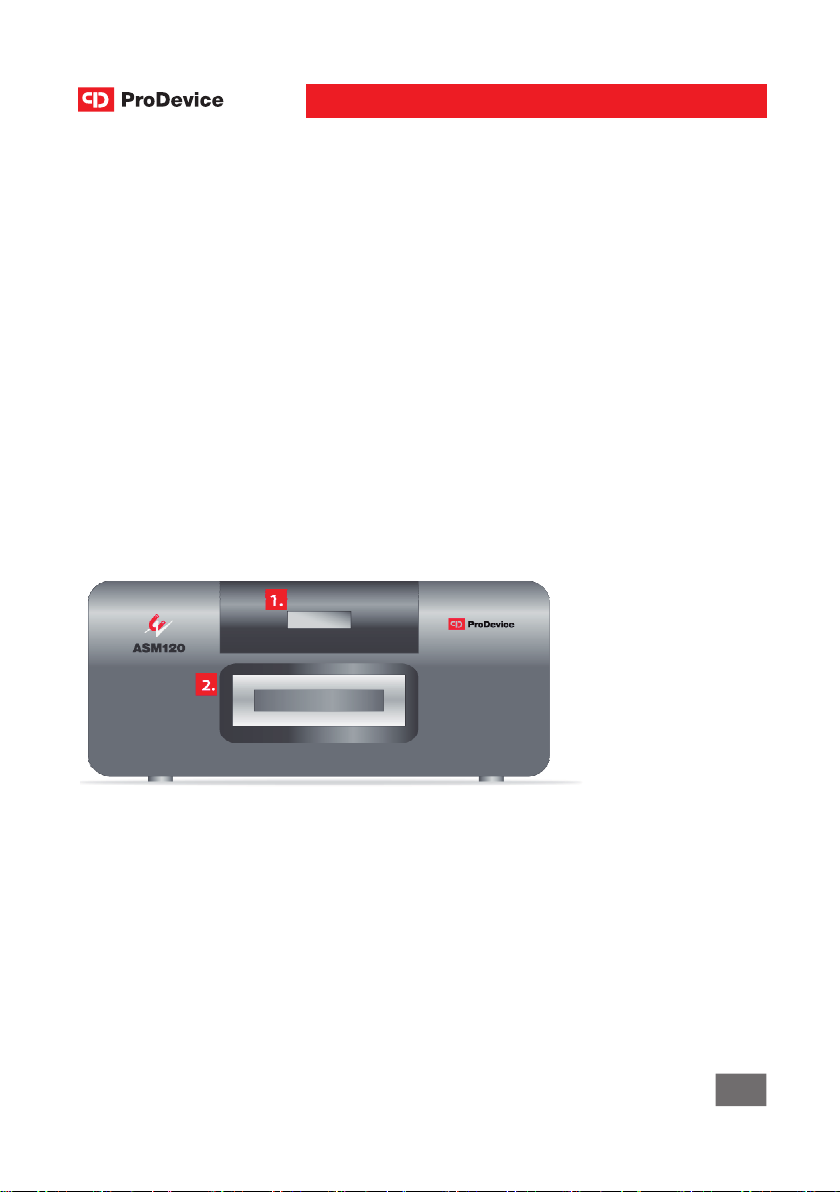
Front, rear panels and side view
Front panel
1. LCD display
2. Media drawer
www.prodevice.eu
9
Page 9
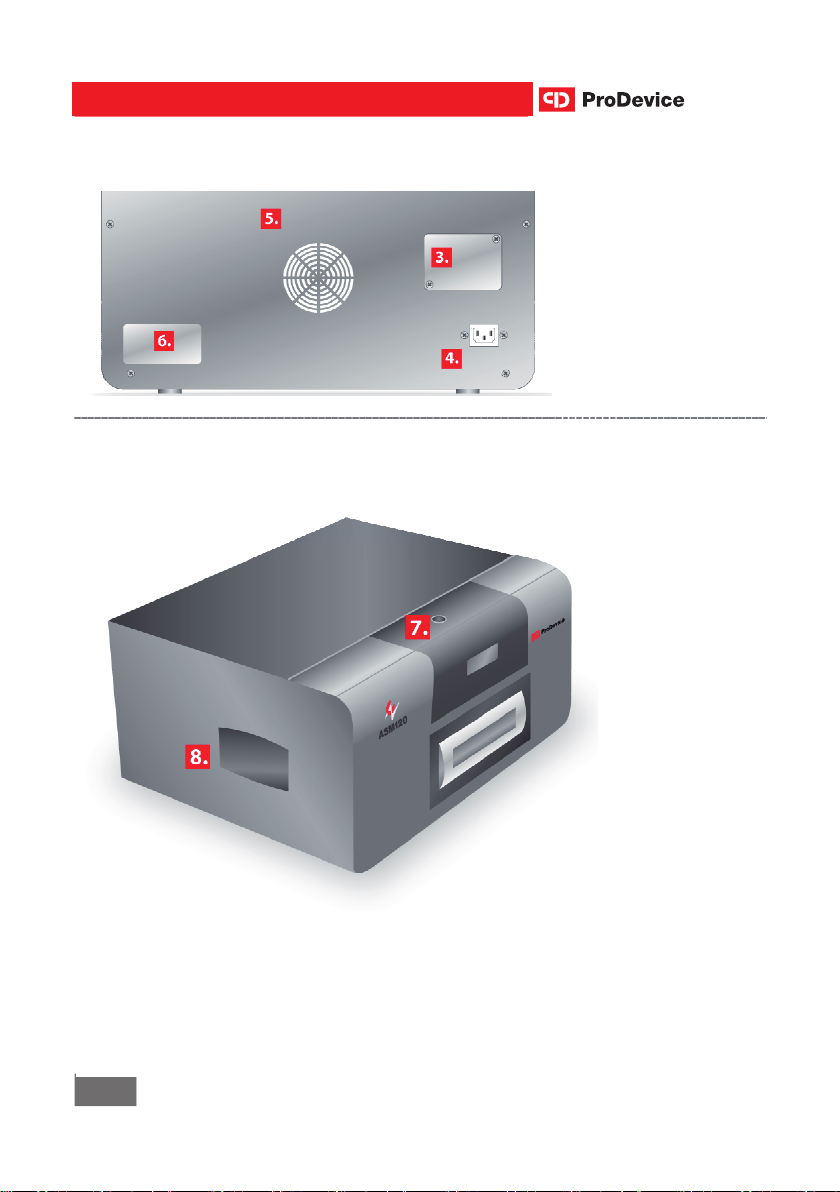
Side view
Instruction manual
Instruct ion manual
Rear Panel
ASM120
3. Ethernet socket
cover
4. Power socket
5. Fan
6. Data plate
7. Power
button
8. Side handle
10
www.prodevice.eu
Page 10
ASM120
Instruction manual
Instruction manual
Installation and use
Requirements for power supply
Check power supply parameters for the device on the rating plate located on
the rear panel of degausser. Use only the original power cable supplied with
ASM120.
Location of the device during operation
Place the degausser on a flat, stable surface. Forced cooling air flow is used
to maintain optimum air temperature inside the degausser. Keep 20 cm
distance from any objects to ensure optimum operation of cooling system
located at the back of the device. All devices (in particular data media not
intended for degaussing) should be located at least 1 m from degausser.
IT IS PROHIBITED TO OPEN DEVICE HOUSING. ANY
SERVICE ACTIVITIES SHOULD BE PERFORMED
ONLY BY QUALIFIED PERSONNEL WITH APPLICABLE
QUALIFICATIONS. REMOVING THE HOUSING
CAUSES RISK OF ELECTRIC SHOCK AND/OR DEATH!
The main power switch activates and initializes the operation of the
device and activates cooling system.
www.prodevice.eu
11
Page 11
Instruction manual
Instruction manual
ASM120
Degaussing instructions
1. Press the power button (7)
2. The following items are displayed in sequence (1):
• splash screen with device name,
• information on the required technical survey (if the service counter
reaches value defined by the device's manufacturer),
• information on the remaining number of cycles (if the allowed cycle
counter is set),
• information on the number of completed cycles (since the last resetting
of cycle counter),
• depending on the location of the drawer, information on the further
steps will be displayed.
NOTE Messages shown on LCD (1) are in English but they are also available
in different languages. Contact manufacturer or distributor to change the
language.
NOTE Communication with PC is possible only at this time. After changing
the position of the drawer the communication with PC is locked.
12
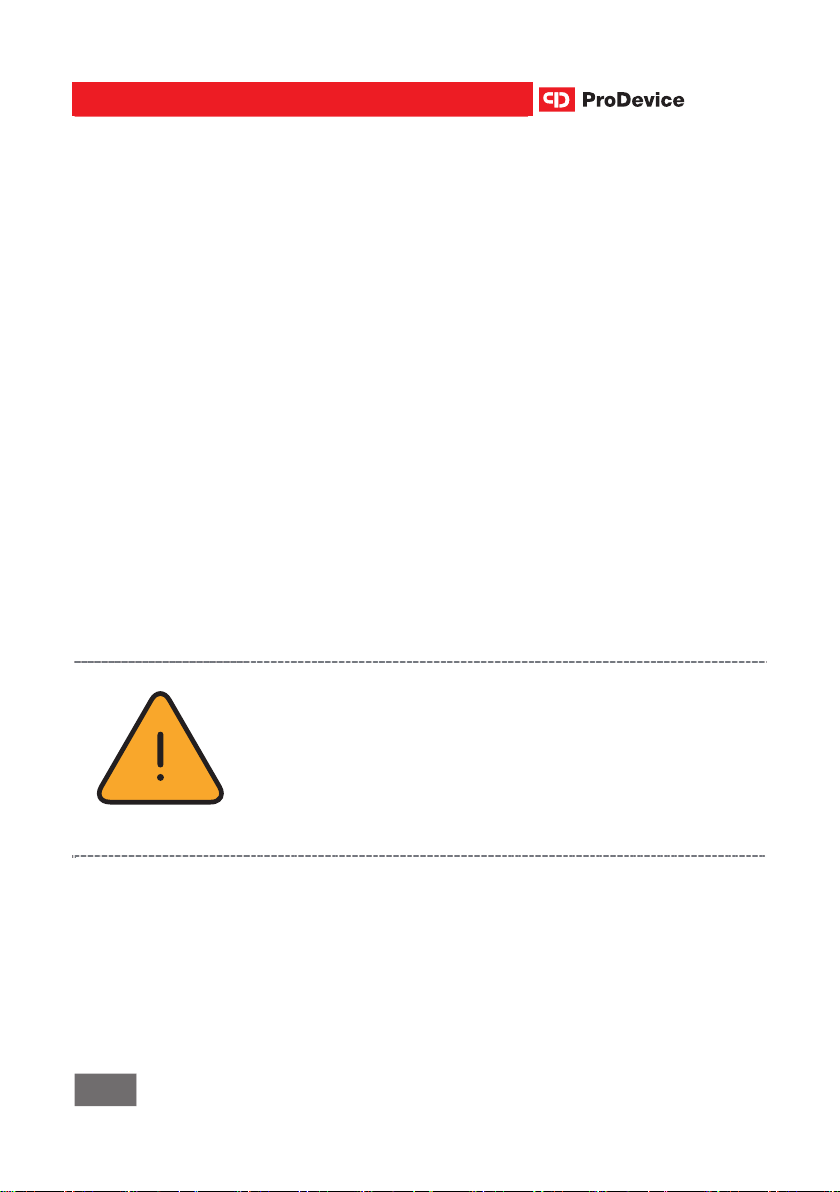
YOU MUST DISCONNECT THE CONNECTING CABLE
BETWEEN THE DEVICE AND COMPUTER AND PLACE
COMPUTER AT LEAST 1 M FROM DEGAUSSER
BEFORE STARTING THE DEGAUSSING OF STORAGE
MEDIA.
LEAVING THE CONNECTED CABLE MAY DAMAGE
THE COMPUTER.
www.prodevice.eu
Page 12

ASM120
Instruction manual
Instruction manual
3. Close the drawer (3) after placing a storage medium for degaussing in
the drawer.
ATTENTION! During degaussing cycle, you could place only one
piece of media in the drawer (no matter what is the media size)!
4. Approx. 30 s loading cycle starts after closing the drawer. The cycle
progress is shown on the LCD.
5. Degaussing begins after the completion of loading cycle. A message
about successful or failed degaussing cycle is shown on the LCD.
6. Opening the drawer and removing the medium is the end of the cycle.
7. Placing another storage medium inside and closing the drawer starts a
new cycle.
NOTE Opening the drawer during the cycle interrupts it and the user is
informed about it with a message on the display.
Press the power button after the completion of the cycle to turn off the device
correctly (with the drawer still closed/open) or during 3 seconds after closing
the drawer (before starting next degaussing cycle).
NOTE The PPMS technology (programming the degausser to a selected
number of erase cycles) may result in an automatic lock of the device.
The lock will be activated after degaussing the predefined number of
storage media. To unlock the device and continue operation, contact
manufacturer or distributor.
Degaussing instructions for DLT media
ASM120 lets the user erase DLT storage media in plastic protective
cartridges.
Note DLT cartridges can be reused after degaussing!
www.prodevice.eu
13
Page 13

Instruction manual
Instruct ion manual
ASM120
Despite the complete degaussing of the medium after the first cycle, it is
recommende d to turn the cass ette by 90° and degaus s it again to " smooth"
the remains of any magnetic fluxes.
Using ASM120 degausser with a PC
The device is adapt ed for use wit h a PC with soft war e to enable config uratio n
and checking degausser operating parameters.
ASM120 has a RJ 45 Ethernet port hid den in the rear panel of housing. The
RESET button is located next to the port used for changing the settings of
network address to a standard address in case of loss of device's network
address settings.
To change network add ress to s tandard a ddress, pre ss and h old RESET for
approx. 5 s a fte r tu rni ng the device on wit h t he m ai n power switch. Change of
the network address to default value is shown with applicable message on
the display.
Communication between computer and the device is possible only
directly after turning on the device with main switch before the first
change o f the p ositi on of the drawe r. Com muni catio n wit h PC is loc ked
after changing th e posi ti on of th e drawer .
NOTE Det ailed descri ptio n of w ork of ASM 1 20 wit h PC an d inf ormati on
on the use of PPMS are given in a separate manual.
14
www.prodevice.eu
Page 14

ASM120
Instruction manual
Instruction manual
Warranty conditions
These warranty conditions apply as additional conditions and in no way
limit the purchaser's rights under legal regulations.
DISKUS Polska Sp. z o.o. located at ul. Kościuszki 1, 32-020 Wieliczka,
hereinafter referred to as the "Manufacturer" guarantee correct operation of
the device hereinafter referred to as the "Product" per the technical and
operational conditions described in the instruction manual. The details of the
product purchaser hereinafter referred to as the Purchaser are described in
the warranty card. The warranty is valid and applicable on the territory of
Poland.
Make sure that the serial number of the Product matches serial number
stated in the Warranty Card.
1. To take advantage of rights of this
warranty, the Purchaser must show all of the listed documents:
• correctly completed warranty card (serial number, model, date of
purchase, Seller's stamp, Purchaser's signature),
• valid proof of purchase of the Product.
2. The warranty includes provision of free spare parts and workmanship
per the conditions stated for 2 years from the date of purchase of the
Product.
NOTE The manufacturer recommends carrying out a technical survey of the
device after completion of 5000 erasing cycles. Ignoring these
recommendations voids the warranty.
www.prodevice.eu
15
Page 15

Instruction manual
Instruct ion manual
ASM120
3. Failures in the Product discovered during the warranty period will be
repaired in t he shortest poss i ble t im e. T he warr ant y p erio d is extended b y
the repair period.
4. The Purchaser has the right f or a re pla cem ent P r od uct with a n e w on e if it
is impossible to repair the failure.
5. In special cases (e.g. the Pro duct is n o longe r inclu ded i n the trad e offer ),
replacement of the Product with the same one is impossible. The
Manufacture r replaces the p roduc t with a produc t with matc hing tec hnical
parameters d uring the pe riod agree d upon wit h the Purch aser, not l onger
than 30 days from the beginning of the situation described in section 4.
6. Products with mechanical or ele ctrical damag es resul ting from causes not
on the part of the Manufacturer are exempt from warranty, in particular:
• Products with transpor t and ha ndling damages,
• Damages resulting from misuse of Product, i.e. the use without
observing instruction manual or safety regulations,
• Products damaged in fire, flood, strike of lightning or another natural
disasters, unforeseen accidents, flooding with liquids, power and/or
telecommunications network over voltages or connection to power
network in a way not compliant with instruction manual.
• Products with modific ations by unauthori zed persons (i ncl. removal of
housing), changes or repairs resulting in damage of warranty seal.
• Products with any modifications in Warranty Card or serial numbers,
incl. changes, blurring or rubbed.
7. The Manufacturer and distrib utors are not respons ible for the regulati ons
of this agreemen t (warranty condi tions), if the requi red repairs can not be
completed du e to import/e xport restrictions on spare parts or other legal
regulations and unforeseen circumstances making it impossible to
perform the repair or due to negative effects of force majeure.
16
www.prodevice.eu
Page 16

ASM120
Instruct ion manual
Instruction manual
8. The Manufacturer and Man ufacturer's distri butors are not resp onsible for
the loss of income or any other losses resulting from the use of the
device, in particular the loss of data as the result of operation of the
Product.
9. The Purchaser incurs the costs of unjustified servicing of the device.
10. Any conflicts pertai ning to th e warrant y rights wil l be settle d by a Court of
proper jurisdiction for the Manufacturer's location.
The warranty granted for the sold Product does not invalidate, restrict or
suspend the right s of the buyer implied by non-c onformity of the product to
the contract.
www.prodevice.eu
17
Page 17
Instruct ion manual
H
OTLINE
: 801 090 911
MANUFACTURER'S ADDRESS AND CONTACT DETAILS:
DISKUS Polska Sp. z o.o.
ul. Kościuszki 1, 32-020 Wieliczka, Poland
Phone: +48 12 379 30 30
e-mail:[email protected] Servicing:
[email protected]
If you have an improvement idea or suggestion, write to [email protected]
www.prodevice.eu
18
www.prodevice.eu
 Loading...