

Page 1

MANUAL
PRODECODER HU 100-R
Page 2
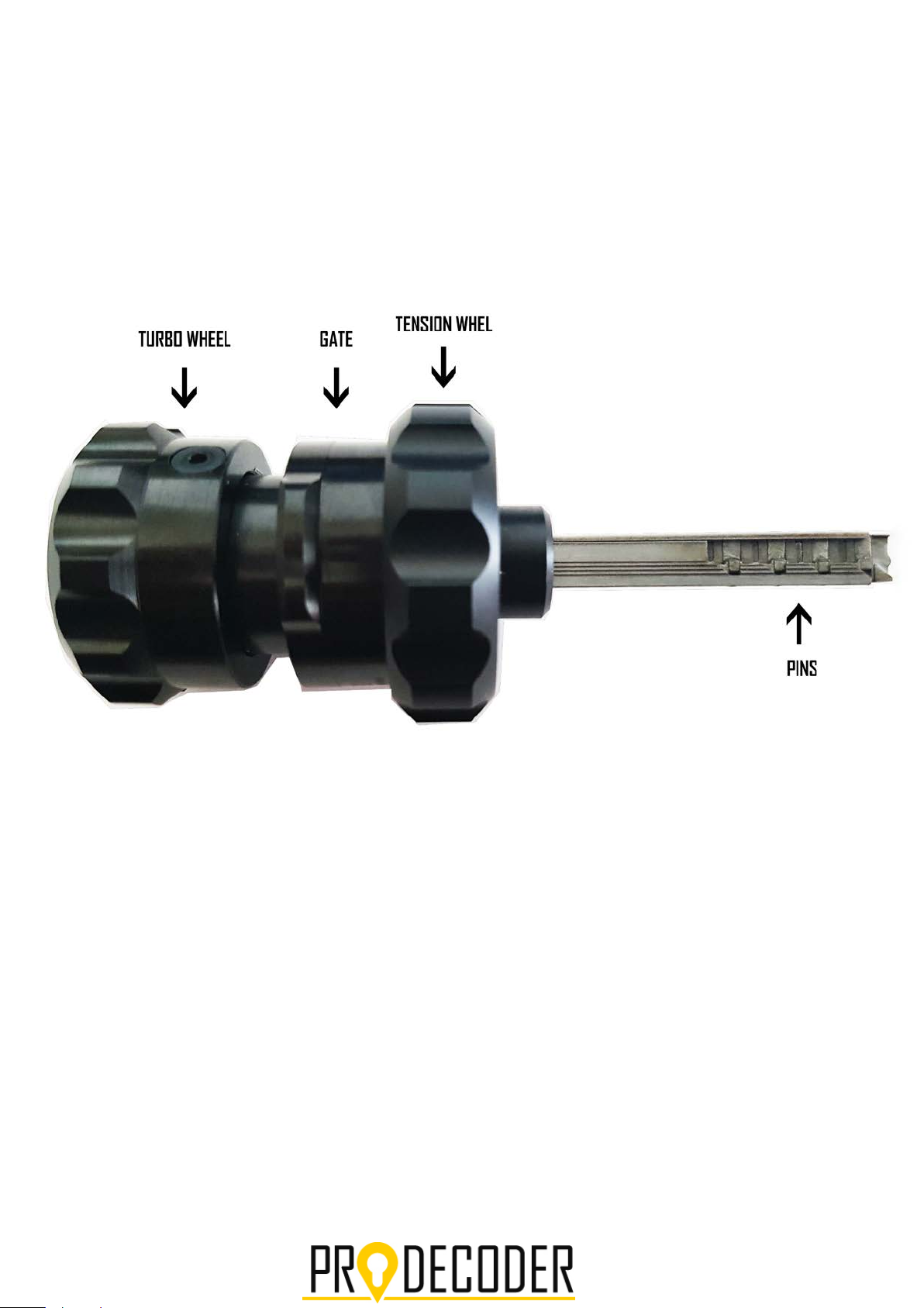
Page 3
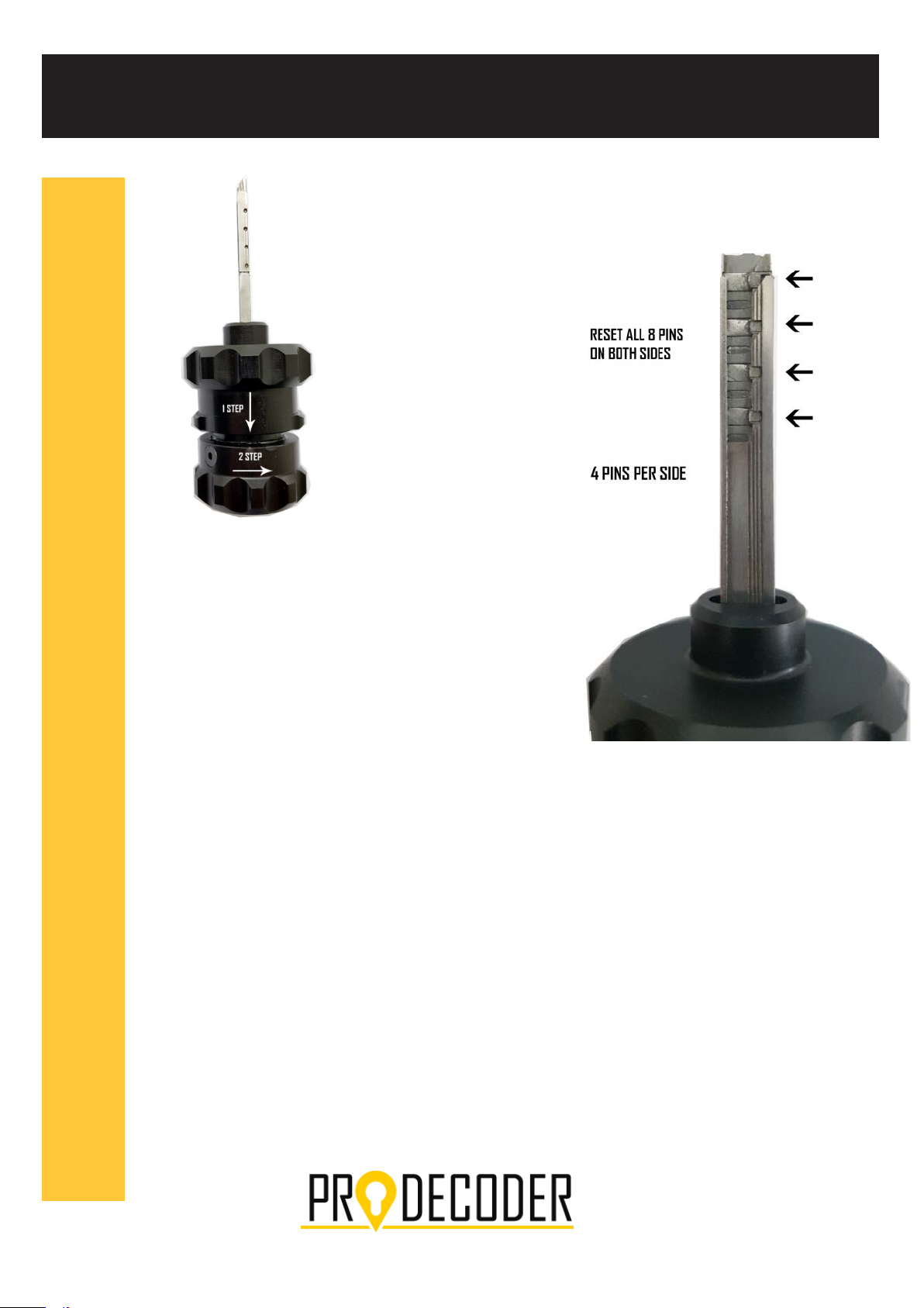
Instructions
1. Open the Gate by pulling it back
2. Turn the Turbo wheel all the way to the RIGHT
3. With the reset tool, push down (reset) the 8
pins - you hav
other side. Start by pushing down the first 4
pins from one side, then push down the other
4 pins on the other side
5. After all pins are reset; close the Gate by
pushing it in
e 4 pins on one side, 4 pins on the
The TURBO wheel stays all the way to the RIGHT
Important!!! Every time when you insert the tool
into the lock or you pull it out of the lock, the GATE
must be closed (PUSHED IN) and the Turbo wheel
Must be turned all the way to the RIGHT
Page 4

6. Insert the tool into the lock, hold it freely. If the GATE pops out- the tool is
inserted on the WRONG SIDE (watch the video)
7. Open the Gate by pulling it back
8. Opening procedure: Start “pumping” by turning the Tension wheel to
the RIGHT, hold it, turn the Turbo wheel all the way to the Left until it
reaches Stop point, bring it again to the right, release the Tension wheel
and then turn it to the Left. Repeat the procedure until the lock is
opened.
9. With HU100-R if the operator doesn’t give a LOT of TENSION, the
unlocking will be impossible, so give a LOT of TENSION
10. After you open the lock, turn the Turbo wheel to the LEFT, close
the Gate by pushing it in, and then turn the Turbo wheel all the way
to the right to finally eject it
11. Remove the tool from the lock
Don’t forget to watch the Instructions Video from
your USB drive or the link on your email
 Loading...