

Page 1
Firmware update manual
V1.0
Page 2

Contents
1 Firmware update ........................................................................................................................................ 3
1.1 Update via MIOS Studio (Linux,MacOs, Windows) .............................................................................. 3
1.2 Update via ST Tool (only Windows)..................................................................................................... 4
2 Warranty.................................................................................................................................................... 7
Page 3
1
Firmware update
The probox
can be updated via Linux, Windows or MacOS.
1.1
Update via MIOS Studio (Linux,MacOs, Windows)
NOTE: Update on windows can sometimes fail. Then it is
In that case you have to use the ST update tool on the
•
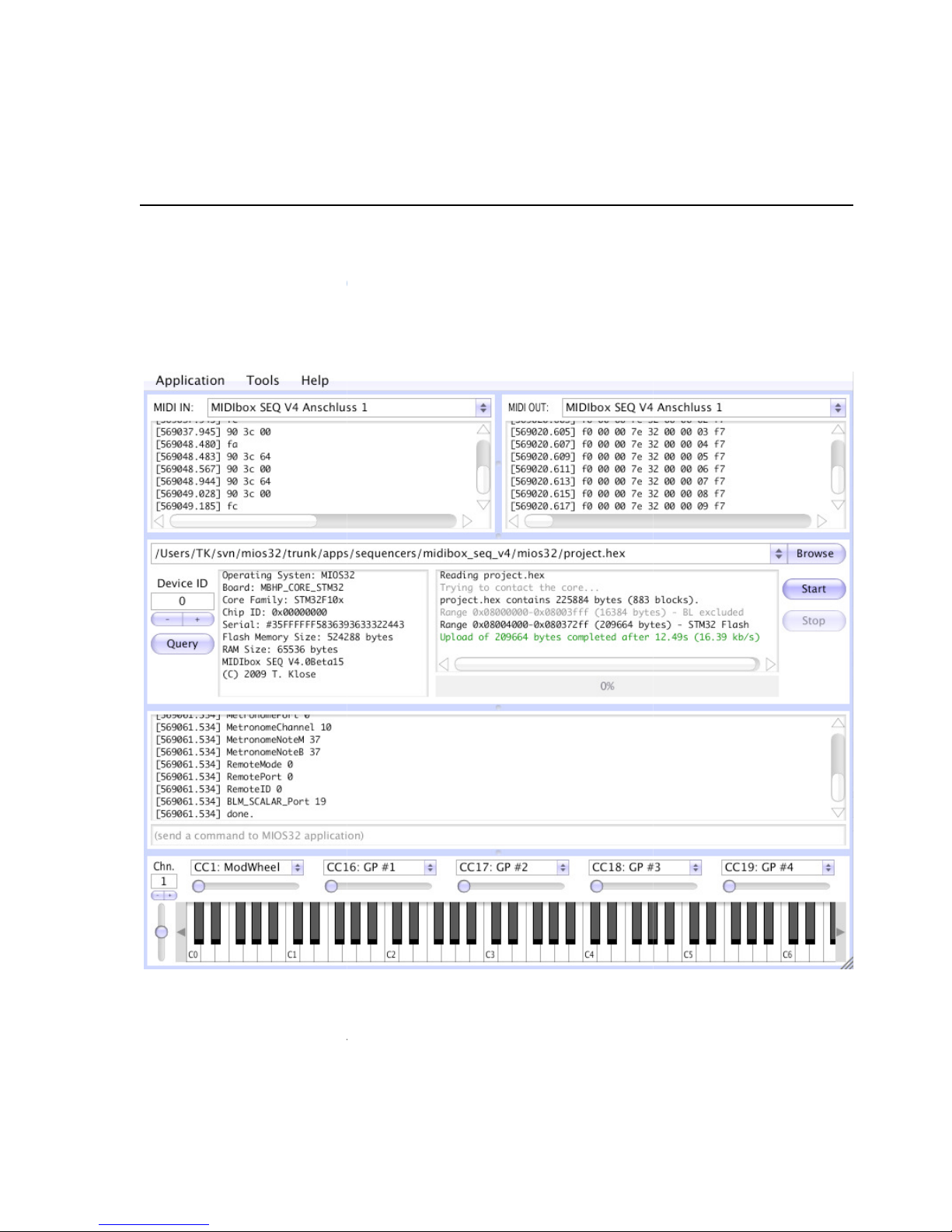
Unzip the archive that suits for your OS
•
Run the MIOS Studio for your OS.
not possible to update the ProB
other USB port (see 10.2).
ox again with this tool.
Page 4
•
Select the Probox USB port 0
are not for update
•
The Probox should be
autodetected, if not press query to rescan the probox
•
Press browse to search for the firmware file (hex file).
•
Press Start to upload your firmware
•
After upload is finished your probox is updated. For windows: If you get an error message (red line)
repro
gram your probox with the ST Tool (see 10.2)
1.2
Update via ST Tool (only Windows)
First you have to install the ST USB driver to access the probox via the other USB port.
/ generic (for MIDI in and MIDI out)
. That’s important, other USB ports
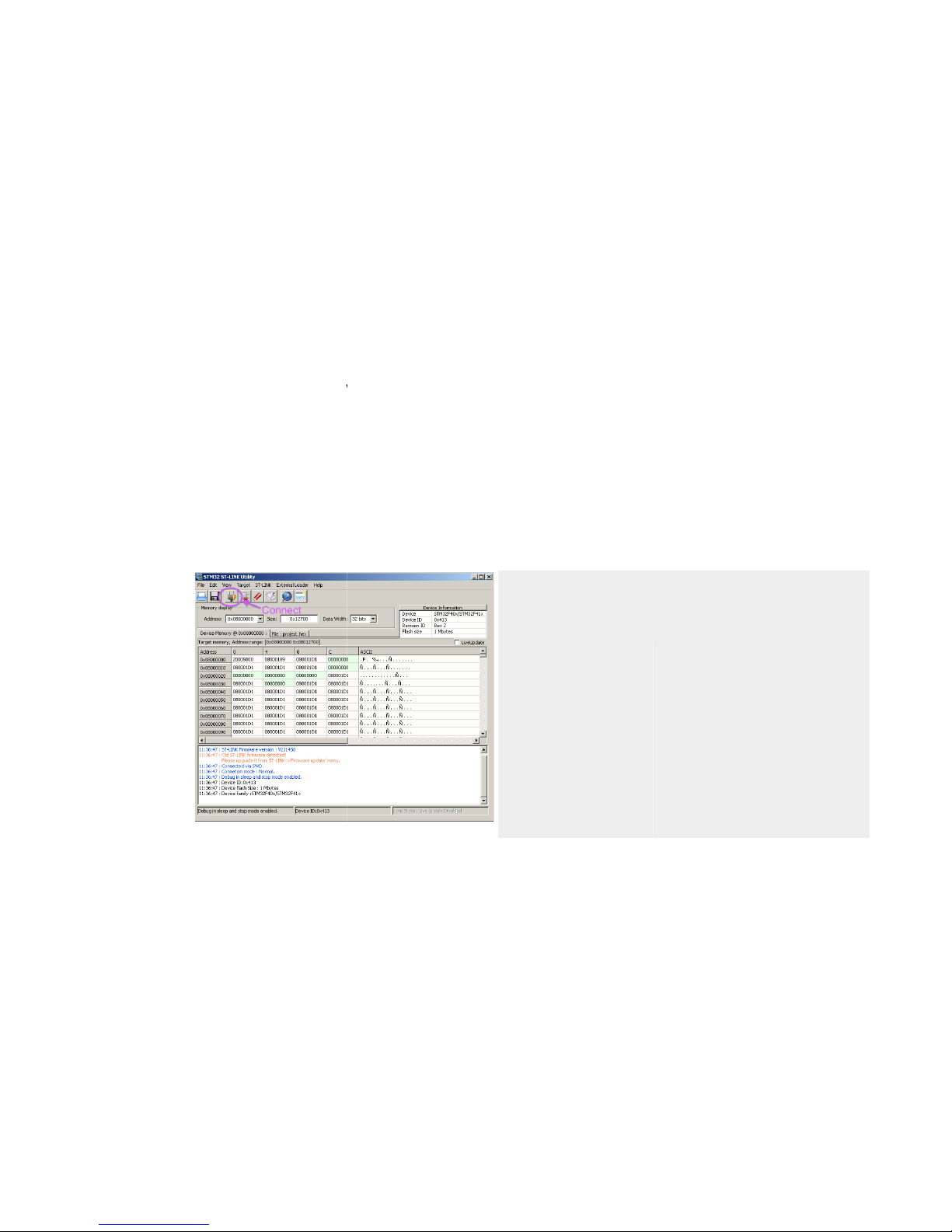
After the Probox is connected to your PC, the driver has
been installed, and the ST
try to connect to the ST-
LINK by pushing the appr. button.
-LINK utility has been opened,
LINK by pushing the appr. button.
Page 5
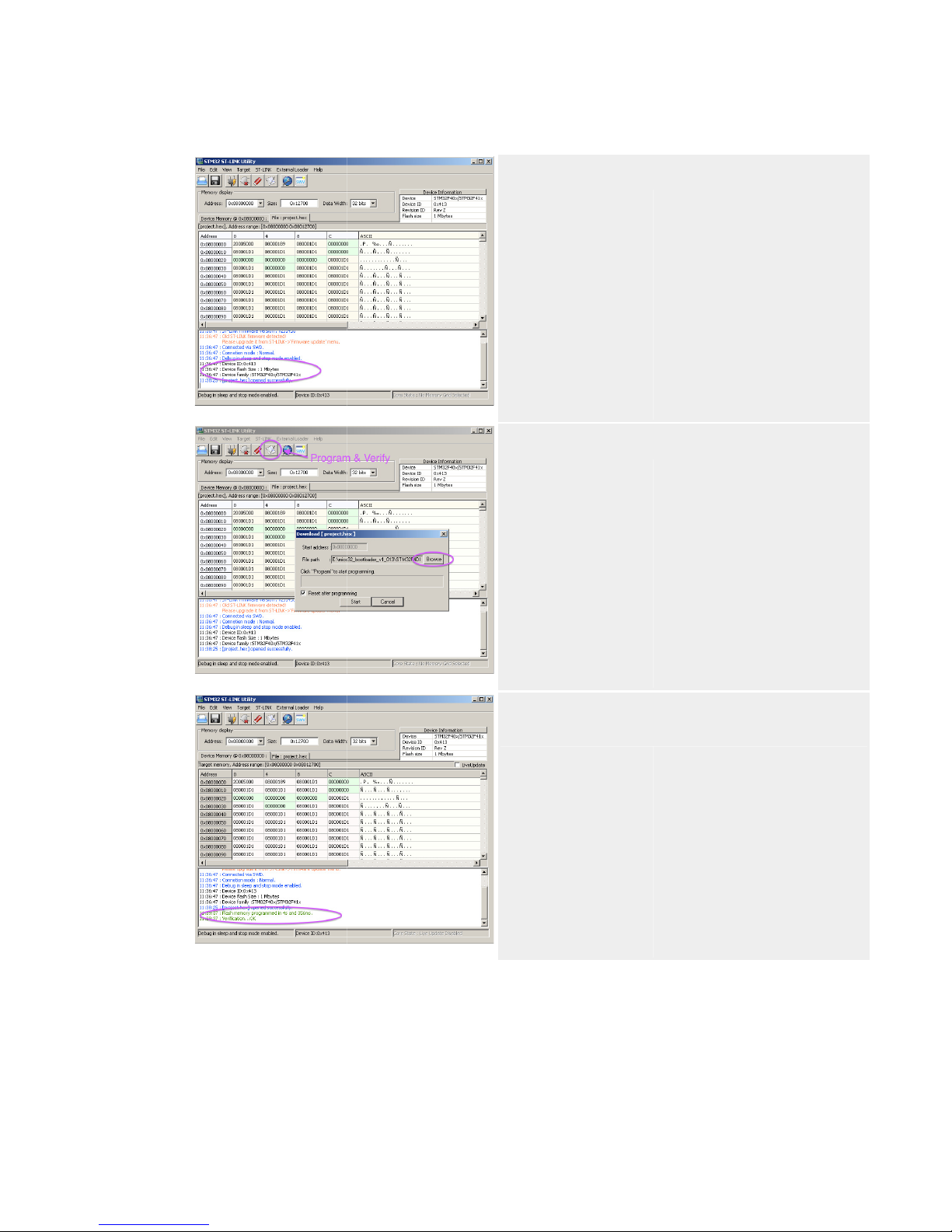
The target device should be displayed.
Click on the small "Program and Verify" icon
Click on the "Browse" button and search for the new
firmware d8b.hex binary.
Page 6
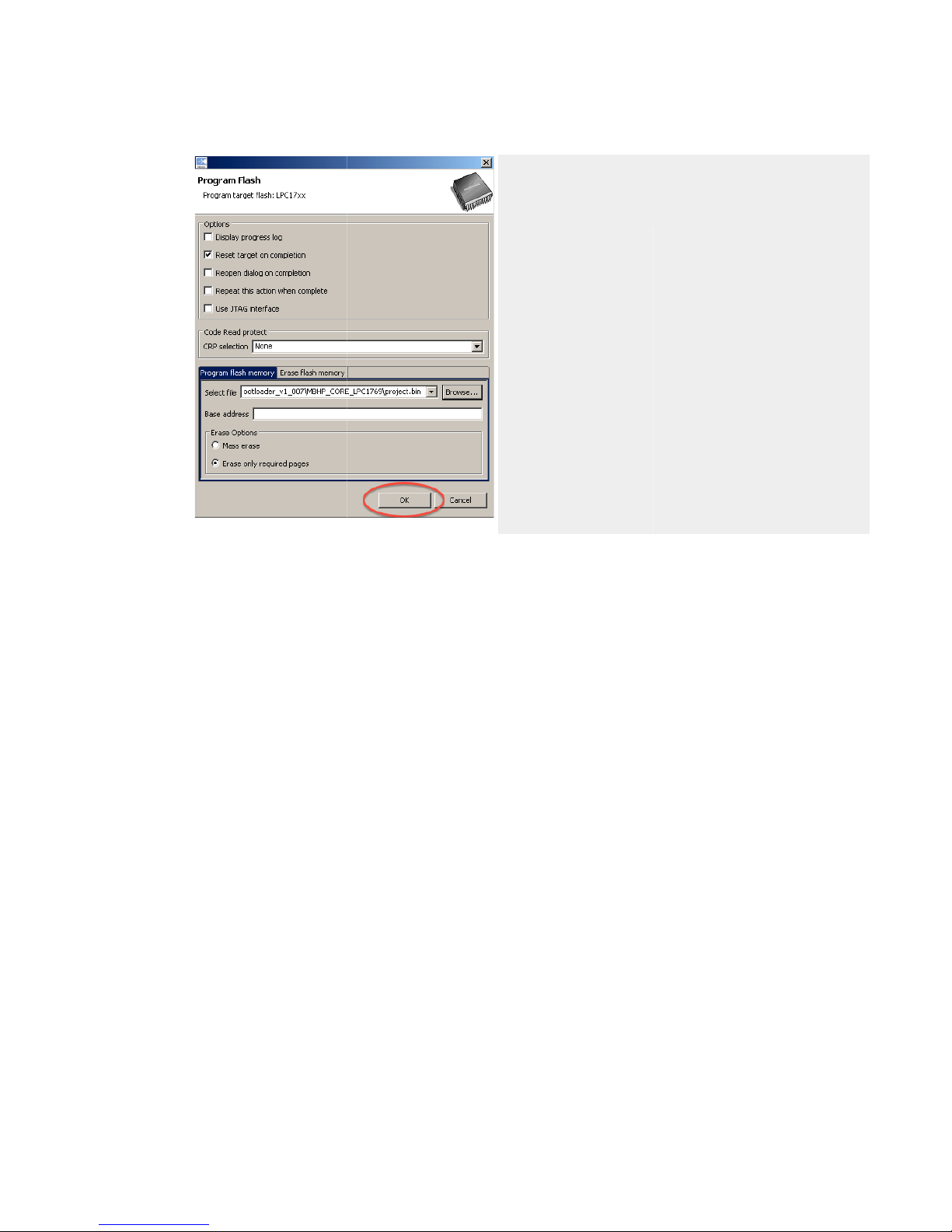
Click on the "START" button to program the firmware into
the flash. The "Verification...OK" message should be
displayed -> success! :-)
Page 7

2 Warranty
As this is a non commercial product I can give you no warranty. But I will help you with your problems and
support firmware updates if necessary.
Every ProBox that is delivered is tested for their 100% functionality. How is this done?
I’ve developed a testprogram that checks all communication commands on all four USB ports and the serial
connection to the d8b console. E.g. if you press a button on your d8b it sends out a command via the serial
connection to the probox. The probox translates that to a midi command on USB1-4 and sends this out. All
commands that were supported by the ProBox are checked via this testprogram for every single command. So
you can be sure that you received a 100% working unit.
 Loading...