

Page 1
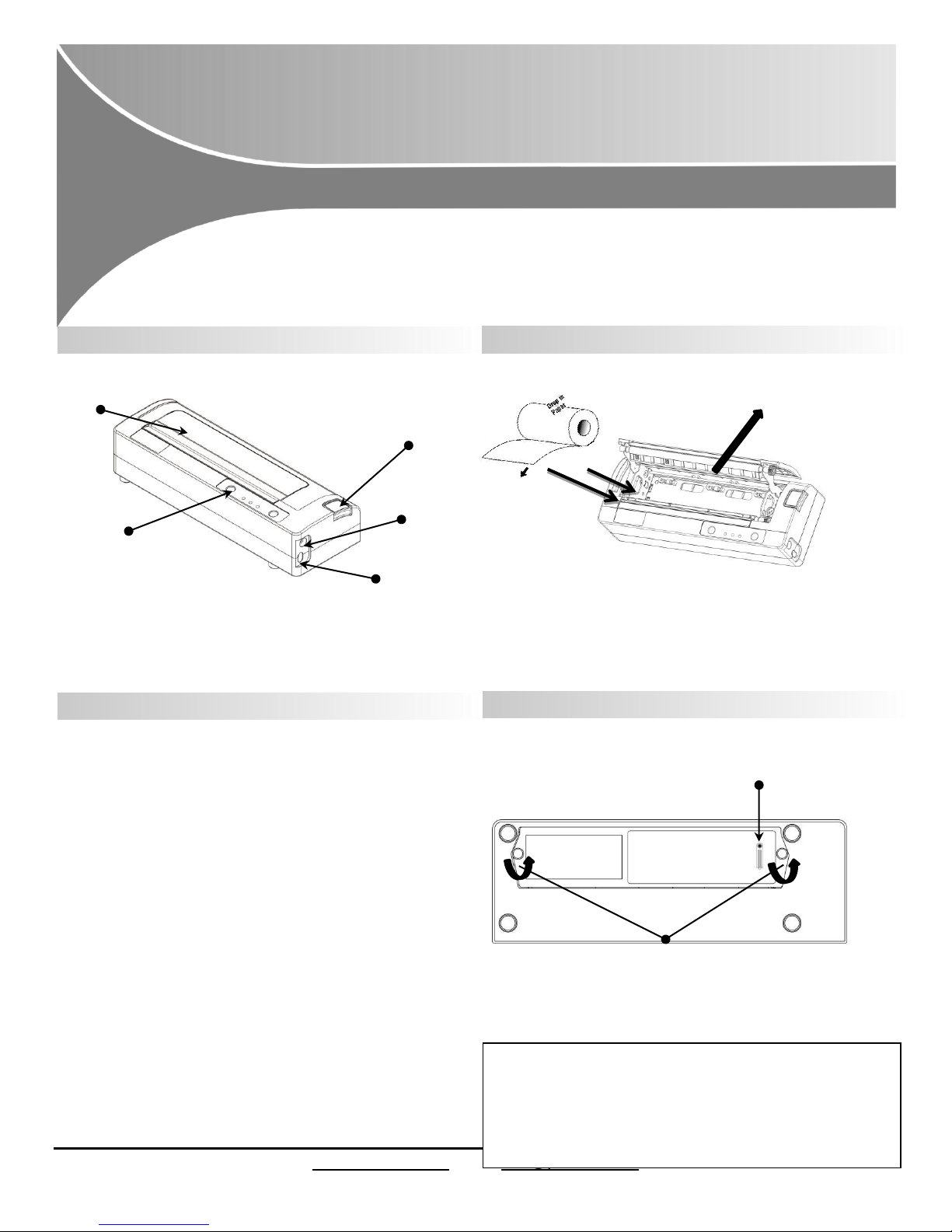
Printer features Media(8.5’’)
I-820
Quick Start Guide
This guide provides information on the daily use of the I-820 printer.
For additional information, please refer to the I-820 User Guide.
4LED 100% charge
3LED 75%
2LED 50%
Remove the two screws to
remove the battery.
New batteries are shipped in uncharged state.
Charge using Printek approved external AC or DC
adapter.
DO NOT charge battery via USB port.
Charge for minimum of four hours prior to use.
Approximate battery life of 100 pages.
Battery Disposal
Only dispose of used batteries according to your local regulations. If
you do not know your local regulations, the Rechargeable Battery
Recycling Corporation (RBRC) is a non-profit organization created to
promote recycling of rechargeable batteries. For more information
USB Data Port
Power Port
Control Panel
Paper door release button
Press button to see
battery charge level.
Paper Door
Tear paper
towards back of
printer
Press Paper door release button to open the paper
compartment door. Pull small leader of paper out and
close paper door. “ Clicks” when properly closed.
Printer with optional battery: Charging Printer with optional battery: Replacement
© 2017 Printek LLC 3515 Lakeshore Drive, St. Joseph, MI 49085 PH:269-925-3200
www.printek.com | E: info@printek.com
Page 2
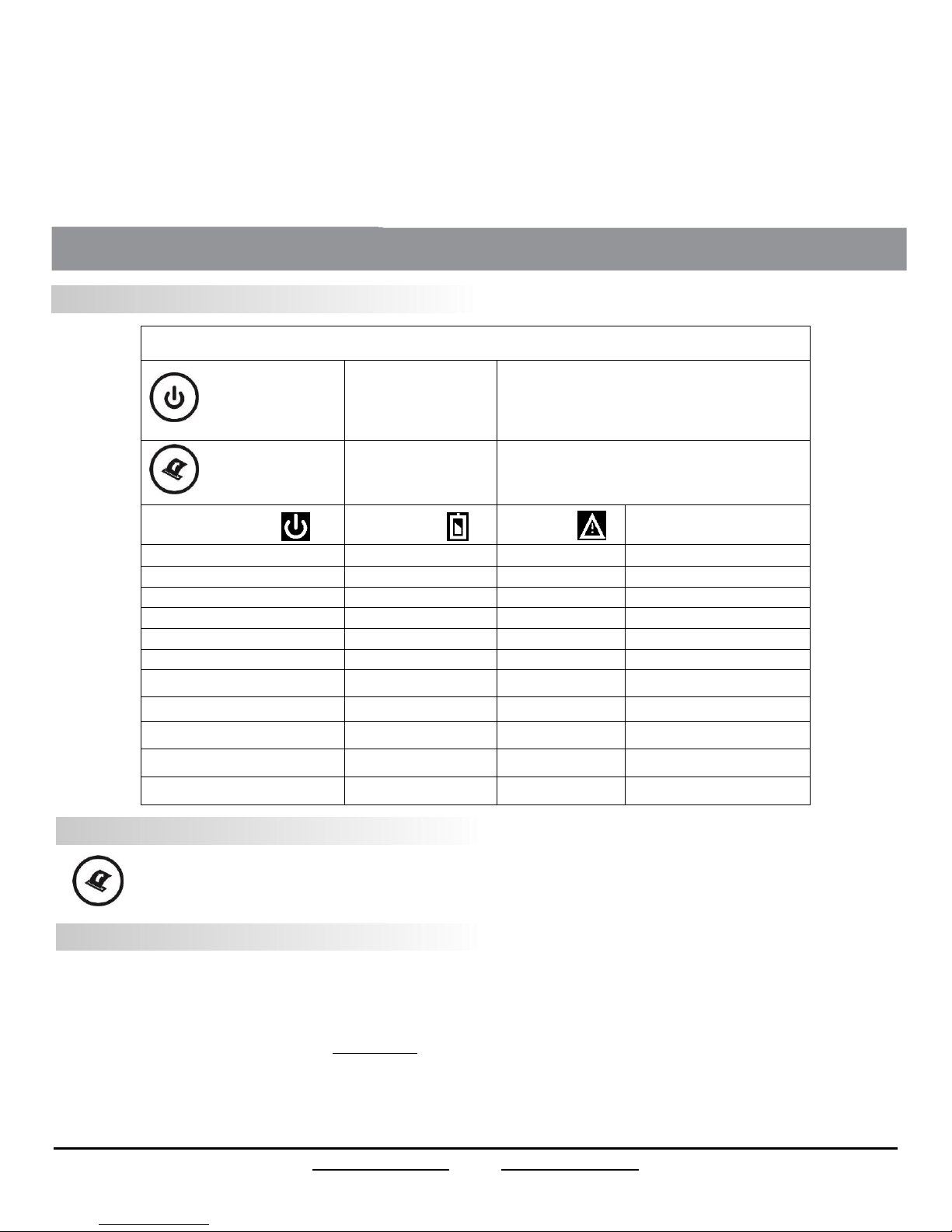
Control Panel
Power Button
Power Up
Power Down
Toggle IP over USB
on/off
Press & Release
Press & Hold
Press twice
Paper Feed Button
Advance paper
Print Setup Report
Press once(LF) or long (FF)
Press twice
Power & Status
(Green/Red)
Battery
(Yellow)
Alert
(Red)
Indication
On
Off
On
Booting up(… 20 sec!)
On
Off
Off
Ready
On
Off
Flashing
Paper Error/Lid Open
Flashing
Off
Off
Job is arriving
Flashing
Off
Off
Job is printing
Flashing
Off
Flashing
IP over USB active
On
Charging Battery
Flashing
Battery Low
Flashing
Flashing
Flashing
Restart the printer manually
Off
Off
Flashing
Restore the printer firmware
Off
Off
On
Print head too hot
I-820 Quick Start Guide
Control Panel indicators
Self-Test / Configuration print out
With power on, press the Paper Feed button twice quickly.
Accessing the Configuration Menus through USB
1. Turn the printer ON.
2. Connect a USB cable between the printer and a PC.
3. To access the I-820 web page, push the Power button twice rapidly. This will put the printer into Configuration mode.
4. When the printer is in Configuration mode the POWER and FAULT LEDs will flash together.
A. Open browser on your PC and type 169.254.200.1 into the address bar of the browser and hit Enter - A login box should appear:
B. Type “0000” and hit Enter- you should now be at the home page for I-820 Configuration.
5. Push the Power button twice rapidly to exit Configuration Mode.
© 2017 Printek LLC 3515 Lakeshore Drive, St. Joseph, MI 49085 PH:269-925-3200
www.printek.com | E: [email protected]
Page 3
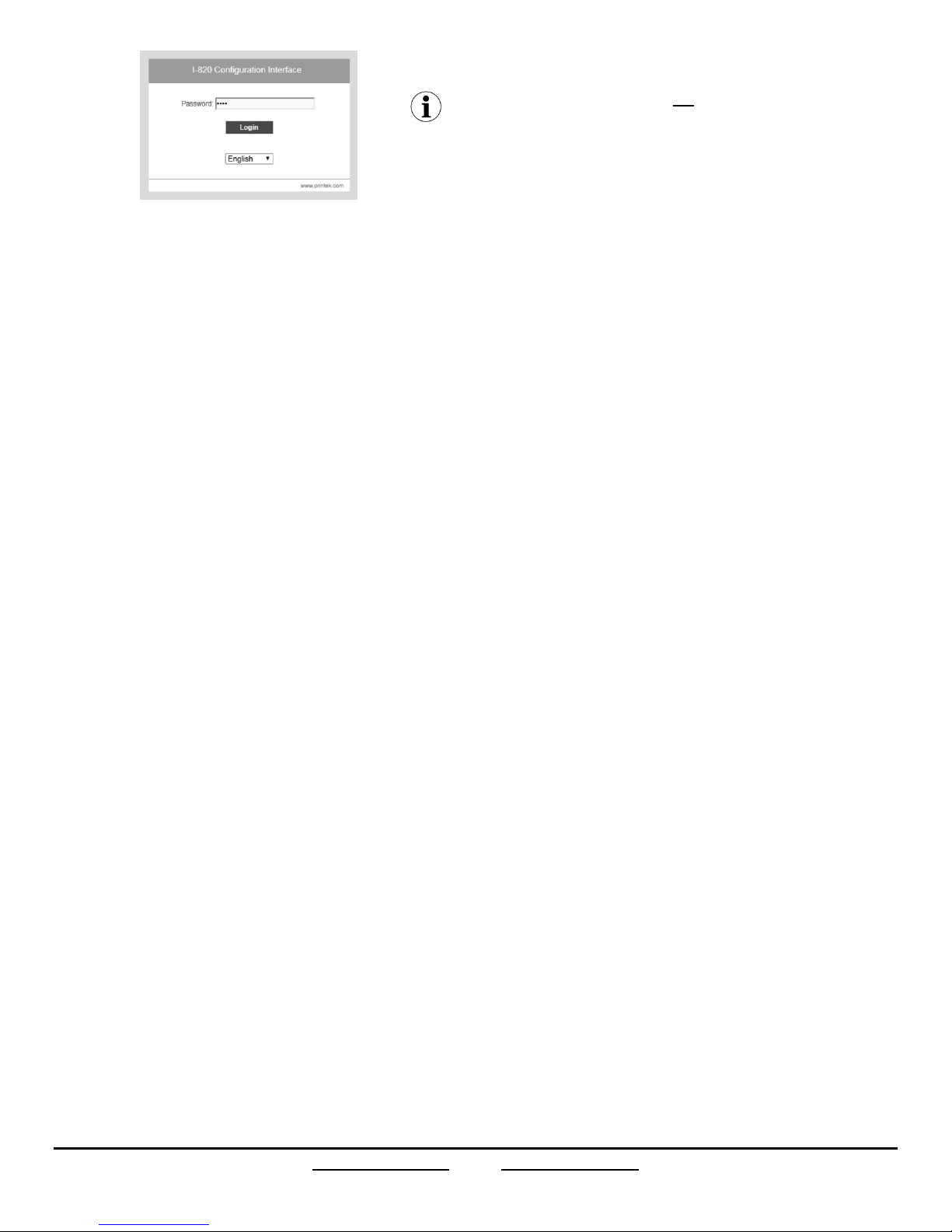
Once the printer is connected via USB and in IP over USB mode it is
temporarily not possible to access the Internet.
© 2017 Printek LLC 3515 Lakeshore Drive, St. Joseph, MI 49085 PH:269-925-3200
www.printek.com | E: [email protected]
 Loading...