

Page 1
CD21 Compact Disc Player
Page 2

III
CD21 COMPACT DISC PLAYER USER GUIDE
PREFACE
Copyright and acknowledgements
Copyright © 2004 Primare Systems AB. All rights reserved.
Primare Systems AB
Renvägen 1
SE-352 45 Växjö
Sweden
Issue: CD21
The information in this guide is believed to be correct as
of the date of publication. However, our policy is one of
continuous development and so the information is subject
to change without notice, and does not represent a commitment on the part of Primare Systems AB.
Primare is a trademark of Primare Systems AB. All rights
reserved. All other product names are trademarks or registered trademarks of their respective owners.
FCC Warning: This equipment generates and can radiate radio frequency energy and if not installed and used
correctly in accordance with our instructions may cause
interference to radio communications or radio and television reception. It has been type-tested and complies with
the limits set out in Subpart J, Part 15 of FCC rules for
a Class B computing device. These limits are intended to
provide reasonable protection against such interference in
home installations.
EEC: This product has been designed and type-tested
to comply with the limits set out in EN55013 and
EN55020.
This guide was produced by Condesign Ljungby AB.
www.condesign.se
200447
II
CD21 COMPACT DISC PLAYER USER GUIDE
Page 3

CONTENTS
INTRODUCTION
Welcome to the CD21 Compact Disc Player ........................ 1
Using the CD21 with other Primare products ........................ 2
Technical specication............................................................ 2
Power connection................................................................... 3
Safety instructions.................................................................. 3
Switching on and off ............................................................. 3
HOW TO GET STARTED
Power Connection.................................................................. 3
Switching on and off .............................................................. 3
Back panel connections .......................................................... 4
Audio outputs ........................................................................ 5
Data, RS232, TOS-link, AES/EBU ........................................ 5
Infra-red remote control......................................................... 5
Front panel controls ............................................................... 6
Playing a disc ......................................................................... 7
USING THE CD20 COMPACT DISC PLAYER
To stop play........................................................................... 7
To pause a CD....................................................................... 8
Locating a position on the disc ............................................. 8
To step between tracks.......................................................... 8
To scan through the disc ....................................................... 8
Changing the front panel display .......................................... 9
To change the time display ................................................... 9
PROGRAMMING THE CD21 COMPACT DISC PLAYER
Repeating playback ................................................................ 9
Programming a selection of tracks ........................................ 10
Random selection of tracks................................................... 11
To dim the front panel display.............................................. 11
To restore the normal display ............................................... 11
CD21 COMPACT DISC PLAYER USER GUIDE
III
Page 4

IV
CD21 COMPACT DISC PLAYER USER GUIDE
Page 5

Welcome to the Primare CD21 Compact Disc Player!
This chapter introduces you to its key features, and explains how you can use it to achieve superb sound from
your CD collection.
Welcome to the CD21 Compact Disc Player
INTRODUCTION
Every component of the CD21, from the CD transport to
the audio output stage, has been designed to achieve the
highest possible audio performance.
Top of the range Ultra Silent transport mechanism
The Primare CD21 Compact Disc Player uses an advanced DVS mechanism. A precision crystal clock oscillator is
used in addition to the use of jitter correction Burr-Brown
DIR1703 to ensure low jitter, for excellent audio performance.
Precision digital to analogue conversion
Digital to analogue conversion is performed by two 24 bit
Burr-Brown PCM 1738 D/A converter and lter, capable
of handling up to 24 bit input data at a 96kHz sampling
rate. They are congured in an internally balanced topology to perform a THD cancellation process. In addition
to providing standard RCA audio outputs the CD21
includes a gold-plated S/PDIF digital output, an optical
TOS-link, and advanced AES/EBU.
CD21 COMPACT DISC PLAYER USER GUIDE
No compromise power supply for the highest
possible performance
The Primare CD21 Compact Disc Player uses eight
separate isolated power supplies for the digital, analogue
circuits, and transport mechanism, for maximum
isolation. For the analogue part, discrete and ultrafast
regulation is used.The result is an extremely high signal
to noise ratio, allowing you to take full advantage of the
dynamic range possible with CD.
Careful design for mechanical stability
As with all Primare units, the CD21 Compact Disc Player
is housed in an alloy heavy gauge steel chassis, which provides strength, rigidity, and screening, while being effective
at damping vibrations from external sources. The front
panel design isolates the display circuitry from the audio
circuitry to avoid interference.
1
Page 6

INTRODUCTION
Intuitive user interface
In keeping with the philosophy of the Primare range
of systems, the CD21 can be controlled through a very
simple and intuitive interface, designed so that it will not
distract you from the pleasure of listening to music on
your system.
In fact most of the features of the CD21 can be accessed
through just six front panel push buttons. The full set of
functions, including scan and programming, is available
using the remote control supplied with the CD21.
Alternatively, all the functions of the CD21 can be controlled by the optional C22 remote control, along with the
other Primare components in your system.
Using the CD21 with other Primare
products
Although the CD21 Compact Disc Player is exible
enough to work with virtually any other equipment you
have in your system, it is ideally suited for use with the
Primare I21 Integrated Amplier. A particular benet of
using the CD21 with a Primare preamplier is that you
can control your entire system with a single remote
control, to give you a fully integrated system with the
simplest possible user interface.
Technical specication
Mechanism DVS "Ultra Silent"
D/A Converter 2 x Burr-Brown PCM 1738
Output Analogue 2.0 VRMS
Output Impedance 100Ω
Frequency Response 20Hz – 20kHz (+0/0.2dB)
Signal to Noise Ratio 105dBA
Harmonic Distortion <0.01% (20Hz – 20kHz)
Digital Output 75Ω coaxial (SPDIF)
110Ω AES/EBU
TOSlink
Power Consumption Standby <16W
Dimensions 430 x 385 x 100mm
Weight 10kg
2
CD21 COMPACT DISC PLAYER USER GUIDE
Page 7
HOW TO GET STARTED
This chapter introduces the back panel connections and the front
panel controls of the CD21 Compact Disc Player.
Power connection
Warning: Before connecting power check
that the required supply voltage, indicated on
the back panel, corresponds to your local AC
supply. If a different voltage is stated on the
type plate do not connect the CD21 to the mains power,
and seek advice from your dealer.
Connect the mains power using the enclosed mains cable.
NOTE: Always disconnect the CD21 and all other units
in the system from the mains power before connecting or
disconnecting any of the cables. Failure to do this might
seriously damage the unit.
Safety instructions
To prevent re or shock hazard, do not expose this
appliance to dripping or splashing. No objects lled with
liquids, such as vases, should be placed on the CD21.
If you want to build in the CD21 you need to be sure to
allow space of at least 20 cm behind, 10 cm on both sides
and 30 cm above the top panel of the unit. This is to prevent re or damage caused by overheating. Also make sure
that the main switch is accessable.
CD21 COMPACT DISC PLAYER USER GUIDE
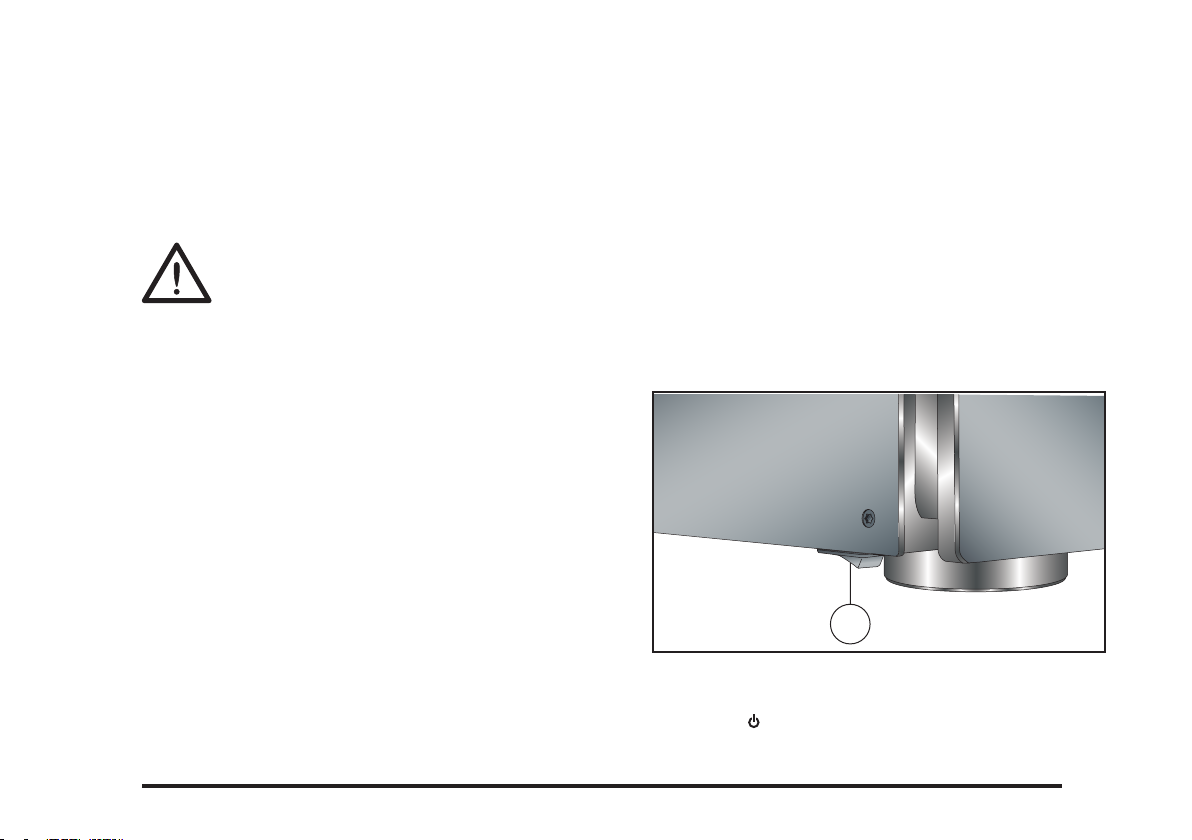
Switching on and off
To switch on
• Use the main switch under the left-hand edge of the
housing (1).
During normal operation you can leave the CD21
switched on and in standby mode.
1
To switch on from standby or to standby
• Pressing on the front panel or on the remote control, will change the standby mode.
3
Page 8
5
CD21 COMPACT DISC PLAYER USER GUIDE
HOW TO GET STARTED
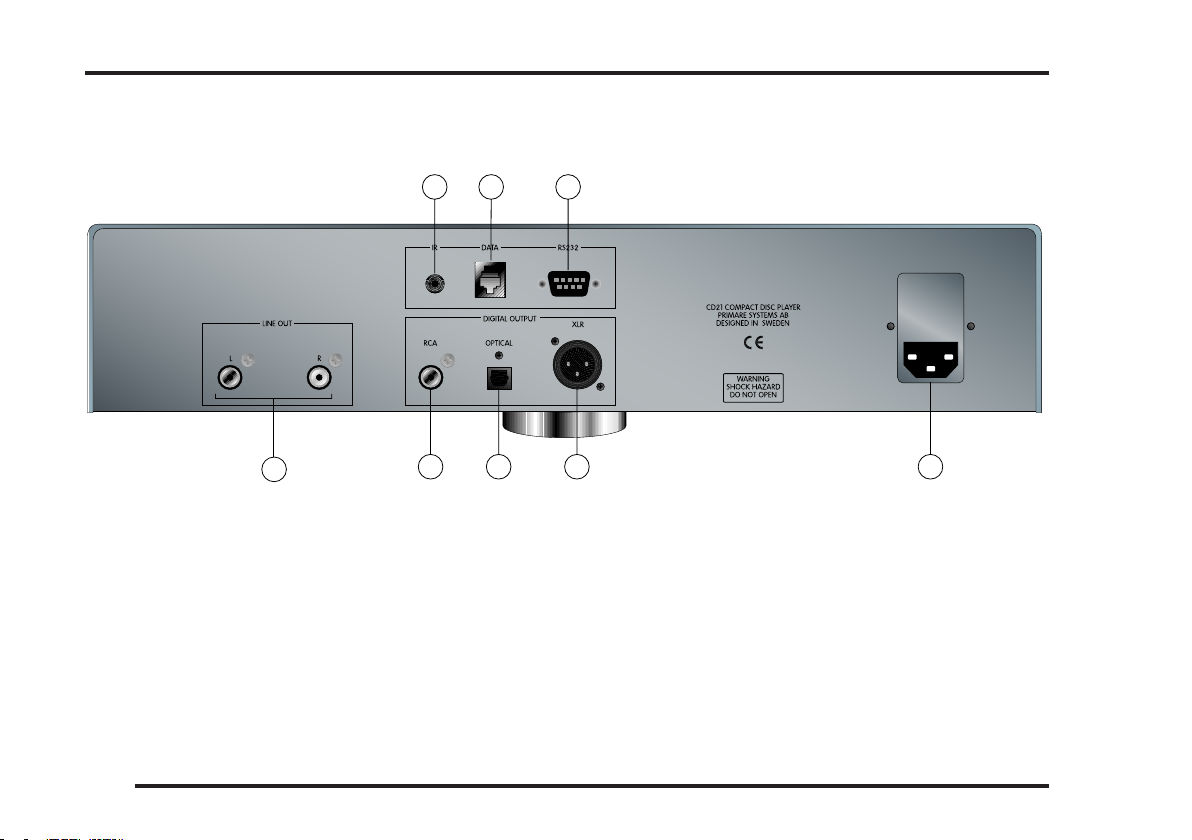
Back panel connections
A CB
A. External IR/input
B. Data port
C. RS232 port
4
H
G F
D. Main power input and fuse
E. Digital AES/ EBU output
F. Digital TOSlink output
E
G. Digital SPDIF output
H. Analog audio outputs
CD21 COMPACT DISC PLAYER USER GUIDE
D
Page 9
HOW TO GET STARTED
Audio outputs
The CD21 provides alternative audio outputs.
Analogue output
The analogue output provides stereo RCA connections for
connection to a conventional stereo preamplier.
Digital output
The CD21 Compact Disc Player provides one S/PDIF,
one TOSlink and one AES/EBU digital output for
connection to a digital preamplier or digital surround
processor.
Data, RS232
The DATA input is intended for use with future products.
The RS232 port will allow you to connect to a home
automation installation system. It will also allow you
authorized personnel to connect to the CD21 for service
and future upgrades.
Infra-red remote control
The CD21 is controlled by an infra-red remote control
pointed at the front panel.
The CD21 can also be controlled by using the IR-input at
the backpanel.
• Switch off the CD21 using the main switch at the
backpanel.
• Hold down the button at the front and then switch
on again by using the main switch.
The standby indicator lamp will blink three times.
For security reasons this setting disappears every time the
CD21 player is switched off by using the main switch. To
reactivate the IR-input at the backpanel the above described procedure has to be repeated.
CD21 COMPACT DISC PLAYER USER GUIDE
5
Page 10
HOW TO GET STARTED
Front panel controls
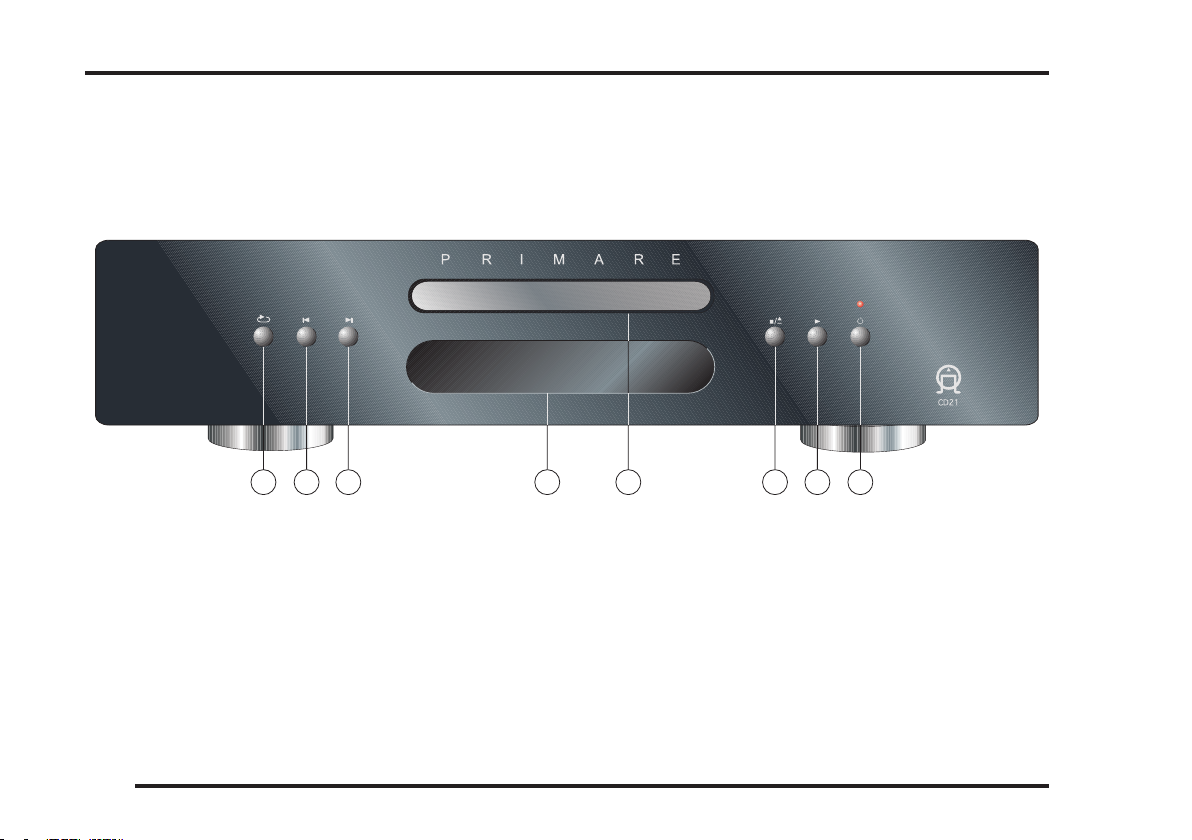
The main functions of the CD21 Compact disc player can
be accessed using the 6 front panel push buttons. Information about the CD21 operation is shown on the display.
A
C
B
A. Repeats a track, or the entire disc.
B. Restarts the current track, or steps to the previous
track.
C. Steps to the next track.
D. Display, informs you about operation in progress.
6
D
E F
G H
E. Disc tray
F. Opens or closes the disc tray and also stops the disc.
G. Plays or pauses the disc.
H. Switches the CD21 to standby, or switches it on from
standby.
CD21 COMPACT DISC PLAYER USER GUIDE
Page 11
USING THE CD21 COMPACT DISC PLAYER
This chapter explains how to operate the CD21 Compact
Disc Player, using either the front panel controls or the
remote control.
Playing a disc
To insert a disc
• Hold down the button on the front panel, or on
the remote control, to open the tray.
• Place the CD in the tray with the label facing upwards.
• Press the button on the front panel or the remote
control to close the tray.
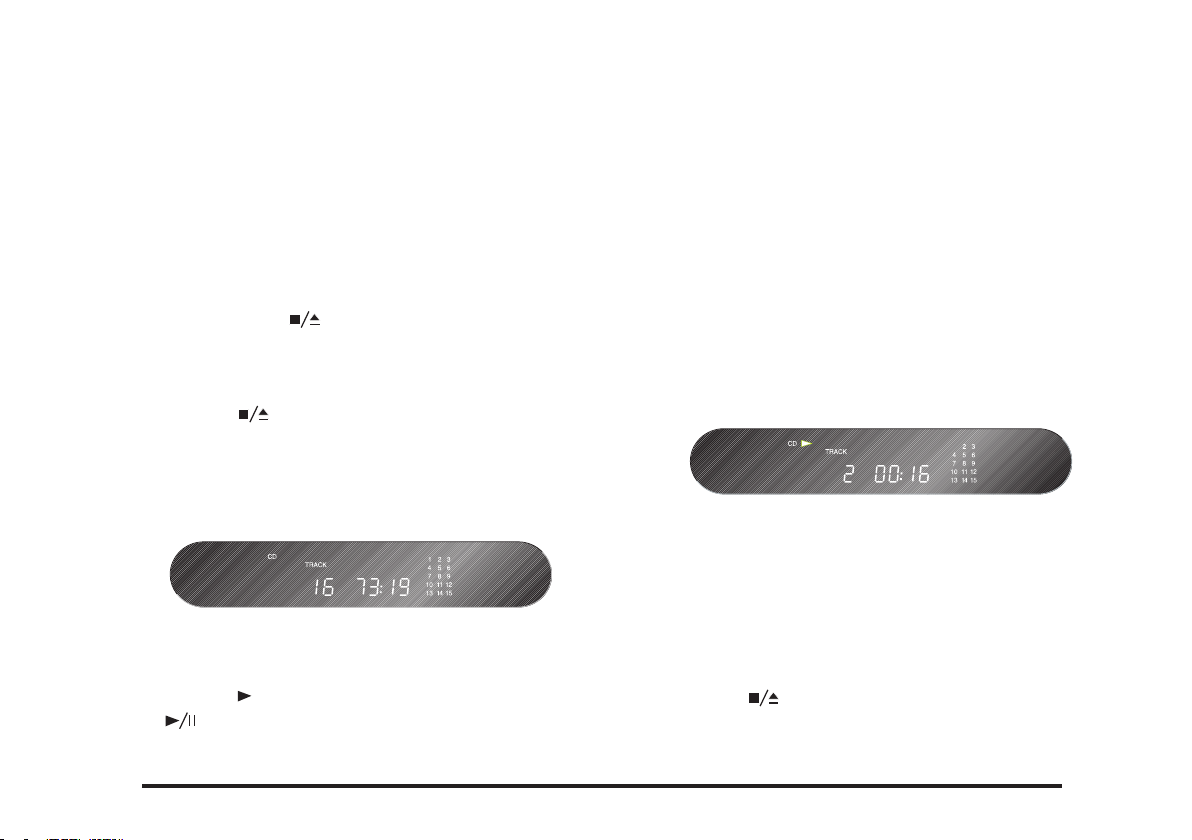
The front panel display shows the total number of tracks
on the disc, the total duration of the disc, and the tracklist.
To play a disc
• Press the button on the front panel, or the
button on the remote control.
CD21 COMPACT DISC PLAYER USER GUIDE
• Alternatively press one of the buttons 1-9 and, if
required, +10 on the remote control to start playing a
specic track.
For example: To play track 16; press the +10 button
followed by the 6 button. To play track 22; press the +10
button twice, followed by the 2 button.
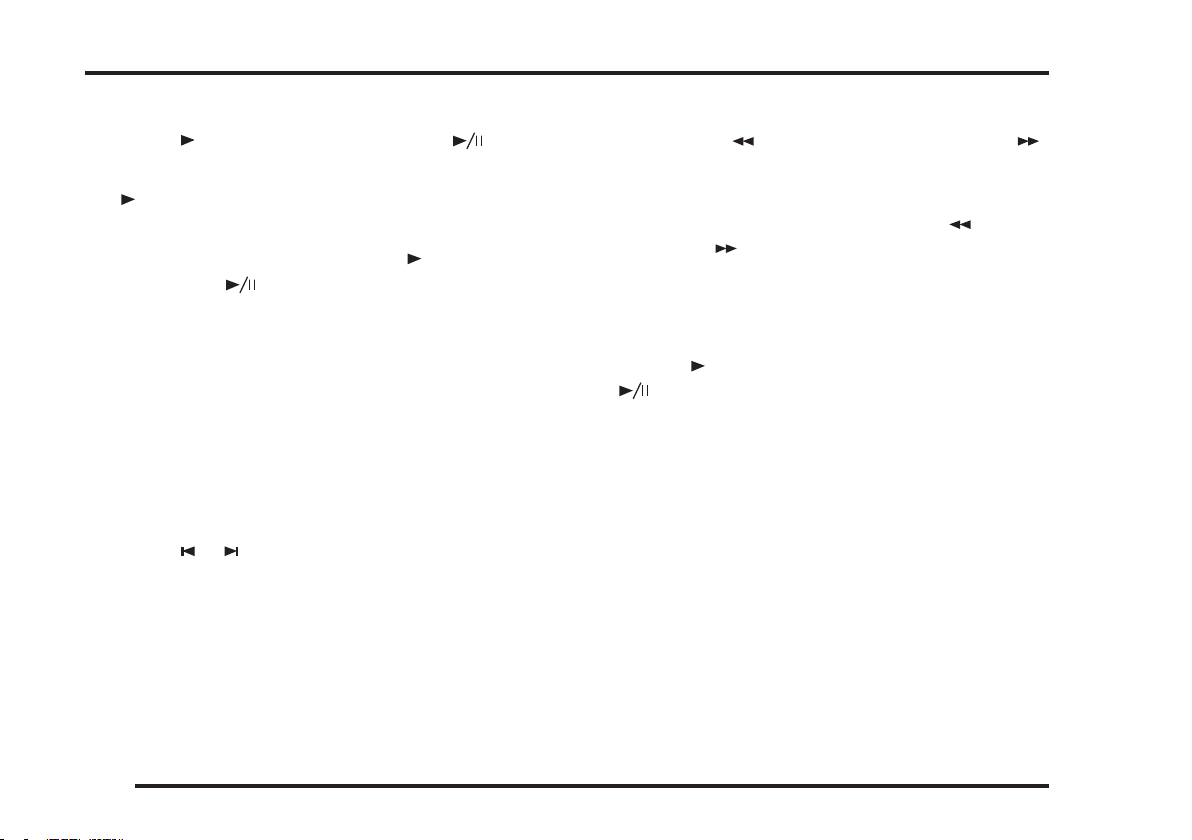
While a disc is playing the front panel display shows the
current track number and the elapsed time of the current
track. The track number is ashing in the tracking list.
To stop play
• Press the button on the front panel or the remote
control.
7
Page 12
USING THE CD21 COMPACT DISC PLAYER
To pause a CD
• Press the button on the front panel or the button on the remote control.
The symbol will disappear from the display but the
track number in the tracklist will still be ashing
You can then resume play by pressing the button on the
front panel or the button on the remote control.
Locating a position on the disc
You can step between tracks to locate a particular track on
the disc, or you can scan forwards or backwards to locate a
position within a track.
To step between tracks
• Press the or buttons on the front panel or the
remote control.
The front panel display shows the number of the track as
you step.
When you release the button the current track starts playing from the beginning.
To scan through the disc
• Press once the button to reverse scanning or the
button to start forward scanning. You can use the button on the front panel or the remote control.
You can increase the scanning by pressing the button
(reverse) or the button (forward) again. There are four
different scan speeds.
As you scan the disc, the front panel display shows the
current track and the and position within the track.
• Press the button on the front panel, or the
button on the remote control to start playing from
the position you have located.
8
CD21 COMPACT DISC PLAYER USER GUIDE
Page 13
PROGRAMMING THE CD21 COMPACT DISC PLAYER
This chapter explains how to use the more advanced
features of the CD21 Compact Disc Player which you
can access from the remote control.
Changing the front panel display
You can change the front panel time display to show
elapsed time for the current track, remaining time for the
current track, or remaining time for the entire disc.
To change the time display
• Press the DISP button on the remote control.
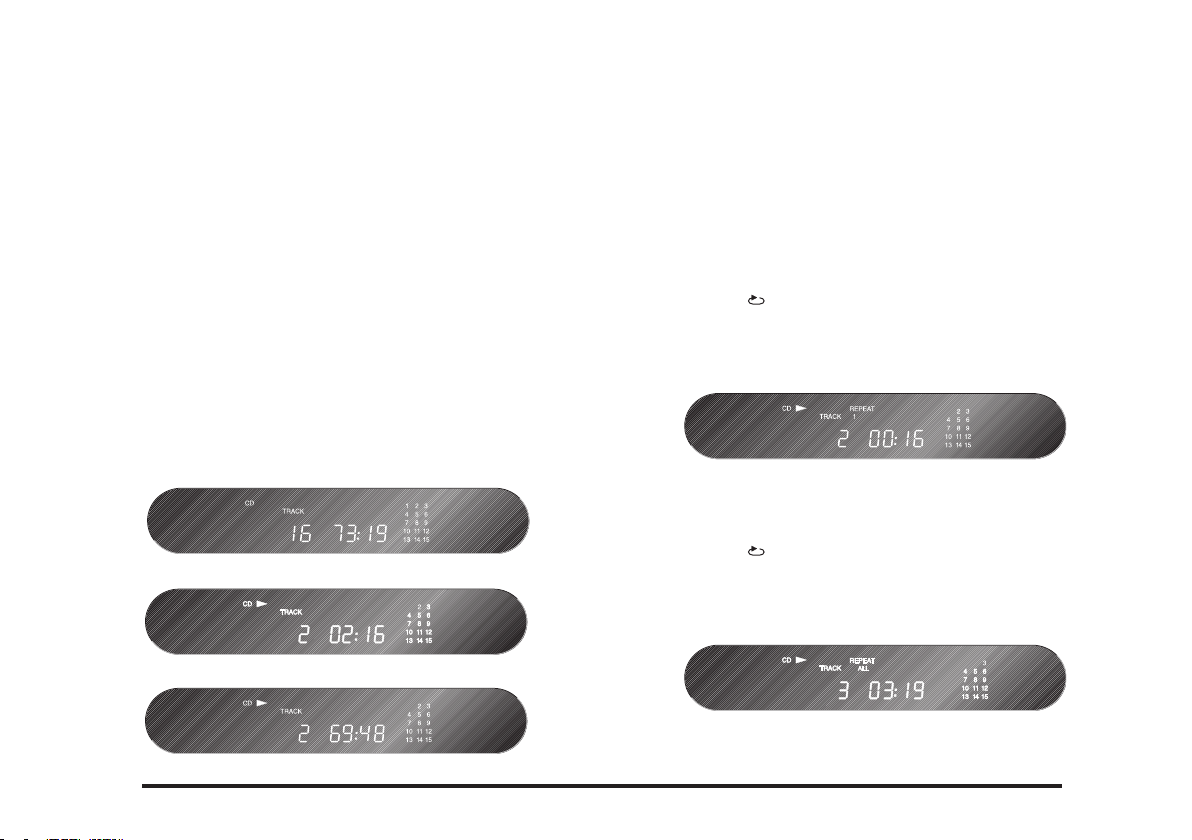
The display switches between the following three options:
Elapsed time for the current track
Remaining time for the current track
Remaining time for the entire disc
CD21 COMPACT DISC PLAYER USER GUIDE
Repeating playback
To repeat the current track
• Press the button on the front panel, or the Repeat
button on the remote control.
The front panel shows REPEAT 1
To repeat the entire disc
• Press the button on the front panel, or the Repeat
button on the remote control twice.
The front panel shows REPEAT ALL:
9
Page 14
11
CD21 COMPACT DISC PLAYER USER GUIDE
PROGRAM
PROGRAMMING THE CD21 COMPACT DISC PLAYER
To repeat a specic section of a disc (Repeat A-B)
During this operation the disc has to be running.
• Press the TOP button on the remote control at the start
of the section you want to repeat.
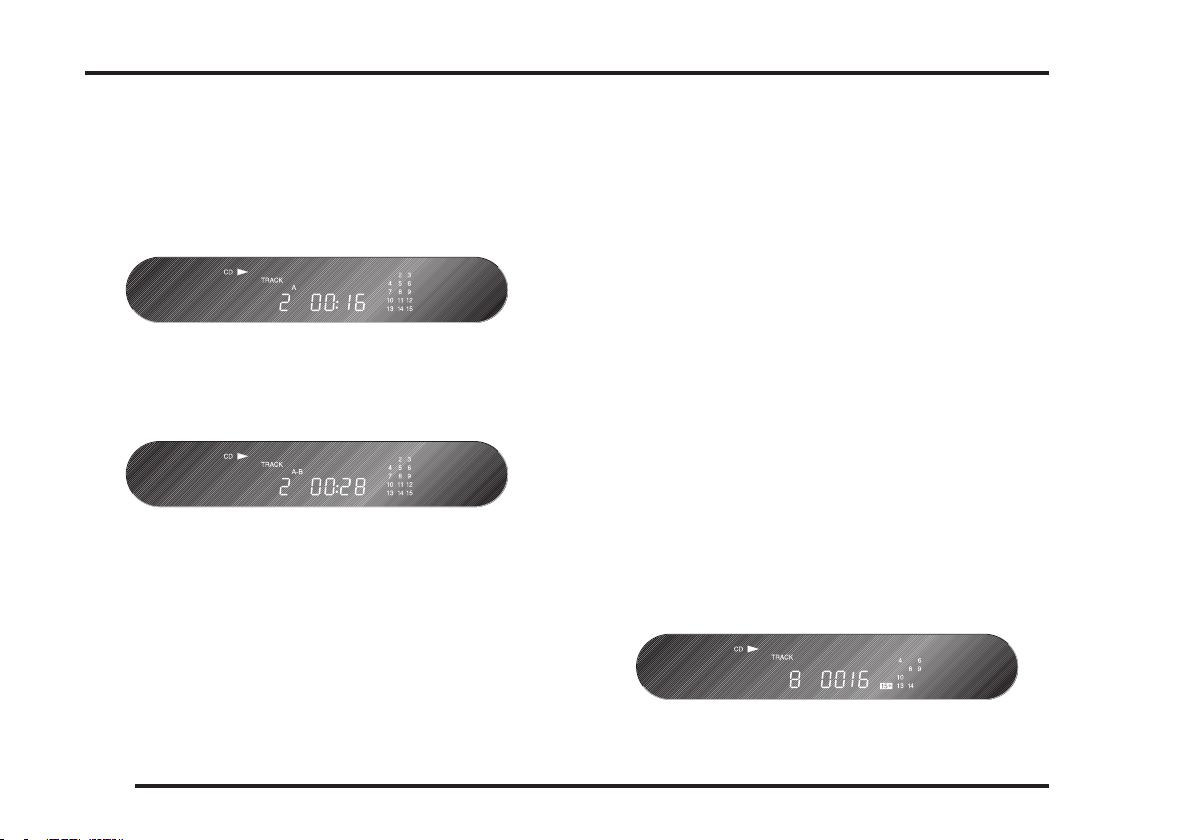
The front panel display shows A-:
• Press the TOP button again at the end of the section you
want to repeat.
The front panel display shows A-B:
The compact discplayer will then automatically return to
the start of of the section you have marked and play back
repeatedly.
Turn off repeat
Programming a selection of tracks
The CD21 Compact Disc Player allows you to program a
selection of tracks on the current disc. You can then play
just the tracks you have selected.
To program a selection of tracks
• Press the MEM button on the remote control while the
disc is stopped.
The front panel display shows PROGRAM.
• Select with buttons 1-9 and, if required, the +10 button
As you select tracks the front panel display shows the
number of the track you are programming and the number of the step in the program, the duration of the track.
A selected track numbered higher than 15 will be indicated by a ashing 15+ symbol on the front panel display
The track number also ashes in the track list on the
right-hand side of the display:
• Press the TOP button again.
The A-B symbol in the front panel display will be cleared.
10
CD21 COMPACT DISC PLAYER USER GUIDE
Page 15
PROGRAMMING THE CD21 COMPACT DISC PLAYER
To play the selection you have programmed
• Press the button on the remote control.
The currently played track always ashes in the tracklist
on the front panel display
• Press the button on the remote control to stop the
CD.
• Press the MEM button for a new selection or press the
MEM button twice and the compact discplayer reverts
to normal playing mode.
Random selection of tracks
• Press the MODE button on the remote control.
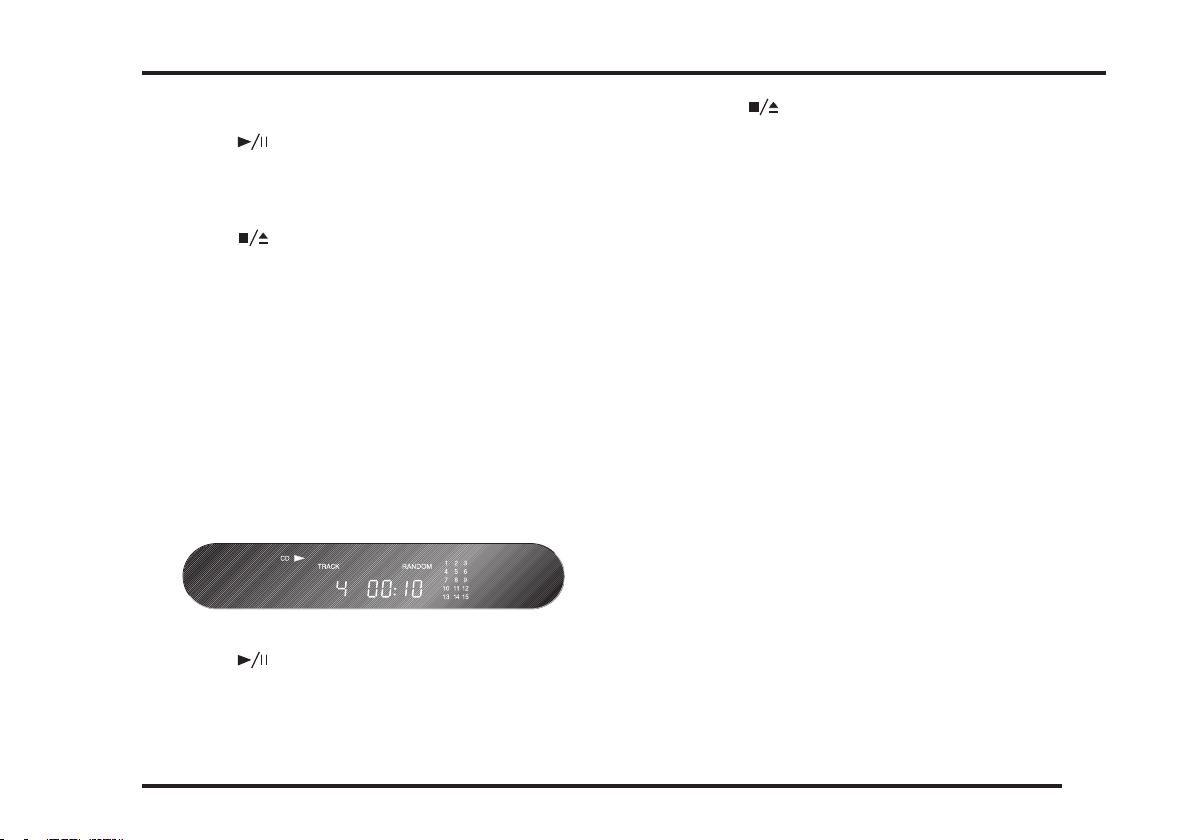
The front panel display will show RANDOM.
• Press the button on the remote control.
• Press the button on the remote control to stop the
CD.
• Press the MODE button on the remote control and the
compact discplayer will revert to normal playing mode.
To dim the front panel display
• Press the DIM button on the remote control.
The display will blank.
• Press the DIM button again to restore the normal display
The compact disc player selects random tracks from your
CD. The current track ashes in the tracklist.
CD21 COMPACT DISC PLAYER USER GUIDE
11
Page 16

 Loading...