

Page 1
Installation and service of this product should be conducted b y a trained
personnel to avoid bodily injury from electric shock or heavy object
Observe ESD (Electrostatic Discharge) practices during integration to avoid
possible damage to the board and / or other components
DSS424S-D4 Quick Guide
Version 1.10 – 2017.06.19
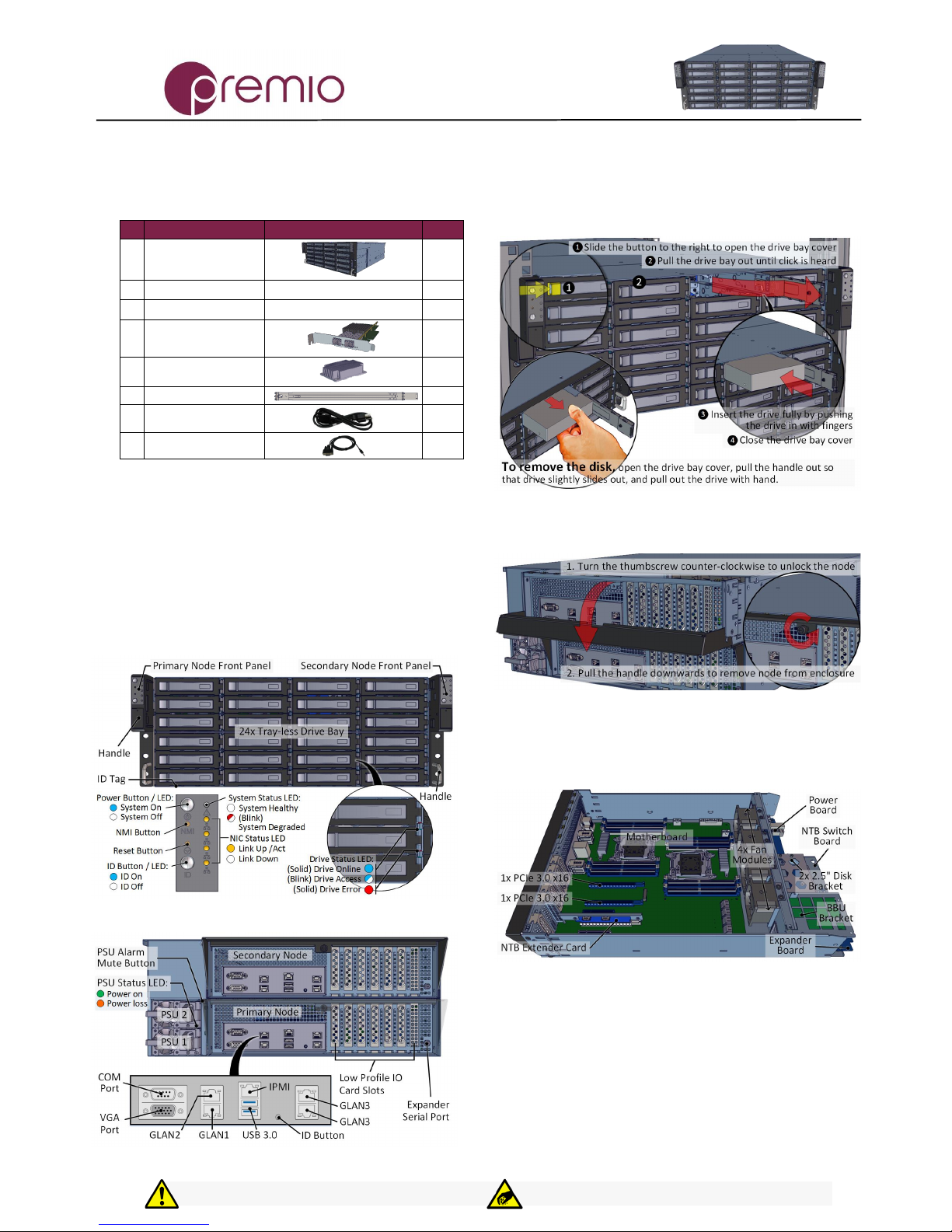
1. Check the Content of the box. Please confirm that
your package contains the following:
#
Description
Image / Description
Qty
1
DSS424S-D4
Enclosure
1
2
Motherboard
Asrock DP motherboard
2 3 CPU and memory
Intel E5 and DDR4
Opt.
4
IO Cards
Opt.
5
Heatsink
2
6
Slide Rail Kit + Screws
1 set
7
Power Cable*
2
8
Serial Cable*
1
* Inside the accessories box. Box may consist of screw sets for rail kit or
drives. If any items are missing, please contact your reseller or sales rep.
2. Get Familiar with the Unit.
DSS424S-D4 is a redundant server supporting dual Intel
processor with a front tray-less 12x 3.5” HDD storage in a 2U
space. Two Asrock motherboards (EP2C612D16NM model),
and internal cabling are preinstalled. Other motherboard
model, IO cards, CPU, and memory preinstalled upon request.
Front View of the Unit
Rear View of the Unit
3. Install 3.5” Drives to the unit as illustrated. It is
suggested to install HDDs after the unit is mounted to the
rack.
4. Remove the Controller Node to install any
components required (IO cards, mezzanine, CPU, memory).
5. Inspect the Controller Node. The components
comprise of an Asrock motherboard, an expander board, an
NTB switch board, power board, 4x internal fan modules (all
connected to the motherboard).
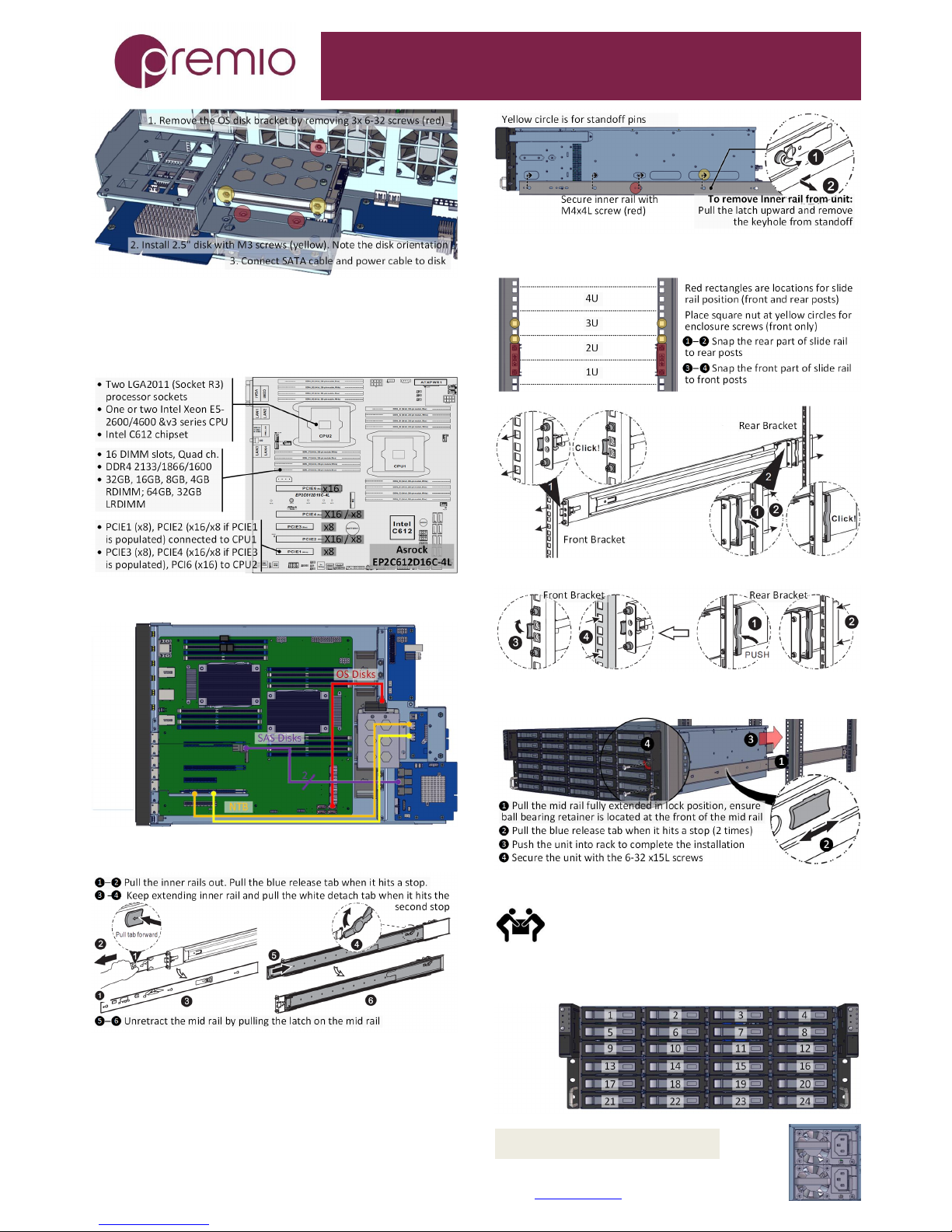
6. Install OS disk(s) if required as follows:
Congratulation on your purchase of Premio DSS424S-D4 Storage Server System!
Page 2
DSS424S-D4 Enclosure Quick Guide
For more information please visit our website at www.Premioinc.com
Copyright © 2017, Premio Inc. All rights reserved.
7. Install Motherboard Components (CPU,
heatsink, memory) using the guidelines below. For further
details, refer to the motherboard TPS.
8. Inspect Internal Cabling as needed
9. Remove the Inner Rail from the slide rail.
10. Install Inner Rails to the enclosure.
11. Install the Outer Rails to the Rack as follows:
To remove slide rails, use the latches to undo the assembly as follows:
12. Install the Unit to the Rack as follows:
For a complete instruction on how to install unit to the rack,
please follow the Slide Rail Installation Guide.
At least two people are recommended for
mounting process. Insert HDDs after unit is
mounted.
13. Drive Mapping of DSS424S-D4 is as follows:
14. Plug in the Power Cords to the AC
receptacles on the back of the unit.
Page 3
DSS424S-D4 Enclosure Quick Guide
For more information please visit our website at www.Premioinc.com
Copyright © 2017, Premio Inc. All rights reserved.
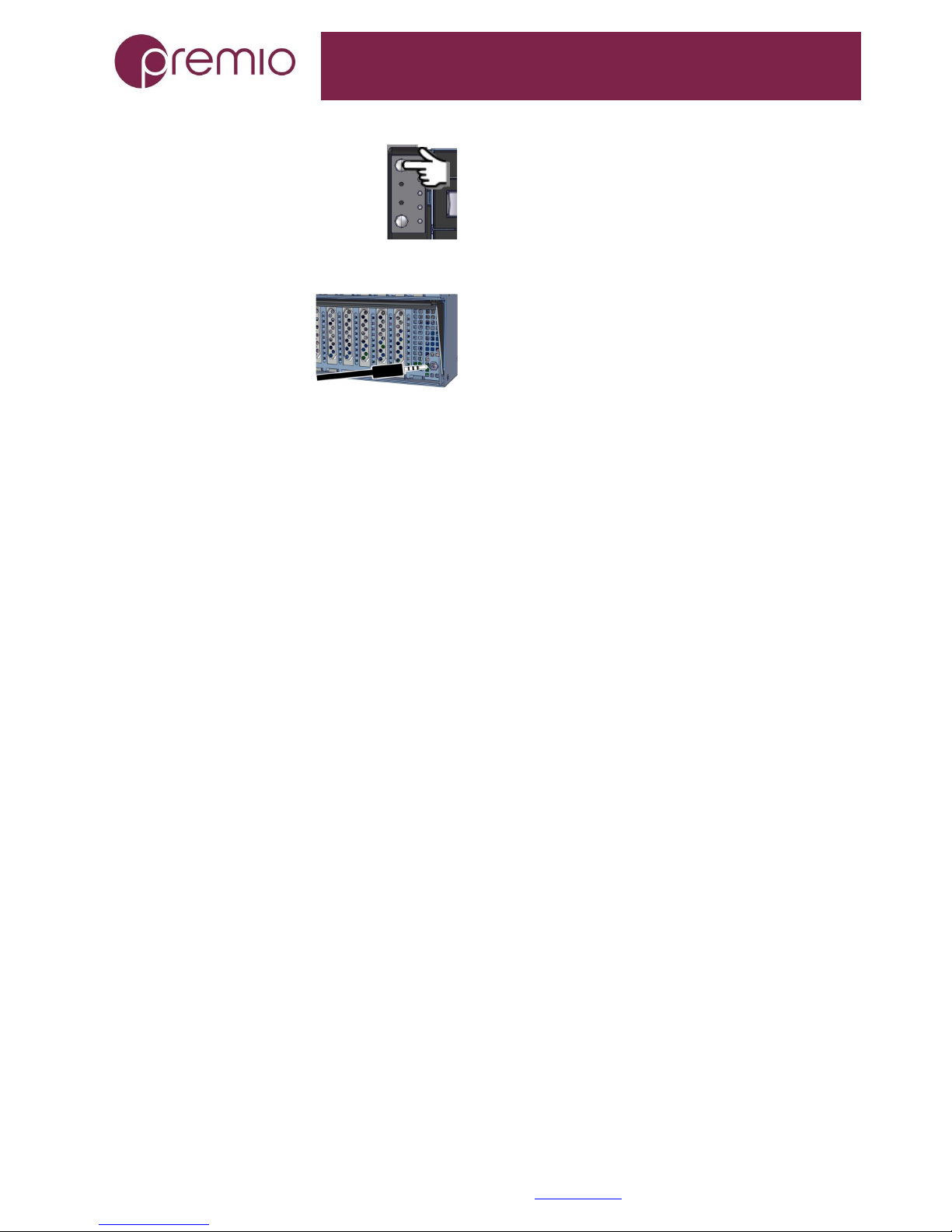
15. Press the Power Button on the
front of the unit and for the system to boot up.
Left panel for primary node, right panel for
16secondary node.
16. Access the Serial Console (when necessary) by
connecting RS-232 serial cable to
the one of the console ports. Use a
terminal console with baud set
115200, 8, N, 1, N. Refer to User’s
Manual for further detail and how
to set up Ethernet Management
Port.
 Loading...