

Page 1
MULTIMEDIA CAR AUDIO
Page 2
Page 3
Turn the unit on by pressing any button on the unit. When the
system is on, press this button to turn the unit off.
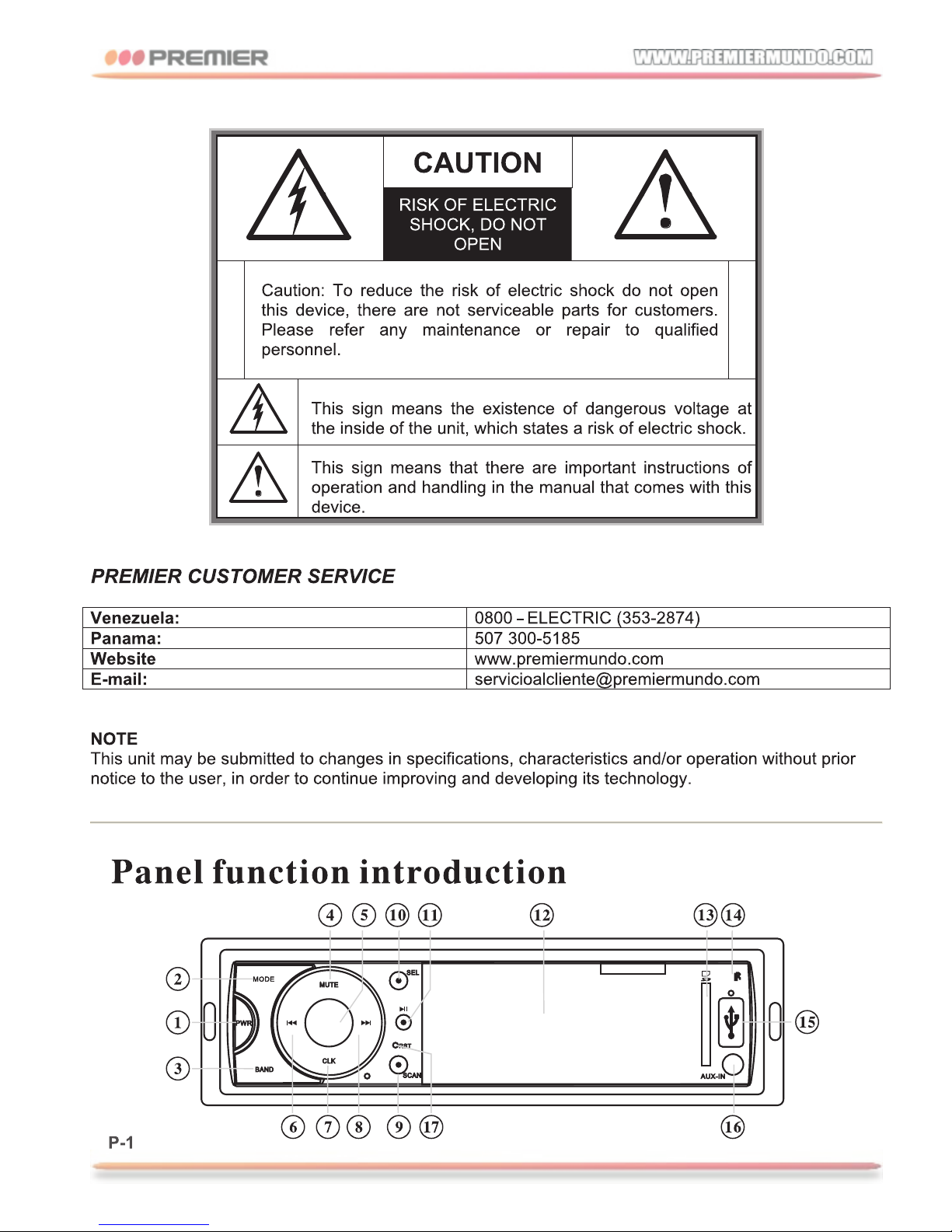
1.POWER
Press the MODE button to switch between input modes: RADIO /
AUX IN and SD-Card and USB.
2.MODE
Turn to adjust the volume level.
5.VOL
Press to switch between radio bands that are available: FM1, FM2,
FM3 and AM.
3.BAND
Press this button to turn on / off the mute function.
4.MUTE
In radio mode, press to automatically seek a station. A long
press activates the tuning function manual. In SD/USB mode,
press these buttons to select the track you want to play. A long
press activates the return or fast forward.
6.6 and 8. SEEK or
Press this button to display the current time.
button to set Clock. Rotate volume button set hours, pressing
CLK button then rotate volume button to set minute. Press CLK
button to set clock OK
Long press the
7.CLK
Page 4
Repeatedly SEL button to select your desired mode in
the sequence below:
→FM Bass Treble Balance Fader Loud EQ
Turn the volume control to change the configuration of
these functions.
→ → → → →
1
10.SEL
Press to pause the USB or SD-Card mode. In radio mode,
press to select a pre-stored station.
11.
USB slot.
SD/MMC CARD SLOT.
Press to return to factory settings.
External audio input socket.
12.DISPLAY
15.USB
16.AUX-IN
13.SD
17.RESET
It can receive the infrared signal from the remote control.
14.IR
To find pre-stored stations.
9.SCAN
Page 5
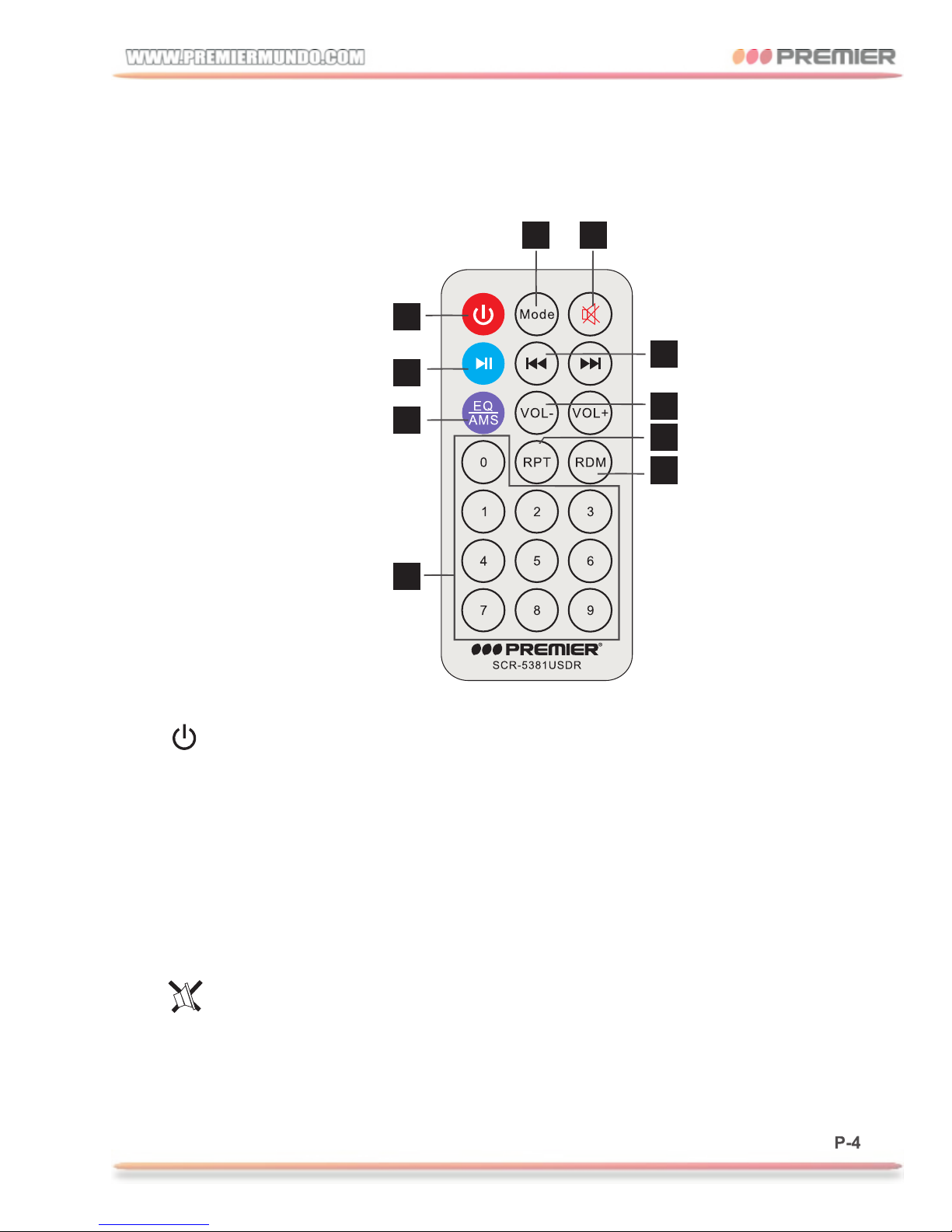
When the power is on, each time the button is pressed, the
mode switches between RADIO/USB/SD MMC/AUX.
Remote Controller
Press the button to turn power on/off.
2 3
5
8
9
7
6
10
1. (Power)button
2.MODE(mode switch)button
Press the button to turn off volume output, repress the
to resume previous volume level.
button
3. (Mute)button
1
4
Page 6
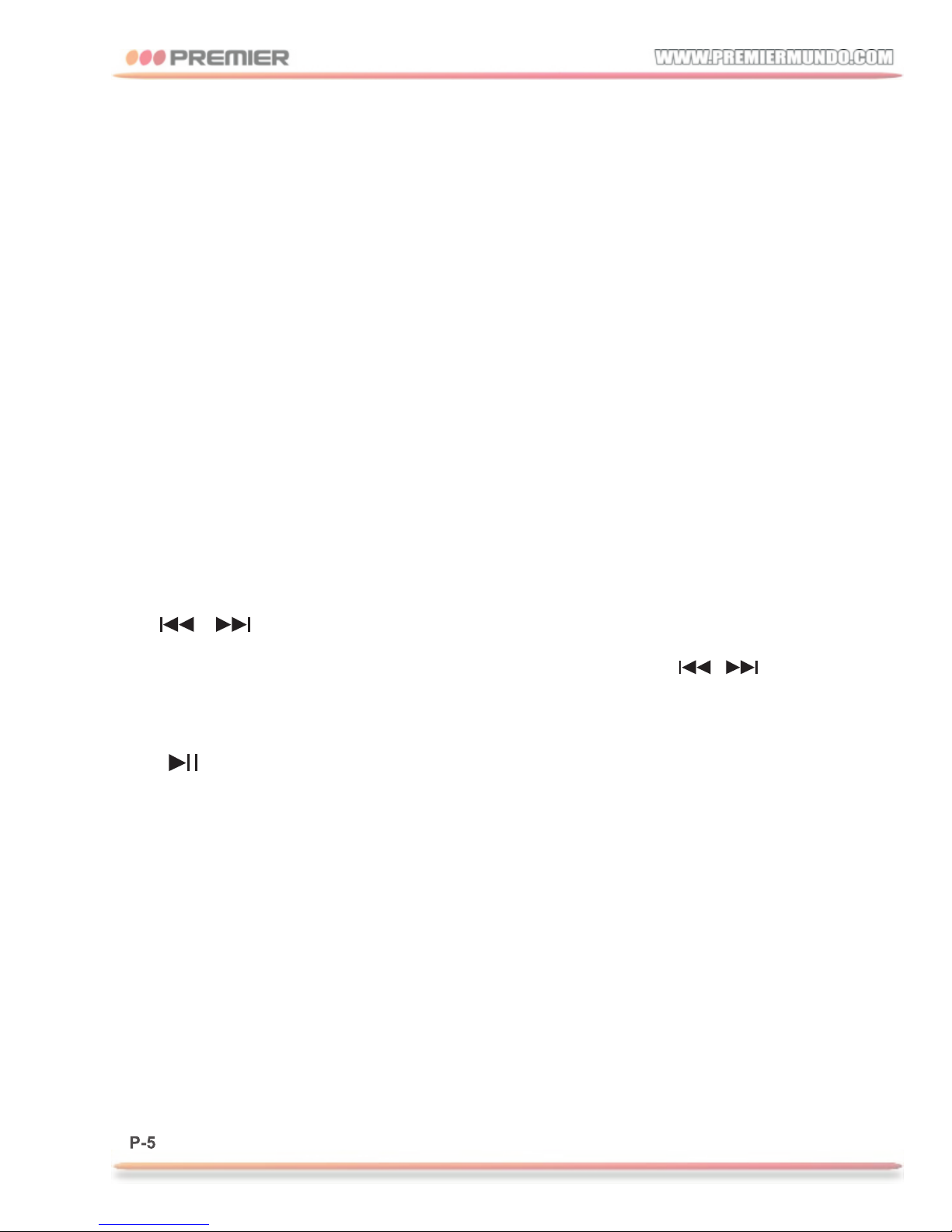
During playback mode, press it to play any track at random.
Press the button to switch between play and pause.
10.RDM button
8. (play/pause) button
The function is the same as the function of number buttons on
panel. In USB or SD-Card mode, press to select the track you
want to play.
Press VOL+/- to increase/decrease volume.
The operation is the same as the operation off / button
on panel.
EQ function: POP→ROCK→JAZZ→CLASSIC→EQ OFF.
Long press it to start automatic scanning of radio stations .
the unit will automatically pick up the station and store in to area.
4.Number button
5.EQ(equalizer adjust)/AMS button
6.VOL+/-(volume) button
7. / (fast backward/forward&select station/track)
In USB or SD-Card press to repeat playback. mode,
9.RPT
Page 7
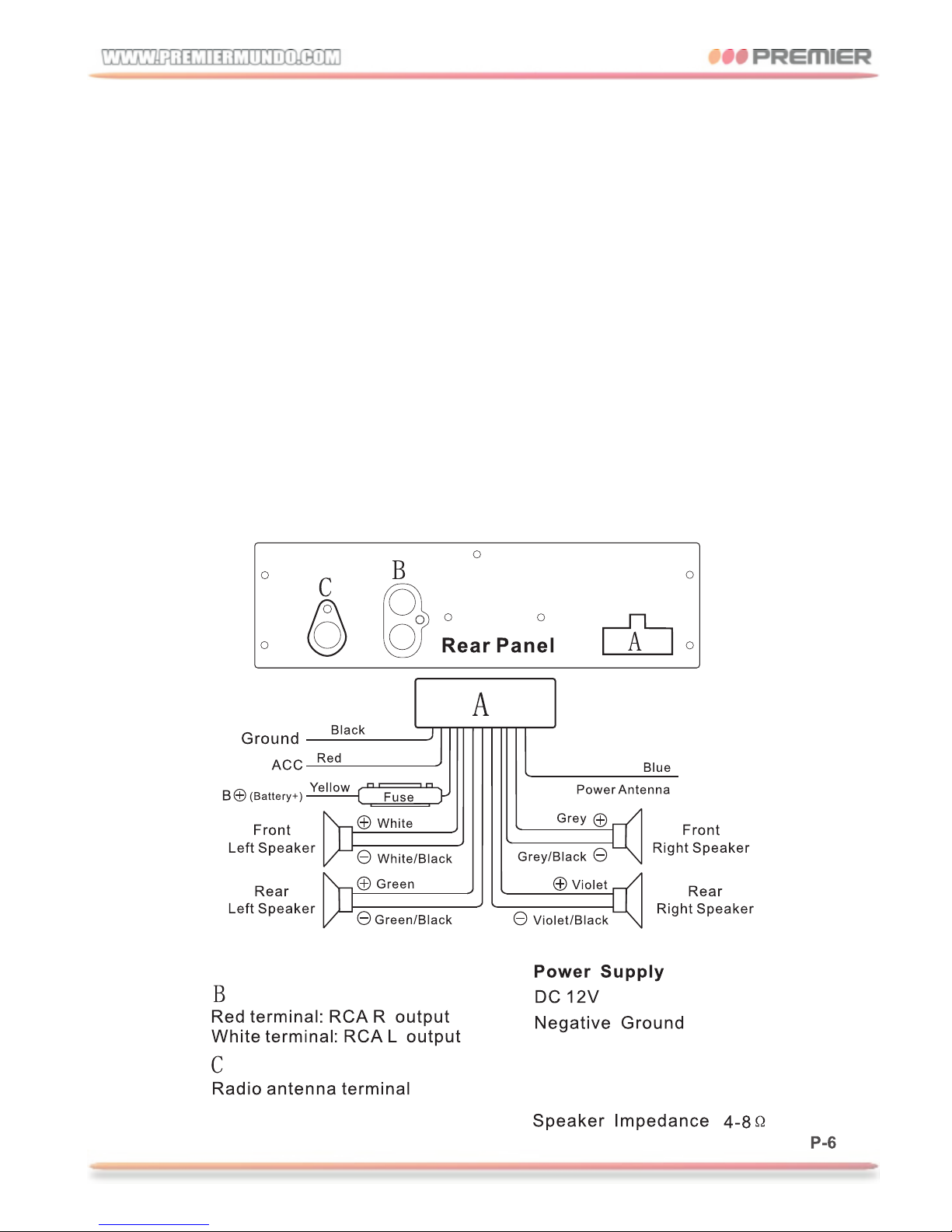
1.There are 18FM stations pre-stored in the unit(6 stations
each on the FM1/FM2/FM3 band).
(Optional: and 12AM stations pre-stored in the unit(6 stations
each on the AM1/AM2 band).
2.Excellent anti-interference electronic tuning radio system.
3.In FM stereo status, the stereo indicators lights up.
Comprehensive Functions
Standard Connect
Receiving
Range:
Power Output:7WX4CH
FM 87.5-107.9MHZ
AM 530-1710MHZ
Page 8
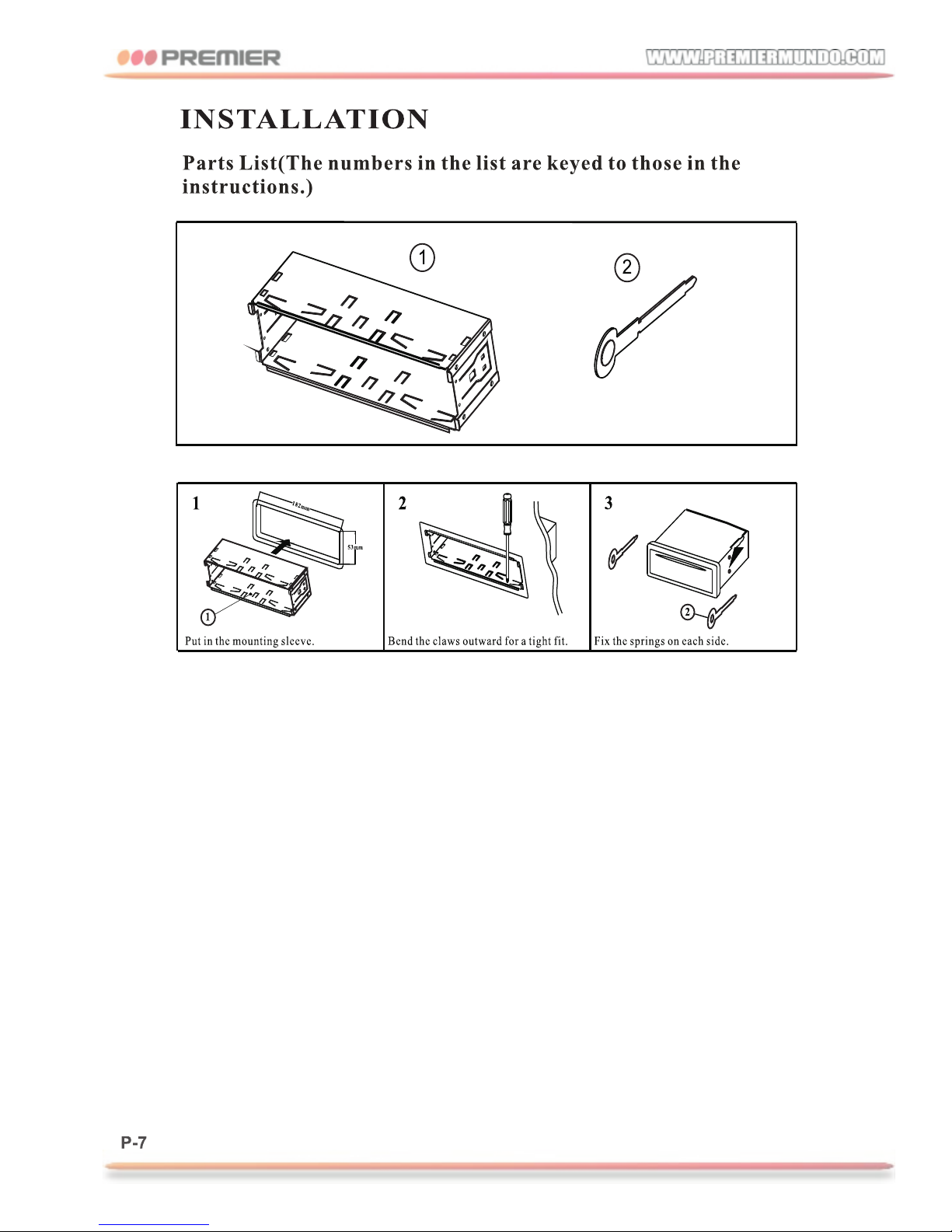
Specificaciones
General
Power Input...............12V
Speaker Impedance ....4-8Ω
Max Power Output...7W 4CH
FM RADIO
frequency.....87.5MHZ-107.9MHZ
sensitivity....<10dB
AM RADIO
frequency....530MHZ-1710MHZ
sensitivity....<38dB
X
MP3
frequency......20HZ-20KHZ
Distortion (1kHz) ....<1%
Channel Separation ....>55dB
Balancing Channels....<3dB
Page 9
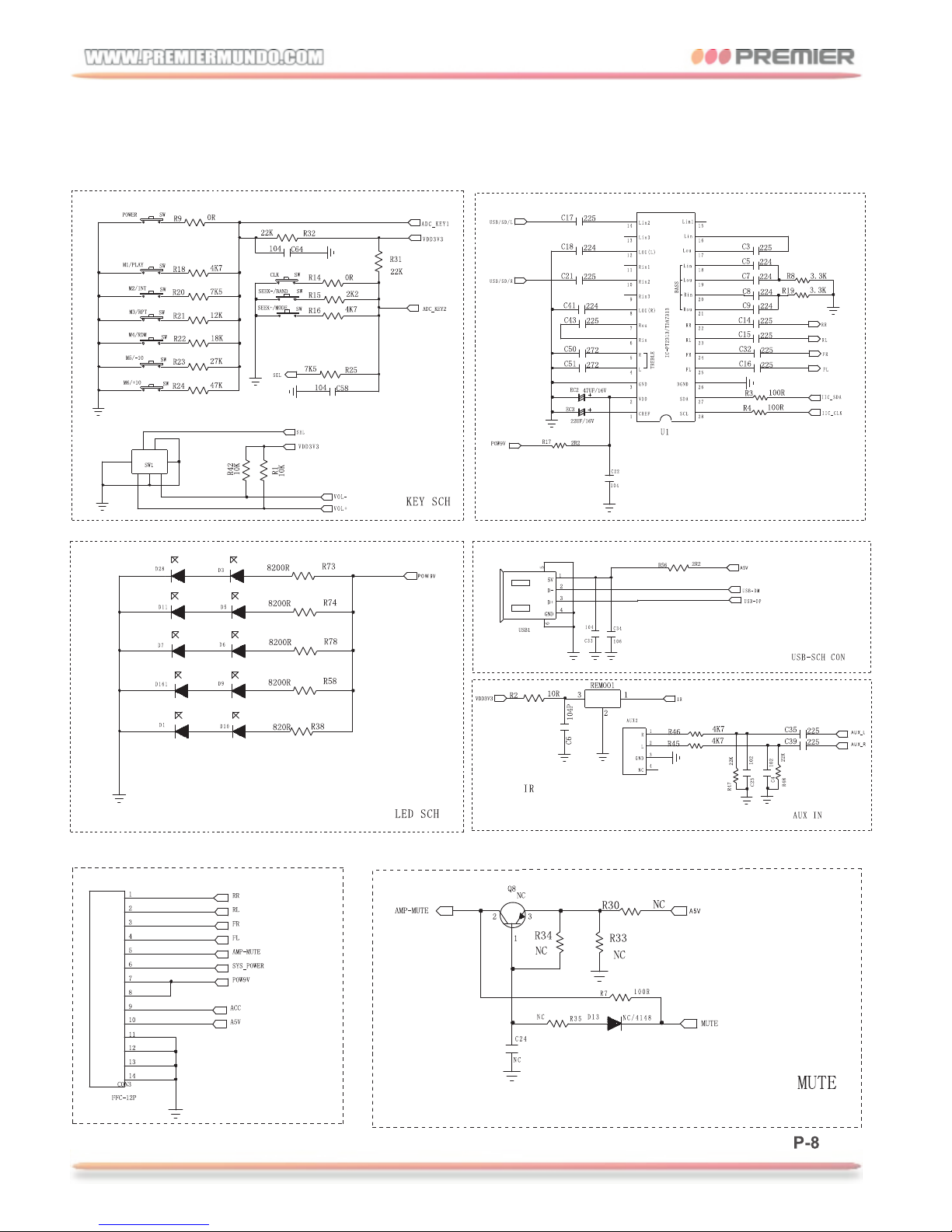
Schematic Diagram
Page 10
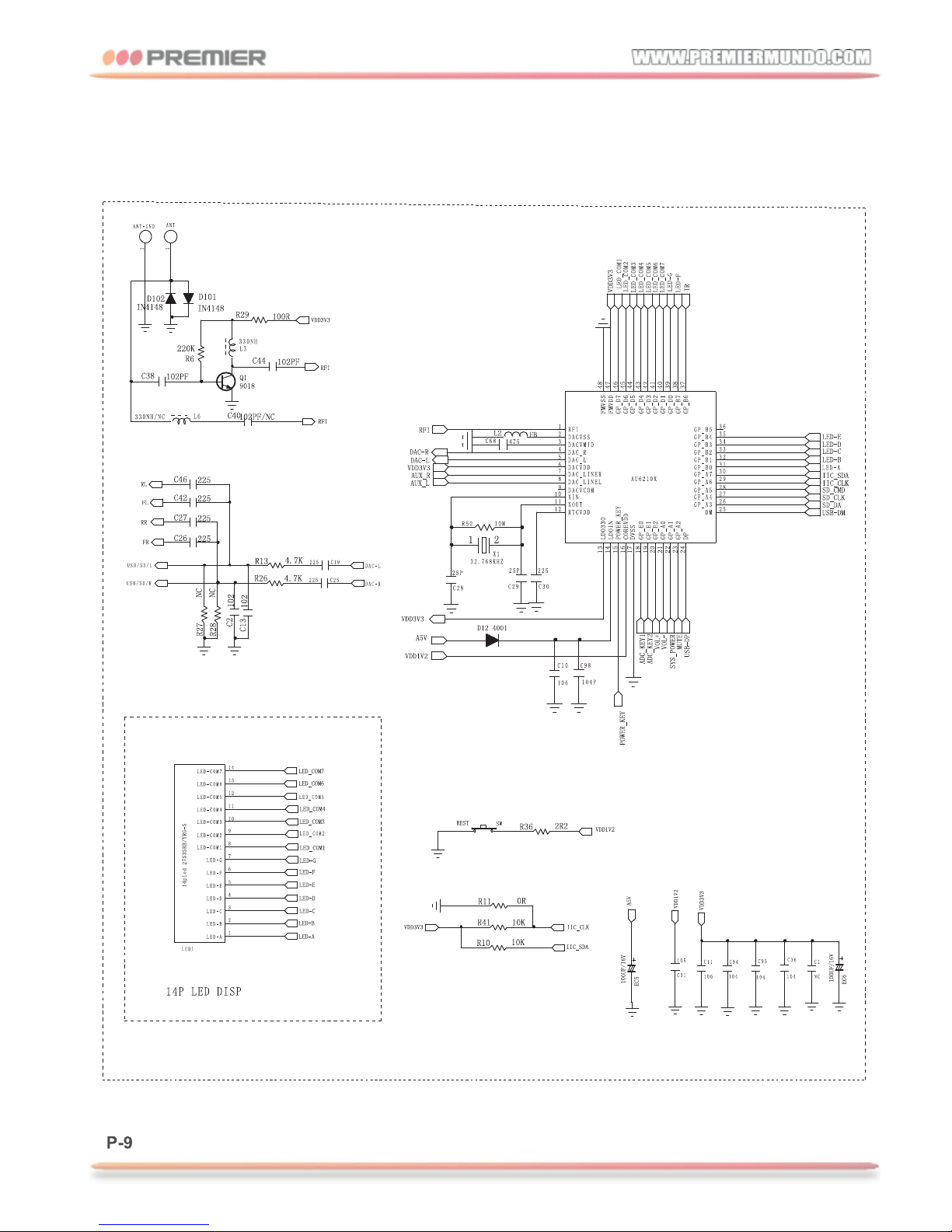
Schematic Diagram
Page 11
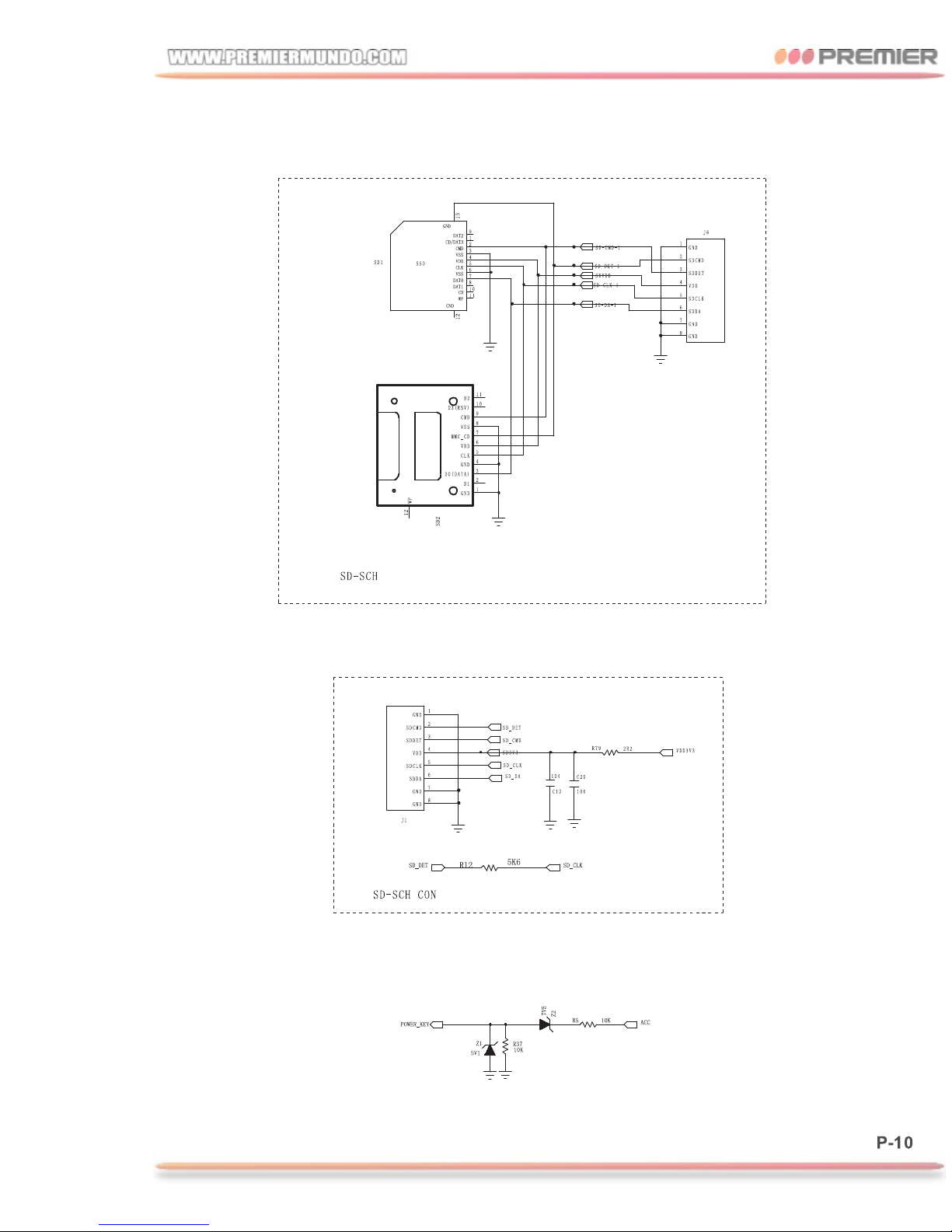
Schematic Diagram
 Loading...