

Page 1
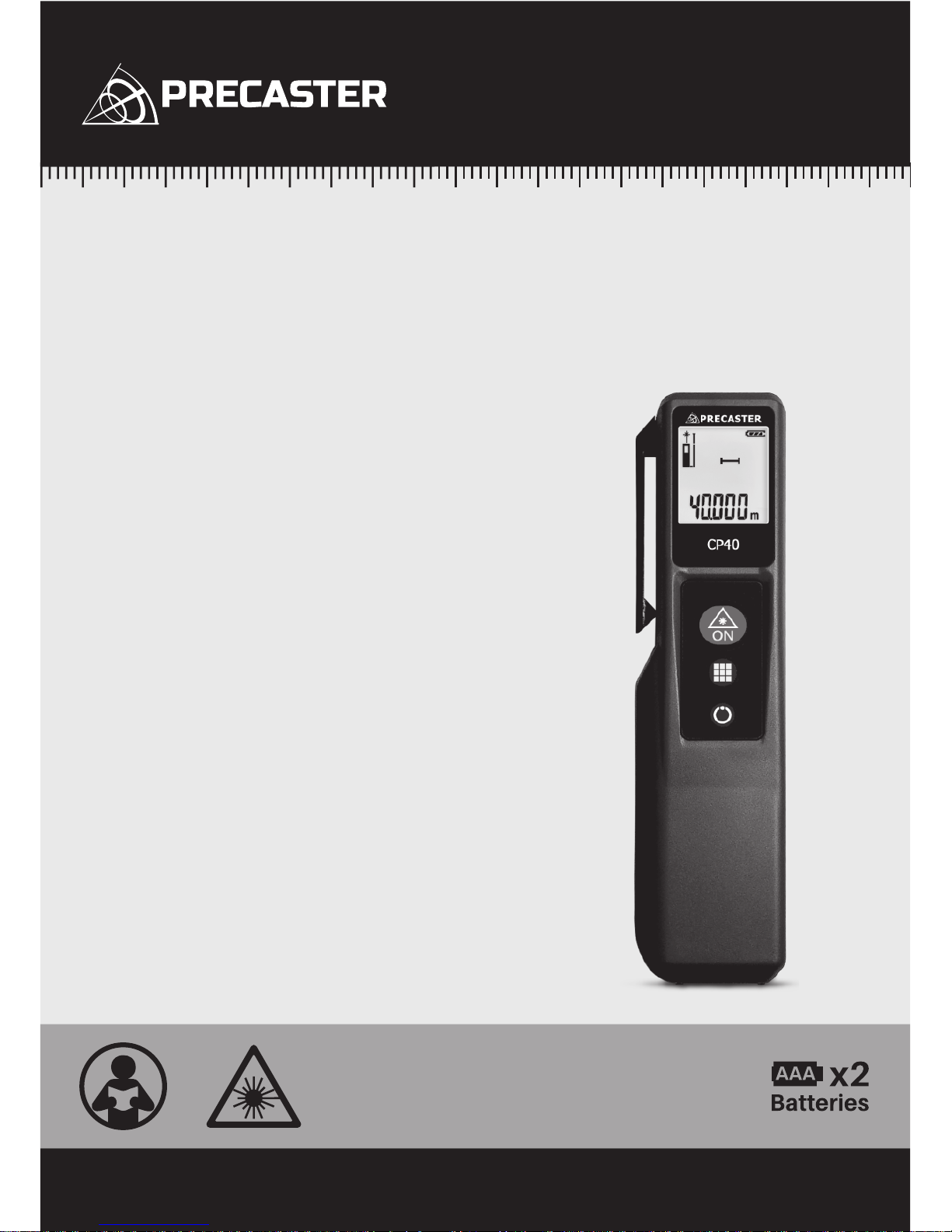
LASER DISTANCE METER
CP40
Operation Manual
NEW BENCHMARK OF MEASURING
www.precaster.com.twCP40 Operation Manual
Page 2

1
. Safety Information
1. This is a Class 2 laser tool, laser radiation is emitted from this product and is manufactured to comply IEC
60825-1: 2007, EN 60825-1:2007, EN 61326-1:2013 and CRF21, parts 1040.10 and 1040.11.
2. Use of controls, adjustment procedures other than those specified herein may result in laser radiation
exposure.
3. Never stare directly into beam or aim the laser beams at others.
4. Product contains semiconductor laser diodes with wavelengths of 650 nanometers.
5. The total continuous output of the beams never exceeds 1.0 milli-watts.
6. Product complies with EMC Test according to EN61000-6-3:2001+A11:2004, EN61000-6-1:2001,
EN61326-1:2013, IEC 61326:2012 and FCC Test according to PART 15.
. Inside The Box
∙ CP40 Laser Distance Meter x1 ∙ AAA Battery x2 ∙ Operation Manual x1
∙ Carrying Case x1 ∙ Safety Strap x1
. Specification
∙ Measuring Range
∙ Resolution
∙ Accuracy
∙ Measuring Speed
∙ Laser Type
∙ Beam Size
∙ Battery
∙ Dimension
∙ Operation Temperature
∙ Storage Temperature
∙ Automatic Power-Off
0.05m- 40m
0.001m
±2mm
0.5sec
650nm, Class II, <1mW
25mm@15m
AAA Battery x2, Up to 10,000 measures
145 x35 x18 mm
-5°C~40°C
-20°C~60°C
-Laser 30 Seconds -Device 180 Seconds
NEW BENCHMARK OF MEASURING
Page 3
2
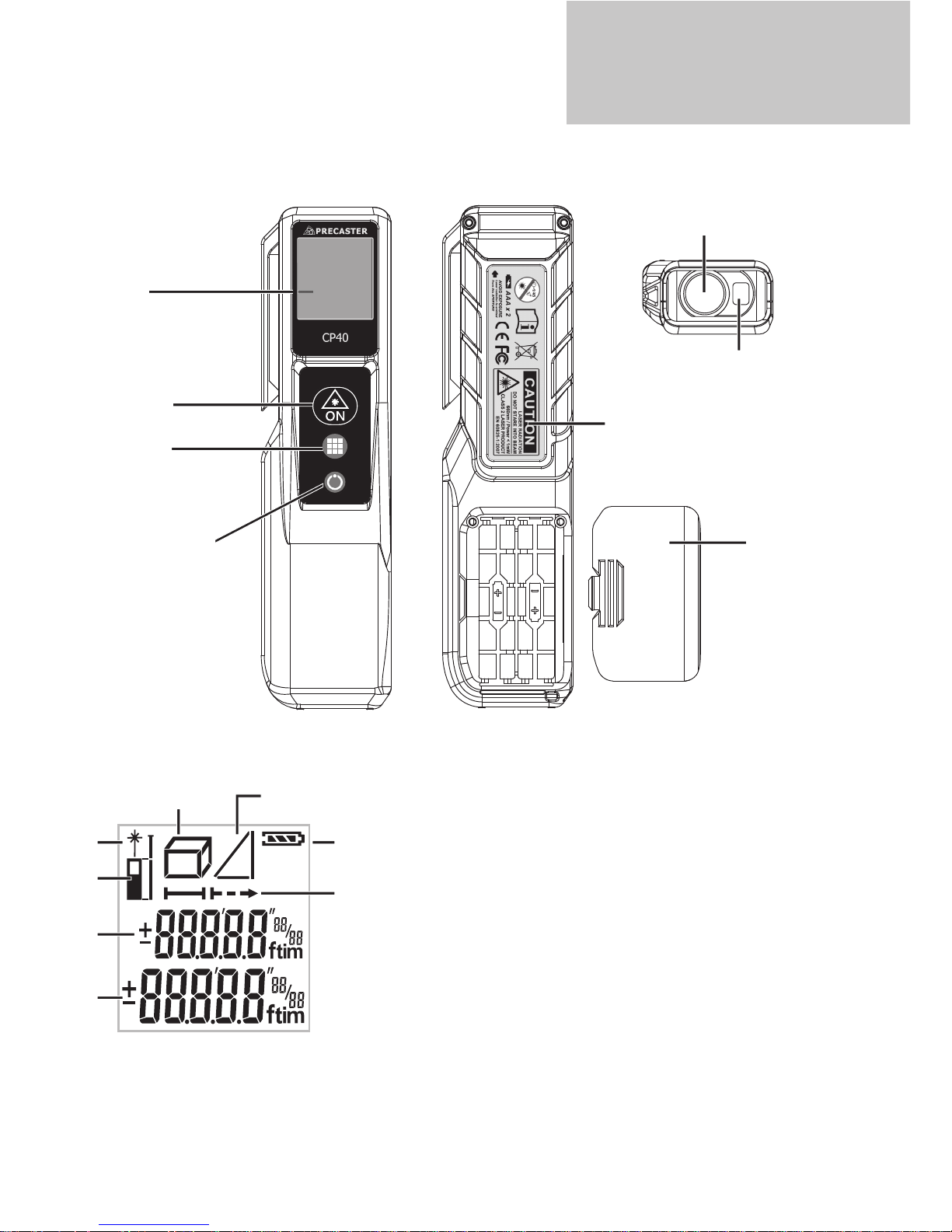
. Overview for CP40
. Overview for Screen
1. Laser Indicator
2. Measuring Reference
3. Previous Measure
4. Current Measure
5. Area / Dimension
6. Indirect Measuring
7. Battery Status
8. Measuring Mode Indicator
∙ LCD
∙ Function
Area
Volume
Indirect Measure
∙ Power / Clean
∙ Measure
∙ Laser Emitted Window
∙ Back Sticker
∙ Laser Receiving Window
1
2
3
4
5
7
8
6
∙ Battery Cover
WWW.PRECASTER.COM.TW
CP40 OPERATION MANUAL
Page 4
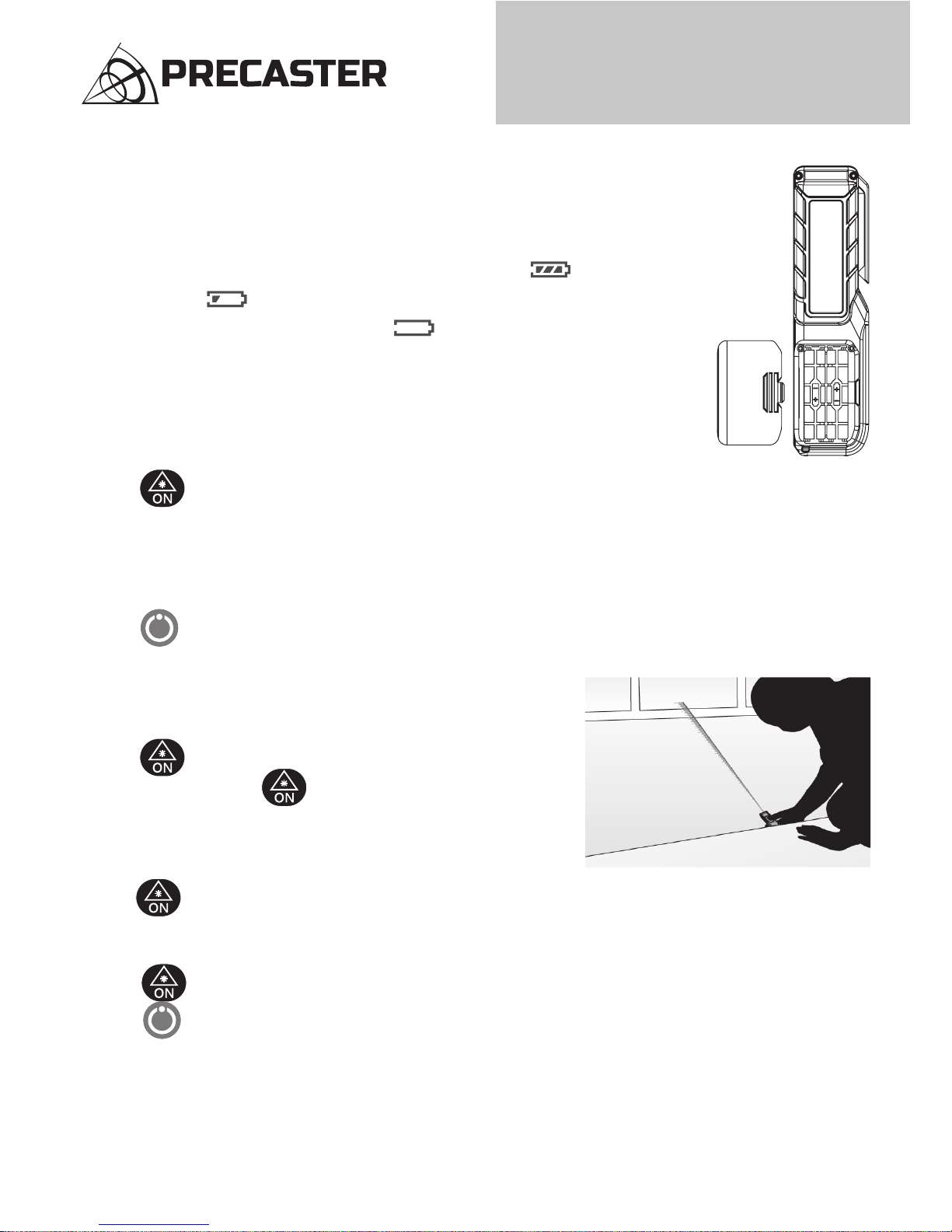
Single Measurement Mode
1. Press to turn on laser then aim at proper target.
2. Hold steady and press to measure.
3. Result will be displayed on the screen with a beep.
Continuous Measurement Mode
1. Hold to active continuous measuring.
2. Measuring results will be vary upon movement and showed on the main screen.
The Maximun and minimum distance will be displayed on Sub screen.
3. Press to stop.
4. Press to quit this mode.
3
. Battery Installation & Power Status
1. This unit is powered by 2 x AAA Batteries.
2. Remove battery lid and observing correct polarity before install batteries.
3. Battery level is showed on screen with batty icon on screen .
4. When the icon appears, there are approximately 1000 times to measure.
5. Replace batteries when low battery icon flash on screen.
6. To change new batteries, when install new batteries, then close back lid.
. Power On and Off
When device is off
1. Press to turn on.
2. Screen will be filled out by icons during internally checking.
3. Device will get into standby screen and ready for measuring.
When device is on
1. Hold for 3 seconds at any screen to turn off device.
. Distance Measurement
NEW BENCHMARK OF MEASURING
Page 5
4
. Addition of your measurements
1. To add first measurment with later on, press to make first number as summand.
2. Then take another measurement and the sum will be displayed on the screen.
. Subtraction of your measurements
1. To subtract first measure with later one, press twice to make first number as minuned.
2. Then take another measurement the subtraction will be displayed on the screen.
. Measuring Function Selection
1. CP40 has three commonly used functions for measuring, you could make select by pressing .
2. By pressing and holding , functions will be popped up in loop from
AREA -> DIMENSION -> INDIRECT MEASURING
3. Relaease button to stop looping and the selection of functions.
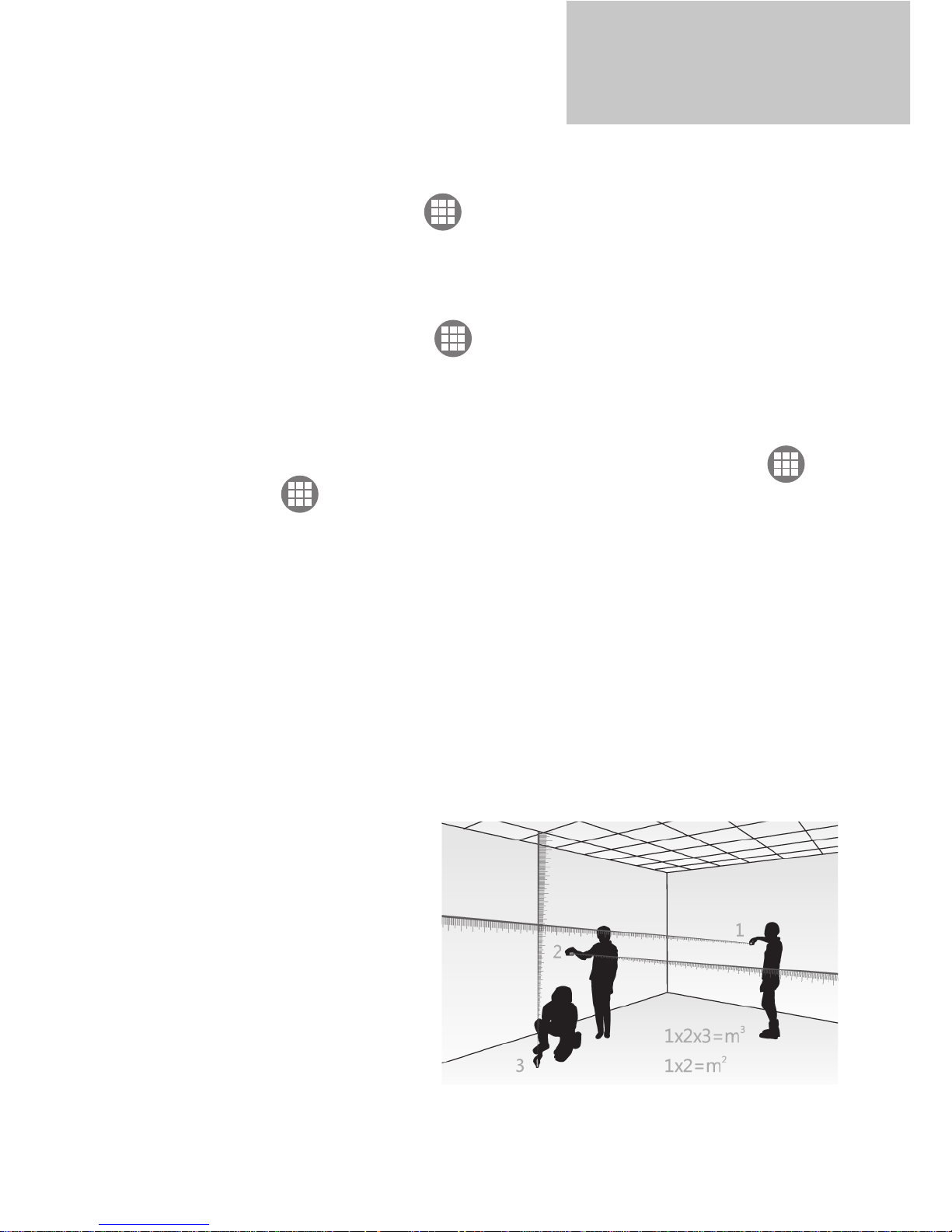
a. Area Measurment
1. Follow the instructions to measure width and length.
2. Area will be calculated and showed on the screen.
b. Volume Measurement
1. Follow the instructions on the main screen to measure width, length and height.
2. Dimension will be calculated and displayed on the screen.
WWW.PRECASTER.COM.TW
CP40 OPERATION MANUAL
Page 6
5
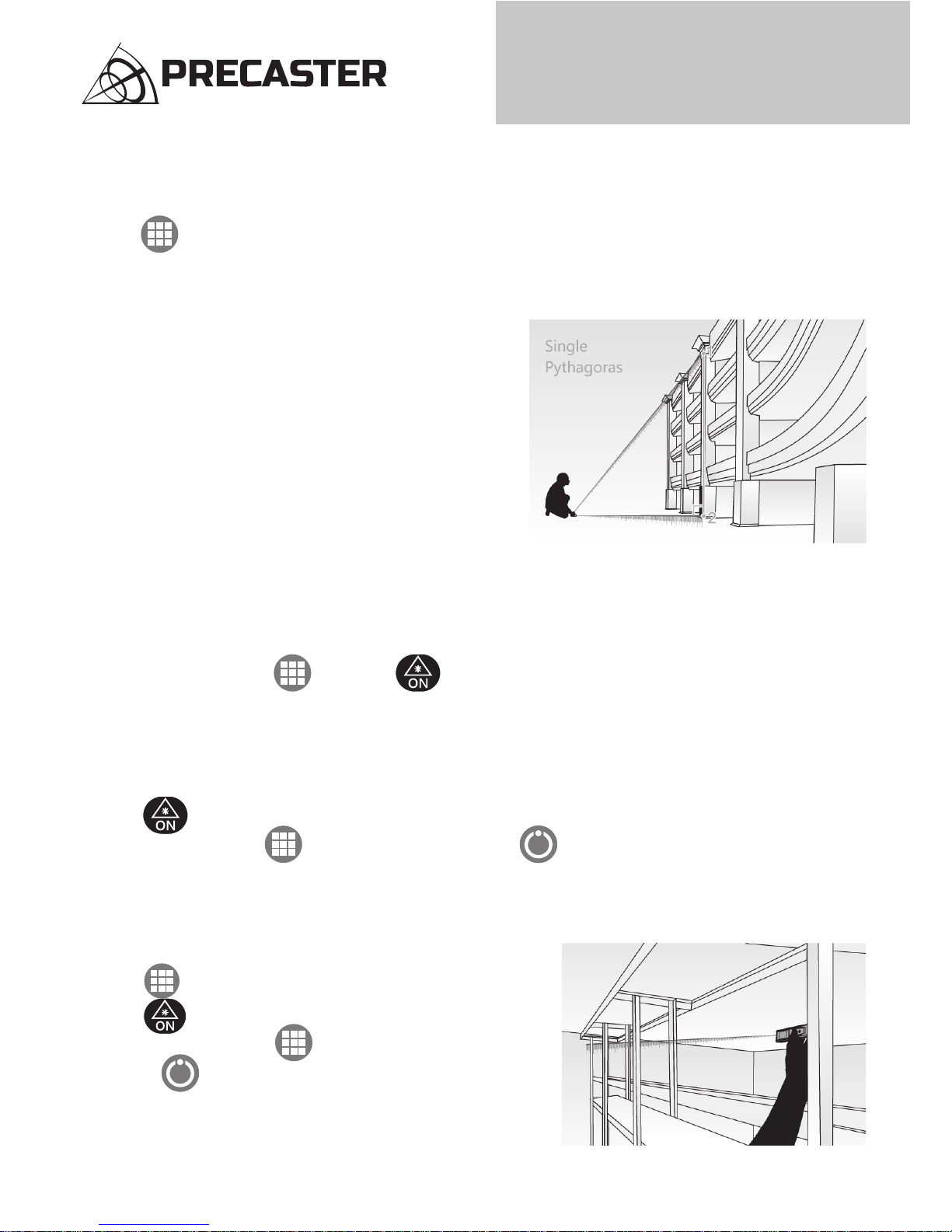
c. Indirect Measurement
1. All the calculations are bases on Pyhtagorean theorem (a²+b²=c²) for height.
2. Press for 3 times to enable indirect measuring.
Follow the instructions on the screen to measure slang lengths and leveling length.
3. Measured Results will be displayed on the screen.
. Settings
1. CP40 has two settings in outer menu.
2. When device is off, hold than press to enter setting menu.
3. The two settings are “Unit” and “Reference”.
a. Unit Switch Reference
1. CP40 has universal units and auto converting functions.
2. Press to select units.
3. Once you select, press to reference setting. Or press to restart.
b. Measuring Reference
1. There are two reference for CP40 : rear / front
2. In outer setting mode
3. Press twice to enter reference setting.
4. Press to switch among FRONT -> REAR in loop.
5. Ince you selected, press to reference setting.
Or press to restart.
NEW BENCHMARK OF MEASURING
Page 7

6
. Error Code
Err01
Err02
Err03
Out of measuring range Measuring in a proper range
Reflected signal is too weak
Pythagorean calculation error
Low Battery
Out of working temperature
Ambient light is too strong
Check and verify values and
steps are correct
Install a new battery
Measure in an environment
within specified working
temperature
Measure in a darker place
(shadow target)
Select a better surface
Out of display range (Max Value:
99999), e.g: result of area or
dimension is out of display range.
Divide caculation into
intermediate steps
Err04
Err05
Err06
Err07
Code Description Solution
. Service Support
Please contact your local dealer or contact us through servise email :
[ [email protected] ] for further assistance.
WWW.PRECASTER.COM.TW
CP40 OPERATION MANUAL
Page 8

PRECASTER ENTERPRISES CO., LTD.
Add: No. 204, Sec. 2, Fu-Hsing Rd., Taichung, Taiwan
Tel: 886-4-2262 1000. Fax: 886-4-2261 6565
Http://www.precaster.com.tw
Email: [email protected]
NEW BENCHMARK OF MEASURING
www.precaster.com.twCP40 Operation Manual
Precaster Enterprises CO., LTD. Made in Taiwan
 Loading...