

Page 1
TM
POWERED
IMPRESSION
GUN
POWERED
IMPRESSION
GUN
Practicon® BFC
3
Powered Impression Gun
Instructions for Use
Thank you for purchasing the BFC3 (Better Faster Comfort, Control,
Compatibility) Powered Impression Gun, the first cordless, handheld,
motorized impression gun that dispenses standard 25ml, 50ml, and
75ml 1:1/2:1 automix cartridges. With proper use and care, BFC3 will
make your impression procedures faster and easier than ever.
Please read and understand all instructions before using this
device, and save this manual for your reference. This manual
is subject to change without notice.
1-800-959-9505 • Fax 1-800-278-0885
practicon.com • Greenville, NC 27834
Made in USA of US and imported parts • Instruction 701756_1
SYMBOLS USED
Hazard
warning
A B C D
Read instructions
before use
SN
Serial
number
Keep dry
Manufacturer
E
F
Do not dispose
of with normal
household waste
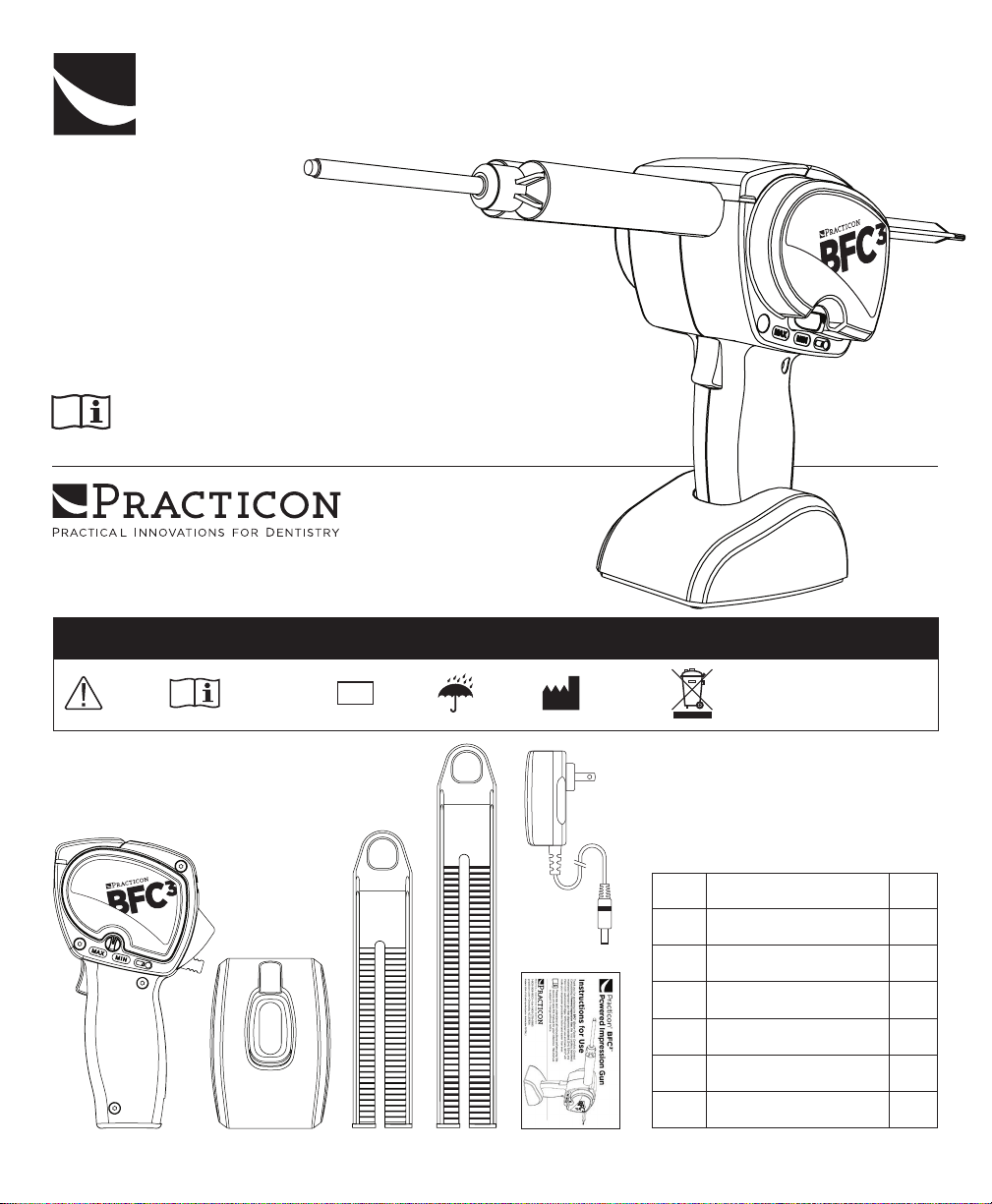
PACKAGE CONTENTS
Item Description Qty
BFC3 Impression Gun 1
A
Countertop Stand 1
B
50ml/25ml Plunger 1
C
75ml Plunger 1
D
Battery Charger 1
E
Instructions for Use 1
F
IPX0
Ordinary
equipment
Page 2
Product Information
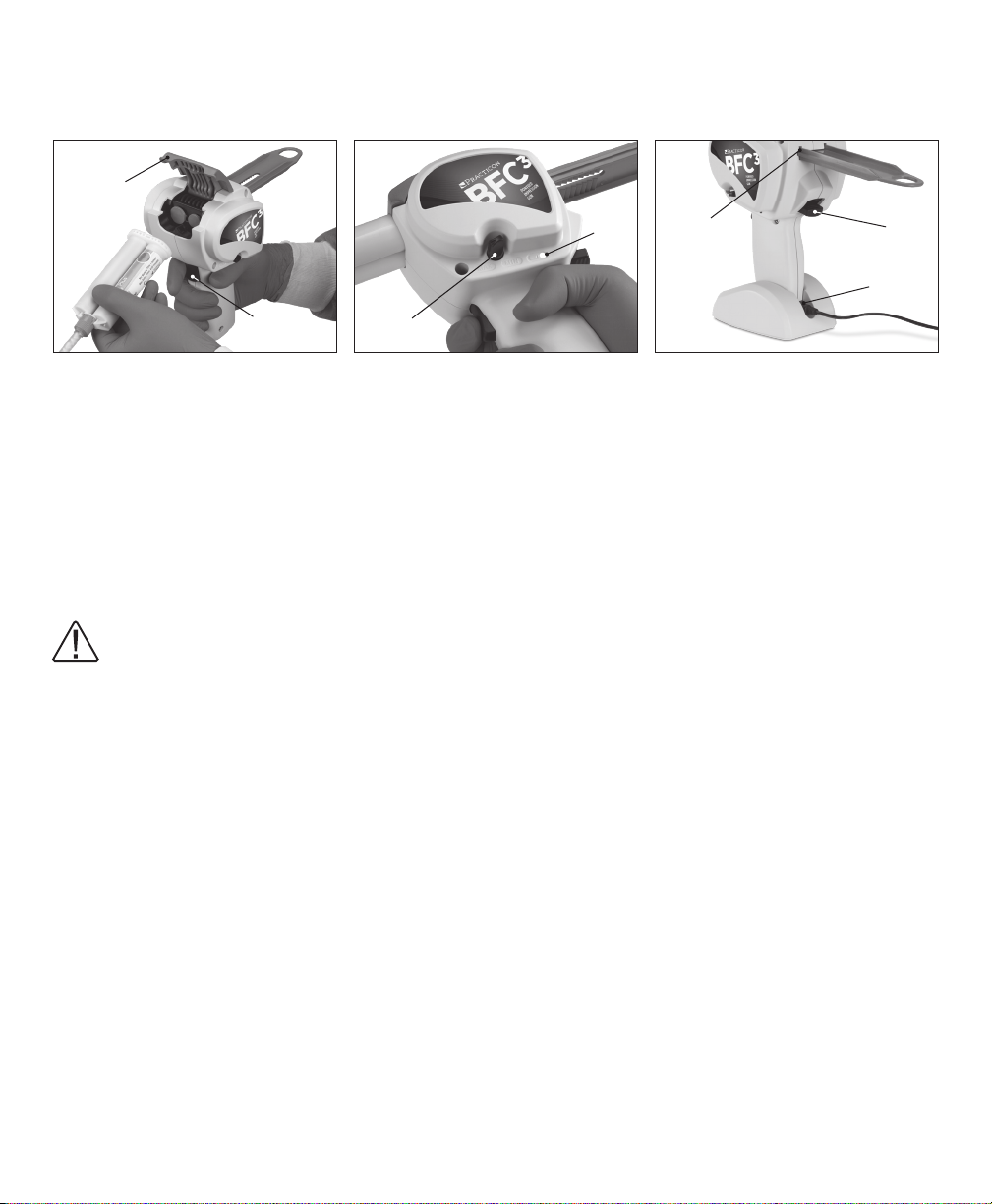
BFC3 COMPONENTS AND CONTROLS
G
K
L
M
N
H
Cartridge clamp
G
Raise to open and insert/remove
automix cartridge
Dispensing activation trigger
H
CHARGE THE BATTERY FULLY BEFORE USING THE BFC3 FOR THE FIRST TIME
Insert the charging cable into the connector
stand so the charging cable extends out the back of the stand. The LED indicator on the wall charger will change
from red to green when the battery is fully charged. A full charge can take up to 21⁄2 hours.
DISCONNECT CHARGER FROM BFC3 PRIOR TO USE.
UNIT WILL NOT OPERATE WITH BATTERY CHARGER CONNECTED.
PREPARING THE BFC
Select the 50ml plunger
appropriate for your material cartridge. Open the
cartridge clamp G. Hold the BFC3 in one hand and
press upward on the plunger release lever M with your
thumb. With the other hand, insert the plunger teeth
side down into the plunger slot L in the front of the
unit and slide it back as far as it will go. Release the
plunger release lever. The BFC3 is now ready to use.
OPERATION
Using the BFC3 is very much like using a manual
impression gun, only easier. Instead of having to
repeatedly squeeze a large spring-loaded trigger with
your hand, BFC3 dispenses automix material with the
press of a button.
LOADING A CARTRIDGE
Press the plunger release lever M upward with your
thumb, pull the plunger back until it stops, and then
release the lever. Open the cartridge clamp G and
insert an automix cartridge. Close the cartridge clamp.
3
FOR USE
or 75ml plunger D as
C
J
Dispensing speed control
J
Adjustable from 0.6ml/sec. (min)
to 1.7ml/sec. (max)
Low battery LED
K
at the base of the BFC3 handle and then place the BFC3 into the
N
Press the plunger release lever again and slide the
plunger forward until it contacts the cartridge.
Release the lever.
ADJUSTING THE FLOW RATE
The BFC
from 0.6 to 1.7ml/sec. Adjust the flow rate by rotating the
dispensing speed control J between the MIN and MAX
settings. Experiment with dierent flow rates to find the
setting that works best for your practice and procedures.
DISPENSING MATERIAL
As with all impression guns, express the first drops of
material onto a paper towel or tray liner.
Press the dispensing activation trigger H with your
index finger to start the flow of material. Release the
trigger when enough material has been dispensed.
The BFC3 includes an anti-drip feature that momentarily
reverses the plunger when the dispensing trigger
is released, and an auto-stop feature with overload
protection when a cartridge has been emptied.
3
can dispense material at a rate that ranges
Plunger slot
L
Plunger release lever
M
Press upward to insert, withdraw,
or remove plunger
Battery charger connector
N
Page 3
CHARGING THE BATTERY
Use only the charger that came with your BFC
3
. Use of
another charger could damage the unit and will void
the warranty.
3
With a fully charged battery, the BFC
can dispense
about 60 full 50ml heavy-body VPS cartridges. When
battery output is reduced, the low battery LED K
will illuminate, indicating that the BFC3 battery should
be charged soon. The BFC3 will dispense up to 10 full
cartridges after the low battery LED illuminates.
CLEANING AND DISINFECTION
This product must be disinfected for each patient.
Failure to follow these guidelines could damage the
device and void the warranty.
Clean the body of the device and plungers with disinfectant wipes. Follow all disinfectant manufacturer’s
guidelines for use.
• Do not use any cleaner containing bleach.
• Do not immerse in liquid.
• Do not place in autoclave.
The BFC3 battery is rated for 500 recharges (about
30,000 cartridges) before replacement will be required.
Contact Practicon for battery replacement service. Do
not attempt to open the unit or service the battery.
TROUBLESHOOTING
Problem Resolution
Cannot insert plunger
Insert the plunger into the slot on the front of the unit teeth side down.
The slot is keyed so that the plunger can only go in one way.
Dispensing is too slow/fast Adjust the dispensing speed control to increase/decrease the flow.
Cartridge is empty and auto-stop engaged; replace cartridge.
Unit will not dispense material
Battery charger is still connected to unit (by design, unit will not operate with charger connected); disconnect battery charger from BFC
Battery will not charge
Contact Practicon for battery service. Do not attempt to open the unit
or service the battery.
3
.
PRODUCT SPECIFICATIONS
Type of Information Specifications
Device Name Powered Impression Gun
Model Number BFC
3
Battery 11.1V lithium-ion
Battery charger 12.6V/500mA with LED indicator
Charging time 21⁄2 hours (full charge)
Flow rate Adjustable from 0.6 to 1.7ml/sec.
Device Dimensions 4"W x 4"D x 7"H (overall)
Device Weight 28.1 oz.
Protection from
Ingress of Liquid
IPX0
MANUFACTURER
PRACTICON, INC.
1112 SUGG PARKWAY
GREENVILLE, NC 27834 USA
TEL: +1 (252) 752-5183
FAX : +1 (252) 752-2439
WEBSITE: practicon.com
EMAIL: [email protected]
Page 4
WARNINGS
POWERED
IMPRESSION
GUN
POWERED
IMPRESSION
GUN
AMBIENT CONDITIONS
Do not store the device in humid surroundings. Do not place the device where it may come in contact
with liquids. Do not expose the device to any heat sources. Do not charge, operate, or store the device at
high temperatures. Comply with the specified operating and storage conditions.
ELECTRIC SHOCK HAZARD
3
BFC
is an electric device designed to meet worldwide safety standards. To avoid electric shock:
• Do not attempt to open or alter the unit in any way. Any attempt to open the unit will invalidate the warranty. Only the service centers authorized by Practicon can open the unit housing and repair the device.
• Do not put any foreign objects into the housing of the unit.
BATTERY
Do not store at temperatures above 104°F (40°C). If unit is stored six months or longer, recharge battery
fully before using.
DISPOSAL
For environmental reasons, please dispose of unit according to local environmental guidelines or
regulations regarding lithium-ion batteries. Do not dispose of unit in fire.
REPAIRS AND DEFECTS
Do not use the device if you suspect it is damaged or defective. If batteries are defective, do not
transport the device by air under any circumstances.
Warranty
Practicon, Inc. warrants this product to be free of manufacturing defects for a period of one (1) year from the date
of purchase, deemed as the date of the invoice. Units returned due to manufacturing defects within the warranty
period will be repaired or replaced at our discretion. The following are expressly excluded from the warranty:
• Damage and/or failure of the equipment caused by dropping and/or jolting during handling after purchase
and/or during normal use.
• Damage and/or failure of the equipment caused by natural disasters, such as earthquakes, floods, lightning,
pollution, incorrect electrical voltage, and voltage spikes.
• Battery failure.
ANY ATTEMPT TO OPEN THE UNIT WILL INVALIDATE THE WARRANTY.
PURCHASE INFORMATION
Record information about your BFC
3
purchase in the space below.
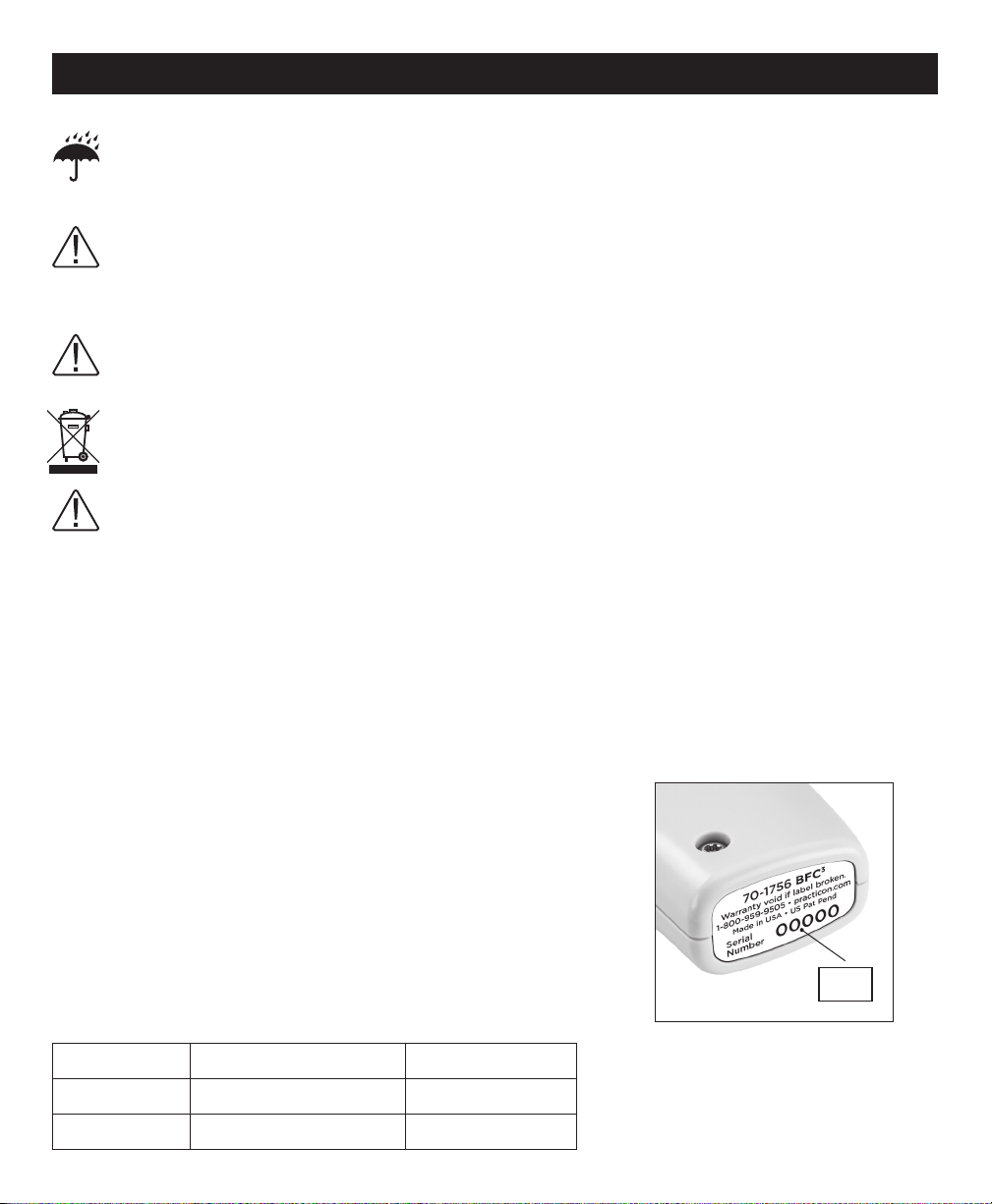
Serial Number __________________________________________
Date of Invoice __________________________________________
REPLACEMENT PARTS
Only use original Practicon components/accessories.
Item Number Description Qty/Unit
71-51589 Plunger Set 1 ea 50ml and 75ml
71-51590 Battery Charger 1 ea
SN
 Loading...